The single-cable desk setup is the gold standard for remote workers who use a laptop. One Thunderbolt 4 or USB-C cable from your laptop to the dock — and from the dock, everything else connects: your monitor, keyboard, mouse, ethernet, webcam, external drive, and phone charger. When you close your laptop at the end of the workday, you disconnect one cable. When you sit down in the morning, you plug in one cable.
Without a dock, that scenario looks very different: a power cable, an HDMI cable to the monitor, a USB cable to the keyboard hub, a separate ethernet adapter, and a USB-A cable to your webcam. Five cables on the desk, five things to manage.
Quick pick: The Anker 777 at $249 delivers Thunderbolt 4 reliability without overpaying for ports you won’t use. If you run a complex multi-monitor setup or want maximum future-proofing, the CalDigit TS4 is the benchmark — but you’ll pay for it.
A quality Thunderbolt 4 dock is one of the most impactful single purchases for a remote worker’s desk setup, particularly for those using a standing desk where a single cable simplifies height transitions. This guide covers the five best options in 2026, evaluated specifically for home office and hybrid work use.
Thunderbolt 4 vs. USB-C: What Is the Difference?
Both Thunderbolt 4 and USB-C are connector standards, but they are not equivalent in performance.
Thunderbolt 4 provides 40Gb/s bandwidth, mandatory support for dual 4K displays or a single 8K display, a minimum of 15W charging on downstream ports, and specific power delivery requirements. A Thunderbolt 4 dock is backward compatible with Thunderbolt 3 and USB-C devices, though at reduced performance levels.
USB-C is the physical connector standard and encompasses a wide range of protocols — USB 3.2 (10Gb/s), USB4 (40Gb/s), and DisplayPort Alt Mode. A USB-C dock may use USB 3.2, which provides significantly less bandwidth and fewer display capabilities than a Thunderbolt 4 dock.
For remote workers with a modern MacBook (2019+) or a Thunderbolt 4 Windows laptop (most premium laptops from 2021+), a Thunderbolt 4 dock provides the maximum possible performance and compatibility. USB-C docks with USB 3.2 are more affordable but may not support dual monitors or provide enough bandwidth for high-speed external drives simultaneously.
Every dock in this roundup uses Thunderbolt 4, which means backward compatibility with Thunderbolt 3 hosts at reduced bandwidth.
Why Ethernet Matters for Remote Work
A wired ethernet connection to your docking station is one of the most impactful improvements for remote workers who experience unstable video calls. WiFi connections — even fast ones — introduce variable latency and packet loss that causes call quality degradation, frozen video, and audio dropouts.
A Gigabit (1GbE) or 2.5 Gigabit (2.5GbE) wired ethernet connection provides stable, low-latency connectivity that eliminates most call quality issues attributable to the network. The CalDigit TS4 and Plugable TBT4-UDZ include 2.5GbE ethernet; the Anker 777, Kensington SD5700T, and Belkin dock include 1GbE. For most home internet connections (under 500Mbps), 1GbE is sufficient. For workers with multi-gigabit internet connections, 2.5GbE makes full use of the available bandwidth.
Power Delivery: How Much Do You Need?
Power delivery through the dock charges your laptop while it is connected. The amount needed depends on your laptop:
- MacBook Air (M1/M2/M3/M4): 30W–45W sufficient
- MacBook Pro 14”: 67W sufficient, 96W preferred
- MacBook Pro 16”: 96W–140W (only the highest-power dock options cover the top end)
- Windows ultrabooks: 45W–65W typical
- Windows performance laptops: 65W–100W typical
The CalDigit TS4 delivers 98W — sufficient for most laptops except the highest-power MacBook Pro 16” models under heavy load. The Plugable TBT4-UDZ delivers 100W. Both cover the vast majority of remote worker laptop configurations.
Best USB-C Docking Stations for Remote Work in 2026
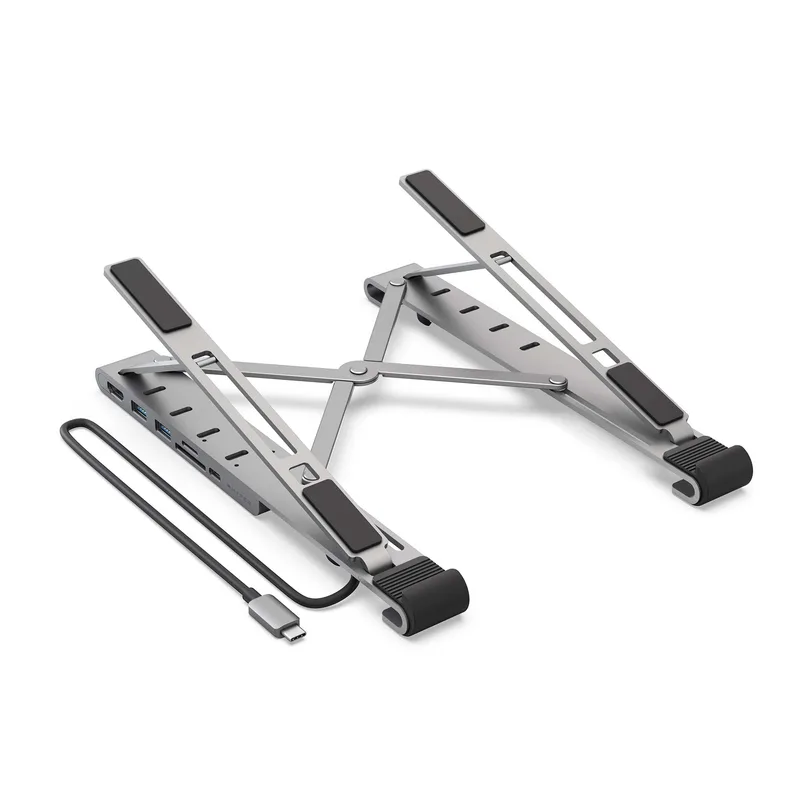
1. CalDigit TS4 — Editor’s Pick
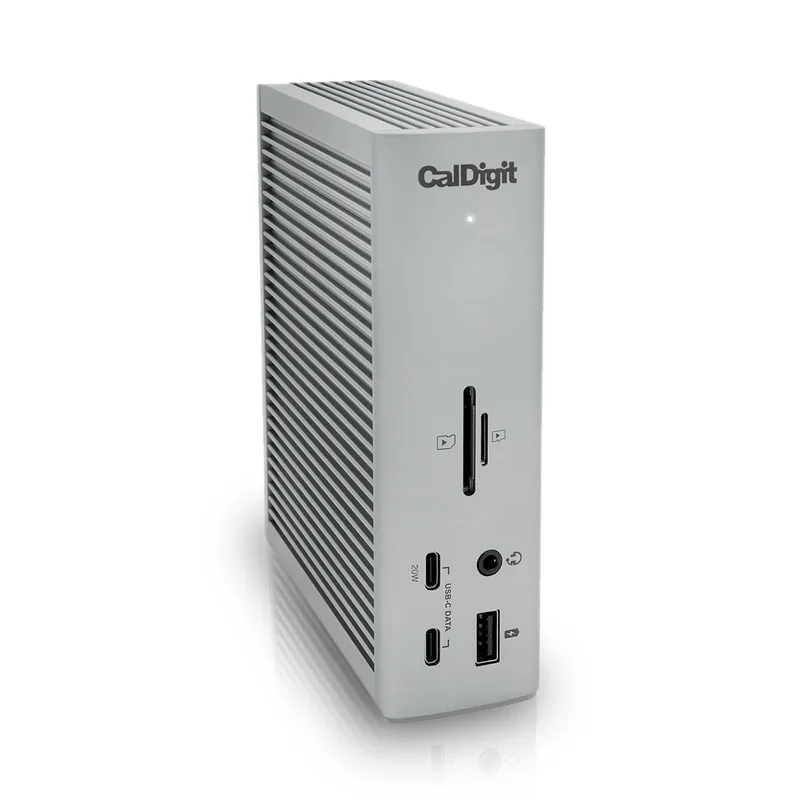
The CalDigit TS4 is the most capable Thunderbolt 4 dock for remote workers who want to connect everything through one hub. Eighteen ports cover every conceivable peripheral: three Thunderbolt 4 downstream ports, three USB-C at 10Gb/s, five USB-A at 10Gb/s, 2.5GbE ethernet, 3.5mm audio in and out, SD card slot, and a DisplayPort output.
The vertical form factor keeps the dock’s footprint compact on the desk surface. The 98W power delivery handles the MacBook Pro 14” and 16” at normal working loads without issue.
Where the TS4 stands apart from other docks is the downstream Thunderbolt 4 port count. Three downstream TBT4 ports mean you can connect an external GPU, a Thunderbolt storage array, and another dock or display hub simultaneously — coverage that only matters for power users but provides genuine future-proofing.
For remote workers who want a single authoritative hub for everything on their desk, the TS4 is the benchmark. At $379, it costs more than the alternatives, but the port count and bandwidth justify it for anyone running a complex multi-peripheral setup.
Best for: Remote workers with multiple monitors, heavy storage needs, or a large peripheral set. Skip if: You only need one monitor and a handful of USB ports — you’ll be paying for ports you won’t use.
2. Anker 777 Thunderbolt 4 Dock — Best Value
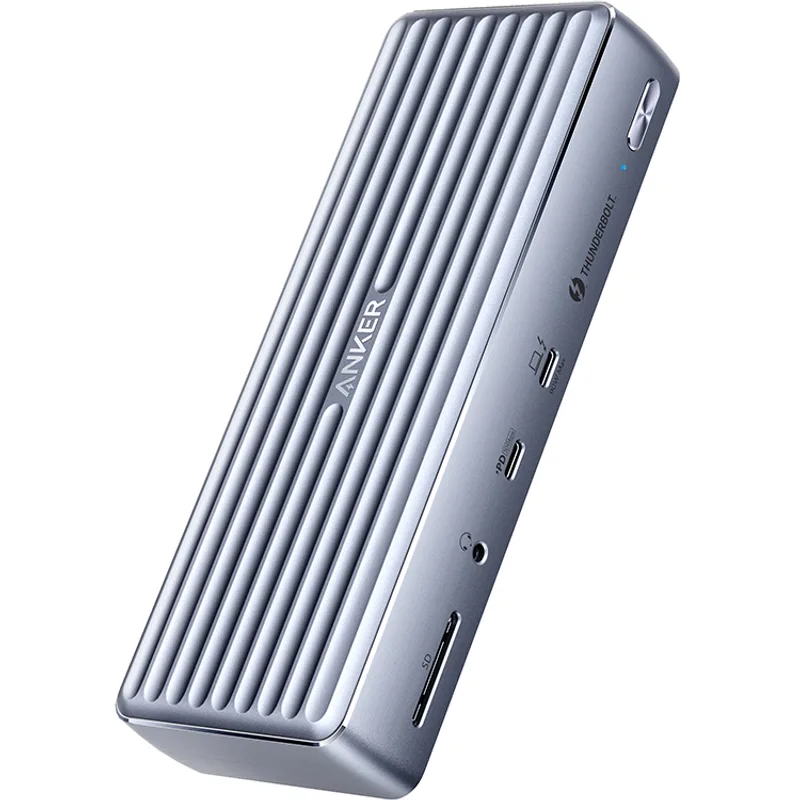
The Anker 777 hits the intersection of Thunderbolt 4 certification and reasonable pricing. At $249, it costs about $130 less than the CalDigit TS4 while covering the core use case: single-cable laptop connection, dual 4K monitor output, 90W laptop charging, ethernet, and a full complement of USB ports.
Anker’s build quality here is premium — aluminum construction, solid cable connections, and no perceptible coil whine or heat issues in extended use. The dock sits flat on a desk or can be positioned vertically.
The limitation compared to the TS4 is fewer Thunderbolt downstream ports (one instead of three) and 1GbE rather than 2.5GbE ethernet. For remote workers whose home network is under 1Gbps — the overwhelming majority — neither difference will be noticeable day-to-day.
This is the dock for the remote worker who wants Thunderbolt 4 reliability without paying for ports they will never use.
Best for: Remote workers who want Thunderbolt 4 at a fair price — single monitor or dual-monitor setups. Skip if: You need more than one downstream Thunderbolt port or multi-gigabit ethernet.
3. Plugable TBT4-UDZ — Best for Power Users
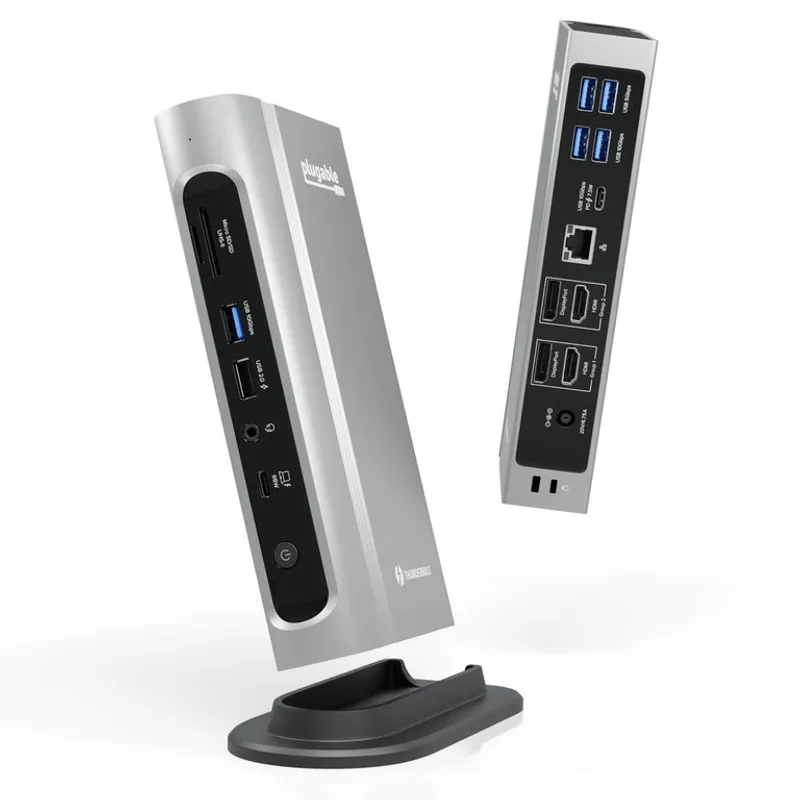
The Plugable TBT4-UDZ stands out in two areas: 100W power delivery (the highest in this roundup) and 7 USB-A ports (also the highest). For remote workers with many USB-A peripherals — external keyboard, mouse, webcam, USB drive, audio interface, printer — the port count eliminates the need for a separate hub entirely.
The 100W power delivery is particularly relevant for Windows gaming laptops used as hybrid work devices, which often require higher wattage to maintain charge under load. For most standard laptops, 90W is sufficient, but the extra headroom eliminates any charging uncertainty.
SD and MicroSD card readers are built in, which simplifies workflows for remote workers who regularly transfer files from cameras or capture cards. The 2.5GbE ethernet also matches the CalDigit TS4 — at a lower price point.
At $269, the Plugable sits between the Anker 777 and the Kensington, and delivers more than either on raw port count and power delivery.
Best for: Remote workers with lots of USB-A peripherals, or anyone using a power-hungry Windows laptop. Skip if: Desk space is tight — the Plugable’s footprint is larger than most docks in this category.
4. Kensington SD5700T — Best for Enterprise
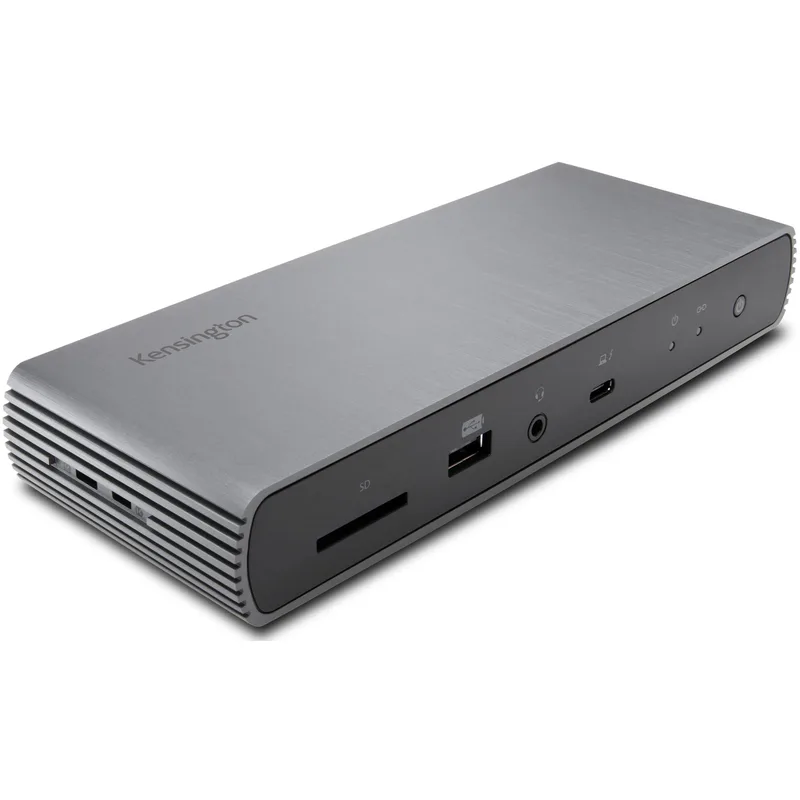
The Kensington SD5700T is the successor to the SD5600T, upgraded from Thunderbolt 3 to full Thunderbolt 4. The key upgrade: four downstream TBT4 ports — the highest count of any dock in this roundup, more than even the CalDigit TS4. The 90W power delivery covers most professional laptops.
The SD5700T is designed with enterprise durability and IT management in mind. Kensington’s enterprise support and 3-year warranty exceed what consumer-brand alternatives offer here. For remote workers at companies with IT support contracts or standardized hardware programs, that warranty coverage has real value.
The UHS-II SD card reader is a step above standard SD readers, handling high-speed V90 and V60 cards from professional cameras without bottlenecking transfer speeds. The overall port set — 11 ports including USB-A and ethernet — covers the typical home office peripheral configuration.
At $289, it is priced between the Plugable and the Belkin. The four-TBT4-port advantage makes it the clear choice for anyone building a Thunderbolt-heavy peripheral setup.
Best for: Remote workers in enterprise environments, or anyone who needs four Thunderbolt 4 downstream ports. Skip if: You need 2.5GbE ethernet or MicroSD — neither is included.
5. Belkin Connect Thunderbolt 4 Dock — Best Design
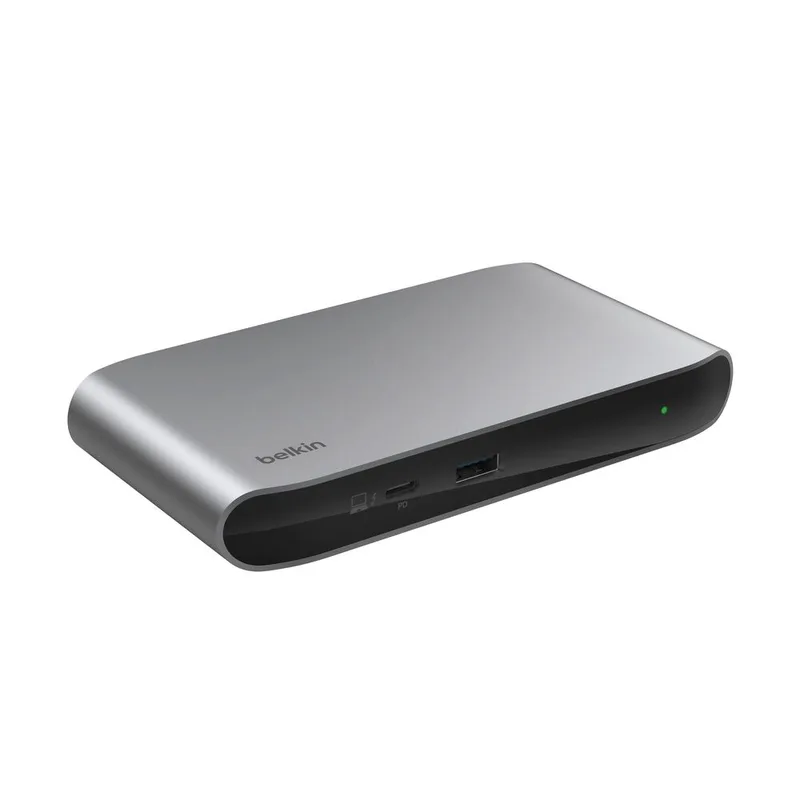
The Belkin Connect Thunderbolt 4 Dock is the choice for remote workers who prioritize clean desk aesthetics and brand reliability. The design is minimal and professional — it pairs visually well with a MacBook or a white-themed desktop. Thunderbolt 4 certification ensures full compatibility with Mac and Windows Thunderbolt 4 hosts.
The 90W power delivery and dual 4K display support cover standard remote work laptop configurations. Eleven ports — including two Thunderbolt 4 downstream, one USB-C, three USB-A, 3.5mm audio, and ethernet — handle the essentials without overcomplicating the cable situation.
At $299, the Belkin is the most expensive dock in this roundup. The Plugable TBT4-UDZ costs $30 less and offers more ports, higher power delivery, and faster ethernet. The Belkin’s trade-off is form: if a clean, compact dock that pairs well visually with a MacBook is a genuine priority, it delivers that more clearly than any alternative here.
Best for: Remote workers who care about desk aesthetics and want a clean, minimal setup. Skip if: You’re comparing specs-per-dollar — the Plugable offers more at a lower price.
Docking Station Comparison Table
| Dock | Connection | Ports | Power Delivery | Monitors | Ethernet | Price | Rating |
|---|---|---|---|---|---|---|---|
| CalDigit TS4 | Thunderbolt 4 | 18 | 98W | 2x 6K or 1x 8K | 2.5GbE | $379.99 as of Oct 18, 2026 | 9.5 |
| Anker 777 | Thunderbolt 4 | 12 | 90W | Triple 4K | 1GbE | Unavailable | 9.0 |
| Plugable TBT4-UDZ | Thunderbolt 4 | 16 | 100W | Dual 4K | 2.5GbE | $249.99-$289.99 as of Oct 18, 2026 | 8.8 |
| Kensington SD5700T | Thunderbolt 4 | 11 | 90W | Dual 4K | 1GbE | $175.00-$239.97 as of Oct 18, 2026 | 8.5 |
| Belkin Connect TBT4 | Thunderbolt 4 | 11 | 90W | Dual 4K | 1GbE | $299 | 8.6 |
Buying Guide: What to Look for in a Thunderbolt 4 Dock
Port count vs. port type. Total port count is less important than having the right ports. A 12-port dock with the right mix of Thunderbolt, USB-A, and ethernet beats an 18-port dock with redundant ports you never use. Audit your actual peripherals before buying.
Power delivery. Match the dock’s power delivery to your laptop’s requirement. MacBook Pros are the most demanding — the 16” model under heavy load can require up to 140W, which no dock fully covers. For light-to-moderate use, 90W–100W keeps it charged.
Ethernet standard. If your internet connection tops out at 500Mbps or less, 1GbE is sufficient and saves money. If you have a 1Gbps or faster connection, 2.5GbE makes use of the full bandwidth. For most remote workers, 1GbE is fine.
Display requirements. Confirm the dock supports your monitor count and resolution before buying. Apple Silicon MacBooks require DisplayLink drivers for dual external displays through a dock — this is a software solution that works but adds a setup step.
Form factor. Vertical docks (CalDigit TS4) save desk space but require a stable surface to stand on. Horizontal docks are lower-profile. If cable management matters on your desk, consider which orientation puts ports in a more accessible position.
FAQ
Do I need a Thunderbolt 4 dock or will a regular USB-C hub work? It depends on what you need to connect. A basic USB-C hub (USB 3.2, not Thunderbolt) handles simple setups: one monitor, a few USB peripherals, and a power cable. If you need dual monitors, fast external storage, or stable all-day power delivery, a Thunderbolt 4 dock provides significantly more bandwidth and reliability. For remote workers running a full desk setup, Thunderbolt 4 is strongly recommended.
Can I use a Thunderbolt 4 dock with a Windows laptop? Yes. All five docks in this roundup are compatible with Windows laptops that have a Thunderbolt 4 or USB4 port. Most premium Windows laptops (Dell XPS, Lenovo ThinkPad, HP Spectre, ASUS ZenBook) include Thunderbolt 4. Standard USB-C ports on mid-range Windows laptops may not support Thunderbolt 4 and will connect at reduced bandwidth.
How do I know if my laptop supports Thunderbolt 4? Look for the Thunderbolt symbol (a lightning bolt) next to the USB-C port, or check your laptop’s specifications page for “Thunderbolt 4” or “USB4 40Gbps.” If the spec sheet says “USB-C 3.2” without mentioning Thunderbolt, it is not Thunderbolt 4.
Will a docking station improve my video call quality? Connecting through the dock’s wired ethernet port rather than WiFi is the single most effective network improvement for call quality. Wired connections have lower latency, more consistent bandwidth, and no interference from other wireless devices. If you are experiencing call dropouts or frozen video, switching from WiFi to wired ethernet through a dock frequently resolves the issue.
Can I use a Thunderbolt dock to run two monitors from a MacBook? Apple Silicon MacBooks (M1, M2, M3, M4) natively support one external display without additional software. Running two external monitors from an Apple Silicon MacBook requires DisplayLink technology or a specific dock designed for multi-monitor Apple Silicon use. Thunderbolt 4 docks running dual monitors on Apple Silicon require software drivers (DisplayLink). On Intel-based MacBooks and all Windows Thunderbolt 4 laptops, two monitors work natively through the dock without additional software.
What happens if I connect a USB-C device (not Thunderbolt) to a Thunderbolt 4 port? The device works, but at the performance level supported by the device — not at Thunderbolt 4 speeds. Thunderbolt 4 is fully backward compatible with USB-C, USB 3.x, and Thunderbolt 3 devices. You lose nothing by connecting older devices to a Thunderbolt 4 port.
The Bottom Line
For most remote workers with a single monitor and a typical peripheral set: Anker 777 at $249. Thunderbolt 4 certified, solid build, and doesn’t require paying for ports that won’t get used.
For power users running multi-monitor setups, heavy external storage, or lots of USB-A peripherals: Plugable TBT4-UDZ at $269. The 100W charging, 7 USB-A ports, and 2.5GbE ethernet make it the best value at the mid-range price point.
For those who want the most comprehensive dock money can buy: CalDigit TS4 at $379. Eighteen ports, three downstream Thunderbolt 4 connections, 2.5GbE ethernet, and 98W charging. The benchmark for a reason.
Detailed Reviews
CalDigit TS4
Pros
- 18 ports covers virtually every peripheral a remote worker needs
- 98W power delivery charges even power-hungry 16-inch MacBook Pros
- 2.5GbE ethernet for stable, fast video call connections
- Three downstream Thunderbolt 4 ports allow daisy-chaining devices
Cons
- Higher price than most docks at this port count
- Vertical form factor requires dedicated desk space
Anker 777 Thunderbolt 4 Dock
Pros
- Thunderbolt 4 certified for guaranteed compatibility with Mac and PC
- 90W laptop charging handles most ultrabooks and standard laptops
- 12 ports covers the typical remote worker peripheral set
- Most affordable Thunderbolt 4 dock in this roundup
Cons
- Only 1GbE ethernet — not 2.5GbE like CalDigit TS4
- Fewer Thunderbolt downstream ports than the CalDigit TS4
Plugable TBT4-UDZ
Pros
- 100W power delivery — highest in this roundup
- 7 USB-A ports for extensive peripheral connectivity
- SD and MicroSD card readers built in
- 2.5GbE ethernet for stable, fast home office connections
Cons
- Larger footprint than most docks — requires more desk space
- Some Windows users report driver setup complexity on initial install
Kensington SD5700T
Pros
- 4x Thunderbolt 4 ports — most downstream TBT4 connectivity in the roundup
- Full Thunderbolt 4 upgrade from the Thunderbolt 3 SD5600T predecessor
- Enterprise-grade build with 3-year warranty
- UHS-II SD card reader handles high-speed camera memory cards
Cons
- 1GbE ethernet only — no 2.5GbE option
- No MicroSD slot unlike the Plugable TBT4-UDZ
- 90W power delivery trails CalDigit TS4 and Plugable TBT4-UDZ
Belkin Connect Thunderbolt 4 Dock
Pros
- Clean industrial design integrates well on professional desk setups
- Thunderbolt 4 certified with reliable Mac and PC compatibility
- 90W power delivery handles most laptops
- Belkin brand support and warranty coverage
Cons
- Fewer USB-A ports than competitors at this price
- 1GbE ethernet rather than 2.5GbE
- Most expensive per-port in this roundup