The USB-C cable aisle is the most confusing shelf in consumer electronics. Every cable looks identical. The connectors are the same shape. The packaging uses the same buzzwords. But the cables themselves are fundamentally different in ways that matter significantly for a home office: whether they can charge a laptop at full speed, whether they can transfer data fast enough for external storage, and whether they support display output at all.
The confusion got worse in 2026. The USB4 Gen 3 standard pushed cable performance to 40Gbps — matching Thunderbolt 4 — while 240W EPR (Extended Power Range) cables became broadly available and affordable. Some budget 240W cables now cost under $3 for a two-pack. The problem is that none of this is visible on the cable itself.
This guide cuts through that. The five cables below cover every major home office use case: high-speed dock connections, long-reach laptop charging, data transfer, Apple ecosystem reliability, and budget everyday charging. Each pick is currently available on Amazon with a verified ASIN.
Quick Comparison
| Cable | Speed | Wattage | Video | Length | Price |
|---|---|---|---|---|---|
| Cable Matters TB4 Braided | 40Gbps | 240W | 8K | 1.6ft | $18–$22 |
| Anker 765 240W | 480Mbps | 240W | No | 6ft | Unavailable |
| UGREEN USB4 40Gbps | 40Gbps | 240W | 8K@60Hz | 3.3ft | $14.99-$21.99 as of Oct 18, 2026 |
| Apple Woven 240W | 480Mbps | 240W | No | 6.6ft | $24.00 as of Oct 18, 2026 |
| Baseus 100W LED | 480Mbps | 100W | No | 3.3ft | Unavailable |
1. Cable Matters Thunderbolt 4 Cable — Editor’s Pick
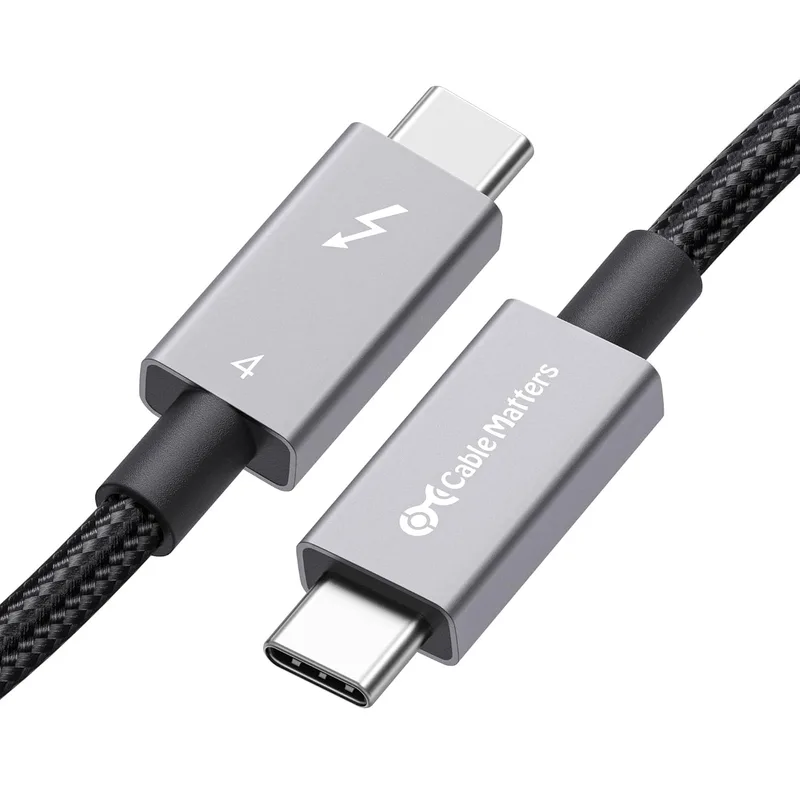
Cable Matters Thunderbolt 4 Cable 1.6ft Braided
Pros
- Intel Certified Thunderbolt 4 — not a marketing claim, this is a hardware-verified certification that guarantees the cable meets the full TB4 spec, which matters when you're connecting a laptop to a Thunderbolt dock or display that requires it
- Supports both 40Gbps data transfer and 240W charging simultaneously over the same cable — a single cable handles your entire laptop-to-dock or laptop-to-display connection without needing a separate charging cable
- 8K video output or dual 4K@60Hz display support built-in — if you're running dual monitors off a Thunderbolt dock, this is the cable that makes that work correctly at full resolution
- Braided construction with reinforced connector housing — the braid resists kinking and fraying at the ends, which is where most cables fail within the first year of daily use
- Backward compatible with Thunderbolt 3, USB4, and USB 3.2 ports — works in any USB-C port, though the full 40Gbps speed only activates on TB3/TB4/USB4 hosts
- Short 1.6ft length is purpose-built for laptop-to-dock and laptop-to-display connections where cable runs are less than two feet
Cons
- At 1.6ft, this cable is too short for most laptop charging setups where the charger is under or behind the desk — it is designed for short dock or display connections, not for reaching a wall outlet
- Thunderbolt 4 certification comes at a price premium over generic USB-C cables that do the same job on non-Thunderbolt ports — only worth the cost if you actually have a TB4 dock or display
- Not available in lengths beyond 6.6ft in active form without a significant price jump — long passive TB4 cables don't exist because the spec limits passive cable length
The Cable Matters Thunderbolt 4 cable earns the top spot for any remote worker running a Thunderbolt dock or a Thunderbolt display. The Intel Certification means the cable has been tested against the full TB4 spec — not just branded with the name, but validated in hardware. That distinction matters when you’re connecting a CalDigit TS4, an OWC Thunderbolt 4 hub, or an Apple Studio Display. Uncertified cables can cause intermittent disconnects, reduced display resolution, or docks that drop USB devices under load.
The 1.6ft length is exactly right for laptop-to-dock runs. If your dock sits on your desk next to a laptop stand, 1.6 feet covers the distance precisely without draping loose cable across your surface. The braided construction handles the daily plug-in and unplug cycle without fraying at the USB-C connector housing.
The cable simultaneously delivers 40Gbps data, 240W charging, and 8K video through a single connection. For remote workers with a MacBook Pro M4 and a Thunderbolt 4 dock, this is the only cable you need between the laptop and the dock.
2. Anker 765 USB-C Cable 240W — Best for Charging
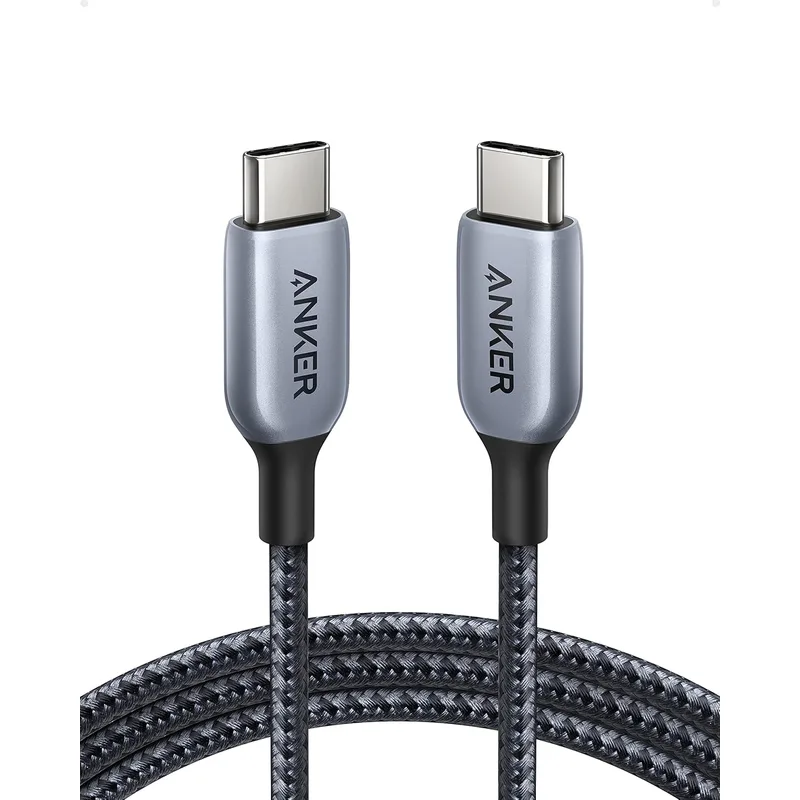
Anker 765 USB-C Cable 240W 6ft
Pros
- 240W EPR support handles the highest-wattage laptops on the market — 16-inch MacBook Pros, high-performance Windows gaming laptops, and large-screen workstations all charge at full speed from a single USB-C cable
- Six feet of reach means this cable runs from a wall charger or desk-mounted power strip to a laptop sitting on a stand, a distance that most 3ft cables cannot cover without an extension
- 35,000-bend durability testing — the cable has been validated to survive the kind of coiling, routing, and daily repositioning that desk setups require without the jacket cracking or the connectors loosening
- Double-braided nylon exterior resists tangling and doesn't develop the stiff kinks that rubber-jacketed cables get after a few weeks of use
- USB Power Delivery 3.1 with E-Marker chip — the chip communicates voltage and current requirements to the charger, enabling the 240W delivery that requires 48V operation
- Available in both 3ft and 6ft versions, with the 6ft being the right choice for any desk setup where the charger sits at floor or outlet level
Cons
- USB 2.0 data speeds at 480Mbps — this cable is for charging only, it is not suitable for connecting to external SSDs, Thunderbolt docks, or any device where you need fast data transfer
- No video output support — you cannot use this cable to connect a monitor, only to charge
- The braided jacket adds some stiffness compared to thinner rubber cables, which can make routing through tight cable management channels slightly harder
The Anker 765 is the right cable for everyone who just needs to charge a laptop reliably at full speed. The 240W EPR rating handles even the most power-hungry machines — 16-inch MacBook Pros, Razer Blade 16s, Asus ROG Zephyrus laptops — all run on USB-C power at their maximum wattage through this cable.
The 6ft length solves the most common home office complaint: the cable is too short to reach comfortably. Most standard USB-C charging cables ship at 3ft or 1m. That’s workable on a nightstand but awkward on a desk where the charger plugs into a power strip under the desk or a wall outlet to the side. Anker’s 6ft cable reaches without tension.
The USB 2.0 data speed is the only real limitation, and it’s worth being upfront about: this is a charging cable. Do not buy it expecting to use it for data transfer to an external drive or for display output. For charging-only use, it’s difficult to fault.
The 35,000-bend test validates that the cable survives actual desk use. Anker’s double-braided nylon doesn’t develop the kinks or memory that rubber-jacketed cables accumulate after being coiled in a bag or routed through a cable organizer.
3. UGREEN USB4 40Gbps 240W — Best for Data and Video
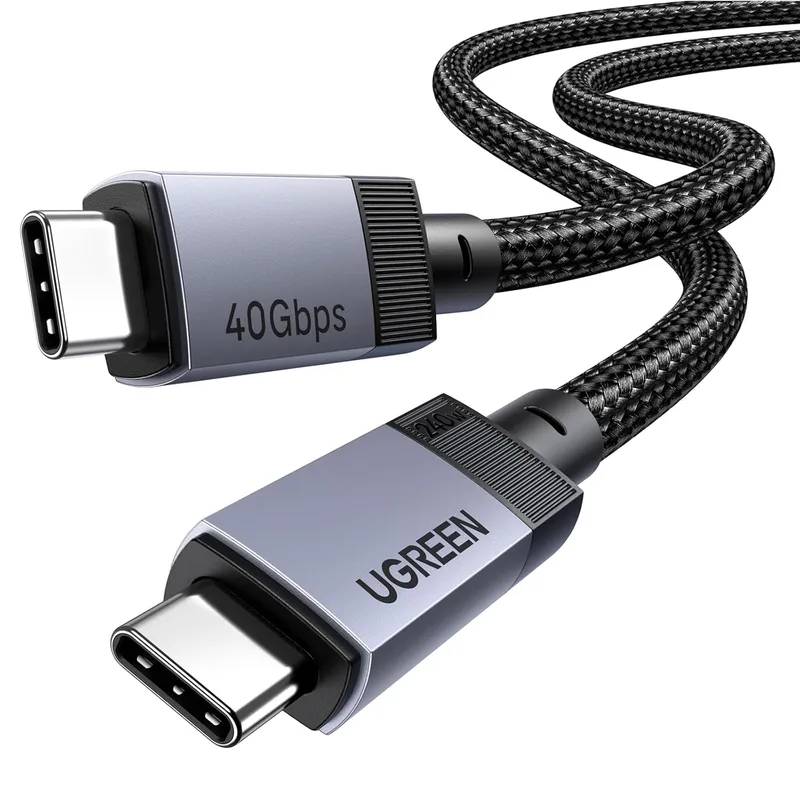
UGREEN USB4 40Gbps 240W Cable 3.3ft
Pros
- USB4 Gen 3 with 40Gbps delivers the fastest data speeds available from a USB-C cable in 2026, which matters when connecting a high-speed external SSD, an eGPU, or a USB4 dock
- 8K@60Hz video output covers even the highest-resolution displays coming to market in 2026, including high-frame-rate 4K monitors — the same cable handles both video and data without compromise
- 240W PD 3.1 over USB4 means a single cable can simultaneously charge a high-power laptop and transfer data or drive a display — fewer cables on the desk
- E-Marker chip built-in to enable 240W operation — cables claiming 240W without an e-marker chip are misrepresenting their capability, and UGREEN includes proper e-marker hardware
- Compatible with Thunderbolt 3 and Thunderbolt 4 ports as a functional USB4 cable — you get high speeds on Intel and AMD USB4 hosts even without TB certification
- USB4 Gen 3 brings this cable within reach of TB4 performance at a lower price point, without requiring Intel's licensing fees
Cons
- Not Intel Certified Thunderbolt 4 — some Thunderbolt docks and displays require a certified TB4 cable to unlock full functionality; this cable works in most TB4 setups but may not pass strict dock compatibility checks
- 3.3ft length limits placement options — longer USB4 cables are possible but require active electronics and cost significantly more
- USB4 Gen 3 is still newer than TB4 in terms of ecosystem support, so compatibility testing against specific docks matters more than with established TB4 cables
The UGREEN USB4 cable is for remote workers who need both high-speed data transfer and the option to drive a display. USB4 Gen 3 at 40Gbps is functionally equivalent to Thunderbolt 4 in terms of bandwidth, which means fast external SSDs (those Samsung T9s and WD My Passport SSDs that max out at 1,000+ MB/s) run at their full rated speed through this cable.
The video capability at 8K@60Hz covers every display available in 2026. If you have a USB4 or Thunderbolt 4 laptop and a USB-C display, this cable carries the video signal natively without an adapter.
The USB4 vs Thunderbolt 4 distinction matters here. UGREEN’s cable is not Intel Certified, which means some strict TB4 docks may run into compatibility edge cases. On standard USB4 host ports and on most real-world TB4 setups, it works correctly. If you know your dock requires certified TB4 cables specifically, go with the Cable Matters option instead.
At $22–$28, this cable gives you USB4 Gen 3 performance at roughly the same cost as the TB4 Cable Matters option while adding 8K@60Hz video and a longer 3.3ft length. The E-Marker chip enables the 240W charging correctly — this isn’t a cable that claims 240W on the label while shipping without the chip.
4. Apple 240W USB-C Woven Charge Cable — Best for Apple Users
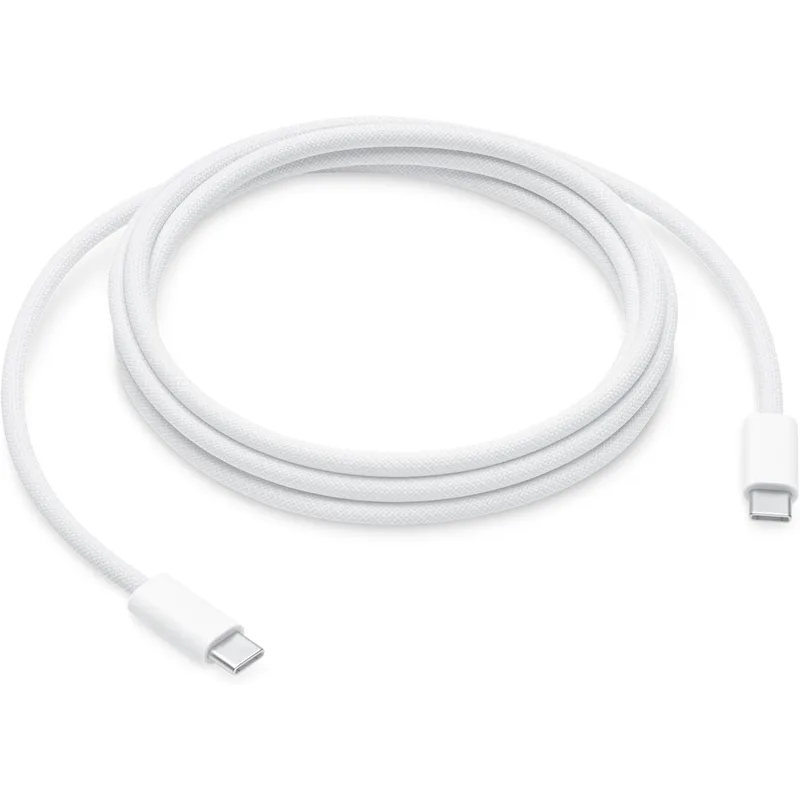
Apple 240W USB-C Woven Charge Cable 2m
Pros
- 240W support charges the most power-hungry MacBook Pros at full speed — the Apple 16-inch MacBook Pro requires up to 140W, and this cable handles that with margin to spare
- Woven textile construction is noticeably more durable than rubber-jacketed cables — Apple's woven cables don't fray at the connector ends the way silicone or PVC jackets do after months of daily use
- Full 2m (6.6ft) length provides comfortable reach from a wall outlet or USB-C power brick to a laptop on a desk, without the cable being so short it pulls taut
- Official Apple hardware means it's optimized for MagSafe-enabled charging on MacBooks and the power delivery profile that Apple's own chargers use
- Available at $18–$29 on Amazon — the lower end of that range represents regular sale pricing that 9to5toys reported recurring through early 2026, making it competitive with third-party premium cables
- Simple, clean aesthetic — the woven cable sits flat on a desk and doesn't coil aggressively after being stored
Cons
- USB 2.0 data speeds at 480Mbps — this is strictly a charging cable, not suitable for data transfer or display output
- No video output — cannot be used to drive a monitor directly from a USB-C port
- Premium pricing even when on sale compared to third-party 240W cables that deliver the same wattage for under $12
Apple’s 240W USB-C Woven cable runs at $18–$29 on Amazon — the lower end of that range has been a recurring discount that 9to5toys reported multiple times in early 2026, making it competitive with third-party premium cables.
The appeal for Apple users is the build quality and compatibility assurance. Apple’s woven textile jacket doesn’t fray at the connector ends the way third-party cables do after six months of daily removal from a MacBook port. The connectors maintain a tight, secure fit with Apple’s USB-C and MagSafe-USB-C chargers.
The 240W rating handles the 16-inch MacBook Pro at full speed. The 2m length reaches comfortably from an under-desk power strip to a laptop on a raised stand.
The USB 2.0 data speed is the significant limitation. Like the Anker 765, this is strictly a charging cable. For Apple users who want to charge a MacBook and keep cable clutter minimal, it works well. For anyone who also needs to move data or drive a display, pair it with the UGREEN USB4 or Cable Matters TB4 cable.
5. Baseus USB-C 100W LED Display Cable — Best Budget
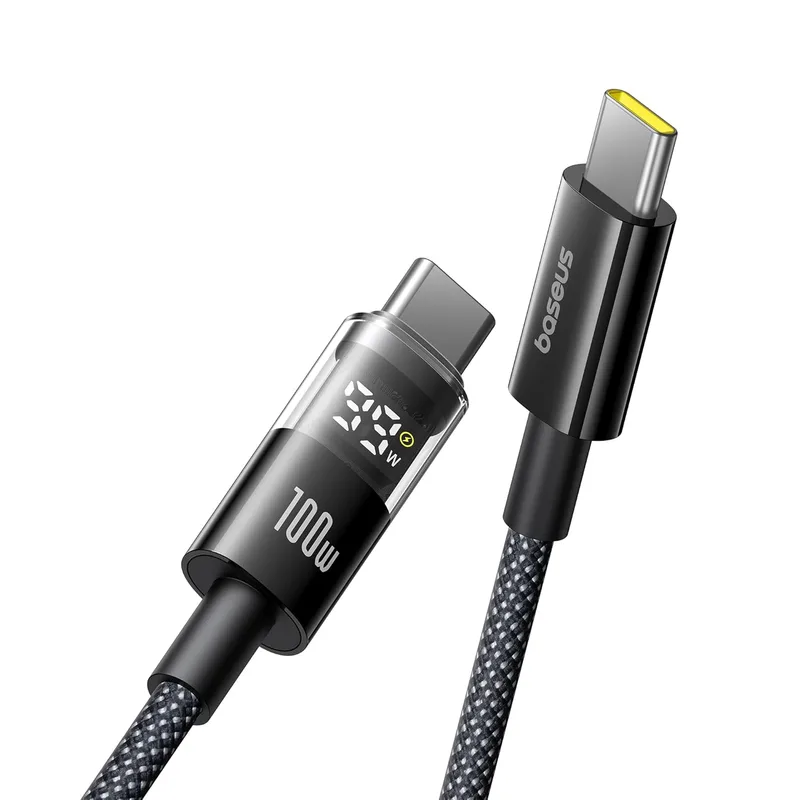
Baseus USB-C 100W LED Display Cable 3.3ft
Pros
- LED display shows real-time power output in watts while charging — eliminates the guesswork of whether your charger and cable are delivering full power; if the display reads 65W when you expect 65W, the chain is working correctly
- 100W with an E-Marker chip covers the majority of laptops in 2026 — most ultrabooks, 13-inch MacBook Pros, Dell XPS 13/15, and ThinkPad X1 Carbon all charge at 90-100W maximum
- Zinc alloy connectors resist corrosion and handle 35,000+ insertion cycles without the plastic cracking or the metal contacts oxidizing
- Under $12 makes this the right answer if you need multiple cables — for a three-desk setup, a travel bag, and a backup, buying three Baseus cables costs less than one premium brand cable
- Nylon braid wraps cleanly and doesn't pick up lint or hair the way sticky rubber cables do in bag environments
Cons
- 100W maximum — not suitable for 140W or 240W laptops that require more power; the cable will still charge them, but at reduced wattage
- USB 2.0 data speeds only — 480Mbps is too slow for external SSDs or display output
- The LED display adds a small lump at one connector end that can be visible and slightly awkward with certain cable management setups
- No video output support whatsoever
The Baseus LED cable solves a real problem at a low price. Most USB-C charging setups have no feedback mechanism — you plug in and hope the full wattage is being delivered. The LED display shows real-time wattage, so you can confirm immediately whether the cable, charger, and laptop are negotiating the full expected power.
At under $12, this cable makes sense as a secondary cable to keep in a bag or at a secondary desk. It handles 100W, which covers most ultrabooks and smaller laptops. The zinc alloy connectors resist the oxidation that cheap plastic connectors develop over time.
The limitation is the 100W ceiling. If you have a high-end laptop that charges at 140W (the M4 Pro MacBook Pro) or 200W+ (gaming laptops), this cable will charge it at a reduced rate. For 13-inch MacBook Airs, ThinkPad X1 Carbon Gen 12, Dell XPS 15, and most Windows ultrabooks, 100W is sufficient.
The LED indicator is genuinely useful for anyone troubleshooting a slow charging setup. If your 65W charger delivers 65W through this cable, you know the chain works. If it shows 20W on a setup that should deliver 65W, you have a charger or port problem to investigate.
Buying Guide: How to Pick the Right USB-C Cable
Charging vs. Data vs. Display: Three Different Jobs
The core mistake remote workers make is buying a cable without knowing which of the three jobs they need it to do.
Charging cables (like Anker 765, Apple Woven, Baseus LED) run at USB 2.0 data speeds because that’s all the signal path needs for power delivery. They’re cheaper and available in longer lengths. The only spec that matters is wattage.
Data cables need USB 3.2 or USB4 speeds for external SSDs or fast drives. A USB 2.0 cable will charge your laptop and show as connected when you plug in an SSD — it just runs at 40MB/s instead of 1,000MB/s. If you’ve ever wondered why your “fast” SSD seems slow, a USB 2.0 cable is the likely cause.
Display cables require either native DisplayPort Alt Mode or Thunderbolt 4/USB4 support. A USB 2.0 cable cannot carry video to an external monitor.
Power Delivery: 100W vs. 240W
In 2026, most laptops charge over USB-C at somewhere between 45W (small ultrabooks) and 140W (16-inch MacBook Pro with M4 Max). The charger and cable both need to support the target wattage.
A 100W cable suffices for most laptops. 240W EPR cables are now affordable and future-proof — buying a 240W cable for a laptop that only draws 65W works fine. The cable negotiates the correct wattage with the charger regardless.
Cable Length and E-Markers
USB-C cables above 1 meter that claim 100W or above must include an E-Marker chip to work correctly. The chip communicates the cable’s current rating to the charger. Cables sold without E-Markers but claiming 100W+ are misrepresenting their capability. All five cables in this roundup include proper E-Marker chips where required by their wattage rating.
Thunderbolt 4 vs. USB4: Should You Pay for Certification?
Thunderbolt 4 certification (like Cable Matters’ Intel Certified status) guarantees specific compatibility with Thunderbolt docks and displays. USB4 Gen 3 cables like UGREEN’s match the bandwidth but skip the certification fees.
For most users with a Thunderbolt 4 laptop and a standard USB4-compatible dock, the UGREEN USB4 cable works correctly. For users with strict TB4 peripherals — particularly Apple Studio Display, CalDigit TS4, or enterprise TB4 docks — certified cables remove the compatibility variable.
FAQ
Can I use any USB-C cable with my USB-C laptop charger? The connector fits universally, but the cable determines the maximum wattage delivered. A cable rated for 60W will limit charging to 60W even if your charger and laptop can negotiate 100W. Always match the cable’s power rating to at least the charger’s maximum output.
Why does my external SSD transfer so slowly over USB-C? The most common cause is a USB 2.0 cable in the chain. If you’re using a phone charging cable or any cable not explicitly rated for USB 3.2 or USB4, your SSD is bottlenecked at 480Mbps regardless of its rated speed. Swap in the UGREEN USB4 or Cable Matters TB4 cable to test the difference.
Are Thunderbolt 4 and USB4 cables interchangeable? Functionally yes in most cases — a TB4 cable works in a USB4 port and vice versa for USB4 Gen 3 cables. The difference is certification. Intel-certified TB4 cables have passed strict compatibility tests that USB4 cables skip. For standard setups, either works. For certified TB4 docks and displays, use a certified TB4 cable.
Is 240W EPR worth buying if my laptop only charges at 65W? Yes. A 240W cable works correctly with a 65W charger and laptop — the power negotiation happens at the charger level, not the cable level. Buying 240W provides headroom for higher-powered chargers and laptops in the future, and the price premium over 100W cables is now minimal in 2026.
What’s the maximum length for a Thunderbolt 4 passive cable? The Thunderbolt 4 spec limits passive cables to about 2.6ft (0.8m) at full 40Gbps speeds. Longer TB4 cables require active components (signal repeaters), which increases cost significantly. For desk setups, a 1.6ft passive cable covers most laptop-to-dock runs. For setups requiring more reach, the UGREEN USB4 cable at 3.3ft or longer USB 3.2 cables are more practical solutions.
Conclusion
The Cable Matters Thunderbolt 4 Braided Cable is the top pick for anyone running a Thunderbolt dock or display. The Intel Certification guarantees full compatibility where it matters most, and the 240W + 40Gbps + 8K combination covers every home office use case from a single connection.
For pure charging — especially if you need six feet of reach — the Anker 765 240W at $16–$22 handles the highest-wattage laptops on the market without the Thunderbolt price premium.
If you need a cable that handles both fast data transfer and 240W charging, the UGREEN USB4 40Gbps at $22–$28 delivers USB4 Gen 3 performance at a competitive price.
The Apple Woven cable earns its place for Mac users who want first-party build quality at the $18 sale price. And if you need multiple cables for different desks, the Baseus LED cable at under $12 keeps the cost per cable manageable while adding a genuinely useful power monitoring feature.
Detailed Reviews
Cable Matters Thunderbolt 4 Cable 1.6ft Braided
Pros
- Intel Certified Thunderbolt 4 — not a marketing claim, this is a hardware-verified certification that guarantees the cable meets the full TB4 spec, which matters when you're connecting a laptop to a Thunderbolt dock or display that requires it
- Supports both 40Gbps data transfer and 240W charging simultaneously over the same cable — a single cable handles your entire laptop-to-dock or laptop-to-display connection without needing a separate charging cable
- 8K video output or dual 4K@60Hz display support built-in — if you're running dual monitors off a Thunderbolt dock, this is the cable that makes that work correctly at full resolution
- Braided construction with reinforced connector housing — the braid resists kinking and fraying at the ends, which is where most cables fail within the first year of daily use
- Backward compatible with Thunderbolt 3, USB4, and USB 3.2 ports — works in any USB-C port, though the full 40Gbps speed only activates on TB3/TB4/USB4 hosts
- Short 1.6ft length is purpose-built for laptop-to-dock and laptop-to-display connections where cable runs are less than two feet
Cons
- At 1.6ft, this cable is too short for most laptop charging setups where the charger is under or behind the desk — it is designed for short dock or display connections, not for reaching a wall outlet
- Thunderbolt 4 certification comes at a price premium over generic USB-C cables that do the same job on non-Thunderbolt ports — only worth the cost if you actually have a TB4 dock or display
- Not available in lengths beyond 6.6ft in active form without a significant price jump — long passive TB4 cables don't exist because the spec limits passive cable length
Anker 765 USB-C Cable 240W 6ft
Pros
- 240W EPR support handles the highest-wattage laptops on the market — 16-inch MacBook Pros, high-performance Windows gaming laptops, and large-screen workstations all charge at full speed from a single USB-C cable
- Six feet of reach means this cable runs from a wall charger or desk-mounted power strip to a laptop sitting on a stand, a distance that most 3ft cables cannot cover without an extension
- 35,000-bend durability testing — the cable has been validated to survive the kind of coiling, routing, and daily repositioning that desk setups require without the jacket cracking or the connectors loosening
- Double-braided nylon exterior resists tangling and doesn't develop the stiff kinks that rubber-jacketed cables get after a few weeks of use
- USB Power Delivery 3.1 with E-Marker chip — the chip communicates voltage and current requirements to the charger, enabling the 240W delivery that requires 48V operation
- Available in both 3ft and 6ft versions, with the 6ft being the right choice for any desk setup where the charger sits at floor or outlet level
Cons
- USB 2.0 data speeds at 480Mbps — this cable is for charging only, it is not suitable for connecting to external SSDs, Thunderbolt docks, or any device where you need fast data transfer
- No video output support — you cannot use this cable to connect a monitor, only to charge
- The braided jacket adds some stiffness compared to thinner rubber cables, which can make routing through tight cable management channels slightly harder
UGREEN USB4 40Gbps 240W Cable 3.3ft
Pros
- USB4 Gen 3 with 40Gbps delivers the fastest data speeds available from a USB-C cable in 2026, which matters when connecting a high-speed external SSD, an eGPU, or a USB4 dock
- 8K@60Hz video output covers even the highest-resolution displays coming to market in 2026, including high-frame-rate 4K monitors — the same cable handles both video and data without compromise
- 240W PD 3.1 over USB4 means a single cable can simultaneously charge a high-power laptop and transfer data or drive a display — fewer cables on the desk
- E-Marker chip built-in to enable 240W operation — cables claiming 240W without an e-marker chip are misrepresenting their capability, and UGREEN includes proper e-marker hardware
- Compatible with Thunderbolt 3 and Thunderbolt 4 ports as a functional USB4 cable — you get high speeds on Intel and AMD USB4 hosts even without TB certification
- USB4 Gen 3 brings this cable within reach of TB4 performance at a lower price point, without requiring Intel's licensing fees
Cons
- Not Intel Certified Thunderbolt 4 — some Thunderbolt docks and displays require a certified TB4 cable to unlock full functionality; this cable works in most TB4 setups but may not pass strict dock compatibility checks
- 3.3ft length limits placement options — longer USB4 cables are possible but require active electronics and cost significantly more
- USB4 Gen 3 is still newer than TB4 in terms of ecosystem support, so compatibility testing against specific docks matters more than with established TB4 cables
Apple 240W USB-C Woven Charge Cable 2m
Pros
- 240W support charges the most power-hungry MacBook Pros at full speed — the Apple 16-inch MacBook Pro requires up to 140W, and this cable handles that with margin to spare
- Woven textile construction is noticeably more durable than rubber-jacketed cables — Apple's woven cables don't fray at the connector ends the way silicone or PVC jackets do after months of daily use
- Full 2m (6.6ft) length provides comfortable reach from a wall outlet or USB-C power brick to a laptop on a desk, without the cable being so short it pulls taut
- Official Apple hardware means it's optimized for MagSafe-enabled charging on MacBooks and the power delivery profile that Apple's own chargers use
- Available at $18–$29 on Amazon — the lower end of that range represents regular sale pricing that 9to5toys reported recurring through early 2026, making it competitive with third-party premium cables
- Simple, clean aesthetic — the woven cable sits flat on a desk and doesn't coil aggressively after being stored
Cons
- USB 2.0 data speeds at 480Mbps — this is strictly a charging cable, not suitable for data transfer or display output
- No video output — cannot be used to drive a monitor directly from a USB-C port
- Premium pricing even when on sale compared to third-party 240W cables that deliver the same wattage for under $12
Baseus USB-C 100W LED Display Cable 3.3ft
Pros
- LED display shows real-time power output in watts while charging — eliminates the guesswork of whether your charger and cable are delivering full power; if the display reads 65W when you expect 65W, the chain is working correctly
- 100W with an E-Marker chip covers the majority of laptops in 2026 — most ultrabooks, 13-inch MacBook Pros, Dell XPS 13/15, and ThinkPad X1 Carbon all charge at 90-100W maximum
- Zinc alloy connectors resist corrosion and handle 35,000+ insertion cycles without the plastic cracking or the metal contacts oxidizing
- Under $12 makes this the right answer if you need multiple cables — for a three-desk setup, a travel bag, and a backup, buying three Baseus cables costs less than one premium brand cable
- Nylon braid wraps cleanly and doesn't pick up lint or hair the way sticky rubber cables do in bag environments
Cons
- 100W maximum — not suitable for 140W or 240W laptops that require more power; the cable will still charge them, but at reduced wattage
- USB 2.0 data speeds only — 480Mbps is too slow for external SSDs or display output
- The LED display adds a small lump at one connector end that can be visible and slightly awkward with certain cable management setups
- No video output support whatsoever