Disclosure: SetupRanked earns a commission from qualifying Amazon purchases at no extra cost to you.
The UPLIFT V3 launched in early 2026 with redesigned feet using TremorGuard technology — a direct response to the most common complaint about standing desks: wobble at full standing height. At the same time, Autonomous shipped the SmartDesk 5 at $599 with built-in cable management, and Vari’s pricing moved up to $750+ after years in the sub-$600 range. The market shifted this year. If you’ve been waiting to buy, here’s what the current field actually looks like.
This guide covers five electric height-adjustable desks for home office use. All five have memory presets, dual motors, and anti-collision protection. The differences come down to warranty length, weight capacity, desktop material, and where you land on the price spectrum.
Quick pick: The Flexispot E7 Pro ($399-$500 frame + desktop) is the best value for most home offices — highest weight capacity, widest height range, C-frame legroom. For the best desk overall without compromise, the UPLIFT V3 ($699+) is worth the premium.
Quick Comparison
| Desk | Price | Height Range | Weight Cap | Warranty | Best For |
|---|---|---|---|---|---|
| UPLIFT V3 | $718.00 as of Oct 18, 2026 | 22.6”-48.7” | 355 lbs | 15 years | Overall quality |
| Flexispot E7 Pro | Unavailable | 22.8”-48.4” | 440 lbs | 5 years | Best value |
| Fully Jarvis Bamboo | Unavailable | 25.5”-51” | 350 lbs | 5 years | Tall users, eco |
| Autonomous SmartDesk 5 Pro | Unavailable | 29.5”-48.5” | 310 lbs | 2 years | Built-in cable mgmt |
| Vari Electric | $829.00 as of Oct 18, 2026 | 25”-50.5” | 200 lbs | 5 years | Fast assembly |
The 5 Best Standing Desks for Home Office in 2026
1. UPLIFT V3 — Editor’s Pick
UPLIFT V3 Standing Desk
Pros
- TremorGuard technology and I-Beam center rails dramatically reduce wobble at full standing height
- 15-year warranty covers frame, motors, and electronics — longest in the category by a decade
- 22.6" minimum height works for users under 5'2" without requiring a footrest
- Six-axis gyroscope anti-collision is far more precise than standard cable-stop systems
- 60+ desktop surface options across C-frame and T-frame configurations
Cons
- Higher base price than Flexispot and Autonomous alternatives
- Standard listings cover popular sizes only — full customization options require visiting UPLIFT's website
- Premium add-ons raise the total cost quickly
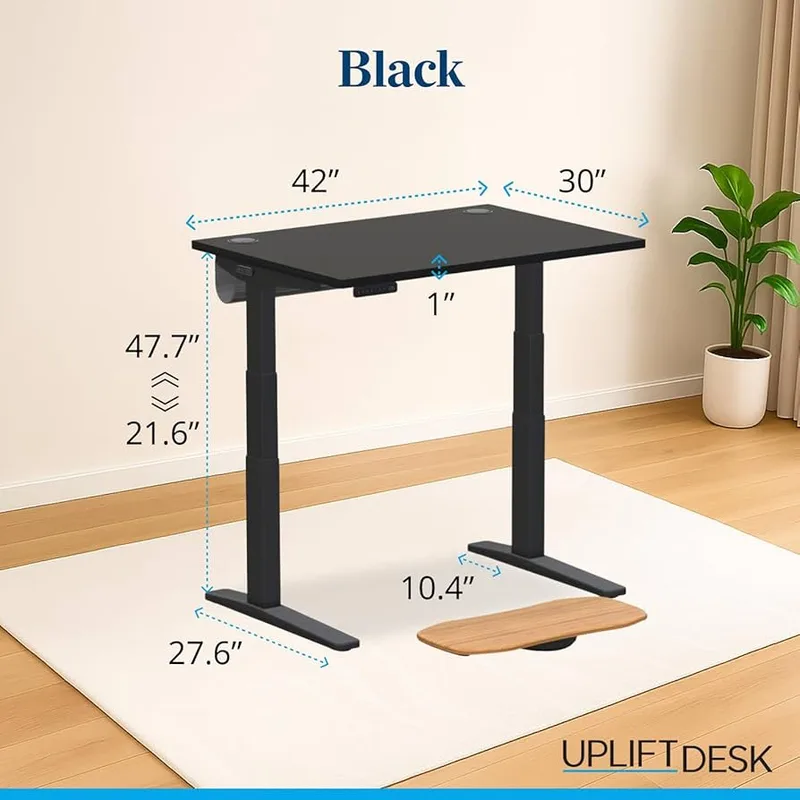
UPLIFT’s V3 is the reference standing desk for 2026. The redesigned frame introduces TremorGuard — a stabilizing plate over the motor housing combined with redesigned feet — and I-Beam center rails that add lateral rigidity to the column assembly. The result is noticeably less sway at standing height compared to the V2, and significantly less than most competitors at similar prices.
The 15-year warranty is the practical differentiator. Other desks offer 5-year coverage; UPLIFT’s warranty covers the frame, motors, and electronics for 15 years. That changes the math on a $699-$1,299 purchase — you’re buying a desk that’s warrantied for the duration of most home office setups.
The height range (22.6” minimum, 48.7” maximum) is among the most accessible on the market. Most desks bottom out at 25”–28”, which forces shorter users into ergonomically incorrect sitting positions. The V3’s lower floor handles that without compromise.
The six-axis gyroscope anti-collision system is more responsive than basic resistance-based cable stops found on budget options. If something slides under the desk mid-movement, the system detects it and reverses before damage occurs.
The tradeoff is price and configuration availability. The $699 entry gets you a frame with a laminate top in a standard size. Customizations — bamboo top, specific frame colors, extended width, cable management kit — add up, and UPLIFT’s full catalog requires ordering direct from their site. Standard listings cover popular configurations only.
Buy if: You want the best stability, the longest warranty, and a desk you won’t need to replace.
Skip if: You need everything under $700 including the desktop — look at the Autonomous SmartDesk 5 instead.
2. Flexispot E7 Pro — Best Value
Flexispot E7 Pro
Pros
- 440 lb weight capacity is highest on this list — handles dual-monitor setups with a laptop dock easily
- 3-stage telescoping legs cover more height range than 2-stage frames at the same price
- C-frame design provides significantly more knee clearance than T-frame alternatives
- Thicker carbon steel frame than comparably priced competitors
- Anti-collision and memory presets included standard
Cons
- Desktop not included — adds $80-$260 depending on size and material
- 5-year warranty is solid but falls short of UPLIFT's 15-year coverage
- Frame-to-desktop attachment is easier with two people
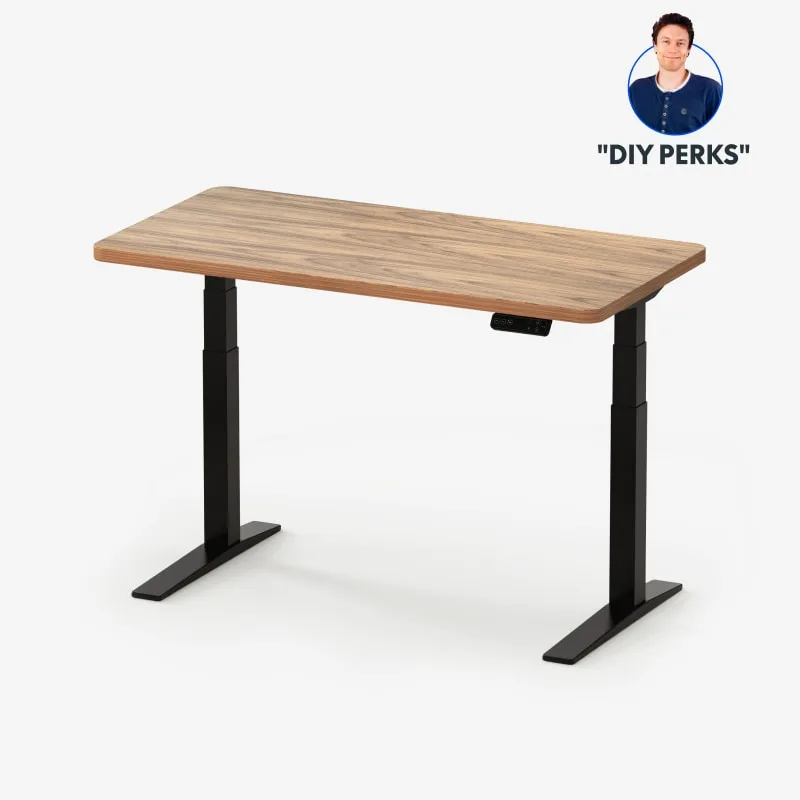
The E7 Pro is the practical choice for remote workers who want a serious desk without the UPLIFT price. The 440 lb weight capacity is the highest on this list — it handles a dual 4K monitor setup with a heavy docking station and still has margin. The 3-stage telescoping legs give the frame a low minimum height (22.8”) that rivals the UPLIFT V3.
The C-frame design matters. Most standing desks use T-frame legs that sit toward the front and back of the desktop, which can contact your knees during extended sitting. The E7 Pro’s C-frame pushes the legs to the side, giving a clean slot with no knee contact points. For taller workers or anyone with longer legs, this is a meaningful ergonomic difference.
The carbon steel frame is noticeably thicker than competitors at this price point. Stability at full height is good, though UPLIFT’s TremorGuard improvement is perceptible if you compare them directly.
The catch: the desktop is not included. The frame starts at $600; add $80–$260 for a desktop depending on size and material. Budget the full $680–$860 for a complete desk.
Buy if: You want maximum weight capacity, C-frame legroom, and the best price-to-build ratio on this list.
Skip if: You want everything in one box — the E7 Pro requires selecting and pricing a desktop separately.
3. Fully Jarvis Bamboo Standing Desk
Fully Jarvis Bamboo Standing Desk
Pros
- FSC-certified solid bamboo top is harder and more scratch-resistant than most laminate options
- 51" maximum height is best-in-class for tall users and high monitor arm configurations
- 26.5" height range (25.5"-51") covers the widest spread of user heights on this list
- Available in bamboo, wood veneer, and laminate surfaces across multiple finishes
- Strong long-term reliability record among daily users 3+ years in
Cons
- 1.3"/sec motor is the slowest here — noticeable if you switch heights multiple times per day
- Bamboo top is heavier than laminate, which complicates single-person assembly
- Now under Herman Miller ownership — some configurations ship slower than Prime
Fully was acquired by Herman Miller, and the Jarvis line is now available through both Amazon and Herman Miller’s own store. Amazon pricing runs $599–$799 for standard configurations; Herman Miller’s store carries the same product at $925+. For most buyers, the Amazon listing is the right place to start.
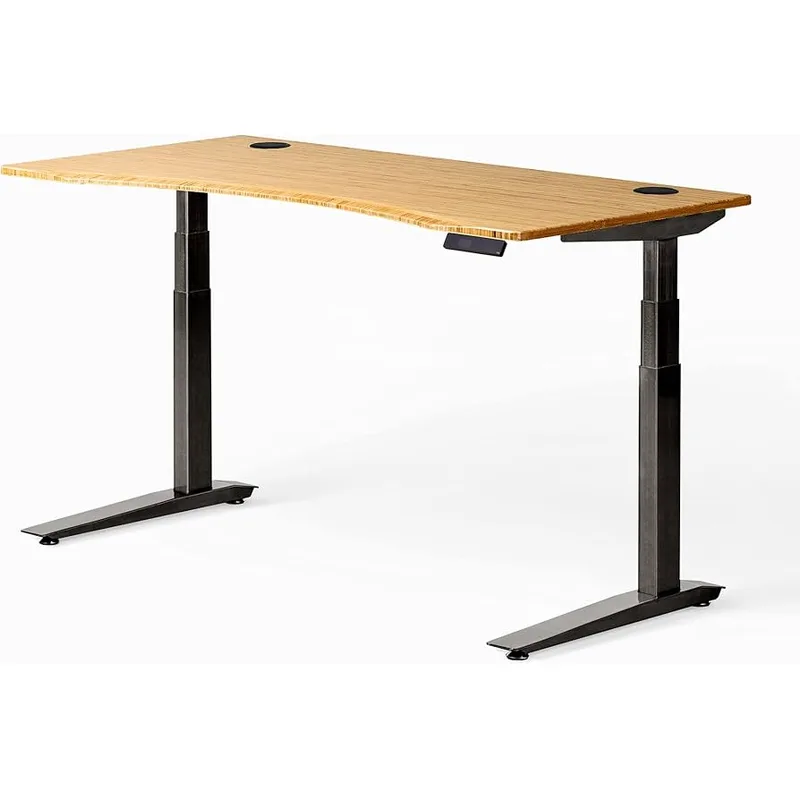
The FSC-certified bamboo surface is harder than most wood laminate options and develops character over time rather than showing the wear that cheaper surfaces do. It’s the most environmentally straightforward option here — bamboo is a rapidly renewable material.
The 51” maximum height is the highest on this list. For users 6’3” and above who need proper elbow-height ergonomics while standing, or for monitor arm configurations extended above desk level, the Jarvis reaches heights the Flexispot and Autonomous models don’t.
Motor speed (1.3”/sec) is the one area where the Jarvis lags. Switching positions multiple times per day makes the slower transition noticeable. If you typically set your heights once in the morning, it won’t matter.
Buy if: You want a bamboo desktop for sustainability or aesthetics, or you need the 51” maximum height for a tall-user configuration.
Skip if: You switch sit/stand positions frequently throughout the day — the motor speed will frustrate you over time.
4. Autonomous SmartDesk 5 Pro — Best Budget
Autonomous SmartDesk 5 Pro
Pros
- Built-in cable management tray included at base price — rare at this price point
- 53" wide desktop is the largest standard size on this list
- Touch panel controls are cleaner to operate than physical button keypads during calls
- HDF wood top resists surface damage better than MDF or particle board
- Complete desk at $599 — no separate desktop purchase required
Cons
- 29.5" minimum sitting height is the highest on this list — may not work for users under 5'4"
- 2-year warranty is the shortest in this comparison
- Amazon stock is limited — full color and size selection requires ordering from Autonomous directly
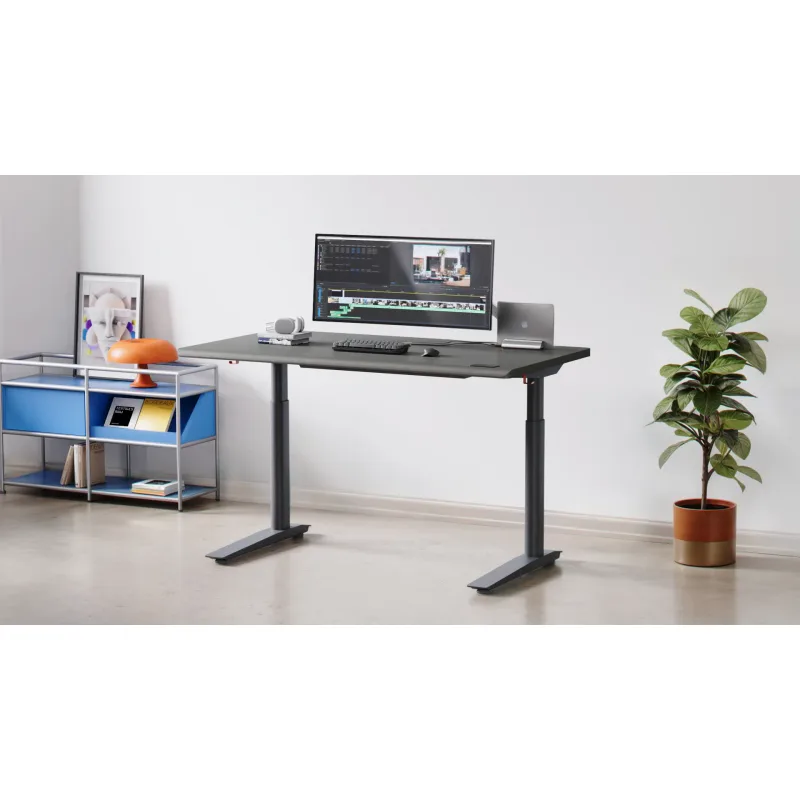
The SmartDesk 5 Pro is the clearest value for remote workers who want a complete desk at $599. The built-in cable tray under the desktop is standard — that’s a feature you’d typically pay $30–$60 extra for on competing desks. The touch panel controls operate more cleanly during video calls than button-based alternatives.
The 53” wide desktop is the largest standard size on this list. Running dual monitors without a monitor arm, the extra width distributes the setup without crowding. The HDF wood top resists surface damage better than lower-density composite alternatives.
The height floor is the main limitation. The SmartDesk 5 Pro bottoms out at 29.5” — the highest minimum of any desk here. For users under 5’4”, this creates an ergonomic problem at the sitting position: your arms won’t rest at the correct angle relative to the keyboard. Verify your ideal sitting height before purchasing.
The 2-year warranty is the shortest in this comparison. For a desk you’ll use 8+ hours daily for years, that coverage gap relative to the 5-year and 15-year options is worth factoring in.
Buy if: You want the lowest all-in price, a large desktop, and built-in cable management included.
Skip if: You’re under 5’4” — the 29.5” minimum sitting height doesn’t work for shorter users.
5. Vari Electric Standing Desk
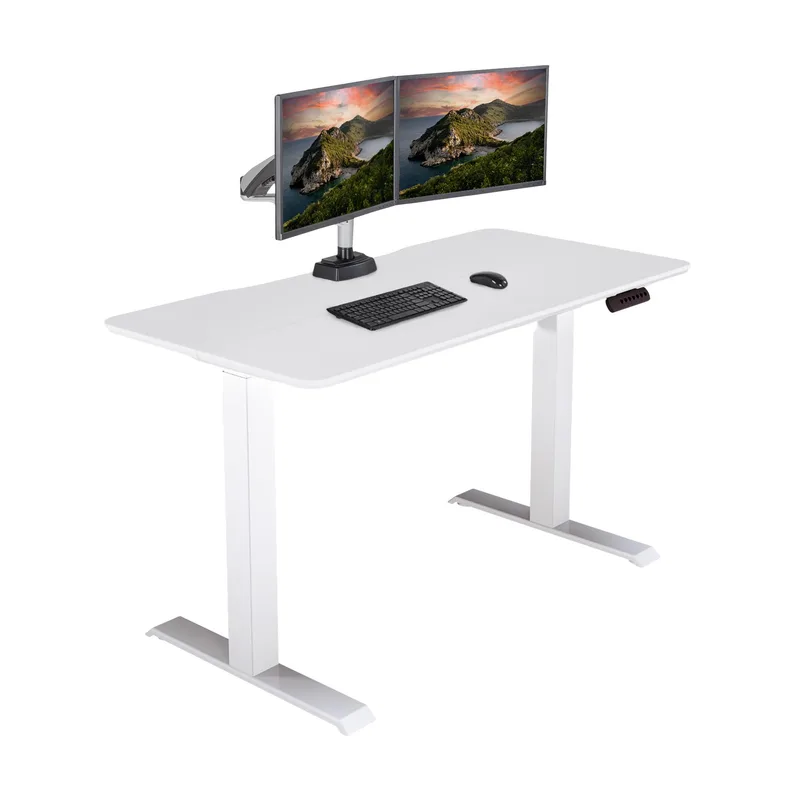
Vari Electric Standing Desk
Pros
- Tool-free assembly in roughly 30 minutes — the fastest setup process on this list
- 5-year warranty at a competitive price point
- T-style legs deliver good front-to-back stability on hard floors
- Vari's customer support is consistently cited as responsive in user reviews
- Available in multiple surface finishes including reclaimed wood options
Cons
- 200 lb weight capacity is the lowest here — skip this for heavy dual-monitor setups
- Price climbed to $750+ in 2026, narrowing the value advantage over Flexispot
- Fewer customization options than UPLIFT or Fully
Vari’s pricing moved up to $829-$929 for the standard 48”×30” model in 2026, which narrows its advantage over the Flexispot E7 Pro. What Vari still offers that others don’t: the fastest assembly process on this list. Tool-free setup in roughly 30 minutes for one person. The other desks here take 45–90 minutes and benefit from a second pair of hands.
If you’re setting up an office alone, or if you hate assembly, Vari’s engineering here is genuine. The 5-year warranty and responsive customer support track record are also legitimate differentiators versus newer entrants to the market.
The 200 lb weight capacity is the constraint to weigh at $750+. Dual monitors, a laptop, a heavy monitor arm, and a docking station can approach that limit. Single-monitor or lightweight setups are fine; anyone building a loaded workstation should look at the Flexispot E7 Pro’s 440 lb capacity instead.
Buy if: You want the fastest tool-free assembly and Vari’s established support track record.
Skip if: You’re building a loaded dual-monitor workstation — the 200 lb capacity is a hard ceiling.
Standing Desk Buying Guide
Minimum sitting height matters most
Most standing desks advertise a wide range, but the minimum sitting height determines ergonomic fit. A desk that bottoms out at 28” forces shorter users to raise their chair, which often means feet can’t reach the floor — requiring a footrest. A desk bottoming out at 22”–23” (UPLIFT V3, Flexispot E7 Pro) works for virtually any user height without compromises.
Maximum height matters for tall users. If you’re 6’2” or above, verify the desk reaches your elbow height while standing before purchasing.
Stability at full standing height
All desks are stable when sitting. The test is at full standing height under load — dual monitors, monitor arm, laptop, and accessories. At full extension, cheaper frames wobble when you type aggressively or brush against the desk. TremorGuard (UPLIFT V3) and the E7 Pro’s thick carbon steel frame address this directly. Desks in this price range are generally acceptable, but not all equal.
Weight capacity vs. your actual setup
Add up your monitor weights, arm weight, laptop, docking station, and desk accessories. A 27” 4K monitor weighs 12–15 lbs. Two monitors plus a heavy arm plus a laptop can reach 60–70 lbs combined. The 200 lb limit on the Vari is comfortable for single-monitor setups; the E7 Pro’s 440 lb capacity handles professional workstations with room to spare.
Motor stages and speed
3-stage motors (Flexispot E7 Pro) provide more height range per column extension than 2-stage motors — this matters for users at both ends of the height spectrum. Speed ranges from 1.3”/sec (Fully Jarvis) to 2”/sec (UPLIFT V3). For a desk you adjust twice a day, neither is slow in practice. Frequent switchers will notice the difference.
Warranty and total cost of ownership
A standing desk motor and controller can fail. A 15-year warranty (UPLIFT V3) versus a 2-year warranty (Autonomous) changes the replacement cost calculation significantly. A $699 desk warrantied for 15 years costs less per year than a $599 desk you replace at year 3.
Frequently Asked Questions
How much should I spend on a standing desk?
For a full-time remote worker using the desk 8+ hours daily, the $600–$800 range covers everything you need without overpaying. Below $400, motor quality and stability drop noticeably. Above $800, you’re paying for warranty length, customization options, and premium build quality — worthwhile if you plan to keep the desk 10+ years.
Do I need a desk mat with a standing desk?
An anti-fatigue mat is worth adding if you stand more than 90 minutes per day. Standing on hard floors for extended periods increases fatigue and leg strain. A quality mat — 3/4” to 1” thick — costs $50–$100 and covers your standing footprint. Budget for it alongside the desk if you’re planning serious sit-stand use.
Can I use a monitor arm with any standing desk?
Most standing desks have a desktop thickness between 1” and 1.5”, which works with standard monitor arm clamps. Check the desktop thickness spec before ordering a monitor arm. C-clamp arms need at least 1” of table edge; grommet mounts need a pre-installed hole. The Fully Jarvis includes two grommets; others require drilling or a grommet kit.
How long should I stand versus sit each day?
Current ergonomic guidance suggests alternating every 30–60 minutes rather than standing for hours at a stretch. A common pattern: 25 minutes sitting, 5 minutes standing per work hour. Most desks’ four memory presets let you program your exact sitting and standing heights — transitions take three seconds with no recalibration.
Is the UPLIFT V3 worth the upgrade from V2?
The TremorGuard stability improvement is genuine and noticeable at full standing height. The gyroscope anti-collision upgrade is also more reliable than what came before. For existing V2 owners without stability complaints, the V3 is not a mandatory upgrade. For new buyers comparing V2 closeout stock against the V3, choose the V3.
Which Standing Desk Should You Buy?
Buy the UPLIFT V3 if budget allows and you want the best stability, the most configuration options, and a 15-year warranty. The long-term cost-per-year math justifies the higher entry price.
Buy the Flexispot E7 Pro if you want the best value, need high weight capacity for a loaded setup, or want C-frame legroom without UPLIFT prices. Budget $680–$860 for frame plus desktop.
Buy the Fully Jarvis Bamboo if a sustainable desktop material matters to you, or if you need the 51” maximum height for a tall-user or high monitor arm configuration.
Buy the Autonomous SmartDesk 5 Pro if $599 all-in with built-in cable management is the target. Confirm the 29.5” minimum height works for your sitting position before ordering.
Buy the Vari Electric if you need the desk assembled quickly with no tools. The assembly advantage is genuine, and Vari’s support track record is worth something when things go wrong.
Detailed Reviews
UPLIFT V3 Standing Desk
Pros
- TremorGuard technology and I-Beam center rails dramatically reduce wobble at full standing height
- 15-year warranty covers frame, motors, and electronics — longest in the category by a decade
- 22.6" minimum height works for users under 5'2" without requiring a footrest
- Six-axis gyroscope anti-collision is far more precise than standard cable-stop systems
- 60+ desktop surface options across C-frame and T-frame configurations
Cons
- Higher base price than Flexispot and Autonomous alternatives
- Standard listings cover popular sizes only — full customization options require visiting UPLIFT's website
- Premium add-ons raise the total cost quickly
Flexispot E7 Pro
Pros
- 440 lb weight capacity is highest on this list — handles dual-monitor setups with a laptop dock easily
- 3-stage telescoping legs cover more height range than 2-stage frames at the same price
- C-frame design provides significantly more knee clearance than T-frame alternatives
- Thicker carbon steel frame than comparably priced competitors
- Anti-collision and memory presets included standard
Cons
- Desktop not included — adds $80-$260 depending on size and material
- 5-year warranty is solid but falls short of UPLIFT's 15-year coverage
- Frame-to-desktop attachment is easier with two people
Fully Jarvis Bamboo Standing Desk
Pros
- FSC-certified solid bamboo top is harder and more scratch-resistant than most laminate options
- 51" maximum height is best-in-class for tall users and high monitor arm configurations
- 26.5" height range (25.5"-51") covers the widest spread of user heights on this list
- Available in bamboo, wood veneer, and laminate surfaces across multiple finishes
- Strong long-term reliability record among daily users 3+ years in
Cons
- 1.3"/sec motor is the slowest here — noticeable if you switch heights multiple times per day
- Bamboo top is heavier than laminate, which complicates single-person assembly
- Now under Herman Miller ownership — some configurations ship slower than Prime
Autonomous SmartDesk 5 Pro
Pros
- Built-in cable management tray included at base price — rare at this price point
- 53" wide desktop is the largest standard size on this list
- Touch panel controls are cleaner to operate than physical button keypads during calls
- HDF wood top resists surface damage better than MDF or particle board
- Complete desk at $599 — no separate desktop purchase required
Cons
- 29.5" minimum sitting height is the highest on this list — may not work for users under 5'4"
- 2-year warranty is the shortest in this comparison
- Amazon stock is limited — full color and size selection requires ordering from Autonomous directly
Vari Electric Standing Desk
Pros
- Tool-free assembly in roughly 30 minutes — the fastest setup process on this list
- 5-year warranty at a competitive price point
- T-style legs deliver good front-to-back stability on hard floors
- Vari's customer support is consistently cited as responsive in user reviews
- Available in multiple surface finishes including reclaimed wood options
Cons
- 200 lb weight capacity is the lowest here — skip this for heavy dual-monitor setups
- Price climbed to $750+ in 2026, narrowing the value advantage over Flexispot
- Fewer customization options than UPLIFT or Fully