Disclosure: SetupRanked earns a commission on purchases made through links on this page at no extra cost to you.
Your laptop’s built-in storage is a closed system. You can’t expand it mid-project, you can’t carry a project drive to a client meeting and back without it being attached to one machine, and when the laptop dies, the data is gone. A portable SSD fixes all three problems in a device smaller than a deck of cards.
Two distinct problems fall under the “SSD for remote work” umbrella: portability (files that need to move between locations) and system performance (internal storage that’s bottlenecking an otherwise capable laptop). Choosing between them depends on the actual problem you’re solving — not just a general desire for faster storage.
Quick picks: For portable storage, the Samsung T9 at $129 is the best external SSD. On a tighter budget, the Samsung T7 at $79 covers most remote work needs. To revive a slow laptop, the WD Black SN850X at $99 is the internal upgrade worth installing.
Why Storage Speed Matters for Remote Work
File transfer speed affects daily work rhythm. Remote workers who move large files frequently — video editors, photographers, architects with large CAD files, anyone who transfers weekly project archives — feel slow transfer speeds as constant friction. At 100 MB/s (fast USB 3.0 drive), transferring a 50GB project takes eight minutes. At 1,000 MB/s (Samsung T7), the same transfer takes under a minute. At 2,000 MB/s (Samsung T9), it’s thirty seconds. The speed difference scales directly with file size.
Internal SSD speed affects everything. Application launch times, browser responsiveness with many tabs open, file save speeds, and system wake time all depend on internal storage throughput. A laptop running PCIe Gen 3 storage at 3,500 MB/s can be upgraded to PCIe Gen 4 at 5,000–7,300 MB/s — a difference that makes aging hardware feel substantially faster across all tasks, not just file operations.
Reliability matters as much as speed. External hard drives are vulnerable to physical shock. Cloud storage goes down. A portable SSD provides shock-resistant local storage that’s accessible offline and travels with you. For project files that need to be available from home, a cafe, or a flight, it’s the most practical solution.
Backup is not optional for remote workers. The most common data loss scenarios are laptop theft, accidental deletion, and hardware failure. A portable SSD running automated weekly backups provides a local recovery copy that doesn’t depend on download speeds or cloud service availability.
The 5 Best SSDs for Remote Workers in 2026
1. Samsung T9 Portable SSD — Best External SSD for Remote Work
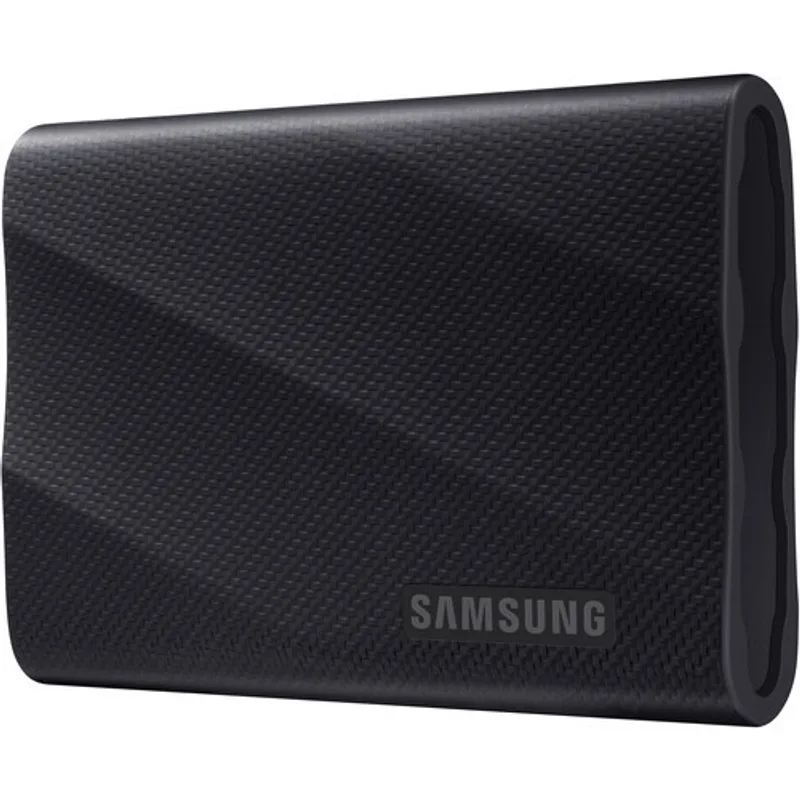
The Samsung T9 is the current standard-setter for portable external SSDs. Its 2,000 MB/s read speed, achieved via USB 3.2 Gen 2x2 over USB-C, is a genuine generational step over USB 3.2 Gen 2 drives like the Samsung T7. Large file operations that previously required standing and waiting now complete while you’re still reaching for your coffee.
The physical design is compact enough to attach to a keychain or slip into a shirt pocket. At 1.5 ounces and roughly the size of a USB drive cap, it doesn’t add meaningful weight to a laptop bag. The three-meter drop resistance is practically useful — more than sufficient for the daily drop risks of a desk-to-bag-to-meeting workflow.
The most important caveat is laptop compatibility. The full 2,000 MB/s speed requires a host port that supports USB 3.2 Gen 2x2 — a standard found on newer Windows laptops and recent MacBook Pros. Older laptops with USB 3.1 Gen 1 ports (5Gbps) or USB 3.1 Gen 2 ports (10Gbps) will cap at those speeds, which still beats most previous storage but won’t hit the T9’s rated maximum.
Best for: Remote workers who regularly move project archives, video footage, or client deliverables between locations. The T9 at $129 for 1TB is the clearest recommendation in the external SSD category.
Skip if: Your laptop is over five years old with USB 3.0 ports — you’ll get T7 speeds at T9 prices. Save money and get the T7 instead.
2. SanDisk Extreme Pro Portable SSD — Best for Remote Workers in Variable Environments
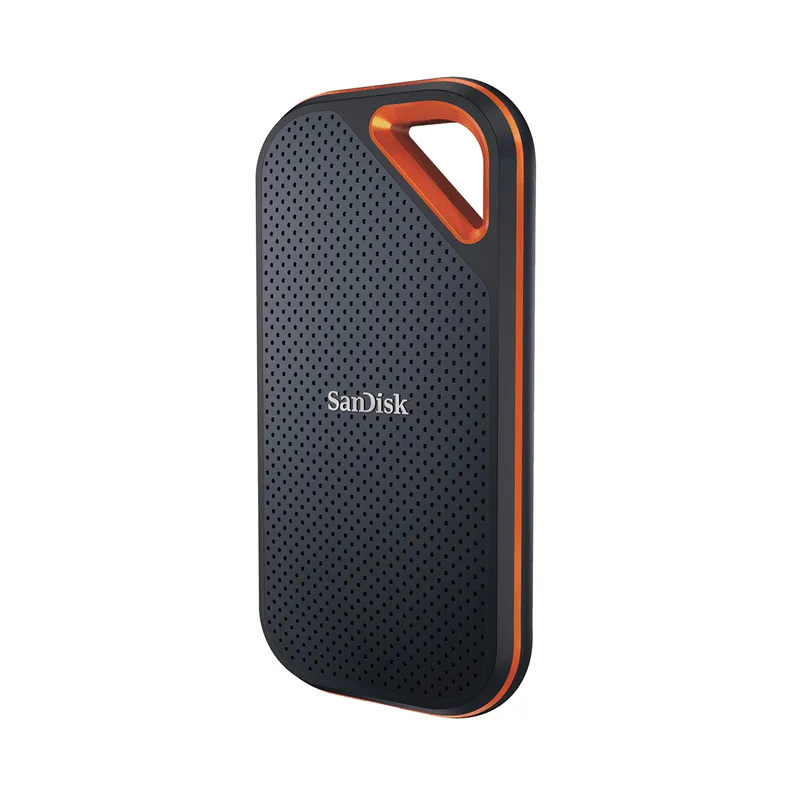
The SanDisk Extreme Pro makes the same performance claim as the Samsung T9 — 2,000 MB/s read and write — but adds an IP65 rating. That means it’s fully sealed against dust ingress and can handle water jets from any direction. The forged aluminum and rubber construction absorbs drops from two meters.
For a remote worker in a climate-controlled home office, the IP65 rating is protection they’ll never need. For someone who works from cafes with beverage risk, construction sites, outdoor locations, or who travels frequently in variable weather — the added durability justifies the slightly higher price.
Both the T9 and the Extreme Pro exhibit thermal throttling under sustained high-speed transfers in their sealed enclosures. For transfers under 10–15GB in a single operation, you’ll see close to rated speeds on either drive. Larger sustained transfers will drop to a fraction of the rated speed on both.
At $139 for 1TB, the Extreme Pro costs slightly more than the Samsung T9 for the same storage and similar performance. The additional cost buys the IP65 rating and rugged construction — value that depends entirely on your working environment.
Best for: Remote workers who travel frequently, work in non-office environments, or need IP-rated protection for genuine peace of mind.
Skip if: You work at a consistent desk setup and don’t need ruggedization. The T9 delivers equivalent speed for less.
3. WD Black SN850X — Best Internal NVMe Upgrade for Work Laptops
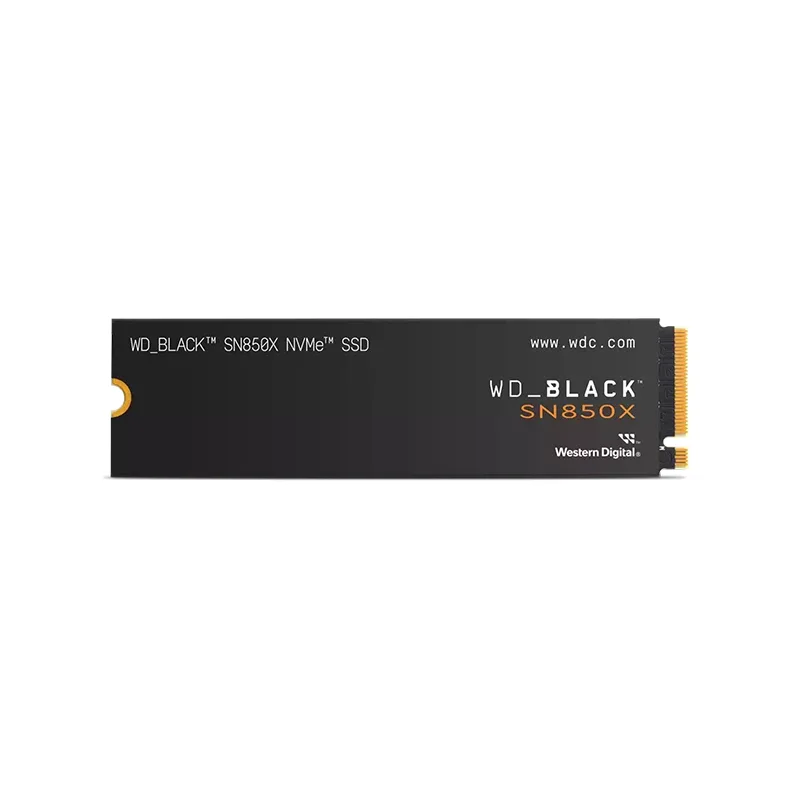
The WD Black SN850X is an internal M.2 NVMe drive that solves a different problem than the portable SSDs above. Installing it requires opening your laptop, removing the existing drive, and replacing it — a 15–30 minute process on most Windows laptops. It’s not possible on Apple Silicon Macs, where the SSD is soldered to the logic board.
For remote workers with a PC laptop running a slow HDD, a SATA SSD, or an older PCIe Gen 3 NVMe drive, upgrading to the SN850X produces the single largest performance improvement possible on that machine. Boot times drop from minutes to under 30 seconds. Application launches go from visible pauses to nearly instant. File save lags become imperceptible.
The SN850X’s 7,300 MB/s read speed is only realized on PCIe Gen 4-equipped laptops. On an older Gen 3 laptop, it runs at Gen 3 speeds (3,200–3,500 MB/s) — still faster than older Gen 3 drives, but not the headline number. The 600 TBW endurance rating and 5-year warranty ensure it outlasts the remaining lifespan of most work laptops being upgraded.
Best for: Remote workers with a slow PC laptop who want to avoid buying new hardware. At $99 for 1TB, the performance-per-dollar is difficult to match with any other single hardware upgrade.
Skip if: You have an Apple Silicon Mac (soldered SSD) or you’re not comfortable with basic laptop disassembly.
4. Crucial P3 Plus — Best Budget Internal NVMe for Aging Laptops
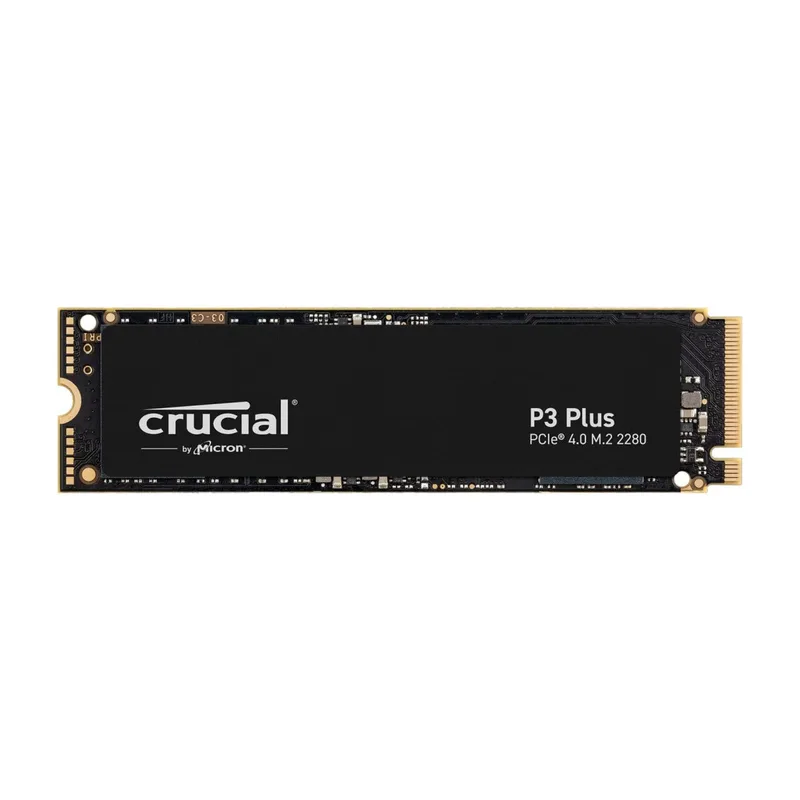
The Crucial P3 Plus is the practical answer for remote workers who want to revive a slow laptop without spending heavily. At $59 for 1TB of PCIe Gen 4 storage, it provides dramatically faster performance than any HDD or 5,400 RPM drive, and meaningfully faster than older SATA SSDs.
The 5,000 MB/s read speed is fast enough that application launches, file operations, and OS responsiveness feel modern on any laptop from the last seven years. For a remote worker whose primary applications are a browser, email client, video conferencing software, and a productivity suite, the daily-use speed difference between the P3 Plus and the SN850X is imperceptible.
The 220 TBW endurance is lower than premium options but adequate for typical professional use. A remote worker will consume roughly 30–50 TBW per year — meaning the P3 Plus provides six-plus years of coverage before approaching its endurance limit.
Crucial is owned by Micron, a tier-one NAND manufacturer. The underlying memory is made to the same standards as drives costing twice as much. The 5-year warranty reflects that confidence.
Best for: Remote workers upgrading an older laptop on a tight budget. The performance transformation from HDD or SATA SSD to this drive is dramatic, and at $59 the upgrade pays for itself quickly in recovered productivity.
Skip if: Your laptop has a Gen 4 slot and you’re doing heavy daily writes — the lower 220 TBW endurance rating is a real consideration for sustained professional workloads.
5. Samsung T7 Portable SSD — Best Value External SSD for Remote Workers
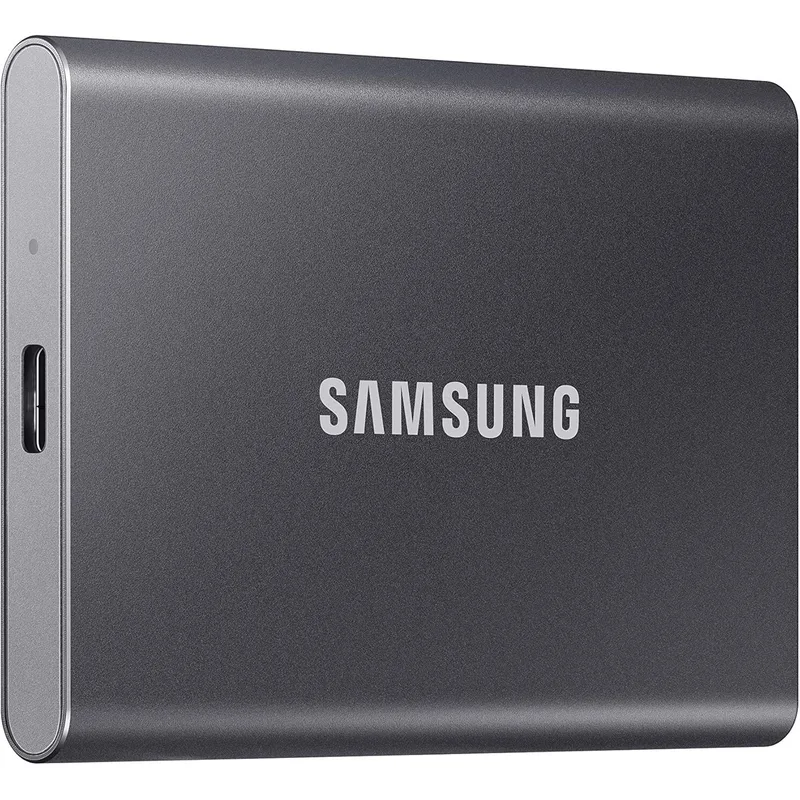
The Samsung T7 holds its position as the reliable, universally compatible choice for remote workers who need external storage that works with every laptop they’ll encounter — current and older — without compatibility checking.
At 1,050 MB/s via USB 3.2 Gen 2, the T7 handles every common remote work scenario: opening project files, transferring documents to a client drive, running a backup. The only scenario where it falls noticeably behind the T9 is very large sequential transfers — moving 50GB+ of data in a single operation takes roughly twice as long. For remote workers who primarily move files under 10GB in a single operation, the T7’s speed is practically identical to the T9 in daily use.
USB 3.2 Gen 2 is near-universally supported on laptops built in the last five years. No compatibility checking required. The T9’s 20Gbps connection requires a specific host port that isn’t yet standard across all laptops — the T7 just works.
At 0.3 inches thick and 2.3 ounces, it’s the thinnest drive on this list. Multiple color options and the Touch variant with fingerprint encryption make it a flexible choice for different priorities.
Best for: Budget-focused remote workers who need a reliable portable drive for everyday file transport and backup. At $79 for 1TB, it’s the most value-dense option on this list.
Skip if: You regularly move files over 20GB in a single transfer. The speed difference at that volume is noticeable, and the T9 is worth the price premium.
Comparison Table
| SSD | Type | Capacity | Read Speed | Write Speed | Price | Rating |
|---|---|---|---|---|---|---|
| Samsung T9 | External Portable | 1TB | 2,000 MB/s | 1,950 MB/s | $227.24-$247.00 as of Oct 18, 2026 | 9.3 |
| WD Black SN850X | Internal NVMe | 1TB | 7,300 MB/s | 6,300 MB/s | $199.99-$247.90 as of Oct 18, 2026 | 9.0 |
| SanDisk Extreme Pro | External Portable | 1TB | 2,000 MB/s | 2,000 MB/s | Unavailable | 8.9 |
| Samsung T7 | External Portable | 1TB | 1,050 MB/s | 1,000 MB/s | $189.99-$226.99 as of Oct 18, 2026 | 8.7 |
| Crucial P3 Plus | Internal NVMe | 1TB | 5,000 MB/s | 4,200 MB/s | Unavailable | 8.4 |
Buying Guide: Choosing the Right SSD for Remote Work
External SSDs are for portability and backup. Working from multiple locations — home, office, client sites, coffee shops — a portable SSD lets you carry active project files and maintain local backups that travel with you. External SSDs connect and disconnect in seconds, work across different operating systems, and require no installation.
Internal SSDs are for system performance. If your laptop runs slowly — long boot times, slow application launches, noticeable file save lags — the internal storage is likely the bottleneck. An internal NVMe upgrade addresses this at the root level. It requires installation but delivers a lasting improvement to every aspect of the laptop’s performance.
Check your laptop’s M.2 slot type before buying internal. Most modern laptops use the M.2 2280 form factor (22mm wide, 80mm long) with PCIe NVMe. Some older laptops use M.2 SATA instead of NVMe, which won’t accept PCIe-only drives like the SN850X. Check your laptop’s specifications or the manufacturer’s support site before purchasing. Crucial’s website has a compatibility finder tool by laptop model.
Verify your USB port version before buying external. The Samsung T9’s 2,000 MB/s speed requires a USB 3.2 Gen 2x2 port. Check your laptop’s specifications — it’s often listed clearly in the spec sheet as “USB 3.2 Gen 2x2 (20Gbps)” or “USB4.” If your laptop tops out at USB 3.2 Gen 2 (10Gbps), the T7 and T9 perform identically in practice.
Capacity planning for remote work files. A 1TB drive accommodates several years of most professional work — text documents, spreadsheets, presentations, and moderate amounts of photo and video work. Remote workers who handle large video files or RAW photography regularly should consider 2TB, available on most drives in this guide at roughly double the 1TB price.
Consider encryption for portable drives. Work files on a portable drive are a security risk if the drive is lost or stolen. The Samsung T7 Touch model adds fingerprint-based hardware encryption. BitLocker on Windows can encrypt an external drive in software. For remote workers handling client confidential information, encrypted storage is worth the additional consideration.
FAQ
Can I use a portable SSD to back up my work laptop?
Yes. macOS Time Machine supports external SSDs formatted as APFS or HFS+ for automated backups. Windows Backup and File History both support external SSDs. Setting up weekly automated backup to a portable SSD gives you local recovery copies available even without internet access. Connect the SSD at the start of each day, let the backup run, and disconnect when done.
Does the T9’s rated speed work on older laptops?
The T9’s 2,000 MB/s speed requires a USB 3.2 Gen 2x2 port (20Gbps). Laptops with USB 3.1 Gen 2 or USB 3.2 Gen 1 ports (10Gbps) will cap at approximately 1,000–1,050 MB/s — matching the T7’s performance. Laptops with USB 3.0 or USB 3.1 Gen 1 (5Gbps) will cap at approximately 450 MB/s. Check your laptop’s port specification before paying the T9 price specifically for its speed advantage.
How do I know if my work laptop can accept an internal NVMe upgrade?
Most Windows laptops manufactured after 2016 include at least one M.2 slot. Dell Latitude, ThinkPad, HP EliteBook, and Surface Pro families generally support upgrades. Apple MacBooks with Apple Silicon (M1 and later) do not — the SSD is soldered to the logic board. Intel MacBooks vary by year and model. Check iFixit guides or the manufacturer’s service manual for your specific model before purchasing.
Is 1TB enough for remote work, or should I buy 2TB?
For most office-based remote workers — primarily text, spreadsheets, PDFs, and presentations — 1TB is generous. A single year of typical office document work generates roughly 10–50GB of new files. Remote workers who regularly work with video (meeting recordings, editing), RAW photography, or large design files should consider 2TB. Check your current storage dashboard to see what you’re actually consuming before committing to a capacity.
Should I store work files locally or in the cloud?
Both, ideally. Cloud storage (Google Drive, OneDrive, Dropbox) ensures files are accessible from any device and protected if the laptop fails. Local storage on an SSD provides faster access, offline availability, and eliminates the risk of cloud service outages. The practical setup: primary files in cloud storage for sync and sharing, local SSD for offline access and as a recovery backup.
What’s the difference between TLC and QLC NAND in SSDs?
Consumer SSDs typically use TLC (triple-level cell) NAND, which stores three bits per cell. QLC (quad-level cell) stores four bits per cell at lower cost but with reduced endurance — avoid QLC for a primary work drive. Every drive in this guide uses TLC NAND. For remote work use cases, TLC with a solid endurance rating (200+ TBW) is the right choice, and all five drives here meet that threshold.
The Bottom Line
For remote workers who move between locations and need fast, reliable portable storage, the Samsung T9 at $129 is the best external SSD. Its 2,000 MB/s speed, compact form factor, and broad compatibility make it the most practical daily-use portable drive for professionals.
Remote workers on a budget who need reliable portable storage should choose the Samsung T7 at $79 — fast enough for all common work file operations at a lower price than the T9.
For remote workers with a slow Windows laptop who want to avoid buying new hardware: the Crucial P3 Plus at $59 delivers a dramatic performance upgrade at minimum cost. Step up to the WD Black SN850X at $99 if your laptop has a PCIe Gen 4 slot and you want maximum internal performance.
The SanDisk Extreme Pro is the right call only if you work in environments where IP65 protection matters. If your office is a desk, skip it and save the money.
Detailed Reviews
Samsung T9 Portable SSD (1TB)
Pros
- 2,000 MB/s read speed is double the Samsung T7 — large project files open and transfer without waiting
- Compact and light enough to attach to a keychain or drop in a shirt pocket
- 3-meter drop resistance handles the rough treatment of daily bag-to-desk transport
- USB-C native connection works directly with modern laptops without adapter hunting
- Mac compatible out of the box; automatic recognition on Windows, macOS, and ChromeOS
Cons
- Full 2,000 MB/s speed requires a USB 3.2 Gen 2x2 host port — older laptops with USB 3.1 Gen 1 ports cap at 5Gbps
- Runs noticeably warm under sustained data transfer — thermal throttling can reduce sustained write speeds
- Costs more per gigabyte than the Samsung T7 for users who don't need maximum speed
SanDisk Extreme Pro Portable SSD (1TB)
Pros
- IP65 rating survives rain, spills, and dusty environments without concern
- 2,000 MB/s read and write speeds match the Samsung T9 at this capacity
- Forged aluminum and rubber construction is genuinely ruggedized, not just marketing language
- 2-meter drop resistance provides real-world protection during daily transport
- Works as backup storage, project drive, and OS boot drive across different machines
Cons
- Slightly bulkier than the Samsung T9 due to the ruggedized outer shell
- Tends to run hot under extended transfers — sustained speeds drop after several minutes
- Higher price than the Samsung T7 for the same capacity
WD Black SN850X (1TB, Internal NVMe)
Pros
- 7,300 MB/s sequential read is among the fastest PCIe Gen 4 SSDs available in any form factor
- 600 TBW endurance supports years of heavy professional use
- 5-year warranty provides coverage for the full expected lifespan of most work laptops
- Transformative upgrade for aging laptops — boot and app launch times drop dramatically
- Game Mode 2.0 firmware manages consistent performance under sustained write loads
Cons
- Installation requires laptop disassembly — not suitable for users without technical comfort
- PCIe Gen 4 speeds only realized on compatible laptops; Gen 3 systems run it at Gen 3 speeds
- No hardware encryption or security features out of the box
Crucial P3 Plus (1TB, Internal NVMe)
Pros
- 5,000 MB/s read is a dramatic upgrade over any aging SATA SSD or HDD
- At $59 for 1TB, the most affordable path to transforming a slow work laptop
- Compatible with both PCIe Gen 4 and Gen 3 laptops without issues
- Micron NAND manufacturing means reliable quality despite the budget price
- 5-year warranty matches premium-priced competitors
Cons
- 220 TBW endurance is lower than premium options — adequate for light to moderate professional use
- Sequential write speed drops under sustained workloads when SLC cache depletes
- No power loss protection or advanced error recovery features
Samsung T7 Portable SSD (1TB)
Pros
- 1,050 MB/s read speed handles every common remote work file operation without delay
- Thinnest portable SSD on this list at 0.3 inches — genuinely pocketable
- 6-foot drop resistance is tested and genuine, not a marketing claim
- USB 3.2 Gen 2 compatibility works at full speed on virtually any modern laptop
- Available in multiple colors; Touch model adds AES 256-bit fingerprint encryption
Cons
- 1,050 MB/s is notably slower than the Samsung T9 — the gap matters for large transfers
- USB-A adapter included for older laptops, which adds to the accessory pile
- Slower sustained write speeds when cache fills under large transfers