The NAND flash market in 2026 is unlike anything remote workers have seen before. AI data center demand has consumed NAND supply faster than fabs can expand capacity — Phison’s CEO confirmed in early 2026 that NAND prices have more than doubled and all 2026 production is effectively sold out. A 1TB NVMe drive that cost $60–$80 in mid-2024 now runs $100–$300+ depending on brand and performance tier. TrendForce projects client SSD prices continuing to rise through Q2 2026, with no meaningful relief expected until late 2026 at the earliest.
Despite the sticker shock, upgrading an aging laptop SSD still makes financial sense. Replacing a 256GB factory drive stuffed to 90% capacity, or swapping a worn PCIe Gen3 drive for a Gen4 model, delivers measurable gains in OS boot time, app launch speed, and file transfer performance — gains that extend a laptop’s productive life by two to three years. The math still works. You just need to pick the right drive at current prices.
Quick Comparison
| Drive | Interface | Seq. Read | Seq. Write | Capacity | Price | Best For |
|---|---|---|---|---|---|---|
| WD Black SN7100 | PCIe Gen4 | 7,250 MB/s | 6,900 MB/s | 1TB | $179.99-$189.99 as of Oct 18, 2026 | Most laptops |
| Samsung 990 Pro | PCIe Gen4 | 7,450 MB/s | 6,900 MB/s | 1TB | $214.99-$259.99 as of Oct 18, 2026 | Max performance |
| SK Hynix Platinum P41 | PCIe Gen4 | 7,000 MB/s | 6,500 MB/s | 1TB | Unavailable | Best value |
| Samsung 990 EVO Plus | Gen4/Gen5 hybrid | 7,250 MB/s | 6,300 MB/s | 2TB | $299.99-$366.50 as of Oct 18, 2026 | Capacity needs |
| Crucial T500 | PCIe Gen4 | 7,300 MB/s | 6,800 MB/s | 1TB | $299.00 as of Oct 18, 2026 | Broad availability |
1. WD Black SN7100 1TB — Best Overall
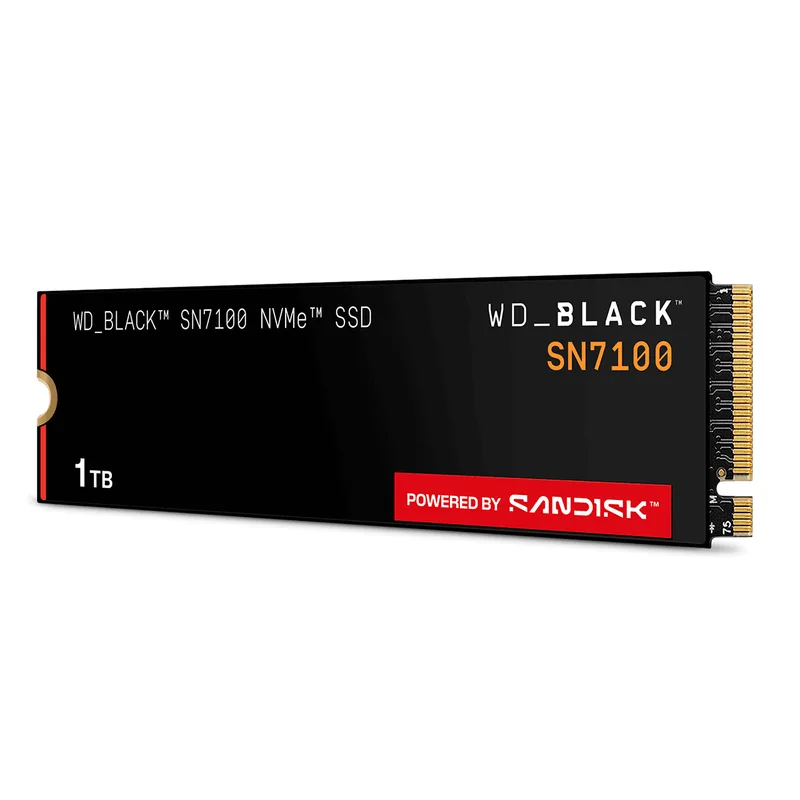
WD Black SN7100 1TB
Pros
- Single-sided PCB fits thin laptop bays where double-sided M.2 drives cause clearance issues
- Power consumption is the lowest in its performance class — critical for laptops where throttling and battery drain are real concerns
- 7,250 MB/s read and 6,900 MB/s write match top Gen4 drives without requiring active cooling
- At $199–$299, delivers more performance per dollar than any flagship drive in the current elevated-price market
- 5-year warranty with 600 TBW endurance rating matches Samsung's Pro-tier coverage
Cons
- Not the fastest drive in sustained writes above queue depth 1 — single-threaded write performance trails Samsung 990 Pro in targeted benchmarks
- 2230 (short) form factor not available — Surface Pro and some ultrabook upgrades require a different drive
The WD Black SN7100 launched in late 2026 and has become the default recommendation for laptop upgrades heading into 2026, for one structural reason beyond the benchmark charts: its single-sided PCB. Most 2280 M.2 drives pack NAND chips on both faces of the circuit board. The SN7100 uses a single-sided layout, which reduces clearance requirements and fits in thin-and-light laptops where the M.2 bay has less vertical space than expected. Framework 13 and 16 owners, Lenovo ThinkPad X1 Carbon users, and anyone in a thin chassis benefits from this.
On performance, the SN7100 1TB delivers 7,250 MB/s sequential read and 6,900 MB/s write — within 3% of the Samsung 990 Pro at the top of the market. In real-world laptop workloads (launching VS Code, Figma, or Chrome with 30 tabs, moving large Lightroom catalogs, running VM snapshots), the gap between the SN7100 and pricier drives is effectively zero. The difference only appears in sustained bulk transfers measured in gigabytes, where the 990 Pro’s superior write cache maintains speed longer.
Power efficiency is the other standout. WD’s next-generation TLC 3D NAND draws less power at idle than prior SN850X-era drives, which translates to a laptop running the SN7100 spending more time in low-power states during light browsing and document work. For users tracking battery life hour to hour in remote work setups away from power outlets, this matters.
At $199–$299 in the current market — with prices fluctuating based on availability and sale events — the SN7100 is the clearest buy in this roundup for anyone upgrading a Windows or Linux laptop that supports PCIe Gen4.
2. Samsung 990 Pro 1TB — Best Peak Performance
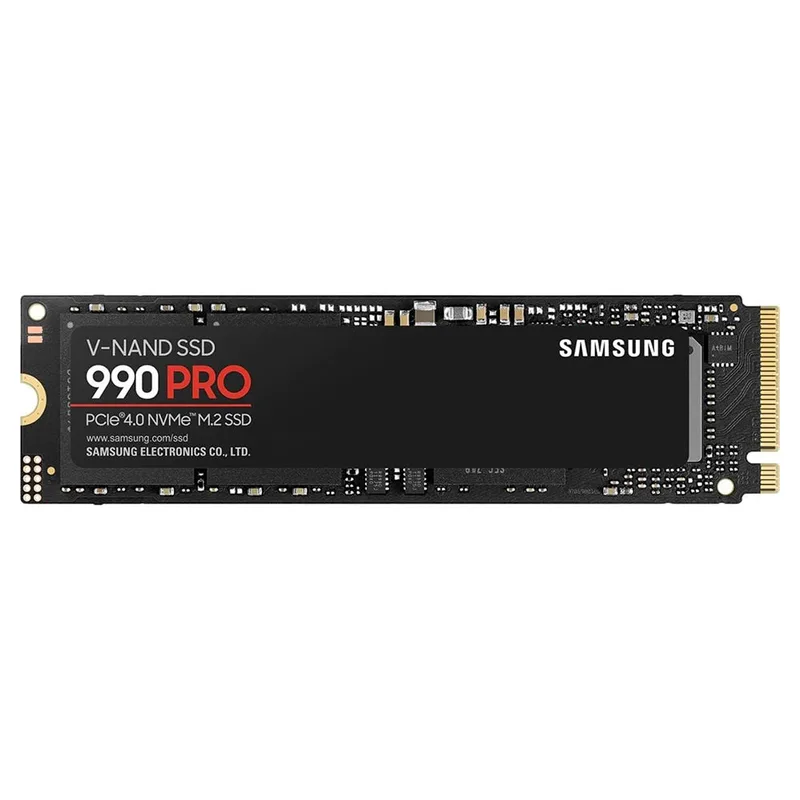
Samsung 990 Pro 1TB
Pros
- Highest random IOPS of any drive in this roundup — noticeable in OS boot, app launch, and fast file access on a loaded workstation
- Samsung's V-NAND has a longer reliability track record than newer NAND from smaller manufacturers
- Thermal control system actively manages heat buildup — important when installed in a thin laptop without a heatsink
- Firmware and Samsung Magician software provide health monitoring, secure erase, and firmware updates without third-party tools
- 7,450 MB/s sequential read is the fastest in this roundup
Cons
- At $249–$329 for 1TB, it costs 30–60% more than the WD SN7100 for diminishing real-world returns on most laptop workloads
- Samsung 990 Pro had a previously documented firmware-related degradation issue; addressed via Magician firmware updates — confirm firmware is current before use
The Samsung 990 Pro remains the highest-performing M.2 drive available for laptops that can actually use everything it offers. Its 1,400,000 random read and write IOPS specification is the highest in this roundup — a metric that matters for OS responsiveness, not sequential large-file transfers. When a laptop opens five applications simultaneously, accesses a local SQLite database, or runs Docker containers with active file I/O, random IOPS is the bottleneck. The 990 Pro removes it.
The V-NAND advantage is real over multi-generation comparisons. Samsung’s proprietary stacking approach maintains consistent performance at depth, and owner reports consistently show the 990 Pro sustaining higher write speeds longer before the drive drops to native NAND write speeds after the SLC cache fills. For video editors exporting 4K timelines directly to the M.2 drive, this means fewer mid-export slowdowns.
One caveat worth noting: the 990 Pro had a previously documented firmware issue where some units showed accelerated NAND wear in certain workloads. Samsung addressed this through Samsung Magician firmware updates. Before installing a 990 Pro, run Magician and confirm the firmware is current — this takes three minutes and eliminates the concern entirely.
At $249–$329 for 1TB, the 990 Pro costs meaningfully more than the WD SN7100. The performance premium is real in targeted workloads but largely invisible in day-to-day office work. Recommend it specifically for users running large databases, intensive virtual machines, or sustained video work where random IOPS shows in real usage.
3. SK Hynix Platinum P41 1TB — Best Value
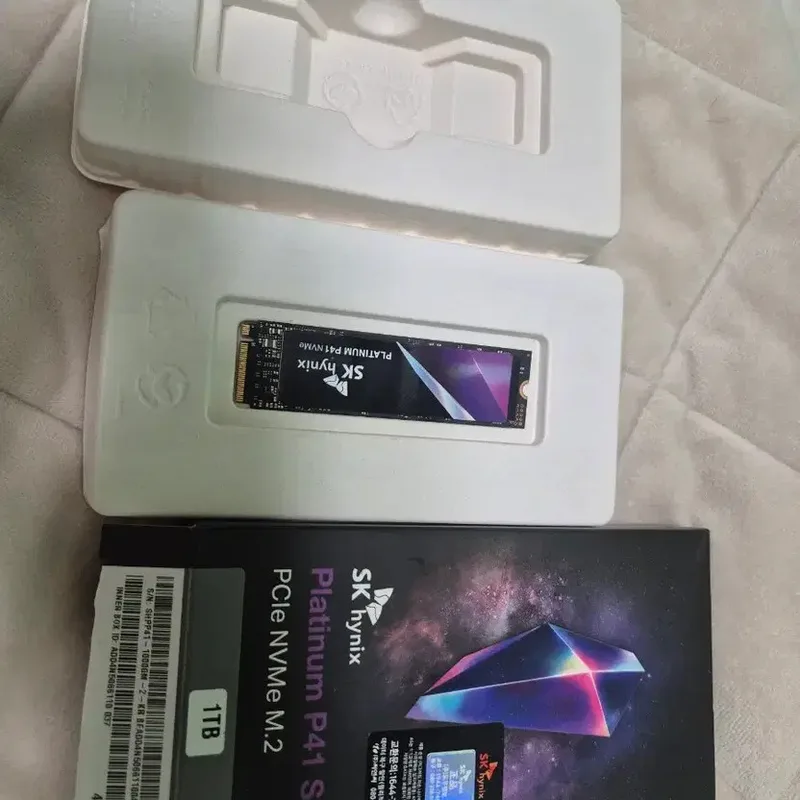
SK Hynix Platinum P41 1TB
Pros
- 750 TBW endurance rating for 1TB beats Samsung 990 Pro's 600 TBW — more headroom for heavy write workloads
- Best-in-class power efficiency for a Gen4 drive — idle consumption noticeably lower than WD and Samsung equivalents, extending battery life
- 7,000 MB/s sequential read is within 6% of the fastest drives in this roundup at 30–50% lower cost
- Remains one of the few performance Gen4 drives holding a price below $150 despite the 2026 NAND market pressure
- Real-world responsiveness in owner reports matches or exceeds rated sequential speeds for typical office file operations
Cons
- Write speeds taper more aggressively than Samsung 990 Pro under sustained large-file writes — video editors moving multi-gigabyte project files will see this
- SK Hynix doesn't offer desktop software for health monitoring — rely on third-party tools like CrystalDiskInfo
The SK Hynix Platinum P41 has been the enthusiast community’s value pick since 2022, and it remains the most cost-effective Gen4 drive available in May 2026 — a remarkable position given the market pressure. At $99–$149 for 1TB, it delivers 7,000 MB/s sequential read and 6,500 MB/s write using SK Hynix’s own 176-layer 3D NAND. For context, that sequential read speed is faster than what Samsung’s 980 Pro launched with as a premium flagship.
The 750 TBW endurance rating is higher than both Samsung options at the same 1TB capacity. This matters for laptop users who store large working files locally, run build systems that write frequently, or keep large photo/video libraries on the primary drive. More TBW means more write budget before the drive’s firmware begins compensating for cell wear.
Power efficiency is where the P41 distinguishes itself. SK Hynix’s 176-layer NAND operates at lower voltage than older-architecture NAND used in some competing drives. Owner reports on laptop forums consistently note that P41-equipped machines show measurable improvements in idle battery life compared to OEM drives — the kind of 10–20 minute improvement that’s small individually but adds up over a workday.
The key caveat is sustained write speed. When writing large files (multiple gigabytes continuously, as in a video export or large archive extraction), the P41’s SLC write cache fills faster than the 990 Pro’s, causing a step-down in write throughput. For typical remote work — cloud sync, document saving, app installation — this never appears. For sustained video ingest or editing workflows, consider the 990 Pro or SN7100.
4. Samsung 990 EVO Plus 2TB — Best for Capacity
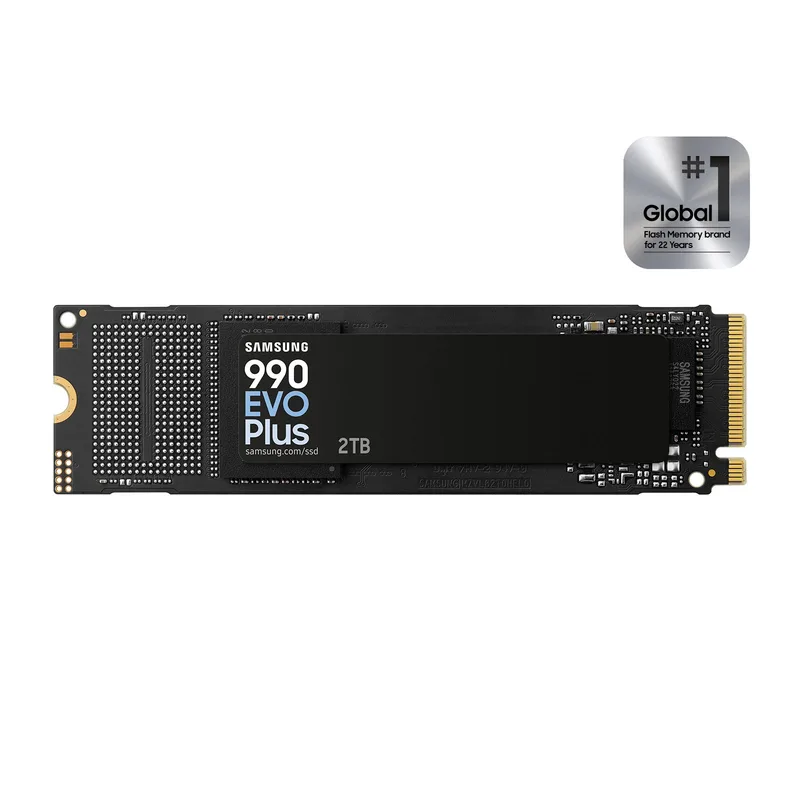
Samsung 990 EVO Plus 2TB
Pros
- 2TB at $299–$399 is the most cost-effective way to get large capacity in the current elevated-price environment
- 1,200 TBW endurance on the 2TB model is substantial — well above what any laptop user will realistically hit over the drive's lifetime
- Hybrid Gen4/Gen5 interface future-proofs the drive for laptops with Gen5 M.2 slots coming in 2025–2026 laptop refreshes
- HMB (Host Memory Buffer) technology improves random performance by using system RAM as a cache
- Samsung Magician software support for health monitoring and firmware management
Cons
- Write speeds of 6,300 MB/s trail the 990 Pro and SN7100 — the EVO Plus is optimized for capacity efficiency, not peak throughput
- $299–$399 for 2TB is expensive by 2024 standards; the NAND flash shortage is the primary driver
- Larger physical footprint of 2TB NAND may run slightly warmer than 1TB versions — monitor temps in enclosed laptop bays
The 990 EVO Plus is Samsung’s answer to a specific question: how do you get 2TB in a laptop M.2 slot at a reasonable price when NAND costs have quadrupled? The answer is the hybrid Gen4/Gen5 architecture — the drive negotiates the fastest interface speed the host supports, running at PCIe 4.0 x4 or 5.0 x2 depending on the slot. On Gen4 laptops (the majority of 2026–2025 machines), it behaves as a standard Gen4 drive hitting 7,250 MB/s read. On Gen5 slots (available in select 2025–2026 laptop refreshes), it accesses additional bandwidth.
The practical reason to choose this drive is capacity. 2TB of local storage on a laptop means a meaningful portion of project files, photos, and local backups fit without an external drive. At $299–$399, the 2TB 990 EVO Plus is expensive relative to 2026 pricing, but it’s the most cost-effective way to get 2TB in the current market. The alternative — two 1TB drives in a dual-slot laptop — typically costs more and isn’t possible in single-slot machines.
HMB (Host Memory Buffer) technology uses a small portion of the laptop’s system RAM as a DRAM cache substitute. This keeps drive cost lower than adding dedicated DRAM while maintaining acceptable random read performance. For most laptop workloads, HMB delivers performance indistinguishable from DRAM-equipped drives. Only sustained random reads on workloads that exhaust the HMB allocation show the distinction.
The 1,200 TBW endurance rating on the 2TB model is more than adequate for any realistic laptop lifecycle. At typical remote work write rates of 10–20GB per day, 1,200 TBW represents 60,000+ days of use — the drive will outlast the laptop by decades.
5. Crucial T500 1TB — Most Accessible
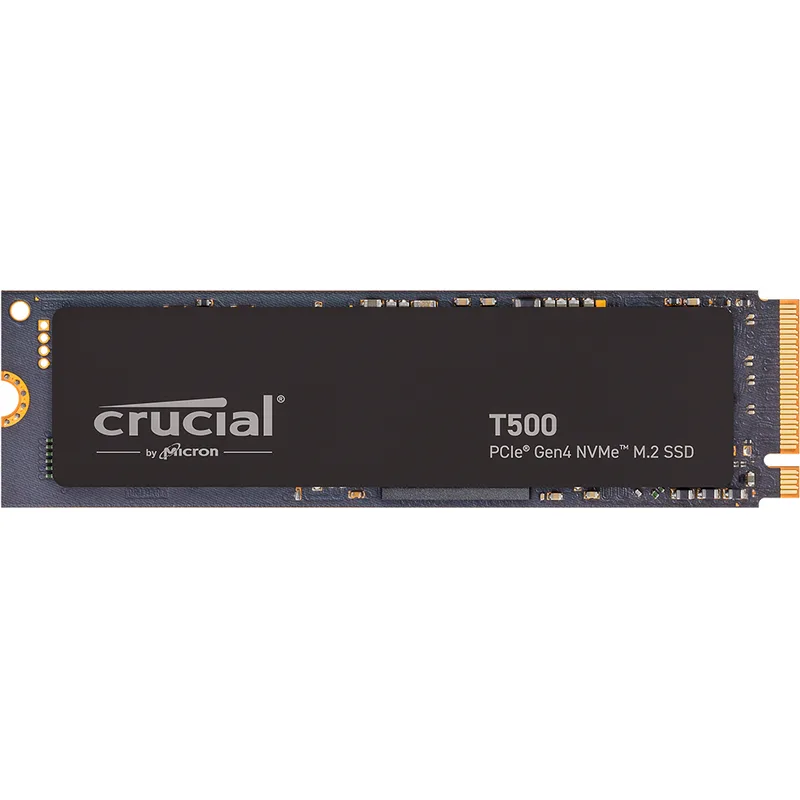
Crucial T500 1TB
Pros
- 7,300 MB/s sequential read is competitive with the WD SN7100 and narrowly behind the Samsung 990 Pro
- Micron (Crucial's parent) NAND manufacturing provides supply-chain stability — less prone to availability gaps than some third-party brands
- Bundled 1-month Adobe Creative Cloud subscription has real value for remote workers who need a short-term CC license
- Compatible with PS5, desktop, and laptop — one purchase covers multiple platforms if you need storage across devices
- Widely available at Amazon, Best Buy, Newegg, and Microcenter — easier to find in stock during supply crunches
Cons
- No dedicated desktop monitoring software — Crucial Storage Executive exists but is less polished than Samsung Magician
- At $149–$219, it's priced between the SK Hynix P41 (better value) and WD SN7100 (better overall performance) — the middle ground makes it harder to recommend over those two
The Crucial T500 lands at the intersection of strong specs and wide retail availability. At $149–$219, it competes with the SK Hynix P41 on price while delivering slightly faster sequential specs (7,300 MB/s read vs. 7,000 MB/s). The difference in day-to-day laptop use is effectively zero — both drives load applications and sync files faster than any bottleneck downstream.
What Crucial does well is availability and support infrastructure. Micron, Crucial’s parent company, manufactures its own NAND in the United States — a supply-chain distinction that means the T500 is more consistently in stock at major retailers than drives dependent on spot-market NAND procurement. During supply crunches like the current 2026 environment, this shows up as T500 remaining available at stable prices when some competitors go out of stock or spike in price.
The bundled one-month Adobe Creative Cloud subscription is a minor but real bonus. A single month of CC All Apps retails at $59.99. If the upgrade happens to coincide with needing a short Lightroom, Premiere, or After Effects license, that cost comes off the effective drive price.
The primary knock on the T500 is positioning. At $149–$219, it’s priced above the SK Hynix P41 without clearly outperforming it, and below the WD SN7100 without clearly beating it on value. It’s the drive to buy when the P41 and SN7100 are out of stock or backordered — reliable, fast, and from a manufacturer with a proven supply chain.
Buying Guide: What to Know Before Upgrading Your Laptop SSD in 2026
Check Your Laptop’s Interface Support
Before purchasing any drive, confirm which PCIe generation your M.2 slot supports:
- PCIe Gen3 slots: Found in most 2018–2021 laptops. Gen4 drives are backward-compatible and will work, but will run at Gen3 speeds (3,500–3,700 MB/s max read). A Gen4 drive in a Gen3 laptop still typically outperforms a worn OEM drive. Alternatively, the SK Hynix P41 or a Gen3-specific drive like the Samsung 970 EVO Plus costs less in this scenario.
- PCIe Gen4 slots: Standard on most 2022–2025 laptops with Intel 12th gen+ or AMD Ryzen 5000+. All drives in this roundup are optimized for Gen4 slots.
- PCIe Gen5 slots: Available in select 2025–2026 Intel Core Ultra and AMD Ryzen 9000-series laptops. The Samsung 990 EVO Plus is the only drive in this roundup with Gen5 capability.
M.2 Form Factor: 2280 vs. 2230
The number after M.2 describes the drive’s length. All drives in this roundup are 2280 (22mm wide, 80mm long) — the most common laptop form factor.
However, some laptops require 2230 (22mm wide, 30mm long):
- Microsoft Surface Pro and Surface Laptop models
- Some ROG Ally and Lenovo Legion Go handheld units
- Select ultra-compact business laptops
If your laptop uses a 2230 drive, the Crucial P310 or WD SN740 are the primary options — this roundup’s drives will not physically fit. Check your laptop’s service manual or iFixit teardown before purchasing.
Single-Sided vs. Double-Sided PCB
Most M.2 drives stack NAND chips on both sides of the circuit board. The WD Black SN7100 uses a single-sided layout. This matters in:
- Laptops with M.2 bays covered by the motherboard backplate (Framework 13)
- Machines where the thermal pad contacts the top of the drive directly
- Any ultra-slim chassis where clearance between the drive and the next component is under 1.5mm
If you’re unsure whether your laptop has a clearance issue, check the iFixit repair guide for your specific model before ordering a double-sided drive.
The 2026 NAND Price Crisis: Timing Your Purchase
NAND flash prices surged over 4x from mid-2024 to Q2 2026 as AI data center operators consumed available supply. According to Tom’s Hardware’s ongoing price tracking, this environment is unlikely to normalize before late 2026 at the earliest, with some analysts forecasting elevated prices into 2027.
Practical implications:
- Buy what you need now if your current drive is nearly full or showing errors. Waiting for prices to drop isn’t a reliable strategy in the near term.
- 1TB is the best value tier — 2TB drives have seen proportionally higher price increases, and 512GB drives offer minimal savings.
- Watch for sales — The WD SN7100 1TB has dropped to ~$200 during promotional periods in early 2026, significantly below regular pricing. Setting a price alert on CamelCamelCamel or SlickDeals has real value right now.
- Gen3 may be good enough if your laptop predates Gen4 — don’t pay Gen4 prices for a drive that will run at Gen3 speeds.
Heat Management in Thin Laptops
NVMe drives run warm, and thin laptops have limited airflow. Thermal throttling — the drive reducing speed to prevent overheating — is more common in sealed chassis than in desktop upgrades. Mitigation strategies:
- Avoid heatsink variants for standard laptop installs — most laptop bays don’t have vertical clearance for a heatsink.
- Apply a thermal pad between the drive and the bay’s metal cover if the original OEM drive had one.
- Monitor temperatures using CrystalDiskInfo (Windows) or smartmontools (Linux/macOS) — sustained temps above 70°C during transfers indicate throttling.
FAQ
Will a Gen4 NVMe drive work in my older laptop with a Gen3 slot?
Yes. PCIe Gen4 M.2 drives are backward-compatible with Gen3 slots. The drive will negotiate down to Gen3 speeds — approximately 3,500 MB/s sequential read instead of 7,000+ MB/s. You won’t see the Gen4 performance advantage, but you’ll still benefit from a newer drive’s reliability, endurance, and any capacity increase. If cost is a concern, a Gen3-native drive (Samsung 970 EVO Plus) may offer better value than a Gen4 drive that can’t use its full capability.
How much faster will my laptop feel after upgrading the SSD?
The subjective improvement depends on what you’re replacing. Upgrading from a factory 2.5-inch SATA SSD or worn-down M.2 PCIe 3.0 drive to a new Gen4 NVMe yields noticeable reductions in boot time (often 10–20 seconds faster) and application launch speed. Upgrading from a healthy Gen4 drive to a faster Gen4 drive produces smaller, less perceptible gains in normal office use — the larger improvement in the latter case is capacity, not speed.
Can I clone my existing drive to avoid reinstalling Windows?
Yes. All major SSD manufacturers provide cloning tools or recommend third-party options. Samsung provides Samsung Data Migration software. For other brands, Macrium Reflect Free (Windows) and Clonezilla (cross-platform) are reliable choices. The process: install the new drive in a USB enclosure, run the clone software, swap the drives. Budget 30–90 minutes depending on your data volume.
Is 1TB enough, or should I buy 2TB?
For most remote workers using cloud storage (Google Drive, Dropbox, OneDrive) as the primary file repository, 1TB local storage is sufficient. 2TB makes sense if you: edit video locally, keep large Lightroom catalogs on-device, work with large datasets without cloud sync, or prefer having your full project archive locally accessible. Given current 2TB prices ($299–$399), verify you’ll actually use the space before paying the premium.
What’s the safest way to open my laptop for the SSD swap?
Check iFixit.com for a model-specific teardown guide — the site has guides for thousands of laptops including repairability scores and detailed photos. Most modern laptops require only a Phillips #0 or Torx T5 screwdriver. The biggest risks are forgotten hidden screws under rubber feet or stickers, and flex cables that detach if lifted at the wrong angle. Take a photo of the interior before disconnecting anything, and ground yourself by touching bare metal before handling the drive.
Conclusion
For most laptop upgrades in 2026, the WD Black SN7100 1TB is the clearest recommendation: Gen4 speeds, single-sided PCB for thin chassis compatibility, best-in-class power efficiency, and a street price of $199–$299 that undercuts the Samsung 990 Pro significantly for negligible real-world performance difference in office workloads.
If budget is the primary constraint, the SK Hynix Platinum P41 1TB at $99–$149 remains one of the few Gen4 drives still within reach of its pre-crisis pricing. The performance delta against the SN7100 is small enough that the P41 is the right choice for anyone focused on cost per gigabyte.
For users who need 2TB — particularly photographers, video editors, or anyone with large local data requirements — the Samsung 990 EVO Plus 2TB is the only drive in this roundup that delivers the capacity without requiring two M.2 slots.
The NAND market will eventually normalize. Until it does, buying during a sale (price alerts on CamelCamelCamel are genuinely useful right now) and choosing the right tier for your actual workload are the best ways to get value out of a necessary upgrade.
Detailed Reviews
WD Black SN7100 1TB
Pros
- Single-sided PCB fits thin laptop bays where double-sided M.2 drives cause clearance issues
- Power consumption is the lowest in its performance class — critical for laptops where throttling and battery drain are real concerns
- 7,250 MB/s read and 6,900 MB/s write match top Gen4 drives without requiring active cooling
- At $199–$299, delivers more performance per dollar than any flagship drive in the current elevated-price market
- 5-year warranty with 600 TBW endurance rating matches Samsung's Pro-tier coverage
Cons
- Not the fastest drive in sustained writes above queue depth 1 — single-threaded write performance trails Samsung 990 Pro in targeted benchmarks
- 2230 (short) form factor not available — Surface Pro and some ultrabook upgrades require a different drive
Samsung 990 Pro 1TB
Pros
- Highest random IOPS of any drive in this roundup — noticeable in OS boot, app launch, and fast file access on a loaded workstation
- Samsung's V-NAND has a longer reliability track record than newer NAND from smaller manufacturers
- Thermal control system actively manages heat buildup — important when installed in a thin laptop without a heatsink
- Firmware and Samsung Magician software provide health monitoring, secure erase, and firmware updates without third-party tools
- 7,450 MB/s sequential read is the fastest in this roundup
Cons
- At $249–$329 for 1TB, it costs 30–60% more than the WD SN7100 for diminishing real-world returns on most laptop workloads
- Samsung 990 Pro had a previously documented firmware-related degradation issue; addressed via Magician firmware updates — confirm firmware is current before use
SK Hynix Platinum P41 1TB
Pros
- 750 TBW endurance rating for 1TB beats Samsung 990 Pro's 600 TBW — more headroom for heavy write workloads
- Best-in-class power efficiency for a Gen4 drive — idle consumption noticeably lower than WD and Samsung equivalents, extending battery life
- 7,000 MB/s sequential read is within 6% of the fastest drives in this roundup at 30–50% lower cost
- Remains one of the few performance Gen4 drives holding a price below $150 despite the 2026 NAND market pressure
- Real-world responsiveness in owner reports matches or exceeds rated sequential speeds for typical office file operations
Cons
- Write speeds taper more aggressively than Samsung 990 Pro under sustained large-file writes — video editors moving multi-gigabyte project files will see this
- SK Hynix doesn't offer desktop software for health monitoring — rely on third-party tools like CrystalDiskInfo
Samsung 990 EVO Plus 2TB
Pros
- 2TB at $299–$399 is the most cost-effective way to get large capacity in the current elevated-price environment
- 1,200 TBW endurance on the 2TB model is substantial — well above what any laptop user will realistically hit over the drive's lifetime
- Hybrid Gen4/Gen5 interface future-proofs the drive for laptops with Gen5 M.2 slots coming in 2025–2026 laptop refreshes
- HMB (Host Memory Buffer) technology improves random performance by using system RAM as a cache
- Samsung Magician software support for health monitoring and firmware management
Cons
- Write speeds of 6,300 MB/s trail the 990 Pro and SN7100 — the EVO Plus is optimized for capacity efficiency, not peak throughput
- $299–$399 for 2TB is expensive by 2024 standards; the NAND flash shortage is the primary driver
- Larger physical footprint of 2TB NAND may run slightly warmer than 1TB versions — monitor temps in enclosed laptop bays
Crucial T500 1TB
Pros
- 7,300 MB/s sequential read is competitive with the WD SN7100 and narrowly behind the Samsung 990 Pro
- Micron (Crucial's parent) NAND manufacturing provides supply-chain stability — less prone to availability gaps than some third-party brands
- Bundled 1-month Adobe Creative Cloud subscription has real value for remote workers who need a short-term CC license
- Compatible with PS5, desktop, and laptop — one purchase covers multiple platforms if you need storage across devices
- Widely available at Amazon, Best Buy, Newegg, and Microcenter — easier to find in stock during supply crunches
Cons
- No dedicated desktop monitoring software — Crucial Storage Executive exists but is less polished than Samsung Magician
- At $149–$219, it's priced between the SK Hynix P41 (better value) and WD SN7100 (better overall performance) — the middle ground makes it harder to recommend over those two