You set your own hours when you work from home. The problem is that nothing else sets them for you.
A desk lamp that stays on until midnight, a monitor that keeps glowing through dinner, a space heater running after you’ve signed off — these aren’t just energy waste. They’re signals that keep you mentally at work when you’re supposed to be done. Smart plugs solve this with a schedule. Connect your desk gear to a smart plug, set work hours, and the office powers down automatically when the day ends. No manual step, no willpower required.
Quickest answer: The Kasa KP115 ($22) handles most home offices. Alexa households get a simpler experience from the Amazon Smart Plug ($19). Apple HomeKit users who want a single compact plug should get the Tapo P125M ($16).
What Remote Workers Should Look for in a Smart Plug
Scheduling reliability. The core use case is a Monday–Friday on/off schedule — power up at 8 AM, shut down at 6 PM, every weekday, without fail. Look for plugs that store schedules in onboard memory so a brief WiFi drop doesn’t derail your routine.
Voice assistant compatibility. Saying “Alexa, turn off the desk lamp” while you’re on a call beats reaching for a switch or opening an app. Most plugs support Alexa or Google Assistant; fewer cover both. Apple HomeKit support is rarer and typically costs more.
Energy monitoring. Smart plugs that report real-time power consumption tell you which devices are worth adding to a shut-off schedule. Knowing that a monitor draws 30W on standby makes the case for automating it off. Knowing a speaker draws 1W makes it less urgent.
Form factor. Some smart plugs block both receptacles in a standard duplex outlet. Compact or slim designs leave the second outlet usable — essential in any office with more devices than outlets.
Matter compatibility. Matter is the cross-platform standard backed by Apple, Google, Amazon, and Samsung. A Matter plug works in Apple Home, Google Home, Alexa, and SmartThings simultaneously. If you have a mixed-platform setup or might change ecosystems, Matter future-proofs the purchase.
The 5 Best Smart Plugs for Home Office
1. Kasa Smart Plug Mini KP115 — Editor’s Pick
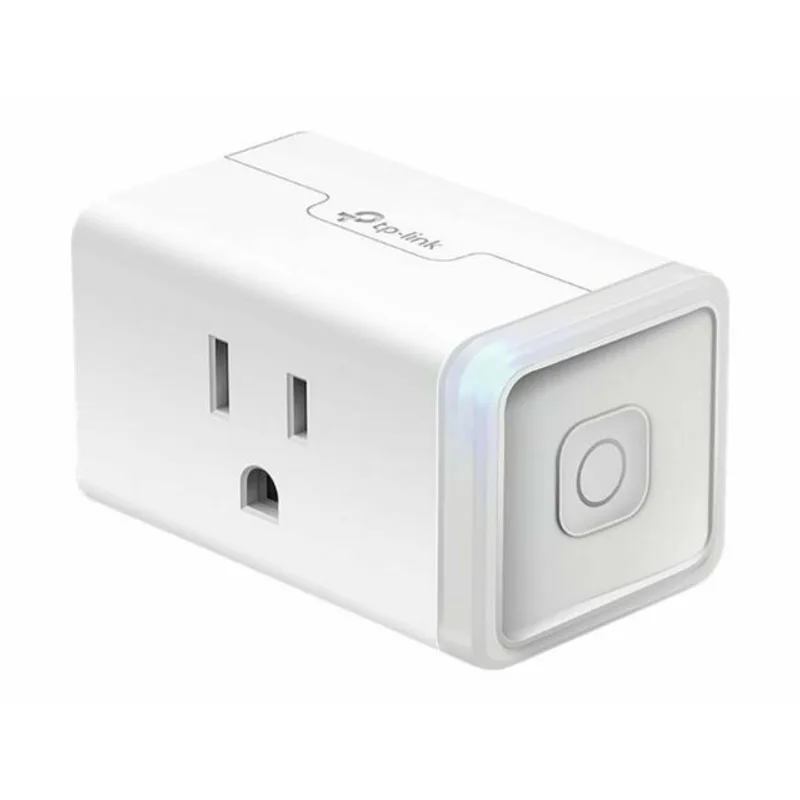
The KP115 earns the top spot because it does the two things that matter most for a home office — reliable scheduling and energy monitoring — without unnecessary complexity.
The Kasa app’s scheduling interface is consistently one of the cleanest in the smart plug category. Set a weekly schedule once, and it runs. After WiFi interruptions, after app updates, after the router gets restarted — the schedule keeps executing because it’s stored locally on the plug itself.
Energy monitoring shows real-time wattage and cumulative consumption per device. For a home office, this answers concrete questions: How much does leaving the monitor in standby add to the monthly bill? Which piece of desk equipment draws the most power when idle? Should the USB hub be on the same schedule as the monitor, or does it draw enough to warrant its own plug? The KP115 gives you actual numbers to work from.
The slim design leaves the adjacent outlet usable — a deliberate engineering choice that matters when outlet strips are crowded.
The KP115 works with Alexa and Google Assistant. Apple HomeKit users should look at the Tapo P125M or Kasa EP25 instead. For individual devices — desk lamp, monitor strip, USB hub, space heater — the KP115 at $22 is the best single-device office automation buy.
2. Amazon Smart Plug — Best Value
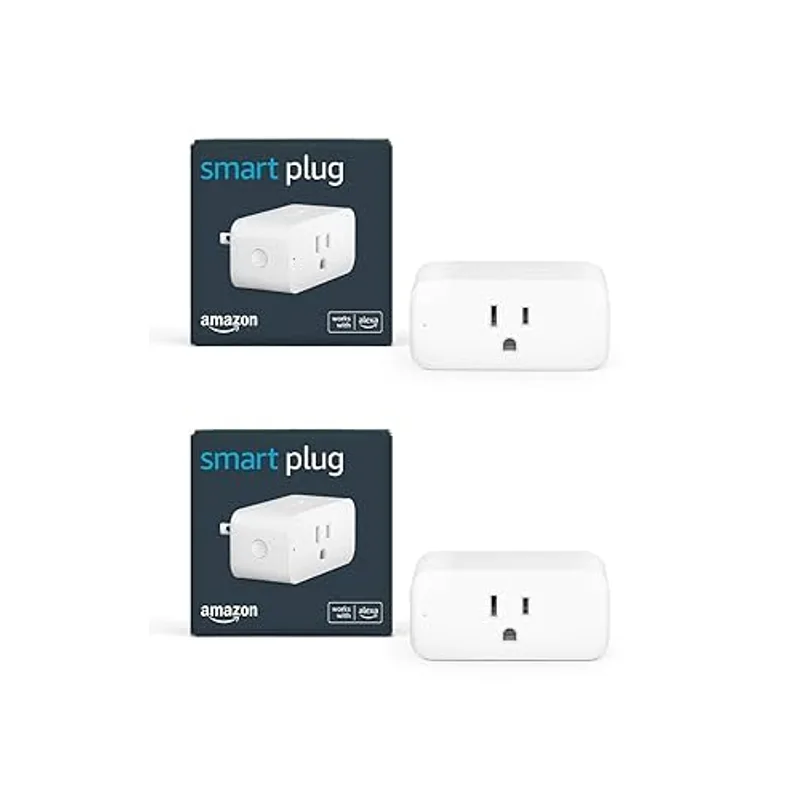
The Amazon Smart Plug is the right choice for Alexa households where simplicity matters more than features.
Because Amazon makes it, the setup experience is tighter than any third-party alternative. It frequently appears in the Alexa app automatically during the scan step, without needing to activate a skill or manually enter a code. For someone new to smart plugs, that difference between two-step setup and five-step setup is real.
The power comes from Alexa Routines. Build a “Start Work” routine that triggers at 8 AM weekdays: office lamp on, monitor strip on, desk fan on, Alexa reads your calendar. Build an “End Work” routine at 6 PM that reverses everything. These run without any daily action on your part.
During video calls, hands-free voice control keeps your attention on the meeting: “Alexa, turn off the overhead light,” “Alexa, turn on the desk fan.” No reaching for switches or opening apps mid-call.
No energy monitoring is the main gap. For Alexa-first home offices where energy data isn’t a priority, the Amazon Smart Plug at $19 is the most straightforward option.
3. Meross Matter Smart Plug MSS315 — Best Multi-Platform
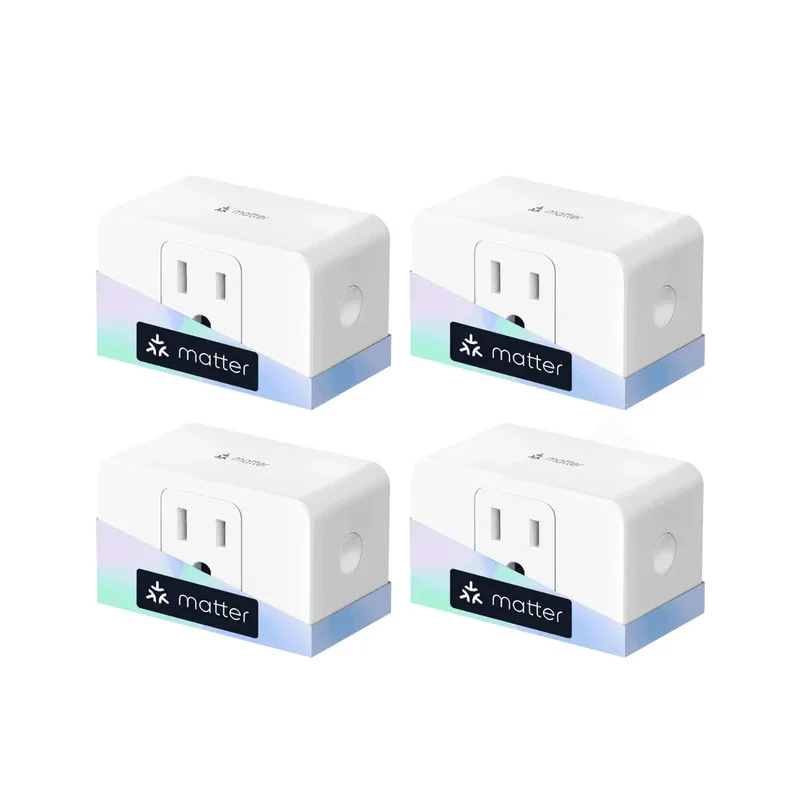
The MSS315 is the answer for home office workers who use more than one smart home platform.
Matter is a hardware-level standard backed by Apple, Google, Amazon, and Samsung. A Matter-certified plug works in Apple Home, Google Home, Alexa, and SmartThings without bridging, cloud linking, or app ecosystem dependency. Commission it once via Matter’s QR code setup, and it appears natively in whatever platform you want to control it from.
For a remote worker with an iPhone (Apple Home), an Android work tablet (Google Home), and an Alexa Echo in the kitchen, the MSS315 responds to all three. No integration conflicts, no re-setup if you change platforms.
Energy monitoring is included — real-time wattage and historical consumption data per device, through whatever platform you prefer. The 4-pack pricing puts the per-plug cost at around $11, which makes it the most cost-effective option for outfitting an entire desk setup.
Initial Matter commissioning takes more steps than an Alexa-native plug. That’s a one-time tradeoff. Once set up, Matter devices tend to stay more stable across software updates than proprietary ecosystems.
4. TP-Link Tapo P125M — Most Compact
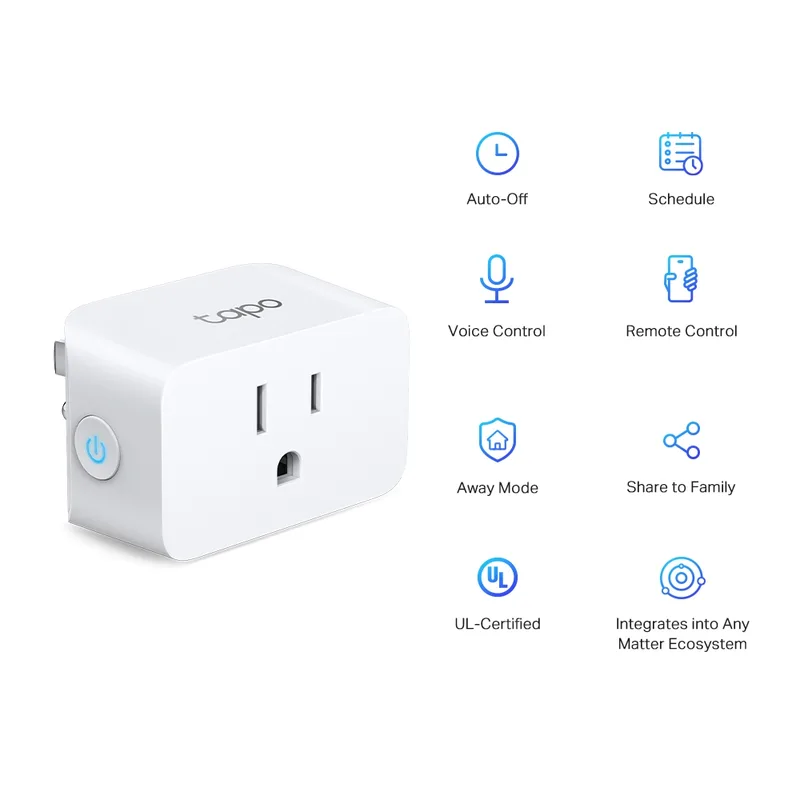
The Tapo P125M is a Matter-certified mini plug with the smallest physical footprint on this list, and the right answer for Apple HomeKit users who want a single-unit purchase.
The size advantage is tangible. The P125M is engineered to not block the adjacent outlet wherever it’s installed — wall plates, outlet strips, furniture-facing outlets with tight clearance. If you’ve ever had a smart plug make the second receptacle unusable, the Tapo solves that at the hardware level.
Matter certification covers the full platform range: Apple Home, Google Home, Alexa, and SmartThings. For iPhone and iPad users, that means Siri control and Apple Home automations without the Tapo app after initial setup. Add it once via the Matter QR code, and it lives in Apple Home going forward.
Scheduling works across all connected platforms. Set a work-hours automation in Apple Home, or use the Tapo app if you prefer a dedicated scheduling interface. Both approaches run locally on the plug’s schedule memory.
No energy monitoring is the main tradeoff versus the KP115 and EP25. For users who prioritize HomeKit compatibility and compact size at a single-unit price, the Tapo P125M at $16 delivers both.
5. Kasa EP25 (4-pack) — Best Budget
The EP25 is the right pick for home office workers who need to outfit multiple plugs at once and want everything — energy monitoring, Apple HomeKit, Alexa, and Google — at the lowest per-plug price available.
The EP25 includes energy monitoring. The full product name is “Kasa Smart WiFi Plug Slim with Energy Monitoring, Apple HomeKit Supported” — it delivers the same per-device wattage data as the KP115, at $13 per plug when purchased as a 4-pack. That’s a significant value advantage for workers equipping multiple outlets.
HomeKit via Siri rounds out the platform coverage: Alexa, Google Home, and Apple Home, all managed through the same Kasa app. The scheduling interface is identical to the KP115 — set your work-hours schedule once, and it runs reliably.
The 4-pack format fits a full desk setup: lamp, monitor strip, space heater, and a spare — all on the same work-hours schedule, all reporting energy consumption per device, at the lowest total cost on this list.
The only real constraint: it’s 4-pack or nothing. You can’t buy a single EP25.
Comparison Table
| Smart Plug | Price | Energy Monitoring | Alexa | HomeKit | Form Factor | |
|---|---|---|---|---|---|---|
| Kasa KP115 | $10.39-$15.99 as of Oct 18, 2026 | Yes | Yes | Yes | No | Slim |
| Amazon Smart Plug | $24.99 as of Oct 18, 2026 | No | Yes | No | No | Standard |
| Meross MSS315 (4-pack) | Check price | Yes | Yes | Yes | Yes | Compact |
| Tapo P125M | $11.99 as of Oct 18, 2026 | No | Yes | Yes | Yes | Mini |
| Kasa EP25 (4-pack) | $30.61-$35.99 as of Oct 18, 2026 | Yes | Yes | Yes | Yes | Mini |
Buying Guide: Which Smart Plug Is Right for You?
Buy the Kasa KP115 if you want a single smart plug for your most important office device and energy monitoring is a priority. The combination of energy tracking, scheduling reliability, and slim form factor makes it the best single-unit choice for most remote workers.
Buy the Amazon Smart Plug if you are heavily invested in the Alexa ecosystem and want the simplest possible setup. It integrates more tightly with Amazon’s voice assistant than any third-party option, and Alexa Routines give you multi-device work-hours automation without extra configuration.
Buy the Meross MSS315 if you use multiple smart home platforms or Apple HomeKit is your primary ecosystem. The 4-pack pricing makes it the most cost-effective way to automate a full office across platforms, with energy monitoring included.
Buy the Tapo P125M if physical size is a constraint — tight outlet strips, furniture-adjacent plugs, crowded wall plates — and Apple HomeKit support matters. The most compact Matter plug available at a single-unit price.
Buy the Kasa EP25 if you want to equip your entire office at the lowest per-plug cost with Apple HomeKit and energy monitoring both included. The 4-pack is the best total value on this list for workers outfitting three or four devices at once.
Frequently Asked Questions
Can smart plugs help me maintain better work-from-home boundaries?
Yes. Set a schedule that mirrors your work hours — desk lamp and monitor on at 9 AM, off at 6 PM. When the lamp turns off automatically, it creates a physical end-of-day signal that passive digital reminders don’t. The routine becomes the cue.
What should I not plug into a smart plug?
Avoid devices with high inrush current at startup (laser printers, large compressors) or heating appliances that exceed the plug’s wattage rating. All plugs on this list are rated at 15A / 1,800–1,875W, which covers most office equipment. For space heaters, verify the device’s rated wattage is below the plug’s maximum before use.
Will my schedule run if my WiFi goes down?
Most smart plugs store schedules in onboard memory and execute them independently of internet connectivity. A brief WiFi drop won’t interrupt your work morning startup routine. This is true for all five options on this list — verify for your specific model if you’re using an older or different plug, as some cloud-dependent designs require constant connectivity.
How do smart plugs help during video calls?
Voice control is the main benefit. Adjust your office environment mid-call without reaching for switches or opening apps: “turn off the overhead light,” “turn on the desk fan.” Particularly useful for adjusting lighting when your camera environment shifts mid-meeting.
Do smart plugs raise my electricity bill?
Each plug draws 1–2 watts in standby to maintain the WiFi connection — roughly $1–2 per plug per year. The energy savings from eliminating standby draw on office equipment (monitors, printers, and desktop speakers all draw power when idle) typically offset this significantly, especially with energy monitoring to identify which devices are worth targeting.
Is Matter worth caring about for home office use?
Yes, if you use more than one smart home platform or might change ecosystems in the future. A Matter plug like the Meross MSS315 or Tapo P125M works across Apple Home, Google Home, Alexa, and SmartThings without re-setup if you switch. For mixed iPhone-and-Android households, or anyone not fully committed to a single ecosystem, Matter removes the lock-in.
Bottom Line
For a single plug, the Kasa KP115 is the strongest all-around option — energy monitoring, reliable scheduling, compact form. For Alexa households that want simplicity, the Amazon Smart Plug at $19 is the cleaner choice. Apple HomeKit users who need a compact single-unit pick get the most for their money with the Tapo P125M. For outfitting a full office with Matter support and energy monitoring at the best per-plug price, the Meross MSS315 4-pack wins on value. And if you want Kasa’s app reliability plus HomeKit plus energy monitoring at budget pricing, the Kasa EP25 4-pack is the clear buy.
Detailed Reviews
Kasa Smart Plug Mini (KP115)
Pros
- Energy monitoring shows exactly how much power your office equipment uses
- Slim form factor keeps the adjacent outlet usable
- Reliable scheduling — set work hours and the plug follows them without intervention
- Kasa app is one of the most stable and well-designed in the smart plug category
- Works with Alexa and Google Assistant for voice control during calls
Cons
- 2.4GHz WiFi only — won't connect to 5GHz networks
- No Apple HomeKit support
Amazon Smart Plug
Pros
- Easiest Alexa integration on the market — auto-discovered in the Alexa app during setup
- Works with Alexa Routines to build multi-device office automation sequences
- Simple setup for users already in the Amazon ecosystem
- Alexa voice control is hands-free during calls when your hands are on the keyboard
- Most affordable single-unit option
Cons
- No energy monitoring
- Alexa ecosystem only — no Google Assistant or HomeKit
- Less flexible for users outside the Amazon ecosystem
Meross Matter Smart Plug (MSS315)
Pros
- Matter standard ensures compatibility with every major smart home platform
- Apple HomeKit support — rare at this price point
- Energy monitoring included
- Works natively in Apple Home app without Meross app dependency
- 4-pack pricing makes it the most cost-effective option for equipping an entire office
Cons
- 4-pack minimum purchase — slightly higher initial spend
- Matter setup takes more steps than single-platform alternatives
TP-Link Tapo P125M
Pros
- Matter certified — works with Apple HomeKit, Google Home, Alexa, and SmartThings
- Smallest physical footprint on this list — keeps adjacent outlet free
- No hub required, simple Matter QR code commissioning
- Apple HomeKit support at a single-unit price
- Reliable scheduling across all connected platforms
Cons
- No energy monitoring
- Tapo app is less refined than Kasa for scheduling power users
- 2.4GHz WiFi only
Kasa EP25 (4-pack)
Pros
- Energy monitoring included — same data as the KP115 at a lower per-plug cost
- Apple HomeKit support alongside Alexa and Google — rare in Kasa's lineup
- Best per-plug price on this list at 4-pack pricing
- Same Kasa app reliability as the KP115
- Compact mini form factor keeps the adjacent outlet free
Cons
- Must purchase 4-pack — not available as a single plug
- 2.4GHz WiFi only