Affiliate disclosure: SetupRanked earns a commission from qualifying Amazon purchases at no extra cost to you.
Smart home devices were supposed to be about convenience. For remote workers in 2026, they’ve become something more specific: tools for controlling your environment so your environment stops controlling your workday. The office you work from is also the place where the thermostat fights you, the delivery person rings at 2 PM on a Zoom call, and the afternoon sunlight washes out your screen. Smart home automation fixes these problems without requiring you to think about them.
Philips Hue’s January 2026 launch of SpatialAware — a feature that coordinates all your smart bulbs based on your room’s physical layout — is the kind of update that makes the platform meaningfully more useful. Instead of manually tuning each bulb, SpatialAware builds cohesive lighting scenes that treat your office as a single environment. That shift, from individual device control to environment-level automation, is the right way to think about building a smart home office.
This roundup covers five devices that solve real remote work problems: lighting that supports focus, temperature that adjusts when you sit down, a smart display that keeps meetings visible without opening a tab, an air purifier that runs itself, and a doorbell that stops interrupting you during calls. These aren’t smart home novelties. They’re practical tools.
Comparison
| Spec | Philips Hue White & Color Ambiance Starter Kit | ecobee Smart Thermostat Premium | Amazon Echo Show 8 (3rd Gen) | LEVOIT Core 400S Smart Air Purifier | Ring Video Doorbell 4 |
|---|---|---|---|---|---|
| Rating | 9.1/10 | 8.9/10 | 8.6/10 | 8.7/10 | 8.3/10 |
| Price | $72.99as of Oct 18, 2026 | $185.07-$239.97as of Oct 18, 2026 | $123.24-$149.99as of Oct 18, 2026 | Unavailable | Unavailable |
| Bulbs Included | 2x A19 60W equivalent | — | — | — | — |
| Lumen Output | 800 lumens per bulb | — | — | — | — |
| Color Range | 16 million colors, 2000K–6500K white | — | — | — | — |
| Hub | Hue Bridge (included) | — | — | — | — |
| Connectivity | Zigbee (via Bridge), Works with Alexa, Google, Apple Home, Matter | Wi-Fi, Bluetooth | — | Wi-Fi, VeSync app, Alexa, Google | Wi-Fi (2.4GHz + 5GHz dual-band) |
| Dimming | Full range 0–100% | — | — | — | — |
| New in 2026 | SpatialAware scene coordination | — | — | — | — |
| Display | — | 3.5" full-color touchscreen | 8.7" HD touchscreen (1280×800) | — | — |
| Sensors | — | Built-in occupancy + SmartSensor for additional rooms | — | — | — |
| Air Quality Monitor | — | Built-in (VOC, CO2, humidity) | — | — | — |
| Voice Assistants | — | Alexa, Siri, Google Assistant built-in | — | — | — |
| Compatibility | — | Works with 97% of home HVAC systems | — | — | — |
| Certification | — | ENERGY STAR certified | — | — | — |
| Audio | — | — | Dual speakers with spatial audio | — | — |
| Camera | — | — | 13MP auto-framing camera | — | — |
| Processor | — | — | AZ2 Neural Edge | — | — |
| Smart Home Hub | — | — | Built-in Zigbee, Thread, Matter | — | — |
| Alexa+ | — | — | Supported (generative AI features) | — | — |
| Dimensions | — | — | 7.9" × 5.4" × 3.9" | — | — |
| Coverage | — | — | — | Up to 1,980 sq ft (1 hr), 990 sq ft (30 min) | — |
| Filter | — | — | — | 3-in-1 True HEPA + activated carbon | — |
| CADR | — | — | — | 410 CFM | — |
| Noise Level | — | — | — | 24 dB (Sleep mode) — 51 dB (max) | — |
| Auto Mode | — | — | — | Yes (air quality sensor adjusts fan speed) | — |
| AHAM Verified | — | — | — | Yes | — |
| Resolution | — | — | — | — | 1080p HD |
| Field of View | — | — | — | — | 155° horizontal, 90° vertical |
| Power | — | — | — | — | Battery (quick-release) or hardwired |
| Color Pre-Roll | — | — | — | — | 4 seconds before motion trigger |
| Night Vision | — | — | — | — | Color night vision |
| Alexa Integration | — | — | — | — | Live view, announcements on Echo devices |
| Check Price → | Check Price → | Check Price → | Check Price → | Check Price → |
Prices change daily — tap Check Price for the current Amazon price.
The Picks
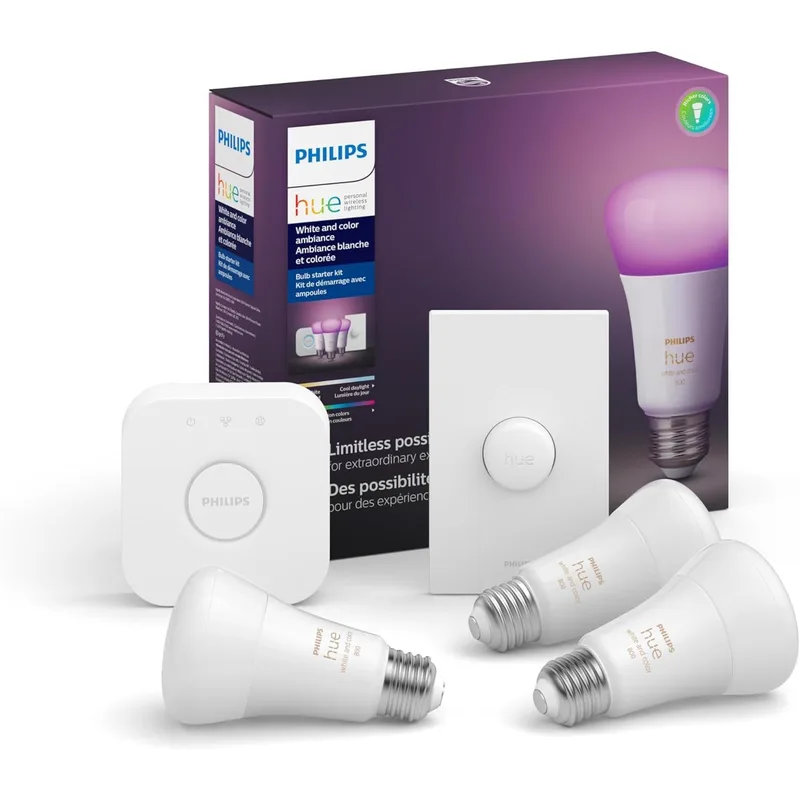
Philips Hue White & Color Ambiance Starter Kit
Pros
- SpatialAware feature (launched January 2026) coordinates all bulbs in a room automatically for cohesive lighting scenes
- Schedule cool white (6500K) for morning focus blocks and warm white (2700K) for wind-down after hours — fully automated
- Works with Alexa, Google Assistant, Apple HomeKit, and Matter for broad smart home compatibility
- Hue Bridge supports up to 50 bulbs — scales from a single office lamp to a whole-home system
- Extremely reliable Zigbee mesh network; far fewer dropout issues than Wi-Fi-only bulbs
Cons
- Hue Bridge is a required extra device — adds a box to your router area
- Per-bulb cost is higher than competing Govee or Wyze bulbs without the ecosystem depth
- SpatialAware requires Bridge Pro for full room scanning; standard Bridge gets manual coordination
Lighting is the highest-impact smart home change for remote workers, and Philips Hue is the platform that has earned that position through ecosystem depth and reliability. The starter kit — one Hue Bridge and two A19 bulbs — is the correct entry point because the Bridge (not the bulbs themselves) is where the intelligence lives.
The practical use case for home offices is color temperature scheduling. Set 6500K cool white (daylight equivalent) from 8 AM to noon to support alertness during focus blocks. Drop to 4000K neutral white after lunch. Switch to 2700K warm white after 5 PM. This automation runs without you touching anything after the initial setup. Research on circadian lighting and alertness is consistent: cooler white light during morning hours correlates with better attention and mood compared to warm ambient light.
The January 2026 SpatialAware update adds room-level coordination — you scan your office with the app’s AR tool, and the algorithm ensures all bulbs in the room transition together rather than independently. The difference is subtle but real: instead of individual bulbs at slightly different intensities, the room reads as a coherent environment. SpatialAware requires the Hue Bridge Pro for the AR scanning feature, though the standard Bridge bundled in this kit handles scheduled automations without it.
The Zigbee mesh network is a practical advantage over Wi-Fi-only smart bulbs. Each Hue bulb acts as a Zigbee repeater, so the network strengthens as you add bulbs rather than congesting your router. Owner reports consistently cite fewer dropouts and faster response compared to competing systems like Govee or LIFX.
Buy this if: You want the most reliable smart lighting platform with Matter support and you plan to expand beyond one or two bulbs over time. The ecosystem investment pays off with more devices.
Skip this if: You want one or two bulbs and nothing else. At that scale, a single Wyze or Govee bulb with Wi-Fi is cheaper and simpler.
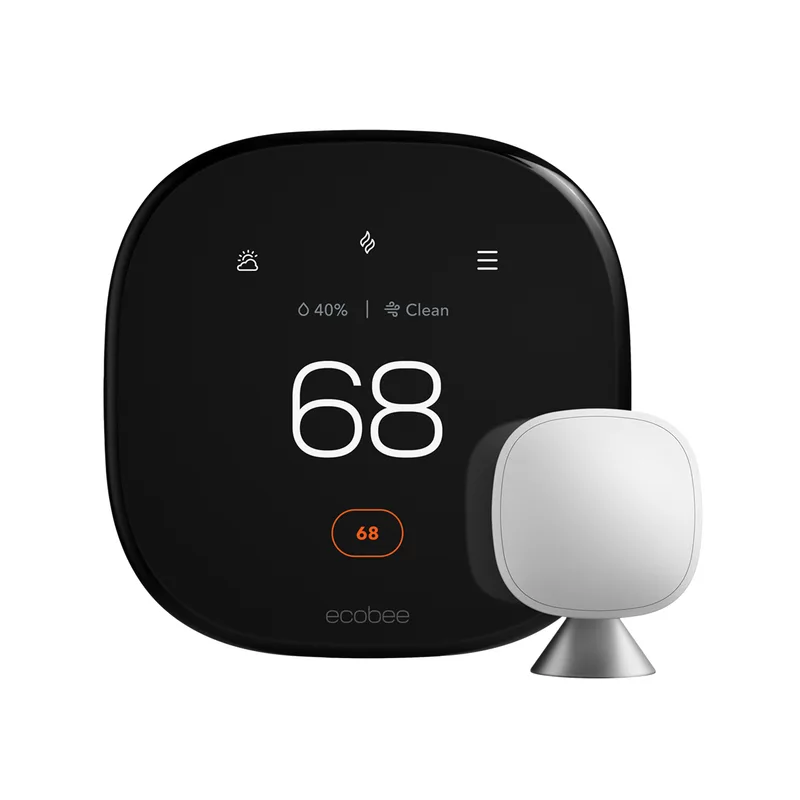
ecobee Smart Thermostat Premium
Pros
- Built-in SmartSensor detects occupancy in your office and adjusts temperature automatically when you sit down or step away
- Integrated air quality monitor tracks VOCs, CO2, and humidity — data surfaces directly in the app
- Alexa built-in means voice temperature control without a separate Echo device
- ENERGY STAR certified; owner reports cite 15–23% reductions in heating and cooling costs after scheduling work-from-home patterns
- Supports multi-room sensing via additional SmartSensors — useful if your home office is in a room that runs hotter or colder than main living areas
Cons
- $249–$279 is the steepest upfront cost in this roundup
- Installation requires wiring access — renters without a C-wire need an adapter kit ($10–$15 extra)
- App is feature-rich but takes time to configure schedules effectively; shallow users may underuse it
The ecobee Smart Thermostat Premium solves a problem that most remote workers have quietly accepted: HVAC systems that heat or cool the whole house on a schedule designed for people who commute. If you’re home nine hours a day, you’re spending money conditioning space you’re not in and being uncomfortable in your office while the living room is 70°F.
The occupancy sensing is the key feature. The included SmartSensor detects motion in your home office and communicates it to the thermostat — so when you sit down at your desk, the system knows you’re in that room and can prioritize it. Combined with an additional SmartSensor in another room (sold separately), the ecobee builds a temperature profile that follows occupancy patterns instead of guessing.
The built-in air quality monitor adds practical data to the app dashboard: VOC readings, CO2 levels, and humidity. This overlaps slightly with the LEVOIT Core 400S’s purpose, but the ecobee’s sensors inform HVAC adjustments (increasing fresh air circulation when CO2 rises) rather than filtering. Owner reports frequently cite the combination of scheduling and occupancy sensing as delivering 15–23% reductions in heating and cooling costs — meaningful savings for anyone who works from home full-time.
Installation is wiring work, not app work. Most homes built after 2000 have the C-wire the ecobee needs. Older homes may require the included adapter or a Power Extender Kit. Budget 45–60 minutes for installation if you’re comfortable with basic wiring; a professional install typically costs $50–$100.
Buy this if: You’re spending eight or more hours a day in a home office and your current thermostat doesn’t know you’re there. The occupancy sensing and scheduling pay back the price premium quickly.
Skip this if: You rent and can’t modify your thermostat, or if your HVAC system is window-unit based. The ecobee requires a central HVAC system.
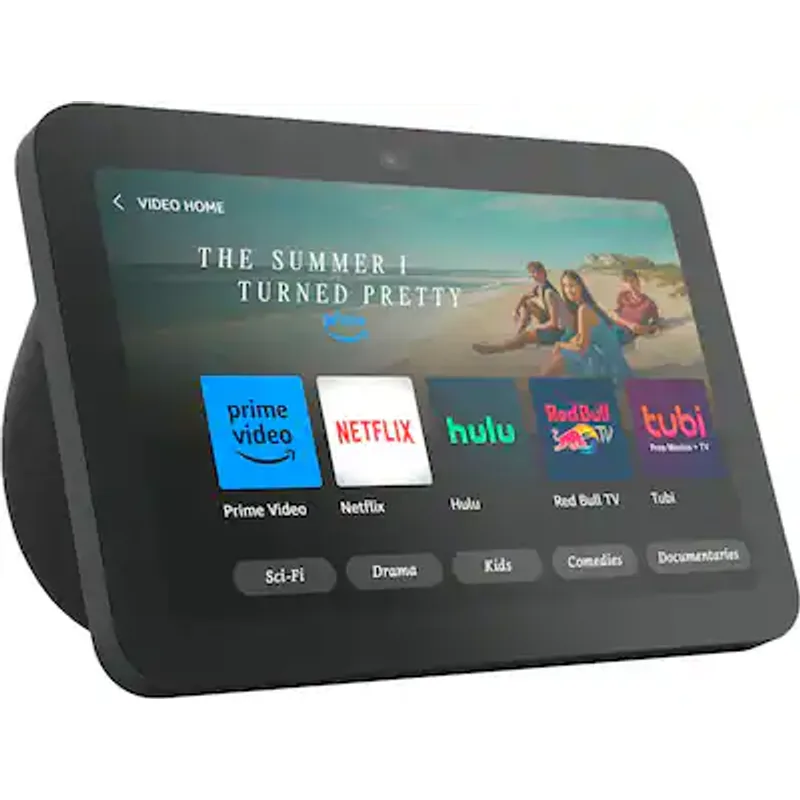
Amazon Echo Show 8 (3rd Gen)
Pros
- Displays your Google or Outlook calendar on the home screen so you never miss a meeting start time during heads-down work
- Built-in smart home hub (Zigbee, Thread, Matter) controls Hue bulbs and other smart devices without an extra hub
- Auto-framing 13MP camera handles quick Alexa video calls without switching to a laptop
- Alexa+ generative AI features handle complex multi-step voice commands for work routines
- Do Not Disturb mode silences all alerts during scheduled focus blocks — set it via voice or automation
Cons
- Requires Amazon account and ties you further into the Alexa ecosystem
- 8.7" display is useful but not large enough to replace a secondary monitor for real work
- Full Alexa+ features require a Prime subscription
The Amazon Echo Show 8 is the smart home hub for home office users who don’t want a separate smart home hub. The third-generation model includes built-in Zigbee, Thread, and Matter — which means it can control Philips Hue bulbs directly without the Hue Bridge, and pair with any Matter-compatible device without a separate hub. For home office workers already in the Amazon ecosystem, this makes it genuinely useful rather than redundant.
The use case that justifies the purchase: glanceable calendar view. Set the home screen to your Google Calendar or Outlook, and the Echo Show displays your next three meetings with times and attendee counts. For workers who context-switch frequently, a persistent peripheral display for meeting awareness is quieter than a browser tab or phone notifications. The display auto-dims in low light and brightens when you approach — passive and non-intrusive.
The Do Not Disturb automation is straightforward: tell Alexa to enable it on a schedule (e.g., “every weekday from 9 to 11 AM”), or trigger it with a routine tied to your calendar. All doorbell chimes, notifications, and Alexa responses are silenced during that window. If you’re running both an Echo Show 8 and a Ring doorbell, the integration is tight — visitor alerts appear on the display only when DND is off.
The 13MP auto-framing camera handles quick Alexa video calls to family during the day without reaching for a laptop. Audio quality from the dual spatial audio speakers is notably better than prior Echo generations based on owner feedback, though it’s still secondary to a dedicated Bluetooth speaker for music.
Buy this if: You want a passive meeting awareness display that also acts as a smart home hub for your office. The dual-band connectivity and Matter support make it a future-proof controller.
Skip this if: You’re invested in the Google ecosystem. The Echo Show is built for Amazon/Alexa — Google Calendar integration works but Google Home devices are better managed through Google’s own display products.
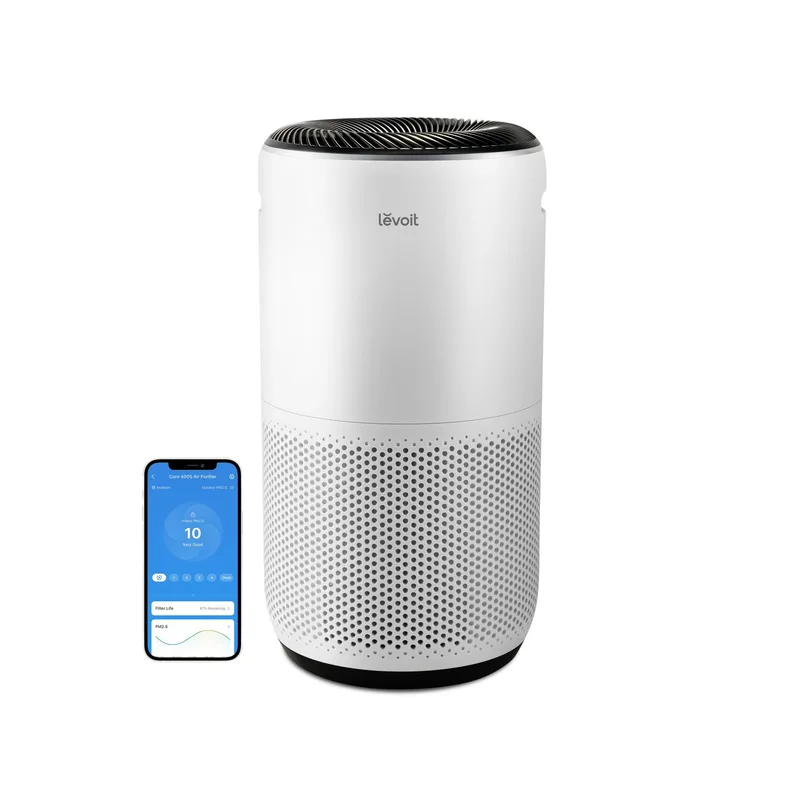
LEVOIT Core 400S Smart Air Purifier
Pros
- Auto Mode adjusts fan speed in real time based on the built-in air quality sensor — set it and forget it
- 24 dB Sleep mode is quiet enough to run continuously during calls without bleeding into your mic
- AHAM Verified CADR rating of 410 CFM covers most home offices in a single unit
- VeSync app integrates with Alexa and Google for voice-controlled speed or schedule adjustments
- Filter replacement reminders surface in the app — no guesswork on maintenance timing
Cons
- Filter replacements run $25–$35 every 6–8 months at standard use
- The circular tower design requires clearance on all sides — needs 6–8 inches from walls
- App requires a VeSync account; some users prefer local-only control
Air quality is the home office variable most remote workers underestimate. A typical closed home office accumulates CO2, VOCs from furniture and paint off-gassing, and particulates from cooking or outdoor pollution faster than an open-plan office with commercial HVAC. The LEVOIT Core 400S addresses this with a True HEPA filter, an activated carbon layer for VOCs, and Auto Mode that adjusts fan speed based on real-time sensor readings.
The Auto Mode is the feature that makes this a smart home device rather than just an air purifier. The built-in sensor continuously measures PM2.5 particulate concentration and adjusts fan speed from barely audible (24 dB Sleep mode) to high when the reading spikes — after cooking lunch, for example, or when outdoor pollution infiltrates. You configure the thresholds once in the VeSync app and it runs without intervention.
The 24 dB Sleep mode matters for call audio. At that noise floor, the fan is inaudible through most condenser microphones at desk distance. Owner reports confirm it doesn’t trigger noise-cancelling algorithms in conferencing apps. The unit can run continuously during calls in Sleep mode without audio impact.
VeSync app integration connects the 400S with Alexa and Google Assistant for voice control and scheduling. Practical automation: schedule the purifier to run at high speed for 30 minutes before your workday starts, then drop to Auto Mode during working hours. The app tracks filter life and pushes a replacement reminder — filter replacements run $25–$35 and last 6–8 months at standard use.
Coverage at 990 square feet (30-minute air change) handles any home office up to around a large primary bedroom. For offices with open ceilings, cathedral heights, or direct kitchen adjacency, consider the LEVOIT Core 600S (larger CADR) instead.
Buy this if: You work in a closed room that doesn’t get much fresh air, or you’re sensitive to dust, allergens, or cooking smells during the workday. Auto Mode removes the management overhead entirely.
Skip this if: Your office is in an open-plan space with good HVAC airflow. The 400S is sized for enclosed rooms, and the performance advantage is smaller in open areas.
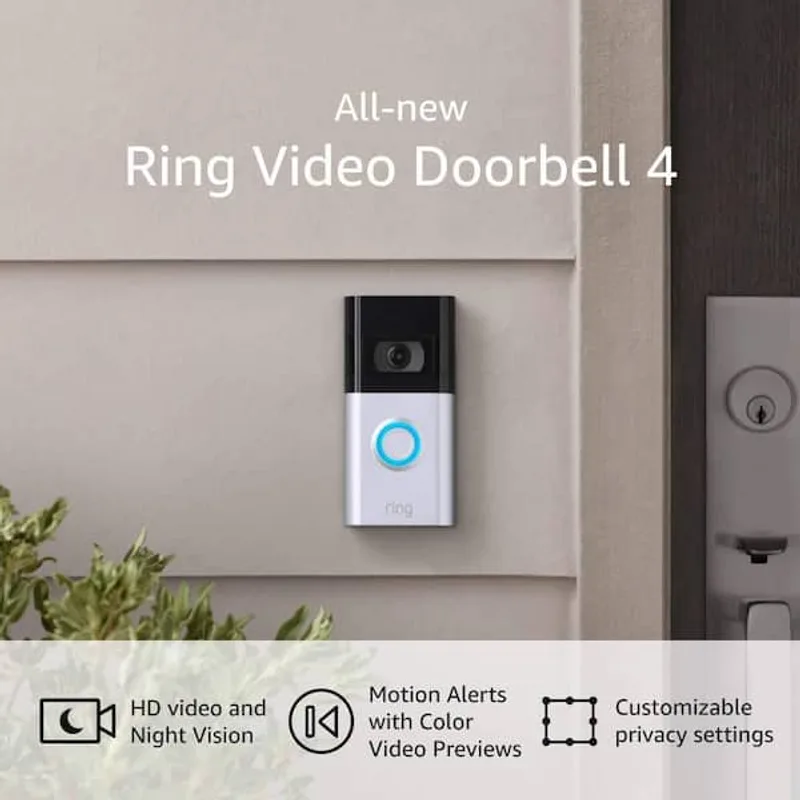
Ring Video Doorbell 4
Pros
- Snooze notifications for 1–4 hours during deep work or video calls — stops the doorbell from interrupting from inside the app
- Quick-release battery installs in under 15 minutes without hardwiring; charges via USB-C
- Color Pre-Roll captures 4 seconds before motion trigger so you see delivery context without watching a live feed
- Dual-band Wi-Fi (2.4GHz + 5GHz) gives more reliable connectivity than single-band models
- Alexa integration announces visitors on Echo devices — you get audio context without pulling out your phone
Cons
- Ring Protect subscription ($3.99/month) required to review recorded footage older than a few minutes
- Battery life varies 1–4 weeks depending on traffic — high-traffic doorways need weekly charging
- 1080p resolution is adequate but the newer Ring Battery Doorbell Pro 4K adds sharper detail at $100+ more
The Ring Video Doorbell 4 solves a specific but maddening remote work problem: the doorbell ringing during a client call, a recorded presentation, or a focus block. The solution isn’t muting your phone — it’s scheduling notification snoozes directly in the Ring app so the doorbell stops generating interruptions during work hours.
The Snooze feature pauses motion alerts and doorbell notifications for 1, 2, or 4 hours. Set a routine to snooze from 9 AM to 12 PM and again from 1 PM to 5 PM on weekdays — the doorbell still records and captures everything, but your phone and Echo devices stay silent. Delivery drivers and visitors don’t know the difference. Your Zoom call does.
The Color Pre-Roll captures four seconds of video before the motion trigger fires — this is the feature that makes reviewing footage useful rather than frustrating. Instead of seeing someone mid-departure, you see them approach, ring the bell, and leave. Combined with color night vision, the footage is actually usable context, not just verification that someone was there.
The quick-release battery installs without hardwiring: remove the faceplate, charge the battery via USB-C, and the device is operational in under 15 minutes. Battery life varies considerably with traffic — a quiet residential doorstep gets 3–4 weeks per charge, while a high-traffic delivery location might need weekly charging. Hardwiring the device permanently if you have existing doorbell wiring eliminates this variable entirely.
Alexa integration surfaces the most useful functionality: when a visitor rings, every Echo device in the house announces it with the visitor’s name (if recognized) or “Someone is at your front door.” Combined with the Echo Show 8’s live view capability, you can check who’s there without leaving your desk.
Buy this if: Delivery notifications and unexpected visitors interrupt your workday, and you want a simple, affordable device with reliable Alexa integration and notification scheduling.
Skip this if: You have an existing hardwired video doorbell that already works. The Ring 4 doesn’t justify replacing functional hardware — add the other devices in this list first.
Buying Guide: Building a Smart Home Office That Actually Helps
Start with lighting
Lighting has the broadest impact per dollar in a home office. Changing color temperature at the right times of day — cool white in the morning, neutral at midday, warm in the evening — is the most accessible form of environmental automation. If you do nothing else on this list, automate your office lighting.
The Hue ecosystem starts at $109–$149 for the starter kit and scales as you add fixtures. For workers who want circadian lighting without the full ecosystem, Govee and LIFX bulbs offer Wi-Fi-based control at lower per-bulb cost, though without the Zigbee mesh reliability and ecosystem depth.
Add temperature control if you own
A smart thermostat is a landlord-permission item. If you own your home, the ecobee Premium pays back within 1–2 years through energy savings for workers who are home all day. The occupancy sensing is the differentiator: your current programmable thermostat doesn’t know you’re sitting in your office at 2 PM.
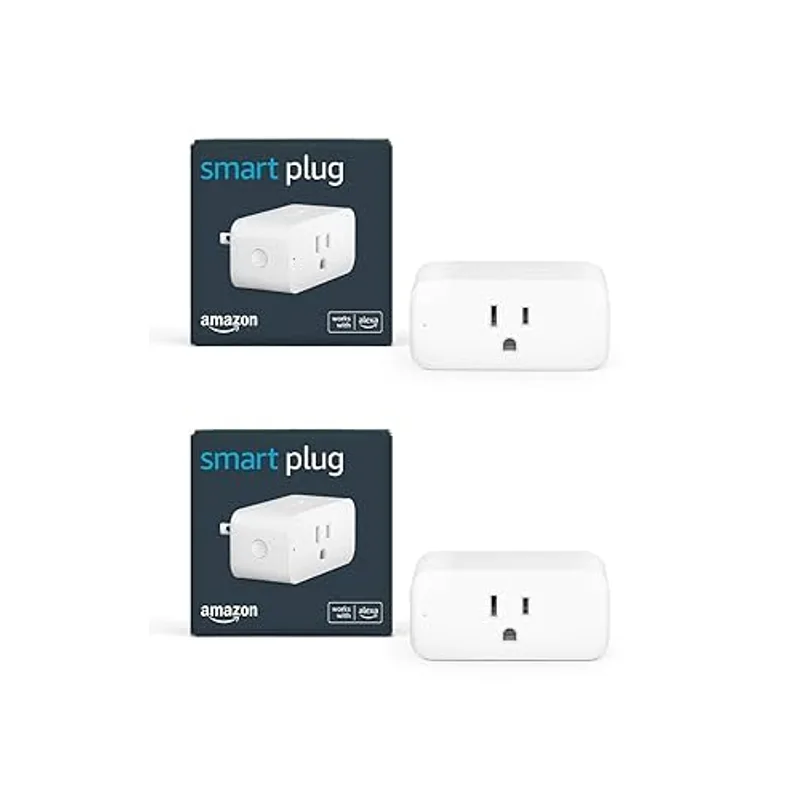
If you rent, a portable space heater with a smart plug offers partial automation (schedule it on before your workday starts) without touching the building’s HVAC.
Air quality is invisible until it isn’t
CO2 buildup in a closed home office is the most common unreported productivity drag. Elevated CO2 levels above 1,000 ppm are associated with reduced cognitive performance in multiple peer-reviewed studies. If you notice afternoon mental fog in a closed room, CO2 is a likely contributor. An air purifier with Auto Mode and a CO2 monitor (or the ecobee’s built-in sensor) surfaces this data.
Smart displays vs. smart speakers
A smart display (Echo Show) is more useful than a smart speaker (Echo Dot) if you want passive information at a glance — calendar, time, weather. A smart speaker is sufficient if you only need voice control. The Echo Show 8’s built-in Matter hub is the tiebreaker for most home office setups: it consolidates hub duties that would otherwise require a separate device.
Interruption control is underrated
Most remote workers don’t think about smart doorbells as productivity tools. They are. The specific value is notification scheduling — silencing alerts during your scheduled focus blocks so your concentration isn’t broken by a delivery notification every 45 minutes.
FAQ
Do these smart home devices work together without a central hub?
Most of them do, with some nuance. The Amazon Echo Show 8 has a built-in Zigbee, Thread, and Matter hub that can directly control Philips Hue bulbs, smart plugs, and a growing range of Matter-compatible devices. The Ring doorbell connects via Wi-Fi directly to your router and integrates with Alexa. The ecobee uses Wi-Fi and has Alexa built-in. The LEVOIT uses Wi-Fi via the VeSync app. For an all-Matter setup without any bridge hardware, most of these will eventually standardize, but as of 2026, Philips Hue still works most reliably with the Hue Bridge for full feature support.
Which smart home platform should I build around — Alexa, Google, or Apple HomeKit?
For remote workers focused on productivity automation and Amazon-ecosystem comfort, Alexa is the most feature-rich home office platform in 2026. For iPhone and Mac users who want tight Apple integration, HomeKit works with Hue, ecobee, and an increasing number of Matter devices. Google Home is the right choice if you’re deeply in the Google Workspace ecosystem and want Calendar integration to work natively. The Ring doorbell and ecobee support all three; the Echo Show 8 is Alexa-only.
Can I set up work-hours automations across all of these devices?
Yes. The most practical approach is Alexa Routines (if you’re on the Amazon platform) or Apple Shortcuts/Automations (if on HomeKit). A single “Work Mode” routine can turn on the Hue lighting to your focus color temperature, set the ecobee to your preferred office temperature, start the LEVOIT on Auto Mode, enable DND on the Echo Show, and snooze Ring notifications — triggered by a single voice command or a scheduled time. This kind of environment-level automation is where the investment in multiple smart devices compounds.
Is the Philips Hue SpatialAware update worth upgrading for?
If you already have a Hue Bridge (non-Pro) and a handful of bulbs, SpatialAware’s AR room-scanning requires the Bridge Pro ($129–$149). For most home office setups with two to four bulbs, the standard Bridge handles scheduled automations and color temperature changes effectively without the Pro upgrade. SpatialAware is more valuable in larger rooms with multiple overhead fixtures where independent bulb control produces uneven lighting.
Does the LEVOIT Core 400S help with pet dander and cooking smells during work hours?
Yes to both. The True HEPA filter captures particles down to 0.3 microns, which covers pet dander, pollen, and fine dust. The activated carbon layer in the 3-in-1 filter handles VOCs and odors including cooking smells. The Auto Mode will spike the fan speed when it detects particulate from cooking — if your office is adjacent to the kitchen, this is particularly noticeable. Running the unit on a schedule 30 minutes before your workday starts clears overnight particulate buildup before you sit down.
Conclusion
The five devices in this roundup address the five most common smart home office problems: poor lighting for focus, uncomfortable temperatures, poor air quality, no passive meeting awareness, and constant interruptions from deliveries and visitors.
The two most impactful starting points: Philips Hue lighting ($109–$149) if you want the highest productivity return per dollar, and the ecobee Smart Thermostat Premium ($249–$279) if you own your home and spend eight-plus hours a day working from it.
For a complete smart home office stack: Add the LEVOIT Core 400S for air quality, the Echo Show 8 as your smart home hub and calendar display, and the Ring Video Doorbell 4 for notification control during focus blocks. At current pricing, the full five-device setup runs $700–$980 — with measurable returns on energy costs, fewer interruptions, and an office environment you’ve stopped arguing with.
Detailed Reviews
Philips Hue White & Color Ambiance Starter Kit
Pros
- SpatialAware feature (launched January 2026) coordinates all bulbs in a room automatically for cohesive lighting scenes
- Schedule cool white (6500K) for morning focus blocks and warm white (2700K) for wind-down after hours — fully automated
- Works with Alexa, Google Assistant, Apple HomeKit, and Matter for broad smart home compatibility
- Hue Bridge supports up to 50 bulbs — scales from a single office lamp to a whole-home system
- Extremely reliable Zigbee mesh network; far fewer dropout issues than Wi-Fi-only bulbs
Cons
- Hue Bridge is a required extra device — adds a box to your router area
- Per-bulb cost is higher than competing Govee or Wyze bulbs without the ecosystem depth
- SpatialAware requires Bridge Pro for full room scanning; standard Bridge gets manual coordination
ecobee Smart Thermostat Premium
Pros
- Built-in SmartSensor detects occupancy in your office and adjusts temperature automatically when you sit down or step away
- Integrated air quality monitor tracks VOCs, CO2, and humidity — data surfaces directly in the app
- Alexa built-in means voice temperature control without a separate Echo device
- ENERGY STAR certified; owner reports cite 15–23% reductions in heating and cooling costs after scheduling work-from-home patterns
- Supports multi-room sensing via additional SmartSensors — useful if your home office is in a room that runs hotter or colder than main living areas
Cons
- $249–$279 is the steepest upfront cost in this roundup
- Installation requires wiring access — renters without a C-wire need an adapter kit ($10–$15 extra)
- App is feature-rich but takes time to configure schedules effectively; shallow users may underuse it
Amazon Echo Show 8 (3rd Gen)
Pros
- Displays your Google or Outlook calendar on the home screen so you never miss a meeting start time during heads-down work
- Built-in smart home hub (Zigbee, Thread, Matter) controls Hue bulbs and other smart devices without an extra hub
- Auto-framing 13MP camera handles quick Alexa video calls without switching to a laptop
- Alexa+ generative AI features handle complex multi-step voice commands for work routines
- Do Not Disturb mode silences all alerts during scheduled focus blocks — set it via voice or automation
Cons
- Requires Amazon account and ties you further into the Alexa ecosystem
- 8.7" display is useful but not large enough to replace a secondary monitor for real work
- Full Alexa+ features require a Prime subscription
LEVOIT Core 400S Smart Air Purifier
Pros
- Auto Mode adjusts fan speed in real time based on the built-in air quality sensor — set it and forget it
- 24 dB Sleep mode is quiet enough to run continuously during calls without bleeding into your mic
- AHAM Verified CADR rating of 410 CFM covers most home offices in a single unit
- VeSync app integrates with Alexa and Google for voice-controlled speed or schedule adjustments
- Filter replacement reminders surface in the app — no guesswork on maintenance timing
Cons
- Filter replacements run $25–$35 every 6–8 months at standard use
- The circular tower design requires clearance on all sides — needs 6–8 inches from walls
- App requires a VeSync account; some users prefer local-only control
Ring Video Doorbell 4
Pros
- Snooze notifications for 1–4 hours during deep work or video calls — stops the doorbell from interrupting from inside the app
- Quick-release battery installs in under 15 minutes without hardwiring; charges via USB-C
- Color Pre-Roll captures 4 seconds before motion trigger so you see delivery context without watching a live feed
- Dual-band Wi-Fi (2.4GHz + 5GHz) gives more reliable connectivity than single-band models
- Alexa integration announces visitors on Echo devices — you get audio context without pulling out your phone
Cons
- Ring Protect subscription ($3.99/month) required to review recorded footage older than a few minutes
- Battery life varies 1–4 weeks depending on traffic — high-traffic doorways need weekly charging
- 1080p resolution is adequate but the newer Ring Battery Doorbell Pro 4K adds sharper detail at $100+ more