Affiliate disclosure: SetupRanked earns a commission from qualifying Amazon purchases at no extra cost to you.
Wi-Fi 8 hardware made headlines at CES 2026 — ASUS showed its ROG NeoCore concept router and MediaTek’s Filogic 8000 chipset is expected to ship to manufacturers later this year. That’s worth knowing, but it shouldn’t stall your purchasing decision. First-gen Wi-Fi 8 routers will arrive at premium prices with limited compatible devices. For freelancers and small business owners who need rock-solid reliability right now, the smarter move is purpose-built business WiFi hardware on WiFi 6 or WiFi 7 — gear designed with the features that actually matter: VLAN segmentation, guest network isolation, QoS for video calls, and centralized management you can control remotely.
Consumer routers handle basic internet sharing fine. They break down when you need to isolate your work traffic from family devices, set bandwidth priorities so video calls get first pass at your connection, or log in remotely to check your network without exposing your home to outside access. Business-grade hardware solves those problems directly.
This roundup covers five options — from a $149 plug-and-play business router to a $179 WiFi 7 access point — with honest notes on which ones require technical comfort and which work out of the box.
Quick picks: For a freelancer who wants business features without IT experience, the ASUS ExpertWiFi EBR63 ($149–$169) is the right call — VLAN, guest portal, and remote management in a single box, no subscription required. For advanced control and a full-featured OS, the Synology RT6600ax ($299–$339) is the best standalone router in this category.
Comparison
| Spec | ASUS ExpertWiFi EBR63 | Synology RT6600ax | TP-Link Omada EAP670 | Ubiquiti UniFi U7 Pro | Netgear Orbi Pro WiFi 6 SXR80 |
|---|---|---|---|---|---|
| Rating | 9.0/10 | 9.3/10 | 8.7/10 | 8.8/10 | 8.5/10 |
| Price | $98.47-$149.99as of Oct 18, 2026 | $279.99-$329.99as of Oct 18, 2026 | Unavailable | $208.00as of Oct 18, 2026 | $139.00as of Oct 18, 2026 |
| WiFi Standard | WiFi 6 (802.11ax) | WiFi 6 (802.11ax) | WiFi 6 (802.11ax) | WiFi 7 (802.11be) | WiFi 6 (802.11ax) |
| Speed Class | AX3000 (574 + 2402 Mbps) | AX6600 (600 + 4800 + 1200 Mbps) | AX5400 (574 + 4804 Mbps) | BE9300 (688 + 4324 + 4324 Mbps) | AX6000 (1200 + 4800 Mbps) |
| Bands | Dual-band (2.4GHz + 5GHz) | Tri-band (2.4GHz + 5GHz 160MHz + 5GHz) | Dual-band (2.4GHz + 5GHz) | Tri-band (2.4GHz + 5GHz + 6GHz) | Tri-band (2.4GHz + 5GHz + 5GHz dedicated backhaul) |
| WAN Port | 1x Gigabit Ethernet | 1x 2.5G + 1x Gigabit Ethernet | — | — | 1x 2.5G Ethernet |
| LAN Ports | 4x Gigabit Ethernet | 4x Gigabit + 1x 2.5G Ethernet | — | — | 4x Gigabit Ethernet |
| Coverage | Up to 3,000 sq ft | Up to 3,200 sq ft | Up to 2,976 sq ft | Up to 1,500 sq ft | Up to 3,000 sq ft (expandable) |
| VLAN | Yes (multiple SSIDs) | Yes (up to 5 networks) | — | — | — |
| Guest Portal | Customizable captive portal | — | — | — | — |
| VPN | OpenVPN, WireGuard, IPSec | WireGuard, OpenVPN, SSTP, L2TP, PPTP | — | — | Built-in VPN server |
| Threat Prevention | — | IDS/IPS, malware blocking | — | — | — |
| Uplink Port | — | — | 1x 2.5G PoE+ (802.3at) | 1x 2.5G PoE+ (802.3at) | — |
| Spatial Streams | — | — | 6 (2x2 + 4x4) | — | — |
| Device Capacity | — | — | 200+ clients | 300+ clients | — |
| Management | — | — | Omada Controller (cloud or local) | UniFi Network (cloud or local) | Netgear Insight (cloud) |
| Mounting | — | — | Ceiling or wall (included) | — | — |
| Antenna Gain | — | — | — | 6 dBi (internal) | — |
| Max TX Power | — | — | — | 23 dBm | — |
| SSIDs | — | — | — | — | 4 independent SSIDs |
| Check Price → | Check Price → | Check Price → | Check Price → | Check Price → |
Prices change daily — tap Check Price for the current Amazon price.
The Picks
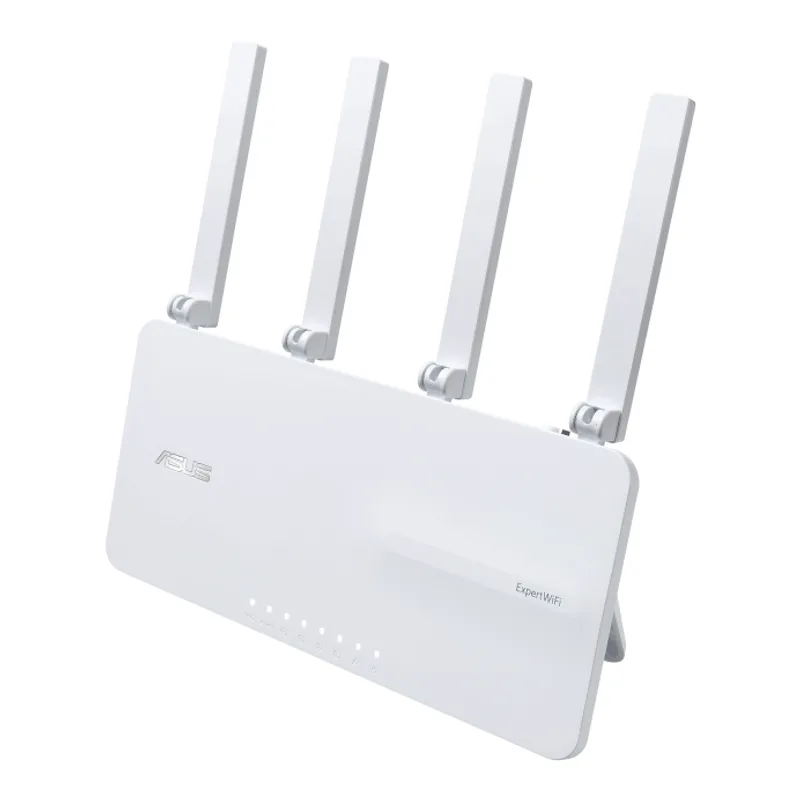
ASUS ExpertWiFi EBR63
Pros
- Business VLAN and multi-SSID support without any monthly subscription
- Customizable guest portal — branded captive portal for clients visiting your home office
- AiMesh compatible for whole-home expansion using ASUS or ExpertWiFi APs
- ExpertWiFi app handles remote management and monitoring from your phone
- No-subscription commercial-grade security through AiProtection Pro
Cons
- Dual-band only — no 6GHz support for WiFi 7 backhaul
- AX3000 speed class falls short if you're on a multi-gig fiber plan
The EBR63 is where most home office freelancers should start. It packs the features that matter — VLAN segmentation, multiple SSIDs, a customizable guest captive portal, and remote management — into a $149–$169 package with no subscription required. That last point matters: many business routers charge a recurring fee for cloud management or security updates. ASUS bundles AiProtection Pro (powered by Trend Micro) and all management features into the purchase price.
Setup uses the ExpertWiFi app. According to user reports, most configurations complete in under 20 minutes. The captive portal is a detail that stands out for client-facing businesses: if clients visit your home office and you want them on a separate network with a branded login page, the EBR63 handles that natively. Consumer routers don’t.
VLAN support via multiple SSIDs lets you run a dedicated work network, a family network, and a guest network simultaneously — each isolated from the others. The router supports AiMesh, so you can expand coverage with additional ASUS or ExpertWiFi access points without switching ecosystems.
The trade-off is speed class. AX3000 dual-band handles gigabit fiber connections fine, but if you’re on a 2.5G or multi-gig plan, you’ll need to step up. It’s also WiFi 6, not WiFi 7 — though for most home office workloads, WiFi 6 performance is more than sufficient through 2026.
Buy this if: You want business-grade VLAN and guest portal features without learning a new management platform or paying a monthly subscription.
Skip this if: You’re on a multi-gig fiber plan or want WiFi 7 speeds for your newest devices.
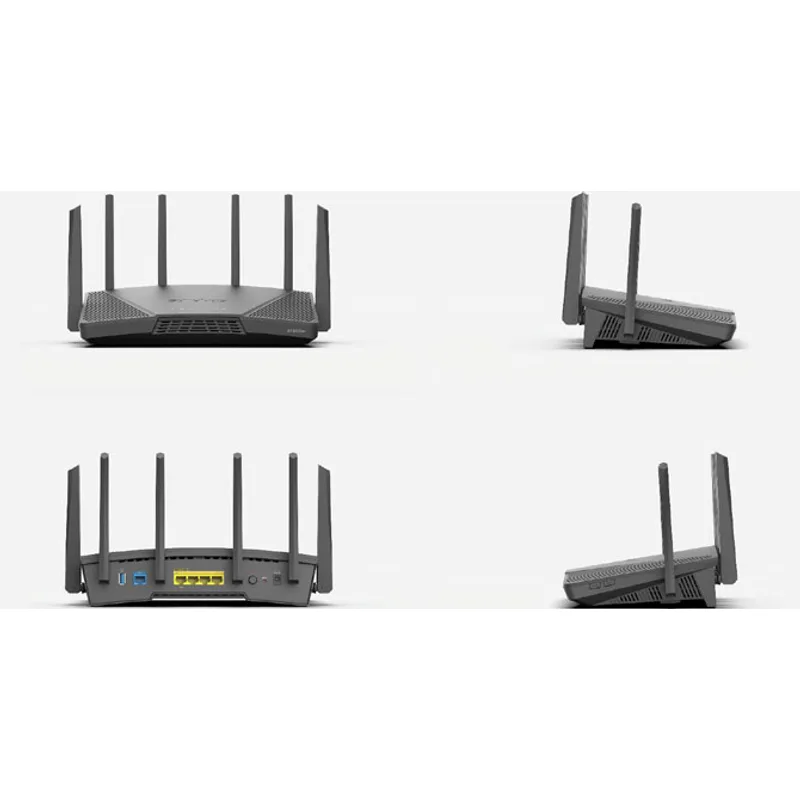
Synology RT6600ax
Pros
- SRM operating system is the most NAS-like router OS available — deep control over every setting
- Intrusion detection and prevention (IDS/IPS) built-in, no extra subscription required
- WireGuard VPN server built-in with client management — share secure access with remote team members
- 2.5G WAN port supports multi-gig fiber connections without a bottleneck
- Safe Access parental controls and traffic analysis provide business-grade visibility
Cons
- At $299–$339, it's the most expensive standalone router in this roundup
- Setup assumes some IT familiarity — not the right choice if you want plug-and-play configuration
- No WiFi 7 support — still WiFi 6, though the 160MHz 5GHz band maintains fast throughput
The RT6600ax runs Synology Router Manager (SRM), and that’s what makes it different. SRM is based on the same architecture as Synology’s NAS operating system — it’s a full, package-based router OS where you can install additional modules, manage VPN clients and servers, run a DNS server, configure safe access policies per user, and inspect traffic logs at a level most home routers don’t expose.
The hardware backs it up. The tri-band layout uses a dedicated 5GHz 160MHz band for fast client throughput while keeping the 2.4GHz and second 5GHz band for additional connections. The 2.5G WAN port handles multi-gig fiber without bottlenecking. Based on third-party benchmarks, WireGuard throughput on the RT6600ax exceeds 500 Mbps — genuinely fast VPN performance for a consumer-priced router.
Where it stands out for small business use is the built-in Threat Prevention module. IDS/IPS (intrusion detection and prevention) runs locally on the router — it scans traffic for known attack signatures and blocks suspicious activity before it hits your devices. Combined with Safe Access for per-device content filtering and connection logging, it’s the closest thing to an enterprise UTM appliance you’ll find in a home office router.
The price ($299–$339) reflects the capability. It’s twice the cost of the ASUS EBR63, and it earns that difference if you want OS-level control and serious security features. If you just need VLAN and a guest network, the ASUS is sufficient.
Buy this if: You want deep control over your network, strong VPN performance, and built-in threat detection that doesn’t require a subscription.
Skip this if: You want plug-and-play setup — the SRM learning curve is real, and the setup assumes familiarity with networking concepts.
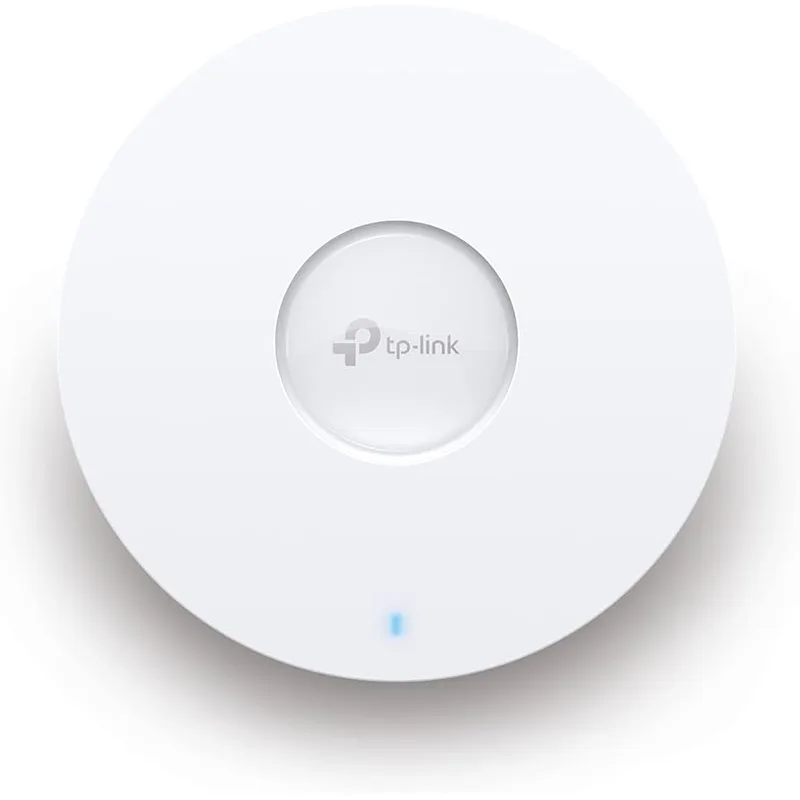
TP-Link Omada EAP670
Pros
- 2.5G PoE+ uplink future-proofs the access point against faster switches
- Omada SDN cloud controller allows centralized management across multiple locations for free
- HE160 channel support provides near-WiFi-7-level throughput on congested 5GHz spectrum
- Mesh roaming support ensures clients hand off cleanly between access points
- Pairs with TP-Link Omada routers and switches for a full managed SMB network stack
Cons
- Requires a separate Omada-compatible router/gateway — not a standalone solution
- Ceiling mount requires PoE+ switch or injector — adds $20–$60 to the total cost
- Cloud controller requires a TP-Link account for remote access
The EAP670 is an access point, not a standalone router — that distinction matters. It requires a separate Omada-compatible gateway (like the TP-Link ER7206, ~$140–$185) and a PoE+ switch or injector to provide power. The total cost for a complete Omada setup runs $250–$350 for a single AP plus router. That’s more complex than the ASUS or Synology, but it’s the right approach if you’re building a managed network you expect to expand.
The Omada SDN platform is TP-Link’s answer to Ubiquiti UniFi, and it’s genuinely competitive. The cloud controller is free — no subscription — and it manages APs, switches, and gateways from a single dashboard. Configure VLANs, create multiple SSIDs, set QoS policies, and push firmware updates to every device on your network from a browser or mobile app. If you ever move to a larger space or add a second location, you add APs to the same controller.
The EAP670’s hardware is strong. AX5400 with 6 spatial streams (4x4 on 5GHz) delivers faster real-world throughput than most dual-band routers with fewer streams. The 2.5G uplink handles fast backhaul when connected to a 2.5G switch. HE160 support means the 5GHz band uses 160MHz channels for maximum throughput when spectrum is clean.
Ceiling mounting gives you 360° coverage from a central point — typically better than a corner-mounted router for open-plan home offices.
Buy this if: You’re building a managed network and want the flexibility to add APs and switches under one controller as you grow.
Skip this if: You want a single-box solution — the EAP670 requires additional hardware and setup complexity.
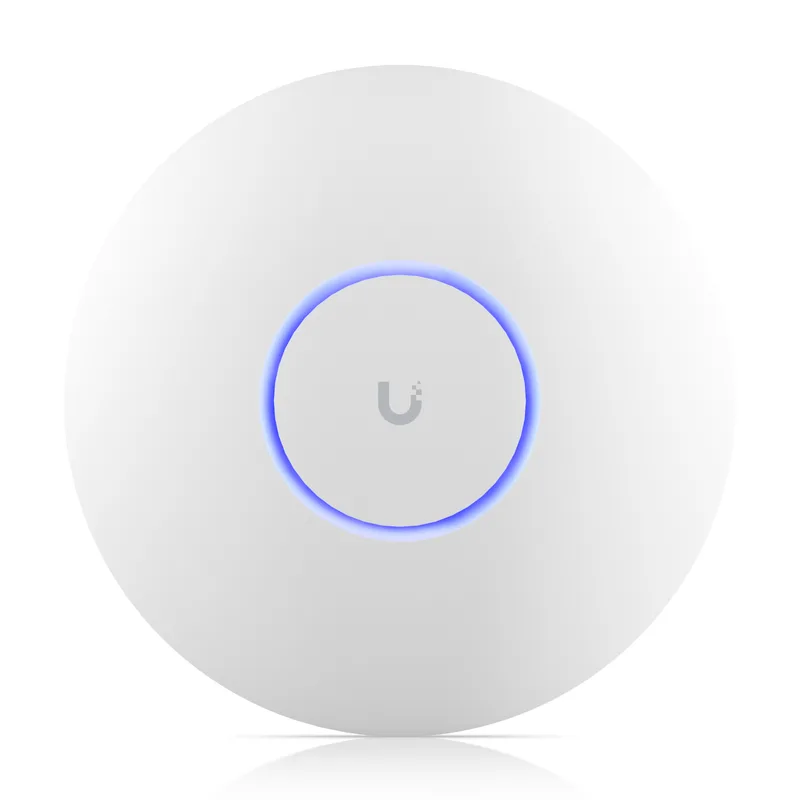
Ubiquiti UniFi U7 Pro
Pros
- WiFi 7 tri-band with 6GHz support — the cleanest, fastest wireless band available in 2026
- Detailed analytics in UniFi Network show per-client throughput, signal strength, and roaming history
- Enterprise-grade security: 802.1X authentication, RADIUS, and VLAN per SSID
- Standalone mode available — works without a UniFi gateway for basic setups
- Scales into a full UniFi stack (gateway, switch, cameras) as your needs grow
Cons
- Requires PoE+ power — a PoE injector or switch is required (adds $15–$40)
- UniFi controller setup has a learning curve; not as plug-and-play as ASUS or Netgear
- The 1,500 sq ft coverage rating requires careful AP placement in a home office
The U7 Pro is the only WiFi 7 option in this roundup, and that matters specifically for two reasons: the 6GHz band and multi-link operation (MLO). The 6GHz band is uncongested — no neighboring networks to compete with — which means lower latency and more consistent throughput for video calls and large file transfers. MLO, a WiFi 7 feature, allows compatible devices to connect on multiple bands simultaneously, improving reliability when one band is congested.
For home office workers with newer laptops supporting WiFi 7 (increasingly common in 2026 machines), the U7 Pro delivers a measurable improvement in video call stability and sustained upload throughput over WiFi 6 hardware. Older devices still connect via WiFi 5 or WiFi 6 — backward compatibility is full.
The UniFi ecosystem is the right context for the U7 Pro. Standalone mode works for basic setups, but the real value is in UniFi Network’s dashboard: per-client traffic analysis, SSID-to-VLAN mapping, 802.1X authentication, and roaming analytics that show where clients hand off between APs. If you add a UniFi gateway and switch, you get end-to-end visibility across every device on your network.
The setup requirement (PoE+ power, controller familiarity) means this isn’t the right pick for someone who wants to plug in and go. For IT-literate remote workers who want enterprise-grade wireless without enterprise prices, the U7 Pro at $159–$179 is genuinely good value for WiFi 7 hardware.
Buy this if: Your newest laptop supports WiFi 7 and you want 6GHz performance with enterprise-grade network visibility.
Skip this if: You want a standalone router — the U7 Pro is an AP and requires additional infrastructure.
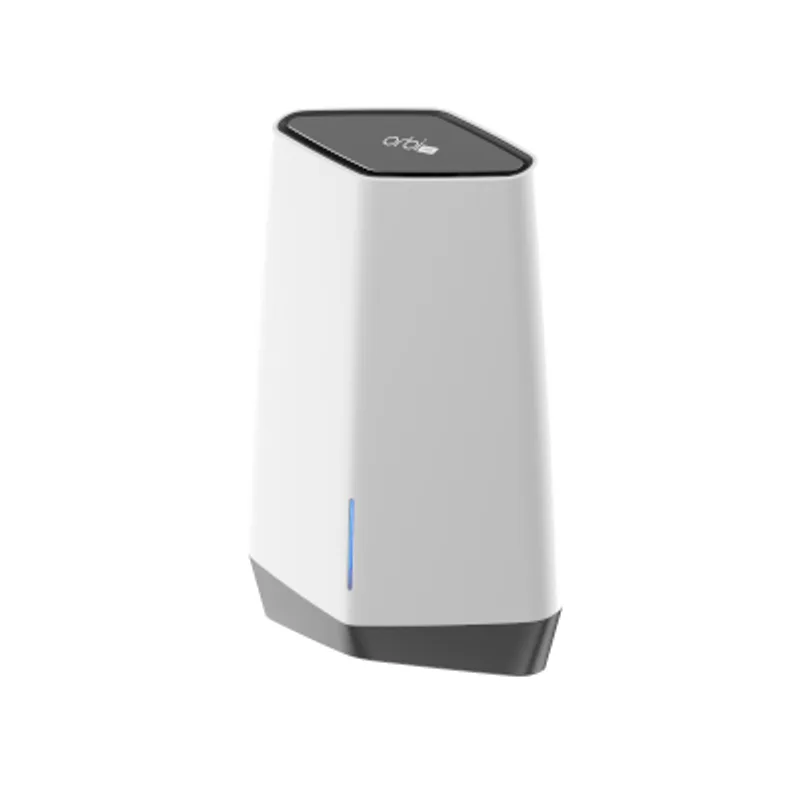
Netgear Orbi Pro WiFi 6 SXR80
Pros
- Four independent SSIDs with VLAN tagging — isolate work, IoT, family, and guest traffic on one router
- WPA3 Enterprise support provides the same authentication strength as corporate networks
- Netgear Insight cloud portal manages multiple locations from a single dashboard
- Expandable mesh: add SXS80 satellites to extend coverage across a larger property
- Dedicated 5GHz backhaul keeps client throughput stable even with multiple mesh nodes
Cons
- At $249–$349 for the router-only unit, it's expensive before adding any satellite nodes
- Netgear Insight subscription required for full cloud management features ($9.99/month per location)
- No WiFi 7 — competitors are releasing WiFi 7 business APs at similar price points
The Orbi Pro SXR80 is built for remote workers who need to cover more than 2,000 square feet and want a mesh system that grows with the space. As a standalone router, it covers up to 3,000 square feet — enough for most home offices including adjacent rooms. Add an SXS80 satellite and coverage extends to 6,000 square feet, with the dedicated 5GHz backhaul keeping client performance stable.
The four independent SSIDs are the key business feature. Each SSID can be isolated on its own VLAN: work devices on one network, IoT smart home devices on a second, family devices on a third, and clients on a guest network with captive portal. WPA3 Enterprise support means each SSID can use RADIUS authentication — stronger than the shared password model that most home routers use.
Netgear Insight provides cloud management with device inventory, traffic statistics, and firmware updates across all your Orbi Pro nodes. The catch: Insight’s full feature set requires a subscription ($9.99/month per location). Basic configuration is available locally without a subscription, but remote management and advanced reporting require the paid plan. Over a year, that adds $120 to the effective cost — worth factoring in before choosing between the SXR80 and the subscription-free ASUS or Synology.
Based on owner reports, the Orbi Pro’s mesh handoff is smooth, and the dedicated backhaul band keeps throughput consistent across nodes in a way that single-backhaul systems struggle with.
Buy this if: You need mesh coverage across a large home office and want WPA3 Enterprise authentication with four isolated VLANs.
Skip this if: Budget is tight or you want to avoid a cloud management subscription — the ASUS and Synology deliver VLAN and management features without recurring fees.
What to Look For in a Business WiFi Router
VLAN and Multi-SSID Support
Consumer routers typically run one network. Business routers let you create separate networks — one for work devices, one for IoT gadgets, one for family, one for guests — each isolated from the others. If your work laptop sits on the same network as your smart TV, your company’s data is one misconfigured device away from exposure. VLAN support fixes this.
QoS for Video Calls
Quality of Service settings let you prioritize specific traffic types. On a properly configured business router, your Zoom or Teams call gets bandwidth priority over a family member’s background streaming. The difference is audible on congested home connections.
Remote Management
Working from home means managing your own infrastructure. Routers with cloud management portals let you check device connections, restart the router, push firmware updates, and troubleshoot issues from your phone without physical access to the hardware. Every router in this roundup supports some form of remote management.
Subscription vs. No-Subscription Security
Some business routers (Netgear) charge monthly for cloud features. Others (ASUS, Synology, Ubiquiti) include management features in the purchase price. Factor total cost of ownership into your decision, not just the upfront hardware cost.
Access Points vs. All-in-One Routers
The TP-Link EAP670 and Ubiquiti U7 Pro are access points — they provide wireless coverage but require a separate router/gateway. All-in-one routers (ASUS EBR63, Synology RT6600ax, Netgear Orbi Pro SXR80) handle routing, firewall, and wireless in one box. Access points deliver better wireless performance and scalability; all-in-one routers are simpler to manage.
FAQ
Do I need a business router for a home office? Not necessarily — but if you handle client data, have 10+ devices, or want to isolate work traffic from household devices, a business router pays for itself in security and reliability. The key features missing from consumer routers are VLAN segmentation, proper QoS controls, and remote management.
Will a business WiFi router slow down my connection? No. Business routers are generally faster than consumer hardware because they use higher-quality processors and more efficient firmware. The Synology RT6600ax and Netgear Orbi Pro SXR80 both support 2.5G WAN, so they handle multi-gig fiber without bottlenecking.
What’s the difference between an access point and a router? A router manages your network connection to the internet and handles DHCP, firewall, and routing between networks. An access point provides wireless coverage but relies on a separate router for those functions. Access points like the TP-Link EAP670 and Ubiquiti U7 Pro deliver better wireless performance and scale across multiple APs, but they require additional hardware.
Is WiFi 7 worth it in 2026? For home offices with newer laptops (2026+), WiFi 7 delivers meaningfully lower latency and more consistent performance on congested 5GHz bands. The 6GHz band on WiFi 7 hardware like the Ubiquiti U7 Pro is particularly useful in dense neighborhoods where the 2.4GHz and 5GHz bands are crowded. For home offices with older devices, WiFi 6 hardware (ASUS, Synology, Netgear) delivers excellent performance at lower cost.
Can I expand these routers with additional access points? Yes, most support expansion. The ASUS EBR63 supports AiMesh for adding ASUS access points. The Synology RT6600ax supports Synology mesh add-ons. The Netgear Orbi Pro expands with SXS80 satellite nodes. The TP-Link Omada and Ubiquiti UniFi systems are designed from the ground up for multi-AP management.
Conclusion
For most home office workers, the ASUS ExpertWiFi EBR63 is the right starting point. It delivers genuine business features — VLAN, guest portal, remote management — at $149–$169 with no subscription required. Setup is manageable for non-technical users, and AiMesh expansion covers future needs.
If you want deeper control and stronger security, the Synology RT6600ax is the best standalone router in this category. The SRM operating system, IDS/IPS threat detection, and full WireGuard VPN server justify the higher price for small business owners handling sensitive client work.
For WiFi 7 performance and enterprise-grade analytics, the Ubiquiti UniFi U7 Pro pairs with a UniFi gateway for a network setup that matches corporate infrastructure at a fraction of the cost.
Detailed Reviews
ASUS ExpertWiFi EBR63
Pros
- Business VLAN and multi-SSID support without any monthly subscription
- Customizable guest portal — branded captive portal for clients visiting your home office
- AiMesh compatible for whole-home expansion using ASUS or ExpertWiFi APs
- ExpertWiFi app handles remote management and monitoring from your phone
- No-subscription commercial-grade security through AiProtection Pro
Cons
- Dual-band only — no 6GHz support for WiFi 7 backhaul
- AX3000 speed class falls short if you're on a multi-gig fiber plan
Synology RT6600ax
Pros
- SRM operating system is the most NAS-like router OS available — deep control over every setting
- Intrusion detection and prevention (IDS/IPS) built-in, no extra subscription required
- WireGuard VPN server built-in with client management — share secure access with remote team members
- 2.5G WAN port supports multi-gig fiber connections without a bottleneck
- Safe Access parental controls and traffic analysis provide business-grade visibility
Cons
- At $299–$339, it's the most expensive standalone router in this roundup
- Setup assumes some IT familiarity — not the right choice if you want plug-and-play configuration
- No WiFi 7 support — still WiFi 6, though the 160MHz 5GHz band maintains fast throughput
TP-Link Omada EAP670
Pros
- 2.5G PoE+ uplink future-proofs the access point against faster switches
- Omada SDN cloud controller allows centralized management across multiple locations for free
- HE160 channel support provides near-WiFi-7-level throughput on congested 5GHz spectrum
- Mesh roaming support ensures clients hand off cleanly between access points
- Pairs with TP-Link Omada routers and switches for a full managed SMB network stack
Cons
- Requires a separate Omada-compatible router/gateway — not a standalone solution
- Ceiling mount requires PoE+ switch or injector — adds $20–$60 to the total cost
- Cloud controller requires a TP-Link account for remote access
Ubiquiti UniFi U7 Pro
Pros
- WiFi 7 tri-band with 6GHz support — the cleanest, fastest wireless band available in 2026
- Detailed analytics in UniFi Network show per-client throughput, signal strength, and roaming history
- Enterprise-grade security: 802.1X authentication, RADIUS, and VLAN per SSID
- Standalone mode available — works without a UniFi gateway for basic setups
- Scales into a full UniFi stack (gateway, switch, cameras) as your needs grow
Cons
- Requires PoE+ power — a PoE injector or switch is required (adds $15–$40)
- UniFi controller setup has a learning curve; not as plug-and-play as ASUS or Netgear
- The 1,500 sq ft coverage rating requires careful AP placement in a home office
Netgear Orbi Pro WiFi 6 SXR80
Pros
- Four independent SSIDs with VLAN tagging — isolate work, IoT, family, and guest traffic on one router
- WPA3 Enterprise support provides the same authentication strength as corporate networks
- Netgear Insight cloud portal manages multiple locations from a single dashboard
- Expandable mesh: add SXS80 satellites to extend coverage across a larger property
- Dedicated 5GHz backhaul keeps client throughput stable even with multiple mesh nodes
Cons
- At $249–$349 for the router-only unit, it's expensive before adding any satellite nodes
- Netgear Insight subscription required for full cloud management features ($9.99/month per location)
- No WiFi 7 — competitors are releasing WiFi 7 business APs at similar price points