If your home office sits two floors from the router and your video calls keep dropping, drilling holes through walls is not the first move. Powerline adapters solve that problem by pushing network data through your home’s existing electrical wiring — plug one adapter into an outlet near the router, plug the other near your desk, connect via Ethernet, and you have a wired connection without touching a drill.
The 2026 context: WiFi 7 mesh systems have gotten fast enough that powerline adapters no longer compete for the performance crown in modern open-plan homes. But the specific use case for powerline remains strong — older homes with thick plaster walls, multi-story houses where mesh signal degrades floor to floor, basements and detached offices where running cable genuinely isn’t feasible. According to networking forums in early 2026, powerline adapters are still the go-to recommendation when WiFi can’t reach and MoCA coax wiring isn’t available.
Real-world expectations matter here: powerline adapters consistently deliver 30–50% of their theoretical speed ratings. An AV2000 adapter doesn’t give you 2 Gbps — it gives you 100–200 Mbps in typical conditions. That’s enough for 4K video calls, cloud file syncing, and Teams calls running simultaneously. It is not enough to replace a direct Ethernet run for high-throughput NAS transfers.
Quick picks: For most home office users, the Netgear PLP2000 ($119) delivers the most consistent real-world throughput with two Gigabit ports. The TP-Link TL-WPA8631P KIT ($79) is the call to make if you need WiFi coverage extended to the same dead zone — it adds AC1200 dual-band WiFi to the receiving adapter. If budget is the constraint, the TP-Link TL-PA7010P KIT ($39) covers basic work-from-home needs cleanly.
Comparison
| Spec | Netgear PLP2000-100PAS | TP-Link TL-PA9020P KIT | TP-Link TL-WPA8631P KIT | TP-Link TL-PA7010P KIT |
|---|---|---|---|---|
| Rating | 9.0/10 | 8.6/10 | 8.4/10 | 7.8/10 |
| Price | $99.61-$109.99as of Oct 18, 2026 | $85.49-$89.99as of Oct 18, 2026 | $76.79-$119.99as of Oct 18, 2026 | $51.00-$58.92as of Oct 18, 2026 |
| Standard | HomePlug AV2 | HomePlug AV2 | — | HomePlug AV2 |
| Theoretical Speed | 2000 Mbps | 2000 Mbps | — | 1000 Mbps |
| LAN Ports | 2x Gigabit Ethernet | 2x Gigabit Ethernet | 3x Gigabit Ethernet | 1x Gigabit Ethernet |
| Passthrough | Yes | Yes (noise-filtered) | Yes | Yes |
| Coverage | Up to 500m (1,640 ft) | Up to 300m (984 ft) | Up to 300m powerline | Up to 300m (984 ft) |
| Encryption | 128-bit AES | 128-bit AES | — | 128-bit AES |
| Dimensions | 5.25 x 2.83 x 1.49 in | — | — | — |
| MIMO | — | 2x2 MU-MIMO | — | — |
| Powerline Standard | — | — | HomePlug AV2 | — |
| Powerline Speed | — | — | 1300 Mbps | — |
| WiFi | — | — | AC1200 Dual-Band (300+867 Mbps) | — |
| OneMesh | — | — | Compatible | — |
| Power Saving | — | — | — | Up to 85% reduction in idle mode |
| Check Price → | Check Price → | Check Price → | Check Price → |
Prices change daily — tap Check Price for the current Amazon price.
The Picks
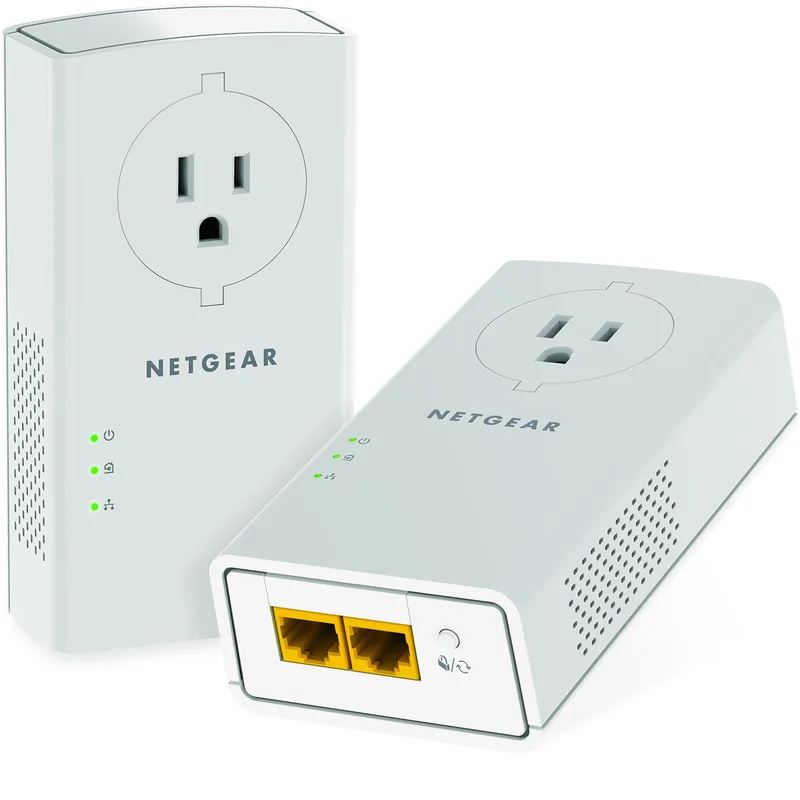
Netgear PLP2000-100PAS
Pros
- Two Gigabit Ethernet ports per adapter — connect a desktop and a switch simultaneously
- Passthrough outlet preserves wall socket for other devices
- Consistently measured higher real-world throughput than competing AV2000 kits in independent tests
- Plug-and-play setup — no software or drivers required
- 128-bit AES encryption protects network traffic on shared electrical circuits
Cons
- Most expensive kit in this roundup at $119
- Only 90 days of phone support from Netgear
- Larger physical size than TP-Link alternatives — can block an adjacent outlet
The Netgear PLP2000 consistently places at or near the top in independent throughput tests for AV2000 powerline adapters. The two Gigabit Ethernet ports per adapter are the key differentiator — you can connect a desktop and a network switch to the receiving unit, or route Ethernet to a NAS alongside a workstation. Most competing kits ship with one port per adapter.
The passthrough outlet on each unit preserves the wall socket for other devices — a meaningful feature in home offices where outlets are already occupied by monitor power bricks and USB chargers. The electrical noise filter on the passthrough reduces interference that degrades powerline performance when high-draw appliances share the same circuit.
Coverage is listed at 500 meters through electrical wiring — higher than TP-Link’s 300-meter spec. In practice, coverage depends more on circuit topology (whether adapters cross phase boundaries at the breaker panel) than raw distance. Homes with two-phase electrical panels often see a significant drop in performance if adapters land on different phases.
Setup is plug-and-play — pair the two adapters out of the box by pressing the pair button on each within two minutes. No software installation, no account creation. The 128-bit AES encryption activates automatically to prevent other powerline devices on your circuit from joining the network.
The one weakness is Netgear’s support policy: only 90 days of phone support, compared to TP-Link’s longer service commitment. For hardware this simple, that rarely matters in practice.
Buy this if: You need the strongest wired connection in the AV2000 tier and two LAN ports to connect multiple devices at your desk location.
Skip this if: You also need WiFi extended to the same area — the TP-Link WPA8631P adds WiFi capability at $40 less.
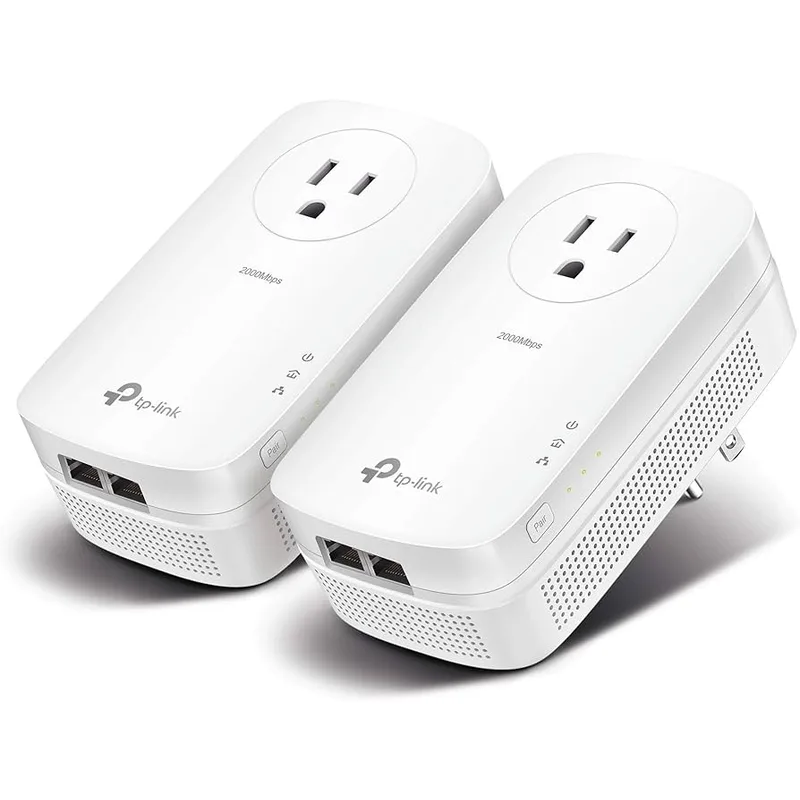
TP-Link TL-PA9020P KIT
Pros
- 2x2 MU-MIMO allows simultaneous data streams for more stable throughput
- Noise-filtered passthrough reduces electrical interference from connected devices
- Two Gigabit LAN ports support a NAS, switch, or desktop alongside a laptop
- TP-Link Tether app provides network monitoring and parental controls
- $20 less than the Netgear PLP2000 with similar real-world performance
Cons
- Coverage listed at 300m vs 500m for the Netgear — may matter in very large homes
- Periodic stock availability fluctuations on Amazon
- No companion app features on mobile if using without TP-Link router
The TP-Link TL-PA9020P KIT matches the Netgear PLP2000 on the key specs — AV2000 standard, two Gigabit ports per adapter, passthrough on both units — while landing $20 lower. The differentiating feature is 2x2 MU-MIMO, which allows the powerline link to manage two simultaneous data streams. In multi-device setups where both LAN ports are actively used, MU-MIMO reduces contention and maintains more consistent throughput.
The noise-filtered passthrough is worth noting. The filter blocks high-frequency electrical interference from devices plugged into the outlet — phone chargers, small appliances — from degrading the powerline signal. Not every adapter includes this on the passthrough port.
TP-Link’s Tether mobile app connects to the adapters when used alongside a TP-Link router, adding basic network monitoring and the ability to set up a guest network. Standalone — without a TP-Link router — the adapters work perfectly but lose the app integration.
Based on owner reports, real-world throughput runs in the 100–180 Mbps range under typical conditions, comparable to the Netgear PLP2000. The 300-meter coverage spec is lower than Netgear’s 500-meter claim, though for most home office scenarios (same building, within a few floors), neither limitation matters.
Buy this if: You want AV2000 dual-port performance at a $20 savings over the Netgear, and you’re already running TP-Link networking gear.
Skip this if: Stock is currently limited on Amazon — if it’s unavailable, the Netgear PLP2000 is the direct replacement.
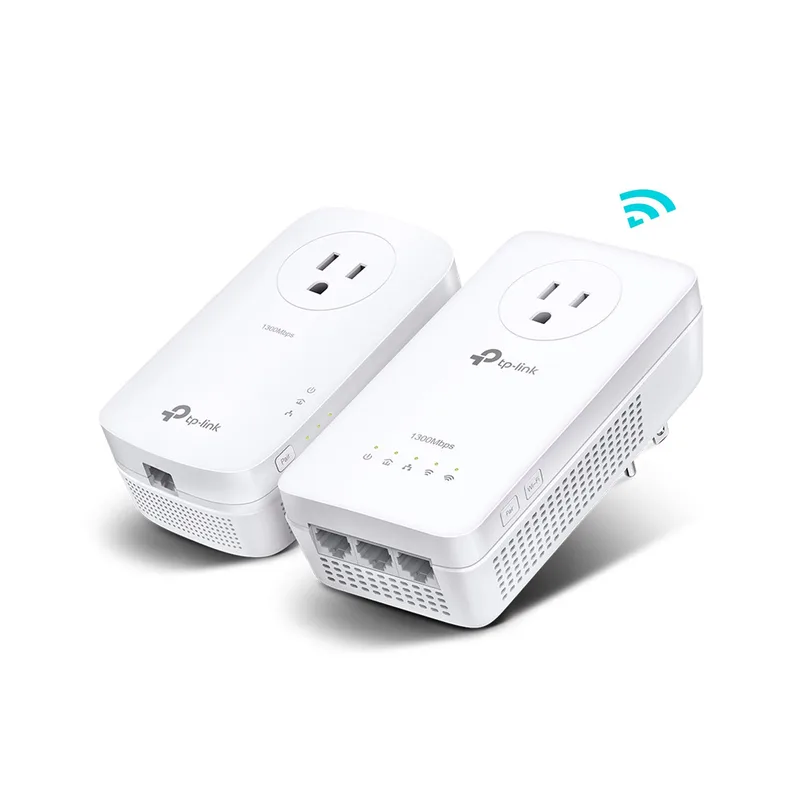
TP-Link TL-WPA8631P KIT
Pros
- Adds AC1200 dual-band WiFi to dead zones without a separate extender
- Three Gigabit LAN ports on the receiving adapter — the most in this roundup
- OneMesh compatible for seamless roaming with TP-Link routers
- Passthrough outlet on both adapters preserves wall socket access
- Lower cost than the Netgear while adding WiFi capability
Cons
- 1300 Mbps powerline (AV1300) vs 2000 Mbps on top picks — lower ceiling for wired throughput
- AC1200 WiFi is 2019-era spec — slower than newer WiFi 6 mesh nodes
- Three ports only on the receiving unit — the transmit adapter has one LAN port
The TL-WPA8631P KIT solves a different problem than the other products here: it extends both a wired Ethernet connection and a WiFi signal to the dead zone simultaneously. The receiving adapter broadcasts AC1200 dual-band WiFi (300 Mbps at 2.4 GHz + 867 Mbps at 5 GHz) while also providing three Gigabit LAN ports — the highest port count in this roundup on a single receiving unit.
The use case is a room where you have one device that needs wired Ethernet (a desktop, NAS, or gaming console) and other devices (phones, tablets, a smart TV) that need WiFi. The WPA8631P handles both without a separate WiFi extender or switch.
OneMesh compatibility means the WiFi node from the receiving adapter merges with a TP-Link OneMesh router to create a seamless roaming network — same SSID, automatic handoff as you move through the house. This works specifically with TP-Link routers that support OneMesh.
The tradeoff is powerline speed: the AV1300 standard tops out at 1300 Mbps theoretical, below the 2000 Mbps ceiling on the Netgear and TL-PA9020P. In practice, real-world throughput runs around 80–130 Mbps in owner-reported tests — lower than AV2000 kits under the same conditions. For video calls and productivity work, that’s sufficient. For high-speed NAS transfers or 4K media serving, the AV2000 kits perform better.
Buy this if: You need to extend both wired Ethernet and WiFi to a dead zone, and you don’t need maximum powerline throughput. Particularly useful for home setups where multiple devices need connectivity in the remote room.
Skip this if: You only need a wired connection and want maximum throughput — the Netgear or TP-Link AV2000 kits are the better choice.
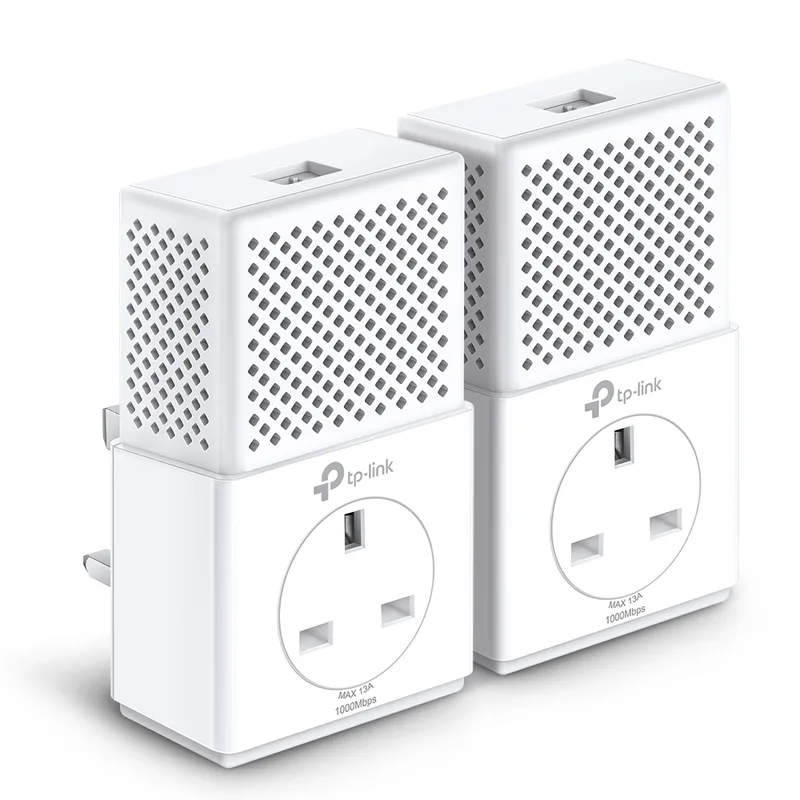
TP-Link TL-PA7010P KIT
Pros
- Best price in this roundup at around $39 for the kit
- Passthrough outlet on both units — no lost wall socket
- Compact footprint fits most outlet configurations without blocking adjacent plugs
- Power-saving mode drops consumption by up to 85% when idle
- Straightforward plug-and-play pairing with no software required
Cons
- Only one Gigabit LAN port per adapter — no room for a second wired device
- 1000 Mbps theoretical ceiling means real-world speeds cap lower than AV2000 options
- No MU-MIMO — single data stream only
The TL-PA7010P KIT is the entry-level answer to “I just need wired internet to reach my home office.” At $39, it costs less than a single month of upgraded internet service. The AV1000 standard gives you a 1000 Mbps theoretical ceiling, which translates to roughly 60–120 Mbps real-world in typical conditions — more than enough for video calls, email, and cloud file sync running simultaneously.
The passthrough outlet on both adapters is the feature that matters most at this price tier — entry-level powerline adapters without passthrough require you to sacrifice a wall socket. The TP-Link passthrough preserves outlet access while staying compact enough not to block adjacent sockets in most configurations.
Power-saving mode activates automatically when no network traffic is detected, reducing power draw by up to 85% during idle periods. The adapters pair via button press and require no software — the process takes under two minutes.
The single Gigabit LAN port per adapter is the main limitation. If you need to connect more than one wired device at your desk location, you’ll need a small switch. For the typical single-computer home office setup, one port is sufficient.
Owner reviews consistently describe plug-and-play installation that works as advertised. The most common complaints involve performance degradation on older wiring and across phase boundaries — limitations that apply to every powerline adapter, not just this model.
Buy this if: You need a basic wired connection to an outlying room and don’t need multiple LAN ports or WiFi extension. It’s the lowest-cost solution that doesn’t cut corners on passthrough and gigabit connectivity.
Skip this if: You have multiple devices to connect, or you’re hitting the limits of a single stream — the WPA8631P or PLP2000 are worth the higher investment.
Buying Guide: When Powerline Adapters Work (and When They Don’t)
When powerline adapters work well
Older homes with thick walls. Plaster walls, brick, and concrete block WiFi signals far more aggressively than modern drywall construction. Powerline adapters sidestep the wall entirely by running through electrical wiring.
Multi-story homes. Mesh WiFi degrades with each floor. Powerline adapters maintain consistent throughput regardless of how many floors separate the router from the home office, provided the circuit runs uninterrupted between outlets.
Situations where drilling is not an option. Rental apartments, historic homes with finished walls, or setups where running Cat6 would require wall access — powerline handles all of these without physical modification.
When powerline adapters fail
Different circuit phases. Most North American homes run 240V split into two 120V phases. Powerline adapters on different phases experience dramatic throughput drops — sometimes to unusable levels. If your router is on one phase and your office outlet is on another, performance will be poor. A quick test: try multiple outlets near your desk and compare speeds.
Older or degraded wiring. Homes with aluminum wiring (common in 1960s–1970s construction), GFCI circuits, or heavily loaded circuits see worse powerline performance. The electrical “noise” from appliances and older wiring degrades the signal.
High-throughput needs. If you’re running a 10 Gbps LAN for NAS transfers or editing 4K video from a network drive, powerline will bottleneck the transfer. Run actual Ethernet cable or invest in MoCA adapters (if coax is available) for throughput-sensitive workflows.
Powerline vs. MoCA vs. Mesh WiFi
| Technology | Real-World Speed | Latency | Requires | Best For |
|---|---|---|---|---|
| Powerline AV2000 | 100–200 Mbps | 5–15ms | Electrical outlets | No-drill remote rooms |
| MoCA 2.5 | 400–800 Mbps | 2–5ms | Coax cable in walls | High-throughput wired runs |
| WiFi 7 Mesh | 500–2,000 Mbps | 2–8ms | Line of sight / modern walls | Open-plan homes, modern builds |
| Cat6 Ethernet | Up to 1,000 Mbps | under 1ms | Cable run between rooms | Best performance, requires install |
MoCA adapters are faster and lower-latency than powerline, but require coaxial cable already running between rooms — the kind used for cable TV. If your home has coax in every room, MoCA is worth considering over powerline. If it doesn’t, powerline is the simpler option.
What to look for
Port count. Single-port adapters (like the TL-PA7010P) work for one device. Two-port adapters (Netgear PLP2000, TP-Link TL-PA9020P) handle a desktop plus a switch without additional hardware. Three-port adapters (TL-WPA8631P) give maximum flexibility.
Passthrough outlet. Any adapter worth buying should include a passthrough outlet on both units. Adapters without passthrough block an outlet permanently — a meaningful cost in a home office where outlets are often already occupied.
Speed tier. AV1000 (1000 Mbps theoretical) is sufficient for most work-from-home use. AV2000 (2000 Mbps theoretical) provides more headroom in busy households or for multiple simultaneous video calls. Neither reaches its rated speed — assume 30–50% of the theoretical maximum in real conditions.
WiFi integration. If the dead zone needs both wired and wireless coverage, a combo kit like the TL-WPA8631P is more economical than buying a separate powerline kit plus WiFi extender.
FAQ
Q: Will powerline adapters work in an older home?
The fastest way to find out is to buy one, try it, and return it if performance is poor — Amazon’s return policy makes this low-risk. The main variables are wiring age (pre-1980 homes see more degradation), whether your adapters end up on different circuit phases, and electrical noise from appliances on the same circuit. Most homes in reasonably good condition see workable speeds for video calls and productivity work.
Q: Do I need to plug powerline adapters directly into the wall outlet?
Yes. Never plug powerline adapters into power strips, surge protectors, or UPS units. The filters in those devices block the powerline signal and will dramatically reduce or eliminate performance. Direct wall outlet only.
Q: Can I add a third adapter to expand to another room?
Yes, all HomePlug AV2 adapters support multiple nodes on the same network. You can add additional adapters from the same brand by pressing the pair button. Note that throughput is shared across all active adapters on the powerline network, so each added unit slightly reduces available bandwidth for the others.
Q: How does powerline compare to a WiFi extender?
A WiFi extender (repeater) creates a separate network from your main router and typically introduces 50% speed reduction from each hop. A powerline adapter provides a separate wired connection back to the router with more predictable throughput and lower latency than a repeater. For home office work, powerline is generally the better choice over a basic repeater — though a good mesh WiFi node beats both when WiFi signal can reach.
Q: Will powerline adapters interfere with my electrical devices?
No. The powerline signal operates at frequencies above the 50/60Hz electrical current and is filtered to prevent interference with appliances. The signal is contained within your home’s electrical circuit and cannot be received outside your property.
Conclusion
For most home office setups that can’t run a direct Ethernet cable, the Netgear PLP2000 ($119) is the top pick — two Gigabit ports, AV2000 throughput, and the most consistent real-world performance in independent comparisons. If you also need WiFi extended to the same dead zone, the TP-Link TL-WPA8631P KIT ($79) handles both at a lower price, though with a lower powerline speed ceiling. For a single-device setup on a budget, the TP-Link TL-PA7010P KIT ($39) covers the basics without unnecessary complexity.
The one thing to verify before buying: make sure both adapters will be on the same electrical phase. If your home has a two-phase panel (standard in North America), and the router outlet and home office outlet land on different phases, throughput will suffer significantly. Test with the adapters on same-branch outlets first before committing to a permanent location.
Detailed Reviews
Netgear PLP2000-100PAS
Pros
- Two Gigabit Ethernet ports per adapter — connect a desktop and a switch simultaneously
- Passthrough outlet preserves wall socket for other devices
- Consistently measured higher real-world throughput than competing AV2000 kits in independent tests
- Plug-and-play setup — no software or drivers required
- 128-bit AES encryption protects network traffic on shared electrical circuits
Cons
- Most expensive kit in this roundup at $119
- Only 90 days of phone support from Netgear
- Larger physical size than TP-Link alternatives — can block an adjacent outlet
TP-Link TL-PA9020P KIT
Pros
- 2x2 MU-MIMO allows simultaneous data streams for more stable throughput
- Noise-filtered passthrough reduces electrical interference from connected devices
- Two Gigabit LAN ports support a NAS, switch, or desktop alongside a laptop
- TP-Link Tether app provides network monitoring and parental controls
- $20 less than the Netgear PLP2000 with similar real-world performance
Cons
- Coverage listed at 300m vs 500m for the Netgear — may matter in very large homes
- Periodic stock availability fluctuations on Amazon
- No companion app features on mobile if using without TP-Link router
TP-Link TL-WPA8631P KIT
Pros
- Adds AC1200 dual-band WiFi to dead zones without a separate extender
- Three Gigabit LAN ports on the receiving adapter — the most in this roundup
- OneMesh compatible for seamless roaming with TP-Link routers
- Passthrough outlet on both adapters preserves wall socket access
- Lower cost than the Netgear while adding WiFi capability
Cons
- 1300 Mbps powerline (AV1300) vs 2000 Mbps on top picks — lower ceiling for wired throughput
- AC1200 WiFi is 2019-era spec — slower than newer WiFi 6 mesh nodes
- Three ports only on the receiving unit — the transmit adapter has one LAN port
TP-Link TL-PA7010P KIT
Pros
- Best price in this roundup at around $39 for the kit
- Passthrough outlet on both units — no lost wall socket
- Compact footprint fits most outlet configurations without blocking adjacent plugs
- Power-saving mode drops consumption by up to 85% when idle
- Straightforward plug-and-play pairing with no software required
Cons
- Only one Gigabit LAN port per adapter — no room for a second wired device
- 1000 Mbps theoretical ceiling means real-world speeds cap lower than AV2000 options
- No MU-MIMO — single data stream only