Wi-Fi 7 access points require more power than their predecessors — many new APs draw 20-25W, pushing past the older 802.3af standard’s 15.4W ceiling into 802.3at PoE+ territory. As remote workers upgrade their home networks in 2026 to support faster APs, IP cameras, and VoIP phones, PoE switches have moved from specialty hardware to a practical home office upgrade. Prices have dropped significantly: a capable 8-port all-PoE switch now costs less than $75, and even managed options with VLAN support land under $100.
This roundup covers five PoE switches sized for home offices — from a $29 budget 5-port model to a fully managed Ubiquiti switch for users building a complete UniFi network. All five are currently available on Amazon, fanless for quiet operation, and confirmed PoE+ compatible.
Quick Comparison
| Switch | Ports | PoE Ports | PoE Budget | Management | Price |
|---|---|---|---|---|---|
| TP-Link TL-SG1005P V2 | 5 | 4× PoE+ | 65W | None | Unavailable |
| NETGEAR GS305P | 5 | 4× PoE+ | 63W | None | $41.41-$44.05 as of Oct 18, 2026 |
| NETGEAR GS308PP | 8 | 8× PoE+ | 83W | None | $59.87-$69.99 as of Oct 18, 2026 |
| NETGEAR GS308EP | 8 | 8× PoE+ | 62W | Easy Smart | $79.99 as of Oct 18, 2026 |
| Ubiquiti UniFi Switch Lite 8 PoE | 8 | 4× PoE+ | 52W | Full Layer 2 | Unavailable |
1. TP-Link TL-SG1005P V2 — Best Budget
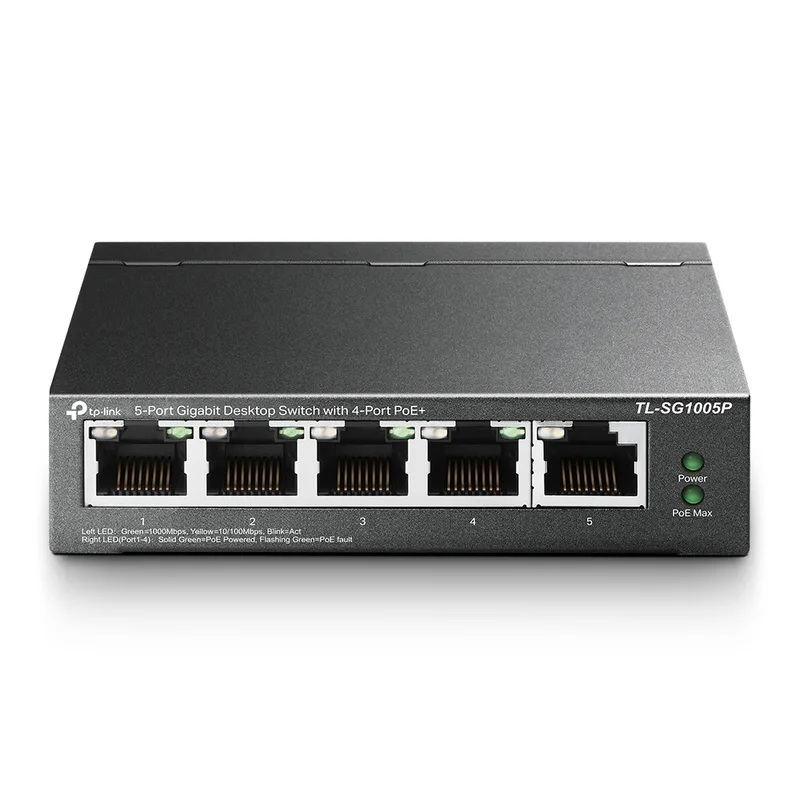
TP-Link TL-SG1005P V2
Pros
- 65W PoE budget across 4 ports is generous for a 5-port switch at this price — owner reports confirm it reliably powers two access points and two IP cameras simultaneously without hitting the power ceiling, which covers the typical home office security and networking setup
- Fully fanless design means zero noise added to your workspace — the metal case dissipates heat passively, and the switch runs silently on or under a desk without the persistent fan hum that characterizes cheaper plastic models
- QoS and IGMP snooping are included in an unmanaged switch — QoS prioritizes video call traffic over lower-priority device traffic without any configuration, and IGMP snooping reduces unnecessary multicast flooding that can bog down a small network
- Limited Lifetime Protection from TP-Link covers the switch for as long as you own it — most competitors at this price tier offer 1-2 year warranties, making this a meaningful differentiator if you're building a setup you intend to keep for several years
- Shielded RJ45 ports reduce interference from nearby power cables and other electronics — relevant for home offices where ethernet runs adjacent to power strips and monitor cables rather than through a clean server room
Cons
- Only 5 ports total with 1 reserved as an uplink means 4 usable PoE outputs — if your setup requires 5 or more PoE devices (cameras, access points, VoIP phones), you need the 8-port models below
- No management features at all — there is no web interface, no VLAN configuration, no per-port PoE scheduling, and no traffic monitoring; the switch does exactly one job (connect devices with power) and nothing else
- 65W total PoE budget must be shared across all active ports — connecting four 802.3at devices that each draw near their 30W maximum will exceed the budget; most real-world devices draw significantly less, but the ceiling requires attention when mixing high-power access points and cameras
The TL-SG1005P V2 is the answer to a common home office question: “I need to power two access points and a camera — do I have to spend $70 for a switch?” You don’t. At $29-$35, this switch handles four simultaneous PoE+ devices with a 65W budget and adds QoS traffic prioritization that’s absent on most unmanaged switches at this price.
The V2 revision addressed earlier grounding complaints from the original model. The metal case is thicker, the shielded ports reduce signal interference from adjacent power cables, and the PoE budget holds steady at rated load according to owner reports from users powering multiple access points.
The limitations are structural, not quality-related. Five ports with one uplink means four usable PoE outputs. For a home office with a single access point, one IP camera, and a VoIP phone, that’s more than enough. For a setup needing 5+ PoE devices, move to an 8-port model.
The lifetime warranty is unusual for a sub-$35 switch. TP-Link backs the TL-SG1005P V2 for as long as you own it, which undercuts the risk of choosing the cheapest option in this category.
Best for: Home office setups with 4 or fewer PoE devices and no need for network management features.
2. NETGEAR GS305P — Best 5-Port Value
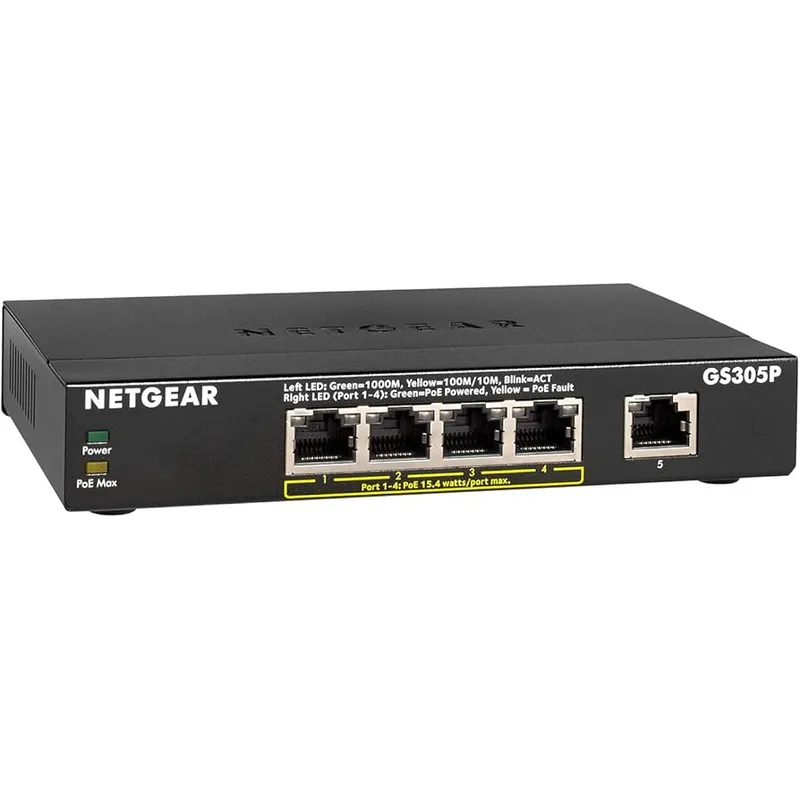
NETGEAR GS305P
Pros
- Wall-mount option with included hardware adds flexibility for home offices where desk real estate is limited — mounting behind a monitor arm or under a shelf keeps the switch out of sight without compromising airflow
- NETGEAR's supply chain consistency means the GS305P is readily available from Amazon and major retailers without the periodic stock gaps that affect less-distributed brands; if you need it delivered today, it's almost always in stock
- 63W PoE budget at 5 ports handles most home office PoE loads without requiring port budget calculations — two 802.11ax access points (each drawing roughly 12-18W) and two IP cameras (8-12W each) run comfortably within budget
- Compact footprint comparable to a paperback book makes it unobtrusive on a desk or credenza — owner reports frequently mention that the small physical size was a deciding factor over larger 8-port models for tight setups
- Fanless metal construction runs passively with no moving parts and no noise — the GS305P has been on the market long enough for owner reports to confirm reliable multi-year operation without heat-related failures
Cons
- 2-year warranty is shorter than TP-Link's lifetime protection on the TL-SG1005P at a lower price — for a device you expect to run continuously for 5+ years, the shorter warranty coverage is a meaningful disadvantage
- No management interface — same limitation as the TL-SG1005P; there is no VLAN, no per-port PoE control, and no traffic visibility
- Higher price than the TP-Link TL-SG1005P for similar specifications — the wall-mount option and NETGEAR brand recognition account for the premium, but spec-for-spec the TP-Link delivers comparable performance for less
The GS305P costs $20-$25 more than the TP-Link TL-SG1005P V2 for nearly identical specifications. The premium buys wall-mount hardware, NETGEAR’s broader distribution network, and a slightly different physical design that some users prefer for cable routing.
The wall-mount option is the practical differentiator. A home office where the PoE switch lives behind a monitor arm, under a shelf, or inside a media cabinet can mount the GS305P directly rather than sitting it on a surface and routing cables around it. The included hardware covers this without additional parts.
NETGEAR’s warranty on the GS305P is 2 years — shorter than the TP-Link’s lifetime coverage. For a switch you expect to run continuously for 5+ years without replacement, this matters. For users replacing hardware on a planned upgrade cycle, 2 years is typically adequate.
The 63W PoE budget is virtually identical to the TP-Link’s 65W. Two Wi-Fi access points at 15W each and two cameras at 8W each total 46W — well within budget for the typical 5-port home office setup.
Best for: Users who prefer wall mounting their switch or who prioritize NETGEAR’s availability at local retailers.
3. NETGEAR GS308PP — Best All-PoE 8-Port
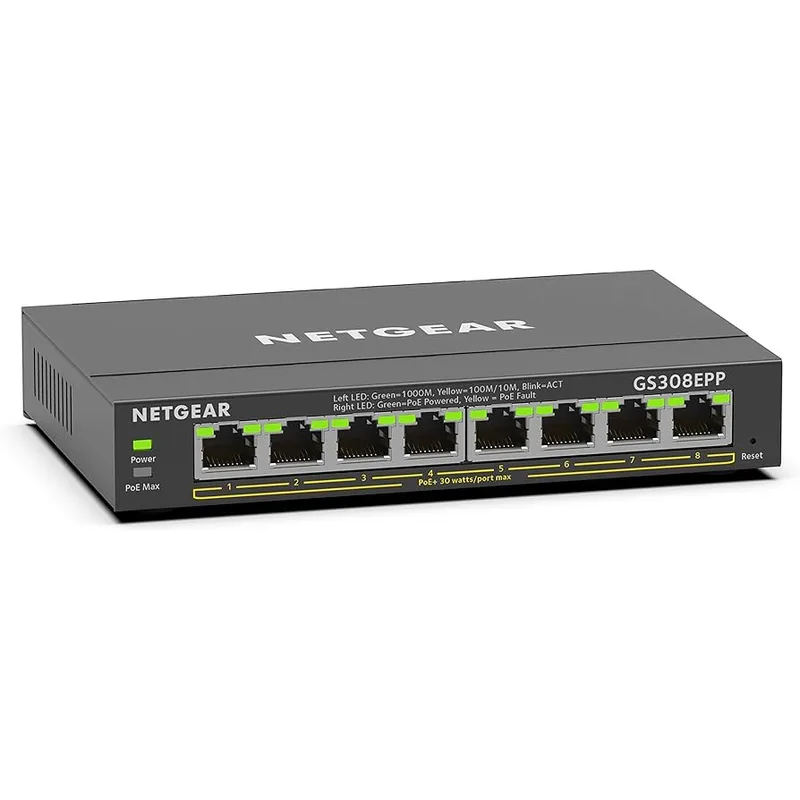
NETGEAR GS308PP
Pros
- All 8 ports deliver PoE+ — this is the key differentiator over competing 8-port switches at this price that typically give only 4 PoE ports; connecting 8 PoE devices requires only this single switch rather than a mix of powered and standard ports
- 83W total PoE budget distributed across 8 ports averages roughly 10W per port at full load — sufficient for the typical mix of Wi-Fi access points (12-18W each), IP cameras (8-12W each), and VoIP phones (3-7W each) without hitting the ceiling under normal home office conditions
- FlexPoE technology dynamically allocates PoE wattage based on what devices are actually drawing rather than reserving the maximum per port — in practice, this allows more devices to operate simultaneously than the raw budget number suggests
- NETGEAR's plug-and-play setup requires nothing beyond connecting the uplink and device cables — no software, no login, no configuration; owner reports consistently describe setup times of under 3 minutes for users replacing an unmanaged switch
- Compact form factor despite the 8-port count — the GS308PP is roughly the same footprint as a paperback novel and fits under a desk or on a shelf without dominating the space the way rack-mount equipment would
Cons
- No management features — 8 ports of unmanaged switching means no VLAN isolation between IoT devices and work computers, no per-port PoE scheduling for cameras, and no traffic monitoring; for users who need network segmentation, the GS308EP below is a better fit
- 83W total PoE budget is shared across all 8 ports — connecting multiple high-draw devices (access points drawing 18-22W each) can approach the ceiling; a setup with three high-power Wi-Fi 7 APs and several cameras should verify total expected draw before buying
- 2-year warranty without a lifetime option — continuous operation switches in a home office environment accumulate runtime quickly; budget for potential replacement in the 4-6 year range if the warranty period is a deciding factor
The GS308PP solves a problem with most 8-port PoE switches: they give you only 4 PoE ports and 4 standard ports, forcing you to plan which devices get power from the switch and which don’t. The GS308PP gives all 8 ports PoE+ capability with an 83W total budget — the highest raw PoE budget in this comparison.
For a home office building out a full wired security camera system alongside wireless networking, this matters. Six cameras plus a pair of access points all connect to PoE ports without worrying about which port is PoE-capable. Device placement decisions are about cable routing, not port availability.
The FlexPoE implementation dynamically allocates power based on actual device draw rather than reserving the rated maximum per port. A camera drawing 8W doesn’t consume 30W of budget because the spec sheet says 30W maximum — it uses what it draws. This allows more devices to run simultaneously than a static-allocation 83W budget would suggest.
At $65-$75, the GS308PP is the best 8-port unmanaged PoE+ switch value available. It has no management features — no VLAN, no QoS, no web interface. For users who want plug-and-play simplicity and maximum PoE port availability, this is the correct choice.
Best for: Home offices that need 5-8 PoE devices with no requirement for network segmentation or management.
4. NETGEAR GS308EP — Best Smart Managed
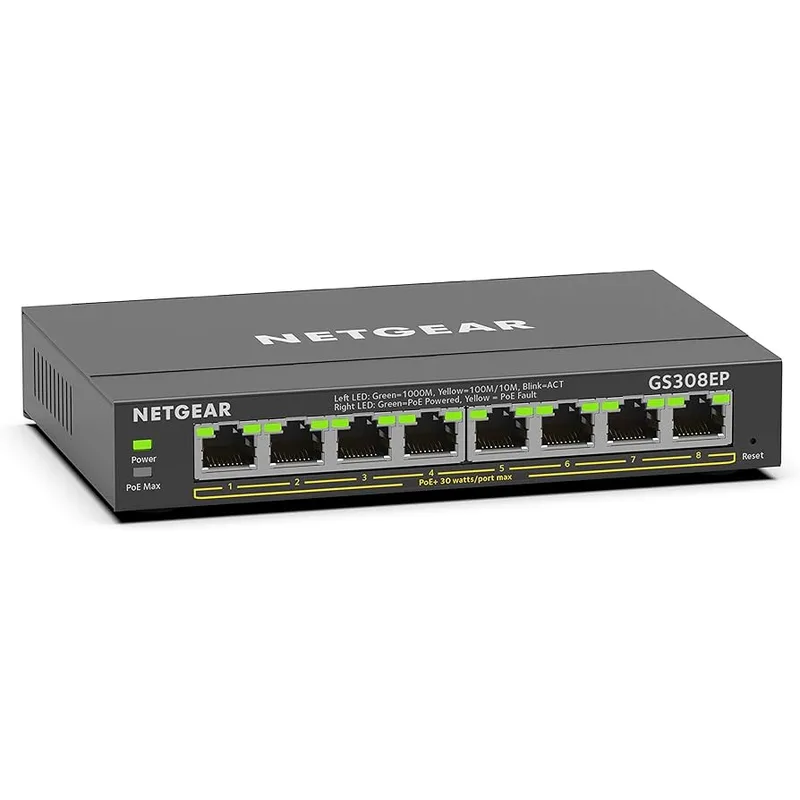
NETGEAR GS308EP
Pros
- Web-based management interface enables VLAN segmentation — separating work computers on one VLAN and IoT devices (cameras, smart speakers, printers) on an isolated VLAN is a meaningful security improvement for a home office handling client data, and the GS308EP makes it achievable without enterprise-level complexity
- Per-port PoE scheduling lets you cut power to IP cameras or access points on a timer — reducing overnight PoE draw, rebooting frozen devices automatically on a schedule, or turning off conference room equipment after hours are all manageable through the web interface without logging into each device individually
- QoS configuration allows prioritizing video call traffic (Zoom, Teams, Google Meet) over lower-priority background transfers — in a congested home network with multiple simultaneous users, manually assigned QoS rules can measurably reduce video call drops
- 5-year warranty is the longest in this comparison — for a device running 24/7 as the backbone of a home office network, the extended coverage period reduces the financial risk of hardware failure in years 3-5
- Port mirroring allows connecting a network analyzer or logging device to monitor traffic on another port — useful for remote workers who need to troubleshoot intermittent connectivity issues without physically tracing cables
Cons
- 62W total PoE budget is lower than the unmanaged GS308PP despite the higher price — connecting 8 simultaneous PoE+ devices at medium draw requires more careful power planning than with the GS308PP's 83W budget
- Web management interface requires initial configuration through a browser login — for users accustomed to truly plug-and-play switches, the first-time setup involves more steps than connecting cables; NETGEAR's documentation covers it, but it is not instant
- Easy Smart management is less capable than full managed switch software — advanced features like OSPF routing, detailed traffic analytics, and port-level bandwidth monitoring require moving up to a fully managed switch from Ubiquiti or Cisco
The jump from unmanaged to smart-managed switches opens capabilities that are genuinely useful in a home office: VLAN segmentation, per-port PoE scheduling, and QoS traffic prioritization. The GS308EP delivers all three with a web interface that requires no command-line experience.
VLAN segmentation is the most security-relevant feature. Connecting work computers, IP cameras, a smart speaker, and a wireless printer to the same switch without VLANs means those devices can communicate freely. A camera vulnerability or a printer with weak credentials becomes a path to the work network. Placing IoT devices on a separate VLAN, isolated from work computers at the switch level, closes that path without requiring a separate physical network.
Per-port PoE scheduling addresses the reality that PoE devices rarely need power around the clock. Cutting power to IP cameras overnight, scheduling access points to reduce power during off-hours, or automating a daily reboot cycle for a device that tends to freeze are all manageable through the GS308EP’s scheduling interface without logging into each individual device.
The 62W PoE budget is lower than the unmanaged GS308PP despite the higher price. Eight PoE+ ports sharing 62W is tighter than 8 ports sharing 83W — relevant if your device mix includes multiple high-draw access points. Check your expected device draw before choosing between these two.
The 5-year warranty is the longest in this comparison and adds meaningful value for 24/7 operation hardware.
Best for: Remote workers who handle sensitive client data and want IoT isolation, or who need automated PoE scheduling for cameras and access points.
5. Ubiquiti UniFi Switch Lite 8 PoE — Best for UniFi Users
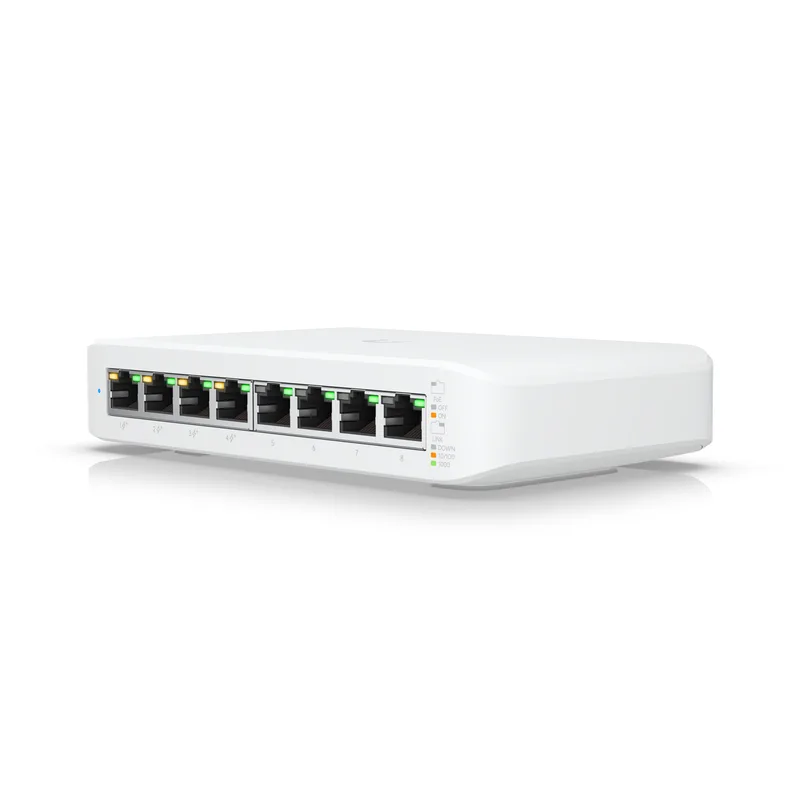
Ubiquiti UniFi Switch Lite 8 PoE
Pros
- Full Layer 2 management via the UniFi Network Controller delivers granular control: per-port traffic graphs, VLAN assignment, link negotiation settings, Spanning Tree Protocol, and port profiles that can be applied across multiple switches simultaneously — capabilities that require enterprise hardware from other brands
- Integrates seamlessly with the rest of the UniFi ecosystem — if your home office already uses a UniFi router, UniFi access points, or UniFi cameras, the USW-Lite-8-PoE appears in the same dashboard with unified traffic visibility and consistent firmware updates
- UniFi firmware update history is reliable — Ubiquiti maintains a public changelog and a Community firmware thread, and the USW-Lite-8-PoE has received regular feature and security updates since launch; the ecosystem has a larger active community than NETGEAR's or TP-Link's home office switch lines
- Fanless operation with no external power brick — the switch runs on an included internal power supply without an external adapter cluttering the cable run, and the fanless design keeps it silent in a home office environment
- Port isolation features allow blocking communication between specific ports at the switch level — useful for separating a guest network from the work network without purchasing a separate physical switch
Cons
- Requires a UniFi Network Controller for initial setup and full management — the controller runs as a self-hosted application on a PC or Raspberry Pi, or on a UniFi Cloud Key hardware device (~$79-$99 additional cost); out-of-ecosystem users face meaningful setup friction compared to a web-browser-configured NETGEAR switch
- Only 4 of 8 ports are PoE+ — the remaining 4 ports are standard gigabit without PoE capability; a home office needing 5 or more PoE devices must either use a splitter or consider a different switch; the GS308PP above gives all 8 ports PoE+ for less money
- 52W total PoE budget is the lowest in this comparison — two Wi-Fi 7 access points at 18W each already consume 36W of the 52W budget, leaving 16W for additional cameras or VoIP phones; power budgeting is required before connecting high-draw devices
- 1-year hardware warranty is shorter than all NETGEAR options in this comparison — Ubiquiti's build quality has improved, but the 1-year coverage period stands out unfavorably alongside NETGEAR GS308EP's 5-year warranty
The USW-Lite-8-PoE is not the right switch for every home office — it requires a UniFi Network Controller for setup and full management, which adds complexity for users outside the UniFi ecosystem. For users already running a UniFi router or UniFi access points, it’s the obvious choice.
The UniFi dashboard presents per-port traffic graphs, VLAN assignment, link speed detection, and port-level error logging in one interface that covers the entire UniFi network — router, access points, and switches together. The traffic visibility is meaningfully more detailed than NETGEAR’s Easy Smart interface. Identifying which device is consuming bandwidth, at what time, and from which switch port is possible without additional monitoring software.
The controller setup friction is real. UniFi Network Controller runs as a Java application on a PC or Raspberry Pi, or on a dedicated Cloud Key device. For users running the controller on an always-on machine, setup takes 20-30 minutes. For users without an always-on machine, the Cloud Key hardware adds $79-$99 to the total cost. NETGEAR’s web-browser configuration is faster and simpler.
Only 4 of the 8 ports are PoE+ — a limitation at this price relative to the GS308PP, which gives all 8 ports PoE+ for $25-$35 less. If your primary need is maximum PoE port count, the GS308PP serves that better. If your need is unified network management across multiple UniFi devices, the USW-Lite-8-PoE is worth the trade-off.
Best for: Home offices already running UniFi networking equipment that want unified switch and router management in one dashboard.
What to Look for in a Home Office PoE Switch
PoE budget vs. PoE ports
Two numbers matter: how many ports deliver PoE, and how many watts the switch can distribute total. A switch with 4 PoE+ ports and a 30W budget (still common in older budget models) can technically power 4 devices but can only sustain roughly 7.5W per port simultaneously. Most modern access points draw 12-25W under load. Check that the total PoE budget (in watts) matches the sum of your expected device draw, not just the port count.
Managed vs. unmanaged
Unmanaged switches are plug-and-play — connect cables, everything works. Managed and smart-managed switches add VLAN support, QoS rules, per-port traffic monitoring, and PoE scheduling. For a home office with only PoE devices (cameras, access points) and no IoT security concerns, unmanaged is simpler. For home offices where work computers, IoT devices, and cameras share the same switch, VLAN segmentation through a managed switch is a practical security step.
802.3af vs. 802.3at (PoE vs. PoE+)
Standard PoE (802.3af) delivers up to 15.4W per port. PoE+ (802.3at) delivers up to 30W per port. Most Wi-Fi 6 and Wi-Fi 7 access points require PoE+ — the newer APs from TP-Link, ASUS, and Ubiquiti list 15-25W power requirements that exceed standard PoE. All five switches in this comparison support 802.3at PoE+.
Port count
5-port switches (with 1 uplink) give 4 usable PoE connections. 8-port switches give 4-8 PoE connections depending on the model. For a home office with a single access point and one or two cameras, a 5-port switch is sufficient and smaller. For a home office with multiple cameras across rooms, multiple access points on different floors, or additional PoE devices like VoIP phones or IP intercoms, an 8-port model prevents running out of ports.
Fanless operation
All five switches in this roundup are fanless. This is non-negotiable for a home office — a switch with an active fan runs 24/7 and adds constant low-level noise that’s audible in a quiet room. Fanless switches use the metal case as a heat sink. Every switch here uses a metal housing for exactly this reason.
FAQ
Do I need a PoE switch or can I use PoE injectors for each device?
PoE injectors work for one device each. If you’re powering a single access point, a $15-$20 PoE injector is cheaper than a switch. For two or more PoE devices, a switch is cleaner — one device instead of multiple injectors, centralized power from one outlet rather than multiple, and a single cable run to each device from the switch. At $29 for the TL-SG1005P V2, the economics shift quickly.
Will a PoE switch power any PoE device, or only specific ones?
PoE switches detect whether a connected device requests PoE before delivering power. Connecting a non-PoE device (a standard laptop or desktop) to a PoE port is safe — the switch detects no PoE request and delivers no PoE power, only data. PoE and PoE+ devices negotiate their power requirements with the switch before drawing current. The only pairing issue is connecting a PoE+ device to an older PoE-only switch (802.3af maximum 15.4W) when the device requires more than 15.4W — the device either won’t power on or will operate in a reduced-power mode.
Can I power a Wi-Fi 7 access point from these switches?
Yes, provided the access point requires 30W or less per port. Most Wi-Fi 7 access points for home use — including the TP-Link EAP670, ASUS ZenWiFi Pro ET12 nodes, and Ubiquiti UniFi U7 Pro — list PoE+ (802.3at) as their power source and draw between 12W and 25W. All switches in this comparison deliver up to 30W per port on PoE ports. Higher-end enterprise Wi-Fi 7 APs occasionally require PoE++ (802.3bt) at 60-90W — those require dedicated PoE++ switches outside the scope of home office hardware.
Is the Ubiquiti UniFi Switch Lite 8 PoE worth it without other UniFi gear?
Probably not. The USW-Lite-8-PoE’s advantages come from UniFi ecosystem integration — the dashboard that combines switch, router, and access point management in one view. Without other UniFi devices, you get a fully managed switch with a controller requirement but without the ecosystem payoff. The NETGEAR GS308EP at $79-$99 gives web-based VLAN and QoS management without the controller setup overhead, which is a better fit for a standalone managed switch purchase.
What’s the difference between PoE and PoE+ in practical terms?
Standard PoE (802.3af) delivers 15.4W per port. PoE+ (802.3at) delivers 30W per port. In practice, the difference matters for access points: older 802.11n and early 802.11ac APs often ran on standard PoE; Wi-Fi 6 and Wi-Fi 7 APs frequently require PoE+. IP cameras, VoIP phones, and small IoT devices typically run on standard PoE. If you’re buying a switch to power modern Wi-Fi access points, PoE+ is the correct standard — and all five switches here support it.
The Verdict
For most home offices, the NETGEAR GS308PP is the practical choice at $65-$75. All 8 ports deliver PoE+, the 83W budget handles the typical mix of access points and cameras, and the plug-and-play operation requires nothing beyond connecting cables.
For the smallest budget with 4 or fewer PoE devices, the TP-Link TL-SG1005P V2 at $29-$35 is hard to argue against — lifetime warranty, fanless operation, and QoS at a price that’s less than many PoE injectors.
For users who need VLAN isolation between work computers and IoT devices, the NETGEAR GS308EP at $79-$99 adds essential security segmentation without requiring command-line configuration.
For fully managed home networks already running UniFi hardware, the Ubiquiti UniFi Switch Lite 8 PoE integrates into a unified dashboard and provides the most granular traffic control of any option here.
Detailed Reviews
TP-Link TL-SG1005P V2
Pros
- 65W PoE budget across 4 ports is generous for a 5-port switch at this price — owner reports confirm it reliably powers two access points and two IP cameras simultaneously without hitting the power ceiling, which covers the typical home office security and networking setup
- Fully fanless design means zero noise added to your workspace — the metal case dissipates heat passively, and the switch runs silently on or under a desk without the persistent fan hum that characterizes cheaper plastic models
- QoS and IGMP snooping are included in an unmanaged switch — QoS prioritizes video call traffic over lower-priority device traffic without any configuration, and IGMP snooping reduces unnecessary multicast flooding that can bog down a small network
- Limited Lifetime Protection from TP-Link covers the switch for as long as you own it — most competitors at this price tier offer 1-2 year warranties, making this a meaningful differentiator if you're building a setup you intend to keep for several years
- Shielded RJ45 ports reduce interference from nearby power cables and other electronics — relevant for home offices where ethernet runs adjacent to power strips and monitor cables rather than through a clean server room
Cons
- Only 5 ports total with 1 reserved as an uplink means 4 usable PoE outputs — if your setup requires 5 or more PoE devices (cameras, access points, VoIP phones), you need the 8-port models below
- No management features at all — there is no web interface, no VLAN configuration, no per-port PoE scheduling, and no traffic monitoring; the switch does exactly one job (connect devices with power) and nothing else
- 65W total PoE budget must be shared across all active ports — connecting four 802.3at devices that each draw near their 30W maximum will exceed the budget; most real-world devices draw significantly less, but the ceiling requires attention when mixing high-power access points and cameras
NETGEAR GS305P
Pros
- Wall-mount option with included hardware adds flexibility for home offices where desk real estate is limited — mounting behind a monitor arm or under a shelf keeps the switch out of sight without compromising airflow
- NETGEAR's supply chain consistency means the GS305P is readily available from Amazon and major retailers without the periodic stock gaps that affect less-distributed brands; if you need it delivered today, it's almost always in stock
- 63W PoE budget at 5 ports handles most home office PoE loads without requiring port budget calculations — two 802.11ax access points (each drawing roughly 12-18W) and two IP cameras (8-12W each) run comfortably within budget
- Compact footprint comparable to a paperback book makes it unobtrusive on a desk or credenza — owner reports frequently mention that the small physical size was a deciding factor over larger 8-port models for tight setups
- Fanless metal construction runs passively with no moving parts and no noise — the GS305P has been on the market long enough for owner reports to confirm reliable multi-year operation without heat-related failures
Cons
- 2-year warranty is shorter than TP-Link's lifetime protection on the TL-SG1005P at a lower price — for a device you expect to run continuously for 5+ years, the shorter warranty coverage is a meaningful disadvantage
- No management interface — same limitation as the TL-SG1005P; there is no VLAN, no per-port PoE control, and no traffic visibility
- Higher price than the TP-Link TL-SG1005P for similar specifications — the wall-mount option and NETGEAR brand recognition account for the premium, but spec-for-spec the TP-Link delivers comparable performance for less
NETGEAR GS308PP
Pros
- All 8 ports deliver PoE+ — this is the key differentiator over competing 8-port switches at this price that typically give only 4 PoE ports; connecting 8 PoE devices requires only this single switch rather than a mix of powered and standard ports
- 83W total PoE budget distributed across 8 ports averages roughly 10W per port at full load — sufficient for the typical mix of Wi-Fi access points (12-18W each), IP cameras (8-12W each), and VoIP phones (3-7W each) without hitting the ceiling under normal home office conditions
- FlexPoE technology dynamically allocates PoE wattage based on what devices are actually drawing rather than reserving the maximum per port — in practice, this allows more devices to operate simultaneously than the raw budget number suggests
- NETGEAR's plug-and-play setup requires nothing beyond connecting the uplink and device cables — no software, no login, no configuration; owner reports consistently describe setup times of under 3 minutes for users replacing an unmanaged switch
- Compact form factor despite the 8-port count — the GS308PP is roughly the same footprint as a paperback novel and fits under a desk or on a shelf without dominating the space the way rack-mount equipment would
Cons
- No management features — 8 ports of unmanaged switching means no VLAN isolation between IoT devices and work computers, no per-port PoE scheduling for cameras, and no traffic monitoring; for users who need network segmentation, the GS308EP below is a better fit
- 83W total PoE budget is shared across all 8 ports — connecting multiple high-draw devices (access points drawing 18-22W each) can approach the ceiling; a setup with three high-power Wi-Fi 7 APs and several cameras should verify total expected draw before buying
- 2-year warranty without a lifetime option — continuous operation switches in a home office environment accumulate runtime quickly; budget for potential replacement in the 4-6 year range if the warranty period is a deciding factor
NETGEAR GS308EP
Pros
- Web-based management interface enables VLAN segmentation — separating work computers on one VLAN and IoT devices (cameras, smart speakers, printers) on an isolated VLAN is a meaningful security improvement for a home office handling client data, and the GS308EP makes it achievable without enterprise-level complexity
- Per-port PoE scheduling lets you cut power to IP cameras or access points on a timer — reducing overnight PoE draw, rebooting frozen devices automatically on a schedule, or turning off conference room equipment after hours are all manageable through the web interface without logging into each device individually
- QoS configuration allows prioritizing video call traffic (Zoom, Teams, Google Meet) over lower-priority background transfers — in a congested home network with multiple simultaneous users, manually assigned QoS rules can measurably reduce video call drops
- 5-year warranty is the longest in this comparison — for a device running 24/7 as the backbone of a home office network, the extended coverage period reduces the financial risk of hardware failure in years 3-5
- Port mirroring allows connecting a network analyzer or logging device to monitor traffic on another port — useful for remote workers who need to troubleshoot intermittent connectivity issues without physically tracing cables
Cons
- 62W total PoE budget is lower than the unmanaged GS308PP despite the higher price — connecting 8 simultaneous PoE+ devices at medium draw requires more careful power planning than with the GS308PP's 83W budget
- Web management interface requires initial configuration through a browser login — for users accustomed to truly plug-and-play switches, the first-time setup involves more steps than connecting cables; NETGEAR's documentation covers it, but it is not instant
- Easy Smart management is less capable than full managed switch software — advanced features like OSPF routing, detailed traffic analytics, and port-level bandwidth monitoring require moving up to a fully managed switch from Ubiquiti or Cisco
Ubiquiti UniFi Switch Lite 8 PoE
Pros
- Full Layer 2 management via the UniFi Network Controller delivers granular control: per-port traffic graphs, VLAN assignment, link negotiation settings, Spanning Tree Protocol, and port profiles that can be applied across multiple switches simultaneously — capabilities that require enterprise hardware from other brands
- Integrates seamlessly with the rest of the UniFi ecosystem — if your home office already uses a UniFi router, UniFi access points, or UniFi cameras, the USW-Lite-8-PoE appears in the same dashboard with unified traffic visibility and consistent firmware updates
- UniFi firmware update history is reliable — Ubiquiti maintains a public changelog and a Community firmware thread, and the USW-Lite-8-PoE has received regular feature and security updates since launch; the ecosystem has a larger active community than NETGEAR's or TP-Link's home office switch lines
- Fanless operation with no external power brick — the switch runs on an included internal power supply without an external adapter cluttering the cable run, and the fanless design keeps it silent in a home office environment
- Port isolation features allow blocking communication between specific ports at the switch level — useful for separating a guest network from the work network without purchasing a separate physical switch
Cons
- Requires a UniFi Network Controller for initial setup and full management — the controller runs as a self-hosted application on a PC or Raspberry Pi, or on a UniFi Cloud Key hardware device (~$79-$99 additional cost); out-of-ecosystem users face meaningful setup friction compared to a web-browser-configured NETGEAR switch
- Only 4 of 8 ports are PoE+ — the remaining 4 ports are standard gigabit without PoE capability; a home office needing 5 or more PoE devices must either use a splitter or consider a different switch; the GS308PP above gives all 8 ports PoE+ for less money
- 52W total PoE budget is the lowest in this comparison — two Wi-Fi 7 access points at 18W each already consume 36W of the 52W budget, leaving 16W for additional cameras or VoIP phones; power budgeting is required before connecting high-draw devices
- 1-year hardware warranty is shorter than all NETGEAR options in this comparison — Ubiquiti's build quality has improved, but the 1-year coverage period stands out unfavorably alongside NETGEAR GS308EP's 5-year warranty