The NAS market shifted noticeably at CES 2026, when UGREEN unveiled the NASync iDX6011 lineup with on-device AI capabilities — local natural language file search, offline document summarization, and automated photo organization without any cloud dependency. While those flagship models start above $500, the launch pushed 2.5GbE networking and Intel x86 processors down to mid-range pricing, and AI-adjacent features are trickling into software updates across the established brands. Meanwhile, ASUSTOR took home PCMag’s Best NAS award for 2026, earning recognition for its value-focused Drivestor lineup.
For remote workers, a NAS solves three problems that cloud storage does not: local backup speed, access without monthly fees, and ownership of your own files. A 2-bay NAS running RAID 1 mirrors data across two drives — if one fails, the other has a complete copy. A 4-bay NAS running RAID 5 protects against a drive failure while using three drives’ worth of space for usable storage. Neither requires a subscription, and both are more reliable than keeping everything on a single external hard drive.
All five options here are diskless — you supply your own hard drives. Budget an additional $80–$175 per drive for WD Red Plus or Seagate IronWolf NAS-rated drives, which are designed for continuous 24/7 operation.
Quick pick: The Synology DS223 is the right starting point for most home office users — DSM’s software ecosystem is unmatched at this price, and the included Active Backup suite backs up all your computers for free. If you want Intel CPU performance, 8GB DDR5 RAM, and 2.5GbE networking, the UGREEN NASync DXP2800 delivers significantly more hardware at a similar price. Budget buyers who just need reliable automated backup and file sharing should look at the QNAP TS-233.
Comparison
| Spec | Synology DiskStation DS223 | UGREEN NASync DXP2800 | TerraMaster F2-423 | Asustor Drivestor 4 Pro Gen2 (AS3304T v2) | QNAP TS-233 |
|---|---|---|---|---|---|
| Rating | 9.0/10 | 8.7/10 | 8.5/10 | 8.4/10 | 8.0/10 |
| Price | $255.83-$286.59as of Oct 18, 2026 | $389.99as of Oct 18, 2026 | Unavailable | Unavailable | $239.00as of Oct 18, 2026 |
| CPU | Realtek RTD1619B 1.7GHz quad-core | Intel N100 quad-core 1.8-3.4GHz | Intel N5095 quad-core 2.0-2.9GHz | Realtek RTD1619B 1.7GHz quad-core | ARM Cortex-A55 quad-core 2.0GHz |
| RAM | 2GB DDR4 (not expandable) | 8GB DDR5 (expandable to 16GB) | 4GB DDR4 (expandable) | 2GB DDR4 (expandable) | 2GB DDR4 (not expandable) |
| Bays | 2 (3.5" / 2.5" SATA) | 2 (3.5" / 2.5" SATA) | 2 (3.5" / 2.5" SATA) | 4 (3.5" / 2.5" SATA) | 2 (3.5" / 2.5" SATA) |
| Network | 1x 1GbE RJ-45 | 1x 2.5GbE RJ-45 | 2x 2.5GbE (link aggregation) | 1x 2.5GbE RJ-45 | 1x 1GbE RJ-45 |
| USB | 2x USB 3.2 Gen 1 | USB 3.2 Gen 2 + USB-A | USB 3.2 Gen 2 | 3x USB 3.2 Gen 1 + 1x USB 2.0 | 2x USB 3.2 Gen 1 |
| Max Capacity | 72TB raw | — | — | 80TB raw | 32TB raw |
| Transcoding | Hardware H.264 4K | — | Hardware 4K H.265 | Hardware H.265 4K | — |
| M.2 Slots | — | 2x PCIe 3.0 NVMe | 2x M.2 SATA | — | — |
| HDMI | — | 4K HDMI output | — | — | — |
| OS | — | — | — | — | QTS 5.x |
| Check Price → | Check Price → | Check Price → | Check Price → | Check Price → |
Prices change daily — tap Check Price for the current Amazon price.
The Picks
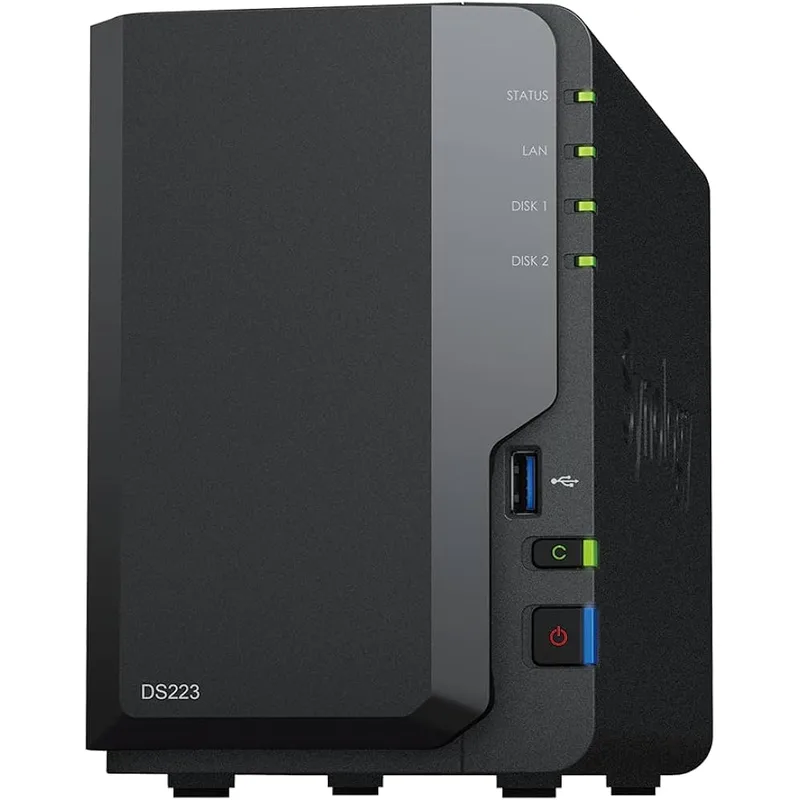
1. Synology DiskStation DS223 — Editor’s Pick
Synology DiskStation DS223
Pros
- DSM 7.x is the most polished NAS operating system available — intuitive enough for first-time NAS users to configure in under an hour
- Active Backup for Business included free — backs up unlimited PCs and Macs without per-device license fees
- Synology mobile apps (DS File, DS Video, DS Cam) are consistently best-rated for remote access and file management
- Massive app ecosystem with over 100 verified packages including Plex, Docker, VPN server, and surveillance
- Long firmware support track record — Synology provides DSM updates for 7+ years from release
Cons
- 1GbE network cap limits transfers to roughly 110 MB/s — noticeably slower than 2.5GbE models for large files
- 2GB RAM is fixed and not expandable, limiting Plex transcoding and Docker container use
- Pricier than competing ARM-based 2-bay units with similar processor hardware
The DS223 is the answer to “which NAS should I buy if I’ve never owned one before” — and the reason is Synology’s DiskStation Manager software, not the hardware specs.
DSM 7.x is genuinely excellent. The web interface is clean enough that a first-time NAS user can configure RAID, set up remote access, and schedule backups in under an hour without reading a manual. Synology’s mobile apps — DS File for file access, DS Video for media streaming, DS Cam for camera feeds — are consistently the highest-rated NAS apps on both the App Store and Google Play. That software quality compounds over time: Synology provides firmware updates for 7+ years after release, longer than most competitors by a significant margin.
Active Backup for Business deserves a direct mention. It backs up unlimited Windows PCs and Macs from the NAS — no per-device license, no recurring fee. For a remote worker running a home computer and a work laptop, this replaces both a cloud backup subscription and a manual external drive routine. Backup schedules run automatically over your home network; restoration is file-level or full-image depending on what you need.
The hardware trade-offs are real. The Realtek RTD1619B handles standard file sharing and backup without issue, but the 1GbE network port limits raw transfer speed to roughly 110 MB/s. Backing up 500GB over wired Ethernet takes about 75 minutes on initial setup; daily incrementals of changed files take seconds. The 2GB RAM is not expandable, which rules out running Plex transcoding and Docker containers simultaneously.
Who should buy this: First-time NAS buyers, remote workers who want automated backup without managing complex software, and anyone who values long firmware support and a polished app ecosystem over raw performance.
Who should skip this: Plex power users, workers who move large files frequently, or anyone planning to run Docker workloads alongside NAS duties — the 1GbE cap and fixed 2GB RAM create real bottlenecks for those use cases.
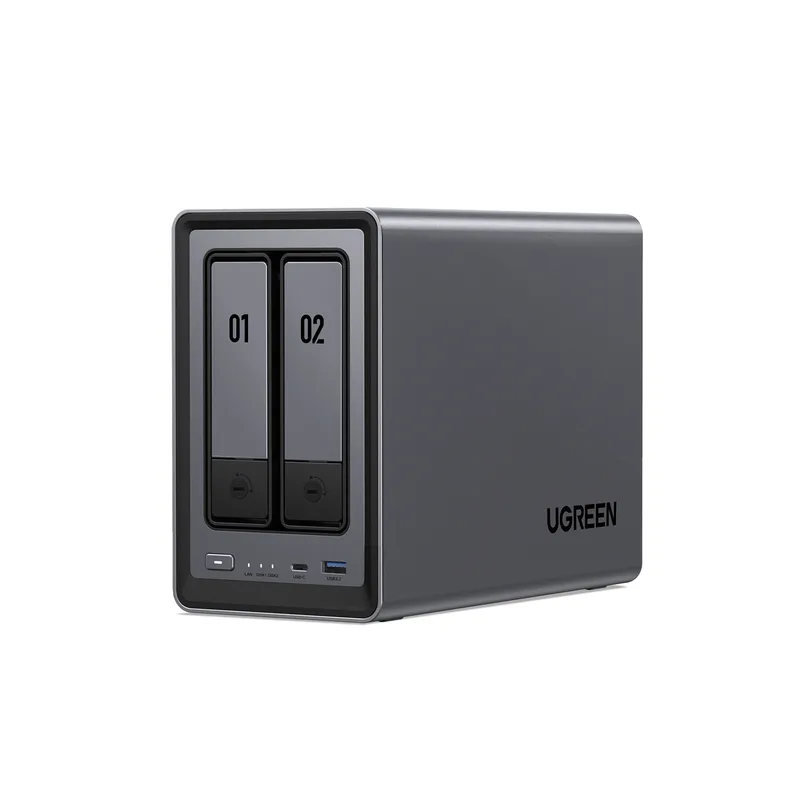
2. UGREEN NASync DXP2800 — Best Performance
UGREEN NASync DXP2800
Pros
- Intel N100 with 8GB DDR5 is dramatically more powerful than ARM-based NAS units at this price — handles hardware 4K H.265 transcoding without issue
- Dual M.2 NVMe slots serve as SSD cache (massively accelerates HDD reads) or standalone fast storage
- 2.5GbE networking enables up to 275 MB/s sustained transfers over a compatible switch
- 4K HDMI output lets you connect directly to a TV or monitor — run Plex or Kodi natively without a streaming device
- Ships with 8GB DDR5 RAM — enough for Docker containers, Plex, and active file sharing simultaneously
Cons
- UGOS Pro software ecosystem is less mature than Synology DSM — fewer apps and smaller community documentation
- Only one 2.5GbE port with no link aggregation option
- Newer platform means less long-term reliability data compared to Synology or QNAP
The DXP2800 packs an Intel N100 processor, 8GB DDR5 RAM, dual M.2 NVMe slots, 2.5GbE networking, and a 4K HDMI output into a 2-bay chassis for under $350.
The Intel N100 is a 12th-generation Alder Lake-N processor — a proper x86-64 CPU capable of hardware 4K H.265 transcoding, full Docker container support, and x86 application compatibility that ARM-based NAS units cannot provide. UGREEN ships the DXP2800 with 8GB DDR5 standard, double or quadruple what ARM competitors include at this price. That combination handles Plex with hardware transcoding, multiple Docker containers, and active file sharing simultaneously without visible performance degradation.
The dual M.2 NVMe slots are the most distinctive hardware feature at this price. They can function as SSD cache — where NVMe drives act as a fast read/write buffer in front of spinning hard drives — or as standalone storage volumes. SSD cache on an HDD array dramatically improves random read performance for frequently accessed files: documents, databases, project archives. The UGREEN’s NVMe-based cache is faster than the SATA M.2 cache on the TerraMaster F2-423.
The 4K HDMI port is a practical bonus for home office setups. Connect the DXP2800 directly to a TV or monitor and run Plex or Kodi natively — the Intel GPU handles 4K playback cleanly without an additional streaming device.
UGOS Pro, UGREEN’s operating system, is the notable limitation. Compared to Synology DSM, the app ecosystem is smaller and the community documentation is thinner. UGREEN entered the NAS market more recently than Synology or QNAP, and the software reflects that maturity gap. The fundamentals — RAID management, file sharing, remote access via UGOS remote — work reliably. Specialized workflows that depend on a wide third-party app ecosystem are better served by Synology or QNAP.
Who should buy this: Tech-comfortable remote workers who want maximum NAS performance under $350, Plex users who need hardware transcoding, and anyone planning to run Docker containers alongside NAS duties.
Who should skip this: NAS beginners who want the smoothest possible first setup, or anyone whose workflows require specific Synology-exclusive or QNAP-exclusive applications.
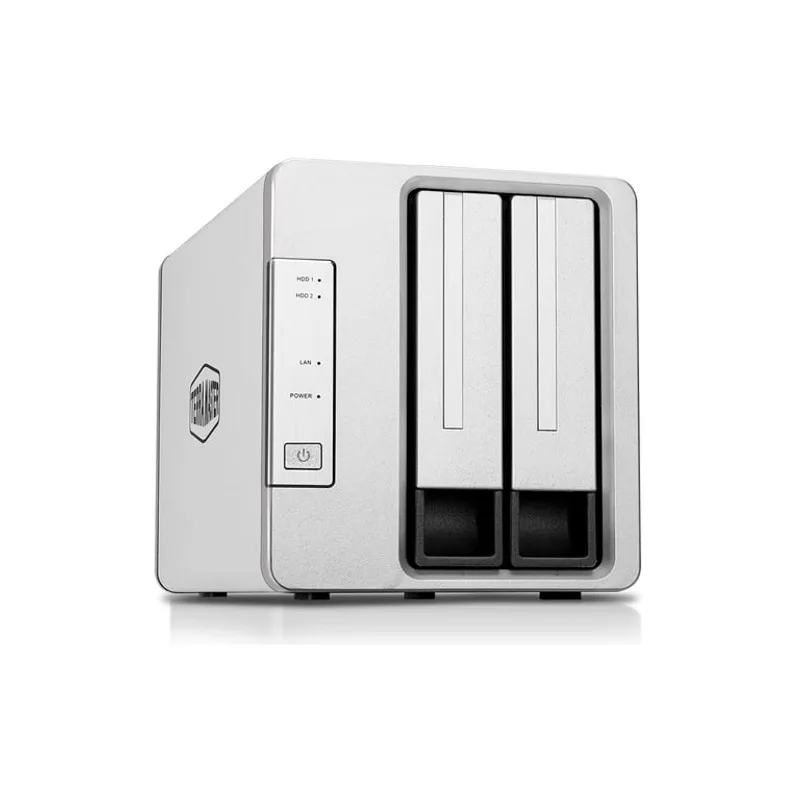
3. TerraMaster F2-423 — Best Value
TerraMaster F2-423
Pros
- Only 2-bay NAS under $330 with dual 2.5GbE and link aggregation — aggregate bandwidth reaches 5Gb/s over a managed switch
- Intel N5095 x86 CPU enables full hardware 4K H.265 transcoding, Docker support, and x86 application compatibility
- M.2 SATA slots allow SSD caching for dramatically improved small-file performance on HDD arrays
- 4GB RAM is expandable via standard SODIMM — addressable up to 16GB with compatible modules
- Ships with strong multimedia support including Plex, Emby, and TNAS.online for remote access
Cons
- TOS (TerraMaster OS) lags behind Synology DSM and QNAP QTS in polish and community documentation
- M.2 slots are SATA rather than PCIe — SSD cache speeds are lower than NVMe-based implementations
- Thinner community support and forum resources make troubleshooting edge cases harder than with established brands
The TerraMaster F2-423 offers the most performance-per-dollar of any 2-bay NAS in this roundup: an Intel N5095 x86 CPU, dual 2.5GbE ports with link aggregation support, and two M.2 SATA slots — all at $289–$329 diskless.
The dual 2.5GbE ports are the specification that separates this unit from similarly priced competitors. With link aggregation active on a managed switch, the F2-423 aggregates two 2.5GbE connections for up to 5Gb/s total bandwidth. In practice, a single 2.5GbE link transfers at up to 275 MB/s sustained — backing up 500GB over wired Ethernet takes under 30 minutes. For remote workers who regularly move large files (video footage, design assets, virtual machine images), that speed difference versus a 1GbE NAS is substantial.
The Intel N5095 provides full x86 application compatibility: Docker containers, Plex with hardware 4K H.265 transcoding, and x86 Linux applications. The 4GB DDR4 is expandable via SODIMM — practically addressable up to 16GB with compatible modules, giving room to add RAM as Docker workloads grow.
The M.2 SATA slots accept standard M.2 2280 SATA drives for SSD caching. Cache improves random read performance significantly for frequently accessed files. SATA M.2 caps at roughly 550 MB/s versus NVMe’s much higher ceiling, but for the type of random small-file access typical in NAS use — not sequential video editing — the practical difference is smaller than the spec gap suggests.
TerraMaster OS (TOS) has improved in recent versions and covers the essential package catalog: Plex, Emby, Syncthing, Docker, and remote access via TNAS.online. Documentation and community resources are thinner than Synology or QNAP, and troubleshooting edge cases requires more independent research.
Who should buy this: Remote workers who prioritize fast local file transfers and already have a 2.5GbE-capable switch, Plex users on a tight budget who need hardware transcoding, and anyone who wants Intel x86 compatibility without the UGREEN’s price premium.
Who should skip this: NAS first-timers who want the smoothest onboarding experience — Synology’s DSM is significantly easier to navigate. Also anyone specifically requiring PCIe NVMe M.2 cache rather than SATA.
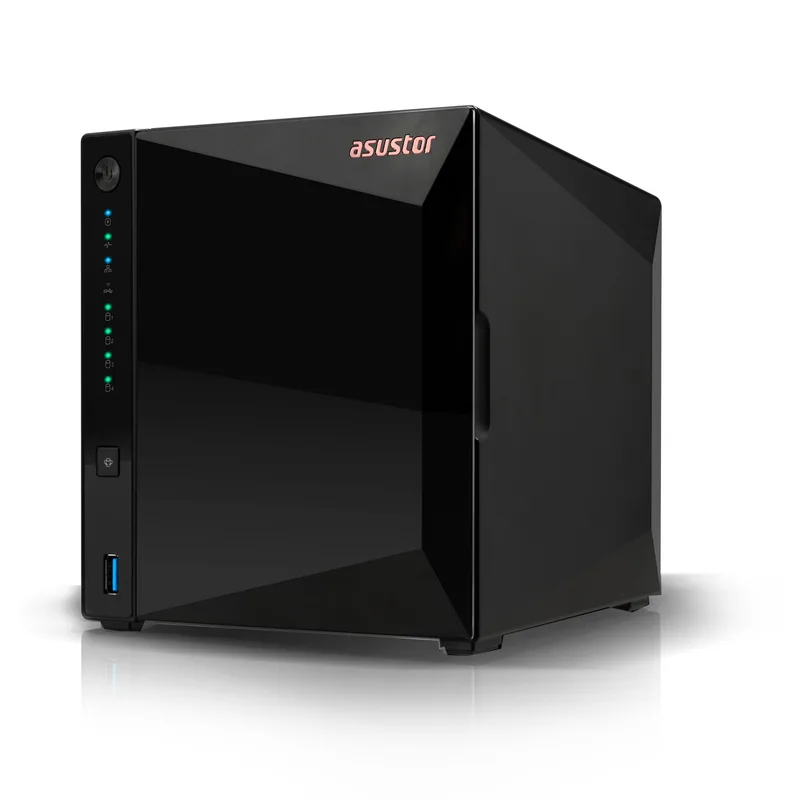
4. Asustor Drivestor 4 Pro Gen2 (AS3304T v2) — Best 4-Bay
Asustor Drivestor 4 Pro Gen2 (AS3304T v2)
Pros
- Only 4-bay NAS under $370 with 2.5GbE — enables RAID 5 protection (one drive can fail, no data loss) at an entry-level price
- 2.5GbE port delivers up to 275 MB/s sustained transfers for fast laptop backups across your full drive set
- ASUSTOR EZ Connect handles remote access without port forwarding — file management from mobile via Data Master app
- PCMag recognized ASUSTOR among the best NAS brands of 2026, citing value and reliability across the Drivestor lineup
- Four bays allow gradual storage expansion — start with two drives, add more as storage needs grow
Cons
- 2GB RAM is a practical limit for Plex transcoding and Docker container deployments alongside active NAS duties
- ADM software has fewer third-party apps and a smaller support community than Synology DSM
- No M.2 SSD cache slots — no fast caching option for HDD arrays
The AS3304T v2 is the only 4-bay NAS in this roundup, and the only option with four drive bays under $370. For home office users who need RAID 5 protection — where one drive can fail without data loss — a 4-bay unit is required.
RAID 1 on a 2-bay NAS mirrors data across two drives: one can fail, and the other retains a complete copy. Effective storage is 50% of raw capacity. RAID 5 on a 4-bay NAS stripes data with parity across three drives: one can fail without data loss, and effective storage is 75% of raw capacity. Four 8TB drives in RAID 5 yields 24TB usable versus 8TB usable from RAID 1 on a 2-bay setup. For remote workers storing project archives, years of document history, or large media libraries locally, that capacity difference matters.
The 2.5GbE port delivers up to 275 MB/s sustained over a compatible switch, which means even large backup sets — a laptop with 500GB of data — complete in roughly 30 minutes over wired Ethernet. ASUSTOR’s EZ Connect handles remote file access without port forwarding, and the Data Master mobile app manages files from any device.
PCMag named ASUSTOR among the best NAS brands of 2026, citing the Drivestor lineup’s value and reliability. ASUSTOR has also added Post-Quantum Cryptography (PQC) encryption support to its platform, a meaningful security feature for remote workers who handle client data or sensitive business files.
The 2GB RAM constraint is meaningful: for a NAS running purely as a file server with scheduled backups, 2GB is sufficient. For Plex transcoding or Docker alongside active NAS duties, memory contention shows up during backup windows. The RAM is technically expandable with compatible SODIMM modules.
Who should buy this: Home office workers who need RAID 5 protection or plan to store large amounts of data locally, and anyone replacing a 2-bay unit who wants room to grow storage capacity without buying new hardware.
Who should skip this: Users who primarily need a simple 2-bay backup NAS — the extra bays are not worth the premium if you will not fill them. The 2GB RAM also limits transcoding and multi-container Docker use.
5. QNAP TS-233 — Best Budget
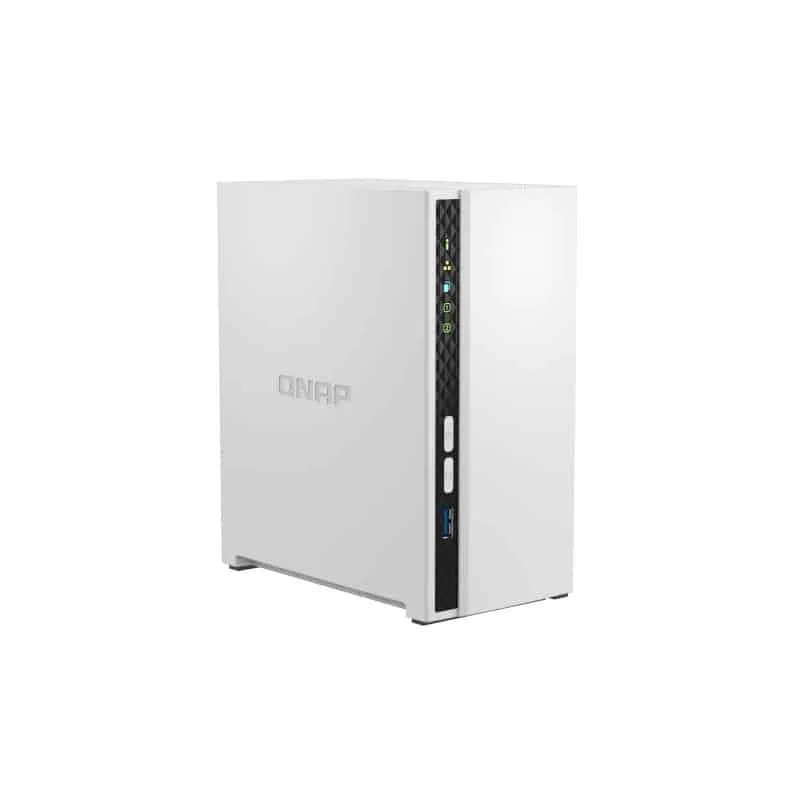
QNAP TS-233
Pros
- Most affordable diskless 2-bay NAS with a full app ecosystem — QTS supports Plex, backup agents, and VPN server
- myQNAPcloud remote access works reliably without configuring port forwarding on your router
- Solid RAID management with real-time monitoring and email alerts for drive health issues
- ARM Cortex-A55 handles daily backup duties, file sharing, and 1080p video streaming without issue
- QuMagie photo app includes AI-powered face and object detection for organizing personal photo libraries
Cons
- 1GbE network cap limits transfers to roughly 110 MB/s — slower than 2.5GbE options for large file moves
- No hardware video transcoding — Plex remote streaming requires the client device to handle decoding
- 2GB RAM is fixed with no upgrade path as software requirements grow
The QNAP TS-233 is the most accessible entry point to a legitimate NAS experience: under $220 diskless, with QNAP’s full QTS software ecosystem, RAID 1 support, and reliable remote access via myQNAPcloud.
For a remote worker who primarily needs automated computer backup, local file access from multiple devices, and occasional remote access while traveling, the TS-233 covers those needs without paying for hardware overhead that goes unused. The ARM Cortex-A55 processor handles SMB file sharing, RAID 1 management, and QNAP backup agents without straining. The myQNAPcloud remote access service connects reliably without any router port forwarding configuration.
QTS is mature software with solid documentation and an active community. The App Center covers backup agents for most platforms, Plex and Emby for media serving, and VPN server for remote work scenarios. QNAP’s QuMagie photo app uses AI-powered face and object detection for organizing personal photo libraries stored on the NAS — a practical feature for home office users who also keep personal media there.
The 1GbE network cap limits transfers to roughly 110 MB/s, and there is no hardware video transcoding — Plex remote streaming passes decoding to the client device, which works but limits flexibility with older or less capable client hardware. The 2GB RAM is fixed. For straightforward backup and file sharing, none of those limitations surface during normal use.
Who should buy this: Budget-conscious remote workers who need their first NAS for automated backup and local file sharing, and anyone who wants QNAP’s mature software ecosystem without paying for QNAP’s higher-end hardware specs.
Who should skip this: Plex users who stream remotely to multiple devices simultaneously, workers who move large files frequently, and anyone planning Docker container workloads.
NAS Buying Guide for Home Offices
How many bays do you need?
2 bays covers most home office needs. RAID 1 mirrors your data across both drives — if one fails, the other retains a complete copy. Two 8TB drives in RAID 1 gives 8TB of protected storage, which holds years of documents, photos, and project archives.
4 bays is the right choice if you need RAID 5 for better storage efficiency, plan to store large media libraries, or want room to expand storage capacity without replacing the enclosure. Four drives in RAID 5 uses one drive’s worth of capacity for parity protection, giving you three drives of usable space.
1GbE vs 2.5GbE: does it matter for remote work?
1GbE peaks at about 110 MB/s over wired Ethernet. Backing up a 500GB laptop takes roughly 75 minutes on the initial run; daily incremental backups of changed files take seconds.
2.5GbE peaks at about 275 MB/s. The same 500GB initial backup completes in roughly 30 minutes. The speed difference matters if you regularly move large files — video footage, raw photo sets, virtual machine snapshots — to and from the NAS during working hours. For simple backup and document access, 1GbE is sufficient.
Note: 2.5GbE on the NAS requires a compatible switch. Most home Wi-Fi routers include 1GbE LAN ports. A basic 2.5GbE unmanaged switch costs $35–$50 and unlocks the full speed benefit from a 2.5GbE NAS unit.
ARM vs Intel CPU: which matters for your use case?
ARM CPUs (Realtek RTD1619B, Cortex-A55) are energy-efficient and quiet. They handle file sharing, backup agents, basic media streaming, and remote access without issue. They cannot run x86 Linux applications natively, which limits Docker compatibility and some advanced NAS packages.
Intel CPUs (N100, N5095) provide full x86 compatibility: any Docker container, any Linux application, and hardware transcoding for every major video codec. The power draw increase over ARM in a home NAS is negligible. The meaningful advantage is flexibility — you are not constrained to ARM-compatible application builds.
NAS software ecosystems compared
Synology DSM is the gold standard: the largest app ecosystem, the best mobile apps, the most community documentation, and the longest firmware support track record. Default to Synology if you are uncertain.
QNAP QTS is a close second: nearly as many apps, solid documentation, and good community support. QNAP’s hardware tends to offer more performance per dollar than Synology at comparable price points.
TerraMaster TOS and ASUSTOR ADM are functional but have smaller ecosystems. The trade-off is worthwhile when the hardware specs are significantly better — as with the F2-423’s dual 2.5GbE at under $330.
UGOS Pro (UGREEN) is the newest platform. The hardware behind it is genuinely compelling, but the software ecosystem is still maturing compared to Synology and QNAP.
Total cost: factor in the drives
All prices above are for diskless units. Plan for NAS-rated drives on top:
- 4TB WD Red Plus: ~$80–$100 per drive
- 8TB WD Red Plus: ~$150–$175 per drive
- 8TB Seagate IronWolf: ~$140–$165 per drive
For a 2-bay NAS with RAID 1 and two 8TB drives, budget roughly $280–$350 in drives beyond the enclosure price. The full Synology DS223 package with two 8TB WD Red Plus drives runs approximately $580–$670.
Avoid desktop drives (WD Blue, Seagate Barracuda) in NAS enclosures — they are not rated for 24/7 operation and have shorter workload limits. Also avoid SMR (Shingled Magnetic Recording) drives in any RAID configuration, as they cause excessive rebuild times and intermittent write performance issues.
FAQ
Can a NAS replace cloud storage like Dropbox or Google Drive?
Partially. A NAS gives you locally owned storage with faster transfer speeds and no monthly subscription. Remote access is possible via manufacturer apps, but the NAS must be on and your home internet connection must be active — it is a physical device at your location, not in a data center. Most users run a NAS for primary backup and large-file storage, while keeping cloud storage for files that need to be accessible from anywhere with minimal friction.
Do I need a NAS if I already have an external hard drive?
A single external hard drive is a copy, not a backup. If the drive fails, gets dropped, or gets lost, the data is gone. A 2-bay NAS running RAID 1 stores data on two drives simultaneously — one can fail completely and the other retains everything. A NAS also provides network access from any device on your home network, automated backup scheduling, and remote access while traveling. None of those things are possible with an external drive.
What hard drives should I use in a NAS?
Use NAS-rated drives: WD Red Plus, WD Red Pro, Seagate IronWolf, or Seagate IronWolf Pro. These are designed for 24/7 operation in a multi-drive vibration environment. Desktop drives work but are not rated for continuous operation and have lower workload limits per year. Never use SMR drives in RAID arrays — the write penalty from zone remapping causes RAID rebuild times that stretch from hours into days, and reliability during rebuilds is significantly worse.
How hard is it to set up a NAS for the first time?
Modern NAS devices from Synology and QNAP are significantly more approachable than they were five years ago. Synology’s setup wizard walks through drive installation, RAID selection, and network configuration in under 30 minutes. The harder decisions are choosing a RAID level and understanding remote access configuration — both are documented in each manufacturer’s support knowledge base. Plan for one to two hours for initial setup including first backup configuration.
How long does a NAS last?
The enclosure — chassis, controller board, power supply, fans — typically runs 5–10 years. Drives fail sooner, usually within 3–7 years. Synology provides DSM software updates for 7+ years from release, longer than most competitors. Run RAID 1 or RAID 5, replace individual drives as they age, and you can typically keep the same enclosure for a decade while cycling through drives as needed.
Conclusion
For most home office workers, the Synology DS223 is the right starting point. DSM’s software quality and the included Active Backup suite justify the price premium over budget alternatives — you get the best NAS software available and free automated backup for all your computers from day one.
If you want significantly more performance — Intel CPU, 8GB RAM, NVMe SSD caching, and 2.5GbE networking — the UGREEN NASync DXP2800 is the pick at $299–$349. The software is less polished than DSM, but the hardware is a full generation ahead for the same price range.
For four-drive RAID 5 and maximum local storage capacity at the lowest price, the Asustor AS3304T v2 is the strongest 4-bay value under $370. For a simpler budget setup, the QNAP TS-233 covers automated backup and file sharing needs at the most accessible entry price. And the TerraMaster F2-423 delivers dual 2.5GbE and an Intel x86 CPU for anyone whose priority is fast local transfers at a mid-range price.
Whatever enclosure you choose, use NAS-rated drives. The hardware is the smaller part of the long-term investment — the drives store your data for the next five to seven years.
Detailed Reviews
Synology DiskStation DS223
Pros
- DSM 7.x is the most polished NAS operating system available — intuitive enough for first-time NAS users to configure in under an hour
- Active Backup for Business included free — backs up unlimited PCs and Macs without per-device license fees
- Synology mobile apps (DS File, DS Video, DS Cam) are consistently best-rated for remote access and file management
- Massive app ecosystem with over 100 verified packages including Plex, Docker, VPN server, and surveillance
- Long firmware support track record — Synology provides DSM updates for 7+ years from release
Cons
- 1GbE network cap limits transfers to roughly 110 MB/s — noticeably slower than 2.5GbE models for large files
- 2GB RAM is fixed and not expandable, limiting Plex transcoding and Docker container use
- Pricier than competing ARM-based 2-bay units with similar processor hardware
UGREEN NASync DXP2800
Pros
- Intel N100 with 8GB DDR5 is dramatically more powerful than ARM-based NAS units at this price — handles hardware 4K H.265 transcoding without issue
- Dual M.2 NVMe slots serve as SSD cache (massively accelerates HDD reads) or standalone fast storage
- 2.5GbE networking enables up to 275 MB/s sustained transfers over a compatible switch
- 4K HDMI output lets you connect directly to a TV or monitor — run Plex or Kodi natively without a streaming device
- Ships with 8GB DDR5 RAM — enough for Docker containers, Plex, and active file sharing simultaneously
Cons
- UGOS Pro software ecosystem is less mature than Synology DSM — fewer apps and smaller community documentation
- Only one 2.5GbE port with no link aggregation option
- Newer platform means less long-term reliability data compared to Synology or QNAP
TerraMaster F2-423
Pros
- Only 2-bay NAS under $330 with dual 2.5GbE and link aggregation — aggregate bandwidth reaches 5Gb/s over a managed switch
- Intel N5095 x86 CPU enables full hardware 4K H.265 transcoding, Docker support, and x86 application compatibility
- M.2 SATA slots allow SSD caching for dramatically improved small-file performance on HDD arrays
- 4GB RAM is expandable via standard SODIMM — addressable up to 16GB with compatible modules
- Ships with strong multimedia support including Plex, Emby, and TNAS.online for remote access
Cons
- TOS (TerraMaster OS) lags behind Synology DSM and QNAP QTS in polish and community documentation
- M.2 slots are SATA rather than PCIe — SSD cache speeds are lower than NVMe-based implementations
- Thinner community support and forum resources make troubleshooting edge cases harder than with established brands
Asustor Drivestor 4 Pro Gen2 (AS3304T v2)
Pros
- Only 4-bay NAS under $370 with 2.5GbE — enables RAID 5 protection (one drive can fail, no data loss) at an entry-level price
- 2.5GbE port delivers up to 275 MB/s sustained transfers for fast laptop backups across your full drive set
- ASUSTOR EZ Connect handles remote access without port forwarding — file management from mobile via Data Master app
- PCMag recognized ASUSTOR among the best NAS brands of 2026, citing value and reliability across the Drivestor lineup
- Four bays allow gradual storage expansion — start with two drives, add more as storage needs grow
Cons
- 2GB RAM is a practical limit for Plex transcoding and Docker container deployments alongside active NAS duties
- ADM software has fewer third-party apps and a smaller support community than Synology DSM
- No M.2 SSD cache slots — no fast caching option for HDD arrays
QNAP TS-233
Pros
- Most affordable diskless 2-bay NAS with a full app ecosystem — QTS supports Plex, backup agents, and VPN server
- myQNAPcloud remote access works reliably without configuring port forwarding on your router
- Solid RAID management with real-time monitoring and email alerts for drive health issues
- ARM Cortex-A55 handles daily backup duties, file sharing, and 1080p video streaming without issue
- QuMagie photo app includes AI-powered face and object detection for organizing personal photo libraries
Cons
- 1GbE network cap limits transfers to roughly 110 MB/s — slower than 2.5GbE options for large file moves
- No hardware video transcoding — Plex remote streaming requires the client device to handle decoding
- 2GB RAM is fixed with no upgrade path as software requirements grow