Two notable displays arrived in early 2026 that set the direction for the professional monitor market. Eizo announced the ColorEdge CS3200X on April 9 — a 31.5-inch 4K panel claiming 99% Adobe RGB and 96% DCI-P3, aimed squarely at photographers and videographers who calibrate on a schedule. Days earlier, Apple unveiled the Studio Display XDR with Thunderbolt 5 connectivity, 2000 nits peak HDR brightness, and both P3 and Adobe RGB color gamut coverage. Neither is in this roundup — the Eizo is too new to have owner feedback, and the Apple display is priced for studio infrastructure — but both signal that the bar for professional color accuracy has moved significantly upward, and the monitors below meet that bar at prices that make sense for a home office.
Remote video editors face a specific problem: color accuracy requirements that match professional color suites, at prices that match freelance or small-team budgets, in rooms with lighting conditions that professional grading suites do not have. The five monitors below address that problem at different price points, from a $380 option that covers 99% DCI-P3 to a $2,499-$2,999 mini-LED panel that ships with a hardware calibrator included.
Quick pick: The ASUS ProArt PA32UCG-K is the best overall monitor for video editing — 1152-zone mini-LED, ΔE < 1 factory calibration, and the X-rite calibrator included in the box. For editors who need professional color at a mid-range price, the BenQ PD3226G delivers Thunderbolt 4, 144Hz, and a reflection-free nano matte panel for under $1,100. If OLED quality matters more than professional calibration software, the ASUS ROG Swift OLED PG27UCDM covers 99% DCI-P3 with perfect black levels and DisplayPort 2.1 at $1,049-$1,099. And for editors working within a budget, the ASUS ProArt PA279CRV at $380-$430 covers 99% DCI-P3 and 99% Adobe RGB with factory calibration — more color accuracy than panels that cost three times as much five years ago.
Comparison
| Spec | ASUS ProArt PA32UCG-K | BenQ PD3226G | ASUS ROG Swift OLED PG27UCDM | LG 32UN880-B Ergo | ASUS ProArt PA279CRV |
|---|---|---|---|---|---|
| Rating | 9.4/10 | 9.0/10 | 8.9/10 | 8.4/10 | 8.6/10 |
| Price | $2292.79-$2997.34as of Oct 18, 2026 | $649.99-$899.99as of Oct 18, 2026 | $796.49-$934.00as of Oct 18, 2026 | $499.99as of Oct 18, 2026 | $348.10-$399.00as of Oct 18, 2026 |
| Size | 32 inches | 31.5 inches | 27 inches | 32 inches | 27 inches |
| Resolution | 3840x2160 (4K UHD) | 3840x2160 (4K UHD) | 3840x2160 (4K UHD) | 3840x2160 (4K UHD) | 3840x2160 (4K UHD) |
| Panel | Mini-LED IPS | IPS (Nano Matte) | QD-OLED (4th Gen) | IPS | IPS |
| Refresh Rate | 120Hz | 144Hz | 240Hz | 60Hz | 60Hz |
| Peak Brightness | 1600 nits (HDR) | — | — | — | — |
| Color Gamut | 98% DCI-P3 | 95% DCI-P3, 100% sRGB | 99% DCI-P3 | 95% DCI-P3 (D65) | 99% DCI-P3, 99% Adobe RGB |
| Color Accuracy | ΔE < 1 (factory calibrated) | Software calibration via Display Pilot 2 | True 10-bit | — | ΔE < 2 (Calman Verified) |
| Connectivity | Thunderbolt 3 (90W), 2× HDMI 2.1, DP 1.4 | Thunderbolt 4 (90W), HDMI 2.0, DP 1.4 | DP 2.1a UHBR20, USB-C 90W, 2× HDMI 2.1 | USB-C (60W), HDMI 2.0, DP 1.4 | USB-C PD 96W, DP 1.4, HDMI 2.0 |
| Includes Calibrator | X-rite i1 Display Pro | — | — | — | — |
| KVM Switch | — | Yes | — | — | — |
| Response Time | — | — | 0.03ms | — | — |
| Brightness | — | — | — | 350 nits (typical) | — |
| Stand | — | — | — | C-Clamp ergo arm (included) | — |
| Daisy-Chain | — | — | — | — | Yes (MST via DP) |
| Check Price → | Check Price → | Check Price → | Check Price → | Check Price → |
Prices change daily — tap Check Price for the current Amazon price.
The Picks
1. ASUS ProArt PA32UCG-K — Editor’s Pick
ASUS ProArt PA32UCG-K
Pros
- 1152-zone mini-LED backlight delivers the local dimming precision required for professional HDR video review
- Factory calibrated to ΔE < 1 — accurate color straight out of the box without purchasing extra tools
- Includes X-rite i1 Display Pro hardware calibrator, normally a $250-$350 separate purchase
- 120Hz with FreeSync Premium Pro enables smooth video playback and responsive timeline scrubbing
- Thunderbolt 3 with 90W Power Delivery supports single-cable laptop connections for clean desk routing
Cons
- At $2,499-$2,999, it is the most expensive panel in this roundup
- Thunderbolt 3 (not 4) limits theoretical bandwidth compared to the BenQ PD3226G
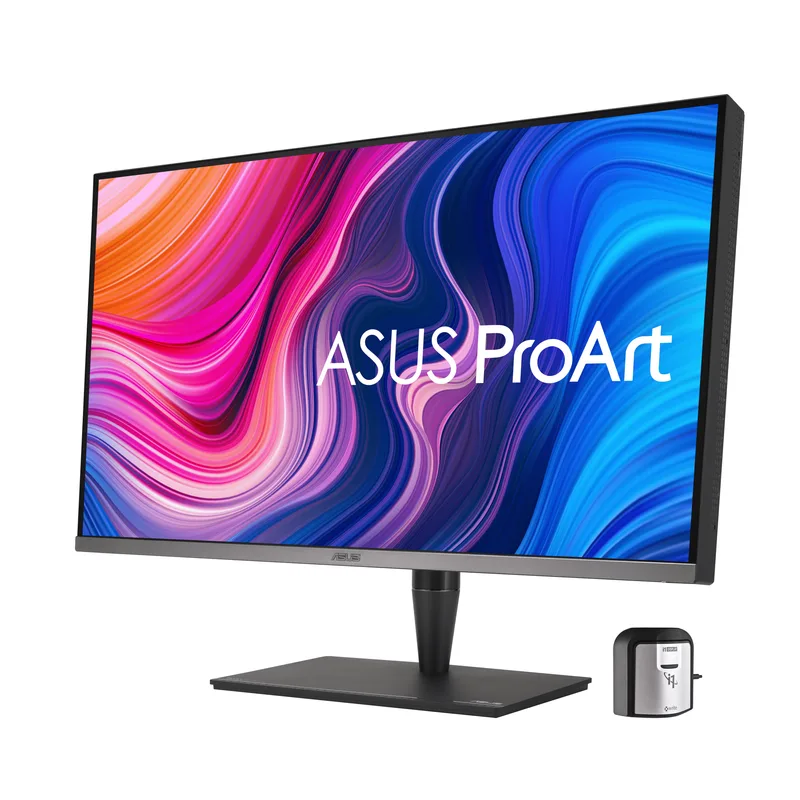
The PA32UCG-K’s strongest feature is not on any spec sheet — it is what ASUS puts in the box. Every unit ships with an X-rite i1 Display Pro hardware colorimeter, a calibration tool that costs $250-$350 as a standalone purchase. For remote editors who need to recalibrate their display periodically as the panel ages, this eliminates both an upfront cost and a shopping decision. The calibrator works with industry-standard color management software including Calman and ColourSpace.
Factory calibration to ΔE under 1 is measurably different from the ΔE-under-2 claims that most monitors advertise. A ΔE under 1 means color differences between the display output and the target are invisible to the human eye under normal viewing conditions. For proof work, client review sessions, and any output that needs to match broadcast or streaming delivery specs, this is the accuracy level that eliminates the “my colors look different on their screen” problem.
The 1152-zone mini-LED backlight is what separates this panel from standard IPS monitors for HDR video review. Mini-LED dimming zones allow bright highlights and deep shadows to coexist in the same frame — a key requirement for reviewing HDR footage. Standard IPS panels with global dimming wash out shadows when bright elements are on screen. The PA32UCG-K’s 1600-nit peak brightness handles HDR10 and Dolby Vision review at intensities that approximate the actual delivery environment.
At 120Hz with FreeSync Premium Pro, video playback is smooth at 24, 25, 30, 60, and 120fps without frame pacing issues. Timeline scrubbing in Premiere Pro, DaVinci Resolve, or Final Cut Pro feels responsive rather than choppy. Thunderbolt 3 at 90W handles single-cable laptop connections.
Who should buy this: Video editors, colorists, and motion graphics artists whose output requires accurate color representation. The included calibrator makes this the right choice for anyone whose work requires periodic recalibration — which is any professional color workflow.
Who should skip this: Editors on a budget — the BenQ PD3226G or ASUS ProArt PA279CRV deliver credible professional color at a fraction of this price. Also skip if the $2,499-$2,999 range is not justified by your output requirements.
2. BenQ PD3226G — Best Thunderbolt 4
BenQ PD3226G
Pros
- Thunderbolt 4 at 90W handles 4K at 144Hz without compression and charges demanding laptops simultaneously
- Reflection-free nano matte panel eliminates glare in bright home office environments without sacrificing image quality
- 144Hz refresh rate makes real-time video preview smooth — eliminates the 60Hz judder of older creator monitors
- Built-in KVM switch lets editors switch keyboard and mouse between two machines without unplugging anything
- Display Pilot 2 provides software-based color calibration profiles without external hardware tools
Cons
- 95% DCI-P3 falls short of the 98-99% coverage offered by the premium options in this roundup
- No hardware calibrator included — professional colorists will need to purchase calibration hardware separately
The PD3226G is the successor to the PD3220U, and the upgrade from Thunderbolt 3 to Thunderbolt 4 matters more than the spec sheet suggests. Thunderbolt 4 provides full 40Gbps bandwidth with certified compatibility across all TB4 devices — versus TB3’s variable implementation that sometimes caused display bandwidth issues at 4K. The 90W Power Delivery charges demanding Windows laptops and MacBook Pro models at full speed over the same cable carrying 4K video.
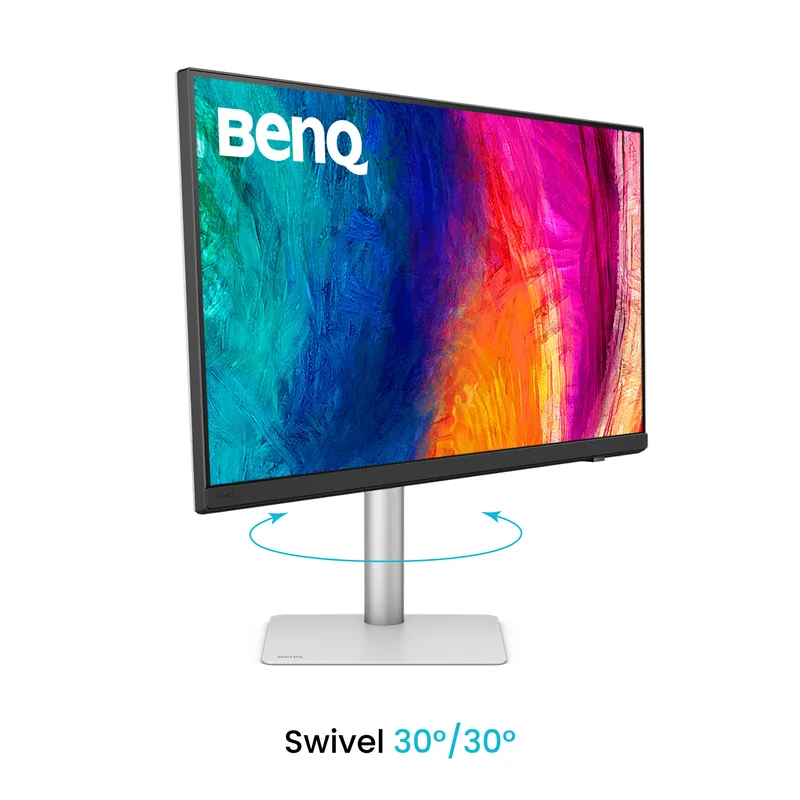
The nano matte panel surface addresses one of the most practical problems for home office editors: ambient light. Glossy and semi-glossy panels show reflections of windows and overhead lights as bright smears across the image, which makes color evaluation unreliable. The PD3226G’s nano matte coating diffuses ambient light without introducing the haze that some anti-glare treatments add to the image. Based on owner reports, editors in rooms with uncontrolled lighting consistently cite this as a significant improvement over their previous glossy monitors.
At 144Hz, video playback is smooth at every common delivery format: 24fps film, 25fps PAL, 30fps social, 60fps sports, and 120fps slow-motion review. 144Hz also makes the monitor dual-purpose for after-hours use — gaming and fast-paced content does not require a second display.
Display Pilot 2 software provides mode-based color management: editors can save calibrated profiles for video review, photography, and general work, then switch between them without re-entering display settings. This is not a replacement for hardware calibration but handles the practical day-to-day color management that most remote editors need.
Who should buy this: Mac or Windows laptop users who want a single cable to handle both 4K display output and laptop charging at full speed, plus a panel that works reliably in bright home office environments. The best mid-tier choice for editors who cannot justify the PA32UCG-K’s price.
Who should skip this: Colorists requiring hardware calibration hardware and verified color management integration — the PA32UCG-K’s included X-rite tool covers that workflow. Also skip if 95% DCI-P3 feels meaningfully insufficient for your specific color output requirements.
3. ASUS ROG Swift OLED PG27UCDM — Best OLED
ASUS ROG Swift OLED PG27UCDM
Pros
- 99% DCI-P3 QD-OLED with perfect black levels — shadow detail in dark scenes renders as intended, not crushed
- DisplayPort 2.1a UHBR20 provides full 80Gbps bandwidth for 4K 240Hz without compression artifacts
- USB-C with 90W Power Delivery handles MacBook Pro 14-inch and most Windows laptops over a single cable
- True 10-bit color (not 8-bit + FRC) ensures accurate rendering for HDR10 and Dolby Vision content
- 240Hz playback capability reveals motion artifacts in video footage clearly during review and scrubbing
Cons
- Gaming branding and ecosystem — lacks professional calibration integration like Calman or ColourSpace
- 27 inches is smaller than the 31.5-inch options in this roundup; dense timelines need more screen space
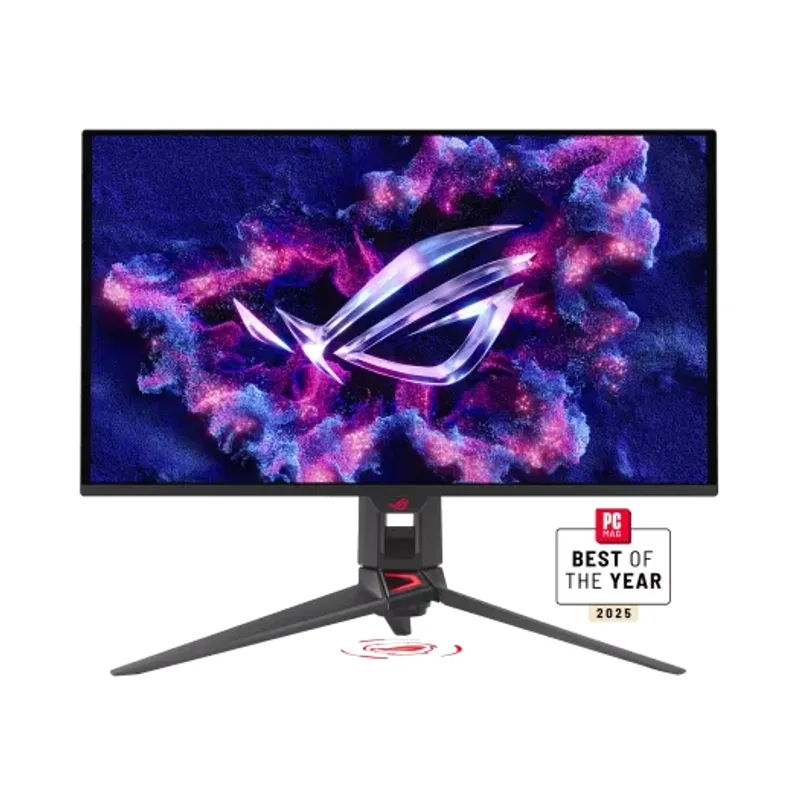
The ROG Swift PG27UCDM earns the OLED slot in this roundup because QD-OLED delivers something mini-LED and IPS panels cannot: perfect per-pixel black levels. For video editors reviewing footage with dark scenes, interiors, and night shots, OLED’s infinite contrast ratio renders shadow detail as it was captured — not crushed by backlight glow bleeding across dimming zones.
The 99% DCI-P3 coverage and True 10-bit color make this a genuinely capable editing monitor. Based on owner reports from editors and photographers using it for color review work, the color accuracy holds up well against reference monitors for standard dynamic range content. For HDR review, the QD-OLED’s self-emissive pixels handle highlight transitions more smoothly than LCD panels with local dimming.
DisplayPort 2.1a UHBR20 provides the full 80Gbps bandwidth specification — enough to drive 4K at 240Hz without display stream compression. USB-C at 90W handles single-cable laptop connections, matching the BenQ PD3226G’s charging capability without requiring Thunderbolt 4 certification.
The 240Hz ceiling makes this monitor genuinely useful for both editing work and high-frame-rate gaming or video playback review without any compromise. Where the PA32UCG-K is specialized for color work, the PG27UCDM handles both use cases from the same panel.
Who should buy this: Editors who prioritize OLED’s contrast ratio for dark scene review, or remote workers who want a single high-performance panel for both professional editing and gaming. Also the right pick for editors who work heavily with dark-themed interfaces — an OLED panel makes those environments meaningfully more comfortable for long sessions.
Who should skip this: Professional colorists who need Calman or ColourSpace hardware calibration integration — the ROG ecosystem is built for gaming, not studio color management. Also skip if 27 inches feels tight for dense video timelines; the BenQ PD3226G and LG Ergo both offer more screen area.
4. LG 32UN880-B Ergo — Best Ergo Stand
LG 32UN880-B Ergo
Pros
- Ergo C-Clamp arm mounts to the desk edge instead of a footprint stand — frees desk space for a drawing tablet or reference prints
- 32-inch 4K panel at 95% DCI-P3 covers the professional color range for most video editing and color review work
- USB-C with 60W Power Delivery connects modern laptops over one cable for simplified desk routing
- Full ergonomic adjustment — extend, retract, pivot, and tilt to any position without tools
- Most affordable 32-inch 4K panel in this roundup with credible color coverage for editing
Cons
- 60Hz only — not suitable for smooth high-frame-rate video preview or responsive timeline scrubbing
- 350 nit peak brightness limits HDR preview accuracy — bright highlights in HDR footage will not render at full intensity
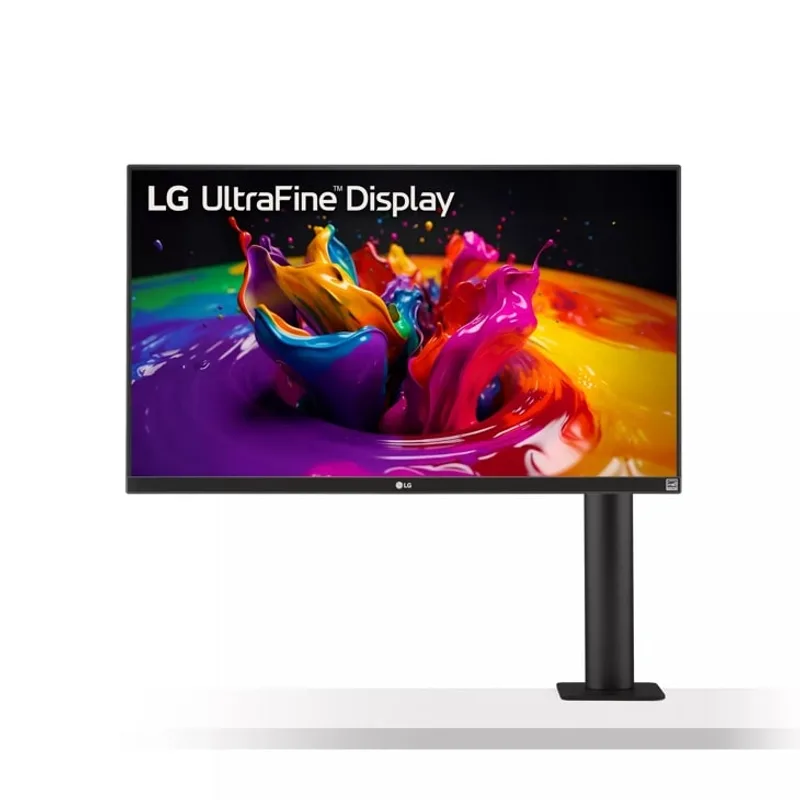
The LG 32UN880-B’s defining feature is not the display — it is the included C-Clamp ergo arm. Most monitors ship with a stand that occupies a footprint on the desk. The 32UN880-B’s arm clamps to the desk edge and extends the monitor over the desk surface, leaving the full workspace below it clear. For editors who use a drawing tablet, external drives, a reference keyboard, or physical color charts, this matters more than any display specification.
The 32-inch 4K IPS panel covers 95% DCI-P3, which is the minimum credible coverage for professional video editing review. It will not match the 98-99% coverage of the premium options above, but it is sufficient for standard delivery to web, streaming, and broadcast — the primary outputs for most remote editors. For cinema or high-end commercial color grading, the PA32UCG-K is the better choice.
USB-C at 60W connects modern laptops over a single cable, which is the right solution for editors with a drawing tablet setup who want to minimize cables on the desk surface. At $699-$849, this is also the most affordable 32-inch 4K panel with legitimate professional color coverage in this roundup.
The 60Hz ceiling is the meaningful trade-off. Timeline scrubbing in Premiere Pro or DaVinci Resolve is less responsive at 60Hz than at 120Hz or 144Hz, and high-frame-rate video preview requires the software to simulate motion rather than showing actual playback. For editors who scrub primarily through cuts rather than scrubbing motion-heavy footage, 60Hz is manageable. For editors doing motion graphics or sports footage review, 60Hz will feel limiting.
Who should buy this: Editors with a cluttered desk who use a drawing tablet or need physical space below the monitor. The ergo arm is the main reason to choose this over the PA279CRV — if you do not need the desk space, the PA279CRV covers more of the color space at a lower price.
Who should skip this: Editors who do a lot of timeline scrubbing through motion-heavy footage — the 60Hz panel will feel sluggish compared to the 120Hz and 144Hz options. Also skip for HDR-primary workflows, as 350 nits peak brightness cannot represent HDR highlights accurately.
5. ASUS ProArt PA279CRV — Best Value
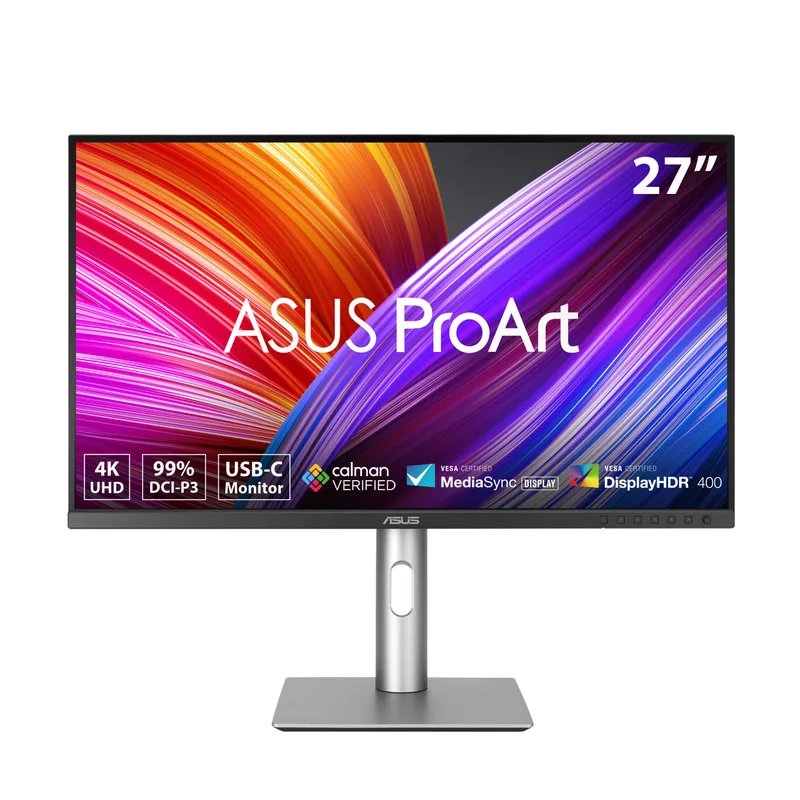
ASUS ProArt PA279CRV
Pros
- 99% DCI-P3 and 99% Adobe RGB coverage at $380-$430 is the strongest color gamut per dollar in this roundup
- Calman Verified and factory calibrated to ΔE < 2 — professional color accuracy without purchasing a separate calibrator
- 96W USB-C Power Delivery is the highest wattage in this roundup — charges MacBook Pro 16-inch at full speed
- Daisy-chain via DisplayPort MST connects a second monitor without using an additional port on the laptop
- 3-year warranty with no-dead-pixel policy covers the panel from defects at the pixel level
Cons
- 60Hz only — not suitable for smooth video preview at high frame rates or responsive timeline scrubbing
- IPS panel lacks the contrast depth of OLED options; shadow detail in dark scenes requires careful brightness calibration
The PA279CRV is the most surprising monitor in this roundup because of what it delivers at $380-$430: 99% DCI-P3 coverage, 99% Adobe RGB coverage, Calman Verified status, and factory calibration to ΔE < 2. Five years ago, those specs described monitors that cost $1,500. The PA279CRV is the proof that professional color accuracy has become accessible.
Factory calibration to ΔE < 2 means the panel ships at a professional accuracy threshold. Based on the Calman Verified certification, ASUS has submitted sample units to third-party testing that confirmed the accuracy claims hold in production units — not just press review samples. For editors who cannot afford a hardware calibrator, this provides a trustworthy color baseline from the start.
The 96W USB-C Power Delivery is the highest in this roundup. It charges MacBook Pro 16-inch at full rated speed under load — something that 60W and 65W chargers cannot do during demanding export tasks. For editors who use a high-performance MacBook as their editing machine, this matters practically during render-intensive sessions.
Daisy-chain support via DisplayPort MST allows a second monitor to connect through the PA279CRV, rather than requiring a second port on the laptop. For editors who use a reference monitor as a second display for client-facing content while working on the main panel, this simplifies cabling significantly.
The 60Hz limitation is real for editors who scrub high-frame-rate footage or do motion graphics work. For editors whose primary work involves cut-based review, documentary footage, or standard 24-30fps delivery, 60Hz is sufficient and the $380-$430 price point frees budget for storage, faster drives, or audio gear.
Who should buy this: Editors on a limited budget who need credible professional color without compromises on coverage or factory accuracy. Also the right choice as a second display in a dual-monitor editing setup where one panel handles color-accurate review and the other handles communication, reference, or client-facing output.
Who should skip this: Editors who scrub motion-heavy footage heavily, or who do motion graphics and VFX work — the 60Hz ceiling will be frustrating. Also skip if 27 inches feels too small for your timeline workflow.
What to Look for in a Video Editing Monitor
Color Gamut Coverage
The most important spec for video editors is how much of a color space the monitor covers. DCI-P3 is the standard for digital cinema, streaming delivery (Netflix, Amazon, Apple TV), and most professional video output. A monitor covering 95% DCI-P3 handles the overwhelming majority of professional video work. 99% coverage represents the professional standard where color differences are essentially invisible between monitors.
Adobe RGB coverage matters for editors whose work bridges video and print — commercial work, magazine content, documentary photography. A monitor covering 99% Adobe RGB handles both video and print color spaces from the same panel.
Factory Calibration and ΔE
Delta E (ΔE) measures the average color difference between what the monitor displays and the target value. A ΔE below 2 means the differences are barely perceptible even to trained eyes. A ΔE below 1 is effectively invisible. Factory-calibrated monitors arrive at a known accuracy baseline — uncalibrated monitors may drift well beyond their advertised spec in actual production units.
Calman Verified is a third-party certification that validates the factory calibration claims. It carries more weight than manufacturer-stated ΔE numbers that may come from best-case or pre-production units.
Local Dimming for HDR
For editors working with HDR footage or delivering to HDR platforms, local dimming zone count matters. A monitor with 16 dimming zones averages brightness over large blocks of the screen — bright highlights reduce shadow brightness in surrounding areas. The ASUS PA32UCG-K’s 1152 zones are fine enough to handle HDR10 and Dolby Vision review accurately. Standard IPS monitors with global or low-zone dimming are not suitable for HDR grading review.
Refresh Rate for Editing
At 60Hz, timeline scrubbing and video playback are functional but not ideal. 120Hz and above makes scrubbing feel responsive and allows high-frame-rate preview without software simulation. For editors who do a lot of motion graphics, action footage, or high-frame-rate delivery, 120Hz minimum is worth prioritizing.
Connectivity
USB-C with Power Delivery at 90W+ allows a single cable to drive the display and charge a laptop at full speed. Thunderbolt 4 adds certified compatibility and higher bandwidth. For editors who travel with a laptop and return to a desk setup, single-cable simplicity has real daily value.
Size: 27 vs 32 Inches
At 4K resolution, both 27-inch and 32-inch panels maintain high pixel density — text stays sharp and individual pixels are not visible at normal desk distances. The practical difference is timeline and workspace real estate. Editors who work with dense multi-track timelines, multiple reference panels, or side-by-side document review will find 32 inches meaningfully more comfortable for a full workday.
FAQ
Q: What Delta E rating do I actually need for professional video editing? For standard delivery to web and streaming platforms, a factory-calibrated monitor at ΔE < 2 is sufficient — the PA279CRV and BenQ PD3226G both qualify. For broadcast delivery with strict color accuracy requirements, ΔE < 1 from a hardware-calibrated source is the professional standard. The PA32UCG-K with its included X-rite calibrator covers this requirement. For HDR delivery to Netflix or Apple TV, local dimming zone count matters as much as ΔE accuracy.
Q: Is an OLED monitor better than mini-LED IPS for video editing? They address different strengths. OLED provides perfect per-pixel black levels, which renders dark scenes and shadow detail as captured — important for film-style footage, interiors, and night scenes. Mini-LED IPS panels like the PA32UCG-K provide higher peak brightness and more precise HDR representation for highlight-heavy content, with better resistance to burn-in for static UI elements like timelines and color wheels. For editors who spend most of their time with dark footage, OLED is a genuine advantage. For editors who do significant HDR review and grading, mini-LED’s peak brightness is more directly useful.
Q: Do I need a hardware colorimeter to calibrate my editing monitor? If your monitor ships factory-calibrated with Calman Verified status (PA279CRV, PA32UCG-K), it arrives at a professional accuracy baseline without manual calibration. However, all panels drift over time — typically 6-12 months before the color shift becomes measurable. If you are doing delivery work where color accuracy is contractually important, a hardware calibrator recalibrates periodically. The PA32UCG-K includes the X-rite i1 Display Pro. All other monitors here require a separate purchase if recalibration matters to your workflow.
Q: Can a gaming monitor like the ASUS ROG Swift work for professional video editing? Based on owner reports from editors using the PG27UCDM and similar QD-OLED panels for color review work, yes — the 99% DCI-P3 coverage and True 10-bit color hold up for standard dynamic range editing and review. The gap versus a dedicated creator monitor is primarily in professional calibration software integration and certified accuracy claims. For editors whose clients do not require a specific calibrated pipeline, the PG27UCDM delivers strong color accuracy at $1,049-$1,099.
Q: Should I use one 32-inch monitor or two 27-inch monitors for editing? Owner reports from editors consistently favor a single large primary display over two smaller monitors for video work. A single 32-inch 4K panel keeps the editing timeline and preview window on the same high-accuracy display. Dual monitors introduce the risk of color inconsistency between panels, requiring both to be calibrated to the same profile — a workflow complication. A common setup is a single color-accurate 32-inch primary panel plus a secondary display (often a laptop screen or a basic 1080p monitor) for communication, reference, and client-facing content.
Q: Does a faster refresh rate help with video editing beyond 60Hz? Yes, but in a different way than gaming. The improvement from 60Hz to 120Hz or 144Hz in an editing context is felt during timeline scrubbing and real-time preview — the playhead moves smoothly rather than in visible steps when scrubbing through footage. For editors who review a lot of motion-heavy footage or do motion graphics, 120Hz+ is a tangible improvement to the review workflow. For editors who primarily work with static frames, dialogue-heavy cuts, or documentary footage, 60Hz is workable.
Conclusion
For most remote video editors, the decision comes down to one of three positions:
Professional color pipeline → ASUS ProArt PA32UCG-K. The included X-rite calibrator, 1152-zone mini-LED backlight, and ΔE < 1 factory accuracy make this the right choice for editors whose work requires verifiable color accuracy. At $2,499-$2,999, it is expensive — but it replaces the monitor purchase plus calibrator purchase in one transaction.
Mid-range versatility → BenQ PD3226G. Thunderbolt 4, 144Hz, and a reflection-free nano matte panel solve the three most practical problems for home office editors: cable management, smooth preview, and ambient light handling. At $999-$1,099, it is the best professional creator monitor at this price point.
Maximum color accuracy for minimum spend → ASUS ProArt PA279CRV. At $380-$430, 99% DCI-P3 and 99% Adobe RGB with Calman Verified factory calibration is the most accurate color per dollar available. The 60Hz ceiling is the trade-off — accept it and the PA279CRV covers every standard delivery requirement at a price that leaves budget for everything else in a home studio.
Detailed Reviews
ASUS ProArt PA32UCG-K
Pros
- 1152-zone mini-LED backlight delivers the local dimming precision required for professional HDR video review
- Factory calibrated to ΔE < 1 — accurate color straight out of the box without purchasing extra tools
- Includes X-rite i1 Display Pro hardware calibrator, normally a $250-$350 separate purchase
- 120Hz with FreeSync Premium Pro enables smooth video playback and responsive timeline scrubbing
- Thunderbolt 3 with 90W Power Delivery supports single-cable laptop connections for clean desk routing
Cons
- At $2,499-$2,999, it is the most expensive panel in this roundup
- Thunderbolt 3 (not 4) limits theoretical bandwidth compared to the BenQ PD3226G
BenQ PD3226G
Pros
- Thunderbolt 4 at 90W handles 4K at 144Hz without compression and charges demanding laptops simultaneously
- Reflection-free nano matte panel eliminates glare in bright home office environments without sacrificing image quality
- 144Hz refresh rate makes real-time video preview smooth — eliminates the 60Hz judder of older creator monitors
- Built-in KVM switch lets editors switch keyboard and mouse between two machines without unplugging anything
- Display Pilot 2 provides software-based color calibration profiles without external hardware tools
Cons
- 95% DCI-P3 falls short of the 98-99% coverage offered by the premium options in this roundup
- No hardware calibrator included — professional colorists will need to purchase calibration hardware separately
ASUS ROG Swift OLED PG27UCDM
Pros
- 99% DCI-P3 QD-OLED with perfect black levels — shadow detail in dark scenes renders as intended, not crushed
- DisplayPort 2.1a UHBR20 provides full 80Gbps bandwidth for 4K 240Hz without compression artifacts
- USB-C with 90W Power Delivery handles MacBook Pro 14-inch and most Windows laptops over a single cable
- True 10-bit color (not 8-bit + FRC) ensures accurate rendering for HDR10 and Dolby Vision content
- 240Hz playback capability reveals motion artifacts in video footage clearly during review and scrubbing
Cons
- Gaming branding and ecosystem — lacks professional calibration integration like Calman or ColourSpace
- 27 inches is smaller than the 31.5-inch options in this roundup; dense timelines need more screen space
LG 32UN880-B Ergo
Pros
- Ergo C-Clamp arm mounts to the desk edge instead of a footprint stand — frees desk space for a drawing tablet or reference prints
- 32-inch 4K panel at 95% DCI-P3 covers the professional color range for most video editing and color review work
- USB-C with 60W Power Delivery connects modern laptops over one cable for simplified desk routing
- Full ergonomic adjustment — extend, retract, pivot, and tilt to any position without tools
- Most affordable 32-inch 4K panel in this roundup with credible color coverage for editing
Cons
- 60Hz only — not suitable for smooth high-frame-rate video preview or responsive timeline scrubbing
- 350 nit peak brightness limits HDR preview accuracy — bright highlights in HDR footage will not render at full intensity
ASUS ProArt PA279CRV
Pros
- 99% DCI-P3 and 99% Adobe RGB coverage at $380-$430 is the strongest color gamut per dollar in this roundup
- Calman Verified and factory calibrated to ΔE < 2 — professional color accuracy without purchasing a separate calibrator
- 96W USB-C Power Delivery is the highest wattage in this roundup — charges MacBook Pro 16-inch at full speed
- Daisy-chain via DisplayPort MST connects a second monitor without using an additional port on the laptop
- 3-year warranty with no-dead-pixel policy covers the panel from defects at the pixel level
Cons
- 60Hz only — not suitable for smooth video preview at high frame rates or responsive timeline scrubbing
- IPS panel lacks the contrast depth of OLED options; shadow detail in dark scenes requires careful brightness calibration