Your employer-issued laptop handles the commute fine. But sitting at your home desk for eight hours straight is a different use case — you want consistent performance, quiet fans, and enough display outputs to run your full monitor setup. A mini PC solves all of that without the bulk, noise, or cost of a tower.
The five options below cover the full range: from the $389 budget pick that still handles everything a remote worker needs, to the $649 business-grade machine with enterprise warranty. All five handle video calls, multi-monitor setups, and cloud application workloads reliably.
Short on time? The Apple Mac Mini M4 is the overall winner for macOS users. The Beelink SER8 (8845HS) is the best Windows pick. Budget-constrained? The Beelink SER8 (8745HS) at $389 covers every essential.
What to Look for in a Home Office Mini PC
RAM: 16GB minimum, 32GB preferred. Zoom or Teams combined with a browser with 10+ tabs, Slack, email, and a PDF can push 16GB to its limits. The Mac Mini ships with 16GB unified memory that behaves more efficiently than standard DDR5 and rarely hits swap under office workloads. The Windows options with 32GB DDR5 have obvious headroom and no edge cases to worry about.
Quiet fans during calls. Fan noise bleeds into microphones on video calls. All five picks run quietly during typical office loads — differences only emerge under sustained CPU stress. The Mac Mini is exceptional here: its M4 chip barely spins the fan during a three-hour call with screen sharing.
Display output count. Most remote workers run dual monitors. Verify that the mini PC supports the number of independent displays you need and through which ports. Some machines list four video outputs but only support two or three simultaneous independent displays in practice. The MINISFORUM UM890 Pro is the standout with confirmed quad display support.
Upgradeable components. The Mac Mini uses soldered unified memory — you cannot add RAM after purchase. All four Windows options use socketed DDR5 SO-DIMMs and standard M.2 slots. If your workloads grow, you can extend these machines affordably.
Port selection. Audit your peripherals: USB-A count, USB-C or Thunderbolt needs, HDMI vs DisplayPort, and whether you need wired Ethernet. A Thunderbolt 4 dock dramatically reduces the complexity of connecting everything.
The 5 Best Mini PCs for Home Office in 2026
1. Apple Mac Mini (M4, 2026) — Editor’s Pick
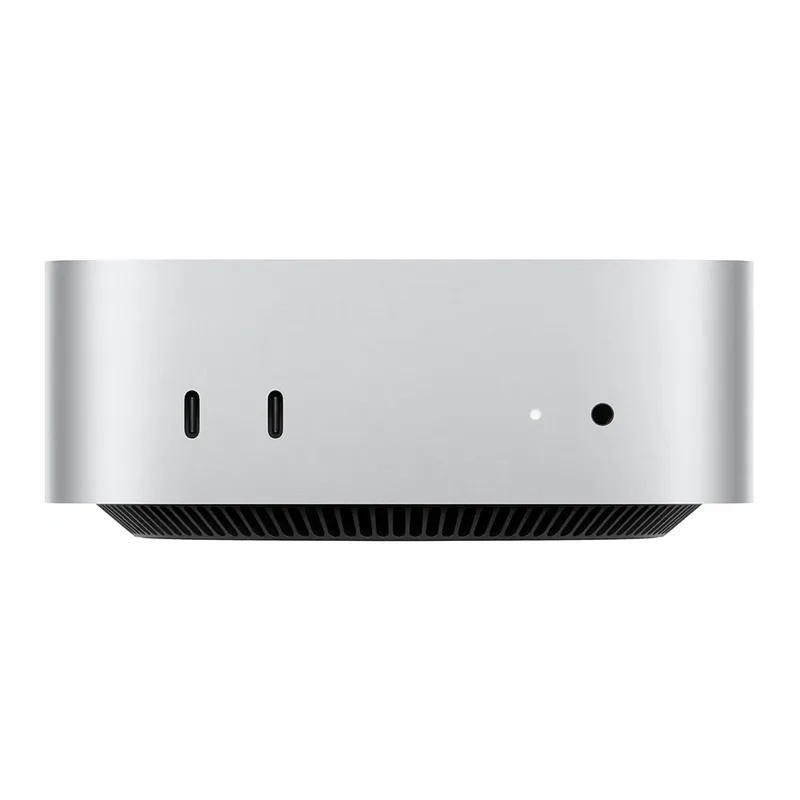
The M4 Mac Mini is as quiet and capable as a home office machine gets. Apple’s M4 chip sustains high performance without the thermal throttling that affects Intel and AMD mini PCs during extended workloads — three-hour video calls, background file conversions, and 15 open browser tabs at once don’t slow it down.
The near-silent operation is its most underrated quality. Many Windows mini PCs cycle their fans noticeably when the CPU spikes during video encoding (which happens continuously on every call). The Mac Mini M4 runs with no audible fan under virtually all office workloads. Your microphone stays clean, and you stop noticing the machine entirely.
Two Thunderbolt 4 ports on the rear expand connectivity through a single dock: one cable connects monitor output, USB-A ports, Ethernet, and power passthrough from a quality Thunderbolt hub. The HDMI 2.1 port adds a third display option if needed.
Good fit for: macOS users, or anyone willing to switch who prioritizes silent operation and sustained performance. Also the right call for compact desk setups — the Mac Mini disappears behind a monitor on a VESA arm.
Skip if: You need Windows-native software, heavy local storage without external drives, or the ability to upgrade RAM. The 256GB base fills fast. Configure 512GB at purchase or budget for an external SSD from day one.
The M4 Mac Mini lists at $599 and drops to $499 during Amazon sale events.
2. Beelink SER8 (Ryzen 7 8845HS) — Best Value
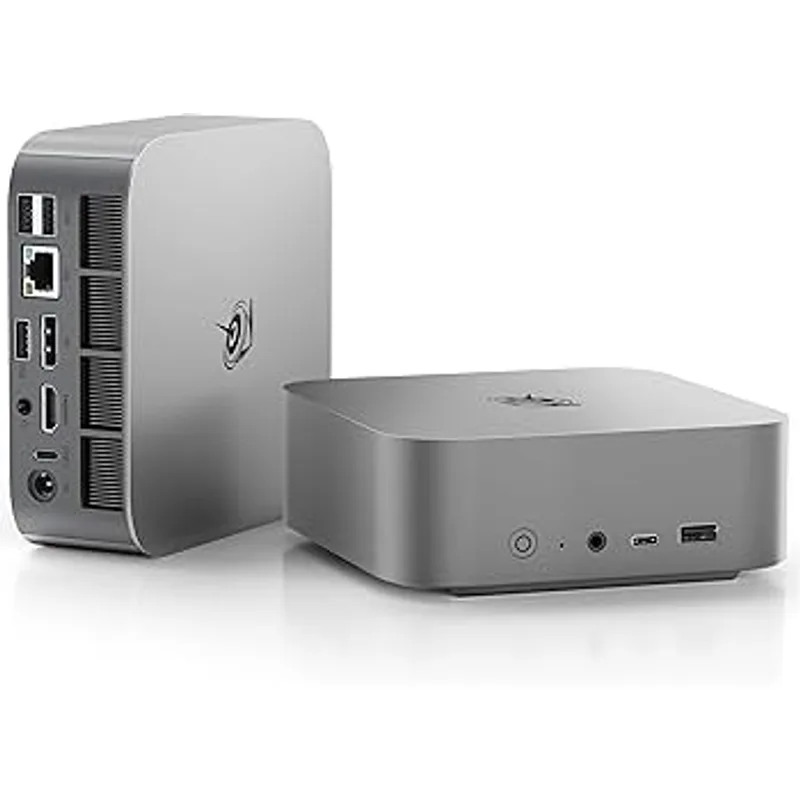
The best Windows mini PC for remote work at this price. $499 gets you 32GB DDR5 RAM and a 1TB NVMe SSD standard — no configuration upgrade needed. Most Windows mini PCs at similar prices ship with 16GB or 512GB as baseline, which translates to higher real-world cost once you account for upgrades.
The Ryzen 7 8845HS runs eight cores at up to 5.1GHz. For video calls, cloud apps, spreadsheets, and document work, there’s no perceivable ceiling. The AMD Radeon 780M handles dual 4K monitor output natively, so you don’t need discrete graphics for a dual-display home office setup.
The USB4 port enables Thunderbolt 4 peripherals and monitors, and the 2.5Gbps LAN port is genuinely useful for multi-gigabit home networks or anyone who prefers a wired connection for calls. RAM and SSD are both user-replaceable — not important today, but useful in three years.
Good fit for: Windows users who want maximum performance per dollar. The 8845HS outperforms anything else at $499 with the storage and RAM to avoid short-term upgrade costs.
Skip if: You need macOS, or silent operation is critical — the fan is audible during large file exports, though quiet enough during normal calls.
3. ASUS ExpertCenter PN64 — Best for Business
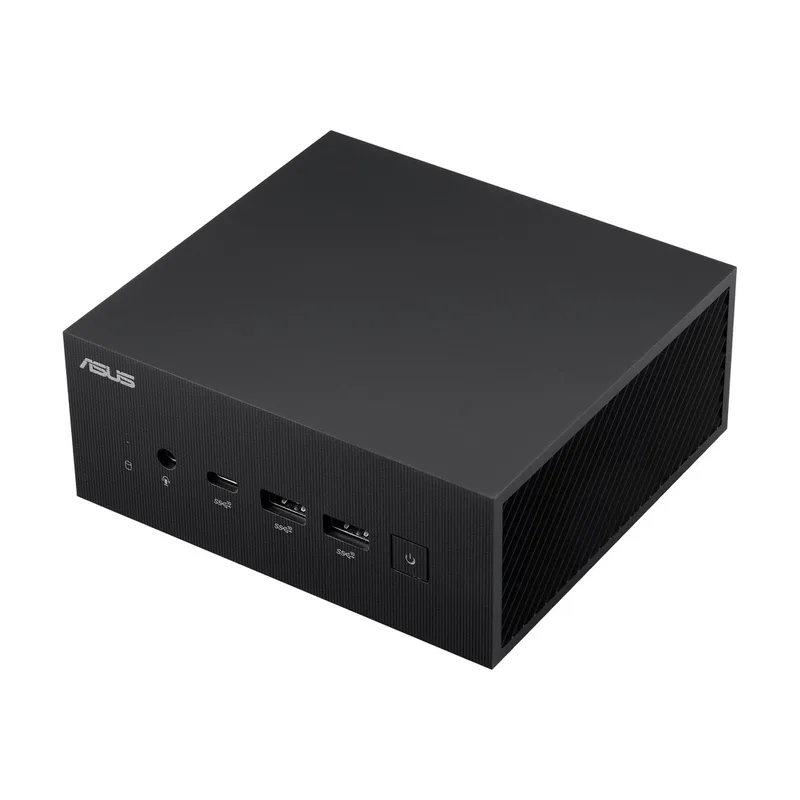
The enterprise option on this list. The PN64 is designed for commercial deployment — tighter build quality, tested thermal management, and ASUS’s business support infrastructure rather than consumer-tier service.
The Intel Core i7-12700H provides fourteen cores through Intel’s hybrid architecture (six performance cores, eight efficiency cores), and the Thunderbolt 4 ports connect to the same peripheral ecosystem as the Mac Mini — compatible docks, displays, and high-speed storage without adapter concerns.
Quad-display support through the Thunderbolt 4, HDMI, and DisplayPort combination is the PN64’s differentiating capability for multi-monitor power users. The VESA mount bracket in the box is a practical inclusion — attach the PN64 to the back of a monitor and eliminate it from the desk surface entirely.
Good fit for: Teams deploying standardized hardware who need enterprise warranty coverage, or individuals who need quad display support or Thunderbolt 4 dock compatibility with business-grade reliability guarantees.
Skip if: You have $649 and want the best Windows performance for the money. The Beelink SER8 and MINISFORUM UM890 Pro both offer more RAM and newer AMD architecture. The PN64’s value is in its business credentials, not raw specifications.
4. MINISFORUM UM890 Pro — Most Powerful
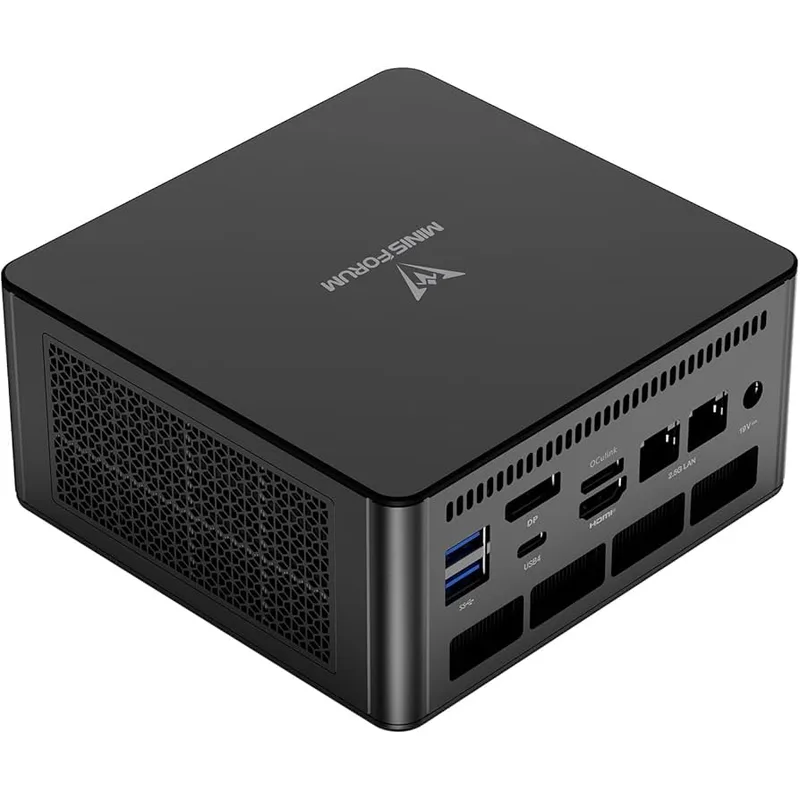
The top-spec option here. The Ryzen 9 8945HS is AMD’s highest-performance mobile chip — eight high-performance cores at up to 5.2GHz, with a Radeon 780M GPU binned to higher performance than the 780M variants in Ryzen 7 models. For workers who process media, run virtual machines, do light development, or push their machine hard alongside daily calls, the 8945HS provides headroom the 8845HS doesn’t match.
The dual 2.5G LAN ports are unique on this list. If you need two wired connections — one for work VPN and one for personal use, or one each to separate ISPs — the UM890 Pro handles it natively without adapters. The OCuLink port connects to external GPU enclosures, extending the machine’s graphics capability if workloads grow.
Updated pricing: the UM890 Pro has dropped from its launch price and is now available around $549 from MINISFORUM’s official store.
Good fit for: Power users who need maximum compute performance, dual-LAN connectivity, or the option to add an external GPU later.
Skip if: Your daily tasks are standard video calls and cloud apps. The 8945HS is faster than the 8845HS, but not detectably so for office work. Save the $50 and get the Beelink SER8.
5. Beelink SER8 (Ryzen 7 8745HS) — Best Budget
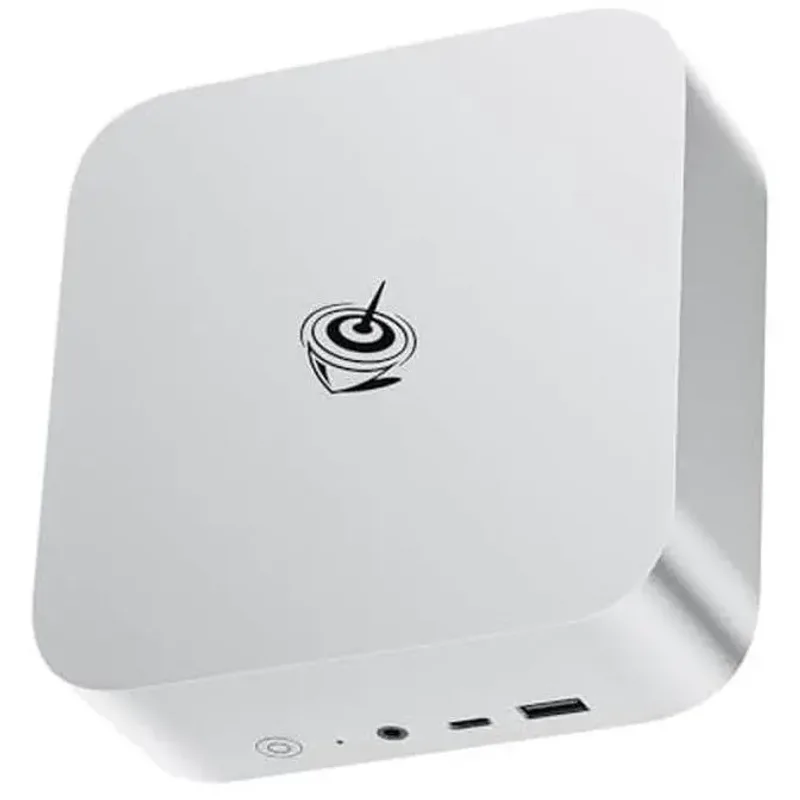
$389 for 32GB DDR5, 1TB NVMe SSD, USB4, 2.5Gbps LAN, and AMD Radeon 780M graphics. That specification is only possible at this price from Beelink.
The 8745HS is a slightly lower-clocked variant of the same architecture as the 8845HS — eight cores, DDR5 memory, and Radeon 780M — with a lower maximum boost of 4.9GHz vs. 5.1GHz. For remote work tasks — video calls, browser tabs, document editing, Slack, email — this gap is invisible in day-to-day use. Dual 4K monitor support via HDMI and DisplayPort works without discrete graphics.
Good fit for: Remote workers on a budget who need every essential feature without paying for performance headroom they won’t use.
Skip if: You regularly run sustained heavy compute tasks like video rendering or large compilation jobs. The 8845HS is worth the extra $110 for those workloads.
Comparison Table
| Mini PC | Price | Processor | RAM | Storage | Display Outputs | Ethernet |
|---|---|---|---|---|---|---|
| Mac Mini M4 | Unavailable | Apple M4 | 16GB Unified | 256GB SSD | 2x TB4 + HDMI | 1G RJ45 |
| Beelink SER8 (8845HS) | Unavailable | Ryzen 7 8845HS | 32GB DDR5 | 1TB SSD | 2x HDMI + DP + USB4 | 2.5G RJ45 |
| ASUS PN64 (i7-12700H) | Unavailable | Intel i7-12700H | 16GB DDR5 | 512GB SSD | 2x TB4 + HDMI + DP | 1G RJ45 |
| MINISFORUM UM890 Pro | $989.00 as of Oct 18, 2026 | Ryzen 9 8945HS | 32GB DDR5 | 1TB SSD | 2x USB4 + HDMI + DP | 2x 2.5G RJ45 |
| Beelink SER8 (8745HS) | Unavailable | Ryzen 7 8745HS | 32GB DDR5 | 1TB SSD | 2x HDMI + DP + USB4 | 2.5G RJ45 |
Buying Guide: Matching a Mini PC to Your Setup
For macOS users: The Mac Mini M4 is the only option worth considering. $599 is competitive against laptops with equivalent performance.
For Windows users who prioritize value: The Beelink SER8 (8845HS) at $499. More RAM than the ASUS, newer CPU architecture than the Intel-based options, lower price than the MINISFORUM.
For enterprise or IT-managed deployments: The ASUS ExpertCenter PN64. Business warranty, commercial support, and Thunderbolt 4 compatibility with enterprise docking solutions.
For power users with demanding workloads: The MINISFORUM UM890 Pro. The Ryzen 9 8945HS provides headroom for compute tasks beyond normal office use, plus dual LAN for multi-network setups.
For tight budgets: The Beelink SER8 (8745HS) at $389 covers every remote work requirement without compromise on the specs that matter: RAM, storage, display output, and wired networking.
Storage planning note: The Mac Mini’s 256GB fills fast with macOS, apps, and work files. Plan to add an external SSD from day one, or configure 512GB at purchase. The Windows mini PCs all include 1TB, which is adequate for most remote workers without supplemental storage.
Frequently Asked Questions
Can a mini PC handle Zoom or Teams calls without lag?
Yes. All five mini PCs here handle video conferencing without issue. Modern conferencing apps use hardware-accelerated video encoding built into the processor’s integrated GPU. CPU load during a typical call is low enough that other applications run in parallel without noticeable impact.
Do I still need a laptop if I buy a mini PC for home?
A mini PC is stationary — it doesn’t travel. For fully home-based workers, it can replace a laptop entirely when paired with the right peripherals. For hybrid workers, it complements rather than replaces a laptop: the mini PC handles the heavy desk work, the laptop handles mobility.
How do I connect a mini PC to my monitors?
Match your monitor’s inputs to the mini PC’s video outputs: HDMI, DisplayPort, or USB-C/Thunderbolt. A Thunderbolt 4 dock simplifies this — one cable from the mini PC to the dock, and the dock handles all monitor connections plus USB peripherals and Ethernet. Verify that the number of simultaneous independent displays the mini PC supports matches your monitor count before purchasing.
Is 16GB or 32GB RAM better for remote work?
32GB is better. Running Zoom with screen sharing, Slack, a browser with 15 tabs, and a PDF open simultaneously can push a 16GB system into swap memory — showing up as sluggish tab switching and app response. 32GB eliminates this pressure. The Mac Mini’s 16GB unified memory handles these workloads well due to its efficiency; 16GB on standard Windows DDR5 systems hits its limits sooner under the same parallel workloads.
Can I use my existing keyboard, mouse, and monitors?
Yes. Mini PCs connect to standard peripherals via USB-A, USB-C, HDMI, DisplayPort, and Bluetooth. Verify port count before purchasing based on your specific setup. If you need more ports than the mini PC provides, a USB hub or Thunderbolt dock extends connectivity from a single cable connection.
Should I upgrade the RAM or SSD at purchase or later?
For the Mac Mini: configure at purchase. Unified memory cannot be changed after the fact. For Windows mini PCs: the 32GB/1TB configurations on the Beelink and MINISFORUM options are sufficient for most remote workers from day one. If you need more storage in two or three years, a 2TB M.2 NVMe drive costs around $80 and takes fifteen minutes to swap.
The Bottom Line
The Apple Mac Mini M4 is the best overall home office mini PC — silent, powerful, compact, and unmatched for macOS users.
Among Windows options, the Beelink SER8 (8845HS) at $499 is the pick: 32GB DDR5, 1TB SSD, and AMD Ryzen 7 performance without paying for enterprise branding or unnecessary overhead.
Budget-constrained? The Beelink SER8 (8745HS) at $389 delivers the same memory and storage spec with a slightly lower-clocked CPU that won’t limit you in actual daily use.
Need enterprise warranty or quad display support? The ASUS ExpertCenter PN64 earns its price in a business context.
Running heavy compute workloads alongside your calls? The MINISFORUM UM890 Pro has the ceiling, the dual LAN, and now the pricing to match.
Detailed Reviews
Apple Mac Mini (M4, 2024)
Pros
- M4 chip handles video calls, cloud apps, and 4K editing simultaneously without thermal throttling
- Near-silent operation — no fan noise during typical office workloads
- Two Thunderbolt 4 ports support dual external 4K monitors or high-speed docks
- macOS stability and security suited to professional environments
- Smallest footprint on this list — can be VESA-mounted behind a monitor
Cons
- Base model 256GB fills up quickly — factor in external storage cost
- RAM is not user-upgradeable — choose the right configuration at purchase
Beelink SER8
Pros
- AMD Radeon 780M integrated graphics handles triple-display setups
- 32GB DDR5 RAM standard — no need to upgrade memory for demanding workloads
- 1TB SSD standard — sufficient local storage for most remote workers
- 2.5Gbps ethernet handles multi-gig network connections
- RAM and SSD are user-upgradeable — long-term investment
Cons
- Windows 11 license and activation should be verified at purchase
- Fan runs louder under sustained CPU-intensive workloads
ASUS ExpertCenter PN64
Pros
- ASUS business-grade build quality and warranty support
- Quad-display output supports complex multi-monitor setups
- Thunderbolt 4 for high-speed docks and external storage
- WiFi 6E for stable wireless connections
- VESA mount included in box
Cons
- 16GB RAM standard — may need upgrade for heavy multitaskers
- Intel 12th Gen CPU offers less per-watt efficiency than AMD or Apple silicon alternatives
- Higher price relative to Windows competitors with more RAM
MINISFORUM UM890 Pro
Pros
- Ryzen 9 8945HS delivers workstation-level performance in a compact chassis
- Dual 2.5G LAN ports — useful for network segmentation or multi-network setups
- OCuLink port supports external GPU expansion
- Quad display output via USB4 + HDMI + DP — most display ports on this list
- 32GB DDR5 and 1TB SSD included without configuration upgrades
Cons
- Larger footprint than Mac Mini or Beelink
- Fan is more audible than competing units under sustained workloads
Beelink SER8 (Ryzen 7 8745HS)
Pros
- Under $400 with 32GB RAM and 1TB SSD — exceptional value
- Sufficient performance for video calls, cloud apps, and general office work
- Radeon 780M handles dual 4K monitor output
- Compact and lightweight — fits anywhere on or under the desk
- Upgradeable RAM and SSD
Cons
- 8745HS has less headroom than 8845HS for sustained heavy workloads
- WiFi 6 rather than WiFi 6E