The mini PC market shifted significantly in early 2026 with AMD’s Ryzen AI Max+ 395 arriving in compact form factors. For the first time, a mini PC shipping under $2,000 carries enough integrated GPU compute to challenge dedicated graphics cards in DaVinci Resolve color work — not just keep up with them on simple timelines. Apple’s M4 Pro Mac Mini, now available at Amazon below Apple retail pricing, remains the benchmark for macOS-based remote editors. This roundup covers both worlds: the five best mini PCs for video editing right now, from a $499 entry point to a $1,800 GPU powerhouse.
Quick Comparison
| Mini PC | CPU | RAM | GPU | Best For | Price |
|---|---|---|---|---|---|
| Mac Mini M4 Pro (24GB) | Apple M4 Pro 12-core | 24GB Unified | 16-core Apple GPU | macOS editors, FCP/Resolve | Unavailable |
| GMKtec EVO-X2 AI (96GB) | Ryzen AI Max+ 395 16-core | 96GB LPDDR5X | 40 RDNA 3.5 CUs | GPU-heavy Windows workflows | Unavailable |
| ASUS NUC 14 Pro+ (96GB) | Core Ultra 7 155H | 96GB DDR5 | Intel Arc | Windows pro with Thunderbolt | Unavailable |
| Beelink SER8 8845HS | Ryzen 7 8845HS 8-core | 32GB DDR5 | Radeon 780M | Budget 4K editing | Unavailable |
| Mac Mini M4 (16GB) | Apple M4 10-core | 16GB Unified | 10-core Apple GPU | Entry-level FCP / 1080p | Unavailable |
1. Apple Mac Mini M4 Pro (24GB) — Best Overall
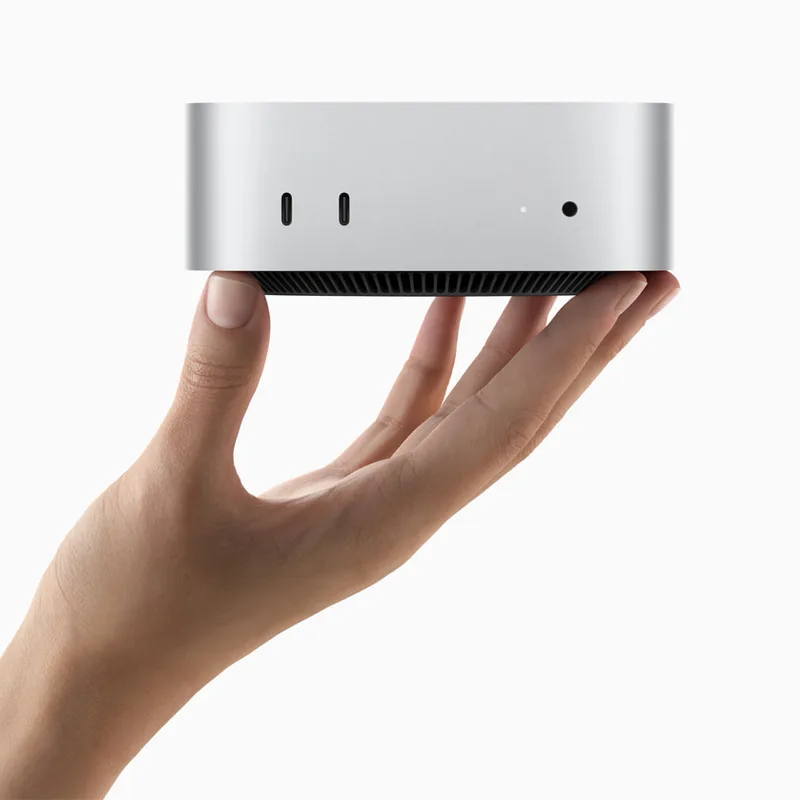
Apple Mac Mini M4 Pro (24GB)
Pros
- M4 Pro's 16-core GPU handles 4K DaVinci Resolve timelines without proxy workflows on most projects
- Three Thunderbolt 4 ports support dual external 6K displays or an eGPU enclosure if workloads grow
- Unified memory architecture means no VRAM cap — the GPU draws from the same 24GB pool as the CPU
- Final Cut Pro export speeds are dramatically faster than any Windows mini PC at any price
- Near-silent operation; the fan rarely spins audibly under sustained load
- Compact 127mm square footprint fits on or under any desk
Cons
- 24GB unified memory shows limits with large multicam 4K or 8K RAW timelines in Premiere Pro
- RAM is not upgradeable after purchase — choose 48GB at configuration time if future-proofing matters
- Storage is non-replaceable; 512GB fills up quickly with raw video files
The Mac Mini M4 Pro is the most capable mini PC for remote video editors who work primarily in macOS. The M4 Pro chip’s 12-core CPU handles 4K multicam timelines in Final Cut Pro without dropping frames, and the 16-core GPU has enough headroom for DaVinci Resolve color corrections and basic noise reduction without switching to proxy workflows on most projects.
The key advantage of unified memory is that there’s no discrete VRAM cap. Software allocates memory from a single 24GB pool across CPU and GPU tasks, which means DaVinci Resolve can use a larger portion of system memory for cache and GPU buffers than a discrete GPU with a fixed 8GB or 16GB VRAM limit would allow.
Three Thunderbolt 4 ports is a practical differentiator. For a remote editor, that means: one port to a fast external NVMe (for project storage), one to an external display, and one to a dock or USB hub — all simultaneously, without a hub on the primary Thunderbolt bus.
The only real buying decision is RAM. The 24GB configuration is sufficient for most 4K editing workflows. For 8K RAW, heavy multicam, or DaVinci Resolve projects with Fusion compositing and noise reduction applied on multiple clips, the 48GB M4 Pro configuration ($1,899–$1,999) eliminates that ceiling entirely.
2. GMKtec EVO-X2 AI (96GB) — Best GPU Performance
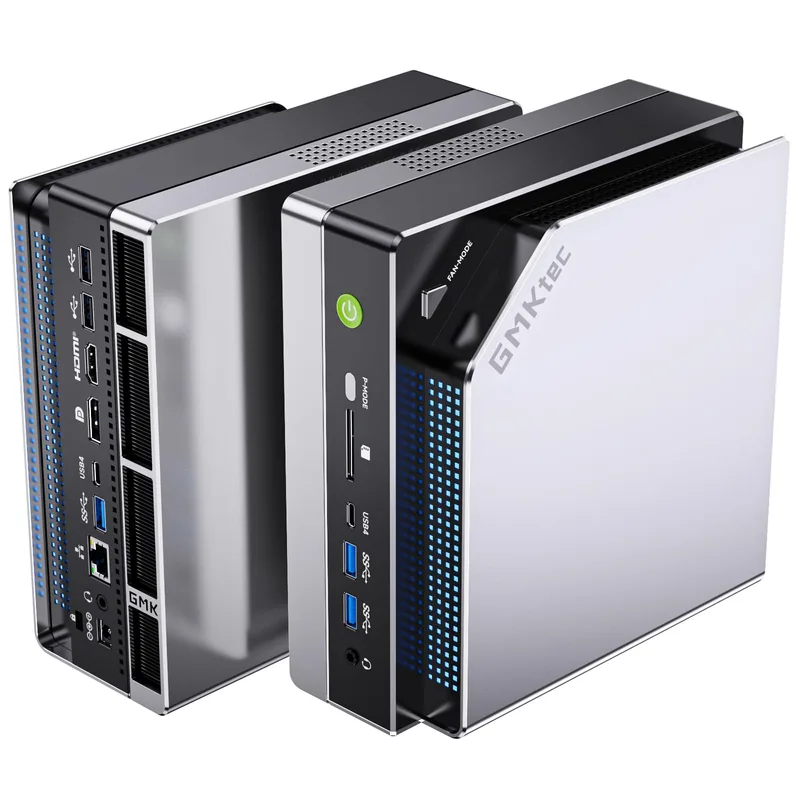
GMKtec EVO-X2 AI (96GB)
Pros
- 40 RDNA 3.5 GPU compute units with 96GB shared pool is unprecedented for a mini PC — handles GPU-heavy DaVinci color work that stumps other integrated chips
- Ryzen AI Max+ 395 benchmarks ahead of the M4 Pro in multi-threaded workloads like encoding and compositing
- 2TB SSD ships standard — enough raw storage for an active video project library without an external drive
- Wi-Fi 7 and USB4 are current-generation connectivity standards that will remain relevant for years
- Windows 11 Pro gives full access to Adobe Creative Cloud, Resolve Studio, and production plugins
Cons
- 96GB LPDDR5X is shared between CPU and GPU — while total capacity is large, GPU bandwidth differs from discrete VRAM
- No Thunderbolt 4; USB4 supports most use cases but eGPU enclosures work with caveats
- Larger footprint (~210mm square) than Mac Mini or Beelink SER8
- Price volatility: list price is $2,199+ but Amazon promotions bring it to $1,499–$1,799 regularly
The GMKtec EVO-X2 AI launched in early 2026 as the first mini PC to ship AMD’s Ryzen AI Max+ 395 — a chip designed with an unusually large integrated GPU: 40 RDNA 3.5 compute units running from a unified memory pool. For GPU-accelerated workloads in DaVinci Resolve — specifically color grading, noise reduction (Magic Mask, Motion Blur), and Fusion effects — the Radeon 8060S integrated GPU punches closer to a discrete midrange GPU than any previous mini PC GPU has managed.
The 96GB LPDDR5X-8000 configuration on Amazon gives the EVO-X2 AI a substantial memory cushion. Unlike discrete GPUs limited to 8GB or 16GB VRAM, the Ryzen AI Max+ 395 draws from the full system memory pool for GPU tasks. In practice, owner reports indicate Resolve can allocate 64GB+ of that pool for GPU cache and buffers on complex projects.
The tradeoff is that LPDDR5X shared memory doesn’t match discrete GPU VRAM bandwidth — the GPU sees real-world memory bandwidth lower than a dedicated card with GDDR6X. For effects-heavy timelines with many layers, render times reflect this. But for remote creators without the desk space or budget for a tower workstation, the EVO-X2 AI closes the gap further than anything else in a mini PC chassis.
Amazon pricing fluctuates — list price is $2,199+, but active discount codes have brought it to $1,499–$1,799 regularly since launch. Check the current price before purchase.
3. ASUS NUC 14 Pro+ (Core Ultra 7 155H, 96GB) — Best Windows Pro Pick
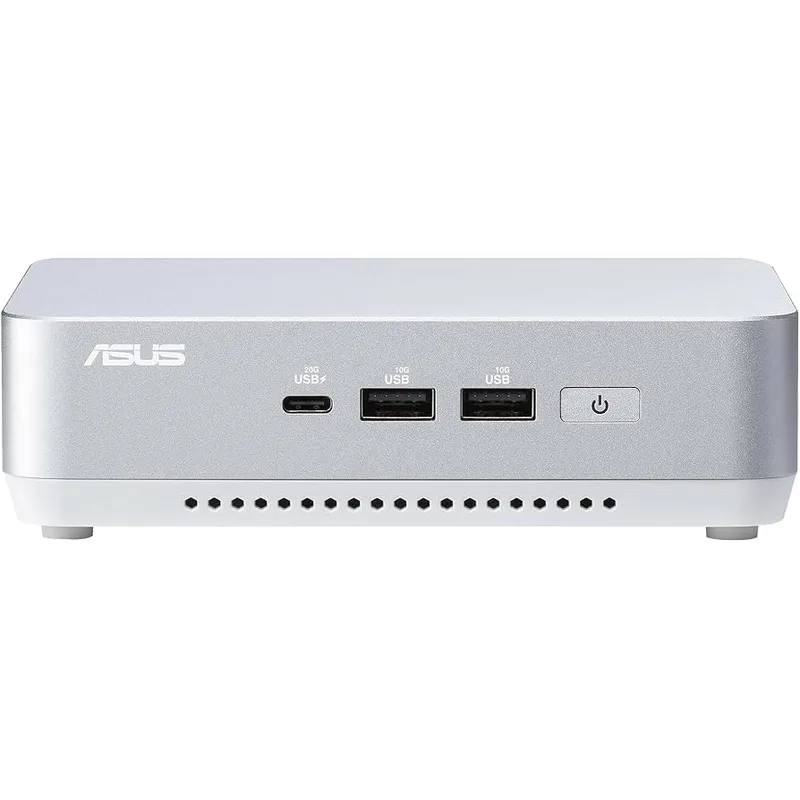
ASUS NUC 14 Pro+ (Core Ultra 7, 96GB)
Pros
- 96GB DDR5 RAM at $869–$999 is the best value for heavy Premiere Pro multicam work on Windows
- Thunderbolt 4 supports eGPU enclosures if Intel Arc integrated graphics become a bottleneck
- Intel Arc's AV1 hardware encoder is faster than AMD iGPU alternatives for streaming and delivery
- Solid build quality with ASUS's premium aluminum chassis — noticeably more robust than budget mini PCs
- Thunderbolt 4 allows daisy-chaining external NVMe arrays for expanded project storage
Cons
- Intel Arc integrated graphics underperforms the Mac Mini M4 Pro GPU and Radeon 780M in GPU-accelerated rendering
- Core Ultra 7 155H single-core speeds trail behind Apple M4 Pro — affects real-time playback in 4K RAW timelines
- 1TB SSD fills quickly with raw video; plan for an external NVMe or NAS from day one
The ASUS NUC 14 Pro+ occupies the serious-but-not-max tier for Windows mini PC editors. The Core Ultra 7 155H is a strong performer for multi-threaded encoding and export — CPU-bound tasks like H.265 encoding in Premiere Pro export dialog run faster than on the Beelink SER8’s Ryzen 7 8845HS in most comparisons.
The configuration on Amazon ships with 96GB DDR5 RAM — an unusual spec at this price point that eliminates RAM as a bottleneck on heavy Premiere Pro multicam projects. Most editors working in 4K H.264 or HEVC never tax 96GB; it’s the headroom that matters for future-proofing and keeping DaVinci Resolve’s GPU cache well-supplied.
Where the ASUS NUC 14 Pro+ falls short is GPU performance. Intel Arc integrated graphics — while capable on AV1 encode/decode and some AI-enhanced upscaling — lag behind AMD’s Radeon 780M (in the Beelink SER8) and significantly behind the M4 Pro’s GPU in GPU-accelerated Resolve workflows. Editors who rely heavily on GPU noise reduction or color science should factor this in.
Thunderbolt 4 is present and functions correctly with eGPU enclosures — adding an external AMD or NVIDIA GPU is a documented upgrade path if integrated Arc graphics become a bottleneck.
4. Beelink SER8 (Ryzen 7 8845HS) — Best Budget
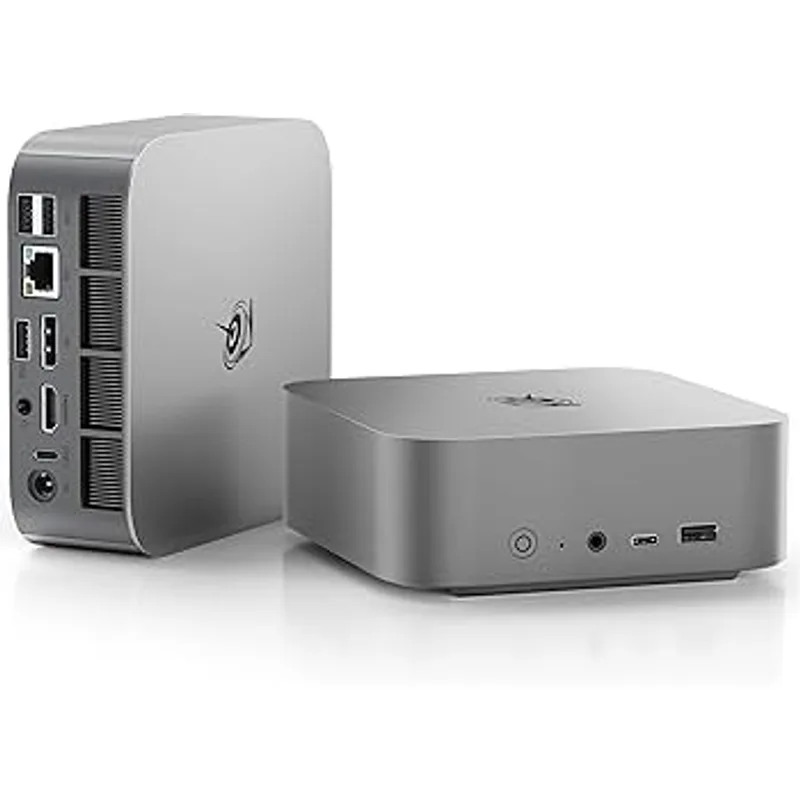
Beelink SER8 (Ryzen 7 8845HS)
Pros
- Radeon 780M integrated graphics handle 4K H.264/HEVC editing in DaVinci Resolve without stuttering on a well-optimized timeline
- RAM is user-upgradeable to 64GB — a genuine advantage over sealed Mac Mini or ASUS NUC configurations
- Second M.2 slot allows internal storage expansion without external drives
- At $449–$499, it competes directly with mid-range laptops while matching or beating them on sustained performance
- USB4 port supports eGPU for workflows that outgrow integrated Radeon 780M
Cons
- 32GB shared RAM starts to feel tight on complex DaVinci Resolve projects with noise reduction and fusion effects
- Radeon 780M performance gap versus M4 Pro GPU is significant in GPU-accelerated color grading and effects
- No Thunderbolt 4 — USB4 compatibility with some eGPU enclosures requires verification before purchase
- Plastic chassis feels less premium than ASUS NUC or Mac Mini aluminum construction
The Beelink SER8 with the Ryzen 7 8845HS is the best value mini PC for video editing under $500. The 8845HS outperforms the 8745HS variant in both CPU clock speed (up to 5.1GHz vs 4.9GHz) and GPU clock speed (Radeon 780M at 2700MHz vs 2600MHz) — the 8845HS variant is the one to buy.
For a remote creator doing 4K H.264 or H.265 editing in DaVinci Resolve or Premiere Pro, the SER8 handles standard timelines well. Color corrections, basic transitions, and multi-track audio mix without dropping frames at 4K/30. Where it slows down is GPU-intensive effects: DaVinci Resolve’s Noise Reduction (Temporal and Spatial), Magic Mask, and Fusion compositing are meaningfully slower than on the M4 Pro or EVO-X2 AI.
The practical advantage over sealed Mac Mini configurations is RAM and storage expandability. The SER8 uses standard SO-DIMM DDR5 slots — adding a second 32GB stick brings total RAM to 64GB for roughly $60–$80. A second M.2 slot allows internal storage expansion to 2TB+ without an external drive.
For a remote editor on a budget who primarily edits 4K footage in a single camera setup and doesn’t rely on GPU-heavy effects, the SER8 at $449–$499 delivers competent, real-world performance.
5. Apple Mac Mini M4 (16GB) — Best Entry-Level
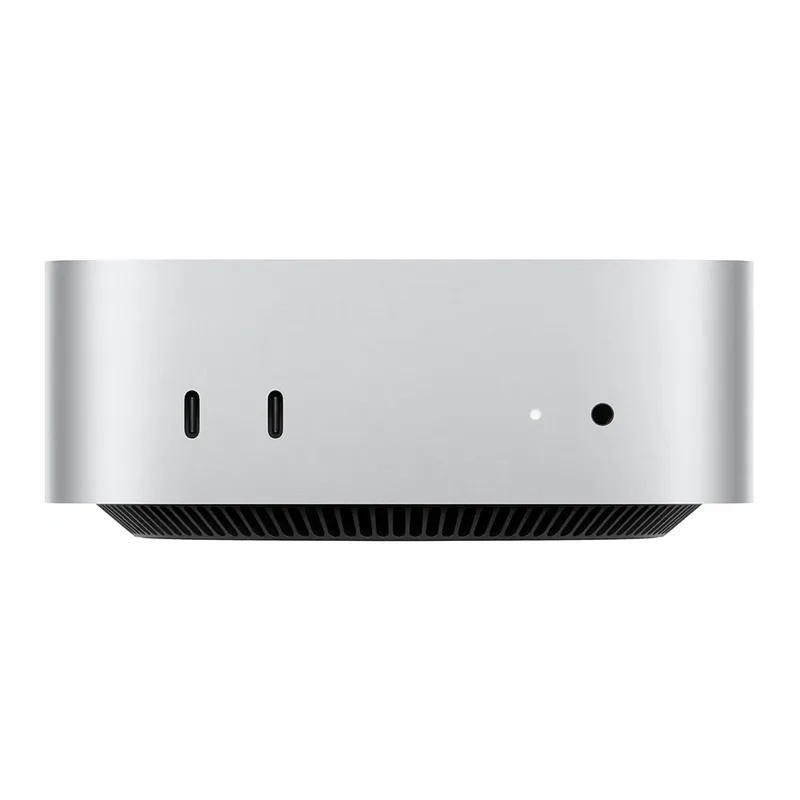
Apple Mac Mini M4 (16GB)
Pros
- M4's 10-core GPU handles 1080p and basic 4K editing in Final Cut Pro without the slowdowns common on budget Windows mini PCs
- Two Thunderbolt 4 ports allow external SSD and display connection simultaneously
- At $499–$599, it's the cheapest Mac with Apple silicon GPU acceleration for Final Cut
- Same tiny footprint as M4 Pro — adds nothing to desk clutter
Cons
- 16GB unified memory is the hard ceiling — 4K multicam, heavy effects stacks, and 8K workflows will hit it
- 256GB SSD is barely enough for macOS plus a single project; external storage is mandatory from day one
- Upgrade path doesn't exist; RAM and storage are sealed at purchase
- M4 base GPU falls behind M4 Pro in DaVinci Resolve GPU-intensive tasks (noise reduction, Fusion VFX)
The base Mac Mini M4 with 16GB unified memory is the starting point for macOS video editing. Final Cut Pro’s optimization for Apple silicon GPU acceleration means the M4’s 10-core GPU does meaningful real work on 4K timelines — noticeably more than what Windows mini PCs at similar prices deliver with integrated graphics.
The ceiling is low. 16GB unified memory shared between CPU and GPU limits what DaVinci Resolve can cache, and heavy Fusion effects or noise reduction will cause slowdowns that don’t appear on the M4 Pro. The 256GB SSD is enough for the operating system and one active project but requires an external drive for raw footage storage from day one.
For a remote creator editing 1080p content in Final Cut Pro, or doing basic 4K cuts without heavy color work, the M4 base provides competent performance at $499–$599. Anyone planning to grow into more demanding workflows should budget for the M4 Pro with 24GB instead.
Buying Guide
How Much RAM Do You Actually Need?
- 16GB: 1080p editing in Final Cut Pro or Premiere Pro, basic 4K cuts, light color correction. Starts to struggle with multicam 4K or effects stacks.
- 24GB: 4K editing in DaVinci Resolve with color corrections, basic noise reduction, moderate multicam. The M4 Pro’s 24GB is well-utilized for most professional remote work scenarios.
- 32GB: Entry for 4K heavy multicam, basic 4K RAW editing. The Beelink SER8’s 32GB DDR5 is expandable — this is an advantage over sealed configurations.
- 96GB+: 8K workflows, DaVinci Resolve with Fusion compositing and noise reduction on many clips, Premiere Pro projects with heavy multicam plus After Effects dynamic links. Necessary for the ASUS NUC 14 Pro+ and GMKtec EVO-X2 AI use cases.
macOS vs Windows for Video Editing
For Final Cut Pro users: only Mac options. The M4 and M4 Pro Mac Mini are the straightforward choices, and Final Cut Pro’s GPU optimization makes even the base M4 competitive for general 4K editing.
For DaVinci Resolve users: both platforms work well. DaVinci Resolve 19 supports Metal (macOS) and CUDA/OpenCL (Windows). GPU-intensive effects in Resolve show meaningful differences: M4 Pro GPU > GMKtec EVO-X2 AI GPU (Radeon 8060S) for Metal-accelerated workflows; Radeon 8060S > M4 Pro in some GPGPU compute tasks under Windows/OpenCL.
For Adobe Premiere Pro users: Windows mini PCs have the wider plugin ecosystem and Premiere’s AI-powered tools work on both platforms. The ASUS NUC 14 Pro+‘s 96GB RAM advantage matters more in Premiere than in Resolve.
External GPU (eGPU): Is It Worth It?
For Mac Mini M4 and M4 Pro: Apple dropped external GPU support under macOS Sonoma and later. eGPU is not available for Mac Mini in 2026.
For Windows mini PCs (ASUS NUC 14 Pro+, GMKtec EVO-X2 AI, Beelink SER8): eGPU via Thunderbolt 4 or USB4 works with caveats. Bandwidth overhead versus a PCIe slot reduces GPU performance by roughly 20–30%, and not all enclosures are compatible with all chips. For the Beelink SER8 specifically, the USB4 port supports eGPU but requires a GEN4-capable enclosure and verified driver compatibility. Research your specific enclosure before purchasing.
Storage: Internal vs External
Raw video files consume storage rapidly. A single day of 4K Sony A7 footage at 100Mbps runs about 45GB per hour. For most remote editors working from a mini PC, an external NVMe drive for project storage is not optional — it’s a baseline part of the setup. The Beelink SER8’s second M.2 slot is a practical internal solution. For the Mac Mini M4/Pro, a fast NVMe USB4 enclosure (like the OWC Envoy Pro Elektron) provides Thunderbolt-speed external storage that matches internal SSD throughput.
FAQ
Can a mini PC realistically replace a desktop workstation for video editing?
For most remote creators editing 4K footage in a single camera format — yes. The Mac Mini M4 Pro and GMKtec EVO-X2 AI handle professional 4K workflows that would have required a tower workstation three years ago. The limitation is GPU performance for effects-heavy work and storage expansion. For 8K RAW, complex Fusion compositing, or heavy multicam with effects on every clip, a workstation still wins — but for the majority of remote video editing scenarios, a good mini PC is sufficient.
Which is better for DaVinci Resolve: Mac Mini M4 Pro or Beelink SER8?
For GPU-accelerated color work and effects, the M4 Pro’s 16-core Apple GPU outperforms the Radeon 780M in the Beelink SER8 by a meaningful margin. DaVinci Resolve’s Metal GPU path on macOS is well-optimized for Apple silicon. The Beelink SER8 handles basic Resolve timelines competently but shows its limits with noise reduction and Fusion. If DaVinci Resolve is your primary editor, the M4 Pro is the stronger choice — or the GMKtec EVO-X2 AI if you prefer Windows.
Does the Beelink SER8 support 4K video editing?
Yes. The Ryzen 7 8845HS and Radeon 780M handle 4K H.264 and H.265 editing in DaVinci Resolve and Premiere Pro without proxy requirements on standard single-camera timelines. GPU-intensive effects (Noise Reduction, Fusion compositing) will cause slowdowns on complex timelines.
Is 24GB of unified memory enough for professional video editing on the Mac Mini M4 Pro?
For most remote creators editing 4K footage in Final Cut Pro or DaVinci Resolve — yes. 24GB unified memory is the practical sweet spot for 4K work. The ceiling appears with 8K RAW footage, heavy Fusion effects stacks, or large multicam projects where Resolve needs to cache multiple streams simultaneously. For those workflows, the 48GB M4 Pro configuration is the correct choice.
What external storage should I get for a mini PC editing setup?
For Mac Mini: a Thunderbolt 4 NVMe enclosure (OWC Envoy Pro Elektron, CalDigit TUFF Nano Pro) provides sustained read/write speeds near 2,500–3,000 MB/s — fast enough for 4K RAW editing directly from the drive. For Windows mini PCs with USB4: a USB4 NVMe enclosure delivers similar speeds. For network storage on a home office with NAS: a 2.5GbE connection (available on the Beelink SER8 and GMKtec EVO-X2 AI) allows NAS speeds that work for proxy workflows but are too slow for uncompressed RAW playback.
Conclusion
The Apple Mac Mini M4 Pro (24GB) is the best mini PC for video editing in 2026 for most remote creators. Its M4 Pro GPU, three Thunderbolt 4 ports, and Final Cut Pro / DaVinci Resolve Metal acceleration give it a performance and workflow advantage over Windows alternatives at its price point.
For remote creators who need Windows, the GMKtec EVO-X2 AI with Ryzen AI Max+ 395 is the most powerful option — the 40-CU integrated GPU and 96GB shared memory pool handle GPU-intensive workflows that stump every other mini PC at any price. When Amazon promotions bring it to $1,499–$1,799, the value case is strong.
On a tighter budget, the Beelink SER8 at $449–$499 delivers real 4K editing capability, user-upgradeable RAM, and expandable internal storage in a palm-sized chassis. It’s the most practical entry point for a remote creator setting up a compact editing station for the first time.
Detailed Reviews
Apple Mac Mini M4 Pro (24GB)
Pros
- M4 Pro's 16-core GPU handles 4K DaVinci Resolve timelines without proxy workflows on most projects
- Three Thunderbolt 4 ports support dual external 6K displays or an eGPU enclosure if workloads grow
- Unified memory architecture means no VRAM cap — the GPU draws from the same 24GB pool as the CPU
- Final Cut Pro export speeds are dramatically faster than any Windows mini PC at any price
- Near-silent operation; the fan rarely spins audibly under sustained load
- Compact 127mm square footprint fits on or under any desk
Cons
- 24GB unified memory shows limits with large multicam 4K or 8K RAW timelines in Premiere Pro
- RAM is not upgradeable after purchase — choose 48GB at configuration time if future-proofing matters
- Storage is non-replaceable; 512GB fills up quickly with raw video files
GMKtec EVO-X2 AI (96GB)
Pros
- 40 RDNA 3.5 GPU compute units with 96GB shared pool is unprecedented for a mini PC — handles GPU-heavy DaVinci color work that stumps other integrated chips
- Ryzen AI Max+ 395 benchmarks ahead of the M4 Pro in multi-threaded workloads like encoding and compositing
- 2TB SSD ships standard — enough raw storage for an active video project library without an external drive
- Wi-Fi 7 and USB4 are current-generation connectivity standards that will remain relevant for years
- Windows 11 Pro gives full access to Adobe Creative Cloud, Resolve Studio, and production plugins
Cons
- 96GB LPDDR5X is shared between CPU and GPU — while total capacity is large, GPU bandwidth differs from discrete VRAM
- No Thunderbolt 4; USB4 supports most use cases but eGPU enclosures work with caveats
- Larger footprint (~210mm square) than Mac Mini or Beelink SER8
- Price volatility: list price is $2,199+ but Amazon promotions bring it to $1,499–$1,799 regularly
ASUS NUC 14 Pro+ (Core Ultra 7, 96GB)
Pros
- 96GB DDR5 RAM at $869–$999 is the best value for heavy Premiere Pro multicam work on Windows
- Thunderbolt 4 supports eGPU enclosures if Intel Arc integrated graphics become a bottleneck
- Intel Arc's AV1 hardware encoder is faster than AMD iGPU alternatives for streaming and delivery
- Solid build quality with ASUS's premium aluminum chassis — noticeably more robust than budget mini PCs
- Thunderbolt 4 allows daisy-chaining external NVMe arrays for expanded project storage
Cons
- Intel Arc integrated graphics underperforms the Mac Mini M4 Pro GPU and Radeon 780M in GPU-accelerated rendering
- Core Ultra 7 155H single-core speeds trail behind Apple M4 Pro — affects real-time playback in 4K RAW timelines
- 1TB SSD fills quickly with raw video; plan for an external NVMe or NAS from day one
Beelink SER8 (Ryzen 7 8845HS)
Pros
- Radeon 780M integrated graphics handle 4K H.264/HEVC editing in DaVinci Resolve without stuttering on a well-optimized timeline
- RAM is user-upgradeable to 64GB — a genuine advantage over sealed Mac Mini or ASUS NUC configurations
- Second M.2 slot allows internal storage expansion without external drives
- At $449–$499, it competes directly with mid-range laptops while matching or beating them on sustained performance
- USB4 port supports eGPU for workflows that outgrow integrated Radeon 780M
Cons
- 32GB shared RAM starts to feel tight on complex DaVinci Resolve projects with noise reduction and fusion effects
- Radeon 780M performance gap versus M4 Pro GPU is significant in GPU-accelerated color grading and effects
- No Thunderbolt 4 — USB4 compatibility with some eGPU enclosures requires verification before purchase
- Plastic chassis feels less premium than ASUS NUC or Mac Mini aluminum construction
Apple Mac Mini M4 (16GB)
Pros
- M4's 10-core GPU handles 1080p and basic 4K editing in Final Cut Pro without the slowdowns common on budget Windows mini PCs
- Two Thunderbolt 4 ports allow external SSD and display connection simultaneously
- At $499–$599, it's the cheapest Mac with Apple silicon GPU acceleration for Final Cut
- Same tiny footprint as M4 Pro — adds nothing to desk clutter
Cons
- 16GB unified memory is the hard ceiling — 4K multicam, heavy effects stacks, and 8K workflows will hit it
- 256GB SSD is barely enough for macOS plus a single project; external storage is mandatory from day one
- Upgrade path doesn't exist; RAM and storage are sealed at purchase
- M4 base GPU falls behind M4 Pro in DaVinci Resolve GPU-intensive tasks (noise reduction, Fusion VFX)