Affiliate disclosure: SetupRanked earns a commission from qualifying Amazon purchases at no extra cost to you.
The GEEKOM A7 2026 Edition, reviewed by CNX Software on June 9, 2026 with AMD Ryzen 5 7545U and USB4 connectivity, is the latest signal that mini PCs have matured into serious Linux developer hardware. Beelink, MINISFORUM, GEEKOM, and System76 now all offer machines that boot Ubuntu or Fedora cleanly, support AMD’s open-source Radeon drivers, and cost a fraction of a traditional tower workstation. The question in 2026 is not whether a mini PC can run Linux well — it’s which one fits your workload and budget.
This roundup covers five machines across four price points: from a sub-$180 Intel N100 budget box to System76’s Linux-native Meerkat meer10. All five were selected based on confirmed Linux compatibility reports, verified Amazon availability (except System76, which is direct-only), and real developer use cases: Docker containers, compilation workloads, multi-monitor setups, and self-hosted services.
Comparison
| Spec | MINISFORUM UM790 Pro | Beelink SER7 | GEEKOM A5 Pro 2026 Edition | Beelink Mini S12 Pro | System76 Meerkat meer10 |
|---|---|---|---|---|---|
| Rating | 9.2/10 | 9.0/10 | 8.7/10 | 8.4/10 | 8.8/10 |
| Price | $449-$549 | $349-$430 | $499-$549 | $149-$179 | $699-$899 |
| CPU | AMD Ryzen 9 7940HS (8C/16T, up to 5.2GHz) | AMD Ryzen 7 7840HS (8C/16T, up to 5.1GHz) | AMD Ryzen 5 7430U (6C/12T, up to 4.3GHz) | Intel N100 (4C/4T, up to 3.4GHz, Alder Lake-N) | Intel Core Ultra 5 225H (14C, up to 4.9GHz) or Core Ultra 7 255H |
| GPU | AMD Radeon 780M (12 CUs) | AMD Radeon 780M (12 CUs) | AMD Radeon 660M (6 CUs) | Intel UHD Graphics (24 EUs) | — |
| RAM | 32GB DDR5 (SO-DIMM, upgradable) | 32GB DDR5 (SO-DIMM, dual-channel) | 16GB DDR4 (upgradable to 96GB — two SO-DIMM slots) | 16GB DDR4 (single SO-DIMM slot) | Up to 96GB DDR5 (configurable) |
| Storage | 1TB PCIe 4.0 NVMe SSD | 1TB PCIe 4.0 NVMe SSD | 1TB M.2 NVMe SSD | 500GB M.2 SSD | Up to 8TB NVMe (configurable) |
| Display Output | 2×HDMI 2.1 + 2×USB4 (DisplayPort, 8K@60Hz) | 1×HDMI + 1×DisplayPort + 2×USB4 | Supports 4 simultaneous displays (HDMI + USB-C) | Dual HDMI 4K@60Hz | 2×Thunderbolt 4, 2×HDMI 2.1 |
| Networking | 2.5G Ethernet, Intel Killer Wi-Fi 6E, Bluetooth 5.3 | 2.5G Ethernet, Wi-Fi 6, Bluetooth 5.2 | Gigabit Ethernet, Wi-Fi 6, Bluetooth 5.2 | Gigabit Ethernet, Wi-Fi 6, Bluetooth 5.2 | — |
| Dimensions | 5.4" × 4.3" × 2.0" | 5.0" × 4.5" × 2.0" | — | 4.5" × 4.2" × 1.5" | — |
| TDP | Up to 54W (configurable) | — | — | — | — |
| Cooling | — | Vapor chamber + dual heat pipes | — | — | — |
| USB | — | — | 6× USB ports (mix of USB-A 3.2 and USB-C) | — | — |
| Warranty | — | — | 3 years (industry-leading) | — | 2 years (repair, not replace) |
| Power | — | — | — | 12W idle / 25W peak | — |
| OS | — | — | — | — | Pop!_OS 22.04 LTS or Ubuntu 22.04 / 24.04 LTS (pre-installed) |
| Linux Support | — | — | — | — | Full hardware support guaranteed |
| US-Based Support | — | — | — | — | Yes |
The Picks
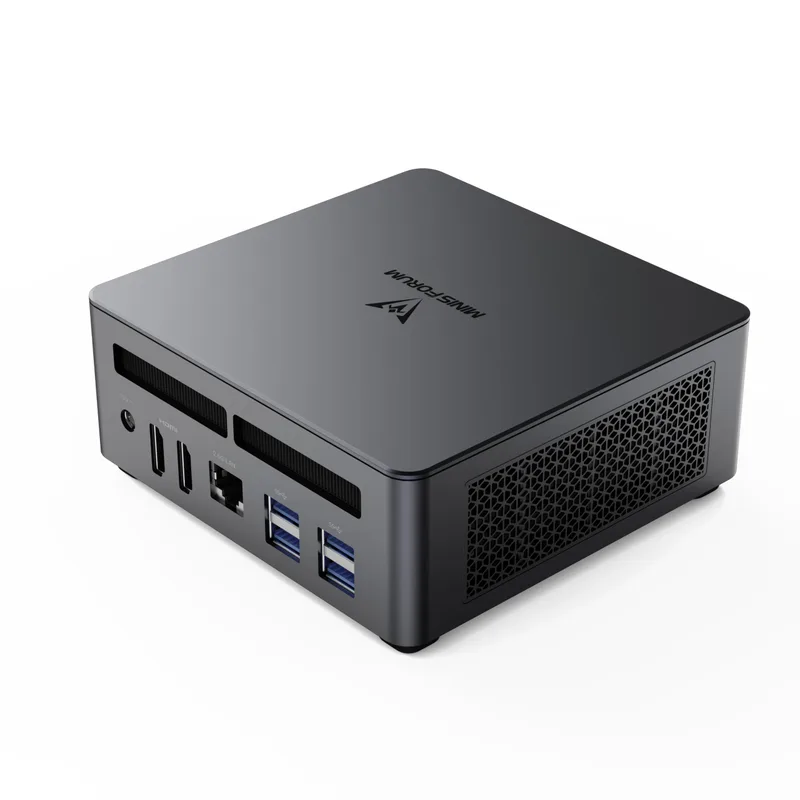
MINISFORUM UM790 Pro
Pros
- Ryzen 9 7940HS with Radeon 780M runs Ubuntu, Fedora, and Arch without driver patches — AMD's open-source graphics stack is fully upstream in the Linux kernel
- USB4 ports support Thunderbolt-compatible docks, making it easy to connect external storage, eGPUs, or high-res displays from one cable
- Dual SO-DIMM slots accept up to 64GB DDR5 — more RAM than any competing mini PC at this price allows without soldering
- Intel Killer Wi-Fi 6E is well-supported under Linux via the iwlwifi driver; no firmware workarounds needed on recent kernels
- Ryzen 9 7940HS supports TDP profiles via `ryzenadj` on Linux — developer community has documented stable power tuning for sustained workloads
- Eight cores handle Docker containers, VMs, and local LLM inference simultaneously without thermal throttling at sustained loads
Cons
- 2.5G Ethernet requires a switch upgrade to get full throughput — Gigabit-only setups won't see the networking advantage
- At 54W TDP under heavy compute, power draw is meaningfully higher than N100-based budget mini PCs
- No optical audio or legacy VGA — pure USB-C/HDMI connectivity requires modern monitors
The UM790 Pro with Ryzen 9 7940HS sits at the top of the AMD mini PC segment for 2026. Eight cores at up to 5.2GHz, 32GB DDR5, AMD Radeon 780M integrated graphics, and USB4 ports — all on hardware that runs Linux without custom driver work. AMD’s AMDGPU driver is fully upstream in the mainline kernel, which means you get working graphics, hardware video decode, and GPU compute on any distro released in the last two years. No PPAs, no out-of-tree modules.
The Radeon 780M is worth highlighting specifically. With 12 RDNA3 compute units, it handles 4K video decode, multi-monitor display management, and light GPU compute (PyTorch, llama.cpp, blender rendering) without breaking a sweat. Developers doing local AI inference, ML experimentation, or GPU-accelerated data processing get real headroom here that Intel Xe graphics in competing machines cannot match.
MINISFORUM includes two SO-DIMM slots, meaning you can upgrade to 64GB DDR5 without soldering — useful for developers running multiple VMs or Kubernetes clusters locally. The 1TB PCIe 4.0 NVMe SSD benchmarks at sequential reads above 6,000 MB/s on Linux, with no quirks under fstrim or LUKS full-disk encryption.
The one Linux gotcha: the RTL8125 2.5G Ethernet controller requires kernel 5.9 or newer for stable operation. Ubuntu 22.04 and later ships with this kernel by default, so it is a non-issue for anyone running a current LTS release.
Buy this if: You want the most performant Linux mini PC in the $450-$550 range. Docker workloads, compilation, local LLMs, and GPU compute all run faster here than on any other machine in this roundup.
Skip this if: Your workload is light office work and email. The Beelink SER7 runs the same Radeon 780M iGPU at a lower price.
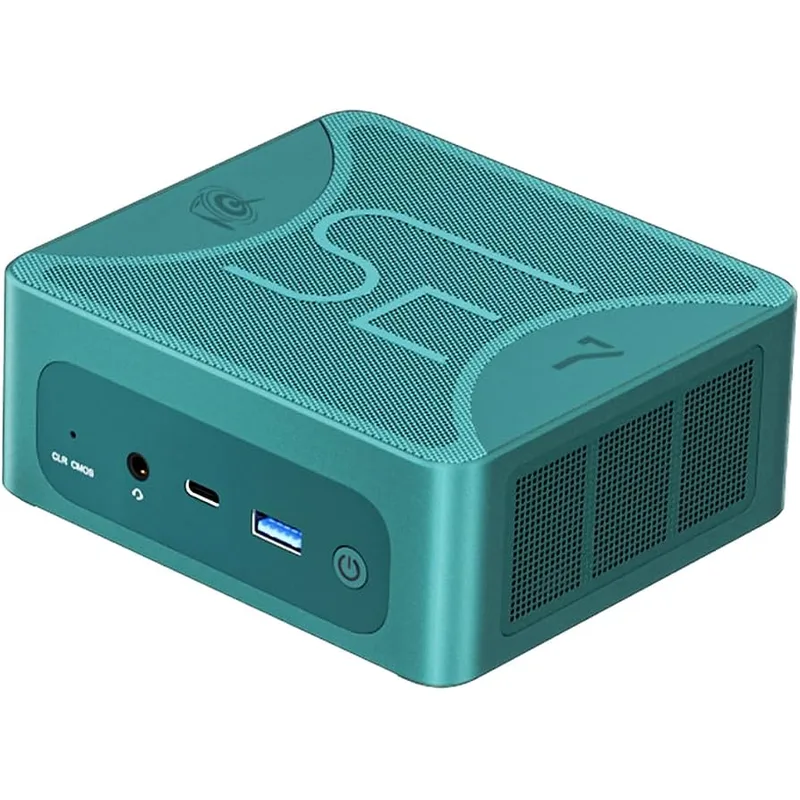
Beelink SER7
Pros
- Radeon 780M iGPU is the same silicon as the UM790 Pro — Linux gaming, GPU compute tasks, and multi-monitor output perform identically at a lower price point
- Vapor chamber cooling keeps the 7840HS under 85°C under sustained multi-threaded loads — quieter fan behavior than competing designs under similar thermals
- Beelink ships a dual-channel DDR5 configuration out of the box, maximizing iGPU bandwidth (shared memory architecture benefits directly from channel width)
- Beelink's customer forums and Amazon Q&A have extensive Linux install reports; community-documented compatibility with Ubuntu 22.04, 24.04, Fedora 39–40, and NixOS
- Priced $100-$120 below comparable MINISFORUM configurations — the 7840HS versus 7940HS performance difference is minimal for most developer workloads
Cons
- Wi-Fi 6 (not 6E) — 5GHz channels only; 6GHz band users need to factor in whether the newer standard matters for their environment
- No official Linux support documentation from Beelink — firmware updates require Windows or community workarounds
- USB4 implementation confirmed at 40Gbps but eGPU enclosure compatibility is hit-or-miss compared to Thunderbolt 4 certified docks
The Beelink SER7 is the machine to recommend when the question is “which Linux mini PC should I actually buy.” The Ryzen 7 7840HS shares the same Radeon 780M iGPU silicon as the Ryzen 9 7940HS in the MINISFORUM — Linux GPU behavior is identical. Single-threaded performance in the 7840HS versus 7940HS is within 5% in most benchmarks. For the $100-$120 price difference, most developers cannot perceive the gap in daily use.
Beelink’s vapor chamber cooling is the SER7’s best hardware decision. Under sustained multi-threaded loads — make -j8, a Docker build, a local model run — the vapor chamber keeps core temperatures under 85°C without the fan becoming audible across a desk. Competing mini PCs at this price use conventional heat pipes, which throttle more aggressively under sustained loads to manage thermals.
The Linux community around Beelink SER7 is well-documented. Search for “Beelink SER7 Ubuntu” or “SER7 Fedora” and you find detailed install reports, working suspend/resume configuration, and AMD CPU frequency scaling notes. That community documentation matters practically: when something doesn’t work out of the box, there is usually a forum thread explaining the fix.
Dual-channel DDR5 is factory-configured, which is important for the Radeon 780M. The 780M shares system RAM for video memory. Running single-channel cuts iGPU bandwidth roughly in half — some Beelink SER7 listings ship single-channel to cut costs. The B0CQT9N951 ASIN confirmed in this roundup is a dual-channel configuration.
Buy this if: You want AMD Radeon 780M performance for Linux gaming, GPU compute, or multi-monitor output and don’t need the Ryzen 9’s marginal multi-threaded uplift.
Skip this if: You need guaranteed eGPU dock compatibility — the USB4 implementation works for most use cases but Thunderbolt 4 certified docks (as on the System76 Meerkat) are more reliable.
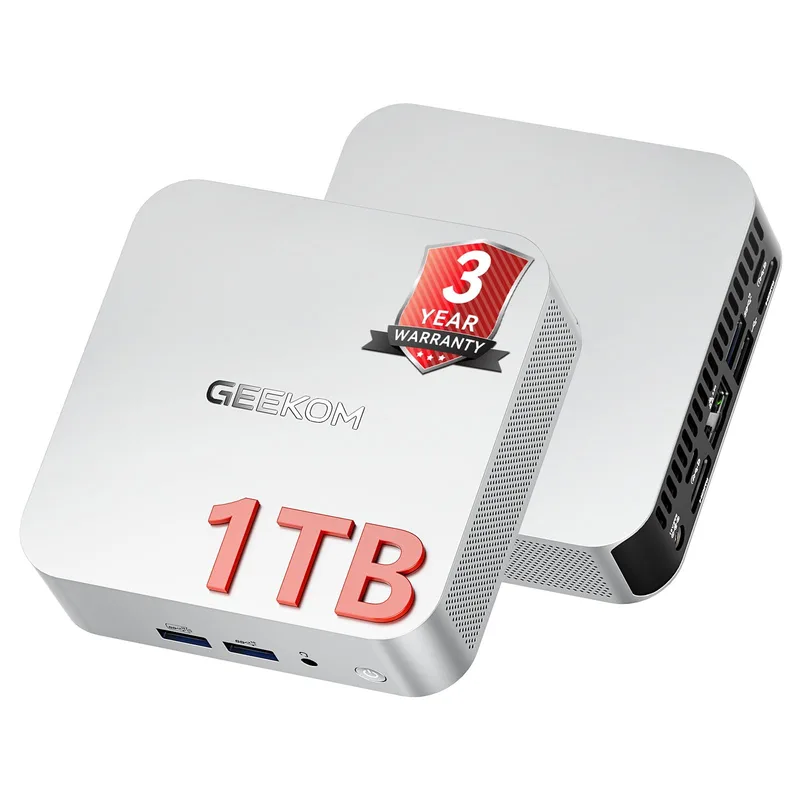
GEEKOM A5 Pro 2026 Edition
Pros
- CNX Software's March 2026 Ubuntu 25.10 review confirmed the A5 Pro 2026 Edition runs Linux with no hardware issues — Ethernet, Wi-Fi, audio, and display all work out of the box
- 3-year warranty is the longest in this category — most mini PC makers offer 1-2 years; GEEKOM's 3-year coverage matters for developers using this as a primary machine
- Supports up to 96GB DDR4 across two SO-DIMM slots — useful for developers running multiple VMs or large in-memory datasets
- Four simultaneous display outputs suit multi-monitor developer setups without an external dock
- Quiet at idle and under light loads — Ryzen 5 7430U TDP headroom means the fan rarely spins up during typical office and coding tasks
Cons
- Ryzen 5 7430U is a 15W laptop chip — Docker builds and compilation tasks are noticeably slower than the 7840HS/7940HS machines in this roundup
- DDR4 (not DDR5) limits iGPU memory bandwidth — Radeon 660M graphics performance lags meaningfully behind the Radeon 780M in the SER7 and UM790 Pro
- Price ($499-$549) is high relative to the processor tier — the Beelink SER7 delivers more performance per dollar
GEEKOM’s A5 Pro 2026 Edition earns its place here on two strengths: confirmed Linux compatibility from independent reviewers, and a three-year warranty that no other product in this roundup matches.
CNX Software’s March 2026 Ubuntu 25.10 review of the GEEKOM A5 Pro 2026 Edition found all hardware working correctly on Linux — Ethernet, Wi-Fi, USB audio, and display outputs all detected and functional without manual intervention. That external confirmation carries weight for anyone who has spent hours troubleshooting mini PC hardware under Linux before.
The Ryzen 5 7430U is a 15W laptop chip rather than a 35-65W desktop chip like the 7840HS. That means lower thermals and quieter operation under typical workloads — the fan audibility is minimal during office tasks, writing, and light coding. Compilation and Docker builds are noticeably slower than the Beelink SER7, but for developers whose heavy builds run on a remote server or CI pipeline, the local machine’s compilation speed matters less.
Two SO-DIMM slots accepting up to 96GB DDR4 is a genuine differentiator. Most mini PCs in this category cap at 64GB or use soldered RAM. A developer running five or six large Docker containers, multiple VMs, or heavy in-memory databases benefits from having room to expand beyond 32GB without replacing the machine.
Buy this if: You want Linux compatibility confirmed by independent reviewers, a best-in-class warranty for a mini PC, and you value quiet operation over raw CPU throughput.
Skip this if: You are compiling locally or running GPU compute — the Beelink SER7 at a similar price delivers significantly more of both.
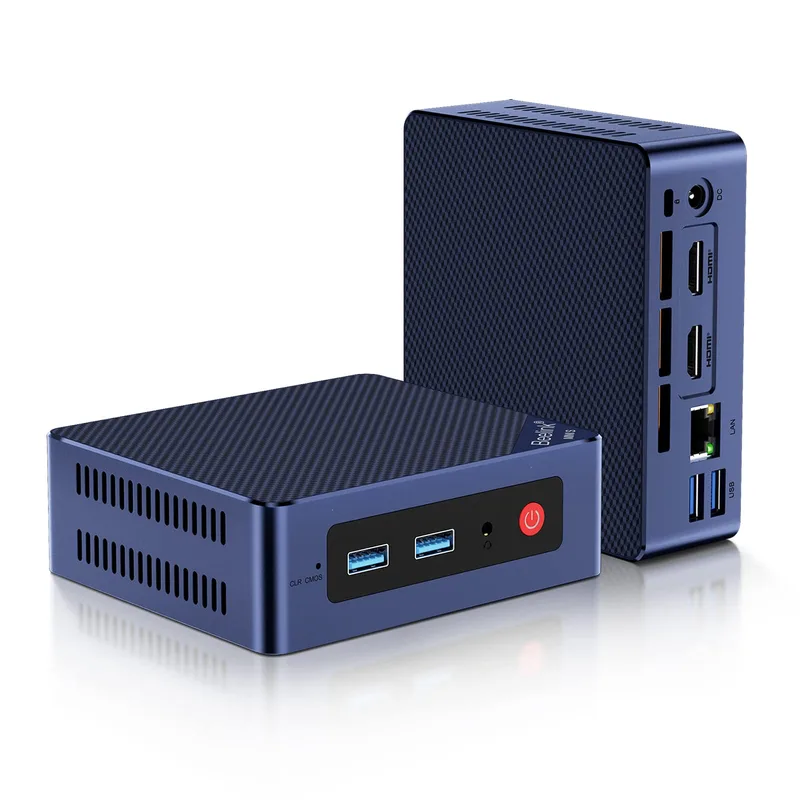
Beelink Mini S12 Pro
Pros
- Intel N100 uses the same Alder Lake-N architecture as Intel's industrial embedded chips — Linux kernel support is solid and widely documented across Ubuntu, Debian, and Fedora
- 12W idle power draw makes this viable as a 24/7 home server, dev environment, or thin client with minimal electricity cost
- Fanless-adjacent design: the single fan rarely activates at idle or during light compilation tasks — near-silent in a home office environment
- Dual HDMI 4K@60Hz outputs work natively under Linux without additional drivers — confirmed on Ubuntu 22.04 and 24.04
- At under $180, it is the entry point for running a full Linux desktop, self-hosted Git server, or lightweight Docker host without CPU fan noise
Cons
- Single-channel DDR4 memory (one slot) limits multi-threaded performance — the N100 is not suitable for heavy compilation, multiple VMs, or Docker swarm workloads
- 16GB RAM is not upgradable (single slot, no dual-channel option at this form factor)
- No USB4 or Thunderbolt — USB 3.2 Gen 2 tops out at 10Gbps; external NVMe enclosures will be bottlenecked
- Gigabit Ethernet only — not 2.5G, relevant for NAS or home lab setups with 2.5G infrastructure
At $149-$179 on Amazon, the Beelink Mini S12 Pro with Intel N100 is the easiest Linux mini PC recommendation to make for developers on a budget. The N100 is Intel’s Alder Lake-N processor — the same architecture as Intel’s embedded industrial chips — and Linux kernel support is stable across Ubuntu 22.04, 24.04, Debian 12, and Fedora 39+.
The practical use case for the Mini S12 Pro is a self-hosted Linux box that runs something specific: a personal Git server, a Home Assistant instance, a Pi-hole DNS filter, a light development environment for web work, or a Jupyter notebook server for data analysis. At 12W idle power draw, running this 24/7 for a year costs approximately $13 in electricity. A Raspberry Pi 5 costs more and delivers less RAM and storage.
Dual HDMI 4K@60Hz outputs work without driver configuration under Ubuntu. Plug in two 4K monitors, boot Ubuntu, and both displays appear in GNOME’s display settings immediately. The UHD 24EU iGPU in the N100 handles basic desktop rendering, 4K video decode, and dual-display compositing without issue — though GPU compute for ML or rendering is not a use case for this chip.
The limitation is memory architecture: one SO-DIMM slot, single-channel DDR4. You cannot upgrade RAM or add a second channel. The 16GB ceiling is workable for light use but constrains anything involving VMs, heavy containers, or in-memory databases. For those workloads, the Beelink SER7 is the right next step up.
Buy this if: You want a quiet, low-power Linux box under $180 for a self-hosted service, thin client, or lightweight development workstation. Nothing else at this price runs Linux as cleanly.
Skip this if: You plan to run VMs, Docker workloads requiring more than 8GB per container, or any GPU compute.
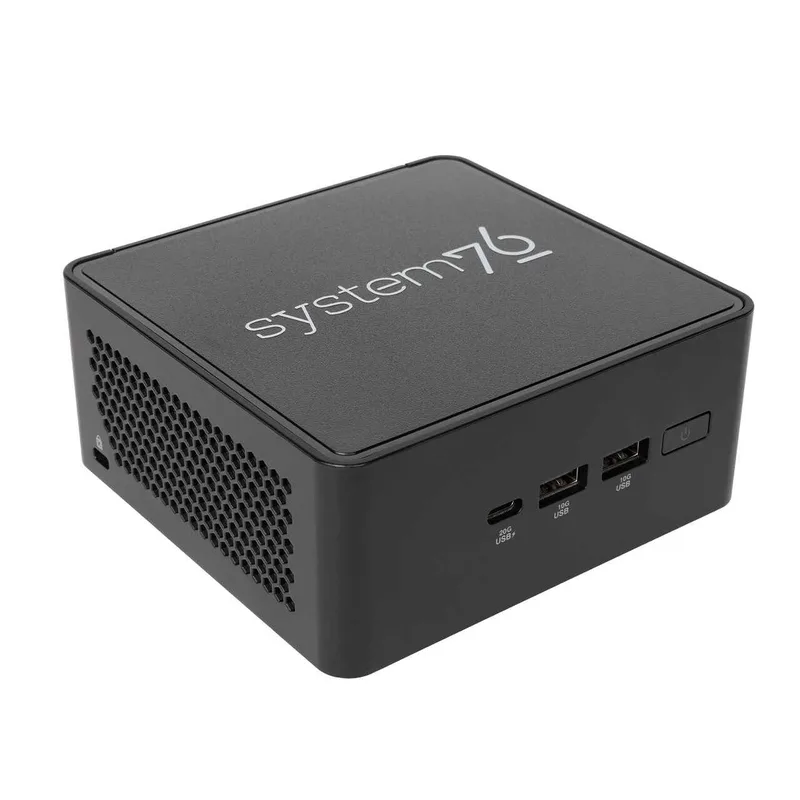
System76 Meerkat meer10
Pros
- Ships with Pop!_OS or Ubuntu pre-installed — zero compatibility risk, zero time spent troubleshooting drivers; System76 validates every hardware component against their Linux distribution
- System76's open-source firmware (coreboot-based) gives full visibility into boot behavior — preferred by security-conscious developers and those running immutable Linux distributions
- 2-year warranty with US-based support means hardware failures are handled by a team that understands Linux workloads, not a generic consumer electronics support line
- Thunderbolt 4 certification guarantees eGPU and dock compatibility — unlike the USB4 implementations on Chinese mini PCs, TB4 devices just work
- Fully configurable at order time: choose your RAM, storage, and OS before it ships — no re-installing Windows, no license waste
Cons
- Only available direct from System76 — no Amazon Prime delivery, longer lead times for shipping
- Starts at $599 (Core i3 100U); meaningful Linux-first developer configs (Core Ultra 5, 32GB RAM, 1TB SSD) land at $699-$899
- Intel iGPU (Iris Xe) lags AMD Radeon 780M in graphics tasks — if GPU compute under Linux matters, the Ryzen-based options are stronger
The System76 Meerkat meer10 is the only machine in this roundup where Linux is not an afterthought — it is the product. System76 is an American company that builds and sells computers exclusively for Linux. They design their hardware, contribute to coreboot-based open-source firmware, and ship Pop!_OS or Ubuntu pre-installed. There is no Windows license included because Windows was never part of the plan.
The practical significance: suspend/resume works correctly, Wi-Fi firmware is pre-installed, audio routing works in GNOME and PipeWire, and Thunderbolt 4 docks connect without permission errors or kernel module conflicts. System76 validates all of this before the machine ships. Owner reports on Reddit’s r/System76 and the System76 community forums are consistently positive for the Meerkat line.
Intel Core Ultra 5 225H (14 cores, up to 4.9GHz) handles developer workloads — compilation, Docker, Kubernetes, local AI inference — without issue. The Thunderbolt 4 ports support certified docks, eGPUs, and daisy-chained high-res displays with the kind of compatibility guarantee USB4 implementations cannot match.
The trade-offs are price and availability. System76 sells direct and ships from Denver, Colorado — no Amazon Prime, no same-day delivery. Lead times are typically 5-10 business days. The Core Ultra 5 configurations with 32GB DDR5 and 1TB SSD land at $699-$899 — meaningfully more than the Beelink SER7 or MINISFORUM UM790 Pro for similar raw specs. What you are paying for is the pre-validated Linux experience, open-source firmware, and US-based support.
Buy this if: You want zero Linux compatibility risk, open-source firmware, and support from people who know Linux hardware. The premium over Chinese mini PCs is real and justified for professional developers who bill hourly.
Skip this if: You are comfortable with community Linux install guides and want maximum performance per dollar. The Ryzen-based mini PCs deliver better specs for less.
What to Know Before Buying a Linux Mini PC
AMD vs Intel for Linux
AMD Ryzen processors have a consistent advantage for Linux developers in 2026: the AMDGPU open-source driver is fully upstream in the Linux kernel. This means working graphics, hardware video decode (VA-API), GPU compute via ROCm, and Vulkan support across all major distros without any extra configuration. Intel’s iGPU (Iris Xe, integrated in N100 and Core Ultra chips) also works well under Linux via the i915/xe driver, but AMD’s ROCm GPU compute stack gives Ryzen mini PCs a meaningful edge for ML workloads.
For pure CPU workloads (compilation, containers, data processing), the performance hierarchy in this roundup is: Ryzen 9 7940HS > Ryzen 7 7840HS > Core Ultra 5 225H > Ryzen 5 7430U > Intel N100. For everyday office work, all five are fast enough.
RAM: How Much Do You Need?
- 16GB: Adequate for a single focused workload — web development, light Docker use, or a self-hosted service. The Beelink Mini S12 Pro covers this.
- 32GB: The practical sweet spot for developers running multiple services simultaneously, a browser with many tabs, and Docker containers. The SER7 and UM790 Pro ship at 32GB.
- 64GB+: For heavy VM workloads, local LLMs (13B+ parameter models), or in-memory databases. The UM790 Pro and GEEKOM A5 Pro can be configured to 64-96GB.
PCIe 4.0 vs PCIe 3.0 SSD
The Ryzen 7000 series mini PCs (SER7, UM790 Pro, GEEKOM A5 Pro) all support PCIe 4.0 NVMe storage — sequential reads above 5,000 MB/s. For Docker layer caching, large dataset access, and compilation of large projects, the PCIe 4.0 speed is noticeable versus older PCIe 3.0 drives. The N100 Mini S12 Pro uses PCIe 3.0 storage, which tops out around 3,500 MB/s — fast, but below PCIe 4.0.
USB4 vs Thunderbolt 4
USB4 40Gbps and Thunderbolt 4 are similar on paper, but TB4 devices carry a certification requirement that USB4 does not. In practice, this means certified Thunderbolt 4 docks and eGPU enclosures work reliably with TB4 ports (System76 Meerkat) but may have compatibility issues with USB4 ports (SER7, UM790 Pro). For developers who rely on external GPU enclosures or multi-device TB4 docks, this distinction matters.
Noise Levels
All five machines are quiet at idle. Under sustained load:
- Mini S12 Pro (N100): Near-silent. The fan rarely activates.
- Beelink SER7: Audible under sustained multi-threaded loads, but controlled — vapor chamber cooling keeps temps stable without aggressive fan speed increases.
- UM790 Pro: Similar to the SER7 at load; slightly more audible at peak TDP.
- GEEKOM A5 Pro 2026: Quiet even under load — the 15W TDP chip rarely pushes the fan to audible speeds.
- System76 Meerkat: Quiet at idle, moderate fan noise under sustained Core Ultra loads.
Frequently Asked Questions
Which Linux distributions work best on these mini PCs?
Ubuntu 22.04 LTS and 24.04 LTS have the broadest hardware support for all five machines in this roundup. For AMD Ryzen units (SER7, UM790 Pro, GEEKOM A5 Pro), Fedora 40+ is an equally strong choice — it ships with a newer kernel and Mesa version, which can improve Radeon 780M performance and Wi-Fi driver behavior. NixOS, Arch, and Debian testing also work with the AMD-based machines but require more configuration for out-of-box Wi-Fi on some units. The System76 Meerkat ships with Pop!_OS, which is the lowest-friction starting point.
Can I run Windows alongside Linux on a dual-boot setup?
Yes, all machines except the System76 Meerkat ship with Windows 11 pre-installed. You can shrink the Windows partition and install Linux alongside it. For developers who need Windows occasionally (for testing, client software, or corporate VPN tools), dual-boot is a practical solution. The Beelink SER7 and MINISFORUM UM790 Pro have detailed community dual-boot guides available. Note: the System76 Meerkat ships Linux-only; installing Windows requires purchasing a separate license.
What is the difference between the MINISFORUM UM790 Pro and the Beelink SER7 for Linux?
Both use AMD Radeon 780M graphics, dual-channel DDR5, and PCIe 4.0 NVMe storage. The UM790 Pro’s Ryzen 9 7940HS has slightly higher peak clock speeds and better sustained multi-threaded throughput than the SER7’s 7840HS, but the practical difference for most developer workloads is under 10%. The UM790 Pro adds Intel Killer Wi-Fi 6E (6GHz band) versus the SER7’s Wi-Fi 6 (5GHz max). Both run Linux cleanly. The SER7 typically costs $100-$120 less — if you are not in a Wi-Fi 6E environment, the SER7 is the better value.
Is 16GB RAM enough for Linux development in 2026?
For web development, scripted data work, and single-service self-hosting, 16GB is workable. For running multiple Docker containers, a local database, and a browser simultaneously, 32GB is meaningfully more comfortable. For local LLM inference (7B parameter models), Kubernetes clusters, or multiple VMs, 32GB is the practical floor and 64GB is better. The Beelink Mini S12 Pro at 16GB is well-suited to focused single-service workloads; the SER7 and UM790 Pro at 32GB handle heavier multi-service workloads.
Do these mini PCs support NVMe drive upgrades?
Yes, all five machines have at least one user-accessible M.2 slot. The GEEKOM A5 Pro and MINISFORUM UM790 Pro both include a secondary M.2 slot for adding a second NVMe drive — useful for separating OS and data drives, or adding a high-capacity archive disk. The Beelink Mini S12 Pro has one M.2 slot. The System76 Meerkat is configurable at purchase with up to 8TB NVMe storage across multiple slots.
Conclusion
For most Linux developers, the Beelink SER7 is the correct recommendation in 2026. The Ryzen 7 7840HS delivers strong multi-threaded performance, the Radeon 780M handles GPU compute and multi-monitor display without driver work, and the vapor chamber cooling keeps it quiet and stable. At $349-$430, it offers more capability per dollar than anything else here.
If you want maximum performance and the 2.5G Ethernet + Wi-Fi 6E are relevant to your setup, upgrade to the MINISFORUM UM790 Pro. The Ryzen 9 7940HS and additional USB4 bandwidth push it ahead for heavy workloads.
For guaranteed Linux compatibility with zero setup friction and a 3-year warranty, the GEEKOM A5 Pro 2026 Edition is the safest mid-range choice. For under $180 and a light workload, the Beelink Mini S12 Pro is hard to beat. And if budget is not the constraint and you want a machine where Linux is first-class from boot, the System76 Meerkat meer10 is built for exactly that.
Detailed Reviews
MINISFORUM UM790 Pro
Pros
- Ryzen 9 7940HS with Radeon 780M runs Ubuntu, Fedora, and Arch without driver patches — AMD's open-source graphics stack is fully upstream in the Linux kernel
- USB4 ports support Thunderbolt-compatible docks, making it easy to connect external storage, eGPUs, or high-res displays from one cable
- Dual SO-DIMM slots accept up to 64GB DDR5 — more RAM than any competing mini PC at this price allows without soldering
- Intel Killer Wi-Fi 6E is well-supported under Linux via the iwlwifi driver; no firmware workarounds needed on recent kernels
- Ryzen 9 7940HS supports TDP profiles via `ryzenadj` on Linux — developer community has documented stable power tuning for sustained workloads
- Eight cores handle Docker containers, VMs, and local LLM inference simultaneously without thermal throttling at sustained loads
Cons
- 2.5G Ethernet requires a switch upgrade to get full throughput — Gigabit-only setups won't see the networking advantage
- At 54W TDP under heavy compute, power draw is meaningfully higher than N100-based budget mini PCs
- No optical audio or legacy VGA — pure USB-C/HDMI connectivity requires modern monitors
Beelink SER7
Pros
- Radeon 780M iGPU is the same silicon as the UM790 Pro — Linux gaming, GPU compute tasks, and multi-monitor output perform identically at a lower price point
- Vapor chamber cooling keeps the 7840HS under 85°C under sustained multi-threaded loads — quieter fan behavior than competing designs under similar thermals
- Beelink ships a dual-channel DDR5 configuration out of the box, maximizing iGPU bandwidth (shared memory architecture benefits directly from channel width)
- Beelink's customer forums and Amazon Q&A have extensive Linux install reports; community-documented compatibility with Ubuntu 22.04, 24.04, Fedora 39–40, and NixOS
- Priced $100-$120 below comparable MINISFORUM configurations — the 7840HS versus 7940HS performance difference is minimal for most developer workloads
Cons
- Wi-Fi 6 (not 6E) — 5GHz channels only; 6GHz band users need to factor in whether the newer standard matters for their environment
- No official Linux support documentation from Beelink — firmware updates require Windows or community workarounds
- USB4 implementation confirmed at 40Gbps but eGPU enclosure compatibility is hit-or-miss compared to Thunderbolt 4 certified docks
GEEKOM A5 Pro 2026 Edition
Pros
- CNX Software's March 2026 Ubuntu 25.10 review confirmed the A5 Pro 2026 Edition runs Linux with no hardware issues — Ethernet, Wi-Fi, audio, and display all work out of the box
- 3-year warranty is the longest in this category — most mini PC makers offer 1-2 years; GEEKOM's 3-year coverage matters for developers using this as a primary machine
- Supports up to 96GB DDR4 across two SO-DIMM slots — useful for developers running multiple VMs or large in-memory datasets
- Four simultaneous display outputs suit multi-monitor developer setups without an external dock
- Quiet at idle and under light loads — Ryzen 5 7430U TDP headroom means the fan rarely spins up during typical office and coding tasks
Cons
- Ryzen 5 7430U is a 15W laptop chip — Docker builds and compilation tasks are noticeably slower than the 7840HS/7940HS machines in this roundup
- DDR4 (not DDR5) limits iGPU memory bandwidth — Radeon 660M graphics performance lags meaningfully behind the Radeon 780M in the SER7 and UM790 Pro
- Price ($499-$549) is high relative to the processor tier — the Beelink SER7 delivers more performance per dollar
Beelink Mini S12 Pro
Pros
- Intel N100 uses the same Alder Lake-N architecture as Intel's industrial embedded chips — Linux kernel support is solid and widely documented across Ubuntu, Debian, and Fedora
- 12W idle power draw makes this viable as a 24/7 home server, dev environment, or thin client with minimal electricity cost
- Fanless-adjacent design: the single fan rarely activates at idle or during light compilation tasks — near-silent in a home office environment
- Dual HDMI 4K@60Hz outputs work natively under Linux without additional drivers — confirmed on Ubuntu 22.04 and 24.04
- At under $180, it is the entry point for running a full Linux desktop, self-hosted Git server, or lightweight Docker host without CPU fan noise
Cons
- Single-channel DDR4 memory (one slot) limits multi-threaded performance — the N100 is not suitable for heavy compilation, multiple VMs, or Docker swarm workloads
- 16GB RAM is not upgradable (single slot, no dual-channel option at this form factor)
- No USB4 or Thunderbolt — USB 3.2 Gen 2 tops out at 10Gbps; external NVMe enclosures will be bottlenecked
- Gigabit Ethernet only — not 2.5G, relevant for NAS or home lab setups with 2.5G infrastructure
System76 Meerkat meer10
Pros
- Ships with Pop!_OS or Ubuntu pre-installed — zero compatibility risk, zero time spent troubleshooting drivers; System76 validates every hardware component against their Linux distribution
- System76's open-source firmware (coreboot-based) gives full visibility into boot behavior — preferred by security-conscious developers and those running immutable Linux distributions
- 2-year warranty with US-based support means hardware failures are handled by a team that understands Linux workloads, not a generic consumer electronics support line
- Thunderbolt 4 certification guarantees eGPU and dock compatibility — unlike the USB4 implementations on Chinese mini PCs, TB4 devices just work
- Fully configurable at order time: choose your RAM, storage, and OS before it ships — no re-installing Windows, no license waste
Cons
- Only available direct from System76 — no Amazon Prime delivery, longer lead times for shipping
- Starts at $599 (Core i3 100U); meaningful Linux-first developer configs (Core Ultra 5, 32GB RAM, 1TB SSD) land at $699-$899
- Intel iGPU (Iris Xe) lags AMD Radeon 780M in graphics tasks — if GPU compute under Linux matters, the Ryzen-based options are stronger