Affiliate disclosure: SetupRanked earns a commission on qualifying purchases made through links on this page. This does not affect our editorial rankings.
The laptop is the center of a remote work setup. Every other piece of equipment — the monitor, the webcam, the keyboard — supports it. Picking the wrong one means compromising on something every single day: battery that dies at 3 PM, a keyboard that causes wrist fatigue after hours of typing, a webcam that makes every call look like it was filmed through a fogged window.
Remote work demands are different from general consumer or gaming requirements. What actually matters: can this laptop run all day without a charger? Does the webcam look professional on calls? Does the keyboard hold up to eight hours of typing? Can it connect to a monitor and dock without an adapter problem?
Quick pick: The Apple MacBook Pro 14 M5 is the clear best option for macOS users. For Windows, the ThinkPad X1 Carbon Gen 13 wins on portability and keyboard. Budget-conscious buyers get the most at $1,299 from the Surface Laptop 7.
This guide evaluates five laptops against remote work criteria specifically.
What Remote Workers Need From a Laptop
Battery life: The most valuable spec for remote workers is battery that lasts through a full workday. Eight hours minimum — twelve or more for users who move between locations or can’t always access an outlet. Manufacturer ratings are best-case; real-world mixed workdays typically deliver 70-85% of the rated figure.
Webcam quality: The built-in webcam is what colleagues and clients see on every call. 1080p is the minimum acceptable standard in 2026. Features like Center Stage (automatic face tracking) and AI noise suppression on the microphone add meaningful value for frequent callers.
Keyboard comfort: Remote workers type for hours. Key travel, spacing, and feedback matter more on an all-day work device than on a machine used occasionally. Every laptop on this list has been evaluated for extended typing sessions.
Port selection: A laptop with Thunderbolt 4 ports connects to a single dock that adds Ethernet, USB-A ports, an SD card reader, and multi-monitor output via one cable. Laptops with only basic USB-C ports require more adapters and create more complexity at the desk.
Weight: Hybrid workers who carry between home, office, and client sites feel the difference between a 2.5-pound laptop and a 4-pound one every single day.
1. Apple MacBook Pro 14-inch (M5) — Editor’s Pick
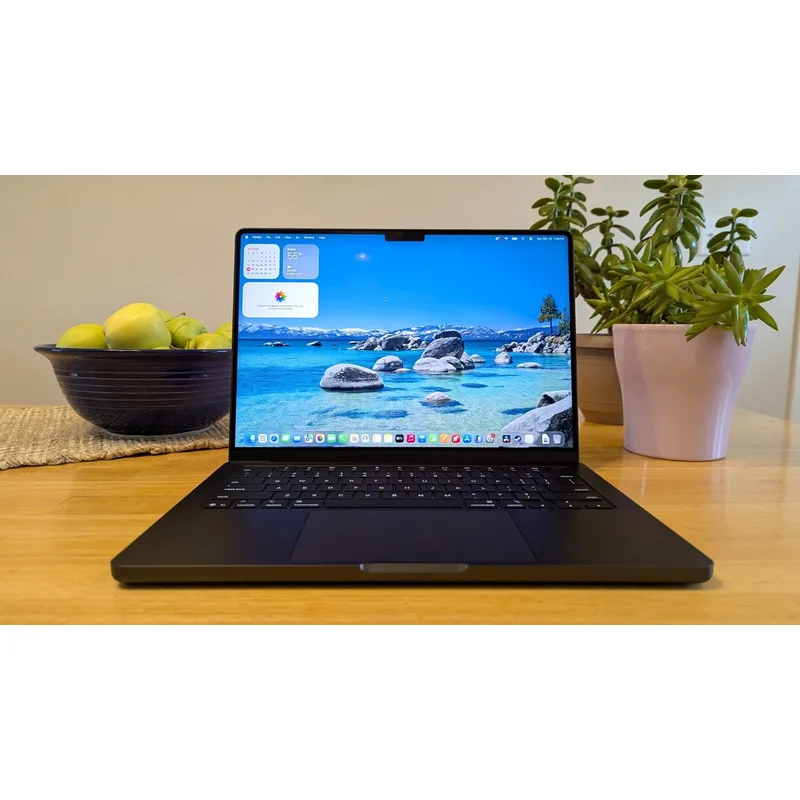
The MacBook Pro 14 with M5 is the best remote work laptop available in 2026 for users in the Apple ecosystem. The 24-hour battery rating is genuine — mixed workdays with video calls, browser tabs, and productivity apps regularly deliver 16-20 hours. No other laptop on this list comes close.
The M5 chip is a meaningful step up from M4, delivering approximately 30% faster CPU performance and significantly better on-device AI processing for Apple Intelligence features. For remote workers, this translates to faster processing of large spreadsheets, smoother performance during screen sharing and calls, and better thermal management under sustained load.
The 12MP Center Stage webcam remains the best integrated camera in any laptop. It automatically tracks your face and keeps you centered in the frame — useful during calls where you move around. At this quality level, most remote workers won’t need an external webcam upgrade.
Port selection is the best here among 14-inch laptops: three Thunderbolt 4 ports, full-size HDMI, SD card, and MagSafe 3 charging. The SD card slot alone is a daily convenience for anyone who uses cameras or records videos for work.
Who should buy this: Remote workers using macOS who want the best combination of battery, webcam, performance, and port selection.
Who should skip this: Windows-dependent users, teams requiring Windows-specific software, or anyone not willing to pay the Apple premium.
2. Lenovo ThinkPad X1 Carbon Gen 13 — Best for Windows
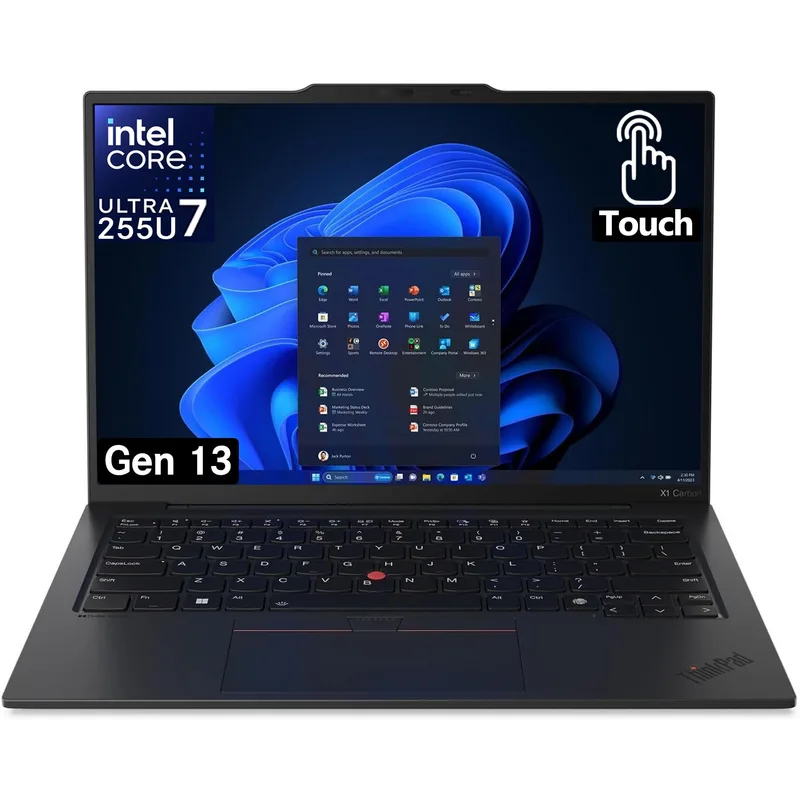
The ThinkPad X1 Carbon Gen 13 continues Lenovo’s tradition of premium Windows business laptops with a 2.8K OLED display, Intel Core Ultra 7 258V processor, and the lightest weight on this list at 2.48 lbs. For remote workers who commute or travel regularly, that weight difference is felt across every carry.
The 1080p IR webcam with AI noise suppression is the strongest built-in camera among Windows laptops reviewed here. The noise suppression applies to both video and the microphone — keyboard sounds, HVAC noise, and ambient background are reduced automatically. This matters most for calls from shared spaces or home offices without acoustic treatment.
The OLED display improves more than just color accuracy. Deep blacks and precise contrast make documents easier to read over long sessions. The ThinkPad keyboard is the benchmark for laptop keyboards — adequate key travel, positive feedback, and a layout that doesn’t sacrifice spacing for thinness.
The port complement is complete: two Thunderbolt 4, two USB-A (rare on modern thin laptops), HDMI, and a 3.5mm jack. The USB-A ports mean older peripherals plug in without an adapter, which matters in home office setups with a mix of legacy hardware.
Who should buy this: Windows users who travel frequently and need the lightest laptop with best-in-class keyboard quality, OLED display, and strong webcam.
Who should skip this: Users who primarily work from a desk and don’t need the premium weight savings; the MacBook Pro or Surface offer more battery life per dollar.
3. Microsoft Surface Laptop 7 (15-inch) — Best Value Premium
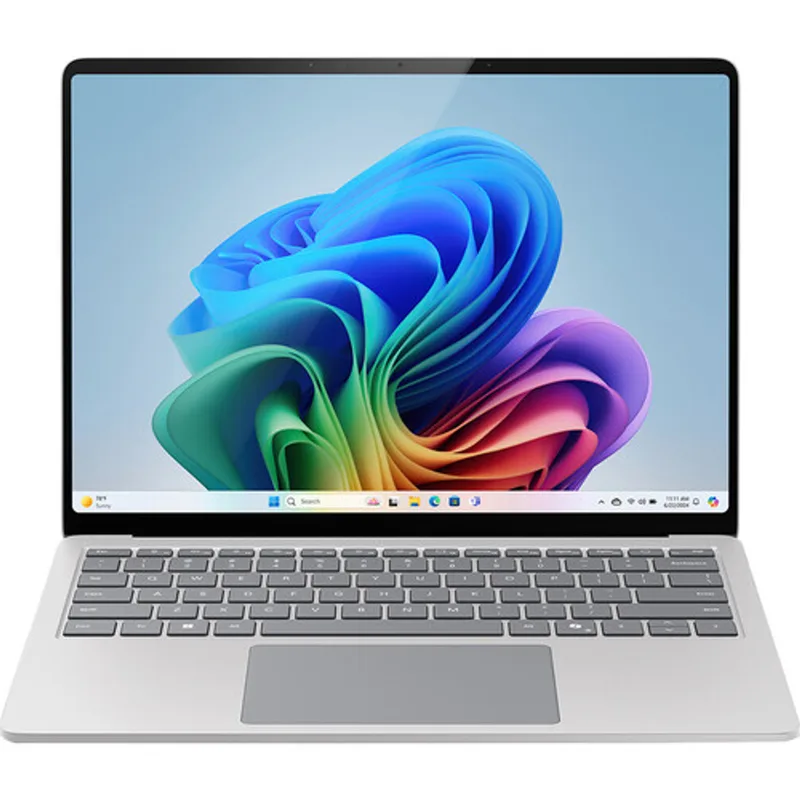
The Surface Laptop 7 with Snapdragon X Elite delivers 22-hour battery life that competes with the MacBook Pro. Light workdays with video calls, document editing, and email regularly exceed 15 hours. For a $1,299 laptop, this is exceptional.
The Snapdragon X Elite is ARM-based, and that distinction matters for some workflows. Most modern Windows applications run natively on ARM with no performance penalty. Older applications built for x86 may run slower via emulation or, in rare cases, not at all. Users who rely on specific legacy Windows software — specialized accounting tools, CAD programs, older business apps — should verify compatibility before purchasing.
The 15-inch 2K+ touchscreen is sharp and bright. Touchscreen capability makes document annotation practical during calls: open a PDF, mark it up on screen while discussing, send the annotated version back in the same meeting. The 1080p HDR webcam produces accurate colors and solid video quality.
The main constraint is port selection. Two USB-C ports handle charging and video output but require careful adapter management in peripheral-heavy setups. There’s no Thunderbolt — the USB-C ports run at USB 3.2 speeds, which limits dock bandwidth.
Who should buy this: Remote workers who want excellent battery life, a large touchscreen, and competitive performance at a price below the MacBook Pro and ThinkPad.
Who should skip this: Users with x86-dependent legacy software, or those who need Thunderbolt for high-speed docks or external drives.
4. Samsung Galaxy Book4 Pro 360 — Best 2-in-1
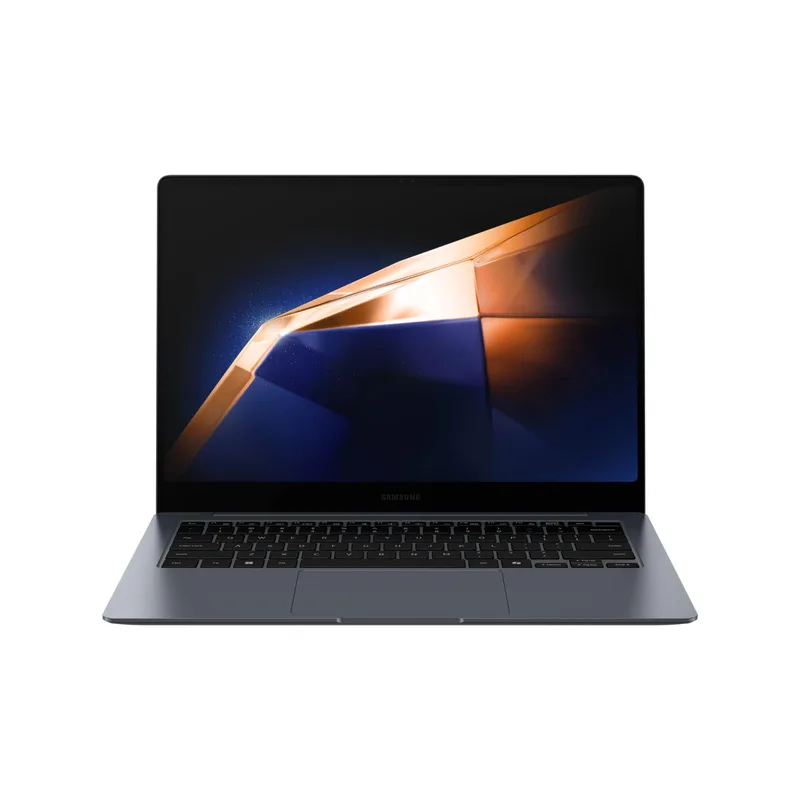
The Galaxy Book4 Pro 360 has the best display among Windows options on this list. The 16-inch 3K AMOLED touchscreen has contrast and saturation that makes video calls, presentation review, and document work look substantially better than IPS alternatives.
The 2-in-1 hinge and S Pen create a document annotation workflow with real utility: receive a contract PDF on a call, annotate it with the S Pen while discussing, send back the marked-up version. This workflow exists on other touchscreen laptops but the S Pen makes it precise enough to be practical. Tent mode and tablet mode add flexibility for presentation delivery without a projector hookup.
Intel Core Ultra 7 155H performance handles all remote work tasks without constraint. Thunderbolt 4 and HDMI 2.1 provide full flexibility for home office docking — direct monitor connection without adapters.
The advertised 21-hour battery is ambitious. In mixed remote work use, expect 12-14 hours, which still covers most workdays. At 3.9 lbs it’s the second-heaviest laptop on this list — not a daily commute machine.
Who should buy this: Remote workers who frequently review, annotate, and sign documents, and want the best display quality in the Windows 2-in-1 category.
Who should skip this: Workers who travel daily and prioritize weight, or those who find the 2-in-1 form factor unnecessary.
5. Dell XPS 15 9530 — Best Large Screen
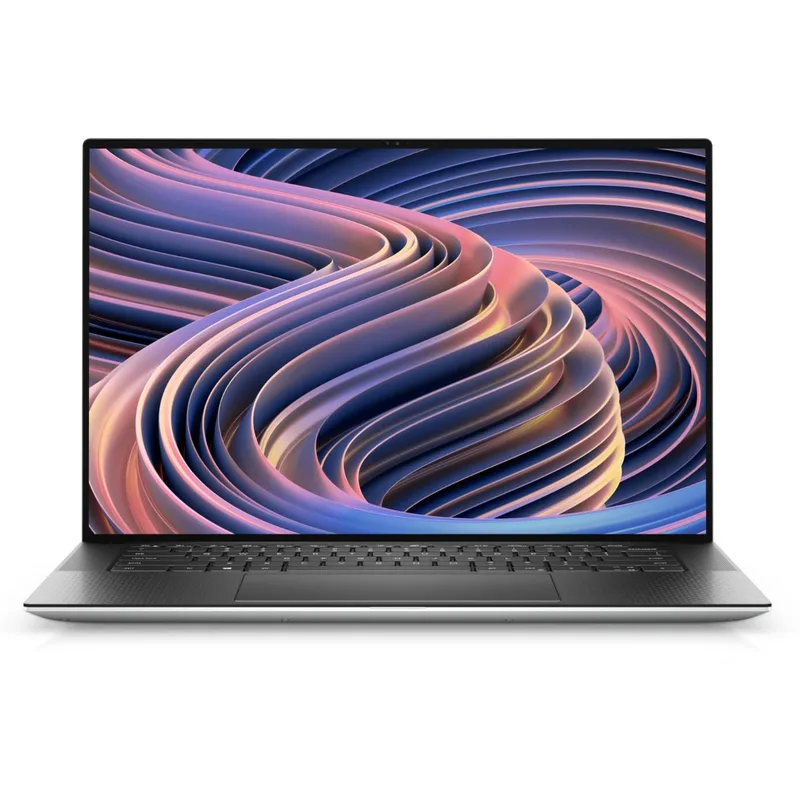
The XPS 15 9530 is for remote workers who want a larger screen and are willing to trade portability for it. The 15.6-inch FHD+ display with 1920x1200 resolution gives more vertical pixels than standard 1080p panels — the extra vertical space reduces scrolling and makes document review more comfortable over long sessions.
32GB RAM at this price handles demanding workflows: large spreadsheets with many tabs open, multiple virtual environments, heavy browser usage alongside video calls. The Thunderbolt 4 ports support full multi-monitor docking setups for a complete desk configuration.
The webcam is the clear weak point. A 720p IR camera handles Windows Hello facial recognition but delivers noticeably softer video quality compared to competitors. Remote workers frequently on camera will want to pair this with an external webcam — the Logitech MX Brio or similar at $100-200 addresses this gap.
Note that this is a 2023-generation machine with 13th-gen Intel. It remains a solid value for the use case but newer Intel Core Ultra laptops offer better efficiency and AI-feature support.
Who should buy this: Remote workers primarily at a desk who want a large screen with strong multitasking capability and are comfortable supplementing with an external webcam.
Who should skip this: Hybrid workers who carry their laptop daily, and anyone who frequently appears on video calls without a dedicated external webcam.
Comparison Table
| Laptop | CPU | Battery | Webcam | Weight | Price | Rating |
|---|---|---|---|---|---|---|
| MacBook Pro 14 M5 | Apple M5 | 24 hours | 12MP Center Stage | 3.5 lbs | Unavailable | 9.5 |
| ThinkPad X1 Carbon Gen 13 | Intel Core Ultra 7 | 15 hours | 1080p AI | 2.48 lbs | $1899.00-$2399.00 as of Oct 18, 2026 | 9.2 |
| Surface Laptop 7 15” | Snapdragon X Elite | 22 hours | 1080p HDR | 3.67 lbs | $1899.99 as of Oct 18, 2026 | 8.9 |
| Galaxy Book4 Pro 360 | Intel Core Ultra 7 | 21 hours | 1080p AI | 3.9 lbs | Unavailable | 8.7 |
| Dell XPS 15 9530 | Intel Core i7-13620H | 13 hours | 720p | 4.2 lbs | $1499.00 as of Oct 18, 2026 | 8.6 |
Buying Guide: What to Prioritize
Battery life over performance specs. For remote work tasks — video calls, document editing, browser work, email — processing power is rarely the constraint. Battery life is felt every day. A laptop with 15+ hours of realistic battery life provides freedom from power anxiety that no amount of CPU performance compensates for.
RAM for multitasking. Remote work means many browser tabs, communication apps (Slack, Teams), video call software, and productivity tools running simultaneously. 16GB is the minimum comfortable amount in 2026. 32GB provides more headroom for demanding workflows or local AI tools.
Webcam quality matters more than most reviewers acknowledge. It directly affects how you’re perceived by colleagues, managers, and clients on every call. Prioritize laptops with 1080p webcams at minimum, and preferably with AI noise suppression on the microphone.
Thunderbolt 4 simplifies your desk. A laptop with Thunderbolt 4 connects to a quality dock that adds Ethernet, USB-A ports, an SD card reader, and multiple monitor outputs via a single cable. A laptop limited to basic USB-C ports requires more adapters and introduces more failure points. If your current setup uses a dock, verify Thunderbolt compatibility before purchasing.
Weight compounds over time. A laptop that feels fine in the store becomes annoying to carry after three months of daily use. If you commute or move between spaces regularly, a sub-3-pound laptop makes a meaningful quality-of-life difference.
FAQ
How much RAM do I need for remote work?
16GB covers most remote work comfortably — multiple browser tabs, Slack or Teams, video calls, and standard productivity apps. 32GB provides meaningful headroom for users running many applications simultaneously, developers, or those using local AI tools. 8GB is increasingly inadequate as browser memory usage grows. Note that the MacBook Pro’s 16GB unified memory architecture is efficient enough to handle tasks that Windows systems often need 32GB to match.
Does the processor matter for remote work?
For standard remote work — video calls, spreadsheets, document editing, email — the processor matters less than battery life and RAM. Any modern Intel Core Ultra, AMD Ryzen 7, Apple M-series, or Snapdragon X Elite handles these tasks without constraint. Processor choice matters more for video editing, software development, or local AI workloads.
How accurate are manufacturer battery claims?
Manufacturer ratings are measured under ideal conditions: low screen brightness, simple browsing, no video conferencing. Real-world battery life in active remote work use is typically 70-85% of the rated figure. An 18-hour rated battery typically delivers 12-15 hours under mixed use. The MacBook Pro M5’s 24-hour rating delivers 16-20 hours in practice — still the leader by a wide margin.
Should I get a 13-inch or 15-inch laptop for remote work?
This depends on whether portability or screen real estate is more important. A 13-14 inch laptop is lighter, easier to carry, and works in more confined spaces. A 15-16 inch laptop provides more on-screen workspace for split-view layouts without a monitor. Most remote workers with a dedicated home office monitor benefit more from the portability of a smaller laptop — the monitor handles screen real estate when docked.
What ports do I need for a remote work setup?
At minimum: Thunderbolt 4 (or USB4) for dock and monitor connectivity, one USB-A for legacy peripherals, and a headphone jack. The MacBook Pro’s HDMI port and SD card reader are useful additions. If your laptop lacks ports, a Thunderbolt 4 dock adds 10+ ports via a single cable — often a better investment than choosing a laptop based solely on its built-in port selection.
Is the MacBook Pro worth it if I mostly use Windows apps?
No. If your workflow depends on Windows-specific software, choose the ThinkPad X1 Carbon or Surface Laptop 7. Parallels and Boot Camp workarounds exist but add friction. The MacBook Pro’s advantages — battery life, webcam, build quality — are compelling, but only if macOS fits your workflow.
Conclusion: The Clear Winner
The Apple MacBook Pro 14-inch (M5) is the best laptop for remote work in 2026. The M5 chip brings better performance and AI features at the same $1,599 price point as last year’s M4. Combined with the 24-hour battery, 12MP Center Stage webcam, and full port selection, it remains the most capable all-day remote work machine available.
For Windows-first users, the ThinkPad X1 Carbon Gen 13 is the clear answer — lightest on this list, best Windows webcam, OLED display, and a keyboard that won’t cause fatigue after eight hours of typing.
The Surface Laptop 7 offers the best value in the premium tier for users who can accept ARM compatibility trade-offs. And the Dell XPS 15 remains the right pick for desk-bound workers who want a larger screen and strong multitasking at a sub-$1,300 price point — just budget $100-150 for a better external webcam.
Detailed Reviews
Apple MacBook Pro 14-inch (M5)
Pros
- 24-hour battery life covers the longest workday without reaching for a charger
- 12MP Center Stage webcam delivers the best built-in camera in any laptop class
- M5 chip handles heavy multitasking across many open apps without thermal throttling
- Thunderbolt 4 ports support multiple 4K monitors and high-speed peripherals
Cons
- Premium price is the highest on this list
- macOS ecosystem lock-in — not a fit for Windows-dependent workflows
- Base 512GB storage fills up fast for developers or video workers
Lenovo ThinkPad X1 Carbon Gen 13
Pros
- Lightest laptop on this list at 2.48 lbs — critical for frequent travelers
- OLED display makes video calls visually sharp with excellent contrast
- 1080p IR camera with AI noise suppression is the best Windows laptop webcam available
- Full port complement including USB-A for legacy peripherals
Cons
- Battery life does not match the MacBook Pro on intensive workloads
- Premium pricing in the same range as the MacBook Pro
- 15-hour battery rating assumes light workloads; heavy call days may need a charger
Microsoft Surface Laptop 7 (15-inch)
Pros
- 22-hour battery life is exceptional for an all-day work machine
- Snapdragon X Elite provides strong efficiency for typical remote work tasks
- Touchscreen display works well for annotating documents and navigating during calls
- Solid 1080p HDR webcam for sharp video call appearance
Cons
- ARM architecture may create compatibility issues with older Windows x86 software
- Limited port selection — no Thunderbolt, requires USB-C hub for full desk setup
- No SD card slot and no Thunderbolt limits high-speed peripheral use
Samsung Galaxy Book4 Pro 360
Pros
- 3K AMOLED touchscreen provides outstanding display quality for video content and calls
- 2-in-1 design with S Pen for annotating documents during meetings
- Thunderbolt 4 for full dock and multi-monitor support
- HDMI 2.1 for direct connection to external monitors without adapters
Cons
- Heavier than the ThinkPad X1 Carbon for a similar screen size class
- Battery life in heavy use is 12-14 hours despite the 21-hour spec claim
- S Pen is useful but adds bulk compared to standard clamshell designs
Dell XPS 15 9530
Pros
- 15.6-inch display provides substantial screen real estate for multi-window workflows
- 32GB RAM handles demanding multitasking with ease
- Thunderbolt 4 ports for full external monitor and dock support
- Premium build quality with machined aluminum chassis
Cons
- 720p webcam is below the standard set by other laptops at this price
- Heaviest option on this list at 4.2 lbs — a daily carry burden
- 13th-gen Intel CPU means this is now a previous-generation machine