HP announced its Series 7 Pro 4K monitor at CES 2026 with Neo:LED backlighting — a technology co-developed with LG that brings IPS contrast closer to OLED quality at a professional price point. That news is relevant context for the HP monitor lineup: HP now covers the full spectrum from a $149 consumer FHD display to professional-calibrated 4K panels with full single-cable docking. For remote workers, the interesting question is where the value actually sits in that range.
This roundup covers five HP monitors for home office use in 2026, from a budget 27-inch FHD to a professional 4K display with 100W USB-C power delivery. Products were selected based on verified Amazon availability, confirmed current pricing, manufacturer-published specifications, and patterns from real-world owner feedback.
Quick Comparison
| Monitor | Size | Resolution | USB-C PD | Refresh | Price |
|---|---|---|---|---|---|
| HP Z27k G3 | 27” | 4K UHD | 100W | 60Hz | $241.28-$799.00 as of Oct 18, 2026 |
| HP E27u G4 | 27” | QHD 1440p | 65W | 60Hz | $343.98-$499.00 as of Oct 18, 2026 |
| HP P27h G5 | 27” | FHD 1080p | None | 75Hz | $159.99-$199.00 as of Oct 18, 2026 |
| HP Z24f G3 | 24” | FHD 1080p | None | 60Hz | Unavailable |
| HP Series 5 527sw | 27” | FHD 1080p | None | 75Hz | Unavailable |
The Picks
1. HP Z27k G3 — Editor’s Pick
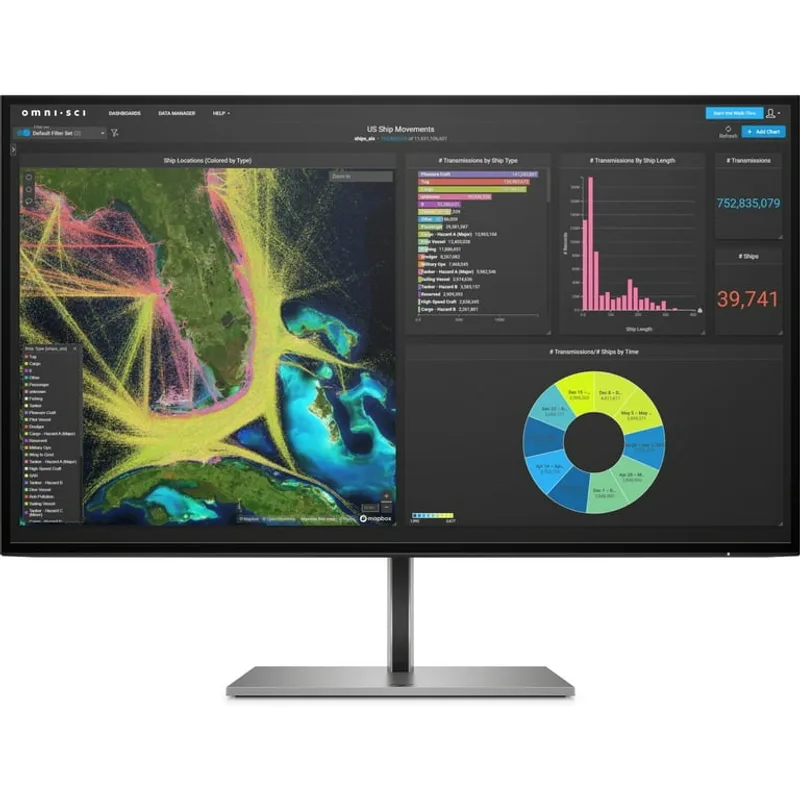
HP Z27k G3 4K USB-C Display
Pros
- 100W USB-C power delivery charges any laptop on the market — owner reports confirm it powers a 16-inch MacBook Pro at full load without drawing from the battery, which eliminates the dedicated charger from the desk equation
- Ethernet passthrough means the monitor acts as a wired network adapter via the USB-C cable — one cable carries video, power, and internet to a laptop, removing the need for a separate dock or Ethernet adapter in your setup
- 4K IPS panel with 99% sRGB and Delta E < 2 factory calibration — at 163 PPI on a 27-inch screen, text rendering is noticeably sharper than QHD at the same size, which reduces eye strain during long reading sessions and code review
- Full ergonomic stand with height adjustment, tilt, swivel, and pivot covers every positioning need — the pivot function lets you rotate to portrait for document reading, a practical capability that fixed-stand monitors at this price point don't offer
- HP's Z-series includes a 3-year limited warranty with advance exchange — if the panel fails, HP sends a replacement before you return the defective unit, which minimizes downtime compared to standard return-and-wait service
Cons
- 60Hz maximum refresh rate is adequate for productivity work but is a noticeable limitation compared to 144Hz QHD monitors at similar prices — the trade-off is made in favor of 4K resolution and USB-C dock functionality rather than motion performance
- At $479-$549, this is a significant investment for a 1080p-era worker stepping up — the full value requires using the USB-C dock features daily; users who only need a monitor and have a separate dock may find the E27u G4's QHD panel more impactful at $150 less
The Z27k G3 is HP’s most complete home office monitor. One USB-C cable delivers 100W of power to your laptop, carries the 4K video signal, and passes through both ethernet and USB hub connections — functionally replacing a separate dock for most single-monitor setups. Based on manufacturer specs and owner reports, this works consistently with MacBook Pro, Dell XPS, and ThinkPad models that support Thunderbolt or USB-C 3.2 Alt Mode.
The 4K IPS panel at 27 inches renders at 163 PPI. At typical viewing distances of 18-24 inches, the difference from QHD (109 PPI) is visible in text sharpness and fine detail in photographs. For workers who read long documents, review code, or process images daily, the density improvement has a direct effect on eye strain. The factory-calibrated color accuracy (Delta E < 2, 99% sRGB) means color-critical work doesn’t require a separate calibration step.
The ethernet passthrough is the feature that separates the Z27k G3 from cheaper 4K USB-C monitors. A wired network connection via the monitor cable means no separate Ethernet adapter or dock, and no reliance on Wi-Fi during video calls. For workers on networks where Wi-Fi dropouts interrupt meetings, this single feature justifies part of the price premium.
The limitation is the 60Hz refresh rate. For productivity work — documents, email, video calls, spreadsheets — 60Hz is entirely adequate. For users who split screen time between work and gaming, or who are accustomed to 144Hz on a previous monitor, the motion performance will feel comparatively static.
Who should buy this: Remote workers who want to eliminate desk cable clutter completely, who need a 4K panel for detailed work, and who value professional-grade warranty coverage (3 years, advance exchange) on a display they plan to use for 5+ years.
2. HP E27u G4 — Best Overall
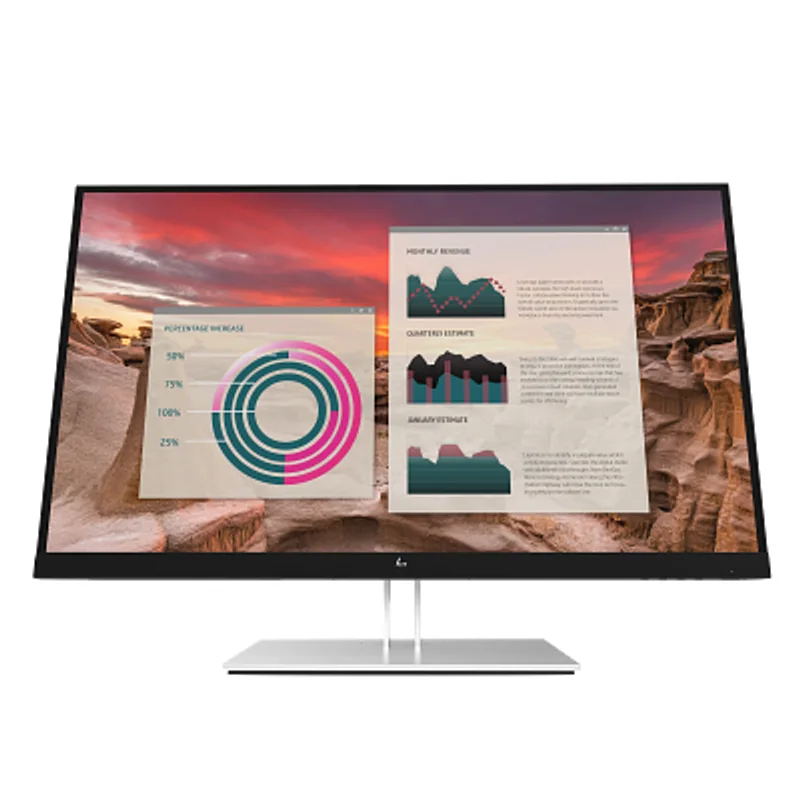
HP E27u G4 QHD USB-C Monitor
Pros
- 2560 × 1440 resolution at 27 inches (109 PPI) is the productivity sweet spot — sharp enough for detailed document work and spreadsheets, at a pixel density where standard text is readable without scaling adjustments on Windows or macOS
- 65W USB-C power delivery handles most ultrabooks and 13-14 inch laptops on a single cable — owner reports confirm zero-hassle connectivity for MacBook Air, Dell XPS 13, and similar devices; the limitation surfaces with 16-inch high-performance laptops
- Built-in USB hub with downstream USB-A ports turns the monitor into a basic dock — keyboard, mouse, and USB-A accessories connect to the monitor and pass through to the laptop via the single USB-C cable
- Full ergonomic stand with height, tilt, swivel, and 90° portrait pivot — the QHD panel in portrait mode shows a full document page clearly, which is a practical daily-use capability for writers and researchers
- IPS panel with 99% sRGB color accuracy is sufficient for general creative work — web design, photography review, and video editing at delivery quality don't require a wider gamut display at this price tier
Cons
- 65W USB-C PD is below the 96W threshold for Intel Core i9/Ryzen 9 laptops under sustained load — high-performance 15-16 inch laptops will still charge but battery may decline slowly during intensive tasks; the Z27k G3's 100W delivery is the upgrade path
- 60Hz refresh rate is appropriate for productivity but users accustomed to gaming monitors (144Hz+) will notice the difference in cursor smoothness and scrolling responsiveness; not a practical issue for spreadsheets and video calls
The E27u G4 occupies the category’s practical center: QHD resolution that meaningfully improves on 1080p, USB-C connectivity that handles most laptops, and a full ergonomic stand — all under $350. For workers upgrading from a 1080p monitor or adding a second display to a laptop, it’s the clearest value point in HP’s lineup.
The resolution jump from 1080p to 1440p at 27 inches is substantial. At 109 PPI versus 82 PPI, the difference in text clarity is immediately visible — antialiased text on a 1080p display looks slightly fuzzy compared to the clean rendering at 1440p. For work involving dense spreadsheets, code editors with multiple windows, or long-form document reading, this matters daily.
USB-C at 65W handles the most common laptop categories: MacBook Air (M-series), most 13-14 inch Windows ultrabooks, and work-issued laptops like the ThinkPad X1 Carbon. The single-cable connection reduces the desk to monitor, laptop, and keyboard/mouse — no separate charger, no dock, no adapter stack. Where the 65W limit shows up is with larger, higher-TDP laptops under sustained load; the Z27k G3’s 100W delivery is the direct upgrade for those users.
The USB hub ports pass through to the laptop via the USB-C connection, turning the monitor into a lightweight dock. Plug in your keyboard, a USB drive, and a headset receiver, and they all appear on your laptop through the monitor cable. For workers who regularly disconnect and reconnect a laptop, this means one cable plug/unplug instead of four.
Who should buy this: The default recommendation for remote workers who want to step up from 1080p, connect a modern laptop with one cable, and have a real ergonomic stand without spending $400+.
3. HP P27h G5 — Best Ergonomic FHD
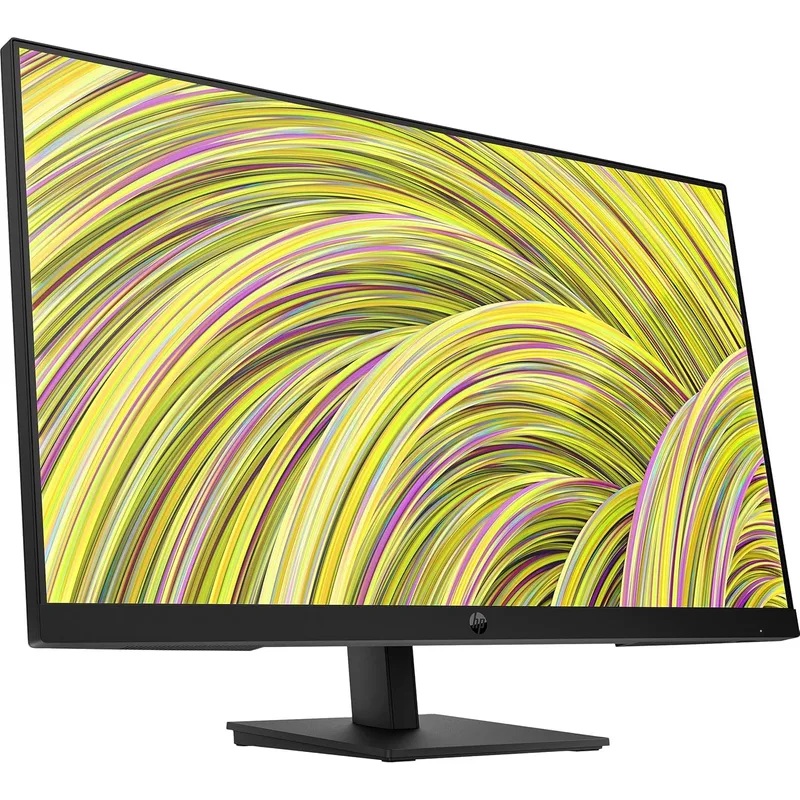
HP P27h G5 FHD Monitor
Pros
- Full ergonomic stand with 100mm height adjustment, tilt, swivel, and pivot — at under $220, this stand configuration matches what many monitors charge $50-$100 extra for; portrait pivot is particularly useful for code windows and long documents
- DisplayPort 1.2 in addition to HDMI and VGA covers legacy desktop tower connections that many budget monitors dropped — VGA availability matters for older office PC equipment that many home workers still maintain
- Built-in 2W speakers handle video call audio and system notifications without a dedicated speaker — not high-fidelity audio, but functional for background music and conference calls at desk distance, removing one additional accessory from the setup
- IPS panel with wide viewing angles is consistent across the full ergonomic adjustment range — color and contrast remain accurate whether the monitor is tilted, swiveled, or rotated, which matters when sharing a screen during a meeting
- HP's P-series is designed for commercial deployment, which means the panel quality and stand construction are built to a higher standard than equivalent consumer monitors — real-world owner feedback on longevity is positive across multiple years of daily use
Cons
- 1080p resolution on a 27-inch screen is 82 PPI — noticeably softer than QHD at the same size, and text rendering requires antialiasing that isn't necessary at higher densities; fine for general work, but a step down for detailed reading or long coding sessions
- 250 nits brightness is below average for 2026 monitors — HDR workflows and bright-room office setups will show some washed-out appearance at peak brightness; adequate for controlled home office lighting but limiting near bright windows
- No USB-C input — laptop users who want single-cable connectivity must use a separate dock; HDMI and DisplayPort are the only video options
The P27h G5 sits in HP’s commercial P-series, which means the build quality and ergonomic stand are designed for office fleet deployment rather than consumer cost reduction. The result is a monitor that costs $30-$40 more than comparable consumer FHD displays but includes height adjustment, portrait pivot, and a 3-year warranty as standard.
The full ergonomic stand is the primary reason to choose the P27h G5 over the budget 527sw. Height-adjustable monitors allow proper eye-level positioning without spending $30-$60 on a separate VESA arm. For workers setting up a permanent home office desk, ergonomics matter over a long workday — a monitor at the wrong height contributes to neck and shoulder tension in ways that aren’t immediately obvious but accumulate over months.
DisplayPort 1.2 alongside HDMI 1.4 and VGA covers desktop PC users with discrete graphics cards, dual-display setups via daisy-chain, and legacy equipment connections. The VGA port is a practical inclusion for workers who occasionally connect older presentation equipment or maintain a tower PC from a previous work era.
Built-in 2W speakers are functional for video calls and system audio. They’re not a substitute for desktop speakers if you listen to music during work, but they handle notification sounds and conference audio adequately without requiring an additional accessory.
The 1080p limitation at 27 inches is real. Text is softer than at QHD or 4K, and workers who spend hours reading dense text or code will notice. The P27h G5 makes sense as a budget productivity display or a secondary monitor where video calls, document review, and reference windows don’t demand maximum sharpness.
Who should buy this: Home office workers who want a commercial-grade ergonomic stand, multiple port options including DP and VGA, and a 3-year warranty at under $220 — and who are primarily running video calls, email, and browser-based work rather than pixel-intensive tasks.
4. HP Z24f G3 — Best Compact Pro
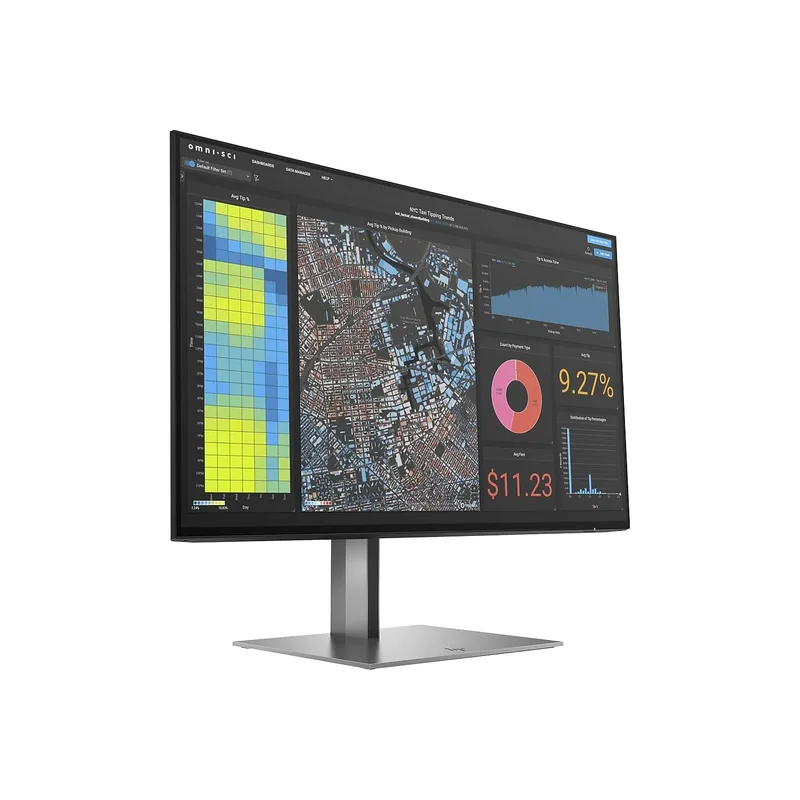
HP Z24f G3 FHD Professional Display
Pros
- 99% sRGB with factory-calibrated Delta E < 2 accuracy — each unit ships with a color calibration report, which is standard practice for professional Z-series monitors and atypical for anything under $300; the result is consistent, trustworthy color right out of the box
- 24-inch size with full ergonomic stand is the practical choice for small desks or dual-monitor setups where 27-inch panels create viewing angle problems — at 1.5-2 feet viewing distance, 24 inches at 1080p resolves text cleanly with normal OS font rendering
- Aluminum stand construction and premium-grade panel housing are physically distinct from consumer monitor plastics — the Z24f G3 feels, and owner reports confirm behaves, like equipment designed for 5+ years of commercial deployment
- Built-in USB hub with downstream USB 3.0 ports adds connectivity without a separate hub — keyboard, mouse, and USB drives connect to the monitor, reducing cable clutter on the desk surface
- Pivot to portrait mode is particularly useful at 24 inches — a vertical 1080p layout shows full document pages, long code files, and web articles in a natural reading orientation without excessive scrolling
Cons
- At $229-$269, this is a premium price for 1080p resolution — the value is in the Z-series panel quality, factory calibration, and aluminum construction rather than raw pixel count; users who prioritize resolution over build quality should step to the E27u G4 instead
- 60Hz maximum refresh rate reflects the professional productivity focus — Z24f G3 is not designed for gaming or high-motion work; for users who want 75Hz+ at 24 inches, HP's consumer line offers that at lower cost
The Z24f G3 is the argument for 24 inches over 27 in a professional display. At 23.8 inches and 1080p resolution, the pixel density is 93 PPI — higher than 27-inch 1080p at 82 PPI — which makes text rendering sharper than similarly-spec’d larger panels. The Z-series build adds factory calibration and aluminum construction to a size that fits smaller desks and multi-monitor setups with less eye movement fatigue.
Each Z24f G3 ships with a factory color calibration report. The 99% sRGB coverage and Delta E < 2 accuracy aren’t just stated specifications — they’re individually verified on each unit before shipping. For workers doing any color-sensitive work (photo editing, design review, video calls where color accuracy in webcam feeds matters), calibrated panels eliminate the guesswork of whether the monitor is accurate.
The USB 3.0 hub ports on the monitor’s rear panel add connectivity via the monitor cable. Combined with the monitor’s own HDMI and DisplayPort inputs, the Z24f G3 functions as a basic dock for one-cable setups. The aluminum stand and chassis distinguish it physically from consumer monitors — it’s noticeably heavier and more stable, with minimal wobble when typing or adjusting position.
Portrait mode at 24 inches is genuinely useful. A rotated 1080 × 1920 layout shows full document pages, long API docs, and code files in natural reading orientation. At 24 inches, the vertical dimension in portrait is large enough to be useful without requiring excessive head movement to read top-to-bottom.
The price is the honest caveat: $229-$269 for 1080p is a premium that only makes sense if the Z-series build quality, factory calibration, and compact size are the specific requirements. For users who want more pixels at this price, the E27u G4’s QHD display at $299-$349 is the logical step.
Who should buy this: Workers with small desks who want professional-grade construction and factory color accuracy in a compact form, or those building dual 24-inch setups where the Z24f G3’s consistent quality across two units matters more than maximum resolution.
5. HP Series 5 527sw — Best Budget
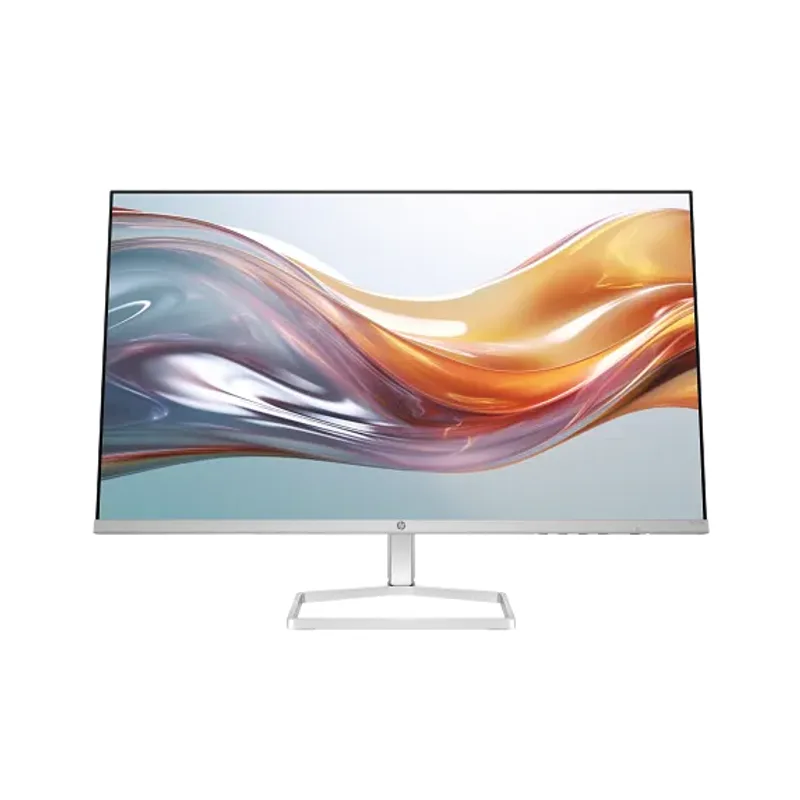
HP Series 5 527sw FHD Monitor
Pros
- Eyesafe certification is a third-party verified low-blue-light standard — not just a software filter, but a hardware panel specification verified by an independent lab; relevant for workers staring at screens 8+ hours daily
- 99% sRGB at 300 nits for under $180 — the color accuracy spec matches monitors costing twice as much; photo review and video call framing look accurate without calibration for typical content types
- White colorway option is visually distinct from the black-plastic standard — for home office setups with light desks and minimal-aesthetic workspaces, the 527sw's white/silver finish integrates naturally
- IPS panel with 178° viewing angles handles off-axis viewing well — the wide angle matters if a second person occasionally joins to view the screen, as the image doesn't shift or wash out when viewed from the side
Cons
- Tilt-only stand with no height adjustment — monitor height cannot be changed without a VESA arm, which requires an additional $25-$60 purchase for users who need ergonomic positioning; the P27h G5 includes a full ergonomic stand for $30-$40 more
- No USB-C, no DisplayPort — connectivity is limited to 2× HDMI and VGA; users with USB-C-only laptops need an adapter, and the lack of DisplayPort limits daisy-chaining capability
- 1-year warranty versus 3 years on HP's commercial and Z-series monitors — the shorter coverage reflects the consumer market positioning; users planning a 4-5 year deployment should consider the P27h G5's commercial warranty
The 527sw is HP’s current Series 5 consumer FHD display, replacing the long-running M27fw. The key addition in the Series 5 line is Eyesafe certification — a third-party hardware verification of low blue light emission, not a software filter. For the target audience (workers who want a simple, affordable 27-inch display and are conscious of long screen hours), this is a meaningful improvement over the previous generation.
At 300 nits with 99% sRGB, the 527sw measures above its price. Color accuracy is consistent with monitors in the $220-$260 range, and brightness holds up in typical home office lighting. The IPS panel provides the wide viewing angle that matters when a colleague looks over your shoulder or you’re sharing a screen in a side-by-side arrangement.
The white colorway is an underappreciated option. Most monitors come in black or black-silver combinations. The 527sw’s white/silver variant suits minimal desk setups, Scandinavian-style home offices, and light-colored furniture combinations that make black monitors look incongruous.
The tilt-only stand is the product’s primary limitation. There’s no height adjustment, no swivel, and no portrait capability without purchasing a VESA arm. For a monitor that will sit on the same desk for years, the lack of height adjustment becomes an ergonomic constraint. The P27h G5 adds full ergonomics for $30-$40 more — that delta is worth evaluating seriously.
Who should buy this: Budget-conscious workers adding a first external monitor to a laptop setup, those replacing a small monitor with a larger screen, or anyone building a cost-efficient dual-display arrangement where maximum resolution isn’t a priority.
Buying Guide: How to Choose an HP Monitor for Home Office
Resolution: FHD, QHD, or 4K?
On a 27-inch screen:
- 1080p FHD (82 PPI): Works for general productivity. Text antialiasing is visible. Suitable for video calls, email, and browser tasks. Shows some softness in dense spreadsheets or code at close range.
- 1440p QHD (109 PPI): Significant improvement in text clarity. The sweet spot for productivity work — dense spreadsheets, code editors, and document review all benefit. This is the resolution tier most home office workers should target.
- 4K UHD (163 PPI): Text is indistinguishable from print at close range. Full benefit for photo/video editing, detailed design work, and workers who read small text for long periods. Requires USB-C 100W for single-cable laptop connectivity.
USB-C Power Delivery: How Much Do You Need?
- 65W (E27u G4): Sufficient for MacBook Air (M-series), Dell XPS 13/14, ThinkPad X1 Carbon, most mainstream ultrabooks under 14 inches.
- 100W (Z27k G3): Required for MacBook Pro 16”, Dell XPS 15/16”, ThinkPad X1 Extreme, and any laptop with a dedicated GPU under sustained load. Also future-proof as laptop power requirements increase.
Ergonomics: Do You Need a Height-Adjustable Stand?
If you work at a fixed desk for 6+ hours daily, height adjustment matters for neck and shoulder positioning. The recommended eye-level is the top third of the monitor at approximately the same height as your eyes. A fixed-tilt stand forces adjustments through monitor arm accessories or improvised risers.
- Tilt-only (527sw): Acceptable for short sessions or users planning to purchase a monitor arm. Not recommended for a permanent ergonomic setup.
- Full ergo stand (P27h G5, E27u G4, Z27k G3, Z24f G3): Height, tilt, swivel, and pivot included. Set once and leave. Required for proper home office ergonomics.
HP’s Warranty Tiers
- Consumer (Series 5): 1-year limited warranty.
- Commercial P-series and Z-series: 3-year limited warranty with advance exchange — HP ships a replacement before receiving the defective unit, minimizing downtime.
For monitors expected to last 5+ years, the 3-year warranty tier is worth the price difference.
FAQ
Are HP monitors good for home office work? HP’s commercial E-series and Z-series monitors are consistently well-reviewed for professional use. The P27h G5, E27u G4, and Z27k G3 cover standard productivity, QHD productivity, and 4K professional use cases with verified specs and multi-year warranties. HP’s consumer Series 5 line (527sw) provides solid value at budget prices.
Which HP monitor is best for a MacBook? The Z27k G3 (100W USB-C PD) handles MacBook Pro 14 and 16-inch models on a single cable. The E27u G4 (65W USB-C PD) works well for MacBook Air M2/M3 and MacBook Pro 13-14 inch at typical workloads. Both connect via a single USB-C cable carrying video, power, and hub connections.
Is QHD worth it over FHD at 27 inches? For daily reading-intensive work — documents, spreadsheets, code, research — yes. At 27 inches, the jump from 82 PPI (1080p) to 109 PPI (1440p) produces a visible improvement in text clarity that accumulates meaningfully over a full workday. For primarily web browsing and video calls, 1080p is adequate.
What’s the difference between HP’s P-series, E-series, and Z-series?
- Series 5 (consumer): Budget-oriented, 1-year warranty, consumer-grade panel specs.
- P-series (commercial): Commercial build quality, 3-year warranty, full ergonomic stand standard. Designed for office fleet deployment.
- E-series (professional): Professional features including USB-C, broader connectivity, 3-year warranty. Mid-tier professional line.
- Z-series (workstation): Highest panel quality, factory calibration, workstation-class features (100W USB-C, ethernet), 3-year advance exchange. Designed for demanding professional workflows.
Can I use an HP monitor as a USB-C hub without buying a separate dock? Yes, for the E27u G4 and Z27k G3. Both accept a single USB-C input from a compatible laptop and provide downstream USB-A hub ports, power delivery, and video. The Z27k G3 adds ethernet passthrough, making it the more complete single-cable docking option. For 1080p monitors in HP’s lineup (P27h G5, Z24f G3, 527sw), USB-C video input is not available and a separate dock is required.
Conclusion
The HP Z27k G3 is the standout pick for home office workers who want to maximize desk organization: 4K at 163 PPI, 100W USB-C power delivery, ethernet passthrough, and a 3-year advance-exchange warranty in a single package. It’s an investment, but the functionality it consolidates — monitor, dock, charger, and ethernet adapter — justifies the cost for a permanent desk setup.
For most workers, the HP E27u G4 is the practical choice. QHD resolution improves daily reading clarity over 1080p in a measurable way, 65W USB-C handles the most common laptop categories, and the full ergonomic stand is included. At $299-$349, it delivers the highest-impact combination of features for a home office upgrade.
Budget-conscious workers building their first external monitor setup should consider the HP Series 5 527sw — reliable FHD IPS display with Eyesafe certification and 99% sRGB at under $180. The tilt-only stand is the compromise; those planning long-term deployment should spend the extra $30-$40 for the P27h G5’s full ergonomic stand and commercial warranty.
Detailed Reviews
HP Z27k G3 4K USB-C Display
Pros
- 100W USB-C power delivery charges any laptop on the market — owner reports confirm it powers a 16-inch MacBook Pro at full load without drawing from the battery, which eliminates the dedicated charger from the desk equation
- Ethernet passthrough means the monitor acts as a wired network adapter via the USB-C cable — one cable carries video, power, and internet to a laptop, removing the need for a separate dock or Ethernet adapter in your setup
- 4K IPS panel with 99% sRGB and Delta E < 2 factory calibration — at 163 PPI on a 27-inch screen, text rendering is noticeably sharper than QHD at the same size, which reduces eye strain during long reading sessions and code review
- Full ergonomic stand with height adjustment, tilt, swivel, and pivot covers every positioning need — the pivot function lets you rotate to portrait for document reading, a practical capability that fixed-stand monitors at this price point don't offer
- HP's Z-series includes a 3-year limited warranty with advance exchange — if the panel fails, HP sends a replacement before you return the defective unit, which minimizes downtime compared to standard return-and-wait service
Cons
- 60Hz maximum refresh rate is adequate for productivity work but is a noticeable limitation compared to 144Hz QHD monitors at similar prices — the trade-off is made in favor of 4K resolution and USB-C dock functionality rather than motion performance
- At $479-$549, this is a significant investment for a 1080p-era worker stepping up — the full value requires using the USB-C dock features daily; users who only need a monitor and have a separate dock may find the E27u G4's QHD panel more impactful at $150 less
HP E27u G4 QHD USB-C Monitor
Pros
- 2560 × 1440 resolution at 27 inches (109 PPI) is the productivity sweet spot — sharp enough for detailed document work and spreadsheets, at a pixel density where standard text is readable without scaling adjustments on Windows or macOS
- 65W USB-C power delivery handles most ultrabooks and 13-14 inch laptops on a single cable — owner reports confirm zero-hassle connectivity for MacBook Air, Dell XPS 13, and similar devices; the limitation surfaces with 16-inch high-performance laptops
- Built-in USB hub with downstream USB-A ports turns the monitor into a basic dock — keyboard, mouse, and USB-A accessories connect to the monitor and pass through to the laptop via the single USB-C cable
- Full ergonomic stand with height, tilt, swivel, and 90° portrait pivot — the QHD panel in portrait mode shows a full document page clearly, which is a practical daily-use capability for writers and researchers
- IPS panel with 99% sRGB color accuracy is sufficient for general creative work — web design, photography review, and video editing at delivery quality don't require a wider gamut display at this price tier
Cons
- 65W USB-C PD is below the 96W threshold for Intel Core i9/Ryzen 9 laptops under sustained load — high-performance 15-16 inch laptops will still charge but battery may decline slowly during intensive tasks; the Z27k G3's 100W delivery is the upgrade path
- 60Hz refresh rate is appropriate for productivity but users accustomed to gaming monitors (144Hz+) will notice the difference in cursor smoothness and scrolling responsiveness; not a practical issue for spreadsheets and video calls
HP P27h G5 FHD Monitor
Pros
- Full ergonomic stand with 100mm height adjustment, tilt, swivel, and pivot — at under $220, this stand configuration matches what many monitors charge $50-$100 extra for; portrait pivot is particularly useful for code windows and long documents
- DisplayPort 1.2 in addition to HDMI and VGA covers legacy desktop tower connections that many budget monitors dropped — VGA availability matters for older office PC equipment that many home workers still maintain
- Built-in 2W speakers handle video call audio and system notifications without a dedicated speaker — not high-fidelity audio, but functional for background music and conference calls at desk distance, removing one additional accessory from the setup
- IPS panel with wide viewing angles is consistent across the full ergonomic adjustment range — color and contrast remain accurate whether the monitor is tilted, swiveled, or rotated, which matters when sharing a screen during a meeting
- HP's P-series is designed for commercial deployment, which means the panel quality and stand construction are built to a higher standard than equivalent consumer monitors — real-world owner feedback on longevity is positive across multiple years of daily use
Cons
- 1080p resolution on a 27-inch screen is 82 PPI — noticeably softer than QHD at the same size, and text rendering requires antialiasing that isn't necessary at higher densities; fine for general work, but a step down for detailed reading or long coding sessions
- 250 nits brightness is below average for 2026 monitors — HDR workflows and bright-room office setups will show some washed-out appearance at peak brightness; adequate for controlled home office lighting but limiting near bright windows
- No USB-C input — laptop users who want single-cable connectivity must use a separate dock; HDMI and DisplayPort are the only video options
HP Z24f G3 FHD Professional Display
Pros
- 99% sRGB with factory-calibrated Delta E < 2 accuracy — each unit ships with a color calibration report, which is standard practice for professional Z-series monitors and atypical for anything under $300; the result is consistent, trustworthy color right out of the box
- 24-inch size with full ergonomic stand is the practical choice for small desks or dual-monitor setups where 27-inch panels create viewing angle problems — at 1.5-2 feet viewing distance, 24 inches at 1080p resolves text cleanly with normal OS font rendering
- Aluminum stand construction and premium-grade panel housing are physically distinct from consumer monitor plastics — the Z24f G3 feels, and owner reports confirm behaves, like equipment designed for 5+ years of commercial deployment
- Built-in USB hub with downstream USB 3.0 ports adds connectivity without a separate hub — keyboard, mouse, and USB drives connect to the monitor, reducing cable clutter on the desk surface
- Pivot to portrait mode is particularly useful at 24 inches — a vertical 1080p layout shows full document pages, long code files, and web articles in a natural reading orientation without excessive scrolling
Cons
- At $229-$269, this is a premium price for 1080p resolution — the value is in the Z-series panel quality, factory calibration, and aluminum construction rather than raw pixel count; users who prioritize resolution over build quality should step to the E27u G4 instead
- 60Hz maximum refresh rate reflects the professional productivity focus — Z24f G3 is not designed for gaming or high-motion work; for users who want 75Hz+ at 24 inches, HP's consumer line offers that at lower cost
HP Series 5 527sw FHD Monitor
Pros
- Eyesafe certification is a third-party verified low-blue-light standard — not just a software filter, but a hardware panel specification verified by an independent lab; relevant for workers staring at screens 8+ hours daily
- 99% sRGB at 300 nits for under $180 — the color accuracy spec matches monitors costing twice as much; photo review and video call framing look accurate without calibration for typical content types
- White colorway option is visually distinct from the black-plastic standard — for home office setups with light desks and minimal-aesthetic workspaces, the 527sw's white/silver finish integrates naturally
- IPS panel with 178° viewing angles handles off-axis viewing well — the wide angle matters if a second person occasionally joins to view the screen, as the image doesn't shift or wash out when viewed from the side
Cons
- Tilt-only stand with no height adjustment — monitor height cannot be changed without a VESA arm, which requires an additional $25-$60 purchase for users who need ergonomic positioning; the P27h G5 includes a full ergonomic stand for $30-$40 more
- No USB-C, no DisplayPort — connectivity is limited to 2× HDMI and VGA; users with USB-C-only laptops need an adapter, and the lack of DisplayPort limits daisy-chaining capability
- 1-year warranty versus 3 years on HP's commercial and Z-series monitors — the shorter coverage reflects the consumer market positioning; users planning a 4-5 year deployment should consider the P27h G5's commercial warranty