SetupRanked earns a commission on purchases made through links on this page at no extra cost to you.
The budget gaming monitor market hit a genuine inflection point in 2026. The AOC Q27G3XMN — a 27-inch Mini LED monitor with 336 local dimming zones and VESA DisplayHDR 1000 certification — sells for under $300. Those specs were mid-range territory two years ago. Meanwhile, 1440p 165Hz IPS panels that cost $400 in 2026 now sell for $179-$229. If you have been holding off on upgrading your home office display, the timing has shifted in your favor.
This roundup covers five monitors that work as serious gaming displays and practical remote work screens. They all hit 1440p resolution, 165Hz or faster refresh rates, and adaptive sync. The differences come down to panel type, HDR capability, stand ergonomics, and connectivity — factors that matter differently depending on whether your priority is Zoom calls at 9am or late-night gaming sessions.
Quick Comparison
| Monitor | Panel | Size | Refresh | HDR | Price |
|---|---|---|---|---|---|
| AOC Q27G3XMN | VA Mini LED | 27” | 180Hz | DisplayHDR 1000 | $206.08-$277.00 as of Oct 18, 2026 |
| LG 27GS75Q-B | IPS | 27” | 180Hz (200 OC) | HDR10 | $169.99 as of Oct 18, 2026 |
| Samsung Odyssey G5 | VA Curved | 27” | 165Hz | HDR10 | $269.99 as of Oct 18, 2026 |
| ASUS TUF VG27AQ | IPS | 27” | 165Hz | HDR10 (passive) | $209.00-$249.00 as of Oct 18, 2026 |
| HP Omen 32q | IPS | 32” | 165Hz | DisplayHDR 400 | $299.99 as of Oct 18, 2026 |
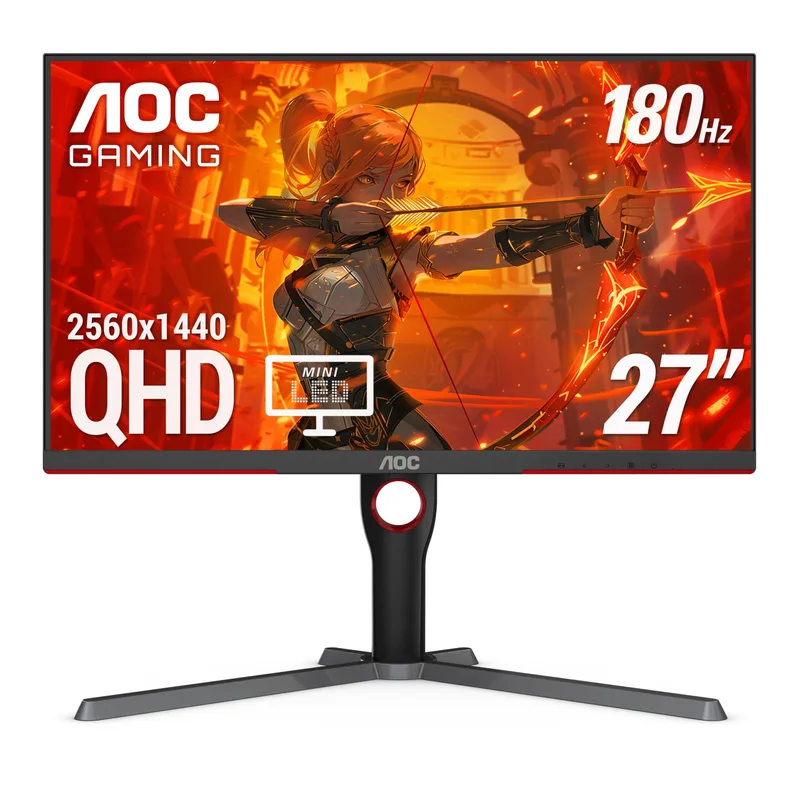
AOC Q27G3XMN
Pros
- Genuine VESA DisplayHDR 1000 certification with 336 Mini LED dimming zones delivers HDR performance that was reserved for $600+ monitors just two years ago — night scenes in games have real depth and bright highlights pop with 1,300 nits of peak brightness
- Native VA contrast ratio of 4000:1 means blacks look genuinely dark even in a dim room — a meaningful advantage over IPS panels in this bracket that typically achieve 800:1 to 1000:1
- 180Hz refresh rate keeps fast-paced games smooth, and the full ergonomic stand (height, tilt, pivot, swivel) makes it comfortable for long remote work sessions during the day
- 96% DCI-P3 color gamut produces vivid, punchy colors that look excellent in both games and productivity apps — photo editing and design work benefit noticeably
- 3-year zero bright-dot warranty removes the usual anxiety around dead pixel risk on a budget purchase
- At $249-$299, no other monitor delivers Mini LED HDR1000 — the next comparable HDR option typically starts at $400
Cons
- Mini LED blooming is visible — bright objects against dark backgrounds show a soft halo glow around the lit zone edges, which is noticeable in space exploration games and dark cinema content
- HDR mode locks to maximum brightness with no adjustment; there is no HDR 400 fallback, so HDR gaming in a brightly lit room feels excessive
- VA panel ghosting on very fast motion (competitive FPS at high speeds) is more pronounced than on fast IPS panels, despite the 1ms spec
- No USB hub — you will need a separate dock or hub if your laptop is port-limited
- HDMI 2.0 (not 2.1) limits console gaming to 144Hz; PS5 and Xbox Series X users wanting 4K need a different monitor
The AOC Q27G3XMN is the most interesting monitor in this price bracket in 2026. Mini LED backlighting with 336 local dimming zones and a 4000:1 native VA contrast ratio is a specification combination that has no peer at this price. HDR gaming on this display looks genuinely different from HDR on a standard IPS or VA monitor — fire, explosions, and neon lighting have real punch and depth rather than the flat, slightly-brighter-than-SDR look that most DisplayHDR 400 panels produce.
The caveat is Mini LED blooming: bright objects against dark backgrounds show a soft glow around their edges. In practice this is most visible in space exploration games and dark dungeon scenes with single bright light sources. For mixed-lighting environments and action games, it is rarely distracting. For remote work, HDR is typically disabled and SDR performance is strong — 180Hz makes scrolling and window management feel noticeably snappier than the 60Hz panels most home office workers are upgrading from.
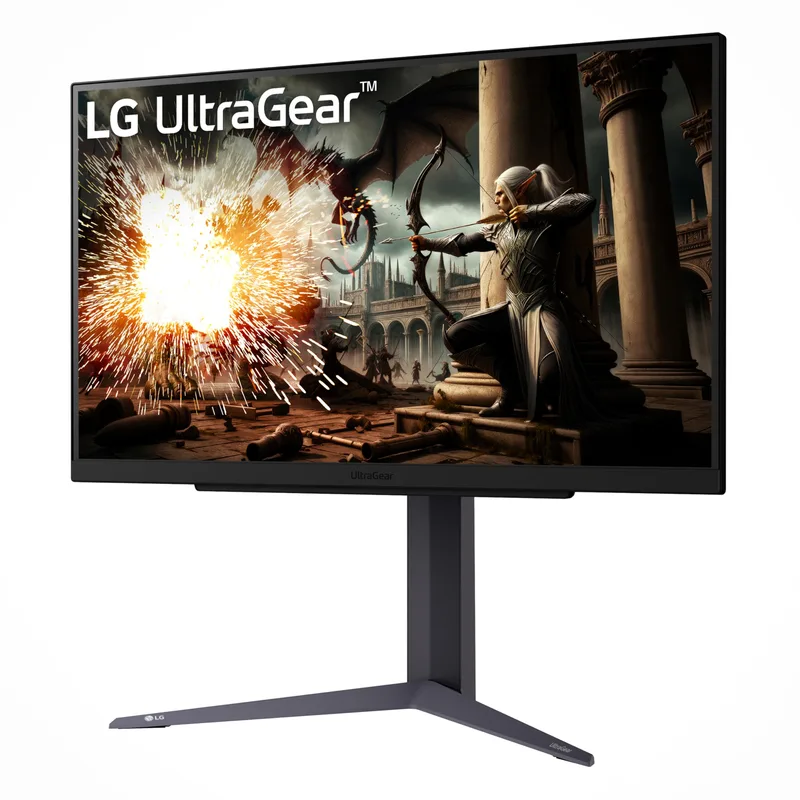
LG 27GS75Q-B UltraGear
Pros
- 180Hz native refresh rate — no overclock required for smooth gaming at the full refresh; pushes to 200Hz stably for enthusiasts who want the extra headroom
- IPS panel delivers accurate colors and wide viewing angles — consistent color from any viewing angle in a shared home office
- Fast pixel response times minimize ghosting in competitive shooters and fast-paced games — a strong IPS performer in its price tier
- HDMI 2.1 ports support 1440p adaptive sync at full speed from PS5 and Xbox Series X — console gamers get proper adaptive sync without HDMI bandwidth limitations
- G-SYNC Compatible and AMD FreeSync Premium support covers all GPU brands regardless of which GPU is in the system
- At $179-$209, it's among the most affordable 27-inch QHD 180Hz IPS monitors available
Cons
- No USB hub — remote workers who need to connect peripherals must add a separate hub or dock
- HDR10 signal support with no local dimming means HDR mode adjusts brightness but delivers no meaningful contrast improvement — not a monitor for HDR gaming
- No swivel adjustment on the stand — the monitor cannot rotate left or right; VESA arm recommended for setups that need horizontal repositioning
- Contrast at ~1000:1 is standard IPS — blacks look gray in a dark room; the AOC Q27G3XMN's VA panel at 4000:1 is noticeably better for dark environments
The LG 27GS75Q-B is the current IPS pick in this roundup: 180Hz native refresh, accurate colors, and a $179-$209 price that runs $60-$90 below the AOC Q27G3XMN while delivering clean IPS motion. The 180Hz runs without overclocking — that’s the full refresh out of the box — and pushes to 200Hz stably for enthusiasts who want the extra ceiling.
IPS provides wide viewing angles and consistent color across the screen surface. For remote workers on video calls, skin tones render accurately. For gaming, fast pixel response minimizes ghosting in competitive shooters. The HDMI 2.1 ports are a practical improvement over older designs — PS5 and Xbox Series X users get full adaptive sync at 1440p without bandwidth limitations.
The HDR story is the expected limitation at this price: HDR10 signal support with no local dimming means HDR mode adjusts brightness without meaningful contrast improvement. If HDR gaming matters, the AOC Q27G3XMN is the correct choice. The other notable difference from its predecessor is the absence of a built-in USB hub — remote workers who need to connect peripherals will want to add a small hub separately. For buyers who want IPS accuracy and 180Hz refresh at the lowest price in this roundup, the LG 27GS75Q-B delivers both.
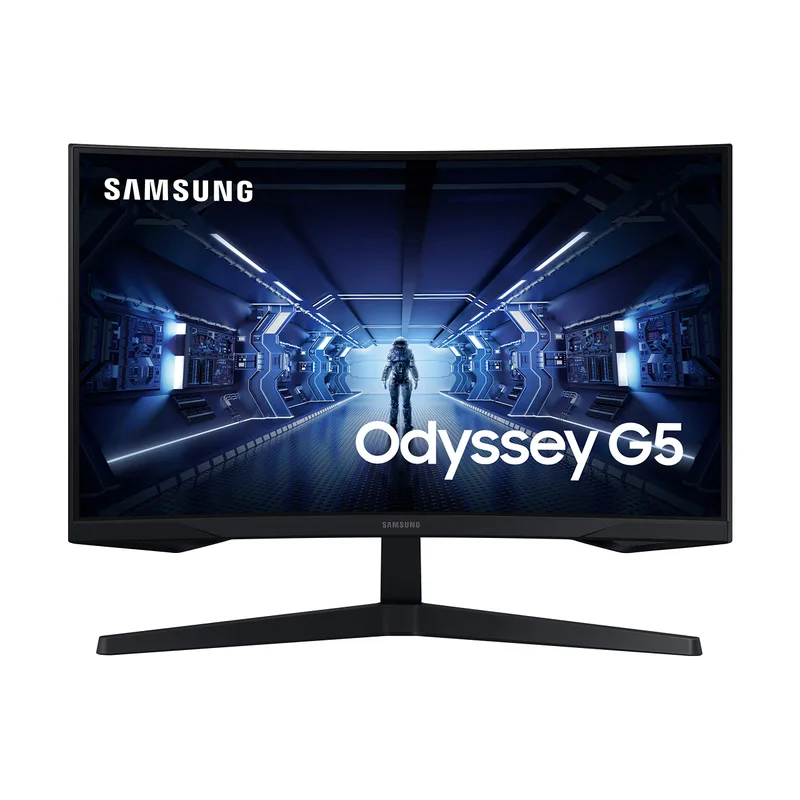
Samsung Odyssey G5 27-Inch
Pros
- 3000:1 contrast ratio produces genuinely deep blacks at a price point where most IPS monitors deliver 1000:1 — dark game scenes, cinematic cutscenes, and late-night Zoom calls on a dark background all look markedly better
- 1000R curvature wraps the edges of the screen into your peripheral vision noticeably; the curve is more pronounced than the common 1800R found on other curved monitors at this price
- At $189-$229, this is consistently the lowest-priced 27-inch 1440p 165Hz monitor in the roundup — a meaningful advantage for buyers upgrading from 1080p on a tight budget
- HDR10 signal support means HDR-flagged content from streaming services and games will display correctly rather than being tone-mapped to SDR
Cons
- VA panel ghosting is the most significant drawback — fast horizontal motion in competitive FPS games shows trailing smear behind objects even with overdrive engaged; this is a VA panel limitation, not a Samsung defect
- Tilt-only stand with no height, swivel, or pivot adjustment makes ergonomic positioning difficult; a VESA arm mount is strongly recommended and adds cost
- 300 nits brightness is the lowest in this roundup — the screen is noticeably dim in a brightly lit room and HDR performance is severely limited by the brightness ceiling
- No USB hub of any kind — every peripheral requires a separate port from your laptop or a dock
The Samsung Odyssey G5 is the budget anchor of this roundup. At $189-$229, it consistently undercuts the competition while delivering 1440p, 165Hz, and 3000:1 native contrast. The VA panel’s contrast advantage over IPS is real and immediately visible — dark scenes in games and movies have depth that IPS panels cannot match at this price.
The tradeoff is VA ghosting. Fast horizontal motion shows trailing smear behind objects, particularly in competitive shooters at high framerates. This is a known limitation of VA technology and not unique to Samsung. For remote work — document editing, video calls, spreadsheets — it is completely irrelevant. For cinematic single-player games and slower esports titles, it is manageable. For competitive FPS players who prioritize motion clarity above all else, step up to an IPS panel. The tilt-only stand is the other practical limitation: a $25 VESA arm effectively fixes it.
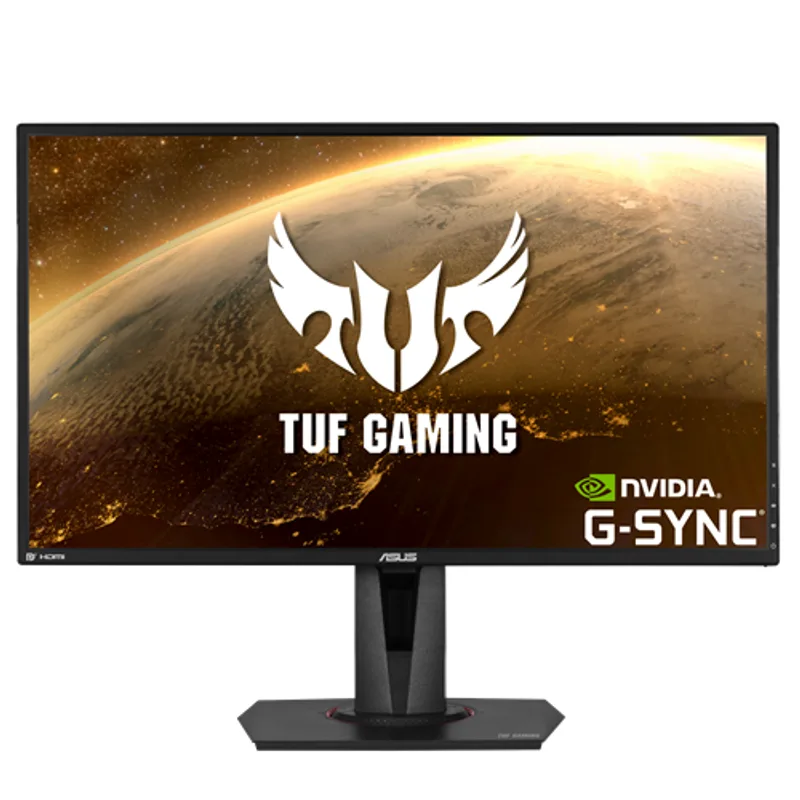
ASUS TUF Gaming VG27AQ
Pros
- Full ergonomic stand with 130mm height adjustment, full tilt, 90-degree portrait pivot, and ±90-degree swivel — the most adjustable stand in this roundup, which matters when you spend 8 hours at a desk daily
- 90-degree portrait pivot makes this a strong pick for developers and writers who want a vertical secondary display — a genuinely useful feature at this price point
- ELMB-Sync technology enables motion blur reduction (strobe backlight) and adaptive sync simultaneously, which most budget monitors cannot do; competitive shooters look sharper with both active
- Built-in speakers provide audio for casual video calls without requiring a separate speakerphone or headset — rare at this price tier
- 100% sRGB accuracy with reliable color out of the box — suitable for light photo editing and design review without additional calibration
Cons
- 2019 panel design shows its age in pixel response times — more ghosting than the LG 27GS75Q-B and AOC Q27G3XMN in direct motion comparisons; the VG27AQ1A (170Hz) and VG27AQ3A (180Hz) are updated successors worth considering
- HDR10 is accepted as a signal but there is no actual HDR hardware — brightness does not increase in HDR mode; the label is misleading for buyers expecting real HDR
- No USB hub despite the premium stand
- DisplayPort limited to 1.2 — technically sufficient for 1440p 165Hz but lacks the bandwidth headroom of DP 1.4 for future-proofing
The ASUS TUF VG27AQ earns its spot through stand ergonomics and ELMB-Sync technology rather than outright panel performance. The 130mm height range, full portrait pivot, and ±90-degree swivel make this the most adjustable display in the roundup — a feature that becomes relevant when you spend full workdays at a desk and need the screen at the correct eye level and angle. The built-in speakers are a minor but useful inclusion for remote workers who want audio for casual calls without a separate device on the desk.
Portrait pivot at this price is genuinely rare. Rotating the display 90 degrees creates a 1440x2560 vertical screen — useful for reading long documentation, reviewing pull requests, or monitoring server dashboards. The IPS panel’s 100% sRGB accuracy holds up in portrait orientation without color shift.
The performance ceiling is lower than the LG and AOC due to older panel technology. The 2019 design shows in pixel response times compared to 2023-2024 panels. For buyers who prioritize ergonomics and all-day comfort over peak gaming performance, this is a practical choice. For everyone else, the newer panels in this roundup deliver more for similar money.
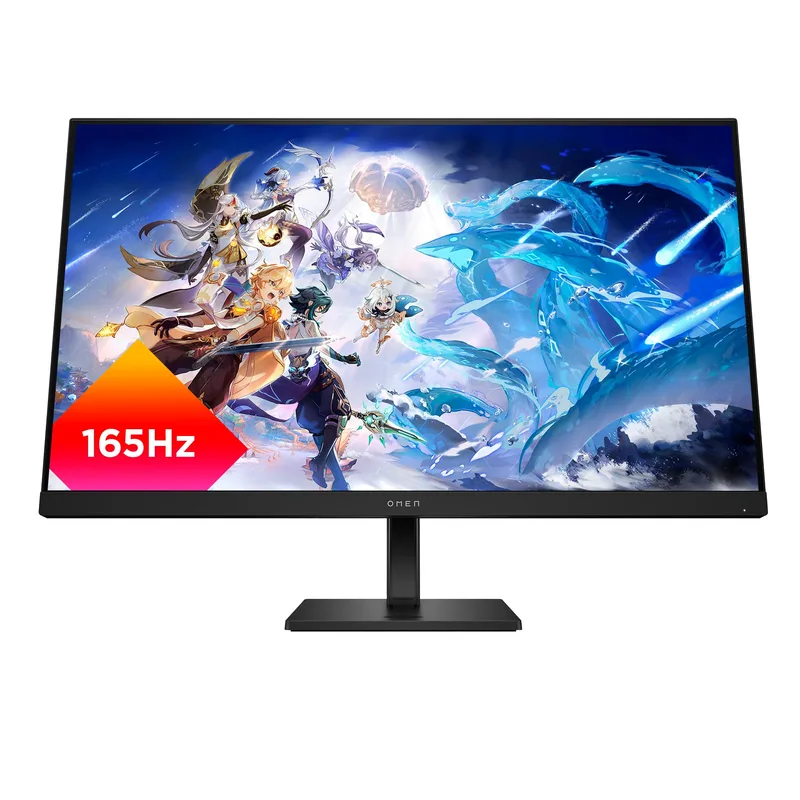
HP Omen 32q
Pros
- 31.5 inches of 1440p screen real estate makes a measurable difference in multitasking — spreadsheets, code editors, and side-by-side document work benefit from the added horizontal space compared to a 27-inch panel
- Eyesafe certification reduces blue light emission without distorting color accuracy, which matters for remote workers who average 9-10 hours of screen time daily; the display looks natural rather than yellow-tinted
- 99% sRGB and 95% DCI-P3 color coverage at 32 inches is excellent value — getting this color accuracy in a larger format typically costs significantly more
- Portrait pivot included at this price; portrait mode on a 32-inch screen creates an unusually large vertical display for reading long documents or monitoring dashboards
- Street price of $219-$249 makes this one of the best-value 32-inch 1440p monitors in 2026 — check for sales that can bring it closer to $219
Cons
- Pixel density drops to 93 PPI at 32 inches vs 109 PPI on a 27-inch 1440p panel — individual pixels are visible when sitting 18-24 inches from the screen; 4K at 32 inches is sharper
- DisplayHDR 400 with no local dimming produces the same mediocre HDR experience as most monitors in this category — do not choose this for HDR gaming
- No USB hub despite the HP Omen brand positioning this as a premium product at the top of the under-$300 tier
- 165Hz is the floor in 2026 for competitive gaming monitors — the refresh rate is adequate but the AOC Q27G3XMN reaches 180Hz for less money
Moving to 32 inches changes the remote work experience more than the gaming experience. The additional screen real estate — 31.5 inches diagonal vs 27 — translates to about 30% more viewable area. Spreadsheets with more columns visible, code editors with longer line lengths before wrapping, two document windows side by side without compromise. The productivity benefit is tangible for knowledge workers.
The gaming tradeoff at 32-inch 1440p is pixel density. At 93 PPI, individual pixels become visible when sitting close. Most remote workers sit 24-30 inches from their screen, which is the comfortable viewing distance for a 32-inch panel. At that distance, sharpness is acceptable but noticeably softer than a 27-inch 1440p screen. If maximum sharpness is a priority, consider a 27-inch 1440p panel or step up to 4K at 32 inches (though that typically costs $400+).
The HP Omen 32q’s street price has dropped to $219-$249, down from its original $279-$319 launch range. HP has released a 2026 OMEN 32-inch successor, which has driven 32q pricing down — excellent timing to buy if a large-format 1440p IPS monitor is on your list.
Buying Guide: How to Choose
Panel Type First
IPS (LG 27GS75Q-B, ASUS VG27AQ, HP Omen 32q): Best for color accuracy, wide viewing angles, and fast motion clarity. Limited contrast. Right choice for remote workers who prioritize color consistency across the day and gamers who play fast-paced competitive titles.
VA (Samsung Odyssey G5, AOC Q27G3XMN): Better contrast for darker rooms and cinematic games. Trade-off is motion ghosting on fast horizontal movement. The AOC Q27G3XMN’s Mini LED overlay partially compensates with HDR1000, making it the best overall VA pick for mixed use.
HDR: Real vs Label
Three levels of HDR exist in this price range:
- DisplayHDR 1000 with local dimming (AOC Q27G3XMN): Genuinely different HDR experience. Worth paying for if HDR gaming matters.
- DisplayHDR 400 (HP Omen 32q): Certification with no local dimming. Slightly brighter highlights in HDR content, nothing transformative.
- HDR10 passive (LG 27GS75Q-B, Samsung Odyssey G5, ASUS VG27AQ): Accepts the signal and tone-maps it. No hardware improvement over SDR.
Refresh Rate and Response Time
All five monitors hit 165Hz or better — a comfortable floor for smooth gaming and noticeably fluid window management compared to 60Hz office monitors. The AOC Q27G3XMN and LG 27GS75Q-B both reach 180Hz natively; the LG pushes to 200Hz with an overclock.
Response time marketing specs (1ms) are measured differently across panel types and not directly comparable. In practice, the LG 27GS75Q-B and AOC Q27G3XMN have the fastest pixel transitions. The ASUS VG27AQ is the slowest of the five but still acceptable for most gaming scenarios.
Stand Ergonomics Matter for Remote Work
If you are using this monitor 8 hours a day for work, stand adjustability affects your physical comfort:
- Full adjustment (height + tilt + pivot + swivel): ASUS VG27AQ, HP Omen 32q, AOC Q27G3XMN
- Height + tilt + pivot: LG 27GS75Q-B
- Tilt only: Samsung Odyssey G5 (add a VESA arm)
Size: 27-Inch vs 32-Inch
27-inch 1440p (109 PPI) is sharper and fits smaller desks. 32-inch 1440p (93 PPI) gives more screen area at a slight sharpness cost. For desk setups under 48 inches wide, a 27-inch panel typically works better. For larger desks with more viewing distance, 32 inches improves multitasking meaningfully.
FAQ
Do I need a powerful GPU to run 1440p at 165Hz?
For competitive gaming at maximum framerates, yes. An RTX 3060 Ti or RX 6700 XT (or newer equivalents) handles 1440p at high-to-ultra settings in most titles at 100+ fps. For remote work — video calls, document editing, browser tabs — any modern integrated GPU handles 1440p at 165Hz without issue. The refresh rate benefit applies to all content, not just GPU-intensive games.
Can these monitors run at 60Hz for remote work and switch to 165Hz for gaming?
Yes. All five monitors let you set the refresh rate through your OS display settings or GPU control panel. Many remote workers lock the display to 60Hz during work hours to reduce eye strain and switch to the full refresh rate for gaming. Adaptive sync handles the transition automatically if you leave it enabled.
Is 1440p worth it over 1080p for remote work?
At 27 inches, 1440p (109 PPI) is sharper than 1080p (82 PPI) — the difference is visible in text rendering, which directly affects fatigue over a full workday. At 32 inches, the sharpness advantage narrows. If you spend most of your day reading text on screen, the upgrade from 1080p to 1440p is one of the most impactful changes you can make to your setup.
What cable do I need for 1440p 165Hz?
DisplayPort 1.2 and above supports 1440p at 165Hz. HDMI 2.0 also supports 1440p at 144Hz — if your device lacks DisplayPort, check that the monitor’s HDMI port is 2.0 and not 1.4 (which limits you to 1440p at 75Hz). The AOC Q27G3XMN includes DisplayPort 1.4, which supports 1440p at 180Hz with bandwidth to spare.
Are these monitors good for video calls?
All five are. 1440p resolution makes video call participants appear sharper. The wider color gamut on the AOC Q27G3XMN makes skin tones look more natural than standard sRGB panels. For frequent video callers, pair any of these with a dedicated webcam — the monitor upgrade is separate from the camera quality improvement.
Conclusion
The AOC Q27G3XMN is the pick for most buyers in 2026. Mini LED HDR1000, 180Hz, and 4000:1 contrast at $249-$299 is a specification set that has no equivalent at this price. The Mini LED blooming caveat is real but manageable for mixed gaming and remote work use.
Buy the LG 27GS75Q-B if you want fast IPS motion at the lowest price in the roundup — 180Hz native, $179-$209, and solid color accuracy for mixed work and gaming use. Choose the Samsung Odyssey G5 if budget is the primary constraint and deep contrast for cinematic gaming is a priority. Pick the ASUS TUF VG27AQ if ergonomics and a portrait pivot are non-negotiable for your daily work setup. Step up to the HP Omen 32q if 27 inches feels cramped for your workflow and you want the extra screen real estate.
All five represent strong value at a price point that was dramatically weaker twelve months ago.
Detailed Reviews
AOC Q27G3XMN
Pros
- Genuine VESA DisplayHDR 1000 certification with 336 Mini LED dimming zones delivers HDR performance that was reserved for $600+ monitors just two years ago — night scenes in games have real depth and bright highlights pop with 1,300 nits of peak brightness
- Native VA contrast ratio of 4000:1 means blacks look genuinely dark even in a dim room — a meaningful advantage over IPS panels in this bracket that typically achieve 800:1 to 1000:1
- 180Hz refresh rate keeps fast-paced games smooth, and the full ergonomic stand (height, tilt, pivot, swivel) makes it comfortable for long remote work sessions during the day
- 96% DCI-P3 color gamut produces vivid, punchy colors that look excellent in both games and productivity apps — photo editing and design work benefit noticeably
- 3-year zero bright-dot warranty removes the usual anxiety around dead pixel risk on a budget purchase
- At $249-$299, no other monitor delivers Mini LED HDR1000 — the next comparable HDR option typically starts at $400
Cons
- Mini LED blooming is visible — bright objects against dark backgrounds show a soft halo glow around the lit zone edges, which is noticeable in space exploration games and dark cinema content
- HDR mode locks to maximum brightness with no adjustment; there is no HDR 400 fallback, so HDR gaming in a brightly lit room feels excessive
- VA panel ghosting on very fast motion (competitive FPS at high speeds) is more pronounced than on fast IPS panels, despite the 1ms spec
- No USB hub — you will need a separate dock or hub if your laptop is port-limited
- HDMI 2.0 (not 2.1) limits console gaming to 144Hz; PS5 and Xbox Series X users wanting 4K need a different monitor
LG 27GS75Q-B UltraGear
Pros
- 180Hz native refresh rate — no overclock required for smooth gaming at the full refresh; pushes to 200Hz stably for enthusiasts who want the extra headroom
- IPS panel delivers accurate colors and wide viewing angles — consistent color from any viewing angle in a shared home office
- Fast pixel response times minimize ghosting in competitive shooters and fast-paced games — a strong IPS performer in its price tier
- HDMI 2.1 ports support 1440p adaptive sync at full speed from PS5 and Xbox Series X — console gamers get proper adaptive sync without HDMI bandwidth limitations
- G-SYNC Compatible and AMD FreeSync Premium support covers all GPU brands regardless of which GPU is in the system
- At $179-$209, it's among the most affordable 27-inch QHD 180Hz IPS monitors available
Cons
- No USB hub — remote workers who need to connect peripherals must add a separate hub or dock
- HDR10 signal support with no local dimming means HDR mode adjusts brightness but delivers no meaningful contrast improvement — not a monitor for HDR gaming
- No swivel adjustment on the stand — the monitor cannot rotate left or right; VESA arm recommended for setups that need horizontal repositioning
- Contrast at ~1000:1 is standard IPS — blacks look gray in a dark room; the AOC Q27G3XMN's VA panel at 4000:1 is noticeably better for dark environments
Samsung Odyssey G5 27-Inch
Pros
- 3000:1 contrast ratio produces genuinely deep blacks at a price point where most IPS monitors deliver 1000:1 — dark game scenes, cinematic cutscenes, and late-night Zoom calls on a dark background all look markedly better
- 1000R curvature wraps the edges of the screen into your peripheral vision noticeably; the curve is more pronounced than the common 1800R found on other curved monitors at this price
- At $189-$229, this is consistently the lowest-priced 27-inch 1440p 165Hz monitor in the roundup — a meaningful advantage for buyers upgrading from 1080p on a tight budget
- HDR10 signal support means HDR-flagged content from streaming services and games will display correctly rather than being tone-mapped to SDR
Cons
- VA panel ghosting is the most significant drawback — fast horizontal motion in competitive FPS games shows trailing smear behind objects even with overdrive engaged; this is a VA panel limitation, not a Samsung defect
- Tilt-only stand with no height, swivel, or pivot adjustment makes ergonomic positioning difficult; a VESA arm mount is strongly recommended and adds cost
- 300 nits brightness is the lowest in this roundup — the screen is noticeably dim in a brightly lit room and HDR performance is severely limited by the brightness ceiling
- No USB hub of any kind — every peripheral requires a separate port from your laptop or a dock
ASUS TUF Gaming VG27AQ
Pros
- Full ergonomic stand with 130mm height adjustment, full tilt, 90-degree portrait pivot, and ±90-degree swivel — the most adjustable stand in this roundup, which matters when you spend 8 hours at a desk daily
- 90-degree portrait pivot makes this a strong pick for developers and writers who want a vertical secondary display — a genuinely useful feature at this price point
- ELMB-Sync technology enables motion blur reduction (strobe backlight) and adaptive sync simultaneously, which most budget monitors cannot do; competitive shooters look sharper with both active
- Built-in speakers provide audio for casual video calls without requiring a separate speakerphone or headset — rare at this price tier
- 100% sRGB accuracy with reliable color out of the box — suitable for light photo editing and design review without additional calibration
Cons
- 2019 panel design shows its age in pixel response times — more ghosting than the LG 27GS75Q-B and AOC Q27G3XMN in direct motion comparisons; the VG27AQ1A (170Hz) and VG27AQ3A (180Hz) are updated successors worth considering
- HDR10 is accepted as a signal but there is no actual HDR hardware — brightness does not increase in HDR mode; the label is misleading for buyers expecting real HDR
- No USB hub despite the premium stand
- DisplayPort limited to 1.2 — technically sufficient for 1440p 165Hz but lacks the bandwidth headroom of DP 1.4 for future-proofing
HP Omen 32q
Pros
- 31.5 inches of 1440p screen real estate makes a measurable difference in multitasking — spreadsheets, code editors, and side-by-side document work benefit from the added horizontal space compared to a 27-inch panel
- Eyesafe certification reduces blue light emission without distorting color accuracy, which matters for remote workers who average 9-10 hours of screen time daily; the display looks natural rather than yellow-tinted
- 99% sRGB and 95% DCI-P3 color coverage at 32 inches is excellent value — getting this color accuracy in a larger format typically costs significantly more
- Portrait pivot included at this price; portrait mode on a 32-inch screen creates an unusually large vertical display for reading long documents or monitoring dashboards
- Street price of $219-$249 makes this one of the best-value 32-inch 1440p monitors in 2026 — check for sales that can bring it closer to $219
Cons
- Pixel density drops to 93 PPI at 32 inches vs 109 PPI on a 27-inch 1440p panel — individual pixels are visible when sitting 18-24 inches from the screen; 4K at 32 inches is sharper
- DisplayHDR 400 with no local dimming produces the same mediocre HDR experience as most monitors in this category — do not choose this for HDR gaming
- No USB hub despite the HP Omen brand positioning this as a premium product at the top of the under-$300 tier
- 165Hz is the floor in 2026 for competitive gaming monitors — the refresh rate is adequate but the AOC Q27G3XMN reaches 180Hz for less money