NAND flash prices rose sharply in early 2026 — driven by AI data center demand pulling supply away from consumer storage — which means the under-$100 portable SSD category looks different than it did 18 months ago. Several drives that were once $49 now sit at $70–$90. Despite that shift, five strong options remain under the $100 mark for 1TB, covering the range from budget-first to rugged-first.
USB4 portable SSDs launched in 2026 (Samsung’s P9, Ugreen’s NeoDrive Go) are impressive at 3,800–4,000 MB/s, but they start at $150–$200+ for 1TB. For remote work — backing up project files, carrying a bootable OS image, offloading footage before a client call — a USB 3.2 Gen 2 drive at 1,050 MB/s is more than sufficient and leaves $50–$150 in your budget for other gear.
Quick picks: The Samsung T7 Shield ($89) is the best overall choice if your drive leaves your desk — IP65 rugged, 3-meter drop resistance, and 1,050 MB/s read. The Kingston XS2000 ($79) is the fastest drive in this roundup at 2,000 MB/s for anyone with a compatible port. For sensitive work files, the WD My Passport SSD ($79) adds built-in 256-bit AES hardware encryption that no other drive here matches. Strictly on budget, the Crucial X6 ($65) is the lowest-cost reliable option.
Comparison
| Spec | Samsung T7 Shield 1TB | Kingston XS2000 1TB | WD My Passport SSD 1TB | Crucial X9 1TB | Crucial X6 1TB |
|---|---|---|---|---|---|
| Rating | 9.1/10 | 8.8/10 | 8.6/10 | 8.4/10 | 8.1/10 |
| Price | $244.74-$261.21as of Oct 18, 2026 | $239.00as of Oct 18, 2026 | $250.63as of Oct 18, 2026 | $169.14as of Oct 18, 2026 | Unavailable |
| Interface | USB 3.2 Gen 2 (10 Gbps) | USB 3.2 Gen 2x2 (20 Gbps) | USB 3.2 Gen 2 (10 Gbps) | USB 3.2 Gen 2 (10 Gbps) | USB 3.2 Gen 2 (10 Gbps) |
| Read Speed | Up to 1,050 MB/s | Up to 2,000 MB/s | Up to 1,050 MB/s | Up to 1,050 MB/s | Up to 800 MB/s |
| Write Speed | Up to 1,000 MB/s | Up to 2,000 MB/s | Up to 1,000 MB/s | Up to 1,050 MB/s | Up to 60 MB/s (sustained) |
| Rugged Rating | IP65 water & dust resistant | IP55 water & dust resistant | — | — | — |
| Drop Resistance | Up to 3 meters | — | Up to 1.98 meters | — | Up to 2 meters |
| Dimensions | 88.1 x 59.2 x 12.7 mm | 69.54 x 32.58 x 13.5 mm | 100 x 53 x 8 mm | 64.23 x 34.24 x 8.5 mm | 60 x 36 x 11.5 mm |
| Weight | 98g | 28.8g | 60g | 34g | 33g |
| Sleeve | — | Removable rubberized sleeve included | — | — | — |
| Encryption | — | — | 256-bit AES hardware encryption | — | — |
| Compatibility | — | — | — | Windows, Mac, Android, iPad | PC, Mac, PS5, Xbox |
| Warranty | — | — | — | 3 years | — |
| Check Price → | Check Price → | Check Price → | Check Price → | Check Price → |
Prices change daily — tap Check Price for the current Amazon price.
The Picks
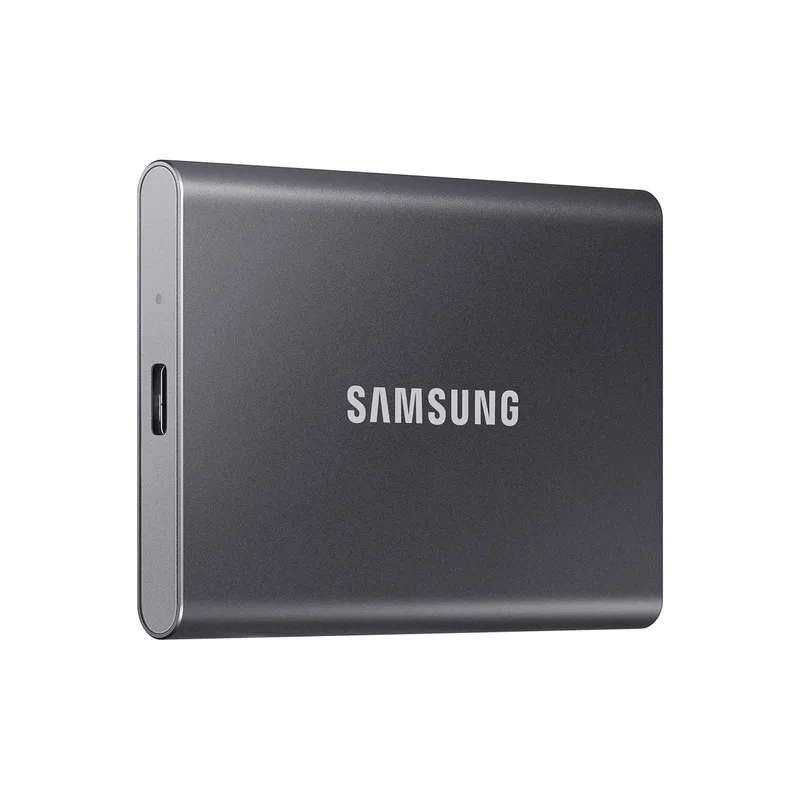
Samsung T7 Shield 1TB
Pros
- IP65 rating blocks dust completely and handles water jets — travels without worry
- 3-meter drop resistance is the highest in this roundup, backed by independent drop test reports
- 1,050 MB/s read fills a 10 GB folder transfer in under 10 seconds on a USB 3.2 Gen 2 port
- Textured rubber outer shell provides grip without adding significant bulk
- Compatible with PC, Mac, PlayStation, and Android out of the box
Cons
- 98g is the heaviest drive in this roundup — lighter options exist if weight matters
- No hardware encryption built in — relies on Samsung's software-based solution
The T7 Shield is Samsung’s rugged T7 variant — same 1,050 MB/s performance as the standard T7, with an added rubber outer shell, IP65 dust and water resistance, and a 3-meter drop rating. For remote workers who carry a drive in a bag, toss it on a desk during client visits, or work from coffee shops, that ruggedization matters more than raw spec sheet differences between drives.
The IP65 certification means the drive is fully dust-tight and protected against water jets from any direction — well above the IPX5/IP55 splash ratings on competing rugged drives. Based on owner reports and independent drop test summaries, the textured rubber exterior holds up through the kind of accidental drops that happen when a bag tips off a desk chair.
Transfer performance sits at 1,050 MB/s read and 1,000 MB/s write on USB 3.2 Gen 2 ports. Moving a 10 GB project folder takes under 10 seconds. A full 100 GB backup completes in about 100 seconds. For context, USB 2.0 drives take roughly 8–10 minutes for the same job.
The main tradeoff is weight: at 98g, the T7 Shield is the heaviest drive in this roundup. The rubber shell adds size and mass compared to the ultra-compact X9 or X6. If you’re packing light, the Kingston XS2000 is 70g lighter for $10 more. If you’re buying one drive to handle work files, client deliverables, and backup — and you don’t want to baby it — the Shield justifies the premium.
Buy this if: Your drive leaves your desk regularly and you’d rather not worry about drops, dust, or the occasional wet desk at a coffee shop.
Skip this if: The drive lives on your desktop and never travels — the Crucial X9 provides equivalent speed at a lower price without the rugged bulk.
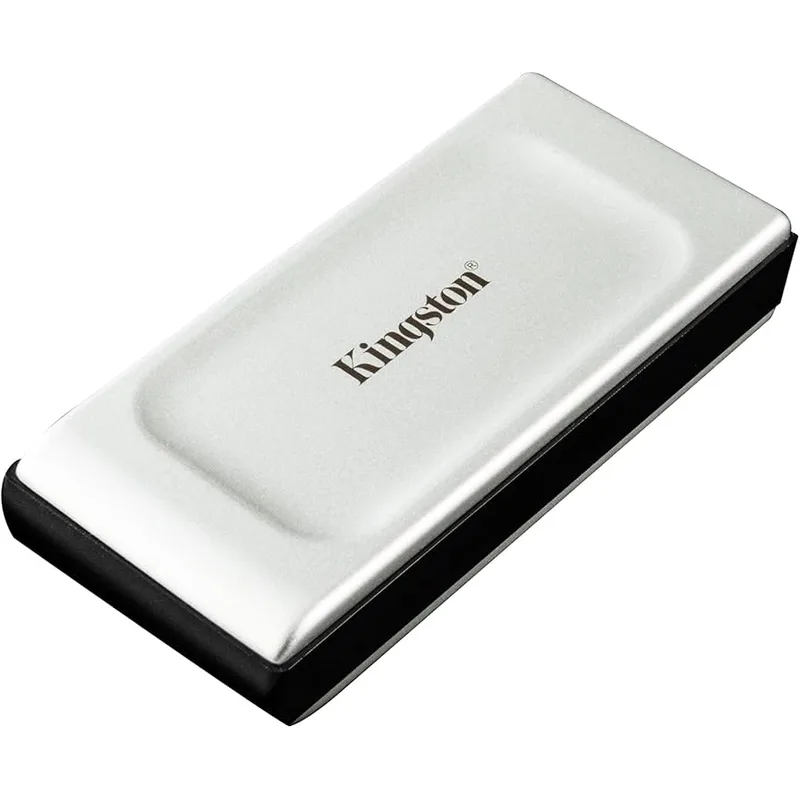
Kingston XS2000 1TB
Pros
- USB 3.2 Gen 2x2 delivers up to 2,000 MB/s — double the speed of standard Gen 2 drives
- At 28.8g, it's the lightest drive in this roundup by a significant margin
- Removable rubber sleeve adds ruggedization without permanently increasing the form factor
- IP55 rating handles splashes and dust exposure adequately for travel
- Compact enough to attach to a keychain or slip into a pants pocket
Cons
- Full 2x2 speeds only realized on USB 3.2 Gen 2x2 ports — most laptops cap at Gen 2 (10 Gbps)
- No hardware encryption — relies on third-party solutions for sensitive data
The Kingston XS2000 is the performance outlier in this price bracket. USB 3.2 Gen 2x2 pushes 20 Gbps of bandwidth — double the 10 Gbps ceiling on every other drive in this roundup — enabling read and write speeds up to 2,000 MB/s when connected to a compatible port.
The practical caveat: most current laptops and docking stations cap at USB 3.2 Gen 2 (10 Gbps). On a Gen 2 port, the XS2000 performs comparably to other drives here — around 1,000–1,050 MB/s. The 2x2 speed advantage shows up specifically on desktop systems and newer docking stations with explicit 20 Gbps support. If your workflow involves frequent large file transfers on a desktop workstation, the XS2000 delivers a meaningful throughput advantage. If you’re primarily connecting to a laptop, the speed delta disappears.
What doesn’t change: the XS2000 is the smallest and lightest drive here at 28.8g and 69mm long. The rubberized sleeve adds some grip and basic drop resistance, and IP55 covers splash exposure. At $79, it delivers strong value regardless of whether you hit the 2x2 ceiling.
Based on owner feedback, the drive performs well for sustained transfers without significant thermal throttling in short-to-medium sessions. Long sequential write jobs (100+ GB) show some speed reduction, as expected from a portable NVMe in an aluminum shell.
Buy this if: You have a USB 3.2 Gen 2x2 port on your docking station or workstation and regularly move large files. Also worth it for anyone who wants the lightest possible drive.
Skip this if: You’re connecting exclusively to standard USB-C ports on a laptop — the full 2x2 speed won’t apply and the price premium narrows vs. the T7 Shield.
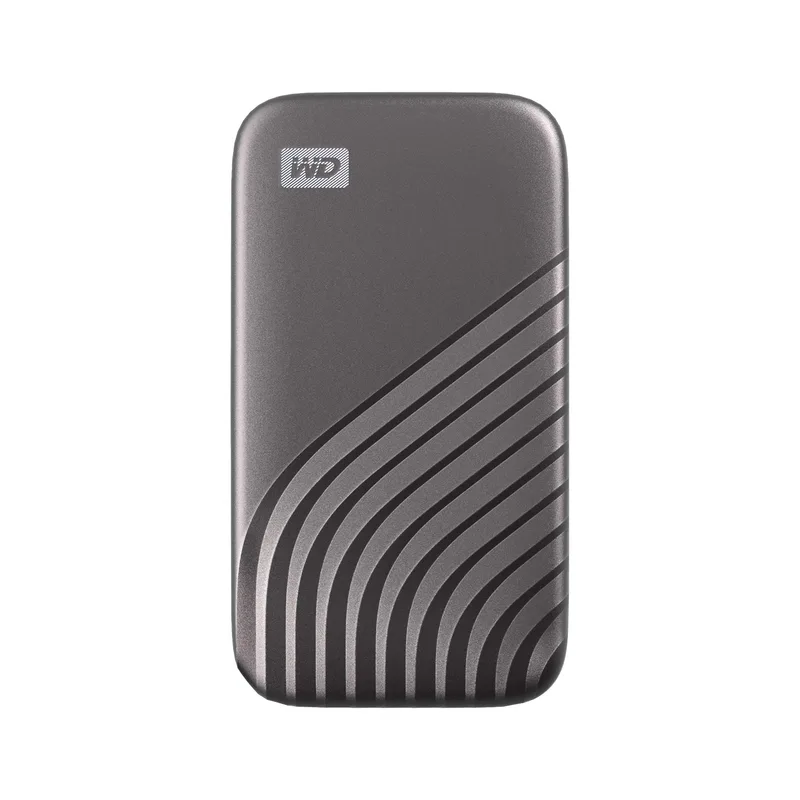
WD My Passport SSD 1TB
Pros
- Built-in 256-bit AES hardware encryption with password protection — essential for work files
- At 8mm thin, it's the slimmest drive here and slips into a laptop sleeve pocket easily
- WD Discovery software includes auto-backup scheduling compatible with Windows and Mac
- Comes with USB-C cable and USB-A adapter — works with older laptops immediately
- Long-standing track record in owner reports for reliability over multi-year use
Cons
- Software-reliant features require driver installation on first use
- Drop protection spec (1.98m) is lower than the Samsung T7 Shield (3m)
The WD My Passport SSD stands out in this roundup for one feature the others lack: built-in 256-bit AES hardware encryption with password protection. If your work involves client data, contracts, sensitive communications, or regulated content — healthcare, legal, finance — hardware encryption isn’t optional. Software-based encryption is breakable; hardware encryption embedded in the drive controller is not.
At 8mm thin and 100 x 53mm, the Passport SSD is the flattest drive here. It slides into a notebook sleeve pocket or back pocket without a perceptible bulge. The flat profile also makes it easier to cable-manage at a standing desk without the drive hanging awkwardly from a USB-C cable.
WD Discovery software adds scheduled auto-backup for both Windows and Mac. The workflow: set a backup folder, set a schedule, plug in the drive when returning to your desk — the backup runs automatically. Owner reviews consistently cite this as one of the more reliable software experiences in the portable SSD space, particularly for Mac users who find other manufacturers’ software requires macOS permission juggling.
The drive ships with both a USB-C cable and USB-A adapter, making it immediately usable on older MacBook Pro or PC setups without buying a cable separately.
The tradeoff versus the T7 Shield: drop protection (1.98m vs 3m) and no IP water/dust rating. The Passport SSD’s enclosure is metal — more impact-resistant than plastic — but lacks the rubber armor of the Shield.
Buy this if: You work with client data or any sensitive files and need hardware-level encryption without additional software or configuration overhead.
Skip this if: Encryption isn’t a priority and your drive travels rough — the Samsung T7 Shield’s IP65 and 3m drop rating give more physical protection.
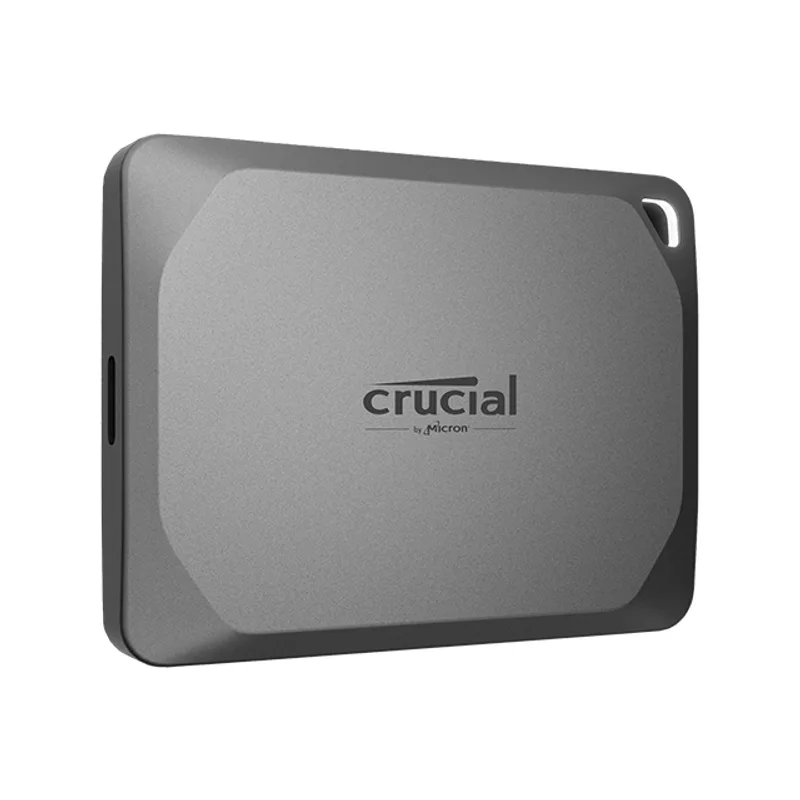
Crucial X9 1TB
Pros
- One of the smallest and lightest 1TB drives at 34g and 64mm long
- Read and write both rated at 1,050 MB/s — no write speed penalty compared to read
- Works natively with Android and iPad Pro USB-C without reformatting
- 3-year warranty is the longest in this roundup
- Newer release than Crucial X6 — uses updated controller for better sustained performance
Cons
- No IP dust or water resistance rating — keep away from rain
- No bundled USB-A adapter — requires USB-C port on the laptop
The Crucial X9 is the newest drive in this roundup — Crucial’s updated portable line using a revised controller that addresses the write speed drop-off issue present in the older X6. Both read and write are rated at 1,050 MB/s, with owner reports confirming better sustained write performance than the X6 under real workloads.
At 34g and 64mm long, the X9 is compact enough to forget it’s in a bag. No IP rating means it shouldn’t get wet, but the polycarbonate shell handles standard travel abuse adequately based on user feedback. The 3-year warranty is the longest in this roundup — Crucial tends to stand behind portable SSDs more generously than Samsung (which offers 3 years on the Shield as well, but less consistently rated customer service).
Compatibility is broad: Windows, Mac, Android, and iPad Pro USB-C work without reformatting or driver installation. This matters for mobile workers who connect the drive to an iPad for video review or an Android phone for offloading photos.
The missing feature: no USB-A adapter in the box and no IP rating. For anyone still using older docks or laptops with USB-A ports, budget $10 for a USB-C to USB-A adapter. For anyone concerned about dust exposure in the field, the T7 Shield is a better choice.
Buy this if: You want a compact, updated drive with symmetrical 1,050 MB/s read/write and cross-platform compatibility — and your ports are USB-C.
Skip this if: You work in dusty or wet environments, or need USB-A compatibility out of the box.
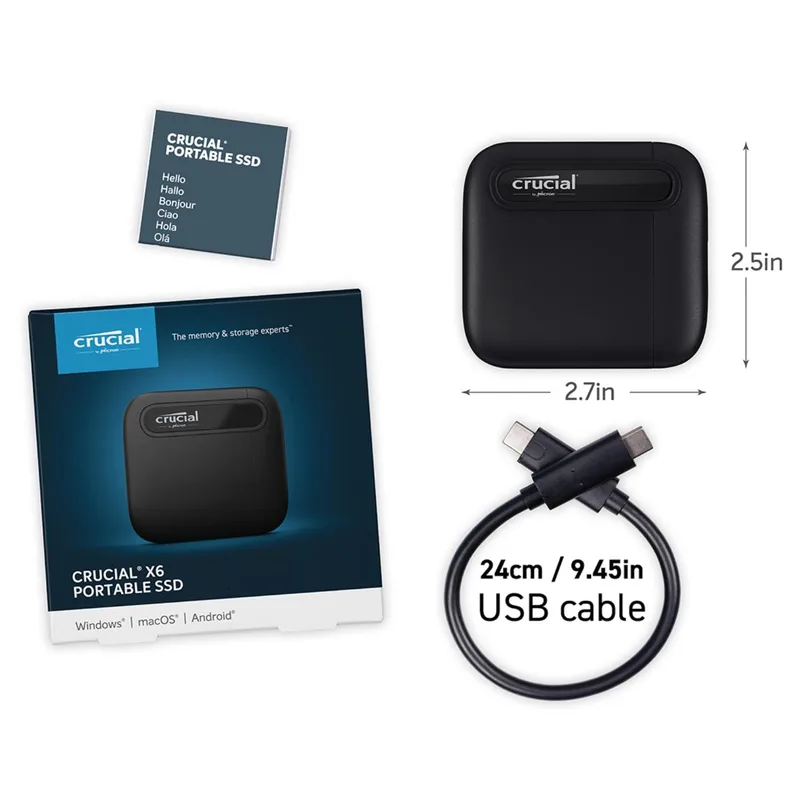
Crucial X6 1TB
Pros
- Lowest price in this roundup at around $65 for 1TB
- Smaller than a Post-it note — easily the most pocketable option here
- 2-meter drop resistance provides basic ruggedization without a case
- Universally compatible out of the box — no driver installation needed
- Good choice for OS cloning, media libraries, and read-heavy backup jobs
Cons
- Sustained write speeds drop significantly under heavy load — sequential writes above 30–40 GB slow considerably
- No water or dust resistance rating
- Lower read speed ceiling (800 MB/s) compared to the newer X9 and T7 Shield
The Crucial X6 is the price-floor option in this roundup. At around $65 for 1TB, it costs $20–$25 less than the next cheapest option here and delivers reliable 800 MB/s sequential reads — fast enough to run an OS directly from the drive, stream 4K footage into editing software, or move 50 GB of project files in a reasonable time.
The write speed limitation is real and worth understanding: sustained sequential writes on the X6 slow significantly once the SLC cache fills. Moving a 10 GB folder is fast. Moving 80 GB of raw video footage will slow to hard-drive territory partway through. For backup jobs, file archiving, and media libraries accessed mostly for reading — the X6 is perfectly adequate. For a working scratch disk where you’re writing large files continuously, the X9 or T7 Shield perform better.
The 2-meter drop resistance and small footprint (smaller than a Post-it note) mean the drive can handle basic travel. No IP rating, but the plastic shell is thicker than it looks. Owner feedback is consistently positive for the X6’s role as a portable backup and archive drive — particularly for photographers and editors who offload cards at the end of the day rather than using it as a primary editing drive.
Buy this if: Budget is the main constraint and your primary use is backup, file archiving, or read-heavy access to a media library. Excellent value for the price.
Skip this if: You need fast sustained writes, work with large sequential write jobs, or want ruggedization — the Crucial X9 or Samsung T7 Shield are worth the extra $20–$25.
Buying Guide: External SSDs Under $100
Speed: what USB 3.2 Gen 2 actually delivers
Every drive in this roundup except the Kingston XS2000 runs on USB 3.2 Gen 2 — a 10 Gbps interface. The theoretical ceiling is 1,250 MB/s, but real-world overhead puts practical maximums at 1,000–1,100 MB/s for well-built drives. For remote work tasks — project file backups, OS clones, media offloads — that speed tier handles everything without a bottleneck.
The Kingston XS2000’s USB 3.2 Gen 2x2 (20 Gbps) adds extra headroom, but only when connected to a compatible port. Check your laptop or dock specs before treating the 2,000 MB/s rating as a practical number.
What to look for beyond speed
Ruggedness. If the drive leaves your desk, look for IP ratings and drop specifications. IP65 (Samsung T7 Shield) is fully sealed — better than IP55 (Kingston XS2000) for dusty or wet environments. Drop ratings of 2–3 meters cover most desk-level accidents.
Encryption. Hardware encryption (WD My Passport SSD) is embedded in the drive controller and cannot be bypassed by removing the storage chip. Software encryption (Samsung’s Portable SSD app) is more accessible but weaker. If you handle regulated or sensitive data, hardware encryption is worth prioritizing.
Capacity and format. 1TB handles most remote work needs — OS clones, project archives, video offloads from a mirrorless camera. 2TB models exist for all drives here at higher prices, generally remaining close to $150–$200 given 2026 NAND pricing.
Cable inclusion. The WD My Passport SSD includes a USB-A adapter. Others ship with only USB-C cables. Budget accordingly if your primary machine uses USB-A ports.
Capacity planning for remote workers
| Use Case | Minimum Capacity | Recommended |
|---|---|---|
| Project file backup | 500 GB | 1TB |
| Full system clone | 500 GB | 1TB |
| Video footage offload (4K) | 1TB | 2TB |
| OS + apps (portable Mac/Windows) | 500 GB | 1TB |
| Media library (movies, music) | 1TB | 2TB |
For most remote workers, 1TB covers a full laptop backup with room for current project files. Jump to 2TB if you regularly shoot 4K video or carry a media library.
USB 3.2 speed tiers compared
| Interface | Bandwidth | Real-World Max | Drives Here |
|---|---|---|---|
| USB 3.2 Gen 2 (10 Gbps) | 10 Gbps | ~1,050 MB/s | Samsung T7 Shield, WD Passport, Crucial X9, X6 |
| USB 3.2 Gen 2x2 (20 Gbps) | 20 Gbps | ~2,000 MB/s | Kingston XS2000 |
| USB4 (40 Gbps) | 40 Gbps | ~3,800 MB/s | Samsung P9, Ugreen NeoDrive Go ($150–$200+) |
FAQ
Q: Do these drives work with Mac out of the box?
All five drives in this roundup are formatted exFAT from the factory, which is compatible with Mac without reformatting. The WD My Passport SSD has additional Mac software for auto-backup scheduling. If you exclusively use Mac and want Time Machine compatibility, reformat to APFS after purchase — but exFAT works for file transfer on any platform without changes.
Q: Can I run Windows or macOS from an external SSD?
Yes. For Windows, use Microsoft’s Windows To Go (older versions) or install to an external NVMe via Rufus. For Mac, install macOS to the drive using Disk Utility and boot via Option key at startup. Any drive in this roundup is fast enough for a usable experience — the T7 Shield and X9 are the best choices for this use case given their sustained write performance. The Crucial X6’s write speed drop-off makes it less suitable for OS installations with frequent write activity.
Q: Are these drives fast enough for 4K video editing?
For review, proxy editing, or DaVinci Resolve with optimized media — yes, any drive here handles it. For cutting ProRes RAW or uncompressed 4K directly off the drive in real time, the read speed ceiling of 1,050 MB/s (or 800 MB/s on the X6) may occasionally stutter. The Kingston XS2000 on a 20 Gbps port is the strongest option for video editing workflows from this price tier.
Q: How long do portable SSDs last?
Portable SSDs have no moving parts and are generally more durable than traditional hard drives. The limiting factor is NAND write endurance — measured in TBW (terabytes written). All drives here are rated for 200–400 TBW at 1TB capacity. For typical backup use (a few GBs written daily), that translates to 15–30+ years of rated endurance. Physical handling is a more common failure cause than write exhaustion for most users.
Q: Do I need encryption if I’m just using the drive for backups?
If the drive contains identifiable personal information, client files, financial data, or anything covered by HIPAA, GDPR, or similar regulations — yes, encryption is required. The WD My Passport SSD’s hardware encryption provides this without any performance penalty. If the drive only stores non-sensitive project files or media, encryption is optional.
Conclusion
For most remote workers, the Samsung T7 Shield ($89) is the right call — it combines 1,050 MB/s performance with the best ruggedness specs in this price bracket, backed by an IP65 rating and 3-meter drop protection. The rubber shell and reliability track record make it the easy recommendation for a daily-carry backup drive.
If budget is the only constraint, the Crucial X6 ($65) covers backup and archiving needs reliably. If you work with sensitive client data, the WD My Passport SSD ($79) brings hardware encryption that no other drive here matches. For anyone chasing maximum speed — particularly on a compatible 20 Gbps port — the Kingston XS2000 ($79) delivers the fastest transfers available under $100.
USB4 drives are coming down in price through 2026, but for the typical remote work backup workflow, a USB 3.2 Gen 2 drive at $65–$89 covers everything without the premium.
Detailed Reviews
Samsung T7 Shield 1TB
Pros
- IP65 rating blocks dust completely and handles water jets — travels without worry
- 3-meter drop resistance is the highest in this roundup, backed by independent drop test reports
- 1,050 MB/s read fills a 10 GB folder transfer in under 10 seconds on a USB 3.2 Gen 2 port
- Textured rubber outer shell provides grip without adding significant bulk
- Compatible with PC, Mac, PlayStation, and Android out of the box
Cons
- 98g is the heaviest drive in this roundup — lighter options exist if weight matters
- No hardware encryption built in — relies on Samsung's software-based solution
Kingston XS2000 1TB
Pros
- USB 3.2 Gen 2x2 delivers up to 2,000 MB/s — double the speed of standard Gen 2 drives
- At 28.8g, it's the lightest drive in this roundup by a significant margin
- Removable rubber sleeve adds ruggedization without permanently increasing the form factor
- IP55 rating handles splashes and dust exposure adequately for travel
- Compact enough to attach to a keychain or slip into a pants pocket
Cons
- Full 2x2 speeds only realized on USB 3.2 Gen 2x2 ports — most laptops cap at Gen 2 (10 Gbps)
- No hardware encryption — relies on third-party solutions for sensitive data
WD My Passport SSD 1TB
Pros
- Built-in 256-bit AES hardware encryption with password protection — essential for work files
- At 8mm thin, it's the slimmest drive here and slips into a laptop sleeve pocket easily
- WD Discovery software includes auto-backup scheduling compatible with Windows and Mac
- Comes with USB-C cable and USB-A adapter — works with older laptops immediately
- Long-standing track record in owner reports for reliability over multi-year use
Cons
- Software-reliant features require driver installation on first use
- Drop protection spec (1.98m) is lower than the Samsung T7 Shield (3m)
Crucial X9 1TB
Pros
- One of the smallest and lightest 1TB drives at 34g and 64mm long
- Read and write both rated at 1,050 MB/s — no write speed penalty compared to read
- Works natively with Android and iPad Pro USB-C without reformatting
- 3-year warranty is the longest in this roundup
- Newer release than Crucial X6 — uses updated controller for better sustained performance
Cons
- No IP dust or water resistance rating — keep away from rain
- No bundled USB-A adapter — requires USB-C port on the laptop
Crucial X6 1TB
Pros
- Lowest price in this roundup at around $65 for 1TB
- Smaller than a Post-it note — easily the most pocketable option here
- 2-meter drop resistance provides basic ruggedization without a case
- Universally compatible out of the box — no driver installation needed
- Good choice for OS cloning, media libraries, and read-heavy backup jobs
Cons
- Sustained write speeds drop significantly under heavy load — sequential writes above 30–40 GB slow considerably
- No water or dust resistance rating
- Lower read speed ceiling (800 MB/s) compared to the newer X9 and T7 Shield