Your internet goes down at the worst possible moment. A client needs a 40GB project file transferred immediately. Your laptop dies mid-trip and you need to work offline on a backup machine. Cloud storage solves none of these problems in real time — local external storage does.
For remote workers, external drives serve four distinct purposes: backup of critical files, fast transfers without depending on upload speed, secure offline storage for sensitive documents, and portable access when traveling between locations. Quick pick: the Samsung T7 Shield covers most remote workers best — fast, genuinely rugged, and USB-C native. If budget is the priority, the WD My Passport at $85 for 2TB covers pure backup needs well.
Portable SSD vs. Portable HDD: Which Is Right for Remote Work?
The split is simple: speed and durability versus storage capacity per dollar.
Portable SSDs (Samsung T7 Shield, SanDisk Extreme, LaCie Rugged Mini SSD) use flash storage. No moving parts means they survive drops and vibration. They transfer files at 500–2,000 MB/s and generally weigh under 100 grams. They cost more per gigabyte.
Portable HDDs (WD My Passport, Seagate One Touch) use spinning magnetic platters. Transfers run at 100–130 MB/s — slower, but adequate for backup. Much more storage per dollar. Heavier and more vulnerable to physical shock.
For remote workers who primarily back up files (write to drive overnight, rarely read from it directly), an HDD’s slower speed doesn’t matter much. For workers who edit media files or run applications directly from external storage, an SSD is the right call.
How Much Storage Do Remote Workers Need?
For a typical knowledge worker — documents, spreadsheets, email archives, presentations — 1TB covers several years of work files.
For workers with large media: high-resolution photos, video project files, design assets. Start at 1TB minimum and 2TB is safer. A single hour of 4K footage can exceed 50GB.
For comprehensive laptop backup plus work files: 2TB is the baseline. Use a large-capacity HDD for full backups (best cost per GB) and keep a fast SSD for files you actively work with between backups.
Security and Encryption for Work Files
Drives with hardware encryption (WD My Passport, Seagate One Touch) encrypt data on the drive using a set password. If the drive is lost or stolen, the data is unreadable without it. This is stronger than software-only encryption against physical access attacks.
For remote workers handling sensitive client data or documents under NDAs, hardware encryption simplifies compliance with company security policies. Check your company’s policy before choosing an external storage solution.
Best External Hard Drives for Remote Workers in 2026
1. Samsung T7 Shield 1TB — Editor’s Pick
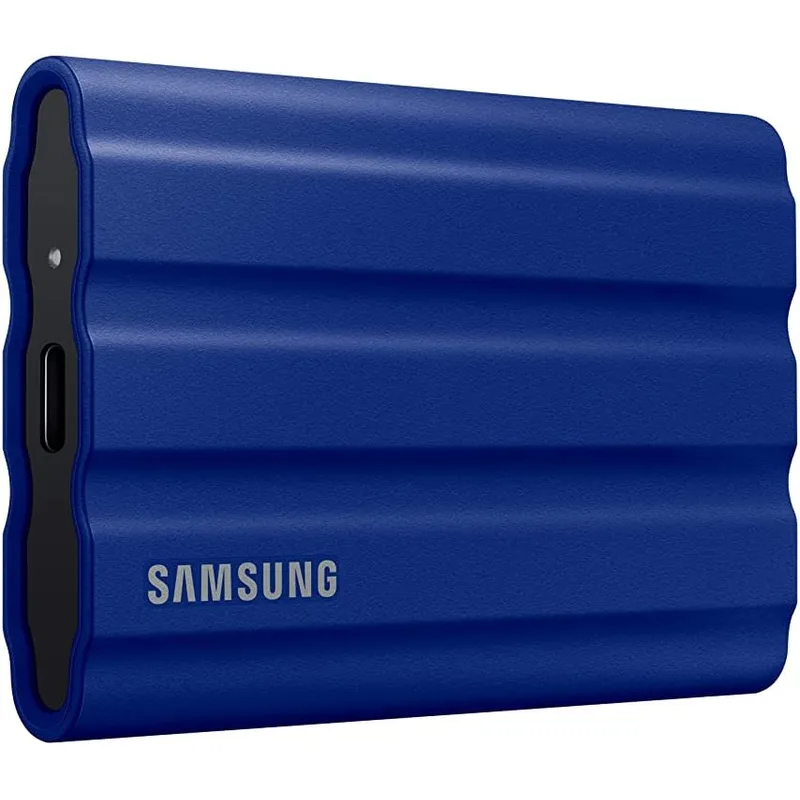
The T7 Shield is the default answer for most remote workers. IP65-rated against water and dust, drop-tested to 9.8 feet — the highest drop rating of any consumer SSD in this price range. That spec matters in a laptop bag, not just on a desk.
At 1,050 MB/s read speed, transferring a typical work laptop’s document folder (10–50GB of files) takes seconds to a few minutes rather than the 15+ minutes a spinning HDD would need. USB-C native, so no adapter required for any modern MacBook or Windows laptop.
For workers commuting between home and a coworking space, working from coffee shops, or traveling a few times per year, the durability is genuinely useful. Drives take more physical abuse in transit than they ever do on a desk.
At $109 for 1TB, this is the best balance of speed, protection, and price in this roundup.
Best for: Daily commuters, coffee shop workers, anyone who carries a laptop bag regularly.
Skip if: You only need desktop backup storage and never travel with the drive — an HDD at half the price serves that use case better.
2. SanDisk Extreme 1TB Portable SSD — Best Value
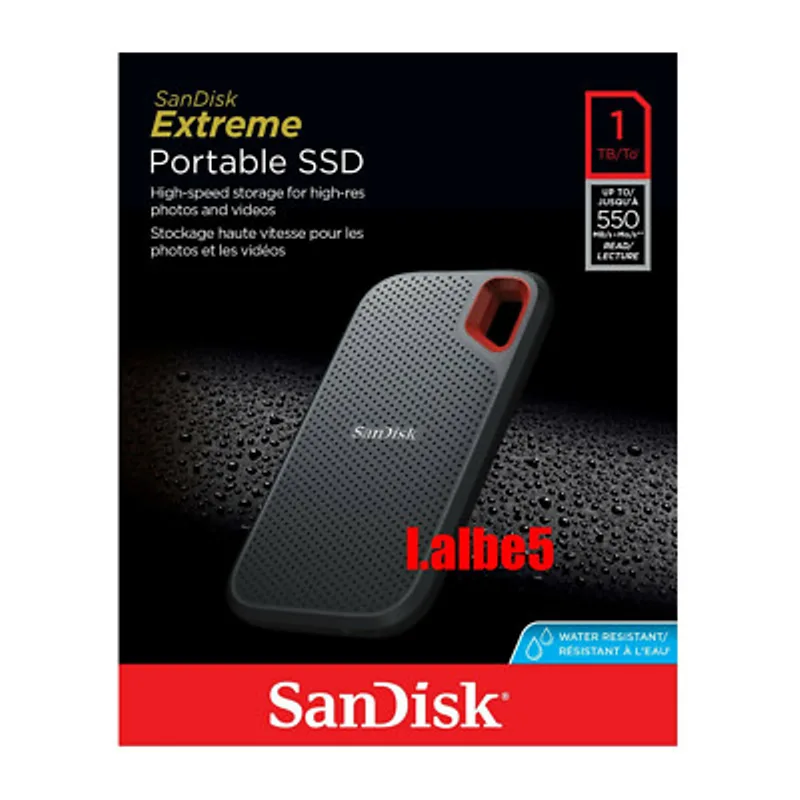
Matches the Samsung T7 Shield on raw performance — both hit 1,050 MB/s read via USB 3.2 Gen 2. At 42 grams, the SanDisk Extreme is the lightest drive in this roundup by a significant margin. If every gram of laptop bag weight matters to you, the T7 Shield is 56 grams heavier.
The IP65 rating provides the same level of weather resistance as the Samsung. Drop resistance is 2 meters (6.6 feet) versus the Samsung’s 9.8 feet — still above what most situations demand, but lower than the T7 Shield.
One practical note: SanDisk Extreme units from 2020–2022 had documented reliability issues in early firmware. Current stock ships with updated firmware that resolves this. Buying new from a primary retailer, you get the corrected version. Buying used or from a third-party seller, verify firmware before relying on the drive for work backup.
At $99 — $10 less than the Samsung — this is the better pick if you primarily travel light and aren’t in situations where 9.8-foot drop protection specifically matters.
Best for: Travelers who count bag weight, workers who need a slim drive that fits anywhere.
Skip if: You frequently drop things or work in rough conditions — the Samsung’s additional drop protection is worth the $10 premium.
3. WD My Passport 2TB — Best Budget
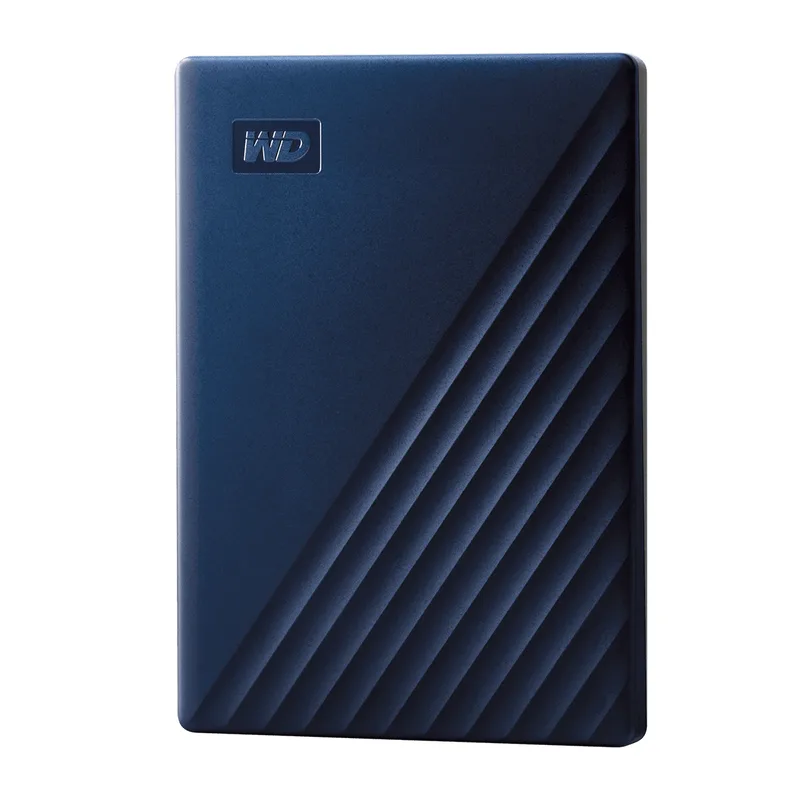
The WD My Passport is the right pick if you want maximum storage at minimum cost and you’re not transferring large files regularly. At $85 for 2TB, it offers the lowest cost per gigabyte of any drive in this roundup — roughly twice the storage of an entry-level SSD for less money.
Hardware 256-bit AES encryption makes it suitable for backing up work files with sensitive content. WD’s backup software supports automatic scheduled backups, so you can set it once, plug it in at day’s end, and let it run overnight without any interaction.
The transfer speed — around 130 MB/s — is adequate for backup purposes. A full 100GB backup takes roughly 13 minutes. For scheduled overnight backups or backups during lunch, that delay is invisible.
The My Passport is a desk drive. No IP rating, no drop protection. Don’t put it in a bag and expect it to survive a fall. For a home office where it stays plugged into your desk, it is reliable and long-lived.
Note: the USB-A interface requires a USB-A to USB-C adapter with MacBooks and most modern laptops. Adapters cost a few dollars, but it’s a friction point if you don’t keep one at your desk.
Best for: Home office workers who want comprehensive backup storage at minimal cost.
Skip if: You travel with the drive or need fast file transfers.
4. LaCie Rugged Mini SSD 1TB — Best for Travel
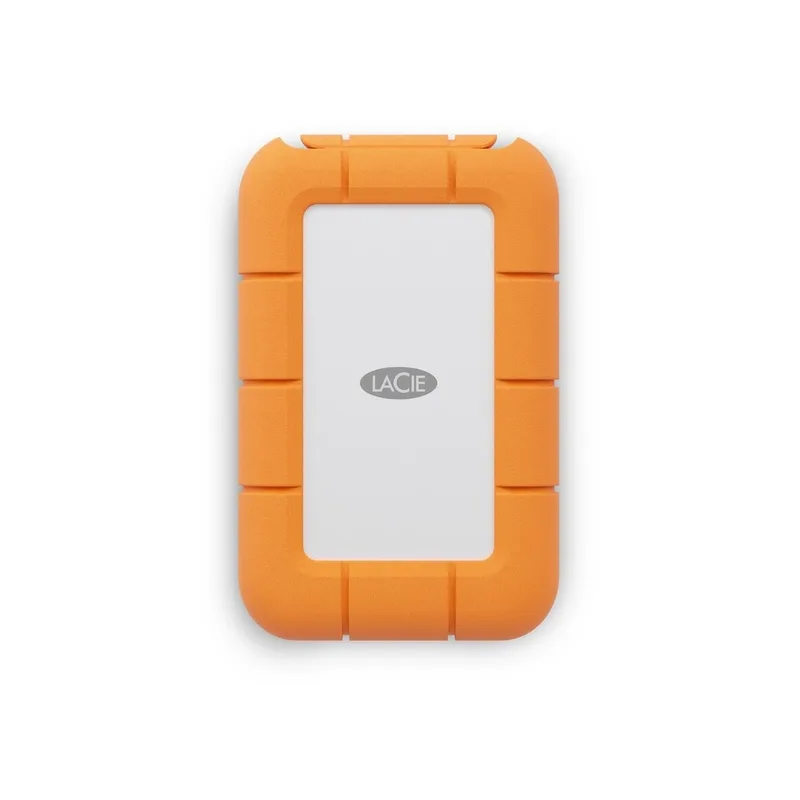
The LaCie Rugged Mini SSD is the pick for workers who travel frequently and need the most durable portable storage available. IP67-rated — fully dust-tight and survives submersion up to 1 meter for 30 minutes. That’s a step beyond the IP65 rating of the Samsung and SanDisk. The 1-ton crush rating handles luggage being stacked on top of a bag.
At 2,000 MB/s via USB 3.2 Gen 2x2, it’s the fastest drive in this roundup — roughly double the Samsung and SanDisk at their maximum. Both the drive and host port need to support Gen 2x2 to reach those speeds; most 2026+ laptops have at least one compatible USB-C port, but verify your laptop’s specs.
The 5-year warranty with professional data recovery service is a meaningful differentiator for professional use. If the drive fails during a work trip with client files on it, Seagate (LaCie’s parent company) provides data recovery at no extra charge within the warranty period.
At $120 for 1TB, the LaCie is now only $11 more than the Samsung T7 Shield for significantly more speed and durability. For frequent business travelers, that’s an easy call.
Best for: Frequent travelers, field workers, anyone carrying irreplaceable client files.
Skip if: The drive stays at your desk — the premium durability isn’t useful for stationary use.
5. Seagate One Touch 2TB — Best Backup Value
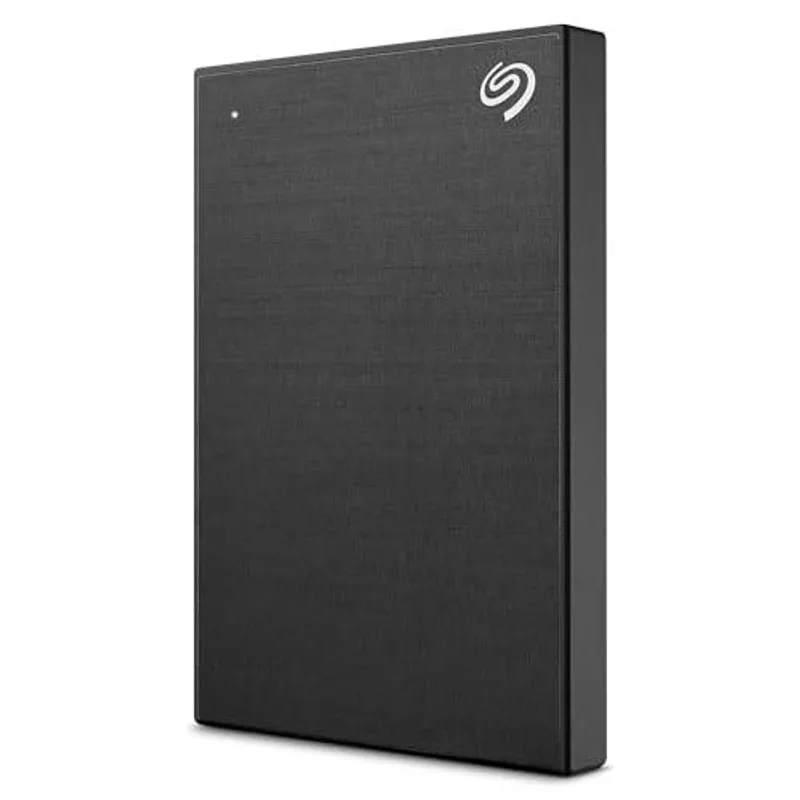
The Seagate One Touch occupies a similar position to the WD My Passport — both are 2TB portable HDDs with hardware encryption at similar price points. At $69, it’s $16 less than the WD.
The key practical differences: the Seagate is slightly slower (~120 MB/s vs ~130 MB/s), and uses a Micro-USB interface rather than USB-A. For a drive that stays plugged in at a desk, the Micro-USB limitation is manageable — keep a cable plugged in and forget about it. For anyone who moves the drive between locations, that Micro-USB connector means carrying an extra adapter.
The included Mylio Photos app and Adobe Creative Cloud trial are useful extras for workers who handle photography or visual creative assets. Less useful for purely document-based work.
At $69 for 2TB with encryption and backup software, the One Touch makes sense as a secondary backup drive — something to keep at a second location as an off-site redundant copy of your primary backup.
Best for: Workers who want a low-cost secondary backup for off-site redundancy.
Skip if: You want the fastest HDD or the cleanest USB compatibility — the WD My Passport edges it on both.
External Drive Comparison Table
| Drive | Type | Capacity | Speed (Read) | Interface | Durability | Price | Rating |
|---|---|---|---|---|---|---|---|
| Samsung T7 Shield | SSD | 1TB | 1,050 MB/s | USB-C 3.2 Gen 2 | IP65, 9.8ft drop | $244.74-$261.21 as of Oct 18, 2026 | 9.2 |
| SanDisk Extreme | SSD | 1TB | 1,050 MB/s | USB-C 3.2 Gen 2 | IP65, 2m drop | $219.99 as of Oct 18, 2026 | 8.9 |
| WD My Passport | HDD | 2TB | ~130 MB/s | USB-A 3.0 | None | $113.50-$132.10 as of Oct 18, 2026 | 8.3 |
| LaCie Rugged Mini SSD | SSD | 1TB | 2,000 MB/s | USB-C Gen 2x2 | IP67, 1-ton crush | Unavailable | 8.7 |
| Seagate One Touch | HDD | 2TB | ~120 MB/s | Micro-USB 3.0 | None | $178.01 as of Oct 18, 2026 | 8.1 |
Buying Guide: What to Look for in an External Drive for Remote Work
Speed: For pure backup (write once, rarely read back), any drive over 100 MB/s is adequate. For working directly with files stored on the drive — video editing, design assets, running applications — you need at least 500 MB/s, which means an SSD.
Interface: USB-C is the current standard for portable SSDs. If your laptop is all USB-C (most MacBooks, recent Dell XPS, Lenovo ThinkPad), choose a drive with USB-C native to avoid adapter friction. If you need compatibility with older USB-A ports and don’t want to carry adapters, the WD My Passport’s USB-A connection is the more convenient choice.
Durability: IP65 covers most real-world use: rain, spills, dusty environments. IP67 adds full submersion resistance — relevant for workers in construction, agriculture, or outdoor research. Drop resistance ratings matter most for drives you carry in a bag daily. A drive that stays at your desk doesn’t need any drop rating.
Encryption: For work files containing sensitive client data, company IP, or anything regulated by NDAs or compliance requirements, hardware encryption (WD My Passport, Seagate One Touch) is the right call. Software encryption (BitLocker, FileVault) applied to an unencrypted SSD is also effective but requires more setup.
Capacity: Storage needs break down roughly as:
- Documents, email, spreadsheets only: 500GB–1TB
- Creative assets, photo archives: 1TB–2TB
- Full laptop backup plus work files: 2TB+
Warranty: For a drive you carry sensitive work files on, a longer warranty matters. The LaCie’s 5-year warranty with data recovery service is the strongest in this roundup. Standard portable HDDs typically come with 2–3 years.
FAQ
Should I use cloud backup or a local external drive for remote work?
Both, if possible. Cloud backup protects you from physical disasters — fire, theft, hardware failure at home. A local external drive protects you when your internet is slow or down, when you need to access files immediately, or when you have more data than your cloud plan covers. The two are complementary, not competing.
Is 1TB enough for a remote worker’s backup drive?
For knowledge workers handling primarily documents, email, and standard office files, 1TB covers several years of work data comfortably. For workers with large media files, video projects, or engineering CAD assets, 2TB is a safer starting point.
Do external drives work with USB-C MacBooks without an adapter?
The portable SSDs in this roundup (Samsung T7 Shield, SanDisk Extreme, LaCie Rugged Mini SSD) are USB-C and connect directly to MacBook USB-C and Thunderbolt ports. The WD My Passport uses USB-A and needs a USB-A to USB-C adapter. The Seagate One Touch uses Micro-USB and needs a Micro-USB to USB-C adapter. Both adapter types are inexpensive and widely available.
How often should remote workers back up their files?
Daily backup of active work files is the practical standard. Most backup applications support automatic backup whenever the drive is connected — plug it in at the end of your workday and it runs without any action from you. For irreplaceable project files, continuous sync while the drive is connected gives better protection.
Is it safe to store sensitive work files on a portable external drive?
Drives with hardware encryption (WD My Passport, Seagate One Touch) are safe for sensitive work files as long as the password is set and kept secure. Without encryption, a lost or stolen drive gives anyone full access to its contents. For the SSDs in this roundup — which don’t include hardware encryption — use BitLocker on Windows or FileVault on Mac to encrypt the drive before storing sensitive data.
What’s the difference between portable HDD and portable SSD for backups?
For backup use only (writing files to the drive periodically, not running applications from it), an HDD’s slower speed is rarely a problem. A 50GB backup at 130 MB/s takes about 6 minutes — fine overnight or during lunch. The main reason to choose an SSD for backup is durability: no moving parts means it’s safer to carry in a bag. If the drive stays at your desk, an HDD is the better value.
Conclusion: Which Drive Should You Get?
For most remote workers: Samsung T7 Shield 1TB. It covers the full range of use cases — fast enough for direct file access, durable enough for daily commuting, and USB-C native for modern laptops.
If you travel constantly and carry client files you can’t afford to lose: LaCie Rugged Mini SSD. The IP67 rating, 1-ton crush resistance, and 5-year data recovery warranty justify the modest premium over the Samsung — especially now that the price has dropped to $120.
Pure home office backup, no travel, minimal budget: WD My Passport 2TB. The 2TB capacity and hardware encryption cover everything most remote workers need, and the $85 price keeps it accessible.
Second drive for off-site redundancy: Seagate One Touch 2TB. Leave it at a family member’s place or a second office location. At $69, the cost of having a remote backup copy is minimal.
Detailed Reviews
Samsung T7 Shield 1TB
Pros
- IP65 water and dust resistance — safe to use at outdoor work locations
- 9.8-foot drop protection handles real-world travel and commuting use
- 1,050 MB/s read speed handles large file transfers quickly
- USB-C native connection — no adapter needed with modern laptops
Cons
- Slightly higher price per GB than standard portable SSDs
- Rubberized texture attracts lint and dust visually over time
- No bundled USB-A adapter — older devices need a separate cable
SanDisk Extreme 1TB Portable SSD
Pros
- 42g weight — the lightest drive in this roundup for travel
- 1,050 MB/s read speed matches the Samsung T7 Shield
- IP65 rating handles weather and spills
- Slim profile fits easily in a laptop bag side pocket
Cons
- Some earlier firmware versions had reliability concerns — use updated firmware
- 2m drop protection is lower than Samsung T7 Shield's 9.8-foot rating
- No bundled USB-A cable — USB-C only out of the box
WD My Passport 2TB
Pros
- 2TB capacity at the lowest price per GB in this roundup
- Hardware 256-bit AES encryption for secure backup of work files
- Includes WD Backup software and password protection tools
- Compatible with Time Machine on Mac and Windows Backup
Cons
- HDD speeds (~130 MB/s) are significantly slower than SSD options
- No IP rating — not suitable for outdoor or travel use in wet conditions
- USB-A only — requires an adapter with MacBooks and modern USB-C laptops
LaCie Rugged Mini SSD 1TB
Pros
- IP67 rating — fully dust-tight and immersion-resistant up to 1 meter
- 2,000 MB/s speeds are the fastest of any drive in this roundup
- 1-ton crush resistance for extreme durability during travel
- 5-year warranty with data recovery service
Cons
- USB 3.2 Gen 2x2 requires a compatible host port for maximum speeds
- Bulkier form factor than slim SSDs due to protective rubber casing
- Full 2,000 MB/s speed only reached on laptops with Gen 2x2 ports
Seagate One Touch 2TB
Pros
- 2TB at an affordable price — strong value for backup storage
- Password-activated hardware encryption protects sensitive work files
- Includes Mylio Photos and Adobe Creative Cloud subscription benefits
- Lightweight design for a 2TB portable HDD at 159g
Cons
- Micro-USB interface — requires an adapter with modern USB-C laptops
- No IP rating or drop resistance for travel use
- Slightly slower than WD My Passport at the same capacity (~120 MB/s vs ~130 MB/s)