Affiliate disclosure: SetupRanked earns a commission on qualifying purchases made through links on this page. This does not affect our editorial rankings.
Dell grabbed headlines at CES 2026 by unveiling a 52-inch 6K ultrawide curved monitor — the UltraSharp 52 Thunderbolt Hub Monitor — at $2,900. It’s a statement product designed to replace a full dual-monitor setup and connect four PCs simultaneously. The technology is impressive, but it also illustrates how far the curved monitor segment has come: what used to be a gimmick reserved for gaming setups is now central to serious professional workstation design.
For home office workers, curved monitors solve a concrete problem. Flat ultrawide displays can feel awkward at their edges — your eyes have to travel farther to reach content in the corners, and at 34 inches, those corners can be a noticeable angle away from your center sightline. A curved panel with a 1000R or 1800R radius pulls those edges toward you, keeping content within a natural arc of vision. The result is less head movement and reduced eye strain during long sessions.
This roundup covers five curved monitors selected for remote work use, evaluated on curvature effectiveness, resolution, connectivity for laptop users, and practical office features like USB-C docking and ergonomic stands.
What Makes a Good Curved Monitor for Home Office
Curvature radius. The number describes how curved the panel is: a 1000R curve matches the geometry of a circle with a 1-meter radius, while 1800R is a gentler curve from a circle with an 1.8-meter radius. For a single monitor on a desk, 1000R is the more aggressive and immersive option. At 34 inches, a 1000R panel wraps noticeably more than 1800R. For dual-monitor setups, 1800R is often a better match.
Panel type. Nearly all curved monitors use VA panels rather than IPS. VA panels offer superior contrast ratios — typically 3000:1 vs 1000:1 for IPS — which makes blacks look genuinely dark in dim lighting. The trade-off is slower pixel response times and mild color shift at extreme viewing angles. For a single user working directly in front of the monitor, VA characteristics are favorable for office work.
Ultrawide vs. standard aspect ratio. A 34-inch ultrawide (21:9, 3440x1440) at the same price as a standard 27-inch curved (16:9, 2560x1440) offers more horizontal screen space for side-by-side windows. Remote workers who constantly reference two documents, keep Slack or Teams in a side column, or work across multiple applications simultaneously get meaningful productivity gains from ultrawide. For workers who primarily use a single maximized application, a standard 27-inch curved at 1440p is the better value.
USB-C docking. Single-cable connectivity — power, video, and USB through one USB-C cable — is the most convenient way to connect a laptop to a monitor. The Samsung S65UA’s 90W USB-C PD is the only option on this list that handles single-cable setup without a separate dock. If USB-C docking matters to your workflow, it narrows the decision considerably.
Ergonomic stand. Tilt-only stands are a limitation at any price. A monitor you cannot raise, lower, or rotate to match your exact seated eye height will force postural compromises over long workdays. Height-adjustable stands with swivel and pivot capability are worth paying for.
Comparison Table
| Monitor | Size | Resolution | Curvature | Refresh | USB-C | Speakers | Price |
|---|---|---|---|---|---|---|---|
| Samsung ViewFinity S65UA | 34” | 3440x1440 | 1000R | 100Hz | Yes (90W) | No | Unavailable |
| Dell S3422DW | 34” | 3440x1440 | 1800R | 75Hz | No | Yes (5W) | Unavailable |
| LG 34WP65C-B | 34” | 3440x1440 | 1800R | 160Hz | No | No | Unavailable |
| Dell S2722DGM | 27” | 2560x1440 | 1500R | 165Hz | No | No | Unavailable |
| Samsung S27C392 | 27” | 1920x1080 | 1800R | 75Hz | No | Yes (5W) | $189.99-$219.99 as of Oct 18, 2026 |
1. Samsung ViewFinity S65UA — Editor’s Pick
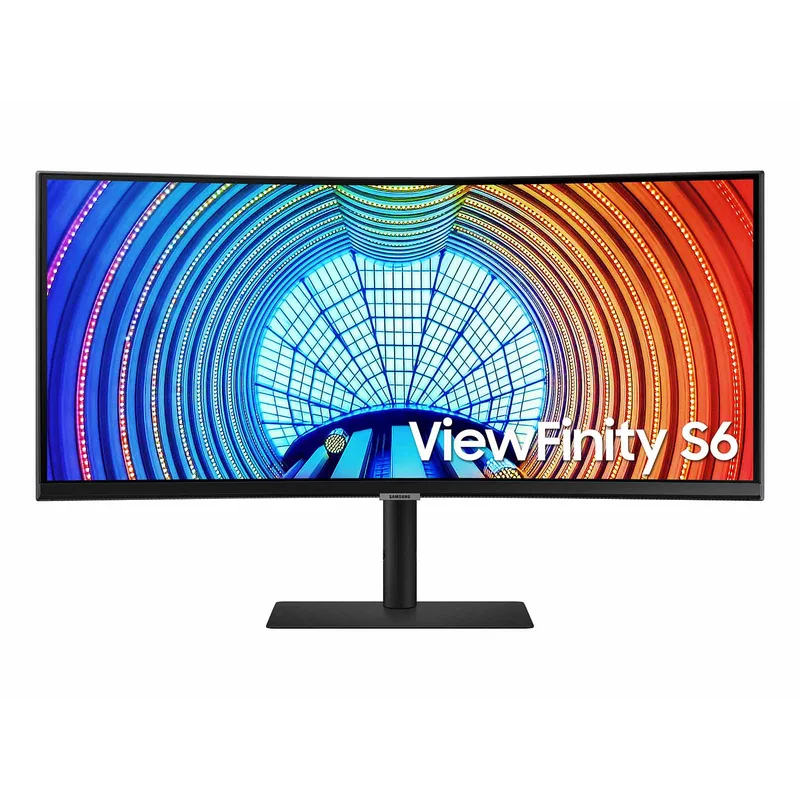
The S65UA is the strongest all-round curved monitor for home office use in 2026 because it solves the single-cable docking problem. Its 90W USB-C port is rated to charge most laptops at full speed while simultaneously delivering display output and USB hub connectivity. MacBook Pro users, Dell XPS owners, and anyone working from a USB-C laptop can replace their entire cable and dock setup with one connection.
The 1000R curvature is the sharpest available at 34 inches and it produces a genuinely immersive viewing experience. Content at the edges of the screen sits at roughly the same perceived distance as content at the center — you notice this most during long reading sessions, where flat ultrawide edges require slight head or eye movement to bring into focus. With a 1000R panel, that movement disappears.
Samsung’s TUV-certified Intelligent Eye Care automatically adjusts brightness and color temperature as ambient light changes. In practice, this means the monitor dims appropriately in the evening and brightens for daytime use without manual intervention — a useful feature for home office environments where ambient light varies throughout the day.
The VA panel delivers the expected contrast advantage over IPS: dark backgrounds on coding editors, video call interfaces, and any dark-mode application look significantly more defined. The 100Hz refresh rate is above the 75Hz standard for productivity monitors and produces visibly smoother scrolling without the cost premium of 144Hz+ gaming panels.
The primary limitation is the absence of built-in speakers. If you take calls frequently without a headset, you will need a separate speaker or soundbar. The 5ms GtG response time, while adequate for all office work, is measurably slower than IPS panels during fast motion.
Best for: Laptop users who want ultrawide curved productivity with genuine single-cable docking and the tightest curvature available at this size.
2. Dell S3422DW — Best for Video Calls
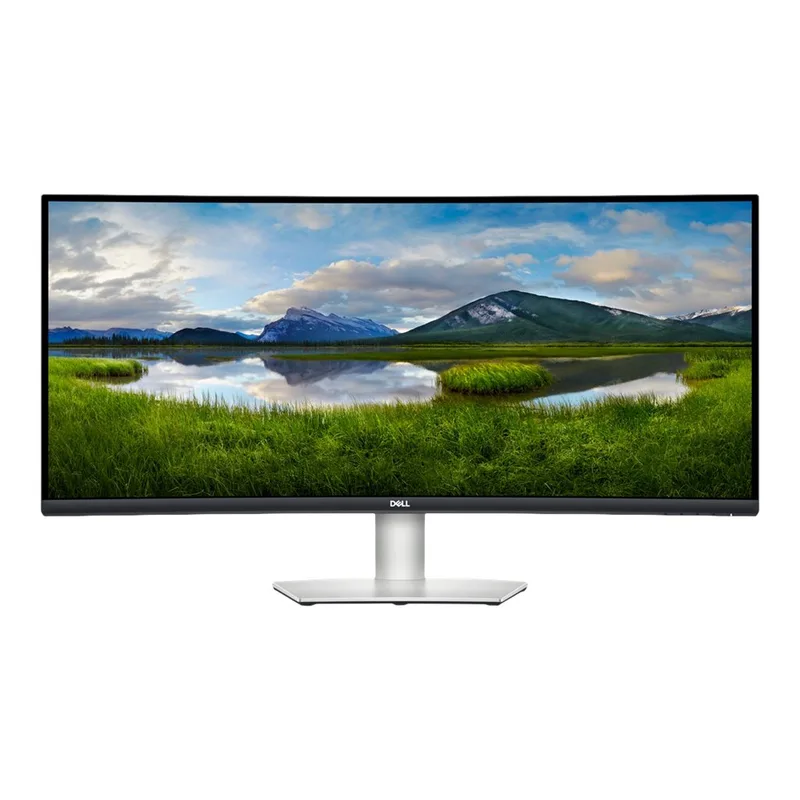
The S3422DW is the monitor to buy if you spend a significant portion of your workday on video calls without a headset. Its built-in dual 5W speakers are tuned by Waves Audio — a meaningful audio calibration partnership that produces cleaner dialogue and less harsh high-frequency reproduction than uncalibrated monitor speakers. For standup calls, impromptu check-ins, and conference audio, the S3422DW speakers are genuinely usable in a way that most monitor speakers are not.
The 1800R curvature across 34 inches produces a different experience than the Samsung’s 1000R. The curve is softer and more suitable for situations where you occasionally look at the monitor from a slight angle — a common scenario in shared home office setups where a family member might glance at your screen. The 1800R also works better if you plan to use the monitor at a greater-than-recommended viewing distance.
The four-port USB 3.0 hub consolidates desk peripherals effectively. Keyboard, mouse, headset, and a USB drive can all connect through the monitor, which then connects to your PC via a single DisplayPort cable. The result is a clean cable setup from the desk surface, even without USB-C.
The S3422DW’s main limitation is the absence of USB-C. MacBook users and USB-C laptop owners need a separate dock to achieve single-cable convenience. The 75Hz refresh rate is also the lowest on this list and is perceptible compared to 100Hz+ monitors during fast document scrolling. At $369, the value calculation depends on whether the integrated speakers and warranty support justify the $40 premium over the Samsung S65UA.
Best for: Remote workers who frequently take calls without headsets and want the best integrated audio available in a curved ultrawide monitor.
3. LG 34WP65C-B — Best Value
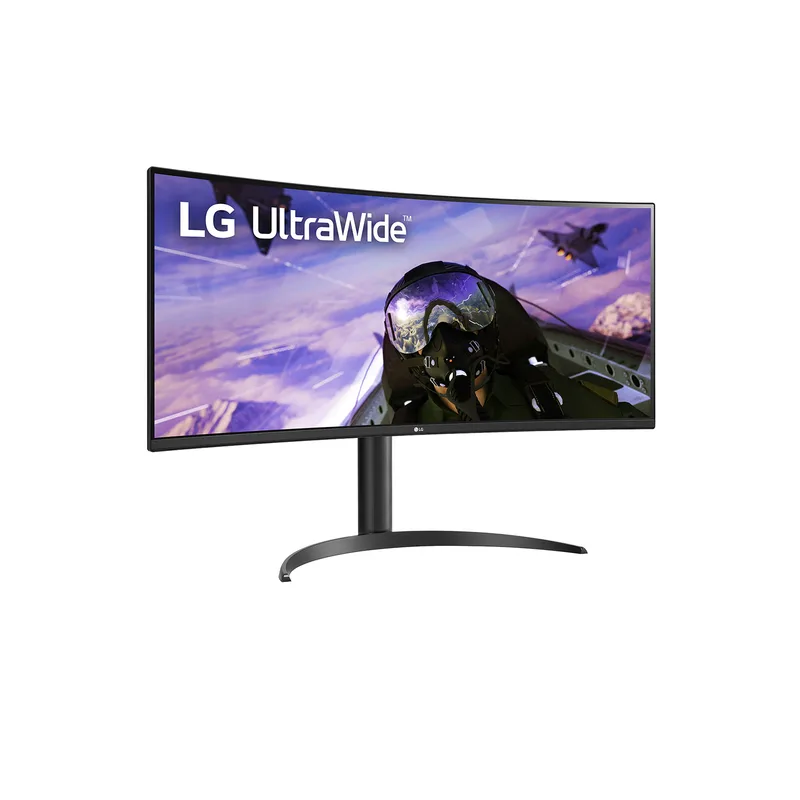
The 34WP65C-B covers the overlap between productivity work and occasional gaming better than any other monitor in this roundup. Its 160Hz refresh rate — the highest of the three 34-inch options — makes everyday office tasks like scrolling long documents, rapid window switching, and video playback noticeably smoother than the 75Hz Dell. The 1ms MPRT response time eliminates the trailing that slower VA panels show during fast motion.
The borderless three-sided design is one of the cleaner aesthetics in the 34-inch curved category. Dell and Samsung monitors in this range have visible bottom chins; the LG’s minimal bezel creates a more immersive surface from edge to edge. This matters less for pure productivity but improves the overall quality of the desk aesthetic.
At $399 street price, the 34WP65C-B costs about $70 more than the Samsung S65UA but delivers a significantly higher refresh rate. The trade-off is the absence of USB-C. Workers who need single-cable laptop docking must choose between the LG’s superior refresh rate and the Samsung’s connectivity convenience. For those already using a USB-C dock or working from a desktop, the LG is the better display specification for the money.
The 1800R curvature is less aggressive than the Samsung’s 1000R, and the stand does not include pivot rotation. If you ever need to flip the panel to portrait mode for reading long documents, the LG requires a separate VESA arm to do it.
Best for: Remote workers who want the best refresh rate and value in a 34-inch curved ultrawide and already have a dock or desktop setup that handles connectivity.
4. Dell S2722DGM — Best 27” Curved
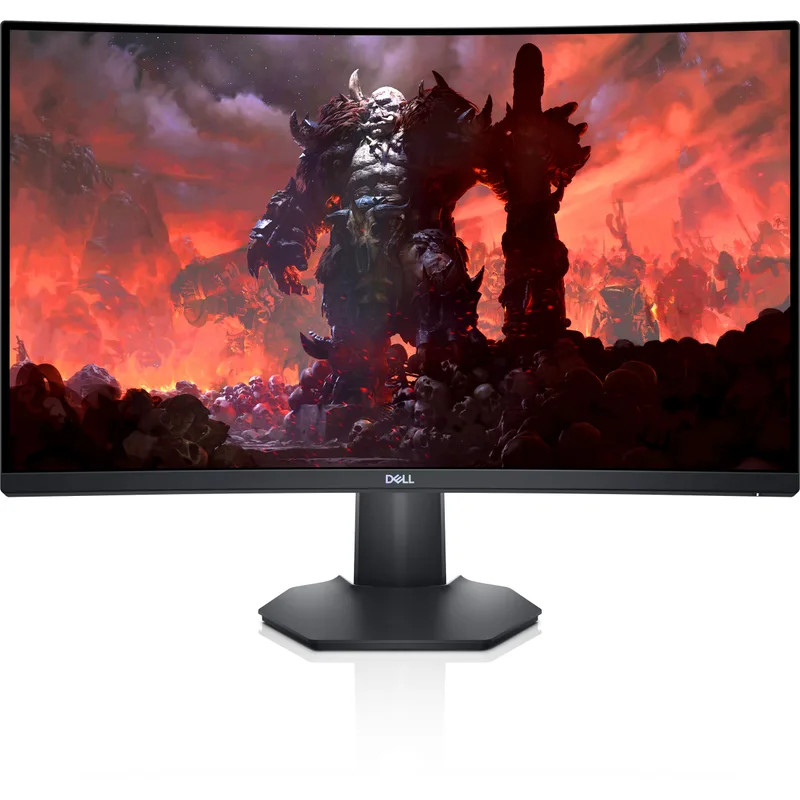
The S2722DGM is the right choice for home office setups with limited desk depth. At 27 inches, it fits comfortably on smaller desks and requires significantly less horizontal width than any of the 34-inch options. Its 1500R curvature — tighter than the 1800R found on many ultrawide monitors at the same price — feels genuinely curved for a standard 16:9 panel. On a 27-inch display at 1500R, the edges pull perceptibly toward you in a way that a 1800R panel does not.
QHD resolution (2560x1440) at 27 inches is the ideal pixel density for office work: sharp enough to render fine text clearly, but not so high that Windows or macOS need aggressive scaling at standard 100% display settings. The 350 nit brightness is above average for curved VA panels and handles rooms with moderate natural light reasonably well.
The 165Hz refresh rate and 2ms GtG response time are positioned as gaming features, but they serve office productivity directly. High refresh rate monitors produce a smoother visual experience for all motion — including everyday scrolling through emails, code, and documents. The difference between 75Hz and 165Hz is most noticeable during fast scrolling; text edges look cleaner and tracking is easier on the higher-refresh panel.
The ergonomic stand includes height and tilt adjustment. The absence of swivel limits optimal placement flexibility slightly, but for most single-monitor desktop setups the range of tilt and height adjustment is sufficient.
Best for: Compact desk setups that cannot accommodate a 34-inch ultrawide; remote workers who want a 27-inch QHD curved monitor with strong refresh rate performance.
5. Samsung S27C392 — Best Budget
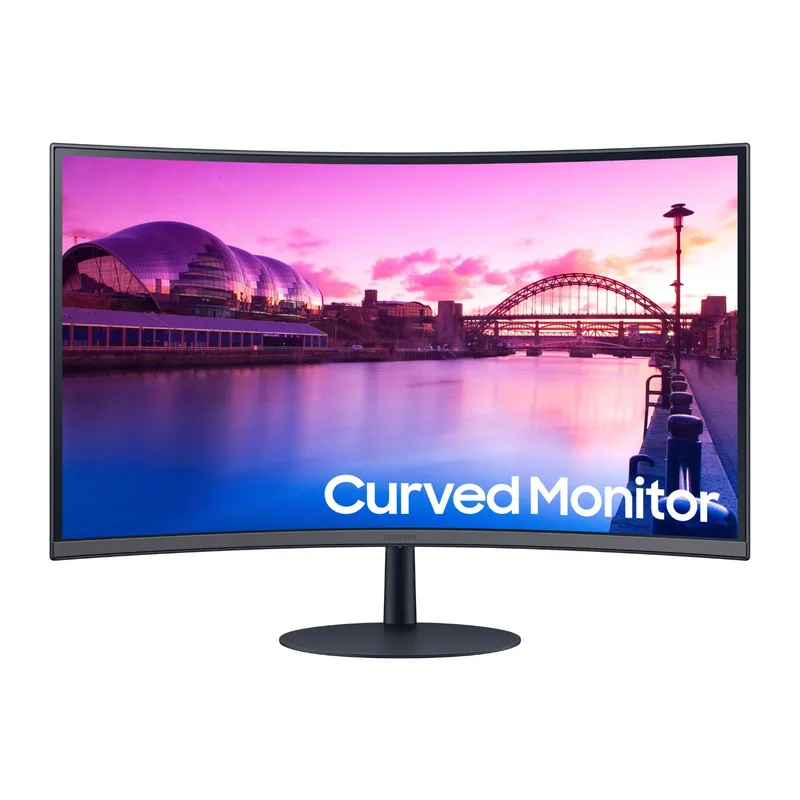
The S27C392 is the entry point for anyone who wants to experience a curved monitor without committing to a $250+ purchase. At $149, it delivers the physical characteristics of curved VA — a perceptible 1800R bend, better-than-average contrast — at a price point accessible to remote workers equipping a secondary workstation, a spare office, or a budget home setup.
The built-in 5W speakers are useful at this price level. A complete remote work setup — monitor, keyboard, mouse, and a monitor with speakers — can be assembled without a separate audio device, which reduces the total accessory cost for basic call quality. Frameless construction on three sides is a design quality indicator often absent in budget monitors.
The limitations are real and worth stating clearly. 1080p resolution on a 27-inch panel is noticeable — text is softer than 1440p, and fine interface elements look less sharp. The 250 nit brightness rating is low; windows, bright overhead lights, or any direct environmental light source will wash out the display. The tilt-only stand with no height adjustment is a meaningful ergonomic constraint for long workdays. The 75Hz refresh rate is adequate for stable content but is perceptibly less smooth than higher-refresh alternatives.
If the alternatives on this list are out of budget, the S27C392 is the right choice and will deliver a fundamentally better dark-room experience than a flat FHD monitor at the same price. For primary workstations, the Dell S2722DGM at $249 is worth the upgrade for 1440p resolution and 165Hz responsiveness.
Best for: Budget-conscious buyers who want to try a curved home office monitor without significant investment; secondary or spare workstation monitors.
Buying Guide: Which Curved Monitor Is Right for You?
Start with size and desk depth
34-inch ultrawide monitors require approximately 24-26 inches of desk depth for comfortable viewing distance. If your desk is shallower than 24 inches, the ultrawide edges may actually be harder to view — the 1000R or 1800R curve cannot compensate for insufficient distance. A 27-inch curved at 1500R placed at 24 inches of depth is more comfortable than a 34-inch ultrawide placed too close.
Measure from your seated eye position to the monitor surface. Optimal viewing distance for a 34-inch ultrawide is 25-30 inches. For a 27-inch monitor it is 20-24 inches.
USB-C vs. traditional connectivity
Single-cable USB-C docking (one cable for power, video, and USB) is the most convenient way to work from a laptop. Of the monitors in this roundup, only the Samsung S65UA includes a USB-C port with adequate power delivery (90W). If single-cable connectivity is important to your workflow, it narrows the decision to the Samsung S65UA or adding a separate USB-C dock to another monitor on the list.
For desktop PC users or those already using a dedicated dock, USB-C on the monitor is less critical — the Dell S3422DW and LG 34WP65C-B become competitive without that constraint.
Curvature and panel size interaction
Curvature radius interacts with screen size. A 1800R curve on a 34-inch panel is a different physical experience than a 1800R curve on a 27-inch panel because the arc spans a wider area. At 27 inches, 1500R produces a clearly perceptible curve that pulls the edges toward you. At 34 inches, you need a tighter 1000R curve to produce a similar effect — 1800R at 34 inches feels mild by comparison. The Samsung S65UA’s 1000R curvature is the right choice for those who specifically want the wrapped-screen effect.
Refresh rate for productivity
Productivity work benefits more from higher refresh rates than most remote workers realize. 75Hz is acceptable; 100Hz is a clear improvement; 160Hz+ produces a noticeably different quality of motion during scrolling and window manipulation. If you spend more than six hours per day in front of the monitor, the ergonomic benefit of 100Hz+ smooth motion compounds over time.
Frequently Asked Questions
Is a curved monitor worth it for remote work?
For monitors 27 inches and above, a curved panel reduces eye strain during extended work sessions by keeping content within a more consistent focal arc. The benefit is most pronounced for ultrawide 34-inch panels where a flat display would require noticeable eye and head movement to reach the edges. For workers spending six or more hours daily at a monitor, the eye strain reduction is a meaningful ergonomic gain.
What curvature is best for a home office monitor?
1000R is the most immersive and is best suited for single-monitor desk setups where you sit directly in front of the panel. 1800R is gentler and works better for multi-monitor setups or situations where you view the monitor from varying angles. At 34 inches, 1000R is noticeable; 1800R is subtler. At 27 inches, 1500R provides a strong curve at the standard size.
Do curved monitors cause eye strain?
Curved monitors are designed to reduce, not cause, eye strain. The curvature keeps content at a more uniform viewing distance and reduces the eye movement required to scan across a wide screen. Problems arise mainly from monitors used at excessively close viewing distances (under 20 inches) or with panels that have poor brightness uniformity. All five monitors in this roundup are within normal viewing distance recommendations.
Can I use a curved gaming monitor for office work?
Yes. The Dell S2722DGM and LG 34WP65C-B are marketed as gaming monitors but are fully suitable for office work. High refresh rates (160Hz, 165Hz) improve everyday productivity tasks — smoother scrolling, more precise cursor tracking, better video playback. The features added for gaming (FreeSync, high response times) do not interfere with office applications.
Should I get a 27-inch or 34-inch curved monitor for my home office?
If your primary work style involves multitasking across multiple windows simultaneously — keeping email, a document, a browser, and a communication app visible at once — a 34-inch ultrawide is a direct productivity upgrade over a 27-inch monitor. The additional horizontal width replaces the need for a second monitor in many workflows. If you primarily work in a single application at a time or your desk cannot accommodate the depth a 34-inch requires, the Dell S2722DGM at 27-inch QHD is the better fit.
Conclusion
The Samsung ViewFinity S65UA is the top choice for most home office remote workers in 2026. The combination of 1000R immersive curvature, 90W USB-C docking, TUV-certified eye care, and full ergonomic stand adjustment makes it the most complete productivity-focused curved monitor in this roundup. Its single-cable docking alone justifies the price premium over alternatives that require a separate dock.
For workers whose primary concern is video call audio, the Dell S3422DW remains the best monitor with integrated speakers. The Waves Audio-tuned 5W speakers perform well enough for daily calls without a headset, and the comprehensive USB hub reduces desk cable clutter effectively.
Budget buyers looking to experience curved ergonomics without a large investment should start with the Samsung S27C392. It delivers the core experience — better contrast, perceptible curvature, built-in audio — at a price accessible to most home office setups.
Detailed Reviews
Samsung ViewFinity S65UA 34"
Pros
- 90W USB-C power delivery charges most laptops at full speed — genuine single-cable docking
- 1000R curvature is the tightest practical curve for a 34-inch display, matching human field of vision well
- TUV-certified Intelligent Eye Care auto-adjusts brightness and color temperature based on ambient light
- Full pivot and swivel stand gives ergonomic flexibility for any desk layout
- HDR10 with 1 billion color support produces noticeably richer images compared to standard 16.7 million color panels
- DP daisy-chain support lets you connect two Samsung monitors with a single cable run from your PC
Cons
- VA panel shows minor color shift at extreme viewing angles — matters if colleagues peer over your shoulder at a steep angle
- 300 nits SDR brightness is adequate but not exceptional for bright rooms with large windows
- 5ms GtG response time produces mild motion blur during fast scrolling compared to IPS panels
- No built-in speakers or webcam — you will need external audio
Dell S3422DW 34"
Pros
- Built-in dual 5W speakers tuned by Waves Audio deliver the best integrated audio of any monitor on this list
- 1800R curvature wraps the edges into your peripheral vision more than flatter curves — genuinely immersive for document work
- 4-port USB 3.0 hub turns the monitor into a desk hub for keyboard, mouse, headset, and USB drive simultaneously
- Comprehensive stand adjustment (height, tilt, swivel, pivot) covers virtually any ergonomic setup
- Strong brand support with Dell's 3-year advanced exchange warranty
Cons
- No USB-C connectivity — requires HDMI or DisplayPort, meaning MacBook users need an adapter or dock
- 75Hz refresh rate is the slowest on this list — scrolling feels less fluid compared to 100Hz+ options
- No HDR support — the 300 nit panel is good for office work but images look flat compared to HDR-capable monitors
- Larger price premium over the Samsung S65UA without a proportional feature advantage for home office use
LG 34WP65C-B
Pros
- 160Hz refresh rate is by far the highest on this list — makes cursor tracking, scrolling, and video playback visibly smoother
- 1ms MPRT response time eliminates motion blur that VA panels sometimes show at lower refresh rates
- AMD FreeSync Premium covers both remote work and occasional gaming without requiring separate monitors
- Borderless three-sided design looks cleaner on a desk than monitors with thick bottom bezels
- HDR10 support adds dynamic range headroom for video editing and content consumption
- Strong value for its refresh rate class — 160Hz at $399 is competitive with IPS alternatives that lack the VA contrast depth
Cons
- No USB-C — HDMI and DisplayPort only, which requires adapters or a dock for single-cable laptop setups
- 1800R curvature is less aggressive than 1000R and may feel mild on a smaller desk setup
- No built-in speakers — requires external audio for video calls without a headset
- Stand height range is adequate but does not include pivot rotation
Dell S2722DGM 27"
Pros
- 1500R curvature on a 27-inch panel creates a more immersive curve than many 34-inch monitors at 1800R
- 350 nits brightness is above average for curved VA panels and handles moderately bright rooms well
- 165Hz refresh rate combined with 2ms GtG makes this the most responsive curved panel for productivity tasks
- QHD (1440p) resolution at 27 inches provides sharper text than FHD alternatives at this size
- Compact footprint for desks where a 34-inch ultrawide would be too wide
- Strong price-to-performance ratio — QHD 165Hz curved at $249 is difficult to beat
Cons
- No USB-C — requires a separate dock or adapter for single-cable laptop connectivity
- Standard 16:9 aspect ratio provides less horizontal screen space than ultrawide alternatives at similar prices
- Stand limited to height and tilt only — no swivel or pivot rotation
- No built-in speakers; HDMI and DP ports only
Samsung S27C392 27"
Pros
- At $149, it is the most accessible entry point for a curved home office monitor
- Built-in 5W speakers are useful for a monitor at this price — reduces the accessory cost for basic setups
- Frameless design on three sides looks cleaner than budget monitors from previous generations
- 1800R curvature feels genuinely curved at 27 inches — not subtle
- AMD FreeSync support for smooth everyday scrolling without tearing
Cons
- 1080p resolution at 27 inches is noticeably softer than 1440p — text and fine detail are less sharp
- 250 nits brightness is among the lowest on this list — not suitable for bright rooms or near windows
- No height adjustment — tilt only, which limits ergonomic options significantly
- No USB-C; limited port selection (HDMI and DP only)
- Limited to 75Hz; the lower refresh rate is perceivable compared to the 100Hz+ options