In May 2026, the Razer Seiren V3 Mini briefly dropped to $25 during an Amazon promotion — a signal that the budget USB microphone market is more competitive than ever. You no longer need to spend $100 to sound clearly audible on video calls. The $25–$50 range now includes condenser capsules with real cardioid rejection, 96kHz recording, and hardware that outlasts the laptop it connects to.
This roundup covers five USB microphones under $50 for remote workers in 2026. Every product here is currently available on Amazon with a verified live listing. Products were selected based on confirmed Amazon availability, manufacturer-published specifications, and patterns from owner feedback across hundreds to thousands of reviews.
Quick Comparison
| Microphone | Price | Polar Pattern | Sample Rate | Best For |
|---|---|---|---|---|
| FIFINE K669B | $36.99 as of Oct 18, 2026 | Cardioid | 16-bit/44.1kHz | Overall best value |
| JLab Talk | $49.99 as of Oct 18, 2026 | 4 patterns | 96kHz | Work call flexibility |
| Razer Seiren Mini | Unavailable | Supercardioid | 24-bit/96kHz | Compact with noise rejection |
| FIFINE T669 Bundle | $45.04 as of Oct 18, 2026 | Cardioid | 16-bit/48kHz | Full home studio kit |
| TONOR TC-777 | $19.99 as of Oct 18, 2026 | Cardioid | 16-bit/44.1kHz | Tightest budget |
1. FIFINE K669B USB Microphone — Editor’s Pick
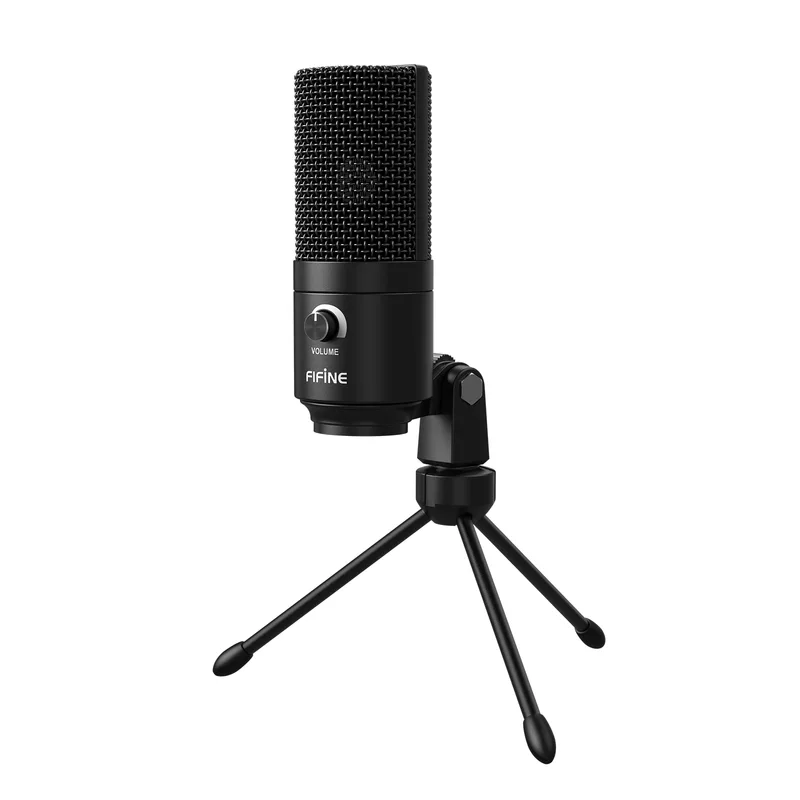
FIFINE K669B USB Microphone
Pros
- Metal body construction — the K669B has a full-aluminum capsule housing and stand base, unlike most sub-$30 mics that use plastic shells; owner reports consistently note it feels and sounds more expensive than the price suggests
- Plug-and-play across Mac, Windows, and Linux with no driver installation required — the USB connection presents as a standard audio device, so it works with Zoom, Teams, Google Meet, and OBS without any configuration
- Cardioid pickup pattern focuses tightly in front of the capsule, reducing keyboard noise, fan noise, and room echo that leak into built-in laptop microphones — remote workers with untreated home offices report a noticeable improvement in call clarity over using laptop mics
- Volume knob on the body allows real-time gain adjustments without touching software settings — a practical feature for workers who alternate between loud and quiet environments throughout the day
- Well over 100,000 Amazon reviews with consistent praise for its price-to-quality ratio — the sample size makes the feedback more reliable than most budget audio products at this price point
Cons
- 16-bit / 44.1kHz sample rate is functional for voice calls and standard recording but falls short of the 24-bit / 96kHz found on higher-end mics like the Razer Seiren Mini — the difference is audible mainly in professional podcast or voiceover work, not typical video calls
- No headphone monitoring port — you cannot listen to your own voice in real time while recording, which matters for podcasters and voiceover artists but is irrelevant for Zoom and Teams calls
- Tripod stand keeps the mic on the desk surface, which can pick up vibrations from typing or mouse clicks unless you add a separate shock mount ($10–$15 additional cost)
The K669B is the most widely-reviewed budget USB microphone on Amazon, with over 100,000 ratings and consistent praise for a simple reason: it sounds noticeably better than any built-in laptop or monitor microphone, costs around $30, and requires zero setup.
The cardioid pickup pattern focuses capture in a narrow cone directly in front of the capsule. That means a keyboard a few inches away contributes far less noise to your Zoom call than it does through your laptop’s microphone. In open-plan home offices or rooms with ambient noise, this directional rejection is the single biggest audio upgrade most remote workers can make.
The metal body is a meaningful detail at this price point. Most sub-$30 microphones use plastic capsule housings that add tonal coloration and feel fragile. The K669B’s aluminum construction is more mechanically stable, and owner feedback consistently notes it holds up to daily desk use over multiple years.
The volume knob on the body is worth calling out specifically. Reaching into your OS audio settings to adjust mic gain mid-call is slow and distracting. Having a physical dial handles that in under a second.
Bottom line: If you need one USB microphone that works correctly, costs the least, and causes zero problems — this is the pick.
2. JLab Talk USB Microphone — Best for Work Calls
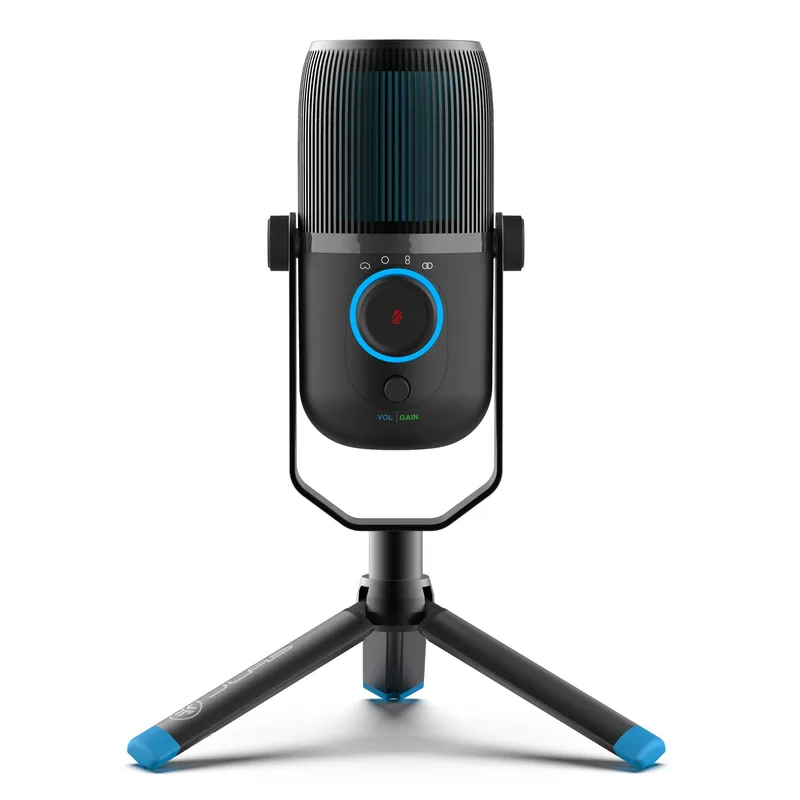
JLab Talk USB Microphone
Pros
- Four switchable polar patterns in a single sub-$45 package is genuinely unusual — cardioid for solo calls, omnidirectional for group meetings around a desk, stereo for instrument recording, bidirectional for two-person interviews, all without changing hardware
- USB-C output is the right connector for 2026 — no USB-A adapter needed for modern laptops or tablets, and the cable plugs into the same port many workers already use for charging
- Dedicated quick-mute button with indicator light provides instant silence without touching the host application — practical for open-plan home offices, households with kids or pets, or anyone who takes calls in less-than-quiet environments
- 96kHz sample rate captures a wider frequency range than the K669B, which translates to crisper consonants and more natural-sounding high frequencies on voice calls
- Gain control on the body lets you reduce input sensitivity for loud environments or boost it for quiet speakers, without opening system audio settings on every call
Cons
- Omnidirectional mode picks up everything in the room equally — useful for group calls but inadvisable for solo remote work in a noisy environment, requiring active management of which polar pattern is active
- Plastic body feels lighter and less premium than the FIFINE K669B's metal construction at a similar or lower price; the difference is cosmetic rather than functional, but it matters for some users
- No headphone monitoring port — same limitation as most budget USB mics at this price point
Most USB microphones at this price range give you one polar pattern: cardioid. The JLab Talk gives you four, switchable directly on the device. That flexibility makes it the strongest choice for remote workers who use their microphone across multiple scenarios.
For a solo video call in a quiet home office: use cardioid. For a shared workspace where multiple people join a call from one desk: switch to omnidirectional. For a two-person podcast recorded at the same desk: bidirectional picks up both speakers while rejecting room noise from the sides. The JLab Talk handles all three without swapping hardware.
USB-C output is the other practical advantage. Modern laptops, tablets, and desktop monitors have replaced USB-A with USB-C ports. A USB-A microphone requires an adapter on those machines. The JLab Talk connects directly.
The dedicated mute button is genuinely useful. Clicking mute inside Zoom or Teams while mid-sentence takes too long. A physical button that kills the signal instantly — with an indicator light confirming mute status — is faster and more reliable during fast-paced meetings.
Bottom line: The strongest all-around microphone for remote workers who need more than one polar pattern and want USB-C connectivity.
3. Razer Seiren Mini — Best Compact
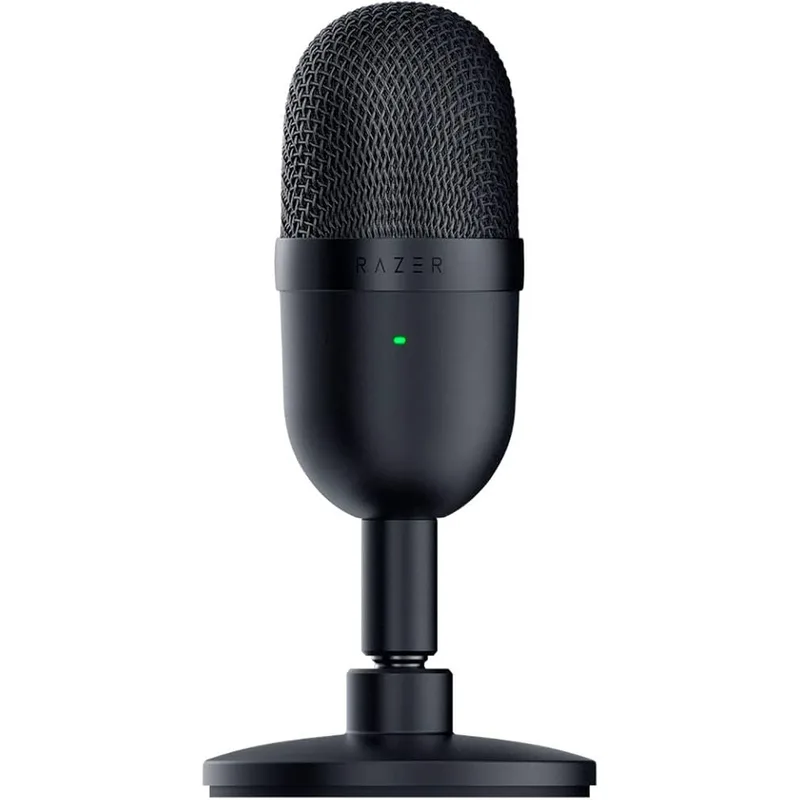
Razer Seiren Mini USB Microphone
Pros
- Supercardioid polar pattern has a tighter acceptance angle than standard cardioid — it rejects sound from the sides and rear more aggressively, which helps in home offices with background noise from street traffic, HVAC systems, or household activity
- 24-bit / 96kHz sample rate is the highest resolution in this roundup at this price range — the audio quality ceiling is measurably higher than 16-bit options for the same sub-$50 budget
- Built-in shock absorber in the stand dampens desk vibrations caused by typing and mouse use, reducing low-frequency thump on recordings without requiring a separate shock mount purchase
- Extremely compact — at under 5 inches tall, it fits on crowded desks and travels easily in a laptop bag; the tilting stand makes mic positioning straightforward without boom arm hardware
- Razer's build quality is consistent with gaming peripherals in the $40–$60 range — the metal body and precision-machined stand feel durable compared to plastic-shell budget mics
Cons
- Supercardioid pattern requires staying directly on-axis — moving even slightly off-center causes a noticeable volume drop; this is less forgiving than standard cardioid mics for users who move around during calls
- No onboard controls at all — no volume knob, no gain dial, no mute button; all adjustments require using software or system audio settings, which is slower during live calls
- No headphone monitoring port — consistent with most budget USB mics, but worth noting alongside the lack of any onboard control
The Seiren Mini’s supercardioid polar pattern is its defining feature. Standard cardioid microphones accept sound from a roughly 120-degree cone in front of the capsule. Supercardioid tightens that to around 90 degrees. The practical result: sounds coming from the sides — mechanical keyboard, second monitor fan, HVAC duct — are rejected more aggressively.
For remote workers with noisy home offices, that tighter rejection is more valuable than higher sample rate numbers. The 24-bit/96kHz recording spec is also the best in this roundup for the price — if you do any podcast production or voiceover work alongside video calls, the audio quality ceiling is meaningfully higher than 16-bit alternatives.
The built-in shock absorber in the tilting stand handles desk vibrations at the source. Typing on a mechanical keyboard while a mic sits on a standard tripod produces audible low-frequency thumps in the recording. The Seiren Mini’s integrated shock absorption damps this without a separate shock mount purchase.
The tradeoff is that supercardioid pattern requires staying on-axis. If you lean back in your chair or turn your head frequently during calls, volume drops noticeably compared to a wider cardioid pattern. Users who stay relatively still at their desk benefit most.
Bottom line: The best pick for noisy home offices where background sound rejection matters more than mic flexibility.
4. FIFINE T669 USB Microphone Bundle — Best Bundle
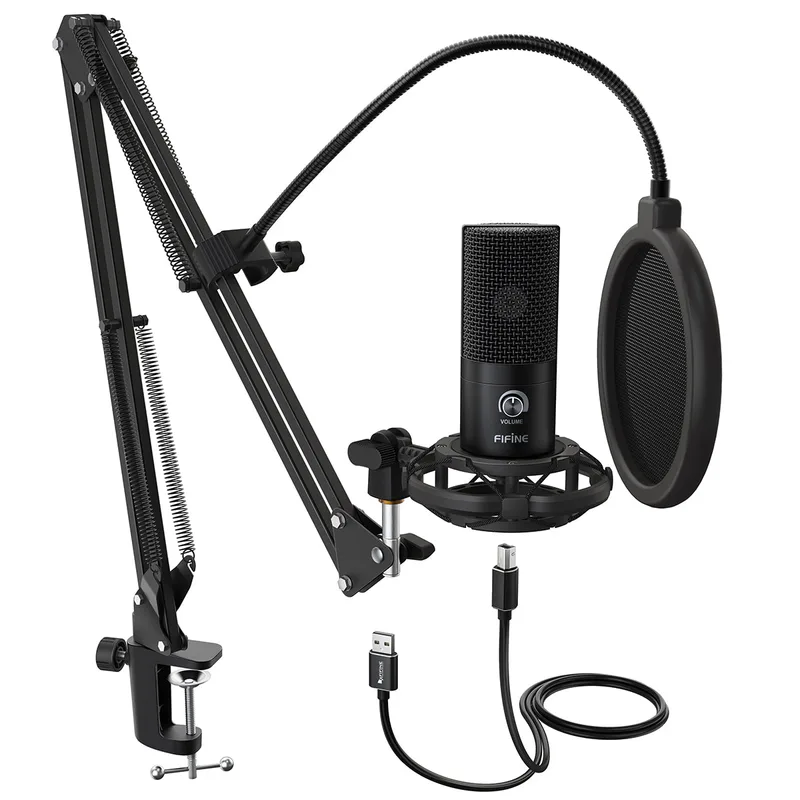
FIFINE T669 USB Microphone Bundle
Pros
- Complete home studio bundle under $45 — scissor boom arm, shock mount, double pop filter, and windscreen are all included; buying these accessories separately would add $25–$40 to the cost of a bare-mic alternative
- 3.5mm headphone monitoring jack enables real-time listening to your own voice while recording — a practical feature for podcasters, voiceover artists, and anyone doing video content who needs to verify mic placement before recording
- Scissor boom arm mounts to desk edge and positions the mic at face level — this removes the microphone from the desk surface, eliminating keyboard thump and desk vibration from recordings entirely
- Shock mount decouples the capsule from mechanical vibrations that travel through the boom arm — owner reports note it handles desk bumps and keyboard typing noise better than mics mounted directly on tripod stands
- Plug-and-play across operating systems with no driver setup — works with Teams, Zoom, OBS, GarageBand, and all major video call and recording applications
Cons
- 16-bit / 48kHz sample rate is adequate for voice calls and standard podcast recording but is lower-resolution than the Razer Seiren Mini's 24-bit / 96kHz — the gap matters more for professional audio production than for everyday video calls
- Boom arm quality is functional but basic — the scissor mechanism loosens over time according to owner reports, and may need re-tightening after six to twelve months of daily use; a premium boom arm costs $30–$50 separately
- The full bundle is physically larger than a bare-mic-plus-stand setup — desk real estate requirements are higher once the boom arm is mounted and fully extended
The T669 is the only mic in this roundup that arrives with a complete home studio accessory set: scissor boom arm, shock mount, double pop filter, and windscreen — all for around $35–$45. Buying those accessories separately for another mic in this list would add $25–$40.
The boom arm changes the recording geometry completely. Mounting the microphone at face level instead of desk level puts the capsule closer to your mouth and farther from keyboard and desk surface noise. The scissor arm clamps to the desk edge and swings out of the way when not in use, freeing desk space.
The 3.5mm headphone monitoring port allows real-time audio monitoring — you hear exactly what the mic captures with zero software delay. For video call use, this is unnecessary; for podcast recording, voiceover work, or recording music at home, it is the feature that separates professional-grade workflow from amateur setup.
The scissor arm mechanism does loosen over time, which owner reports flag consistently across twelve-plus months of use. Re-tightening the pivot point with the included hex key resolves it, but it is a recurring maintenance task rather than a permanent fix.
Bottom line: The right choice for anyone building a home recording setup alongside video calls, and the best kit value if you plan to buy boom arm and shock mount anyway.
5. TONOR TC-777 USB Microphone — Best Value
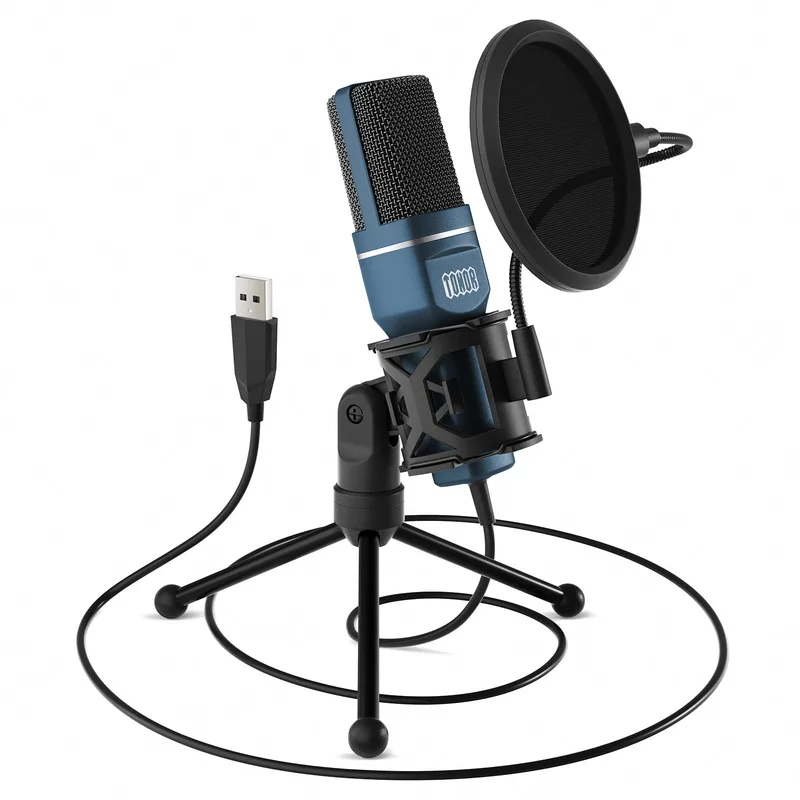
TONOR TC-777 USB Microphone
Pros
- Lowest price in this roundup at $19–$25, with tripod stand and pop filter already included — at this price, the TC-777 is the entry point for remote workers who need anything better than a laptop microphone without spending real money
- Mini shock mount is included in the base package — most bare-mic-plus-stand budget kits at this price omit the shock mount entirely; its inclusion here reduces desk vibration pickup without additional purchases
- Plug-and-play across Mac, Windows, PS4, and PS5 with no drivers or software — compatible with all major video call platforms and streaming applications
- At 210 grams, the TC-777 is the lightest and most portable mic in this roundup — it packs easily for travel and fits in a laptop bag without dedicated carrying accessories
Cons
- Frequency response starts at 100Hz rather than the 20Hz–50Hz low end offered by pricier options — the result is a slightly thinner vocal sound that some remote workers find adequate for calls but podcasters and content creators may find underwhelming
- Cardioid pattern with a plastic capsule housing performs noticeably below the K669B's metal-body design — owner reports indicate higher background noise in the same recording environments, which matters in rooms with ambient sound
- No volume knob or mute button on the body — all adjustments require system software; at this price, that is an expected limitation, but it is less convenient than the K669B or JLab Talk during live calls
- Build quality reflects the sub-$25 price — the tripod and body feel light; not a concern for a fixed desk setup but worth noting for users who move the mic frequently
The TC-777 is the floor of this category: a cardioid condenser USB microphone with pop filter and tripod stand for under $25. It exists to answer one question — what is the minimum viable upgrade over a laptop microphone?
The answer: meaningful. The TC-777’s cardioid pattern rejects rear and side noise that laptop omnidirectional capsules capture indiscriminately. Call participants report a clear difference in voice intelligibility compared to built-in laptop mics, which is the primary goal for most remote workers entering this category.
The included mini shock mount reduces desk vibration pickup — an accessory that costs separately on bare-mic alternatives at similar prices. At 210 grams, it is the lightest and most portable option in this roundup, which matters for workers who alternate between home and office setups.
The frequency response starting at 100Hz (versus 50Hz on the K669B) produces a slightly thinner vocal character. For Zoom and Teams calls, the difference is minor. For any audio production work, the K669B or Razer Seiren Mini are significantly better choices at a modest price increase.
Bottom line: The right pick if your budget is strictly under $25 and your goal is solely to sound better on video calls.
Buying Guide: What to Look For in a Budget USB Microphone
Polar Pattern
Cardioid captures sound from directly in front. Supercardioid is tighter and rejects more side noise. Omnidirectional captures all directions equally. For solo remote work: cardioid or supercardioid. For group calls: omnidirectional. Multiple-pattern mics like the JLab Talk cover all scenarios.
Sample Rate
16-bit/44.1kHz is sufficient for video calls and basic podcast recording. 24-bit/96kHz captures more dynamic range and frequency detail — relevant for professional voiceover and music recording, noticeable but not critical for Zoom calls. The Razer Seiren Mini offers 24-bit/96kHz under $50.
Bundle vs. Bare Mic
A bare mic with a tripod stand is fine for desk use. A boom arm raises the microphone to face level and removes it from the desk surface, which significantly reduces keyboard and vibration noise in recordings. The FIFINE T669 bundles boom arm, shock mount, and pop filter for roughly the same price as a bare mic elsewhere.
USB-A vs. USB-C
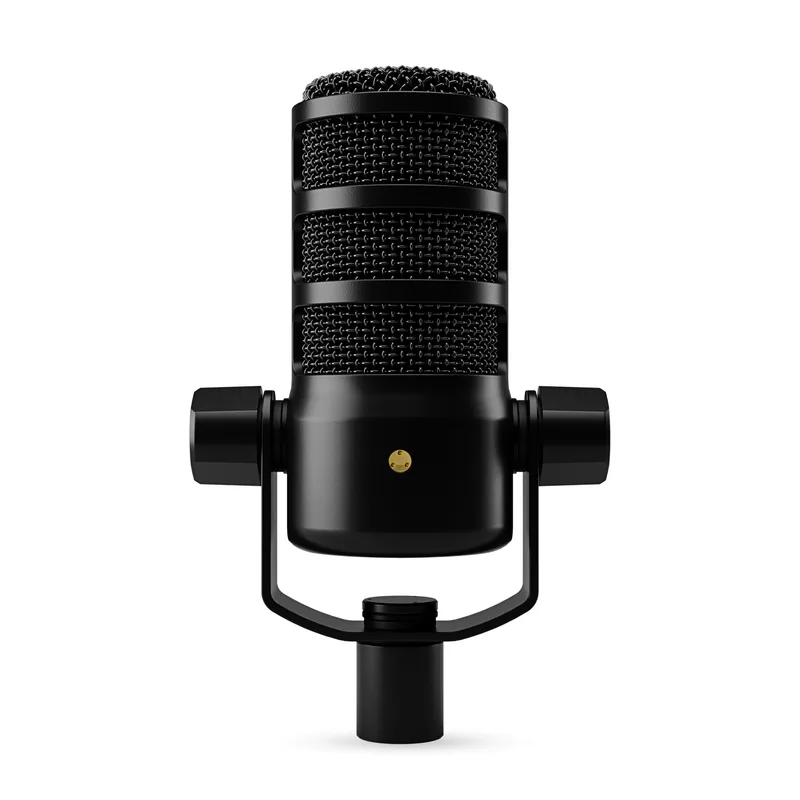
USB-A covers older laptops and desktops. USB-C is the current standard for newer laptops, tablets, and monitors. If your primary device has USB-C ports only, the JLab Talk’s USB-C connection avoids adapter complexity.
Headphone Monitoring
Real-time headphone monitoring — hearing your own voice as the mic captures it — is unnecessary for video calls but important for podcast production and voiceover work. Only the FIFINE T669 includes a headphone jack in this roundup.
Frequently Asked Questions
Do I actually need a USB microphone for video calls, or is the laptop mic fine? Built-in laptop microphones are typically omnidirectional capsules positioned at the keyboard deck — far from your mouth, with no directional rejection. They pick up keyboard clicks, room echo, and background noise indiscriminately. A cardioid USB microphone placed 6–12 inches from your face sounds substantially clearer to call participants, which reduces listener fatigue on long calls. The improvement is audible even at the $25 price point.
Will a cheap USB microphone work with Zoom, Teams, and Google Meet? All five microphones in this roundup are USB audio class compliant, meaning they present as standard audio devices to the operating system. They work with Zoom, Microsoft Teams, Google Meet, OBS Studio, GarageBand, and any application that accepts USB audio input, without installing drivers.
What’s the difference between cardioid and supercardioid? Both patterns primarily capture sound from directly in front of the microphone. Supercardioid has a narrower acceptance angle — roughly 90 degrees versus 120 degrees for cardioid — and rejects more sound from the sides. The tradeoff is that supercardioid mics require more precise positioning and are less forgiving of head movement. The Razer Seiren Mini uses supercardioid; the rest of this roundup uses cardioid.
Do I need a pop filter at this price range? Plosive sounds — the air burst from “p” and “b” words — cause audible clipping on condenser microphones close to the speaker’s mouth. A foam windscreen or pop filter between mouth and capsule eliminates this. The TONOR TC-777 and FIFINE T669 include pop filters. The K669B and Razer Seiren Mini do not; standalone foam windscreens for these mics cost $5–$10.
Is 24-bit/96kHz worth paying more for at this price range? For video calls: no — the difference is inaudible over Zoom or Teams audio compression. For podcast recording or voiceover production: yes — 24-bit/96kHz captures more headroom before digital clipping and more high-frequency detail, which is meaningful when mixing and editing audio. The Razer Seiren Mini offers 24-bit/96kHz under $50; the other mics in this roundup use 16-bit formats.
Conclusion
For most remote workers taking video calls from a home office, the FIFINE K669B is the right answer at around $29.99: it sounds better than any laptop microphone, requires no setup, and has the track record (100,000+ verified reviews) to confirm it works consistently.
If you switch between solo calls and group calls, or need USB-C connectivity, the JLab Talk is worth the extra $10 for its four switchable polar patterns and physical mute button.
If your home office is genuinely noisy — street-facing window, mechanical keyboard, loud HVAC — the Razer Seiren Mini’s supercardioid pattern and 24-bit/96kHz spec justify its position at the top of the budget price range.
The FIFINE T669 is the pick if you’re building a podcast or content creation setup alongside video calls and want boom arm, shock mount, and pop filter already included.
The TONOR TC-777 is for the strictest budgets under $25 — it beats a laptop microphone while spending the least possible.
All five options here cost under $50. All work immediately without driver installation. All sound better than what’s built into your laptop. The decision is mostly about which features match how you use your desk.
Detailed Reviews
FIFINE K669B USB Microphone
Pros
- Metal body construction — the K669B has a full-aluminum capsule housing and stand base, unlike most sub-$30 mics that use plastic shells; owner reports consistently note it feels and sounds more expensive than the price suggests
- Plug-and-play across Mac, Windows, and Linux with no driver installation required — the USB connection presents as a standard audio device, so it works with Zoom, Teams, Google Meet, and OBS without any configuration
- Cardioid pickup pattern focuses tightly in front of the capsule, reducing keyboard noise, fan noise, and room echo that leak into built-in laptop microphones — remote workers with untreated home offices report a noticeable improvement in call clarity over using laptop mics
- Volume knob on the body allows real-time gain adjustments without touching software settings — a practical feature for workers who alternate between loud and quiet environments throughout the day
- Well over 100,000 Amazon reviews with consistent praise for its price-to-quality ratio — the sample size makes the feedback more reliable than most budget audio products at this price point
Cons
- 16-bit / 44.1kHz sample rate is functional for voice calls and standard recording but falls short of the 24-bit / 96kHz found on higher-end mics like the Razer Seiren Mini — the difference is audible mainly in professional podcast or voiceover work, not typical video calls
- No headphone monitoring port — you cannot listen to your own voice in real time while recording, which matters for podcasters and voiceover artists but is irrelevant for Zoom and Teams calls
- Tripod stand keeps the mic on the desk surface, which can pick up vibrations from typing or mouse clicks unless you add a separate shock mount ($10–$15 additional cost)
JLab Talk USB Microphone
Pros
- Four switchable polar patterns in a single sub-$45 package is genuinely unusual — cardioid for solo calls, omnidirectional for group meetings around a desk, stereo for instrument recording, bidirectional for two-person interviews, all without changing hardware
- USB-C output is the right connector for 2026 — no USB-A adapter needed for modern laptops or tablets, and the cable plugs into the same port many workers already use for charging
- Dedicated quick-mute button with indicator light provides instant silence without touching the host application — practical for open-plan home offices, households with kids or pets, or anyone who takes calls in less-than-quiet environments
- 96kHz sample rate captures a wider frequency range than the K669B, which translates to crisper consonants and more natural-sounding high frequencies on voice calls
- Gain control on the body lets you reduce input sensitivity for loud environments or boost it for quiet speakers, without opening system audio settings on every call
Cons
- Omnidirectional mode picks up everything in the room equally — useful for group calls but inadvisable for solo remote work in a noisy environment, requiring active management of which polar pattern is active
- Plastic body feels lighter and less premium than the FIFINE K669B's metal construction at a similar or lower price; the difference is cosmetic rather than functional, but it matters for some users
- No headphone monitoring port — same limitation as most budget USB mics at this price point
Razer Seiren Mini USB Microphone
Pros
- Supercardioid polar pattern has a tighter acceptance angle than standard cardioid — it rejects sound from the sides and rear more aggressively, which helps in home offices with background noise from street traffic, HVAC systems, or household activity
- 24-bit / 96kHz sample rate is the highest resolution in this roundup at this price range — the audio quality ceiling is measurably higher than 16-bit options for the same sub-$50 budget
- Built-in shock absorber in the stand dampens desk vibrations caused by typing and mouse use, reducing low-frequency thump on recordings without requiring a separate shock mount purchase
- Extremely compact — at under 5 inches tall, it fits on crowded desks and travels easily in a laptop bag; the tilting stand makes mic positioning straightforward without boom arm hardware
- Razer's build quality is consistent with gaming peripherals in the $40–$60 range — the metal body and precision-machined stand feel durable compared to plastic-shell budget mics
Cons
- Supercardioid pattern requires staying directly on-axis — moving even slightly off-center causes a noticeable volume drop; this is less forgiving than standard cardioid mics for users who move around during calls
- No onboard controls at all — no volume knob, no gain dial, no mute button; all adjustments require using software or system audio settings, which is slower during live calls
- No headphone monitoring port — consistent with most budget USB mics, but worth noting alongside the lack of any onboard control
FIFINE T669 USB Microphone Bundle
Pros
- Complete home studio bundle under $45 — scissor boom arm, shock mount, double pop filter, and windscreen are all included; buying these accessories separately would add $25–$40 to the cost of a bare-mic alternative
- 3.5mm headphone monitoring jack enables real-time listening to your own voice while recording — a practical feature for podcasters, voiceover artists, and anyone doing video content who needs to verify mic placement before recording
- Scissor boom arm mounts to desk edge and positions the mic at face level — this removes the microphone from the desk surface, eliminating keyboard thump and desk vibration from recordings entirely
- Shock mount decouples the capsule from mechanical vibrations that travel through the boom arm — owner reports note it handles desk bumps and keyboard typing noise better than mics mounted directly on tripod stands
- Plug-and-play across operating systems with no driver setup — works with Teams, Zoom, OBS, GarageBand, and all major video call and recording applications
Cons
- 16-bit / 48kHz sample rate is adequate for voice calls and standard podcast recording but is lower-resolution than the Razer Seiren Mini's 24-bit / 96kHz — the gap matters more for professional audio production than for everyday video calls
- Boom arm quality is functional but basic — the scissor mechanism loosens over time according to owner reports, and may need re-tightening after six to twelve months of daily use; a premium boom arm costs $30–$50 separately
- The full bundle is physically larger than a bare-mic-plus-stand setup — desk real estate requirements are higher once the boom arm is mounted and fully extended
TONOR TC-777 USB Microphone
Pros
- Lowest price in this roundup at $19–$25, with tripod stand and pop filter already included — at this price, the TC-777 is the entry point for remote workers who need anything better than a laptop microphone without spending real money
- Mini shock mount is included in the base package — most bare-mic-plus-stand budget kits at this price omit the shock mount entirely; its inclusion here reduces desk vibration pickup without additional purchases
- Plug-and-play across Mac, Windows, PS4, and PS5 with no drivers or software — compatible with all major video call platforms and streaming applications
- At 210 grams, the TC-777 is the lightest and most portable mic in this roundup — it packs easily for travel and fits in a laptop bag without dedicated carrying accessories
Cons
- Frequency response starts at 100Hz rather than the 20Hz–50Hz low end offered by pricier options — the result is a slightly thinner vocal sound that some remote workers find adequate for calls but podcasters and content creators may find underwhelming
- Cardioid pattern with a plastic capsule housing performs noticeably below the K669B's metal-body design — owner reports indicate higher background noise in the same recording environments, which matters in rooms with ambient sound
- No volume knob or mute button on the body — all adjustments require system software; at this price, that is an expected limitation, but it is less convenient than the K669B or JLab Talk during live calls
- Build quality reflects the sub-$25 price — the tripod and body feel light; not a concern for a fixed desk setup but worth noting for users who move the mic frequently