Dell made headlines at CES 2026 with the UltraSharp U3226Q — a 32-inch QD-OLED monitor with a built-in colorimeter priced at $2,599. It confirmed that 32-inch displays are where display technology is concentrating in 2026. More practically, the U3226Q’s launch is driving QD-OLED panels down the price stack: the Dell S3225QC brought a 32-inch QD-OLED 4K 120Hz panel to $549-$799 earlier this year, making premium panel technology genuinely accessible at this size.
The case for 32 inches in a home office is straightforward. At 4K resolution, a 32-inch panel delivers approximately 138 pixels per inch — sharp enough for detailed work without UI scaling, wide enough to run two documents side by side without zooming out. Most home office desks have enough depth to maintain comfortable 60-80cm viewing distance at 32 inches. It is meaningfully larger than 27 inches without the head-tracking demands of 34-inch ultrawides.
This roundup covers five 32-inch monitors selected for home office performance: evaluated on panel technology, color accuracy, connectivity, stand flexibility, and value at current 2026 pricing.
Quick Comparison
| Monitor | Panel | Resolution | Refresh | USB-C PD | Price |
|---|---|---|---|---|---|
| Dell S3225QC | QD-OLED | 4K | 120Hz | 90W | $518.06-$575.62 as of Oct 18, 2026 |
| Dell U3223QE | IPS Black | 4K | 60Hz | 90W | $693.99-$809.00 as of Oct 18, 2026 |
| Samsung S80PB | IPS | 4K | 60Hz | 90W | $472.12-$679.99 as of Oct 18, 2026 |
| BenQ PD3225U | IPS Black | 4K | 60Hz | 85W (TB3) | $739.99-$849.99 as of Oct 18, 2026 |
| LG 32UN880-B | IPS | 4K | 60Hz | 60W | $499.99 as of Oct 18, 2026 |
1. Dell 32 Plus QD-OLED S3225QC — Editor’s Pick
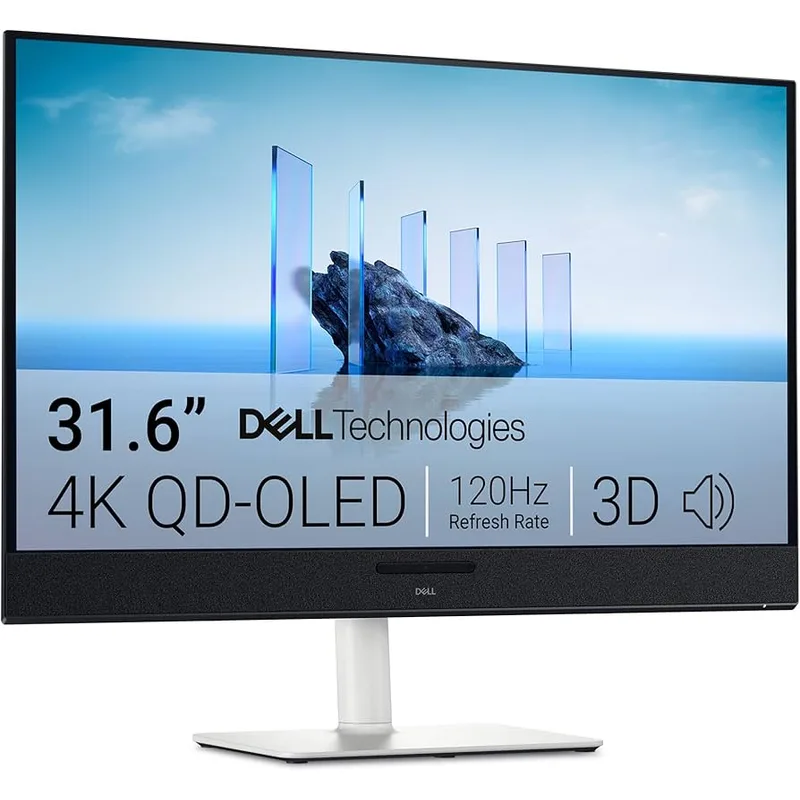
The S3225QC is the first 32-inch QD-OLED monitor to reach the home office market at a price most remote workers can justify. Its 31.6-inch QD-OLED panel delivers contrast that no IPS panel at this size can match — blacks are genuinely black, not dark grey, which translates to better readability for dark-themed editors, more realistic video call backgrounds, and HDR content that looks like HDR instead of a slightly brighter standard image.
The 120Hz refresh rate at 4K is a practical upgrade over 60Hz for knowledge workers. Scrolling through long documents, moving windows between monitors, and switching between applications all feel noticeably smoother. This isn’t a gaming feature — it benefits any workflow that involves frequent display updates throughout the workday.
The built-in speaker system is the most differentiated hardware feature on this monitor. Five speakers with AI-enhanced spatial audio produce legitimately good sound for desk use — better than typical monitor speakers by a significant margin. For remote workers who prefer speakers to headsets for long calls, this eliminates the need for a separate desk speaker.
Port selection is the primary limitation to address before buying. One HDMI 2.1 and one USB-C DP Alt Mode input means users with two video sources — a personal laptop and a work-issued machine, or a laptop and a gaming console — need a switch or to physically replug cables. The BenQ PD3225U’s built-in KVM handles this scenario more cleanly.
The glossy QD-OLED panel requires room lighting management. Reflections from windows and ceiling lights are visible and distracting without appropriate positioning. Matte panel users who prioritize zero-maintenance lighting setup should look at the Samsung S80PB or Dell U3223QE instead.
Best for: Remote workers who want the best image quality at 32 inches and prioritize display performance over port flexibility.
2. Dell UltraSharp U3223QE — Best for Productivity
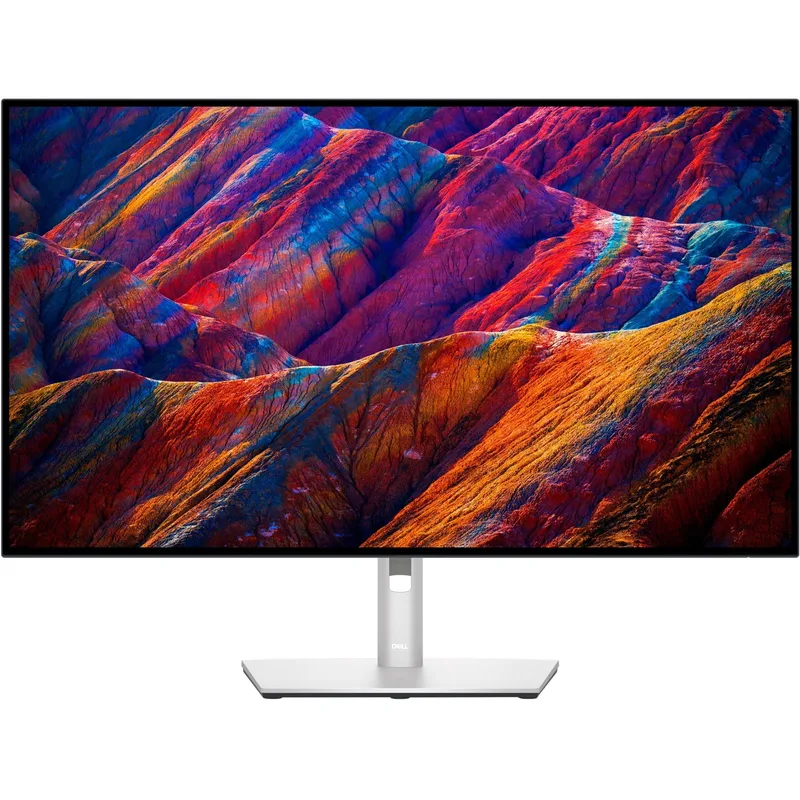
The U3223QE makes the strongest case for IPS Black technology in a home office monitor. Its 2000:1 contrast ratio — double the standard IPS specification — produces a display that reads measurably richer than comparable IPS panels, particularly in dark-themed applications like VS Code, Figma’s dark mode, and video conferencing apps with dark UI skins.
The port array is built for a single-cable desk setup. One USB-C connection from a laptop delivers: display output at 4K 60Hz, 90W power delivery for laptop charging, 1GbE Ethernet through the monitor’s built-in RJ45 port, and access to three USB-A 10Gbps and one USB-C 10Gbps downstream hub ports. That eliminates a USB hub and an Ethernet adapter from the cable chain entirely. One cable to the monitor is the complete connection for most home office peripheral setups.
DisplayPort daisy-chaining is a specific practical feature for dual-monitor users with port-limited laptops. A second monitor connects from the U3223QE’s downstream DisplayPort output, consuming only the one USB-C laptop port for both displays. This keeps the laptop’s remaining USB-C ports available for storage or other connections.
The factory color calibration covers 100% sRGB and 100% Rec.709 with Delta E under 2. For design teams reviewing work, photo editors evaluating color accuracy, or anyone who needs the monitor to render color predictably, this is a reliable baseline without additional calibration hardware.
At $699-$799, it sits above the Samsung S80PB and below the BenQ PD3225U. The IPS Black contrast advantage over the Samsung and the Ethernet port inclusion justify the gap over the Samsung. Against the BenQ, the U3223QE lacks Thunderbolt 3 and a KVM switch — Mac users and dual-computer setups should compare carefully.
Best for: Productivity-first remote workers who want a full docking solution, IPS Black contrast, and solid color accuracy from a single USB-C connection.
3. Samsung ViewFinity S80PB — Best Color
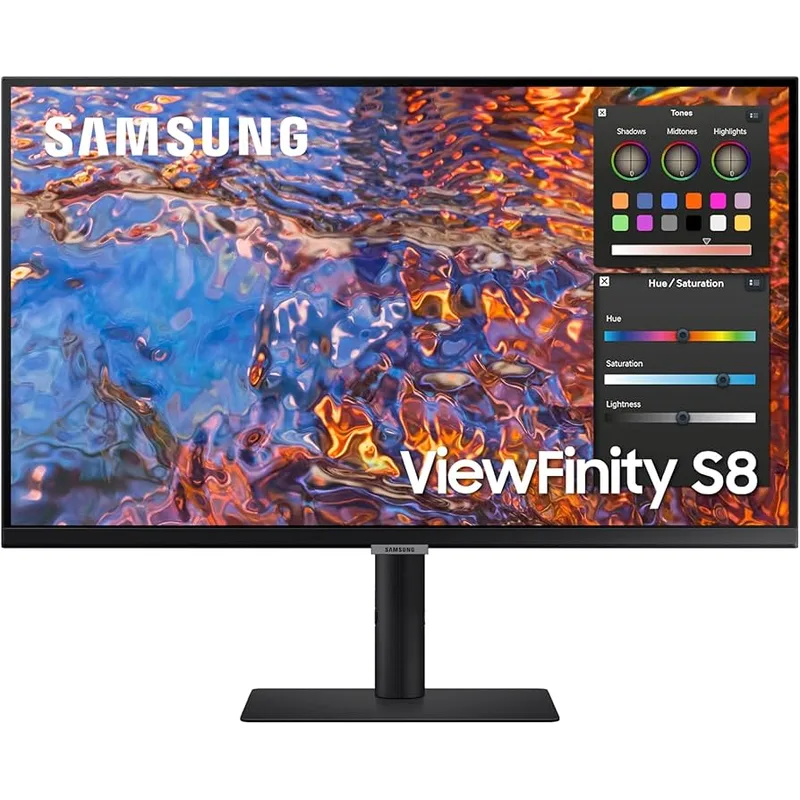
The ViewFinity S80PB targets color professionals who want wide-gamut accuracy without stepping up to IPS Black pricing. Its 98% DCI-P3 coverage is the broadest standard IPS coverage in this roundup, and the DisplayHDR 600 certification reaches 600 nits for HDR content — a full certification tier above the DisplayHDR 400 found on most competing panels.
The matte anti-glare coating is one of the better implementations at 32 inches. Samsung’s low-reflectance surface diffuses ambient light effectively without the haze that compromises color accuracy on some matte panels. Evaluated side-by-side with standard matte coatings, the S80PB’s surface is noticeably cleaner — colors appear more saturated and accurate through the coating than on typical anti-glare finishes.
Connectivity covers most home office setups: USB-C with 90W power delivery, HDMI, DisplayPort, and a built-in Ethernet port. At $549-$679, the S80PB undercuts the Dell U3223QE while including similar connectivity — the main difference is IPS Black contrast (Dell) versus wider gamut color coverage and higher HDR brightness (Samsung).
The stand limitation is worth noting for users who configure non-standard monitor positions. The S80PB adjusts for height, tilt, and swivel, but does not pivot to portrait orientation. For tasks that benefit from a vertical monitor — reading long documents, writing code with tall files, or viewing portrait-oriented design work — the Dell and BenQ options offer pivot rotation.
For general home office work including documents, video calls, browser-based applications, and moderate photo review, the S80PB delivers competitive color performance at the lower end of the premium 32-inch price range.
Best for: Color-aware remote workers who want wide-gamut IPS performance and matte anti-glare at a price below IPS Black alternatives.
4. BenQ PD3225U — Best for Mac
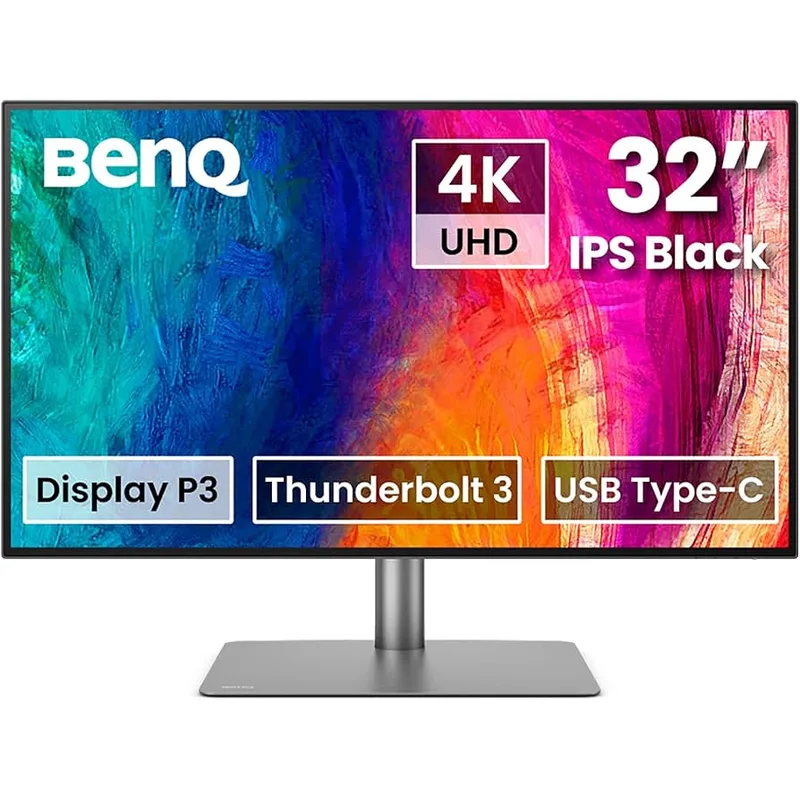
The PD3225U is the 32-inch monitor most purpose-built for Mac users who work across two machines. Its Thunderbolt 3 upstream port handles the single-cable Mac connection natively — no USB-C alt-mode adapter, no compatibility uncertainty. The built-in KVM switch is the feature that separates it from every other monitor in this roundup: one physical button (or keyboard shortcut) switches the monitor, keyboard, and mouse between two connected computers without cable changes or software switches.
For remote workers who use both a personal laptop and a company-issued machine, or a Mac and a Windows PC side-by-side, the KVM implementation is a genuine productivity feature. Dell’s U3223QE and the Samsung S80PB require external KVM switches or manual cable swapping to replicate this functionality.
The IPS Black panel matches the Dell U3223QE’s 2000:1 contrast ratio. Factory calibration ships with each unit individually verified and documented — a meaningful distinction from monitors where the spec sheet lists a target rather than a measured result. BenQ’s ICCSync software adds automatic color profile switching: the monitor detects which application is frontmost and applies the appropriate color mode (sRGB for web, P3 for photo editing, Rec.709 for video) without manual intervention.
The Pantone Validated certification confirms that Pantone-specified colors render accurately on screen — relevant for designers who work with brand color standards.
At $899-$999, the PD3225U is the most expensive option here. The premium reflects Thunderbolt 3, KVM, factory calibration, and ICCSync. Buyers who need all four features will not find a better 32-inch option. Buyers who need only one or two of them may find better value in the Dell U3223QE or the S3225QC.
Best for: Mac-primary remote workers who switch between two computers daily and need factory-calibrated color accuracy.
5. LG 32UN880-B — Best Ergo Stand
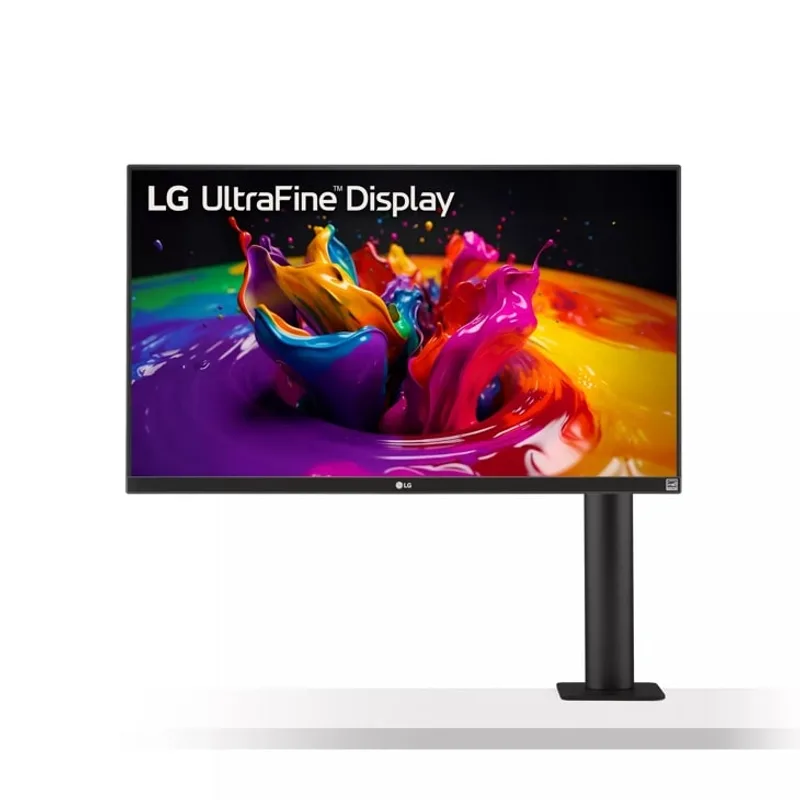
The LG 32UN880-B’s standout feature is its stand design. The C-clamp base attaches to the desk edge and suspends the monitor from above rather than sitting on the desk surface. The result: the entire width of the desk directly under the monitor is available — no circular base footprint eating into the workspace. For small desks, L-shaped desks with limited surface, or any setup where desk space is the primary constraint, this design has practical value that no other monitor in this roundup offers without purchasing a separate monitor arm.
The ergo stand provides the widest positioning adjustment range in this comparison. Full range of height adjustment (0-6.7 inches), tilt (-5 to 20 degrees), swivel (340 degrees), and pivot to portrait orientation give you precise positioning for sitting, standing desk use, or shared desk environments where different users need different monitor heights.
At $449-$499, it’s the least expensive 4K 32-inch monitor in this roundup. The 95% DCI-P3 coverage and 4K IPS panel handle standard productivity work, photo review at accurate color, and video calls competently. The limitations compared to premium options — standard 1000:1 IPS contrast, 350-nit brightness ceiling, and 60W USB-C power delivery — are real but not disqualifying for general home office use.
The 60W USB-C power delivery is the one specification worth checking against your specific laptop. MacBook Air M3/M4 charges at full rated speed. MacBook Pro 14-inch and 16-inch charge, but at reduced rates under CPU load — the laptop’s battery will deplete slowly under sustained processor-intensive work even while connected. Users who run CPU-heavy tasks should evaluate the 90W alternatives.
Best for: Desk-space-conscious remote workers who want maximum stand flexibility without buying a separate monitor arm.
Buying Guide: Choosing Your 32-Inch Home Office Monitor
Panel technology: what actually matters for home office work
QD-OLED (Dell S3225QC): Perfect blacks, near-infinite contrast, wide gamut color. The best image quality available at 32 inches. Trade-offs: glossy panel, limited port selection, burn-in risk over many years of static content. Right choice if you prioritize display quality above all.
IPS Black (Dell U3223QE, BenQ PD3225U): 2000:1 contrast — double standard IPS. Noticeably richer appearance in dark themes. Matte coating options. Best balance of image quality and brightness for mixed ambient light environments. Right choice for productivity-first setups and color work.
Standard IPS (Samsung S80PB, LG 32UN880-B): 1000:1 contrast, up to 98% DCI-P3 coverage. Good color accuracy, excellent matte options, widest price range. Right choice when value per dollar or specific features (ergo stand, HDR600) matter more than maximum contrast.
4K vs 1440p at 32 inches
At 32 inches, 4K delivers approximately 138 PPI — a sharp display without UI scaling that also provides enough pixel density for detailed design work. 1440p at 32 inches sits at approximately 92 PPI — workable but noticeably less sharp for small text and fine detail. Every monitor in this roundup is 4K. If you’re comparing against 1440p options, the PPI difference is visible in direct comparison and matters for text-heavy work.
USB-C power delivery: matching to your laptop
The power delivery spec determines whether your monitor charges your laptop at full speed or partial speed under load:
- MacBook Air M3/M4: 30-67W — the LG 32UN880-B’s 60W covers it
- MacBook Pro 14-inch: up to 96W — 90W docks charge at near-full speed; 60W charges slowly under load
- MacBook Pro 16-inch: up to 140W — all monitors here charge but at reduced rates; 90W is the practical ceiling for monitors
- Most Windows ultrabooks (Dell XPS, Surface, ThinkPad): 45-90W — 90W covers the full range
Monitor arm compatibility
Every monitor in this roundup supports VESA mounting:
- Dell S3225QC, Dell U3223QE, Samsung S80PB, BenQ PD3225U: 100x100mm VESA
- LG 32UN880-B: 75x75mm VESA
The smaller 75x75mm pattern on the LG is compatible with most monitor arms, but some heavy-duty arms specify 100x100mm minimum. Check your arm’s compatibility before purchasing.
32-inch desk depth requirements
A 32-inch monitor requires approximately 28 inches of desk depth for comfortable viewing distance (60-75cm from eyes to screen). Most standard desks are 24-30 inches deep. If your desk is under 24 inches deep, a 27-inch monitor is a better size match.
Frequently Asked Questions
Is 32 inches too big for a home office desk?
For desks deeper than 24 inches, 32 inches is a comfortable size. The typical recommendation is 60-75cm (about 24-30 inches) from your eyes to the screen at 32 inches. If your desk is shallower than 24 inches or you sit very close to the monitor, the size becomes awkward and the edges are harder to view without moving your head. Most standard desks (60cm or deeper) work well with 32 inches.
Is 4K necessary at 32 inches, or is 1440p sufficient?
4K at 32 inches (138 PPI) is sharper and more comfortable for text-heavy work than 1440p (92 PPI). If you spend most of your time in a browser, email, and document applications, the difference is meaningful — small text in UI elements and rendered fonts look noticeably crisper at 4K. For applications where you primarily work with large visual elements (video editing timelines, full-screen images), 1440p is acceptable. Most professional home office monitors at 32 inches are now 4K.
Which 32-inch monitors work best with a monitor arm?
All five monitors here support VESA mounting. The Dell S3225QC, Dell U3223QE, Samsung S80PB, and BenQ PD3225U all use 100x100mm VESA (the most common arm standard). The LG 32UN880-B uses 75x75mm VESA — compatible with most arms but check your arm’s spec sheet. The LG’s built-in ergo C-clamp stand is an alternative to buying a separate arm, but if you prefer an arm, any of the options work.
Do these monitors support dual-display setups with a single laptop?
Yes, with some nuance. The Dell U3223QE supports DisplayPort daisy-chain — connect a second monitor from the U3223QE’s downstream DP port and run both displays from one laptop USB-C cable. The BenQ PD3225U also supports Thunderbolt daisy-chain. The Dell S3225QC, Samsung S80PB, and LG 32UN880-B do not support daisy-chaining — connecting two of them requires either two video outputs from your laptop or a docking station.
Will a 32-inch QD-OLED monitor get burn-in from daily home office use?
Burn-in is a long-term concern for OLED panels exposed to persistent static content — taskbars, browser toolbars, and application chrome that stays in the same position for thousands of hours. QD-OLED’s risk is lower than early OLED implementations, and Dell’s panel management features (pixel refresh cycles, logo brightness limits) reduce the risk further. For most remote workers upgrading monitors every 3-5 years, burn-in from normal home office use is unlikely. If you run a single application in full-screen all day, every day, without moving windows or varying content, the risk is higher and worth factoring into the decision.
Conclusion
The Dell S3225QC is the best 32-inch home office monitor for most remote workers. The QD-OLED panel delivers contrast and image quality that IPS alternatives at this size cannot match, the 120Hz refresh is a daily comfort improvement, and the built-in spatial audio system adds real value for call-heavy users. At $549-$799 — especially at the lower end of that range when deals appear — it represents the best display technology now available at 32 inches for general home office use.
For productivity-first setups where port density and connectivity matter as much as image quality, the Dell U3223QE is the practical choice. The built-in Ethernet, IPS Black contrast, 90W USB-C, and daisy-chain support make it the most capable single-cable docking monitor in this roundup.
Mac users working across two machines should evaluate the BenQ PD3225U specifically for the KVM switch — that one feature changes the daily workflow for dual-computer setups in a way no other monitor here replicates.
Detailed Reviews
Dell 32 Plus QD-OLED S3225QC
Pros
- QD-OLED panel delivers perfect blacks and near-infinite contrast ratio — a dramatic visual improvement over any IPS panel at this size, especially for dark-themed code editors and video calls with dark backgrounds
- 120Hz at 4K makes the display noticeably smoother than the 60Hz IPS panels in this roundup — everything from scrolling documents to dragging windows feels more responsive
- Built-in 5-speaker spatial audio system is genuinely good by monitor standards, using AI head-tracking beamforming to simulate surround sound — a real convenience for remote workers who prefer speakers to headsets
- USB-C with 90W power delivery charges most laptops at full speed through a single cable — MacBook Pro 14-inch, Dell XPS 15, and similar ultrabooks connect and charge simultaneously
- Dell launched the premium U3226Q QD-OLED with built-in colorimeter at $2,599 in February 2026, making the S3225QC's QD-OLED panel at $549-$799 an exceptional value for the technology
- Dolby Vision support means Netflix, Disney+, and other HDR streaming content renders with accurate color and contrast on this panel
Cons
- Only one HDMI and one USB-C display input — users with two video sources (a laptop and a desktop, for example) need a KVM switch or an adapter chain to switch between them
- Glossy QD-OLED panel reflects ambient light from windows and ceiling lights — requires careful room lighting setup or window coverings to avoid glare during work hours
- OLED panels carry a long-term burn-in risk from static elements like taskbars and menu bars — not a concern for most users in 2-4 year upgrade cycles, but worth knowing for permanent desk installations
Dell UltraSharp U3223QE
Pros
- Built-in 1GbE Ethernet port eliminates a hub or adapter from the cable chain — connect a single USB-C cable from your laptop and get display, power, USB peripherals, and wired internet simultaneously
- IPS Black panel achieves 2000:1 contrast ratio — roughly double the contrast of standard IPS panels — which meaningfully improves perceived depth and readability in dark-themed applications
- DisplayPort daisy-chain support lets you connect a second monitor downstream from the U3223QE without consuming another laptop video output — relevant for dual-monitor setups with limited laptop ports
- Three USB-A 10Gbps ports and one USB-C 10Gbps downstream port turn this monitor into a full USB hub — enough to run a keyboard, mouse, external drive, and webcam simultaneously without a separate hub
- Factory-calibrated color accuracy with Delta E less than 2 and 100% sRGB coverage makes this a reliable display for photo editing, design review, and accurate color work
- Matte panel coating eliminates glare from windows and overhead lights without any setup accommodations — practical for offices without lighting control
Cons
- 60Hz refresh rate is the most notable limitation compared to the S3225QC — scrolling and window movement look visibly less smooth, particularly noticeable if you have used a higher-refresh display
- Price premium over the Samsung ViewFinity S80PB for similar color performance — the IPS Black contrast and built-in Ethernet justify the gap, but budget-conscious buyers should compare carefully
- No HDR600 or HDR True Black support — the DisplayHDR 400 certification means HDR content looks better than no HDR but falls well short of OLED or mini-LED HDR implementations
Samsung ViewFinity S80PB
Pros
- 98% DCI-P3 color coverage is the widest gamut of any IPS panel in this roundup — color-critical work including photo editing and design renders closer to the intended output than narrower-gamut displays
- DisplayHDR 600 certification reaches 600 nits peak brightness for HDR content — a step above the DisplayHDR 400 found on most competing panels, producing noticeably better highlight detail in HDR video
- Matte anti-glare surface with Samsung's low-reflectance coating eliminates hotspots from ceiling lights and windows — one of the better matte coatings evaluated at this size
- 90W USB-C power delivery covers all current MacBook Pro and Dell XPS configurations — single-cable connection handles display, power, and USB peripherals simultaneously
- Built-in Ethernet and 3-year warranty are included at the $549-$679 price point — competitive value against the Dell U3223QE at $100-$150 more
Cons
- Standard IPS panel technology means contrast ratio is around 1000:1 — visibly lower contrast than the Dell U3223QE's IPS Black panel and vastly lower than the S3225QC's QD-OLED
- 60Hz refresh rate only — no option for higher refresh on this model
- Stand adjustment range is limited compared to the Dell options — height, tilt, and swivel but no pivot to portrait orientation, which some productivity setups require
BenQ PD3225U
Pros
- Thunderbolt 3 connectivity with 85W power delivery delivers the broadest Mac compatibility in this roundup — every current Apple silicon Mac connects via a single Thunderbolt cable for display, power, and data
- Built-in KVM switch lets you share the monitor, keyboard, and mouse between two computers — particularly useful for remote workers who use both a personal laptop and a work-issued machine
- Factory calibration ships with each unit individually verified — the Delta E ≤2 accuracy is documented per-unit, not just a spec sheet claim, making this suitable for client-facing color work
- IPS Black panel hits 2000:1 contrast ratio for noticeably better depth and readability than standard IPS at this price point
- Pantone Validated and covering 100% sRGB, Rec.709, and 98% P3 simultaneously makes this the most color-accurate panel in the roundup across all major color standards
- BenQ's ICCSync automatically loads the correct color profile for each connected app — the monitor detects which application is in focus and switches color modes accordingly without manual adjustment
Cons
- At $899-$999, it's the most expensive option in this roundup — the premium is justified by KVM, factory calibration, and Thunderbolt compatibility, but buyers focused on display quality alone can do better per dollar
- 60Hz only — same limitation as every other IPS panel here; the S3225QC's 120Hz at lower price is a real trade-off comparison for buyers who prioritize smoothness
- ICCSync app management adds software dependency — the advanced color mode switching requires BenQ's software running in the background on macOS or Windows
LG 32UN880-B
Pros
- Ergo stand with C-clamp base mounts to the desk rather than sitting on it — eliminates the desk footprint of a traditional monitor base entirely, freeing the full desk surface under the display
- Ergo stand provides height adjustment, full tilt, swivel, and pivot to portrait mode — the most flexible stand positioning of any monitor in this roundup without buying a separate monitor arm
- At $449-$499, it offers 4K IPS at the lowest price in this roundup — covers the color and resolution requirements of most home office work without the premium of IPS Black or QD-OLED
- USB-C connectivity with 60W power delivery handles MacBook Air M3/M4 and most ultrabooks at near-full charging speeds through a single cable
- 95% DCI-P3 color coverage is competitive for general productivity, photo review, and document work — adequate for color-aware work if not color-critical
Cons
- 60W USB-C power delivery is below the 90W threshold needed to fully charge a MacBook Pro 14-inch or 16-inch under sustained load — it charges, but more slowly than rated when the laptop is under CPU/GPU stress
- 350 nits typical brightness is the lowest in this roundup — in bright rooms with direct light, the panel can look washed out; window positioning and room lighting management matters more with this monitor
- Standard IPS contrast at approximately 1000:1 — same limitation as the Samsung ViewFinity S80PB, with the additional brightness disadvantage in direct-light environments
- Older panel design with IPS glow visible in dark corners at viewing angles — more noticeable on dark backgrounds or when viewing off-axis