Twenty-seven inches at 4K is the configuration that remote work hardware converged on, and 2026 brought a meaningful upgrade. Dell’s new P2725QE became the first 4K business monitor in this price tier to ship with 100Hz refresh rate — a specification that every productivity monitor at this size shipped at 60Hz before it arrived. That shift matters: smoother rendering over an eight-hour workday is different from smoother rendering during a two-hour gaming session, and the P2725QE is built for the former.
This roundup covers the five best 27-inch 4K monitors for home office use in 2026 across a range from $299 to $549. Products were evaluated based on verified specifications, confirmed Amazon availability, current retailer pricing, and patterns from real-world owner feedback.
Quick Comparison
| Monitor | Panel | Refresh | USB-C PD | Ethernet | Price |
|---|---|---|---|---|---|
| Dell P2725QE | IPS | 100Hz | 90W | Yes | $499-$549 |
| ASUS ProArt PA279CRV | IPS | 60Hz | 96W | No | $359-$429 |
| Dell U2723QE | IPS Black | 60Hz | 90W | Yes | $499-$549 |
| BenQ PD2705U | IPS | 60Hz | 65W | No | $349-$399 |
| LG 27UP850K-W | IPS | 60Hz | 90W | No | $299-$359 |
The Picks
1. Dell P2725QE — Best Overall
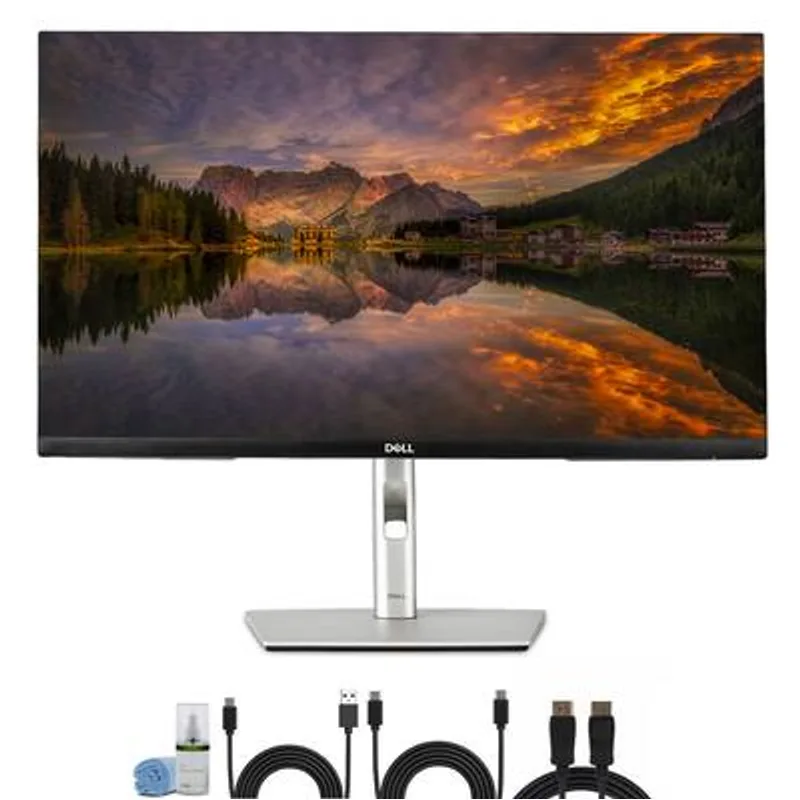
Dell P2725QE
Pros
- 100Hz refresh rate is the only 4K business monitor in this price range to break the 60Hz ceiling — scrolling through documents, web pages, and code feels noticeably smoother than standard 60Hz panels, which accumulates over an eight-hour workday in measurable ways
- 90W USB-C with built-in Ethernet routes video, data, 90W charging, and wired internet through one cable — owner reports confirm reliable charging with MacBook Pro 14, Dell XPS 13/14, and ThinkPad X1 Carbon without a separate charger
- HDMI 2.1 connectivity is ahead of the curve for a business monitor — supports next-gen laptops and devices at full 4K/100Hz without adapters, an advantage that grows as HDMI 2.1 spreads through consumer hardware
- Full ergonomic stand with 150mm height adjustment, tilt, swivel, and portrait pivot — covers all adjustment needs for sitting and standing desk use without buying a separate arm
- KVM functionality via USB-C upstream allows switching peripheral control between two connected devices, replacing a standalone $50-$80 KVM switch for two-computer setups
Cons
- SDR-only display — no DisplayHDR certification limits vivid color presentation for photography review and HDR video content compared to DisplayHDR 400 monitors in the same price range
- 99% sRGB gamut covers all standard office and web content but falls short of the DCI-P3 coverage on the ASUS ProArt PA279CRV for color-critical professional work
- Newer model means the owner review base is still growing — early reports are positive but the multi-year reliability record of the Dell U2723QE is more thoroughly documented
The P2725QE is Dell’s answer to the most consistent criticism of 4K business monitors: 60Hz has always felt like an artificial ceiling at this price and resolution. Dell removed it. One hundred hertz at 4K, paired with USB-C 90W docking, built-in Ethernet, and a KVM switch — this is the most complete 27-inch 4K productivity monitor available in 2026.
At 27 inches with 4K resolution, pixel density hits 163 PPI. Characters in code editors, terminal windows, and spreadsheets render with the sharpness of a laptop Retina display. The 100Hz upgrade over standard 60Hz is not dramatic — this is not a gaming monitor — but the difference in scrolling fluidity and window movement across a full workday accumulates. Compared directly to a 60Hz 4K panel, the P2725QE reads as physically smoother in document navigation and browser scrolling.
Connectivity covers the standard remote work setup: one USB-C cable handles video, 90W laptop charging, USB hub access (three USB-A ports), and wired Ethernet. HDMI 2.1 on the secondary input accommodates newer laptops without adapters. The built-in KVM shares keyboard and mouse between two connected devices — a standalone KVM switch removed from the desk.
The honest limitation is HDR. The P2725QE is SDR only, with no DisplayHDR certification. For work that involves HDR video review, photography color grading, or wide-gamut creative production, the ASUS ProArt PA279CRV is the more appropriate monitor. For the majority of home office tasks — documents, video calls, code, spreadsheets, web — the missing HDR is invisible in practice.
Who should buy this: Remote workers who want a fully current 4K productivity monitor with USB-C docking, 100Hz refresh, and built-in Ethernet without compromise on any of those fronts.
2. ASUS ProArt PA279CRV — Best for Creatives
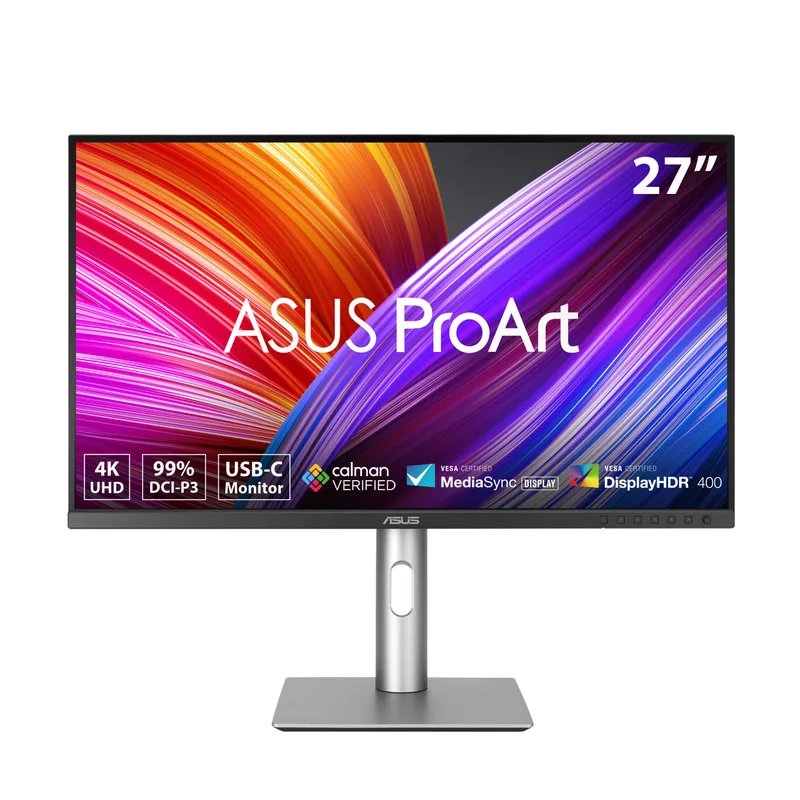
ASUS ProArt PA279CRV
Pros
- 99% DCI-P3 and 99% Adobe RGB coverage calibrated to ΔE < 2 factory — color accuracy that competing monitors typically reserve for the $600-$900 tier, delivered here under $430
- Calman Verified certification means the calibration accuracy was independently confirmed by Portrait Displays rather than self-reported by ASUS — meaningful for buyers doing color-sensitive client work
- 96W USB-C power delivery is the highest on this list — charges MacBook Pro 16-inch and Dell XPS 15 at full rate without any power deficit under sustained CPU load, where 90W monitors may show slow battery drain
- Daisy chain capability connects a second display through one laptop USB-C port — supports dual-monitor configurations without a separate dock
- 3-year warranty is standard for professional monitors above $400 and meaningful here — most competing monitors in this price range offer 1-year coverage only
Cons
- 60Hz refresh rate — professional displays prioritizing color accuracy over speed have always operated at 60Hz, but buyers coming from gaming monitors will notice the reduction in motion smoothness
- Significant price volatility — has ranged from $329 at lowest to over $600 at peaks; buying during a promotional window yields substantially better value than purchasing at higher MSRP periods
- No built-in Ethernet — USB-C carries video, data, and 96W power but requires a separate Ethernet adapter for wired network connectivity
The PA279CRV covers 99% DCI-P3 and 99% Adobe RGB calibrated to ΔE < 2 from the factory. Color accuracy at this level previously required monitors in the $600-$900 range. The Calman Verified certification distinguishes it further — the calibration was independently confirmed by Portrait Displays rather than self-reported by ASUS, which matters for buyers doing color-sensitive work where the factory calibration report gets scrutinized.
For remote workers who do photography review, video production, design, or any color-critical task alongside standard document work, this is the most capable 27-inch 4K monitor under $430. The panel handles sRGB content for standard web and office use, then performs reliably for wide-gamut creative workflows without needing recalibration.
The 96W USB-C power delivery is the highest on this list and practically eliminates the laptop charger from the desk. MacBook Pro 16-inch users under sustained CPU and GPU load draw close to 96W — at 90W, the monitor charges marginally slower than the factory charger, resulting in slow battery drain under full load. At 96W, the PA279CRV closes that gap.
Daisy chain support connects two monitors from a single laptop USB-C port. Combined with 96W power delivery and factory-calibrated color, the PA279CRV is the most complete single-cable workstation solution on this list for buyers whose work spans productivity and professional creative output.
Who should buy this: Remote workers who combine office tasks with color-sensitive professional work — photographers, video editors, graphic designers, or anyone reviewing color-managed assets for clients.
3. Dell UltraSharp U2723QE — Best IPS Black Panel
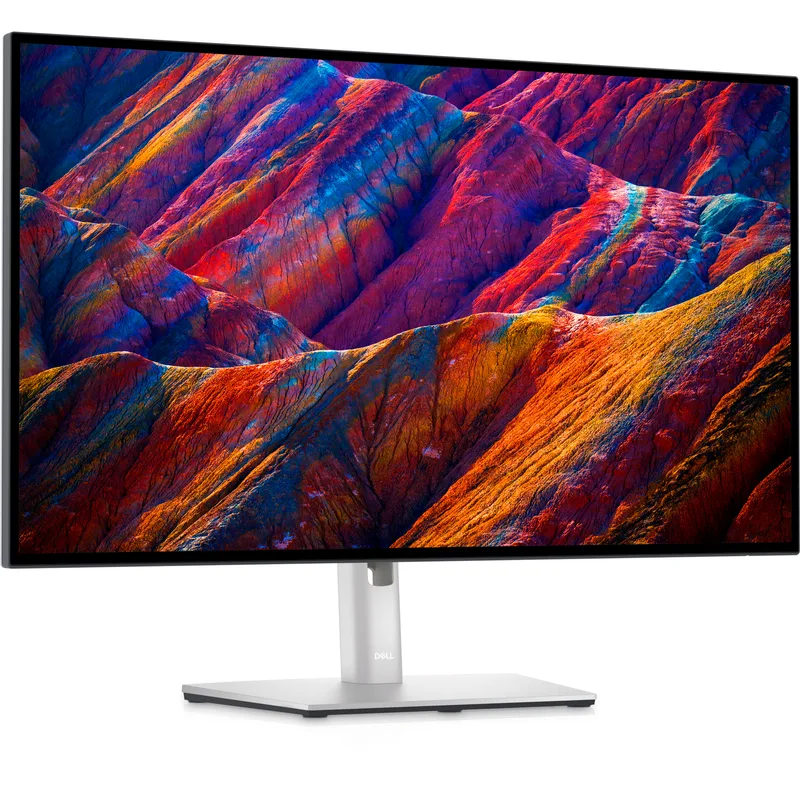
Dell UltraSharp U2723QE
Pros
- IPS Black panel delivers 2000:1 contrast — double the 1000:1 typical of standard IPS, producing genuinely deep blacks while maintaining the wide viewing angles that VA panels sacrifice at off-center positions
- Built-in Ethernet through USB-C routes wired internet alongside video and 90W charging in a single cable — confirmed across a large owner base covering MacBook, ThinkPad, XPS, and Surface devices over multiple years
- 100% sRGB and 98% DCI-P3 color coverage handles standard web, office, and video content accurately out of the box without manual calibration
- Thunderbolt 3 upstream port expands compatibility beyond USB-C-only monitors — supports Thunderbolt docks, eGPUs, and daisy chaining alongside standard USB-C laptops
Cons
- 60Hz refresh rate — the newer Dell P2725QE now offers 100Hz at similar pricing, which is a meaningful upgrade for buyers who want both 4K resolution and smoother daily rendering
- 8ms response time at standard mode (5ms in fast mode) is slower than the P2725QE's 5ms — not a concern for office work but visible in video scrubbing and casual gaming scenarios
- Amazon pricing has settled around $549.99, placing it at the upper end of this list's range and in direct price competition with the newer P2725QE
The U2723QE sits in a specific niche: buyers who want deep blacks from an IPS panel without the viewing-angle restrictions that VA technology imposes. IPS Black achieves 2000:1 contrast — double the 1000:1 standard — while preserving the wide viewing angles that IPS is known for. In a dim or dark home office, the difference is visible in dark-themed applications, presentation slides with dark backgrounds, and video content with black letterboxing.
The built-in Ethernet via USB-C has the most thoroughly documented track record on this list. Owner reports covering MacBook, ThinkPad, XPS, and Surface devices over multiple years confirm consistent wired connectivity alongside video and 90W charging. The single-cable setup has been the standard recommendation in home office communities, and the U2723QE’s implementation is reliably cited as the reference example.
The honest evaluation in 2026 is whether IPS Black is worth the tradeoff against the Dell P2725QE at the same price. The P2725QE offers 100Hz and a newer panel design. The U2723QE answers with 2000:1 contrast and the longest-documented reliability record in this category. If you work in a dim room where IPS Black contrast makes a visible difference, the U2723QE is still the correct choice. For brightly lit home offices where ambient light reduces the contrast advantage, the P2725QE’s 100Hz is the more practical upgrade.
Who should buy this: Remote workers who work in dim or dark environments where IPS Black contrast produces a visible improvement over standard IPS, or buyers who prioritize the most-documented 27-inch 4K connectivity track record.
4. BenQ PD2705U — Best for Mac Users
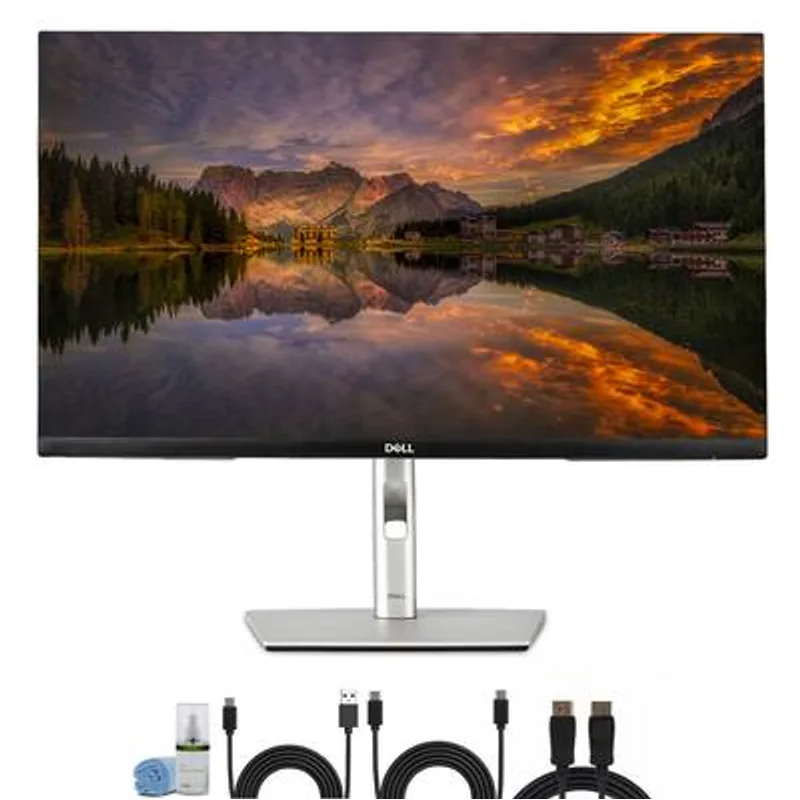
BenQ PD2705U
Pros
- HotKey Puck G3 hardware dial sits on the desk and provides physical shortcuts for input switching, KVM control, and picture mode changes — eliminates the OSD navigation that makes multi-input monitors frustrating to use daily
- Built-in KVM switch shares keyboard and mouse between two connected computers with a button press — owner reports confirm reliable switching between Mac and Windows machines, the primary use case for mixed-platform home offices
- Mac-Ready compatibility with tested ICC profiles for macOS color management — color rendering between a MacBook display and this monitor is specifically calibrated for predictable results rather than using generic sRGB mapping
- Factory calibration to ΔE ≤ 3 with AQCOLOR technology covers photography review, design work, and video production at a price significantly below the ASUS ProArt PA279CRV's DCI-P3 premium
- Daisy chain support allows dual-monitor configurations from one laptop USB-C port without a dock
Cons
- 65W USB-C power delivery falls below the 90W-96W standard on the Dell and ASUS options — adequate for MacBook Air, ThinkPad X1 Carbon, and most ultrabooks, but creates a power deficit for MacBook Pro 14/16 under sustained CPU load per multiple owner reports
- 60Hz and no HDR certification limits video production and creative review scenarios where DisplayHDR 400 provides more accurate brightness headroom
- Older design dating to 2021/2022 — the ASUS ProArt PA279CRV and Dell P2725QE are newer with more current specs at comparable or lower prices
The PD2705U addresses a specific frustration with multi-input monitors: OSD menu navigation. Changing inputs, switching KVM control, or adjusting picture modes on most monitors requires multiple button presses and navigating nested menus. The HotKey Puck G3 — a hardware dial that sits on the desk — assigns those functions to physical controls you reach without looking. For two-computer setups where input switching happens multiple times a day, this reduces friction that accumulates invisibly until you compare it to monitors without it.
Mac compatibility is specifically calibrated. Tested ICC profiles for macOS color management mean the display rendering between a MacBook screen and this monitor is matched rather than left to the default sRGB mapping that produces color shifts between displays. For buyers who need color consistency between laptop and external monitor, this is a practical advantage over monitors without Mac-specific calibration profiles.
The built-in KVM shares keyboard and mouse between two computers reliably. Owner reports confirm consistent behavior between Mac and Windows combinations — the most common home office mixed-platform scenario. The factory calibration at ΔE ≤ 3 covers photography review and design work without requiring the DCI-P3 premium of the ASUS ProArt.
The 65W USB-C ceiling is the real limitation. MacBook Air and thin ultrabooks charge fine. MacBook Pro 14-inch and 16-inch users under sustained CPU load will see slow battery drain even while connected — confirmed by multiple owner reports. If 90W USB-C power delivery is a requirement, the Dell P2725QE, U2723QE, or LG 27UP850K-W are the cleaner choices.
Who should buy this: Mac-primary remote workers running two computers who want a dedicated KVM, hardware controls, and factory-calibrated color without paying for DCI-P3 professional calibration.
5. LG 27UP850K-W — Best Value
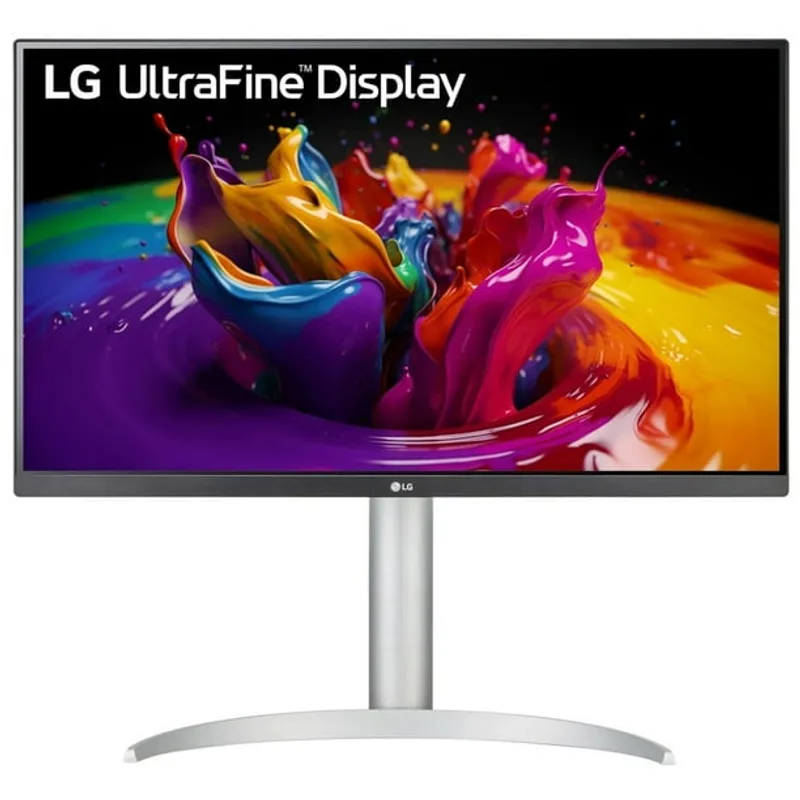
LG 27UP850K-W
Pros
- 90W USB-C charging at the lowest price point on this list — most 27-inch 4K monitors under $350 drop to 65W or no USB-C entirely; this delivers the full single-cable laptop docking experience at budget pricing
- 95% DCI-P3 color coverage meaningfully exceeds the 72-78% gamut of entry-level 4K monitors — photography and design content renders with noticeably more saturation accuracy than cheap 4K panels
- DisplayHDR 400 certification provides some HDR headroom for video content — at this price range, competing monitors typically omit HDR certification entirely
- Built-in 7W speaker eliminates one device from the desk for video calls and casual audio — adequate for speech, not high-fidelity audio, but removes the need for external speakers in a minimal setup
- Available in white, which distinguishes it from the matte black standard for buyers who prioritize desk aesthetics alongside function
Cons
- No built-in Ethernet — USB-C carries video and 90W power but not wired network; a separate Ethernet adapter is required for anyone who needs wired connectivity through the monitor
- Limited color calibration documentation — 95% DCI-P3 coverage without factory calibration data means color accuracy is good but not guaranteed to the ΔE standards of the ASUS or BenQ alternatives
- Older ASIN (superseded model) with less current design than the 2025-release Dell P2725QE — feature set remains solid but this is not the latest-generation LG hardware
The 27UP850K-W delivers the core 27-inch 4K home office specification at the lowest price on this list. IPS panel, 90W USB-C, DisplayHDR 400, 95% DCI-P3 — a configuration that required $600+ in 2022, now available under $360 when deals appear.
The 95% DCI-P3 coverage is the specification that separates this from cheap 4K monitors. Entry-level 4K panels typically cover 72-78% of DCI-P3; the 27UP850K-W at 95% renders color gradients, photography, and video with noticeably more accuracy than budget alternatives. For buyers who want adequate color performance without paying for ASUS ProArt or BenQ AQCOLOR calibration documentation, this covers most professional creative needs.
The built-in 7W speaker is a practical addition for a monitor at this price point. Adequate for video calls and spoken-word content, not suitable for music production — but for buyers who want to eliminate a separate speaker from a minimal desk, it resolves the need without extra hardware.
The white color option is worth noting. Home offices with lighter desk surfaces, white cable management, or Scandinavian design aesthetics have limited monitor options — most productivity monitors ship in matte black exclusively. The 27UP850K-W’s white variant is a functional differentiator for buyers where desk aesthetics matter alongside technical specs.
Who should buy this: Budget-focused remote workers who need genuine 4K IPS quality with 90W USB-C and DisplayHDR 400 at the lowest price in the 27-inch 4K segment.
Buying Guide: How to Choose a 27-Inch 4K Monitor
Refresh Rate: Does 100Hz Matter for Office Work?
All but one monitor on this list runs at 60Hz. For document work, video calls, spreadsheets, and most coding, 60Hz is not a practical limitation — you won’t notice it reading a Google Doc or attending a Zoom call.
You will notice 60Hz if you’re transitioning from a high-refresh-rate gaming monitor and using the same display for work. The Dell P2725QE at 100Hz is the only 4K business monitor in this price range that closes that gap. For remote workers who used a 144Hz+ gaming monitor before transitioning to productivity-focused hardware, the 100Hz difference is worth the premium versus older 60Hz 4K monitors at similar pricing.
USB-C Power Delivery: Which Wattage Do You Need?
The monitors here fall into three tiers:
- 65W (BenQ PD2705U): covers MacBook Air, ThinkPad X1 Carbon, most thin ultrabooks
- 90W (Dell P2725QE, Dell U2723QE, LG 27UP850K-W): covers MacBook Pro 14”, Dell XPS 13/14, most premium productivity laptops
- 96W (ASUS ProArt PA279CRV): covers MacBook Pro 16”, Dell XPS 15, high-wattage workstation laptops
Check your laptop’s factory charger wattage. If it’s 96W or higher, the ASUS ProArt PA279CRV is the only monitor here that charges at full rate under all conditions. If it’s 65W or below, the BenQ is adequate. For most laptops in the 67-90W range, any of the Dell or LG options supply full charging.
IPS vs IPS Black: Is the Contrast Upgrade Worth It?
Standard IPS panels deliver approximately 1000:1 contrast. The Dell U2723QE’s IPS Black panel delivers 2000:1. In a brightly lit home office with windows or overhead lighting, ambient light washes out the display and reduces the contrast advantage — the difference between 1000:1 and 2000:1 becomes harder to see.
In a dim room — basement office, room with blackout curtains, evening use with a desk lamp — the IPS Black advantage is clearly visible in dark-themed applications, video content with black bars, and slides with dark backgrounds. For brightly lit environments, the Dell P2725QE’s 100Hz is a more universally useful upgrade than IPS Black contrast.
Color Gamut for Professional Work
For standard office work — documents, web, email, video calls — any monitor on this list provides accurate enough color for daily use. The differences become meaningful for:
- Photography review for clients: needs sRGB accuracy minimum, DCI-P3 preferred
- Video color grading: needs P3 or wider gamut coverage, verified calibration
- Print design: needs Adobe RGB coverage
The ASUS ProArt PA279CRV at 99% DCI-P3/Adobe RGB with Calman Verified accuracy is the only monitor here designed for professional color-critical work. The BenQ PD2705U at 99% sRGB handles photography review and standard design work correctly without the DCI-P3 premium.
FAQ
Is 27 inches the right size for a 4K monitor at a standard desk?
For desk depths of 24-32 inches — the standard range for most home office setups — 27-inch 4K is the optimal combination of size and pixel density. At 163 PPI, text renders sharply at 125-150% Windows scaling without requiring extreme scaling factors that some applications handle poorly. At 32 inches, 4K delivers 138 PPI, which works well but requires a deeper desk for comfortable viewing. At 24 inches, 4K produces very high PPI that requires 200% scaling in most cases.
Do I need Windows display scaling at 4K on a 27-inch monitor?
Windows 11 defaults to 150% scaling on 27-inch 4K displays. At 150%, you get the equivalent of approximately 1800×1013 effective workspace — enough for two full-width browser windows side by side, or a code editor alongside a documentation panel. Some users prefer 125% scaling for more visible workspace at the cost of slightly smaller text. Native 100% scaling produces very small text at typical desk distances and is not comfortable for sustained work without deliberately large font sizes.
Which monitor on this list works best with M-series MacBooks?
All five monitors work with M-series MacBooks via USB-C. The BenQ PD2705U has Mac-specific ICC profiles for more accurate color management out of the box. The ASUS ProArt PA279CRV’s 96W power delivery is the most relevant spec for MacBook Pro 16-inch users — it’s the only monitor here that charges at full rate under sustained load. For M2/M3/M4 MacBook Air users, the LG 27UP850K-W delivers full 90W charging and DisplayHDR 400 at the lowest price on the list.
Should I buy the Dell P2725QE or U2723QE in 2026?
For most buyers, the P2725QE is the better choice in 2026. It’s a newer design with 100Hz — a genuine everyday upgrade — and prices at the same level as the U2723QE. The U2723QE remains the correct pick if IPS Black contrast is specifically important to your use case: dim room, dark-mode-heavy workflow, video review with dark content. The U2723QE also has a substantially larger base of owner reports from years of deployment, which matters to buyers who want a fully documented reliability record before purchasing. Otherwise, the P2725QE is the more current product.
What’s the minimum price for a 27-inch 4K monitor worth buying for home office work?
The LG 27UP850K-W at $299-$359 is the practical floor for 27-inch 4K with genuine productivity credentials — 90W USB-C, DisplayHDR 400, and 95% DCI-P3 coverage. Below this price range, 27-inch 4K monitors exist but typically compromise on USB-C wattage (dropping to 65W or none), color gamut (72-78% DCI-P3), or ergonomic stand adjustment. The step up from budget 4K to the LG’s specification level is meaningful for an eight-hour daily workstation display.
Conclusion
For most remote workers buying a 27-inch 4K monitor in 2026, the Dell P2725QE is the pick. The 100Hz refresh rate is a genuine differentiator for the category, the 90W USB-C with Ethernet handles all single-cable docking needs, and the pricing is competitive with older monitors that deliver less.
For color-critical creative work, the ASUS ProArt PA279CRV is the correct choice — 99% DCI-P3, 99% Adobe RGB, Calman Verified calibration, and 96W USB-C PD in one package that costs less than professional monitors with equivalent color specs from two years ago.
On a tighter budget, the LG 27UP850K-W delivers 90W USB-C, DisplayHDR 400, and 95% DCI-P3 coverage at $299-$359 — the lowest entry price for a 4K 27-inch monitor with full docking capability and genuine color performance.
Detailed Reviews
Dell P2725QE
Pros
- 100Hz refresh rate is the only 4K business monitor in this price range to break the 60Hz ceiling — scrolling through documents, web pages, and code feels noticeably smoother than standard 60Hz panels, which accumulates over an eight-hour workday in measurable ways
- 90W USB-C with built-in Ethernet routes video, data, 90W charging, and wired internet through one cable — owner reports confirm reliable charging with MacBook Pro 14, Dell XPS 13/14, and ThinkPad X1 Carbon without a separate charger
- HDMI 2.1 connectivity is ahead of the curve for a business monitor — supports next-gen laptops and devices at full 4K/100Hz without adapters, an advantage that grows as HDMI 2.1 spreads through consumer hardware
- Full ergonomic stand with 150mm height adjustment, tilt, swivel, and portrait pivot — covers all adjustment needs for sitting and standing desk use without buying a separate arm
- KVM functionality via USB-C upstream allows switching peripheral control between two connected devices, replacing a standalone $50-$80 KVM switch for two-computer setups
Cons
- SDR-only display — no DisplayHDR certification limits vivid color presentation for photography review and HDR video content compared to DisplayHDR 400 monitors in the same price range
- 99% sRGB gamut covers all standard office and web content but falls short of the DCI-P3 coverage on the ASUS ProArt PA279CRV for color-critical professional work
- Newer model means the owner review base is still growing — early reports are positive but the multi-year reliability record of the Dell U2723QE is more thoroughly documented
ASUS ProArt PA279CRV
Pros
- 99% DCI-P3 and 99% Adobe RGB coverage calibrated to ΔE < 2 factory — color accuracy that competing monitors typically reserve for the $600-$900 tier, delivered here under $430
- Calman Verified certification means the calibration accuracy was independently confirmed by Portrait Displays rather than self-reported by ASUS — meaningful for buyers doing color-sensitive client work
- 96W USB-C power delivery is the highest on this list — charges MacBook Pro 16-inch and Dell XPS 15 at full rate without any power deficit under sustained CPU load, where 90W monitors may show slow battery drain
- Daisy chain capability connects a second display through one laptop USB-C port — supports dual-monitor configurations without a separate dock
- 3-year warranty is standard for professional monitors above $400 and meaningful here — most competing monitors in this price range offer 1-year coverage only
Cons
- 60Hz refresh rate — professional displays prioritizing color accuracy over speed have always operated at 60Hz, but buyers coming from gaming monitors will notice the reduction in motion smoothness
- Significant price volatility — has ranged from $329 at lowest to over $600 at peaks; buying during a promotional window yields substantially better value than purchasing at higher MSRP periods
- No built-in Ethernet — USB-C carries video, data, and 96W power but requires a separate Ethernet adapter for wired network connectivity
Dell UltraSharp U2723QE
Pros
- IPS Black panel delivers 2000:1 contrast — double the 1000:1 typical of standard IPS, producing genuinely deep blacks while maintaining the wide viewing angles that VA panels sacrifice at off-center positions
- Built-in Ethernet through USB-C routes wired internet alongside video and 90W charging in a single cable — confirmed across a large owner base covering MacBook, ThinkPad, XPS, and Surface devices over multiple years
- 100% sRGB and 98% DCI-P3 color coverage handles standard web, office, and video content accurately out of the box without manual calibration
- Thunderbolt 3 upstream port expands compatibility beyond USB-C-only monitors — supports Thunderbolt docks, eGPUs, and daisy chaining alongside standard USB-C laptops
Cons
- 60Hz refresh rate — the newer Dell P2725QE now offers 100Hz at similar pricing, which is a meaningful upgrade for buyers who want both 4K resolution and smoother daily rendering
- 8ms response time at standard mode (5ms in fast mode) is slower than the P2725QE's 5ms — not a concern for office work but visible in video scrubbing and casual gaming scenarios
- Amazon pricing has settled around $549.99, placing it at the upper end of this list's range and in direct price competition with the newer P2725QE
BenQ PD2705U
Pros
- HotKey Puck G3 hardware dial sits on the desk and provides physical shortcuts for input switching, KVM control, and picture mode changes — eliminates the OSD navigation that makes multi-input monitors frustrating to use daily
- Built-in KVM switch shares keyboard and mouse between two connected computers with a button press — owner reports confirm reliable switching between Mac and Windows machines, the primary use case for mixed-platform home offices
- Mac-Ready compatibility with tested ICC profiles for macOS color management — color rendering between a MacBook display and this monitor is specifically calibrated for predictable results rather than using generic sRGB mapping
- Factory calibration to ΔE ≤ 3 with AQCOLOR technology covers photography review, design work, and video production at a price significantly below the ASUS ProArt PA279CRV's DCI-P3 premium
- Daisy chain support allows dual-monitor configurations from one laptop USB-C port without a dock
Cons
- 65W USB-C power delivery falls below the 90W-96W standard on the Dell and ASUS options — adequate for MacBook Air, ThinkPad X1 Carbon, and most ultrabooks, but creates a power deficit for MacBook Pro 14/16 under sustained CPU load per multiple owner reports
- 60Hz and no HDR certification limits video production and creative review scenarios where DisplayHDR 400 provides more accurate brightness headroom
- Older design dating to 2021/2022 — the ASUS ProArt PA279CRV and Dell P2725QE are newer with more current specs at comparable or lower prices
LG 27UP850K-W
Pros
- 90W USB-C charging at the lowest price point on this list — most 27-inch 4K monitors under $350 drop to 65W or no USB-C entirely; this delivers the full single-cable laptop docking experience at budget pricing
- 95% DCI-P3 color coverage meaningfully exceeds the 72-78% gamut of entry-level 4K monitors — photography and design content renders with noticeably more saturation accuracy than cheap 4K panels
- DisplayHDR 400 certification provides some HDR headroom for video content — at this price range, competing monitors typically omit HDR certification entirely
- Built-in 7W speaker eliminates one device from the desk for video calls and casual audio — adequate for speech, not high-fidelity audio, but removes the need for external speakers in a minimal setup
- Available in white, which distinguishes it from the matte black standard for buyers who prioritize desk aesthetics alongside function
Cons
- No built-in Ethernet — USB-C carries video and 90W power but not wired network; a separate Ethernet adapter is required for anyone who needs wired connectivity through the monitor
- Limited color calibration documentation — 95% DCI-P3 coverage without factory calibration data means color accuracy is good but not guaranteed to the ΔE standards of the ASUS or BenQ alternatives
- Older ASIN (superseded model) with less current design than the 2025-release Dell P2725QE — feature set remains solid but this is not the latest-generation LG hardware