The 1440p (2560×1440) monitor market got significantly more affordable in early 2026. The ASUS ProArt PA278CGV — a factory-calibrated, 144Hz professional display with 90W USB-C PD — was selling for $229 in April 2026, a price that used to buy a basic 1080p office monitor two years ago. Meanwhile, CES 2026 brought a wave of announcements focused on 500Hz+ gaming panels, pushing proven 144–165Hz 1440p workhorses further down in price. For remote workers who spend eight or more hours in front of a screen, this is the best time in years to upgrade.
1440p fills a real gap. A 1080p panel on a 27-inch screen has pixel density low enough that individual pixels are visible during normal reading distance — text looks slightly soft. 4K at 27 inches requires display scaling in most workflows, and macOS and Windows handle fractional scaling differently, with results that range from fine to blurry depending on the application. 1440p at 27 inches hits approximately 108 PPI — enough density for text to look sharp without scaling adjustments.
Quick Comparison
| Monitor | Panel | Refresh | Color | USB-C PD | Best For | Price |
|---|---|---|---|---|---|---|
| Dell UltraSharp U2722D | 27” IPS | 60Hz | 100% sRGB | 90W | All-day office work | $199.00-$377.70 as of Oct 18, 2026 |
| ASUS ProArt PA278CGV | 27” IPS | 144Hz | 95% DCI-P3 | 90W | Creative + productivity | $329.99 as of Oct 18, 2026 |
| LG 27GP850-B | 27” Nano IPS | 165Hz | 98% DCI-P3 | None | Dual-use work/gaming | $339.99 as of Oct 18, 2026 |
| BenQ EW2790Q | 27” IPS | 100Hz | 99% sRGB | 65W | Long sessions, eye care | Unavailable |
| Samsung Odyssey G7 | 27” VA | 240Hz | 95% DCI-P3 | None | Curved + gaming | Unavailable |
1. Dell UltraSharp U2722D — Best Overall
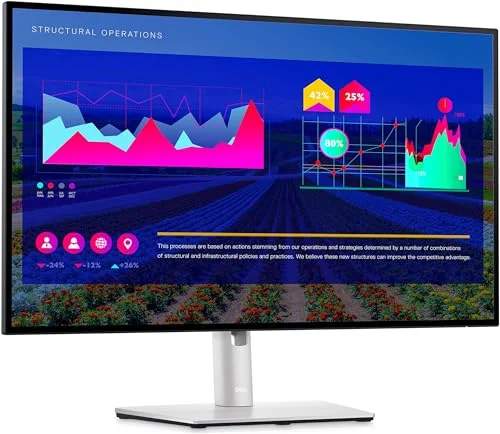
Dell UltraSharp U2722D
Pros
- 100% sRGB with factory calibration makes color work reliable without a dedicated colorimeter
- USB-C port delivers 90W power to a MacBook Pro or Dell XPS while running the display — single cable desk
- IPS panel's 178°/178° viewing angles mean color doesn't shift when a colleague glances at your screen
- Pivot and height adjustment are smooth with zero wobble; the stand earns its price premium
- Dell's ComfortView Plus permanently reduces blue light without the color shift of software filters
- USB-A hub keeps a keyboard, mouse, and webcam connected through the monitor with no dock needed
Cons
- 60Hz refresh rate is functional for productivity but noticeably less fluid than 144Hz+ panels during scrolling
- No built-in speakers — budget for a USB speaker or headset
- $350–$420 price point is hard to justify against the ASUS PA278CGV at $229–$269 unless you need Dell's warranty support
The Dell UltraSharp U2722D has a straightforward value proposition: a 27-inch IPS panel calibrated to 100% sRGB with 90W USB-C power delivery, a fully ergonomic stand, and Dell’s enterprise-grade build quality. For remote workers whose primary concern is a reliable, color-accurate display that won’t need replacing for five years, it remains the reference point other monitors are measured against.
The 60Hz refresh rate is the spec that gives people pause. At 60Hz, scrolling documents and web pages is visibly less fluid than at 100Hz or 144Hz — there’s a subtle stutter on fast swipes that higher-refresh panels eliminate. For someone coming from a 144Hz laptop display, it’s noticeable in the first week. After that, most productivity workers adjust. For anyone doing fast-paced work involving lots of scrolling (code review, long document editing, research), consider the ASUS PA278CGV as an alternative.
The USB-C 90W PD port handles MacBook Pro 14-inch and Dell XPS 15 charging while running the display — a genuine single-cable desk setup with no dock required. The four USB-A ports on the rear panel keep a keyboard, mouse, and webcam connected through the monitor. Dell’s ComfortView Plus hardware-level blue light reduction works without changing the panel’s color temperature, unlike software blue-light filters that shift whites toward yellow.
Dell’s support and warranty are worth the premium for business users. Three-year Advanced Exchange means a replacement unit ships before you return the defective one — no weeks without a monitor waiting for RMA processing.
2. ASUS ProArt PA278CGV — Best Value
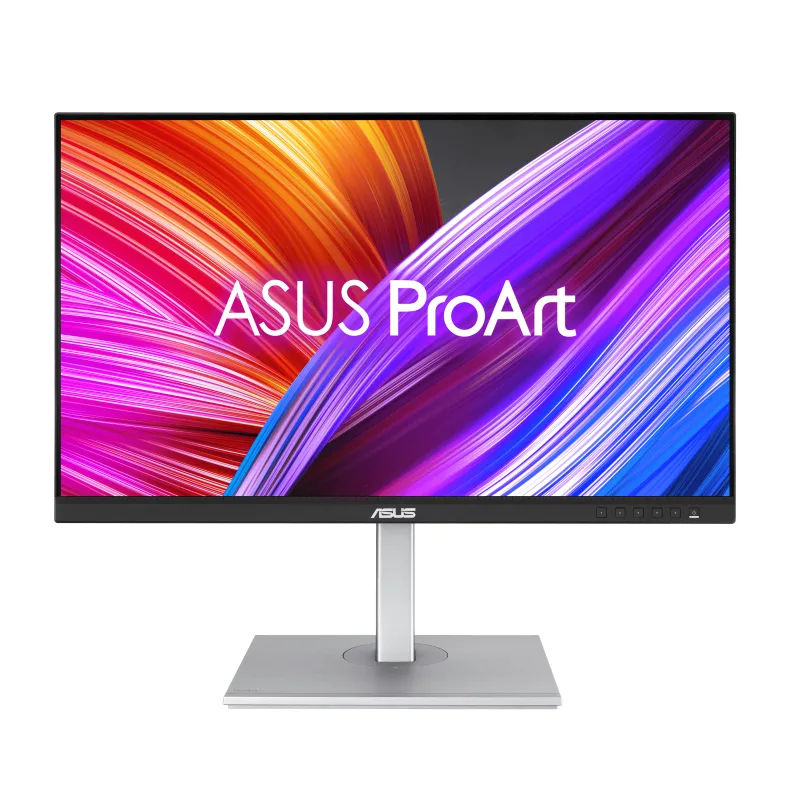
ASUS ProArt PA278CGV
Pros
- Factory calibration with ΔE < 2 and Calman Verified certification means out-of-box color is accurate for photo and video work
- 95% DCI-P3 coverage lets designers review content in the P3 color space without a separate reference display
- 144Hz makes scrolling documents and web browsing visibly smoother — a bigger ergonomic gain than most people expect
- USB-C 90W PD handles MacBook Pro and Dell XPS single-cable charging simultaneously
- DisplayPort daisy-chaining allows a second QHD monitor to connect without a second cable from the PC
- At $229–$269, it delivers color accuracy that previously cost $400+ in monitors
Cons
- 95% DCI-P3 is not full DCI-P3; professional print work or broadcast mastering requires a wider-gamut reference display
- Glossy vs. matte finish: the semi-gloss coating picks up more reflections than Dell's anti-glare treatment
- DisplayHDR 400 certification means HDR is functional but not transformative — peak brightness is limited
At $229–$269 in April 2026, the ASUS ProArt PA278CGV represents a significant shift in what professional color accuracy costs. The PA278CGV ships with a factory calibration report — each unit is individually measured before leaving the factory, with a ΔE < 2 guarantee and Calman Verified certification. Previously, monitors with that level of documented color performance started around $400.
The 144Hz refresh rate is a meaningful addition to a professional display. Scrolling through long Figma files, reading dense documents, or switching between windows feels genuinely smoother than at 60Hz — there’s a tangible reduction in eye strain over a full workday, based on user reports comparing the two. The 95% DCI-P3 coverage means designers reviewing photography or video can see whether content holds within P3 gamut without switching to a reference display.
USB-C 90W PD and DisplayPort daisy-chaining distinguish this monitor from similarly-priced competitors. The daisy-chain capability means a second PA278CGV can be connected to the first monitor’s DisplayPort out rather than requiring a second cable back to the PC — a cleaner dual-monitor cable setup for users with a single Thunderbolt or USB4 port.
The primary caveat is anti-glare coating. The PA278CGV’s semi-gloss finish reflects ambient light more than Dell’s matte coating. In a room with windows behind the user or bright overhead lighting, reflections are visible and reduce contrast. A desk positioned facing a window may require a room rearrangement or monitor hood.
3. LG 27GP850-B — Best Dual-Use Work/Gaming
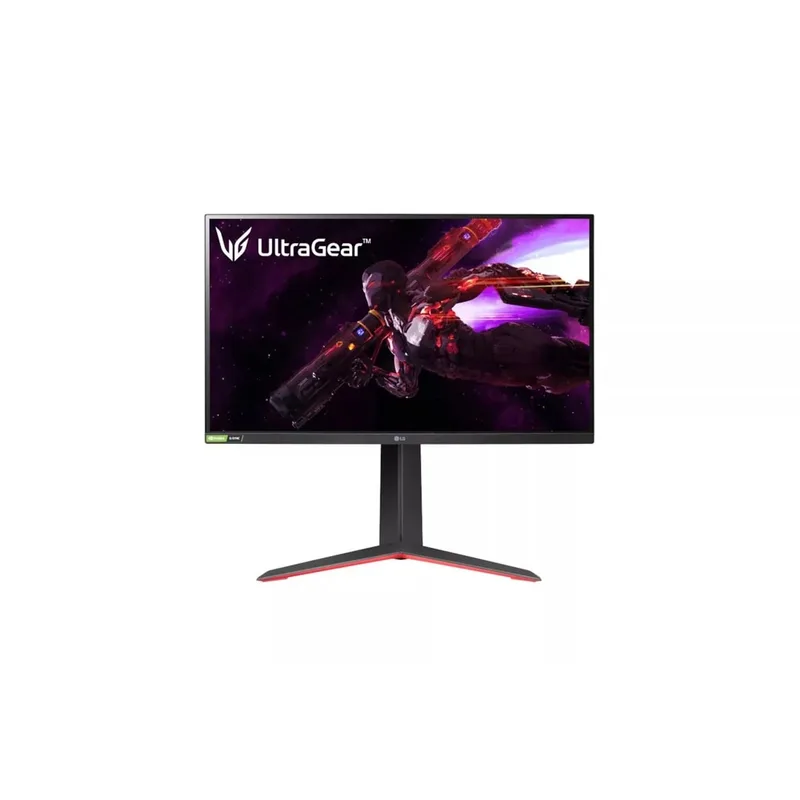
LG 27GP850-B
Pros
- 165Hz Nano IPS panel eliminates the tradeoff between color accuracy and gaming smoothness — 98% DCI-P3 at high refresh
- 1ms GtG response time means no ghosting on fast-moving content, making after-hours gaming on the same monitor genuinely good
- Nano IPS technology produces deeper blacks and punchier colors than standard IPS at the same size
- NVIDIA G-SYNC Compatible and AMD FreeSync Premium cover both GPU ecosystems
- Height and pivot adjustment gives full ergonomic flexibility without a separate monitor arm
- Owner reports note the stand is notably stable — no wobble during typing
Cons
- No USB-C port means MacBook users need a dock or USB-C adapter for single-cable setups
- 60W is the max USB-A power output through the hub; not enough to charge modern laptops
- DisplayHDR 400 brightness ceiling limits HDR impact compared to HDR600 panels
The LG 27GP850-B launched in 2021 and has maintained relevance in 2026 because no direct competitor has matched its combination of specs at the price: a Nano IPS panel with 98% DCI-P3 color coverage, 165Hz refresh rate (overclockable to 180Hz), 1ms GtG response time, and full ergonomic stand adjustment for under $330.
Nano IPS technology uses nano-sized particles applied to the LED backlight that broaden the color spectrum produced by the panel. The practical result is 98% DCI-P3 coverage — wider than the 95% DCI-P3 on the ASUS PA278CGV and significantly wider than standard IPS panels. For remote workers in design, photography, or video work who want the display to serve double duty for gaming in the evenings, the LG 27GP850-B is the only panel in this roundup that delivers both without material compromise.
The major omission is USB-C. Mac users and USB-C laptop users need a dock or adapter to connect — a hidden cost if you’re building a single-cable desk setup. The monitor does have a USB-A hub with two 3.0 ports, but the hub is powered from the DisplayPort/HDMI connection, not a dedicated USB-C upstream.
At $279–$329, the LG 27GP850-B is the right choice for someone who wants the same monitor for focused work sessions and evening gaming, and doesn’t need USB-C PD. For dedicated productivity without gaming use, the ASUS PA278CGV at a lower price delivers better color certification and USB-C.
4. BenQ EW2790Q — Best for Long Sessions

BenQ EW2790Q
Pros
- Built-in B.I. Gen2 technology adjusts brightness and color temperature to ambient lighting — the screen self-calibrates to room conditions
- Eyesafe certification means the panel meets hardware-level blue light reduction standards without color distortion
- Three HDMI ports allow a desktop, laptop, and console to stay connected simultaneously, switching inputs without unplugging
- 2x 5W speakers remove the need for a separate desktop speaker for video calls and background audio
- 99% sRGB coverage is solid for document work, web design, and photo editing at standard color spaces
- USB-C 65W PD charges thin laptops (MacBook Air, Dell XPS 13) from a single cable
Cons
- 65W USB-C PD is not enough for MacBook Pro 16 or high-wattage Windows laptops under sustained load
- 100Hz refresh rate, while smoother than 60Hz, falls behind 144Hz+ panels for fast scrolling or gaming
- B.I. Gen2 ambient light adjustments can be distracting in rooms with variable lighting — the feature is togglable
The BenQ EW2790Q is the newest panel in this roundup — BenQ updated the EW2790-series with the EW2790Q in late 2025. The core addition over the previous generation is USB-C 65W PD and a revised B.I. Gen2 sensor that measures ambient light color temperature (warm vs. cool), not just intensity, and adjusts the panel’s color balance accordingly. For remote workers whose home office lighting shifts from daylight to tungsten over a workday, the sensor-driven adjustment reduces the visual dissonance of the screen looking cold against warm-lit surroundings.
The built-in 2x 5W speakers are better than the label suggests. BenQ’s HDRi audio processing applies dynamic equalization that changes based on content type (movies vs. music vs. dialogue). For video calls and background music during work, the speakers are adequate — saving desk space from a separate USB speaker. For extended media consumption on a second screen, they’re noticeably better than laptop speakers.
Three HDMI inputs is a genuine differentiator. A desktop, a work laptop, and a gaming console can stay permanently connected, switching sources from the monitor’s OSD without unplugging cables. For a home office that doubles as a living space, that flexibility matters.
The 65W USB-C PD ceiling is the main constraint. MacBook Pro 14” and most 15-inch Windows laptops charge fine at 65W under light load. Under sustained CPU load — video exports, compilation, heavy computation — 65W isn’t enough to maintain battery level on a MacBook Pro 16” or a gaming laptop with a 140W power brick. Check your laptop’s minimum charging wattage before relying on the EW2790Q for single-cable operation.
5. Samsung Odyssey G7 (27”) — Best Curved Option
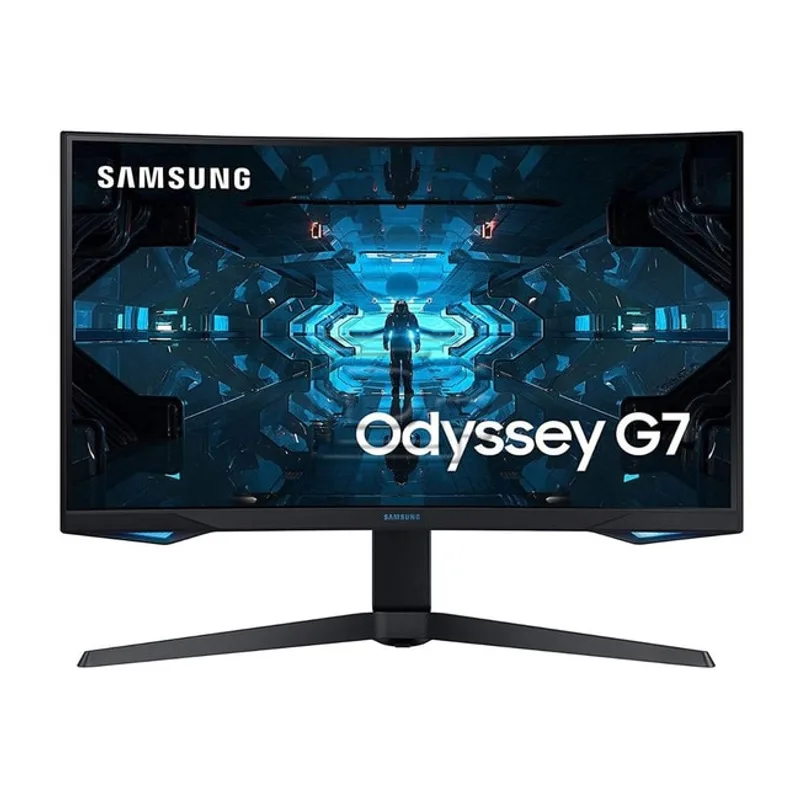
Samsung Odyssey G7 (27")
Pros
- DisplayHDR 600 certification provides genuinely visible HDR — brighter specular highlights than 400-nit panels in a dim room
- 240Hz is the highest refresh rate in this roundup; overkill for productivity but delivers a premium feel in fast-scrolling documents
- 1000R curve matches the natural curvature of human eyes — owner reports consistently cite less eye fatigue on long sessions vs. flat panels
- VA panel's higher contrast ratio (2500:1 native) produces noticeably deeper blacks than IPS panels, improving legibility of dark UI themes
- FreeSync Premium Pro and G-SYNC Compatible cover both GPU camps for variable refresh
- At $299–$349, DisplayHDR 600 at this size is competitive pricing
Cons
- VA panel response times, despite 1ms marketing spec, exhibit more motion blur in side-by-side comparisons with IPS panels at identical refresh rates
- 1000R curvature is immersive for a single-monitor setup but creates distortion when used as part of a dual-monitor array
- No USB-C — single-cable desk setups for MacBook users require a dock
- The original Odyssey G7 launched in 2020; newer VA panels from Samsung's 2025–2026 lineup have improved response times
The Samsung Odyssey G7 27-inch (LC27G75TQSNXZA) is the oldest panel in this roundup, launching in 2020, but it remains relevant in 2026 because no other 1440p curved monitor at the price offers DisplayHDR 600 certification and 240Hz simultaneously. The VA panel’s 2500:1 native contrast ratio produces blacks that IPS monitors can’t match — a visible advantage in dark-themed code editors, dim dashboards, and any content with dark backgrounds and bright text.
For remote workers who primarily write code, the darker background/lighter text typical of dark mode development environments looks noticeably richer on the Odyssey G7 than on the IPS panels in this roundup. The difference is most apparent in low ambient light situations — the deeper blacks prevent the screen from appearing washed out when the room dims in the evening.
The 1000R curvature works well in a single-monitor setup. The wrap effect reduces the peripheral distance to the screen edges, keeping more of the display within comfortable gaze range. In a dual-monitor configuration, the curvature creates a visual discontinuity at the join between screens that many users find distracting — the Odyssey G7 is better suited to a single large display than as one half of a symmetrical dual setup.
No USB-C limits this monitor to users with a dedicated dock or traditional HDMI/DisplayPort laptop outputs. The 2020 hardware also means no daisy-chain output and a USB 3.0 (not 3.2 or USB4) hub. For the DisplayHDR 600 and VA contrast at this price, those are acceptable tradeoffs for the right user.
Buying Guide: How to Choose a 1440p Monitor for Remote Work
60Hz vs. 100Hz vs. 144Hz+
For productivity-only workflows — document editing, email, video calls, spreadsheets — 60Hz is functional. The upgrade to 100–144Hz is most noticeable during high-speed scrolling and window switching. User reports consistently indicate that long-day eye fatigue decreases at 100Hz and above, likely due to reduced perceived flicker during fast movements. For anyone coming from a 120Hz or 144Hz laptop screen, a 60Hz monitor will feel like a downgrade.
USB-C Power Delivery Wattage
Match the monitor’s USB-C PD output to your laptop’s charging requirement:
- MacBook Air (M4): 30–45W minimum, 67W preferred
- MacBook Pro 14”: 67–96W
- MacBook Pro 16”: 96–140W
- Dell XPS 13/15: 45–90W depending on configuration
- Thin Windows ultrabooks: 45–65W typically sufficient
65W (BenQ EW2790Q) covers most thin laptops. 90W (Dell U2722D, ASUS PA278CGV) covers MacBook Pro 14” and most 15-inch Windows laptops under normal load.
IPS vs. VA for Office Work
IPS panels dominate this roundup for a reason: 178°/178° viewing angles mean color doesn’t shift when viewed from the side, which matters in small home offices where the monitor isn’t always at the perfect angle. VA panels (Samsung Odyssey G7) offer higher native contrast but narrower color consistency at off-axis angles. For color-sensitive work, IPS is the default choice. For dark-mode development work or media consumption in a controlled viewing position, VA’s contrast advantage is real.
Color Accuracy Specs Explained
- 100% sRGB: Covers the standard web and document color space. Sufficient for most office work, basic photo editing, and accurate web design work.
- 95% DCI-P3: Covers a wider gamut used in film, professional photography, and modern displays. Relevant for designers and photographers.
- Factory calibrated (ΔE < 2): The panel was measured before shipping and confirmed to display colors within 2 units of a reference standard. The ASUS PA278CGV is the only monitor in this roundup with a unit-level calibration certificate included.
Panel Size
All five monitors in this roundup are 27-inch panels. At 2560×1440, 27 inches hits 108 PPI — the minimum that makes text look sharp without scaling adjustments. 32-inch 1440p panels (100 PPI) require Windows or macOS scaling, which can introduce blurriness in older applications.
FAQ
Is 1440p actually better than 4K for a 27-inch monitor?
At 27 inches, both 1440p and 4K look sharp. The practical difference is GPU load and scaling. 4K at 27 inches typically requires 150% display scaling in macOS and Windows to make UI elements a usable size, and some applications render blurry at non-native scaling factors. 1440p runs at native 100% scaling without compromise. For gaming after work, 1440p requires significantly less GPU power to run at high frame rates than 4K.
Can a 1440p monitor connect to an M-series MacBook via USB-C?
Yes. All five monitors in this roundup support USB-C DisplayPort Alt Mode, which is what Apple MacBooks use over Thunderbolt/USB-C. The monitors with USB-C PD (Dell U2722D, ASUS PA278CGV, BenQ EW2790Q) power the MacBook and drive the display from a single USB-C cable. The LG 27GP850-B and Samsung Odyssey G7 require a USB-C to DisplayPort or HDMI adapter, or a dock.
What’s the difference between DisplayHDR 400 and DisplayHDR 600?
DisplayHDR 400 (Dell, ASUS, LG) means the panel can hit 400 nits peak brightness in HDR mode. DisplayHDR 600 (Samsung Odyssey G7) reaches 600 nits. In practice, the difference is visible in bright specular highlights — sun reflections, bright sky, neon signs in games or video — especially in a dim room. For document work and video calls, both certifications have no visible impact.
Should remote workers buy a 144Hz+ monitor if they don’t game?
Based on user reports from productivity workers, the smoothness difference between 60Hz and 144Hz is noticeable for anyone who scrolls frequently, uses multiple virtual desktops, or drags windows between monitors. The eye fatigue reduction over a full workday is the most-cited benefit. If the budget allows, 100Hz or higher is worth it regardless of gaming use.
Will a 1440p monitor work with a dual-monitor setup?
Yes. All five monitors in this roundup support standard DisplayPort and HDMI connections for dual-monitor configurations. The ASUS PA278CGV adds a DisplayPort output for daisy-chaining a second QHD monitor without a second cable from the PC — useful for setups with a single Thunderbolt port. Dell’s U2722D has MST (Multi-Stream Transport) support for similar daisy-chain setups.
Conclusion
For most remote workers, the ASUS ProArt PA278CGV is the right pick in 2026. Factory-calibrated color, 144Hz refresh, and 90W USB-C PD at $229–$269 is a value-to-spec ratio that didn’t exist at this price two years ago. The combination of color accuracy and a smooth refresh rate covers both focused productivity and after-hours creative work on a single panel.
For those who need enterprise-grade reliability and Dell’s three-year Advanced Exchange warranty, the Dell UltraSharp U2722D justifies its $350–$420 premium. For dual-use work and gaming without USB-C, the LG 27GP850-B delivers Nano IPS color quality and 165Hz. If eye fatigue is the primary concern and you value built-in speakers, the BenQ EW2790Q handles long sessions well. And for a single-monitor curved setup with strong HDR, the Samsung Odyssey G7 remains competitive despite its age.
Detailed Reviews
Dell UltraSharp U2722D
Pros
- 100% sRGB with factory calibration makes color work reliable without a dedicated colorimeter
- USB-C port delivers 90W power to a MacBook Pro or Dell XPS while running the display — single cable desk
- IPS panel's 178°/178° viewing angles mean color doesn't shift when a colleague glances at your screen
- Pivot and height adjustment are smooth with zero wobble; the stand earns its price premium
- Dell's ComfortView Plus permanently reduces blue light without the color shift of software filters
- USB-A hub keeps a keyboard, mouse, and webcam connected through the monitor with no dock needed
Cons
- 60Hz refresh rate is functional for productivity but noticeably less fluid than 144Hz+ panels during scrolling
- No built-in speakers — budget for a USB speaker or headset
- $350–$420 price point is hard to justify against the ASUS PA278CGV at $229–$269 unless you need Dell's warranty support
ASUS ProArt PA278CGV
Pros
- Factory calibration with ΔE < 2 and Calman Verified certification means out-of-box color is accurate for photo and video work
- 95% DCI-P3 coverage lets designers review content in the P3 color space without a separate reference display
- 144Hz makes scrolling documents and web browsing visibly smoother — a bigger ergonomic gain than most people expect
- USB-C 90W PD handles MacBook Pro and Dell XPS single-cable charging simultaneously
- DisplayPort daisy-chaining allows a second QHD monitor to connect without a second cable from the PC
- At $229–$269, it delivers color accuracy that previously cost $400+ in monitors
Cons
- 95% DCI-P3 is not full DCI-P3; professional print work or broadcast mastering requires a wider-gamut reference display
- Glossy vs. matte finish: the semi-gloss coating picks up more reflections than Dell's anti-glare treatment
- DisplayHDR 400 certification means HDR is functional but not transformative — peak brightness is limited
LG 27GP850-B
Pros
- 165Hz Nano IPS panel eliminates the tradeoff between color accuracy and gaming smoothness — 98% DCI-P3 at high refresh
- 1ms GtG response time means no ghosting on fast-moving content, making after-hours gaming on the same monitor genuinely good
- Nano IPS technology produces deeper blacks and punchier colors than standard IPS at the same size
- NVIDIA G-SYNC Compatible and AMD FreeSync Premium cover both GPU ecosystems
- Height and pivot adjustment gives full ergonomic flexibility without a separate monitor arm
- Owner reports note the stand is notably stable — no wobble during typing
Cons
- No USB-C port means MacBook users need a dock or USB-C adapter for single-cable setups
- 60W is the max USB-A power output through the hub; not enough to charge modern laptops
- DisplayHDR 400 brightness ceiling limits HDR impact compared to HDR600 panels
BenQ EW2790Q
Pros
- Built-in B.I. Gen2 technology adjusts brightness and color temperature to ambient lighting — the screen self-calibrates to room conditions
- Eyesafe certification means the panel meets hardware-level blue light reduction standards without color distortion
- Three HDMI ports allow a desktop, laptop, and console to stay connected simultaneously, switching inputs without unplugging
- 2x 5W speakers remove the need for a separate desktop speaker for video calls and background audio
- 99% sRGB coverage is solid for document work, web design, and photo editing at standard color spaces
- USB-C 65W PD charges thin laptops (MacBook Air, Dell XPS 13) from a single cable
Cons
- 65W USB-C PD is not enough for MacBook Pro 16 or high-wattage Windows laptops under sustained load
- 100Hz refresh rate, while smoother than 60Hz, falls behind 144Hz+ panels for fast scrolling or gaming
- B.I. Gen2 ambient light adjustments can be distracting in rooms with variable lighting — the feature is togglable
Samsung Odyssey G7 (27")
Pros
- DisplayHDR 600 certification provides genuinely visible HDR — brighter specular highlights than 400-nit panels in a dim room
- 240Hz is the highest refresh rate in this roundup; overkill for productivity but delivers a premium feel in fast-scrolling documents
- 1000R curve matches the natural curvature of human eyes — owner reports consistently cite less eye fatigue on long sessions vs. flat panels
- VA panel's higher contrast ratio (2500:1 native) produces noticeably deeper blacks than IPS panels, improving legibility of dark UI themes
- FreeSync Premium Pro and G-SYNC Compatible cover both GPU camps for variable refresh
- At $299–$349, DisplayHDR 600 at this size is competitive pricing
Cons
- VA panel response times, despite 1ms marketing spec, exhibit more motion blur in side-by-side comparisons with IPS panels at identical refresh rates
- 1000R curvature is immersive for a single-monitor setup but creates distortion when used as part of a dual-monitor array
- No USB-C — single-cable desk setups for MacBook users require a dock
- The original Odyssey G7 launched in 2020; newer VA panels from Samsung's 2025–2026 lineup have improved response times