SetupRanked earns a commission on qualifying purchases through Amazon affiliate links at no extra cost to you.
The BenQ PD3220U was discontinued in 2025. Its direct successor — the BenQ PD3225U — fixes its two biggest weaknesses (contrast ratio and brightness) and is available now at $899–$999. If you were researching the PD3220U, this review covers what made it a strong creative monitor, what the PD3225U improves, and two alternatives worth considering at this screen size.
Quick pick: For Thunderbolt 3 Mac workflows, the BenQ PD3225U. For Windows or single-display Mac setups, the Dell U3223QE saves $80–$280 with identical panel specs.
Who the PD3220U Was Designed For
The PD3220U appealed to a specific buyer: a designer, photographer, or video editor who needs verifiably accurate color, Thunderbolt connectivity for a Mac-based workflow, and hardware tools to switch between color modes without navigating menus.
Factory calibration with a printed Delta E report addressed a real frustration. Most monitors ship unchecked. The printed report gave designers confidence in output without purchasing a standalone colorimeter. The 95% P3 coverage worked for digital design, photography for web or streaming delivery, and light video work. For print production requiring Adobe RGB, neither the PD3220U nor any monitor on this list is the right tool.
The Thunderbolt 3 daisy chain resolved a specific Mac problem: Apple Silicon Macs expose limited external display connections. The PD3220U’s downstream Thunderbolt port let users chain a second 4K display without a dock. One cable from the MacBook, two monitors running. That remains the PD3225U’s biggest advantage over the Dell alternative.
The KVM switch, controlled via the Hotkey Puck G2, handled the two-computer desk setup — a personal MacBook and a work laptop sharing one keyboard and mouse, switched by a button press rather than a separate KVM box.
Quick Comparison
| Monitor | Panel | Brightness | Contrast | P3 | Thunderbolt | Price |
|---|---|---|---|---|---|---|
| BenQ PD3225U | IPS Black | 400 nits | 2000:1 | 98% | TB3 in + out | $739.99-$849.99 as of Oct 18, 2026 |
| Dell U3223QE | IPS Black | 400 nits | 2000:1 | 98% | No (USB-C only) | $693.99-$809.00 as of Oct 18, 2026 |
| LG 32UN880 | IPS | 350 nits | 1000:1 | 95% | No (USB-C only) | $499.99 as of Oct 18, 2026 |
BenQ PD3225U — The Current Recommendation
Panel Quality and Color Accuracy
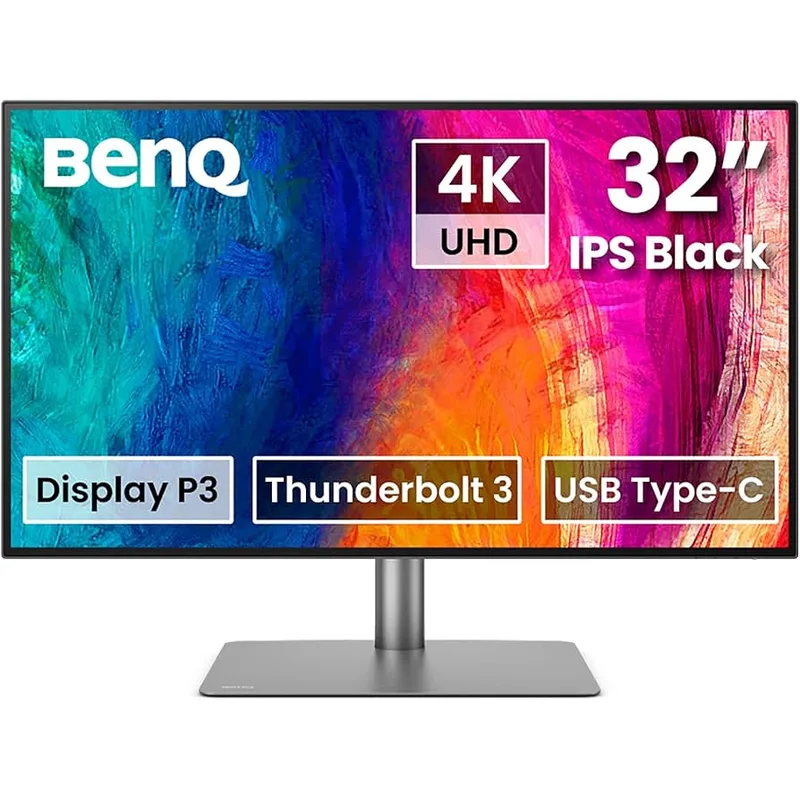
The 31.5-inch IPS Black panel at 3840x2160 resolves at 140 pixels per inch. Text and fine linework are sharp at standard viewing distances without scaling — or run at 2x (Retina-equivalent) on macOS for crisp UI elements.
The IPS Black designation means 2000:1 contrast, double the 1000:1 of the original PD3220U. That difference is visible in daily use. Dark themes, shadow detail in photos, and footage with significant black areas all look substantially better. If you use dark IDE themes or edit video with night scenes, the contrast improvement is the most tangible upgrade.
BenQ’s AQCOLOR factory calibration process calibrates each individual panel and ships a printed report in the box. Third-party reviewer measurements place out-of-box Delta E values well below the stated ≤2, often averaging below 1.5 in sRGB mode. Reliable enough to trust without re-calibrating for most digital production work.
The PD3225U drops the Hotkey Puck G2 that shipped with the PD3220U. Color mode switching moves back to buttons on the monitor chassis. That’s a real regression for designers who switched modes frequently. BenQ sells the Hotkey Puck G2 separately for around $30 — worth adding if color mode switching is part of your workflow.
Thunderbolt 3 and Connectivity
- 1x Thunderbolt 3 in (85W PD, DP Alt Mode, 40 Gbps data)
- 1x Thunderbolt 3 out (15W PD, daisy chain to a second display)
- 2x HDMI 2.0
- 1x DisplayPort 1.4
- 4x USB-A 3.0 downstream
- 1x USB-B upstream
The 85W Thunderbolt 3 input charges MacBook Air and MacBook Pro models at full speed while running the display and hub. One cable replaces separate power, display, and hub cables.
For daisy-chaining: both displays run at 4K on M1 Pro/Max/Ultra and later chips. Base M1 and M2 chips have external display limitations that may prevent dual 4K daisy-chaining — check Apple’s documentation for your specific chip before purchasing for this use case.
The 4x USB-A 3.0 hub connects keyboard, mouse, webcam, and one more device. No Ethernet, no additional USB-C downstream. Users with heavier peripheral setups will still need a separate hub.
Who Should Skip the PD3225U
Windows users have no practical reason to pay the Thunderbolt premium. The Dell U3223QE gives you the same IPS Black panel with more USB ports and built-in Ethernet for less.
Mac users with a Thunderbolt dock already in place and only one external display should also look at the Dell — the dock handles connectivity, the Dell wins on price.
The Alternatives
Dell UltraSharp U3223QE — Best Value
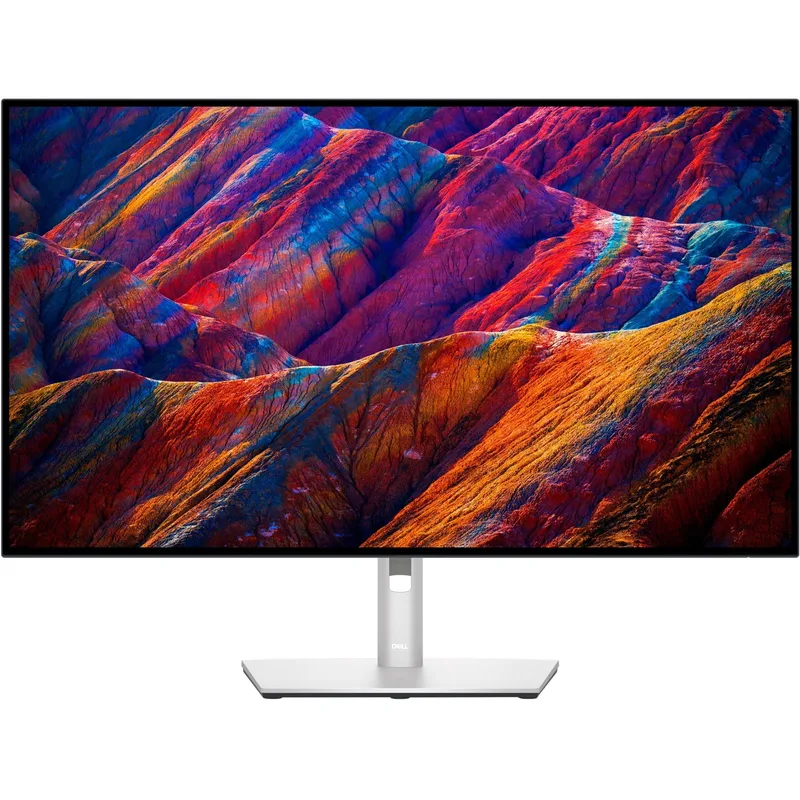
At $719–$819 (Best Buy currently $719.99), the Dell U3223QE delivers the same IPS Black panel with 2000:1 contrast and 400 nits. Third-party measurements consistently rank it among the best-calibrated monitors in this price range, with Delta E results comparable to BenQ’s factory calibration.
The meaningful tradeoff: USB-C with 90W PD instead of Thunderbolt 3. For Windows users, or Mac users who don’t need TB3 daisy-chaining, the Dell is the stronger practical value. Built-in Gigabit Ethernet and 5x USB-A 3.2 Gen 2 ports are real advantages over the BenQ. The Dell cannot replicate the Thunderbolt daisy-chain use case — that’s a hard limit.
LG 32UN880 UltraFine Ergo — Best Ergonomics
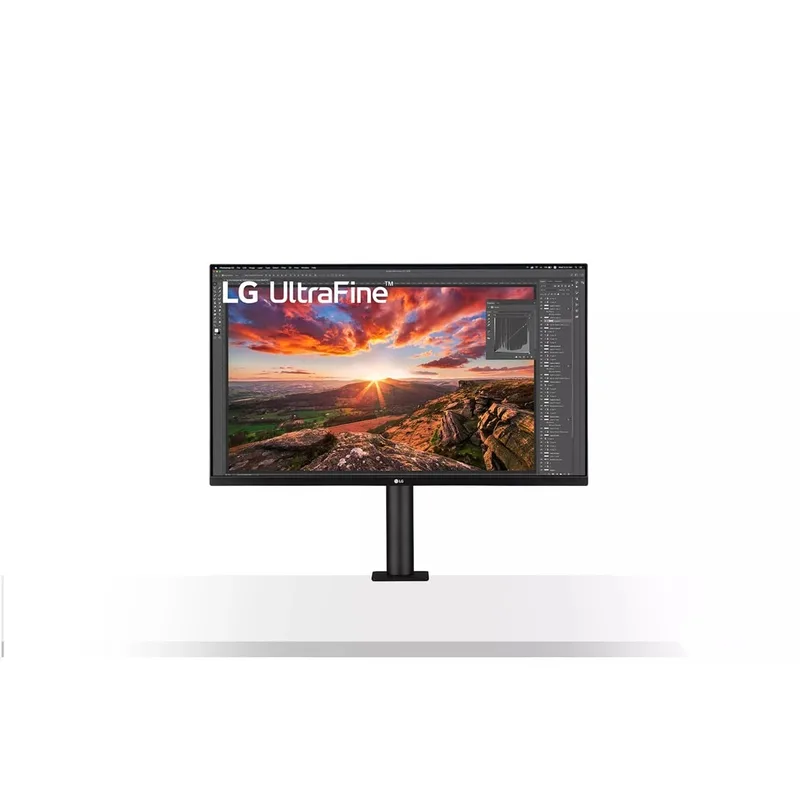
The LG 32UN880 occupies a distinct niche. Its C-clamp Ergo stand mounts to the desk edge rather than sitting on a base, freeing all desk surface. Adjustment range — pivot, swivel, height, tilt — exceeds any standard monitor stand in this category by a wide margin.
At $599–$649, it’s the most affordable option here. The IPS panel covers 95% P3 at 350 nits with 1000:1 contrast — similar panel specs to where the original PD3220U started, but without factory calibration documentation. USB-C single-cable at 60W PD covers MacBook Air and lighter MacBook Pro configurations.
The 32UN880 makes sense when workspace is constrained, a monitor arm isn’t practical, or you frequently reposition during the day. Skip it if you need Thunderbolt, IPS Black contrast, or KVM switching.
Buying Guide
Do You Actually Need Thunderbolt 3?
Be specific before paying the Thunderbolt premium. If you’re daisy-chaining a second 4K monitor from a single MacBook without a dock, Thunderbolt 3 is required and the BenQ is the only option here that delivers it. For everyone else — Windows users, Mac users with a single external display, or users who already have a Thunderbolt dock — USB-C with 90W PD covers all practical needs. The Dell U3223QE is the better value in that scenario.
How Much Color Accuracy Do You Need?
For digital design, photography for web or streaming delivery, and video work intended for digital platforms: 95–98% P3 with Delta E ≤2 is more than sufficient. All three monitors here cover this.
For print production and prepress: Adobe RGB coverage is required. None of the monitors on this list cover Adobe RGB. The BenQ SW-series (SW272Q, SW321C) is the correct product family for print-focused workflows.
Brightness for Your Environment
350 nits (LG 32UN880) works in controlled lighting — a room with blinds, north-facing windows, or adjustable overhead lighting. 400 nits (PD3225U, Dell U3223QE) handles brighter window-facing desks and rooms where you can’t control natural light. The difference is noticeable on a south-facing desk.
PD3220U vs PD3225U: Is the Upgrade Worth It?
For new purchases at 2026 pricing, the PD3225U at $899–$999 is the correct choice. The IPS Black panel improvement from 1000:1 to 2000:1 contrast and 300 to 400 nits brightness is visible and meaningful. The PD3220U makes sense only if you find it at a significant discount — $150+ below PD3225U pricing — or in a BenQ certified refurbished configuration.
FAQ
Is the BenQ PD3220U still available to buy new in 2026?
The PD3220U is discontinued and no longer sold new by BenQ. Third-party sellers on Amazon occasionally surface remaining inventory at reduced prices, but availability is unpredictable. For a reliable new purchase, the BenQ PD3225U at $899–$999 is the direct successor with a three-year BenQ warranty. Certified refurbished PD3220U units appear on BenQ’s website periodically and carry the same warranty terms.
Does the BenQ PD3225U work with Windows laptops?
Yes. The Thunderbolt 3 input works with any laptop that has a Thunderbolt 3 or USB4 port — Dell, Lenovo, HP, Framework, and others. The 85W Power Delivery charges most Windows ultrabooks at full speed. High-performance laptops that draw more than 85W under sustained GPU load may charge more slowly than with their native charger. HDMI and DisplayPort inputs work with any device regardless of connection type.
What happened to the Hotkey Puck G2?
The PD3220U shipped with the Hotkey Puck G2 — a small external controller with three programmable buttons and a scroll dial for color mode switching and brightness adjustment. The PD3225U does not include it. BenQ sells the Hotkey Puck G2 separately for around $30. If color mode switching is a frequent part of your workflow (CAD/CAM to Darkroom to sRGB throughout the day), it’s worth adding. If you primarily stay in one profile, the buttons on the monitor chassis handle everything needed.
Can the BenQ PD3225U daisy-chain two 4K displays from one MacBook?
The downstream Thunderbolt 3 output supports daisy-chaining a second 4K monitor. Whether both displays run simultaneously at 4K depends on your Mac chip. Apple Silicon Pro, Max, and Ultra chips support dual 4K daisy-chaining. Base M1 and M2 chips have external display limitations that may prevent this — check Apple’s support documentation for your specific model before purchasing for this use case.
How does the BenQ PD3225U compare to the Dell U3223QE for creative work?
The BenQ has Thunderbolt 3 daisy-chaining, 40 Gbps data, and dedicated creative color presets (CAD/CAM, Animation, Darkroom) with the option to add the Hotkey Puck G2 for hardware mode switching. The Dell has identical IPS Black panel specs, built-in Gigabit Ethernet, five USB-A 3.2 Gen 2 ports, and costs $80–$280 less. For Mac users who need Thunderbolt daisy-chaining, the BenQ. For everyone else, the Dell is the stronger value.
Conclusion
The BenQ PD3225U at $899–$999 is the right pick for creative remote workers running a Mac with Thunderbolt 3, multiple color presets, and a two-computer desk setup. The IPS Black panel (2000:1 contrast, 400 nits) improves on the discontinued PD3220U meaningfully, and factory calibration documentation makes the color accuracy claims trustworthy.
If Thunderbolt daisy-chaining isn’t a requirement, the Dell U3223QE at $719–$819 delivers the same IPS Black panel quality with more USB ports and built-in Ethernet for less. For Mac users with a single display and a dock already in place, the Dell is the practical buy.
The LG 32UN880 is the pick when desk space and positioning flexibility are the priorities. The C-clamp Ergo stand eliminates the base footprint entirely and covers more adjustment range than any standard stand. The panel trade-offs — lower contrast, lower brightness, no Thunderbolt — are real, but for the right workspace constraint, worth it.
Detailed Reviews
BenQ PD3225U
Pros
- Factory calibration with Delta E ≤2 and a printed report — trustworthy out of the box for color-critical work without a colorimeter
- IPS Black panel at 2000:1 contrast delivers visibly deeper blacks than standard IPS — shadow detail and dark-theme UIs look substantially better
- Thunderbolt 3 daisy-chain lets you run a second 4K monitor from the downstream TB3 port without a hub or dock
- Built-in KVM switch drives two computers from one keyboard and mouse — useful for a personal machine plus work laptop on the same desk
- 400 nits handles bright window-facing environments without compromise
Cons
- No Thunderbolt 4 or USB4 v2.0 — newer 2026 monitors from Dell are adding next-gen connectivity at comparable prices
- No hardware hotkey puck included — OSD navigation is via buttons on the monitor body
- Predecessor PD3220U (discontinued) included a Hotkey Puck G2; this model drops that accessory at the same price tier
Dell UltraSharp U3223QE
Pros
- IPS Black panel with 2000:1 contrast and 400 nits at $719–$819 undercuts the BenQ by $80–$280
- Built-in Gigabit Ethernet — no USB Ethernet adapter needed if your desk is near a router
- 5x USB-A 3.2 Gen 2 ports is the largest hub on this list for peripheral-heavy desks
- 90W USB-C Power Delivery handles MacBook Pro 14-inch and 16-inch under sustained load
- KVM switch with DisplayPort MST daisy-chaining covers multi-computer setups
Cons
- No Thunderbolt 3 — data transfer tops out at USB 3.2 speeds rather than TB3's 40 Gbps
- No hardware hotkey puck — OSD navigation is buttons-only on the monitor chassis
- Color mode presets are less granular than BenQ's dedicated CAD/CAM, Animation, and Darkroom modes
LG 32UN880 UltraFine Ergo
Pros
- C-clamp Ergo stand mounts to the desk edge and frees all surface area — no monitor base footprint
- Pivot, swivel, height, and tilt adjustment range is broader than any standard monitor stand in this category
- USB-C single-cable connection with 60W PD covers MacBook Air and MacBook Pro 13-inch at moderate loads
- 95% P3 is sufficient for most photo and video work at a lower price point than the IPS Black alternatives
- Easily repositioned mid-session — pull it close, push it back, or rotate to portrait without tools
Cons
- 60W USB-C PD is insufficient for MacBook Pro 16-inch under sustained CPU load
- No Thunderbolt — USB-C only, data transfer limited to USB 3.1 speeds
- No KVM switch for multi-computer setups
- 350 nits brightness and 1000:1 contrast are meaningfully below the IPS Black competition