| Spec | ASUS ProArt PA278CGV | ASUS ProArt PA279CRV | Dell UltraSharp U2722D | Dell UltraSharp U2724D | Dell UltraSharp U2723QE |
|---|---|---|---|---|---|
| Rating | 8.8/10 | 8.9/10 | 8.2/10 | 9.0/10 | 9.1/10 |
| Price | $329.99as of Oct 18, 2026 | $348.10-$399.00as of Oct 18, 2026 | Unavailable | $329.00-$359.99as of Oct 18, 2026 | $512.34-$689.00as of Oct 18, 2026 |
| Size | 27 inches | 27 inches | 27 inches | 27 inches | 27 inches |
| Resolution | 2560 x 1440 (QHD) | 3840 x 2160 (4K) | 2560 x 1440 (QHD) | 2560 x 1440 (QHD) | 3840 x 2160 (4K) |
| Panel | IPS | IPS | IPS | IPS Black | IPS Black |
| Refresh Rate | 144Hz | 60Hz | 60Hz | 120Hz | 60Hz |
| Color Coverage | 95% DCI-P3, 100% sRGB | 99% DCI-P3, 99% Adobe RGB | 100% sRGB, 95% DCI-P3 | 100% sRGB, 98% DCI-P3 | 100% sRGB, 98% DCI-P3 |
| USB-C Power Delivery | 90W | 96W | 90W | 90W | 90W |
| Response Time | 5ms GtG | 5ms GtG | 5ms GtG | 5ms GtG | — |
| Warranty | 3 years | 3 years | 3 years premium panel | 3 years premium panel | 3 years premium panel |
| Extras | — | — | — | — | Built-in KVM, Gigabit Ethernet, USB 3.2 hub |
| Check Price → | Check Price → | Check Price → | Check Price → | Check Price → |
Prices change daily — tap Check Price for the current Amazon price.
Dell’s U2724D and U2724DE are the first UltraSharp monitors to pair IPS Black contrast with a 120Hz refresh rate — a meaningful upgrade that changes the ASUS vs Dell calculus at the mid-range. Meanwhile, ASUS confirmed new ProArt models (the PA32UCE and PA27UCGE) for 2026 with upgraded backlights and higher brightness targets. If you’re trying to decide between these two brands for a home office monitor right now, both lineups are stronger than they were 12 months ago.
This comparison covers five specific models across both brands at the price points most remote workers are actually choosing from: the sub-$300 value tier, the $350–$450 productivity mid-range, and the $450–$550 premium tier with hub connectivity.
Quick Brand Comparison
| ASUS ProArt | Dell UltraSharp | |
|---|---|---|
| Strengths | Value, refresh rate, color gamut | Build quality, hub connectivity, warranty |
| Best price tier | Under $300 | $400–$550 |
| Color accuracy | ΔE < 2 (Calman Verified) | ΔE < 2 (factory calibrated) |
| IPS Black panels | No (standard IPS) | Yes (U2724D, U2723QE, U2725QE) |
| Built-in KVM | No | Yes (U2723QE, U2725QE) |
| Best for creators | PA279CRV (99% Adobe RGB) | U2723QE (100% sRGB hub) |
| Best for value | PA278CGV ($229–$269) | U2724D ($369–$449) |
The Core Difference: Philosophy
ASUS ProArt monitors are spec-for-spec competitive or ahead at every price point, often for meaningfully less money. The PA278CGV costs $229–$269 and ships with a 144Hz panel, 90W USB-C PD, and factory calibration. Dell’s cheapest comparable 27-inch 1440p USB-C model starts around $130 more.
Dell UltraSharp monitors justify the premium through hardware that ASUS doesn’t match: IPS Black panels across multiple models, built-in KVM switches that eliminate a separate hardware purchase, Gigabit Ethernet built into the stand, and Dell’s dead-pixel-from-day-one warranty coverage. For remote workers managing two computers from one desk — a common setup with a personal MacBook and a work laptop — the U2723QE’s built-in KVM is genuinely worth paying for.
The short version: ASUS wins on value. Dell wins on productivity hub features.
Best Value Under $300: ASUS ProArt PA278CGV
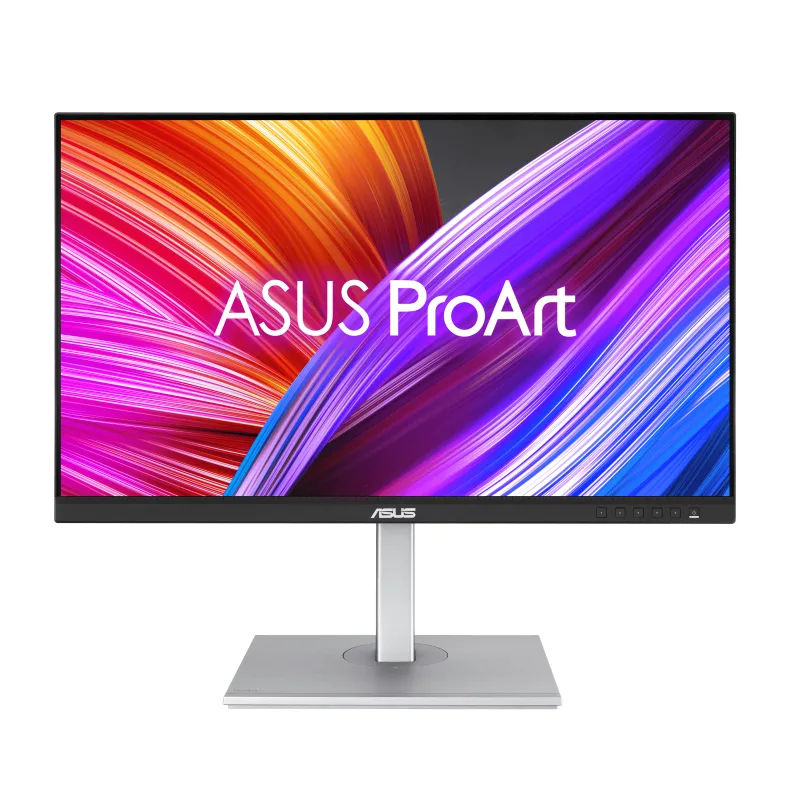
ASUS ProArt PA278CGV
Pros
- Well under $300 — ASUS undercuts comparable Dell models by $120–$180
- 144Hz smooths spreadsheet scrolling and handles light gaming without a separate gaming monitor
- 90W USB-C PD charges most 14-inch and 15-inch laptops at full speed
- Factory calibrated ΔE < 2 with Calman Verified certification
- DisplayPort daisy-chaining supports multi-monitor setups without extra dock
Cons
- No built-in KVM switch — managing two computers requires a separate KVM or hub
- 95% DCI-P3 is excellent but trails ASUS's own PA279CRV for print/video color accuracy
- Integrated speakers are serviceable at best
The PA278CGV is the clearest example of what ASUS does better than Dell at this price point. A 144Hz IPS panel with 95% DCI-P3 color coverage, 90W USB-C Power Delivery, factory ΔE < 2 calibration, and DisplayPort daisy-chaining for under $270 — Dell has nothing close.
The 144Hz refresh rate isn’t just for gaming. Scrolling through long documents, dragging windows, switching between browser tabs — everything feels smoother on 144Hz compared to 60Hz monitors. Owner reports consistently mention this as a quality-of-life improvement that’s hard to quantify but immediately noticeable after switching.
The 95% DCI-P3 coverage handles photo editing and video review competently. It won’t satisfy a colorist working to broadcast spec — that’s the PA279CRV’s territory — but for marketing teams, designers reviewing work, and anyone who wants accurate color for client deliverables, 95% DCI-P3 with ΔE < 2 calibration is more than adequate.
Where the PA278CGV concedes to Dell: it’s a simple monitor. No KVM, no Ethernet, no USB hub beyond the basic ports. If your desk setup involves a single laptop and you need monitor-as-dock functionality, you’ll need to add a separate hub.
Best ASUS for Color Work: ASUS ProArt PA279CRV
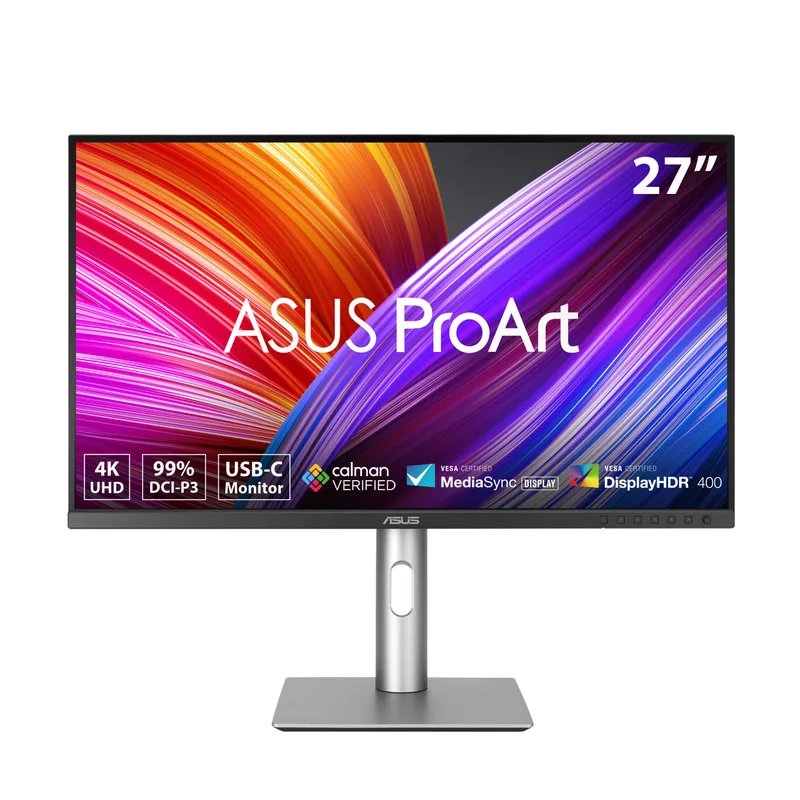
ASUS ProArt PA279CRV
Pros
- 99% DCI-P3 and 99% Adobe RGB cover essentially all color spaces used in print and video production
- Factory calibrated ΔE < 2 with Calman Verified certification included in the box
- 96W USB-C PD — highest wattage in this roundup, handles 16-inch MacBook Pro at full speed
- DisplayPort daisy-chaining simplifies multi-monitor cable runs
- 4K sharpness at 27 inches puts small text and fine detail in a class of its own
Cons
- 60Hz only — noticeable compared to the PA278CGV's 144Hz for day-to-day scrolling
- No KVM switch or Gigabit Ethernet — connectivity is simpler than Dell's hub-focused models
- PA279CRV's color accuracy advantage over PA278CGV only matters if you do color-critical work
The PA279CRV is the monitor photo editors and video colorists choose over the PA278CGV. The step up to 4K adds pixel density that shows in Lightroom, Premiere, and DaVinci Resolve — fine details in textures and gradients are visible at 27 inches in a way they’re not on 1440p panels.
More importantly, the PA279CRV reaches 99% DCI-P3 and 99% Adobe RGB — the two color spaces most relevant to professional image work. The Calman Verified certification means each unit ships with a verified calibration report, not just a brand promise. For anyone delivering to print or broadcast clients, this matters.
The 96W USB-C PD is the highest wattage here and covers the 16-inch MacBook Pro at full speed without an additional charger on the desk. One cable handles video signal and power.
The limitation versus Dell’s premium models: the PA279CRV has no KVM and no Ethernet. It’s a pure display with excellent color. If you want monitor-as-hub functionality, Dell’s U2723QE is the comparison point — at a higher cost.
The Older Dell Value: Dell UltraSharp U2722D
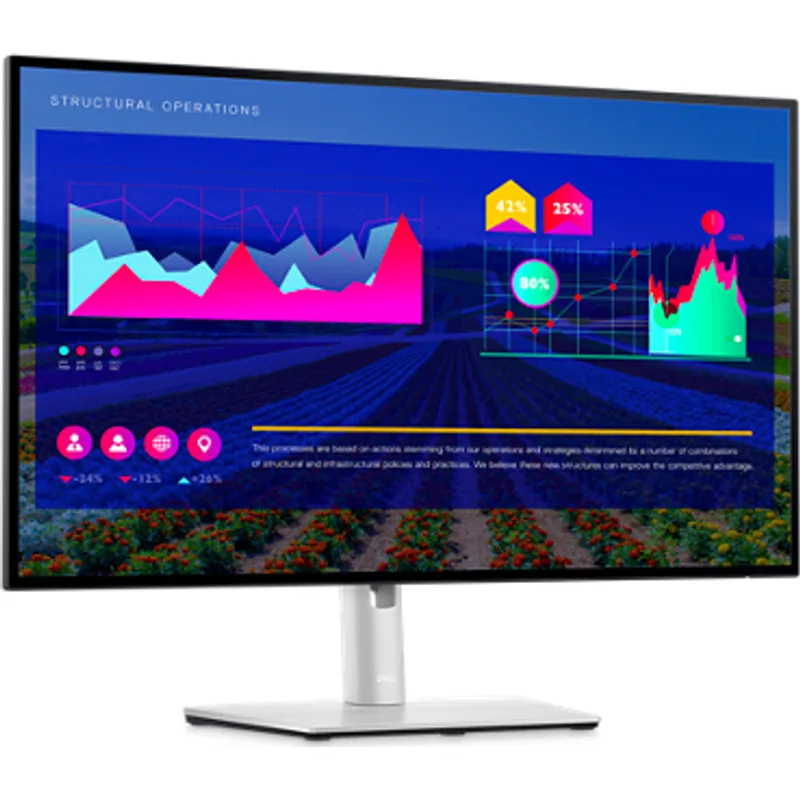
Dell UltraSharp U2722D
Pros
- Dell's build quality and ergonomic stand are noticeably premium — solid pivot, swivel, and height range
- 100% sRGB factory calibrated — accurate color for office documents and web design out of the box
- 90W USB-C PD handles most laptops, including 13-inch MacBook Pro
- Dell's 3-year premium panel warranty covers dead pixels from day one
Cons
- 60Hz at this price feels dated in 2026, especially given ASUS's 144Hz PA278CGV costs $130 less
- Standard IPS contrast — no IPS Black panel, so dark content shows the typical IPS grayish blacks
- U2724D supersedes this model with IPS Black and 120Hz; U2722D now hard to justify at full price
The U2722D represents Dell’s previous generation of 27-inch 1440p UltraSharp. It’s a well-built, accurately calibrated monitor with Dell’s best-in-class ergonomic stand and a solid 3-year premium panel warranty. Previously it was a leading recommendation. In 2026, it’s harder to justify at full retail.
The problem: the U2724D exists. Same price range, adds IPS Black contrast and 120Hz. Unless the U2722D is on sale at a significant discount over the U2724D — which happens periodically — the newer model is the better buy in nearly every scenario.
Where the U2722D still earns consideration: Dell’s build quality and stand design are legitimately premium. The stand pivot adjusts smoothly, the height range is generous, and the cable management routing is cleaner than most competitors including ASUS. If you prioritize build quality and don’t care about IPS Black or 120Hz, the U2722D at a discounted price remains a solid choice.
The value comparison against ASUS remains stark. The PA278CGV costs $100–$180 less than the U2722D and ships with 144Hz. The U2722D needs a meaningful price drop to compete.
The Dell Sweet Spot: Dell UltraSharp U2724D
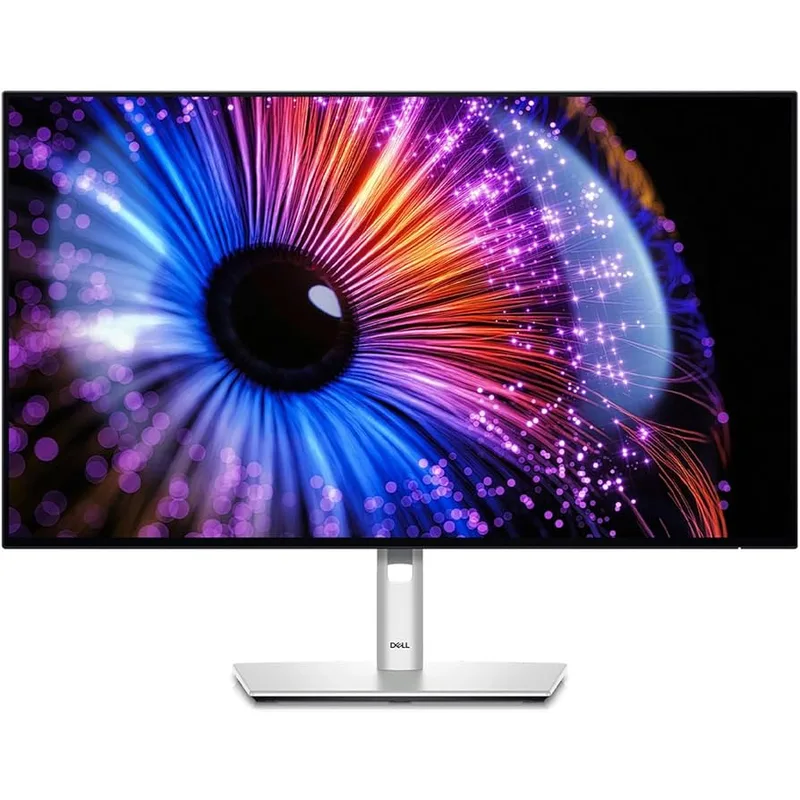
Dell UltraSharp U2724D
Pros
- First UltraSharp to pair IPS Black contrast (~2,000:1) with 120Hz — covers productivity and gaming in one display
- IPS Black makes dark-background terminals, code editors, and video content look dramatically better than standard IPS
- 98% DCI-P3 handles photo editing and color-sensitive work alongside general office use
- Dell's best-in-class ergonomic stand with full pivot, swivel, and VESA compatibility
- 120Hz provides notably smoother scrolling compared to 60Hz models at similar price
Cons
- No Thunderbolt 4 or built-in KVM — that requires the U2724DE at ~$490–$550
- IPS Black still shows noticeably lighter blacks than OLED — don't confuse the two
- Slightly pricier than the ASUS PA279CRV 4K option at the same or lower price
The U2724D is the strongest argument Dell has against ASUS in 2026. It’s the first UltraSharp to pair IPS Black contrast (~2,000:1 typical vs. ~1,000:1 for standard IPS) with a 120Hz refresh rate — an unusual combination that was only available in OLED panels before this model.
IPS Black doesn’t match OLED contrast. But it’s roughly twice the contrast ratio of standard IPS, which is visible on dark content — code editors with dark themes, video playback, photography with shadow detail. The upgrade from U2722D to U2724D is meaningful in everyday use in a way that a simple resolution bump wouldn’t be.
The 98% DCI-P3 coverage handles color-sensitive work accurately. Owner feedback on the U2724D notes that it serves dual roles better than most monitors at this price: productive work during the day and competent entertainment or gaming at night, without the compromises typically involved in that combination.
The main consideration: the U2724D is a 1440p panel, not 4K. If you’re comparing it against the ASUS PA279CRV at a similar price, the tradeoff is IPS Black + 120Hz versus 4K + 99% Adobe RGB. For most home office users, the U2724D’s combination is the more practical daily driver. For color-critical creative work, the PA279CRV’s 4K and wider gamut edges ahead.
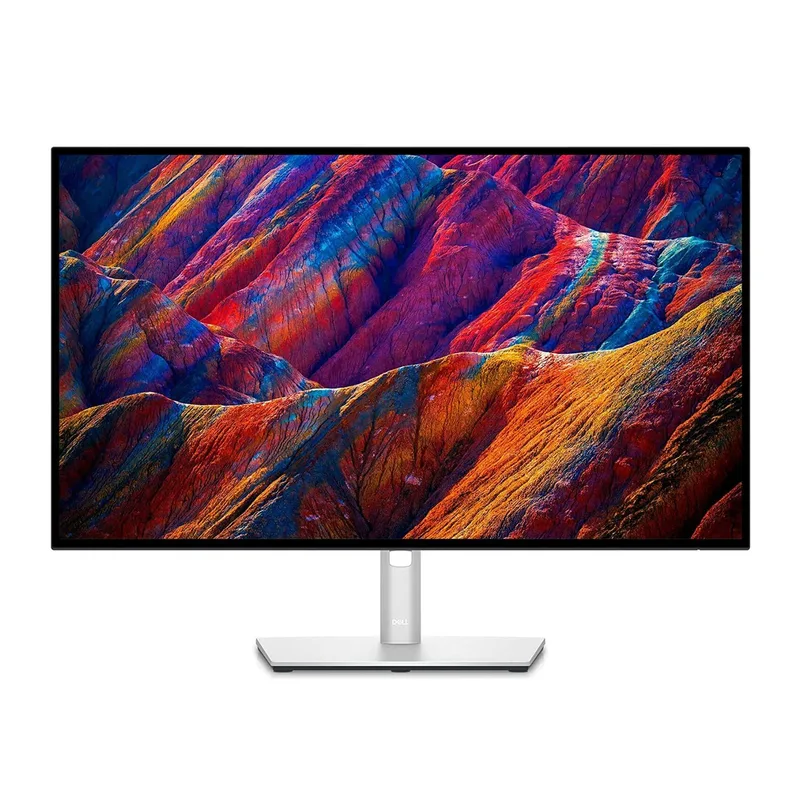
Best Productivity Hub: Dell UltraSharp U2723QE
Dell UltraSharp U2723QE
Pros
- Built-in KVM switch controls two computers with one keyboard and mouse — eliminates KVM hardware entirely
- Gigabit Ethernet port in the stand — one USB-C cable handles video, power, network, and USB
- IPS Black panel delivers richer contrast than standard IPS at a similar price to non-hub competitors
- 4K resolution at 27 inches puts spreadsheets and documents in exceptional clarity
- Replaces a docking station for most single-monitor setups
Cons
- 60Hz cap at this price point — the U2725QE successor adds 120Hz but costs $699+
- Street price pushes $549 at times, which is a significant premium over the ASUS PA279CRV
- KVM and Ethernet features are wasted if you only use one computer
The U2723QE is the monitor for remote workers managing two computers from one desk — the most common setup for people who have a personal machine and a company-issued laptop side by side. The built-in KVM switch lets you control both machines with a single keyboard and mouse, switching between them from a button on the monitor. No KVM hardware to configure. No additional cables. The monitor handles the switching.
The stand’s built-in Gigabit Ethernet turns a single USB-C cable into a connection that carries video signal, 90W power delivery, network connectivity, and USB hub access simultaneously. For laptops with limited ports — MacBook Air, Dell XPS 13 — this removes the need for a separate docking station entirely.
The IPS Black panel provides the same contrast advantage as the U2724D: roughly twice the contrast ratio of standard IPS. At 4K resolution, text rendering and image detail are noticeably sharper than 1440p.
The notable limitation: the U2723QE is capped at 60Hz. For the money — touching $549 at retail — that’s a meaningful concession compared to the U2724D’s 120Hz at a lower or similar price. The U2725QE successor addresses this with 120Hz but pushes past $699. If you don’t need KVM or Ethernet and are choosing between the U2723QE and U2724D at similar prices, the U2724D’s 120Hz wins for day-to-day use.
Buying Guide: Which Brand Wins for Your Setup?
You should choose ASUS ProArt if:
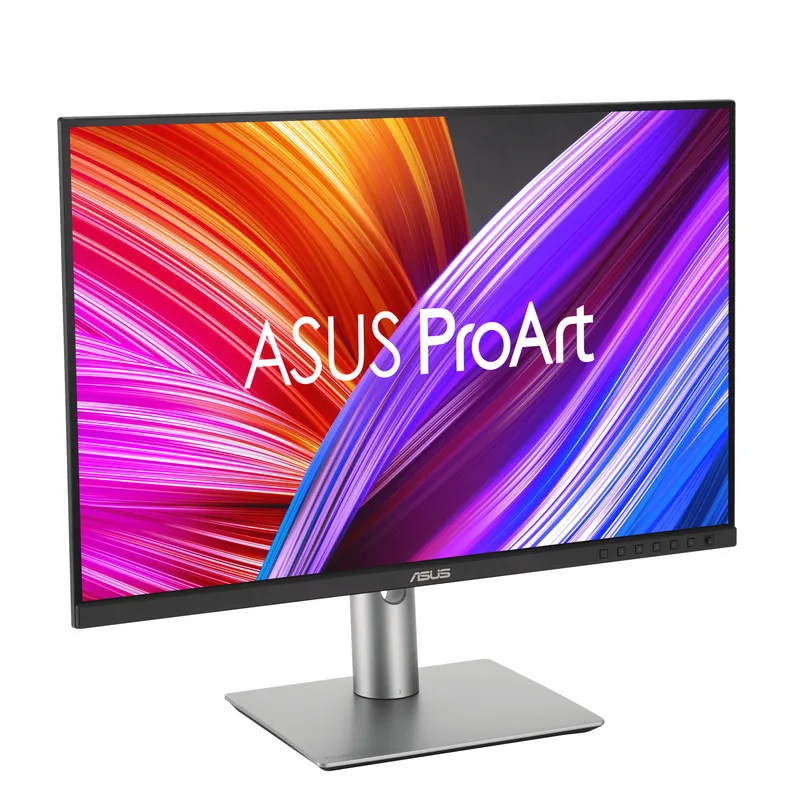
- Budget matters and you want the best specs per dollar
- You do color-critical work (photography, video, design) and need 99% Adobe RGB coverage
- Your setup doesn’t require KVM or built-in Ethernet
- You occasionally game or appreciate smooth 144Hz scrolling
You should choose Dell UltraSharp if:
- You use two computers from one desk and want KVM built into the monitor
- You want one cable from laptop to monitor covering video, power, network, and USB
- Build quality and premium stand ergonomics are a priority
- You prefer IPS Black for better contrast on dark-themed workflows
Price-point verdict:
| Budget | Pick | Reason |
|---|---|---|
| Under $300 | ASUS PA278CGV | No Dell competition at this tier |
| $350–$420 | ASUS PA278CGV (if on sale) or Dell U2724D | Dell U2722D no longer competitive |
| $420–$470 | ASUS PA279CRV or Dell U2724D | Choose 4K+gamut vs IPS Black+120Hz |
| $480–$550 | Dell U2723QE | KVM+Ethernet justify the premium |
FAQ
Is ASUS ProArt better than Dell UltraSharp for photo editing?
For pure color accuracy, the ASUS ProArt PA279CRV’s 99% Adobe RGB and 99% DCI-P3 coverage makes it the stronger choice for color-critical work. Dell’s UltraSharp models reach 98–100% sRGB and up to 98% DCI-P3, which is excellent for general office and web design, but ASUS’s wider Adobe RGB coverage matters when delivering to print workflows.
Does the Dell IPS Black panel make a real visible difference?
Yes, noticeably on dark content. IPS Black panels achieve approximately 2,000:1 contrast versus standard IPS panels at ~1,000:1. This difference is visible on dark-themed code editors, video with shadow detail, and any content with a dark background. It doesn’t match OLED contrast, but the improvement over standard IPS in a well-lit office environment is meaningful.
Why is ASUS so much cheaper than Dell at the same specs?
Dell builds its premium pricing around brand trust, warranty terms, and the KVM/hub features unique to UltraSharp. ASUS ProArt monitors typically match or exceed Dell’s raw display specs — color coverage, calibration, resolution, and connectivity — but skip the productivity hub features. If you don’t need KVM and Ethernet, you’re paying for features you won’t use with Dell.
Can ASUS ProArt monitors daisy-chain like Dell?
Yes. Both the PA278CGV and PA279CRV support DisplayPort daisy-chaining for connecting two monitors in series without a secondary DisplayPort output on the laptop. Dell UltraSharp models also support this. Daisy-chaining requires a laptop GPU that supports MST (most modern Intel and AMD integrated GPUs do).
Is the Dell U2723QE still worth buying in 2026 when the U2725QE exists?
If you need KVM and Ethernet, yes — the U2723QE delivers those features at a lower price than the U2725QE. The U2725QE adds 120Hz, which is a meaningful upgrade. But at $699+ versus $430–$549 for the U2723QE, the cost delta is significant. Unless smooth scrolling and a faster panel are priorities alongside the hub features, the U2723QE remains a practical choice at its price point.
Conclusion
For most home office setups, the ASUS ProArt PA278CGV at $229–$269 is the strongest pure value play in either lineup. No Dell monitor competes at that price with equivalent specs, and the 144Hz panel and 90W USB-C PD cover the daily-use requirements for most remote workers.
If you work across two computers from one desk and want to simplify your cable setup, the Dell UltraSharp U2724D or U2723QE are worth the premium. The U2724D’s IPS Black + 120Hz is the best all-rounder Dell has produced in this size. The U2723QE’s KVM and Ethernet are genuinely useful productivity features that ASUS simply doesn’t offer.
For color-critical creative work, the ASUS ProArt PA279CRV’s 99% Adobe RGB puts it ahead of any Dell in the same price range for photo and video production.
The honest summary: ASUS wins on value and color gamut. Dell wins on productivity hub features and IPS Black panels. Pick based on which matters to your actual workflow.
Detailed Reviews
ASUS ProArt PA278CGV
Pros
- Well under $300 — ASUS undercuts comparable Dell models by $120–$180
- 144Hz smooths spreadsheet scrolling and handles light gaming without a separate gaming monitor
- 90W USB-C PD charges most 14-inch and 15-inch laptops at full speed
- Factory calibrated ΔE < 2 with Calman Verified certification
- DisplayPort daisy-chaining supports multi-monitor setups without extra dock
Cons
- No built-in KVM switch — managing two computers requires a separate KVM or hub
- 95% DCI-P3 is excellent but trails ASUS's own PA279CRV for print/video color accuracy
- Integrated speakers are serviceable at best
ASUS ProArt PA279CRV
Pros
- 99% DCI-P3 and 99% Adobe RGB cover essentially all color spaces used in print and video production
- Factory calibrated ΔE < 2 with Calman Verified certification included in the box
- 96W USB-C PD — highest wattage in this roundup, handles 16-inch MacBook Pro at full speed
- DisplayPort daisy-chaining simplifies multi-monitor cable runs
- 4K sharpness at 27 inches puts small text and fine detail in a class of its own
Cons
- 60Hz only — noticeable compared to the PA278CGV's 144Hz for day-to-day scrolling
- No KVM switch or Gigabit Ethernet — connectivity is simpler than Dell's hub-focused models
- PA279CRV's color accuracy advantage over PA278CGV only matters if you do color-critical work
Dell UltraSharp U2722D
Pros
- Dell's build quality and ergonomic stand are noticeably premium — solid pivot, swivel, and height range
- 100% sRGB factory calibrated — accurate color for office documents and web design out of the box
- 90W USB-C PD handles most laptops, including 13-inch MacBook Pro
- Dell's 3-year premium panel warranty covers dead pixels from day one
Cons
- 60Hz at this price feels dated in 2026, especially given ASUS's 144Hz PA278CGV costs $130 less
- Standard IPS contrast — no IPS Black panel, so dark content shows the typical IPS grayish blacks
- U2724D supersedes this model with IPS Black and 120Hz; U2722D now hard to justify at full price
Dell UltraSharp U2724D
Pros
- First UltraSharp to pair IPS Black contrast (~2,000:1) with 120Hz — covers productivity and gaming in one display
- IPS Black makes dark-background terminals, code editors, and video content look dramatically better than standard IPS
- 98% DCI-P3 handles photo editing and color-sensitive work alongside general office use
- Dell's best-in-class ergonomic stand with full pivot, swivel, and VESA compatibility
- 120Hz provides notably smoother scrolling compared to 60Hz models at similar price
Cons
- No Thunderbolt 4 or built-in KVM — that requires the U2724DE at ~$490–$550
- IPS Black still shows noticeably lighter blacks than OLED — don't confuse the two
- Slightly pricier than the ASUS PA279CRV 4K option at the same or lower price
Dell UltraSharp U2723QE
Pros
- Built-in KVM switch controls two computers with one keyboard and mouse — eliminates KVM hardware entirely
- Gigabit Ethernet port in the stand — one USB-C cable handles video, power, network, and USB
- IPS Black panel delivers richer contrast than standard IPS at a similar price to non-hub competitors
- 4K resolution at 27 inches puts spreadsheets and documents in exceptional clarity
- Replaces a docking station for most single-monitor setups
Cons
- 60Hz cap at this price point — the U2725QE successor adds 120Hz but costs $699+
- Street price pushes $549 at times, which is a significant premium over the ASUS PA279CRV
- KVM and Ethernet features are wasted if you only use one computer